power steering FORD TAURUS 2015 6.G Owner's Manual
[x] Cancel search | Manufacturer: FORD, Model Year: 2015, Model line: TAURUS, Model: FORD TAURUS 2015 6.GPages: 558, PDF Size: 4.42 MB
Page 438 of 558
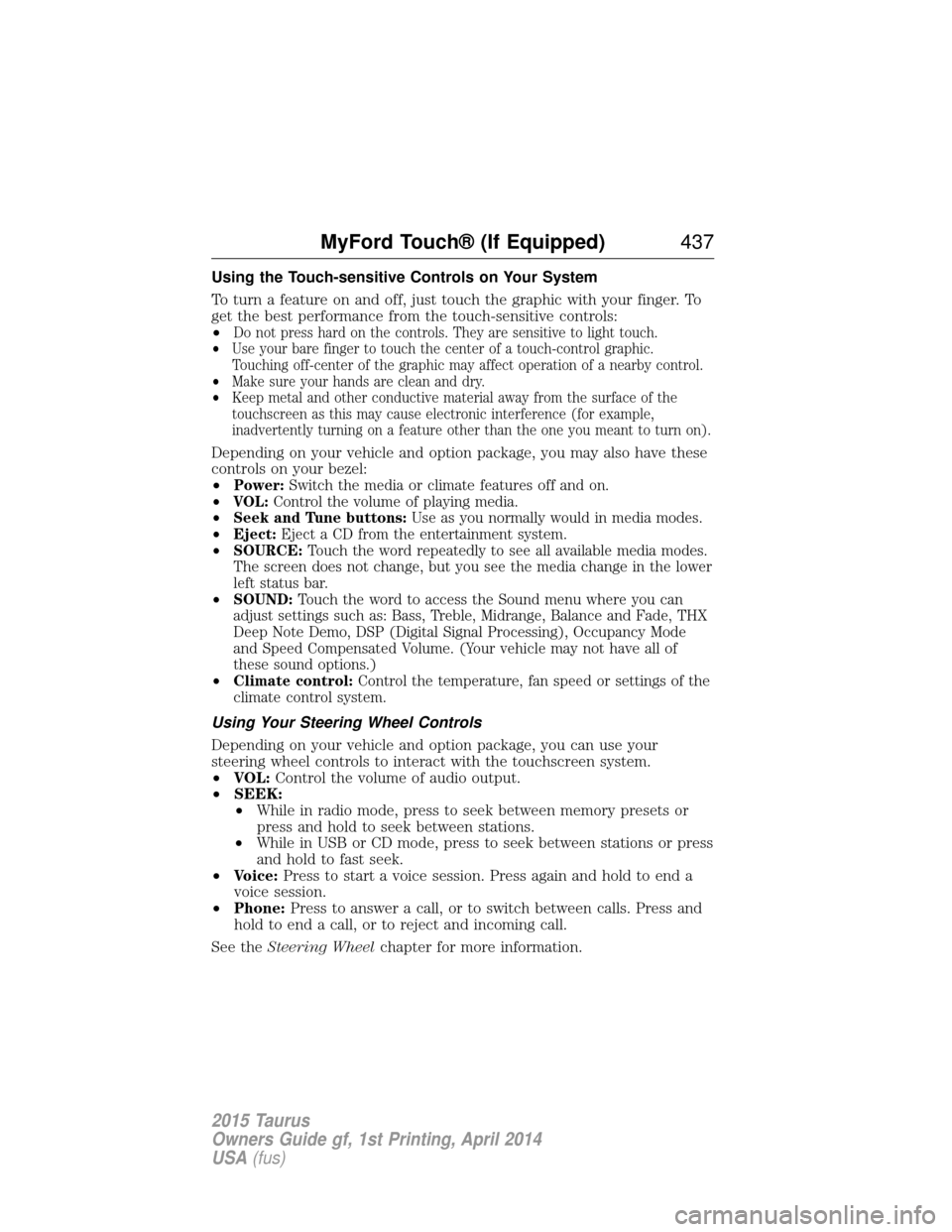
Using the Touch-sensitive Controls on Your System
To turn a feature on and off, just touch the graphic with your finger. To
get the best performance from the touch-sensitive controls:
•
Do not press hard on the controls. They are sensitive to light touch.
• Use your bare finger to touch the center of a touch-control graphic.
Touching off-center of the graphic may affect operation of a nearby control.
• Make sure your hands are clean and dry.
• Keep metal and other conductive material away from the surface of the
touchscreen as this may cause electronic interference (for example,
inadvertently turning on a feature other than the one you meant to turn on).
Depending on your vehicle and option package, you may also have these
controls on your bezel:
•
Power: Switch the media or climate features off and on.
• VOL: Control the volume of playing media.
• Seek and Tune buttons: Use as you normally would in media modes.
• Eject: Eject a CD from the entertainment system.
• SOURCE: Touch the word repeatedly to see all available media modes.
The screen does not change, but you see the media change in the lower
left status bar.
• SOUND: Touch the word to access the Sound menu where you can
adjust settings such as: Bass, Treble, Midrange, Balance and Fade, THX
Deep Note Demo, DSP (Digital Signal Processing), Occupancy Mode
and Speed Compensated Volume. (Your vehicle may not have all of
these sound options.)
• Climate control: Control the temperature, fan speed or settings of the
climate control system.
Using Your Steering Wheel Controls
Depending on your vehicle and option package, you can use your
steering wheel controls to interact with the touchscreen system.
• VOL: Control the volume of audio output.
• SEEK:
• While in radio mode, press to seek between memory presets or
press and hold to seek between stations.
• While in USB or CD mode, press to seek between stations or press
and hold to fast seek.
• Voice: Press to start a voice session. Press again and hold to end a
voice session.
• Phone: Press to answer a call, or to switch between calls. Press and
hold to end a call, or to reject and incoming call.
See the Steering Wheel chapter for more information.
MyFord Touch® (If Equipped) 437
2015 Taurus
Owners Guide gf, 1st Printing, April 2014
USA(fus)
Page 485 of 558
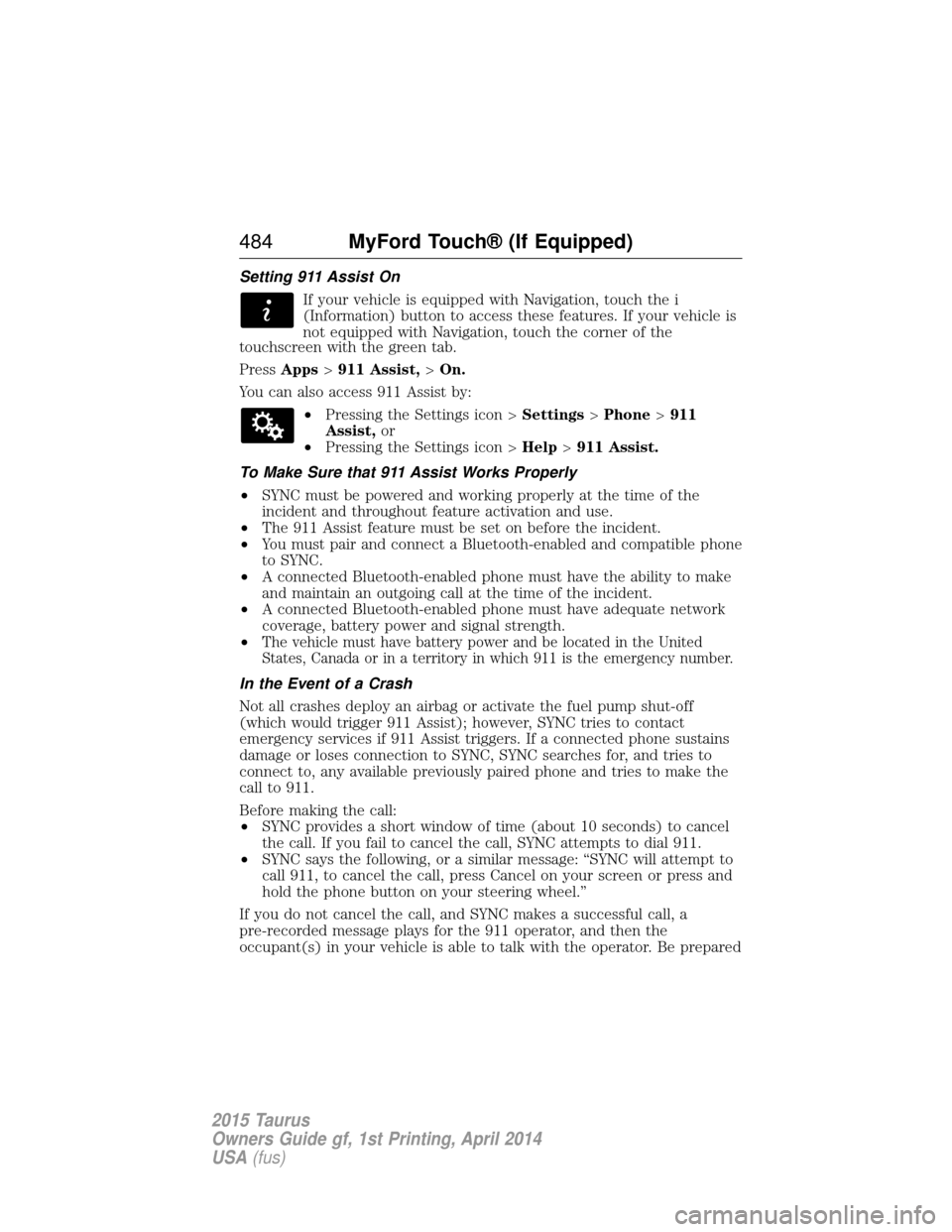
Setting 911 Assist OnIf your vehicle is equipped with Navigation, touch the i
(Information) button to access these features. If your vehicle is
not equipped with Navigation, touch the corner of the
touchscreen with the green tab.
Press Apps >911 Assist, >On.
You can also access 911 Assist by: •Pressing the Settings icon > Settings>Phone >911
Assist, or
• Pressing the Settings icon > Help>911 Assist.
To Make Sure that 911 Assist Works Properly
• SYNC must be powered and working properly at the time of the
incident and throughout feature activation and use.
• The 911 Assist feature must be set on before the incident.
• You must pair and connect a Bluetooth-enabled and compatible phone
to SYNC.
• A connected Bluetooth-enabled phone must have the ability to make
and maintain an outgoing call at the time of the incident.
• A connected Bluetooth-enabled phone must have adequate network
coverage, battery power and signal strength.
•
The vehicle must have battery power and be located in the United States, Canada or in a territory in which 911 is the emergency number.
In the Event of a Crash
Not all crashes deploy an airbag or activate the fuel pump shut-off
(which would trigger 911 Assist); however, SYNC tries to contact
emergency services if 911 Assist triggers. If a connected phone sustains
damage or loses connection to SYNC, SYNC searches for, and tries to
connect to, any available previously paired phone and tries to make the
call to 911.
Before making the call:
• SYNC provides a short window of time (about 10 seconds) to cancel
the call. If you fail to cancel the call, SYNC attempts to dial 911.
• SYNC says the following, or a similar message: “SYNC will attempt to
call 911, to cancel the call, press Cancel on your screen or press and
hold the phone button on your steering wheel.”
If you do not cancel the call, and SYNC makes a successful call, a
pre-recorded message plays for the 911 operator, and then the
occupant(s) in your vehicle is able to talk with the operator. Be prepared
484 MyFord Touch® (If Equipped)
2015 Taurus
Owners Guide gf, 1st Printing, April 2014
USA(fus)
Page 537 of 558
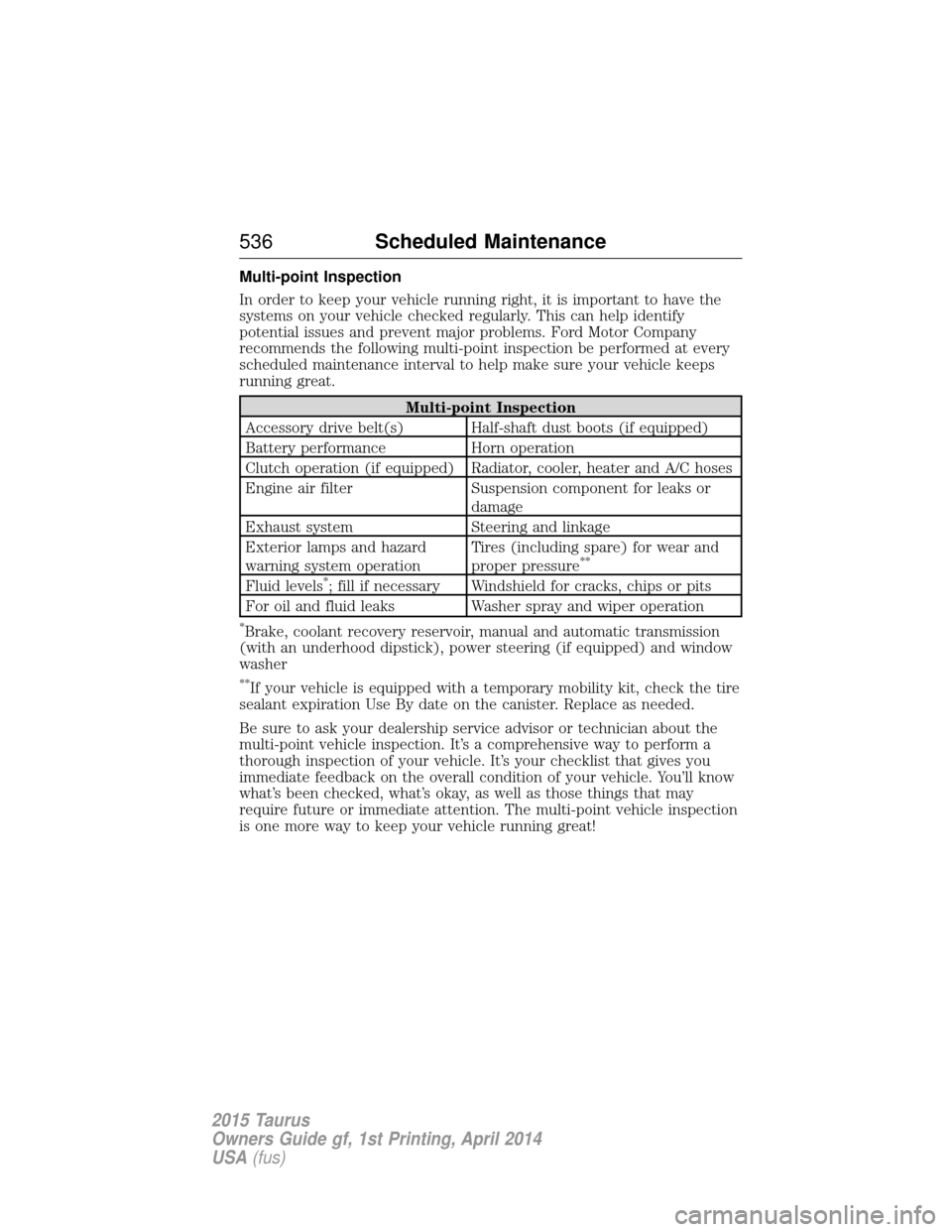
Multi-point Inspection
In order to keep your vehicle running right, it is important to have the
systems on your vehicle checked regularly. This can help identify
potential issues and prevent major problems. Ford Motor Company
recommends the following multi-point inspection be performed at every
scheduled maintenance interval to help make sure your vehicle keeps
running great.
Multi-point Inspection
Accessory drive belt(s) Half-shaft dust boots (if equipped)
Battery performance Horn operation
Clutch operation (if equipped) Radiator, cooler, heater and A/C hoses
Engine air filter Suspension component for leaks or damage
Exhaust system Steering and linkage
Exterior lamps and hazard
warning system operation Tires (including spare) for wear and
proper pressure
**
Fluid levels*; fill if necessary Windshield for cracks, chips or pits
For oil and fluid leaks Washer spray and wiper operation
*Brake, coolant recovery reservoir, manual and automatic transmission
(with an underhood dipstick), power steering (if equipped) and window
washer
**If your vehicle is equipped with a temporary mobility kit, check the tire
sealant expiration Use By date on the canister. Replace as needed.
Be sure to ask your dealership service advisor or technician about the
multi-point vehicle inspection. It’s a comprehensive way to perform a
thorough inspection of your vehicle. It’s your checklist that gives you
immediate feedback on the overall condition of your vehicle. You’ll know
what’s been checked, what’s okay, as well as those things that may
require future or immediate attention. The multi-point vehicle inspection
is one more way to keep your vehicle running great!
536 Scheduled Maintenance
2015 Taurus
Owners Guide gf, 1st Printing, April 2014
USA(fus)
Page 555 of 558
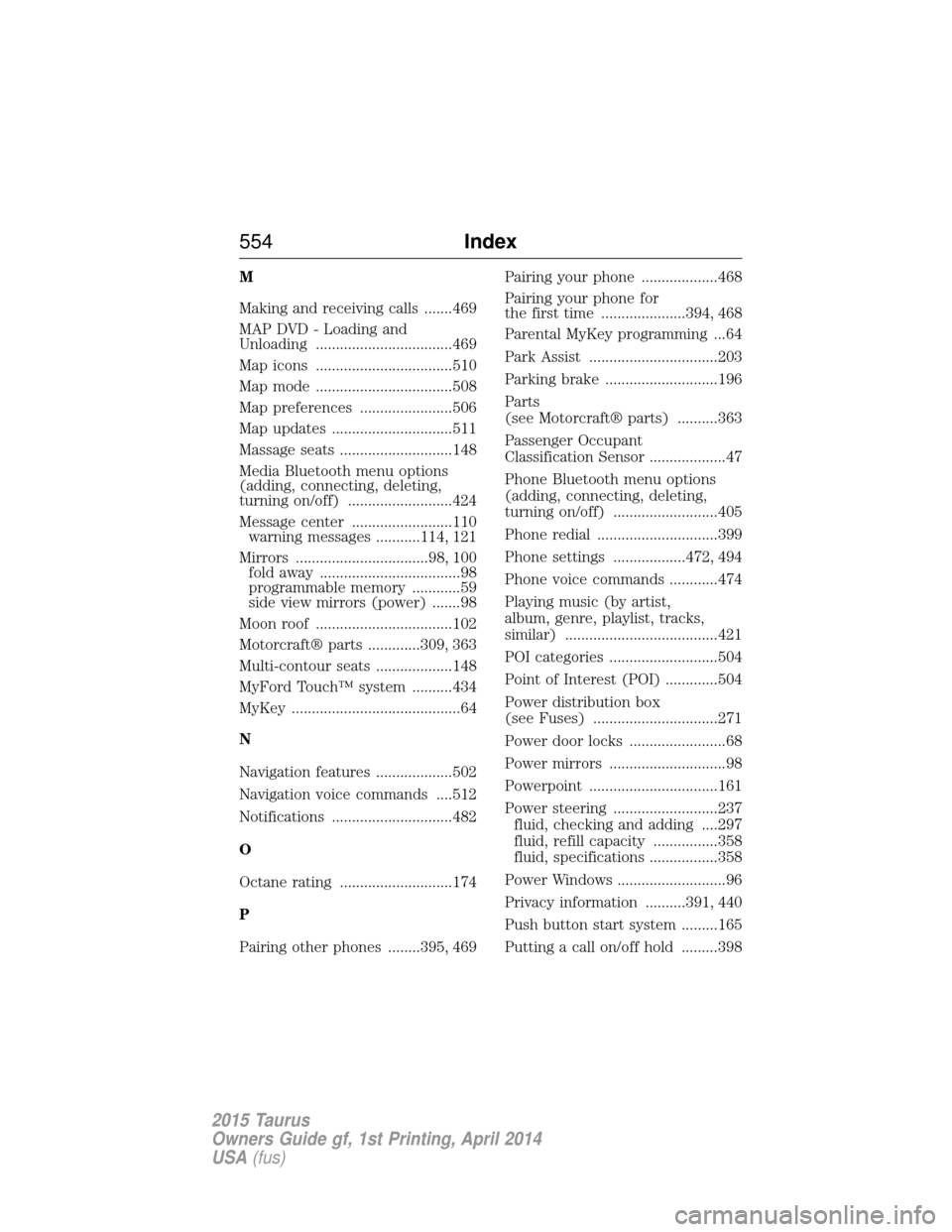
M
Making and receiving calls .......469
MAP DVD - Loading and
Unloading ..................................469
Map icons ..................................510
Map mode ..................................508
Map preferences .......................506
Map updates ..............................511
Massage seats ............................148
Media Bluetooth menu options
(adding, connecting, deleting,
turning on/off) ..........................424
Message center .........................110warning messages ...........114, 121
Mirrors .................................98, 100 fold away ...................................98
programmable memory ............59
side view mirrors (power) .......98
Moon roof ..................................102
Motorcraft® parts .............309, 363
Multi-contour seats ...................148
MyFord Touch™ system ..........434
MyKey ..........................................64
N
Navigation features ...................502
Navigation voice commands ....512
Notifications ..............................482
O
Octane rating ............................174
P
Pairing other phones ........395, 469 Pairing your phone ...................468
Pairing your phone for
the first time .....................394, 468
Parental MyKey programming ...64
Park Assist ................................203
Parking brake ............................196
Parts
(see Motorcraft® parts) ..........363
Passenger Occupant
Classification Sensor ...................47
Phone Bluetooth menu options
(adding, connecting, deleting,
turning on/off) ..........................405
Phone redial ..............................399
Phone settings ..................472, 494
Phone voice commands ............474
Playing music (by artist,
album, genre, playlist, tracks,
similar) ......................................421
POI categories ...........................504
Point of Interest (POI) .............504
Power distribution box
(see Fuses) ...............................271
Power door locks ........................68
Power mirrors .............................98
Powerpoint ................................161
Power steering ..........................237
fluid, checking and adding ....297
fluid, refill capacity ................358
fluid, specifications .................358
Power Windows ...........................96
Privacy information ..........391, 440
Push button start system .........165
Putting a call on/off hold .........398
554 Index
2015 Taurus
Owners Guide gf, 1st Printing, April 2014
USA(fus)