airbag off FORD TAURUS 2019 User Guide
[x] Cancel search | Manufacturer: FORD, Model Year: 2019, Model line: TAURUS, Model: FORD TAURUS 2019Pages: 515, PDF Size: 17.29 MB
Page 342 of 515
SYNC™ APPLICATIONS AND
SERVICES
In order for the following features to work,
your cell phone must be compatible with
SYNC. To check your phone's
compatibility, visit www.SYNCMyRide.com,
www.SYNCMyRide.ca or
www.syncmaroute.ca.
•
911 Assist: Can alert 911 in the event of
an emergency.
911 Assist (If Equipped) WARNING:
Unless the 911 Assist
setting is set on before a crash, the
system will not dial for help which could
delay response time, potentially
increasing the risk of serious injury or
death after a crash. WARNING:
Do not wait for 911
Assist to make an emergency call if you
can do it yourself. Dial emergency
services immediately to avoid delayed
response time which could increase the
risk of serious injury or death after a
crash. If you do not hear 911 Assist within
five seconds of the crash, the system or
phone may be damaged or
non-functional. WARNING:
Always place your
phone in a secure location in your vehicle
so it does not become a projectile or get
damaged in a crash. Failure to do so may
cause serious injury to someone or
damage the phone which could prevent
911 Assist from working properly. Note:
The SYNC 911 Assist feature must be
set on before the incident.
Note: Before setting this feature on, make
sure that you read the 911 Assist Privacy
Notice later in this section for important
information.
Note: If any user turns 911 Assist on or off,
that setting applies for all paired phones. If
911 Assist is turned off, either a voice
message plays or a display message (or
icon) comes on (or both) when your vehicle
is started after a previously paired phone
connects.
Note: Every phone operates differently.
While SYNC 911 Assist works with most
cellular phones, some may have trouble
using this feature.
If a crash deploys an airbag (excluding
knee airbags and rear inflatable safety
belts [if equipped]) or activates the fuel
pump shut-off, your SYNC-equipped
vehicle may be able to contact emergency
services by dialing 911 through a paired and
connected Bluetooth-enabled phone. You
can learn more about the 911 Assist
feature, visit www.SYNCMyRide.com,
www.SYNCMyRide.ca or
www.syncmaroute.ca.
See
Supplementary Restraints System
(page 37). Important information about
airbag deployment is in this chapter.
See
Roadside Emergencies (page 210).
Important information about the fuel pump
shut-off is in this chapter.
339
Taurus (CPH) Canada/United States of America, enUSA, Edition date: 201806, First-Printing SYNC™
Page 343 of 515
Switching 911 Assist On or Off
Press the phone button to enter the phone menu and scroll to:
Action and Description
Message
Press the OK button to confirm and enter the 911 Assist menu.
911 Assist
Press the OK button when the desired option appears in the
radio display.
On
Off
Off selections include: Action and Description
Message
Provides a display and voice reminder at phone connection
at vehicle start.
Off with reminder:
Provides a display reminder only without a voice reminder at
phone connection.
Off without reminder:
To make sure that 911 Assist works
correctly:
• SYNC must be powered and working
properly at the time of the incident and
throughout feature activation and use.
• The 911 Assist feature must be set on
before the incident.
• You must pair and connect a
Bluetooth-enabled and compatible
cell phone to SYNC.
• A connected Bluetooth-enabled phone
must have the ability to make and
maintain an outgoing call at the time
of the incident.
• A connected Bluetooth-enabled phone
must have adequate network coverage,
battery power and signal strength.
• The vehicle must have battery power
and be located in the U.S., Canada or
in a territory in which 911 is the
emergency number. In the Event of a Crash
Not all crashes will deploy an airbag or
activate the fuel pump shut-off (the
triggers for 911 Assist). If a connected cell
phone sustains damage or loses its
connection to SYNC during a crash, SYNC
will search for and try to connect to a
previously paired cell phone; SYNC will
then attempt to call the emergency
services.
Before making the call:
•
SYNC provides a short window of time
(about 10 seconds) to cancel the call.
If you fail to cancel the call, SYNC
attempts to dial 911.
• SYNC says the following, or a similar
message: "SYNC will attempt to call
911, to cancel the call, press Cancel on
your screen or press and hold the
phone button on your steering wheel."
340
Taurus (CPH) Canada/United States of America, enUSA, Edition date: 201806, First-Printing SYNC™
Page 344 of 515
If you do not cancel the call, and SYNC
makes a successful call, a pre-recorded
message plays for the 911 operator, and
then the occupant(s) in your vehicle is able
to talk with the operator. Be prepared to
provide your name, phone number and
location immediately, because not all 911
systems are capable of receiving this
information electronically.
911 Assist May Not Work If
•
Your cellular phone or 911 Assist
hardware sustains damage in a crash.
• The vehicle's battery or the SYNC
system has no power.
• The phone(s) thrown from your vehicle
are the ones paired and connected to
the system.
911 Assist Privacy Notice
When you turn on 911 Assist, it may
disclose to emergency services that your
vehicle has been in a crash involving the
deployment of an airbag or activation of
the fuel pump shut-off. Certain versions or
updates to 911 Assist may also be capable
of electronically or verbally disclosing to
911 operators your vehicle location or other
details about your vehicle or crash to assist
911 operators to provide the most
appropriate emergency services. If you do
not want to disclose this information, do
not turn the feature on.
SYNC™ APPLINK ™
SYNC Mobile Apps
Note: You must pair and connect your
smartphone to SYNC to access AppLink.
Note: iPhone users need to connect the
phone to the USB port in order to start the
application. Note:
The AppLink feature is not available
if your vehicle is equipped with the MyFord
Touch system.
Note: Depending on your display type, you
can access AppLink from the media menu,
the phone menu, or by using voice
commands. Once an app is running through
AppLink, you can control main features of
the app through voice commands and
steering wheel controls.
To Access Using the Phone Menu
Press the phone button to access the
SYNC phone menu on-screen. You can
then scroll to: Menu item
Press OK to access a list
of available applications.
Mobile Apps
Scroll through the list of
available applications and
press OK to select a
particular app. Once an
app is running through
SYNC, you can access an
app’s menu by pressing the
MENU
button to first
access the SYNC menu.
Scroll until the app name followed by
"Menu", is displayed (such as, sticher
Menu), then press
OK. From here, you can
access an application's features, such as
Thumbs up and Thumbs down.
For more information, please visit: Website
www.SYNCMyRide.com
To Access Using the Media Menu
Press the
AUX button on the center
console.
341
Taurus (CPH) Canada/United States of America, enUSA, Edition date: 201806, First-Printing SYNC™
Page 371 of 515
Note:
Every phone operates differently.
While SYNC 911 Assist works with most
cellular phones, some may have trouble
using this feature.
If a crash deploys an airbag (excluding
knee airbags and rear inflatable safety
belts [if equipped]) or activates the fuel
pump shut-off, your SYNC-equipped
vehicle may be able to contact emergency
services by dialing 911 through a paired and
connected Bluetooth enabled phone. You
can learn more about the 911 Assist
feature, by visiting: Website
www.owner.ford.com
www.syncmyride.ca
www.syncmaroute.ca
For important information about airbag
deployment and the fuel pump shut-off
please see the Supplementary Restrains
and Roadside Emergencies sections of
your owner manual.
To switch 911 Assist on and off please view
the settings information. See Settings
(page 410).
To make sure that 911 Assist works
correctly:
• SYNC must be powered and working
properly at the time of the incident and
throughout feature activation and use.
• The 911 Assist feature must be set on
before the incident.
• You must pair and connect a Bluetooth
enabled and compatible cell phone to
SYNC.
• A connected Bluetooth enabled phone
must have the ability to make and
maintain an outgoing call at the time
of the incident. •
A connected Bluetooth enabled phone
must have adequate network coverage,
battery power and signal strength.
• The vehicle must have battery power
and be located in the U.S., Canada or
in a territory in which 911 is the
emergency number.
In the Event of a Crash
Not all crashes will deploy an airbag or
activate the fuel pump shut-off (the
triggers for 911 Assist). If a connected cell
phone sustains damage or loses its
connection to SYNC during a crash, SYNC
will search for and try to connect to a
previously paired cell phone; SYNC will
then attempt to call the emergency
services.
Before making the call:
• SYNC provides a short window of time
(about 10 seconds) to cancel the call.
If you fail to cancel the call, SYNC
attempts to dial 911.
• SYNC says the following, or a similar
message: "SYNC will attempt to call
911, to cancel the call, press Cancel on
your screen or press and hold the
phone button on your steering wheel."
If you do not cancel the call, and SYNC
makes a successful call, a pre-recorded
message plays for the 911 operator, and
then the occupant(s) in your vehicle is able
to talk with the operator. Be prepared to
provide your name, phone number and
location immediately, because not all 911
systems are capable of receiving this
information electronically.
368
Taurus (CPH) Canada/United States of America, enUSA, Edition date: 201806, First-Printing SYNC™ 3
Page 372 of 515
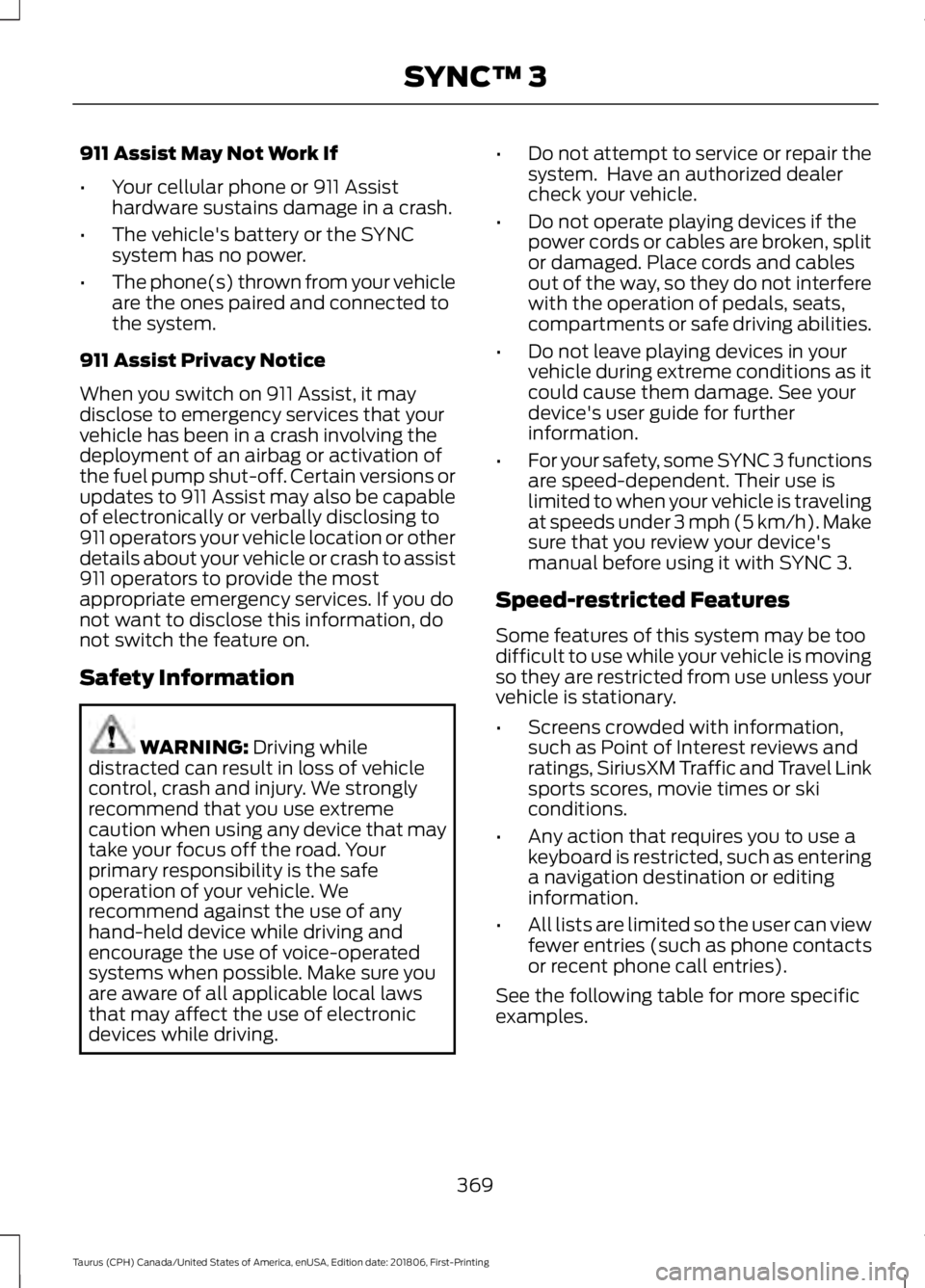
911 Assist May Not Work If
•
Your cellular phone or 911 Assist
hardware sustains damage in a crash.
• The vehicle's battery or the SYNC
system has no power.
• The phone(s) thrown from your vehicle
are the ones paired and connected to
the system.
911 Assist Privacy Notice
When you switch on 911 Assist, it may
disclose to emergency services that your
vehicle has been in a crash involving the
deployment of an airbag or activation of
the fuel pump shut-off. Certain versions or
updates to 911 Assist may also be capable
of electronically or verbally disclosing to
911 operators your vehicle location or other
details about your vehicle or crash to assist
911 operators to provide the most
appropriate emergency services. If you do
not want to disclose this information, do
not switch the feature on.
Safety Information WARNING: Driving while
distracted can result in loss of vehicle
control, crash and injury. We strongly
recommend that you use extreme
caution when using any device that may
take your focus off the road. Your
primary responsibility is the safe
operation of your vehicle. We
recommend against the use of any
hand-held device while driving and
encourage the use of voice-operated
systems when possible. Make sure you
are aware of all applicable local laws
that may affect the use of electronic
devices while driving. •
Do not attempt to service or repair the
system. Have an authorized dealer
check your vehicle.
• Do not operate playing devices if the
power cords or cables are broken, split
or damaged. Place cords and cables
out of the way, so they do not interfere
with the operation of pedals, seats,
compartments or safe driving abilities.
• Do not leave playing devices in your
vehicle during extreme conditions as it
could cause them damage. See your
device's user guide for further
information.
• For your safety, some SYNC 3 functions
are speed-dependent. Their use is
limited to when your vehicle is traveling
at speeds under 3 mph (5 km/h). Make
sure that you review your device's
manual before using it with SYNC 3.
Speed-restricted Features
Some features of this system may be too
difficult to use while your vehicle is moving
so they are restricted from use unless your
vehicle is stationary.
• Screens crowded with information,
such as Point of Interest reviews and
ratings, SiriusXM Traffic and Travel Link
sports scores, movie times or ski
conditions.
• Any action that requires you to use a
keyboard is restricted, such as entering
a navigation destination or editing
information.
• All lists are limited so the user can view
fewer entries (such as phone contacts
or recent phone call entries).
See the following table for more specific
examples.
369
Taurus (CPH) Canada/United States of America, enUSA, Edition date: 201806, First-Printing SYNC™ 3
Page 504 of 515
A
A/C
See: Climate Control......................................... 105
About This Manual...........................................7
ABS See: Brakes........................................................... 160
ABS driving hints See: Hints on Driving With Anti-Lock
Brakes................................................................. 161
Accessories....................................................438 Exterior Style....................................................... 438
Interior Style........................................................ 438
Lifestyle................................................................. 438
Peace of Mind..................................................... 438
Accessories See: Replacement Parts
Recommendation............................................ 12
ACC See: Using Adaptive Cruise Control..............177
Active Park Assist.........................................168 Automatic Steering into Parking
Space................................................................. 170
Deactivating the Park Assist Feature...........171
Troubleshooting the System........................... 171
Using Active Park Assist.................................. 169
Adjusting the Headlamps
..........................251
Horizontal Aim Adjustment........................... 252
Vertical Aim Adjustment.................................. 251
Adjusting the Pedals
....................................66
Adjusting the Steering Wheel...................64
Airbag Disposal...............................................45
Air Conditioning See: Climate Control......................................... 105
Air Filter See: Changing the Engine Air Filter.............253
Alarm See: Anti-Theft Alarm........................................ 63
All-Wheel Drive
.............................................153
Ambient Lighting............................................73
Adjusting the Brightness.................................... 73
Changing the Color.............................................. 73
Switching Ambient Lighting Off...................... 73
Switching Ambient Lighting On...................... 73
Anti-Theft Alarm
............................................63
Arming the Alarm................................................. 63
Disarming the Alarm........................................... 63
Appendices...................................................460 Apps
.................................................................407
........................................................................\
.......... 407
SiriusXM Traffic and Travel Link.................. 409
At a Glance........................................................15
Audible Warnings and Indicators.............84 Headlamps On Warning Chime..................... 84
Key in Ignition Warning Chime........................ 84
Keyless Warning Alert........................................ 84
Parking Brake On Warning Chime.................84
Audio Control..................................................64 Seek, Next or Previous....................................... 64
Audio Input Jack
............................................318
Audio System...............................................308 General Information......................................... 308
Audio Unit - Vehicles With: Sony Audio System...........................................................315
Accessing the Sound Settings....................... 315
Adjusting the Volume........................................ 315
Changing Radio Stations................................. 315
Selecting the Audio Modes............................. 315
Switching the Audio Unit On and Off.........315
Using Seek, Fast Forward and Reverse.............................................................. 316
Audio Unit - Vehicles With: SYNC 3
........................................................................\
314
Adjusting the Volume........................................ 314
Changing Radio Stations................................. 314
Ejecting the CD.................................................... 314
Inserting a CD....................................................... 314
Switching the Audio Unit On and Off.........314
Using Seek, Fast Forward and Reverse.............................................................. 314
Audio Unit - Vehicles With: SYNC.........309 Accessing the Auxiliary Media
Sources............................................................ 309
Accessing the Clock Settings......................... 310
Accessing the Menu.......................................... 310
Accessing the Phone Features...................... 310
Accessing the Sound Settings....................... 310
Adjusting the Volume....................................... 310
Changing Radio Stations................................. 310
Ejecting the CD..................................................... 311
Listening to a CD.................................................. 311
Listening to Satellite Radio.............................. 311
Listening to the Radio........................................ 311
Menu Structure..................................................... 311
Muting the Audio.................................................. 311
Playing or Pausing Media.................................. 311
501
Taurus (CPH) Canada/United States of America, enUSA, Edition date: 201806, First-Printing Index
Page 507 of 515
Switching the Climate Control On and
Off....................................................................... 392
Switching the Heated Exterior Mirrors On and Off.............................................................. 392
Switching the Heated Rear Window On and Off....................................................................... 392
Switching the Heated Seats On and Off....................................................................... 392
Switching the Heated Steering Wheel On and Off.............................................................. 392
Switching the Rear Climate Controlled Seats On and Off.......................................... 393
Switching the Rear Heated Seats On and Off...................................................................... 393
Switching the Rear Ventilated Seats On and Off.............................................................. 393
Switching the Ventilated Seats On and Off...................................................................... 393
Climate Control.............................................105
Climate Controlled Seats...........................122 Cooled Seats........................................................ 123
Heated Seats........................................................ 122
Collision Warning System.........................194 PRINCIPLE OF OPERATION........................... 194
Coolant Check See: Engine Coolant Check........................... 240
Crash Sensors and Airbag Indicator.......44
Creating a MyKey............................................52 Programming and Changing Configurable
Settings............................................................... 52
Cross Traffic Alert..........................................191 False Alerts........................................................... 193
Switching the System Off and On...............193
System Errors....................................................... 193
System Lights, Messages and Audible Alerts.................................................................. 192
System Limitations............................................ 193
Using the System................................................ 191
Cruise Control..................................................65 Principle of Operation....................................... 176
Cruise control See: Using Cruise Control................................ 176
Customer Assistance..................................216
D
Data Recording..................................................9
Event Data Recording.......................................... 10Service Data Recording........................................
9
Daytime Running Lamps..............................71
Declaration of Conformity.......................488 Radio Frequency Statement........................ 488
Direction Indicators........................................72
Doors and Locks.............................................55
Driver Alert
......................................................183
Using Driver Alert................................................ 183
Driver and Passenger Airbags...................38 Children and Airbags.......................................... 39
Proper Driver and Front Passenger Seating Adjustment........................................................ 38
Driving Aids
.....................................................183
Driving Hints...................................................207
Driving Through Water..............................208
DRL See: Daytime Running Lamps.......................... 71
E
Economical Driving
.....................................207
Electromagnetic Compatibility.............460
Emission Law.................................................145 Noise Emissions Warranty, Prohibited
Tampering Acts and Maintenance..........146
Tampering With a Noise Control System............................................................... 145
End User License Agreement.................462 VEHICLE SOFTWARE END USER LICENSE
AGREEMENT (EULA) ................................. 462
Engine Block Heater....................................134 Using the Engine Block Heater...................... 135
Engine Coolant Check...............................240 Adding Coolant.................................................. 240
Coolant Change.................................................. 242
Engine Coolant Temperature Management.................................................. 243
Fail-Safe Cooling............................................... 242
Recycled Coolant............................................... 242
Severe Climates................................................. 242
Engine Emission Control
............................145
Engine Immobilizer See: Passive Anti-Theft System..................... 62
Engine Oil Check..........................................238 Adding Engine Oil.............................................. 238
Engine Oil Dipstick - 3.5L Duratec/3.5L Ecoboost™.................................................238
504
Taurus (CPH) Canada/United States of America, enUSA, Edition date: 201806, First-Printing Index
Page 515 of 515
Climate Voice Commands..............................
376
Initiating a Voice Session................................ 323
Mobile App Voice Commands...................... 379
Navigation Voice Commands....................... 378
Phone Voice Commands................................ 376
SiriusXM Traffic and Travel Link Voice Commands...................................................... 379
System Interaction and Feedback..............324
Voice Settings Commands............................ 380
Utilizing the Mediation/Arbitration Program (Canada Only).........................219
V
Vehicle Care
...................................................255
General Information......................................... 255
Vehicle Certification Label.......................297
Vehicle Identification Number...............296
Vehicle Storage............................................260 Battery.................................................................... 261
Body....................................................................... 260
Brakes..................................................................... 261
Cooling system.................................................... 261
Engine..................................................................... 261
Fuel system........................................................... 261
General.................................................................. 260
Miscellaneous...................................................... 261
Removing Vehicle From Storage.................. 261
Tires........................................................................\
. 261
Ventilation See: Climate Control......................................... 105
VIN See: Vehicle Identification Number............296
Voice Control
...................................................64
W
Warning Lamps and Indicators..................81 Adaptive Cruise Control...................................... 81
Anti-Lock Braking System................................. 81
Automatic High Beam Control......................... 81
Battery....................................................................... 81
Blind Spot Monitor............................................... 81
Brake System.......................................................... 81
Cruise Control........................................................ 82
Direction Indicator................................................ 82
Door Ajar.................................................................. 82
Engine Coolant Temperature.......................... 82Engine Oil................................................................
82
Fasten Seatbelt..................................................... 82
Front Airbag............................................................ 82
Front Fog Lamps.................................................. 82
Heads Up Display................................................. 82
High Beam.............................................................. 82
Lane Keeping Aid................................................. 82
Low Fuel Level....................................................... 83
Low Tire Pressure Warning............................... 83
Low Washer Fluid................................................. 83
Parking Lamps...................................................... 83
Powertrain Fault................................................... 83
Service Engine Soon........................................... 83
Stability Control................................................... 84
Stability Control Off............................................ 84
Washer Fluid Check....................................248
Washers See: Cleaning the Exterior.............................. 255
Waxing..............................................................257
Wheel Nuts See: Changing a Road Wheel........................ 287
Wheels and Tires
.........................................263
General Information......................................... 263
Technical Specifications.................................. 291
Windows and Mirrors....................................74
Windshield Washers.....................................68
Windshield Wipers
.........................................67
Speed Dependent Wipers................................. 67
Wiper Blades See: Checking the Wiper Blades.................250
Wipers and Washers.....................................67
512
Taurus (CPH) Canada/United States of America, enUSA, Edition date: 201806, First-Printing Index