fuel FORD THUNDERBIRD 2002 11.G User Guide
[x] Cancel search | Manufacturer: FORD, Model Year: 2002, Model line: THUNDERBIRD, Model: FORD THUNDERBIRD 2002 11.GPages: 248, PDF Size: 2.1 MB
Page 138 of 248
Parking brake
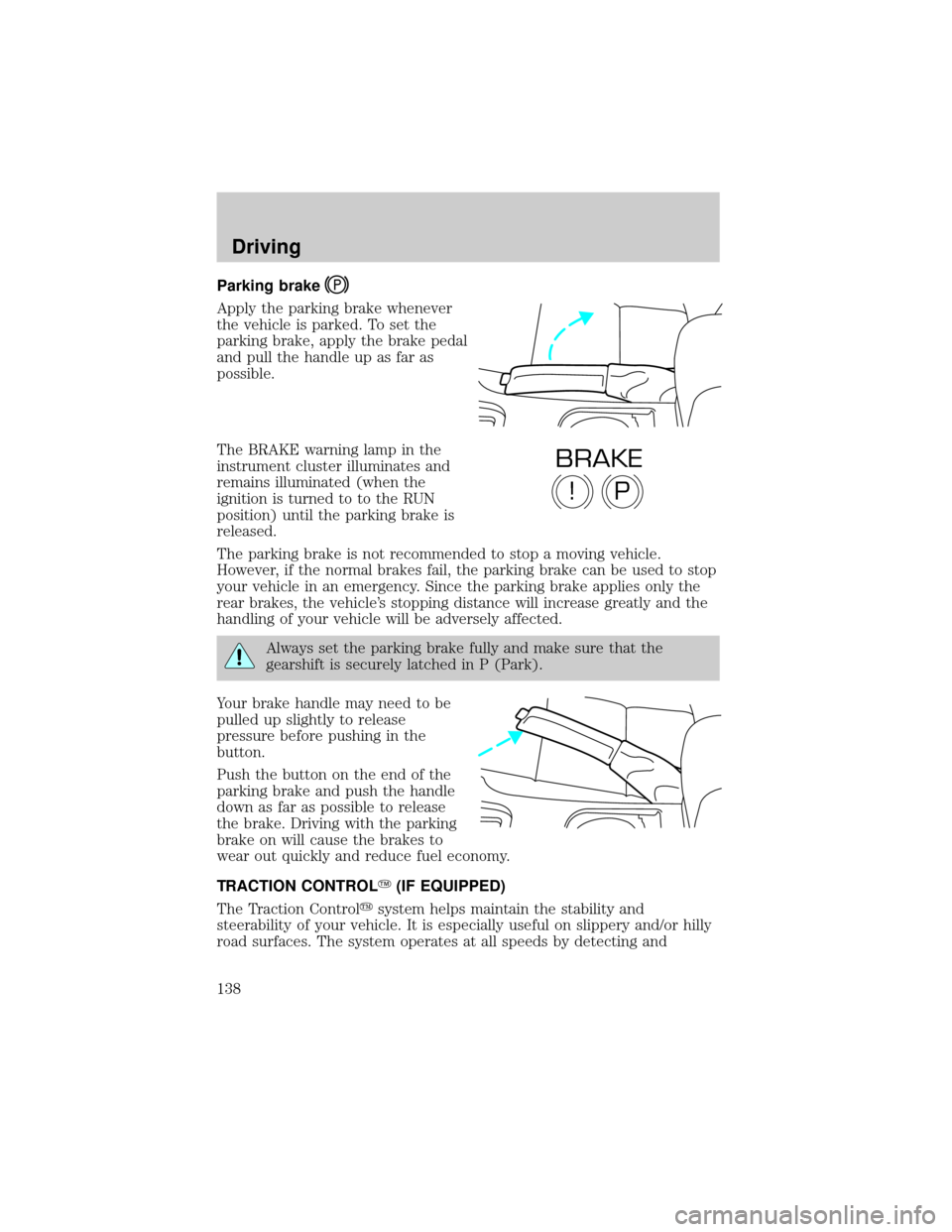
Apply the parking brake whenever
the vehicle is parked. To set the
parking brake, apply the brake pedal
and pull the handle up as far as
possible.
The BRAKE warning lamp in the
instrument cluster illuminates and
remains illuminated (when the
ignition is turned to to the RUN
position) until the parking brake is
released.
The parking brake is not recommended to stop a moving vehicle.
However, if the normal brakes fail, the parking brake can be used to stop
your vehicle in an emergency. Since the parking brake applies only the
rear brakes, the vehicle's stopping distance will increase greatly and the
handling of your vehicle will be adversely affected.
Always set the parking brake fully and make sure that the
gearshift is securely latched in P (Park).
Your brake handle may need to be
pulled up slightly to release
pressure before pushing in the
button.
Push the button on the end of the
parking brake and push the handle
down as far as possible to release
the brake. Driving with the parking
brake on will cause the brakes to
wear out quickly and reduce fuel economy.
TRACTION CONTROLY(IF EQUIPPED)
The Traction Controlysystem helps maintain the stability and
steerability of your vehicle. It is especially useful on slippery and/or hilly
road surfaces. The system operates at all speeds by detecting and
P!
BRAKE
Driving
138
Page 139 of 248
controlling wheel spin. The system borrows many of the electronic and
mechanical elements already present in the anti-lock braking system
(ABS).
Wheel-speed sensors allow excess rear wheel spin to be detected by the
Traction Controlyportion of the ABS computer. Any excessive wheel
spin is controlled by automatically applying and releasing the rear brakes
in conjunction with engine torque reductions. Engine torque reduction is
realized via the fully electronic spark and fuel injection systems. This
process is very sensitive to driving conditions and very fast acting. The
rear wheels ªsearchº for optimum traction several times a second and
adjustments are made accordingly.
The Traction Controlysystem will allow your vehicle to make better use
of available traction on slippery surfaces. The system is a driver aid
which makes your vehicle easier to handle primarily on snow and ice
covered roads. This is especially evident if wheel spin-up should occur
while turning.
During Traction Controlyoperation you may hear an electric motor type
of sound coming from the engine compartment and the engine will not
ªrev-upº when you push further on the accelerator. This is normal
system behavior.
If you should become stuck in snow
or on a very slippery road surface,
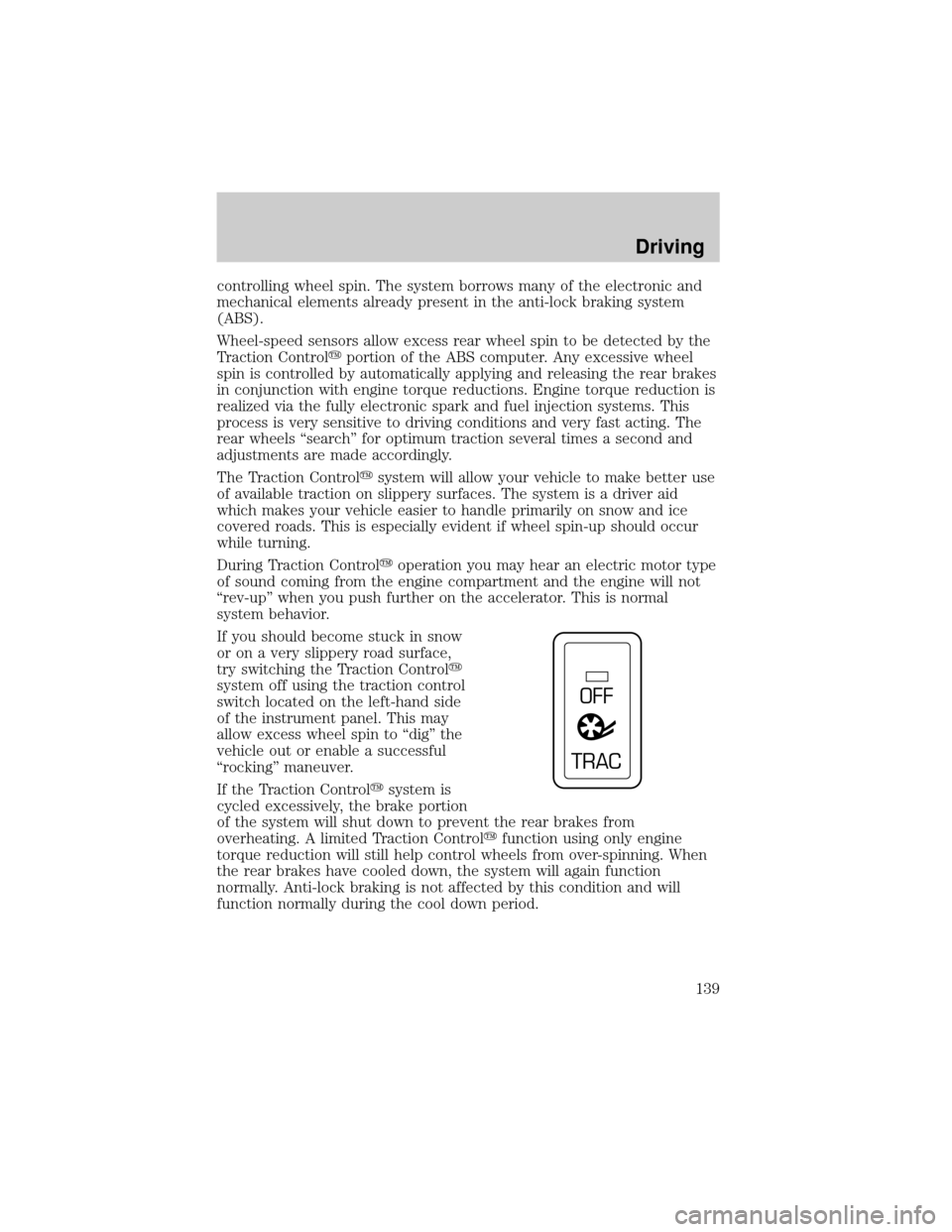
try switching the Traction Controly
system off using the traction control
switch located on the left-hand side
of the instrument panel. This may
allow excess wheel spin to ªdigº the
vehicle out or enable a successful
ªrockingº maneuver.
If the Traction Controlysystem is
cycled excessively, the brake portion
of the system will shut down to prevent the rear brakes from
overheating. A limited Traction Controlyfunction using only engine
torque reduction will still help control wheels from over-spinning. When
the rear brakes have cooled down, the system will again function
normally. Anti-lock braking is not affected by this condition and will
function normally during the cool down period.
OFF
TRAC
Driving
139
Page 144 of 248
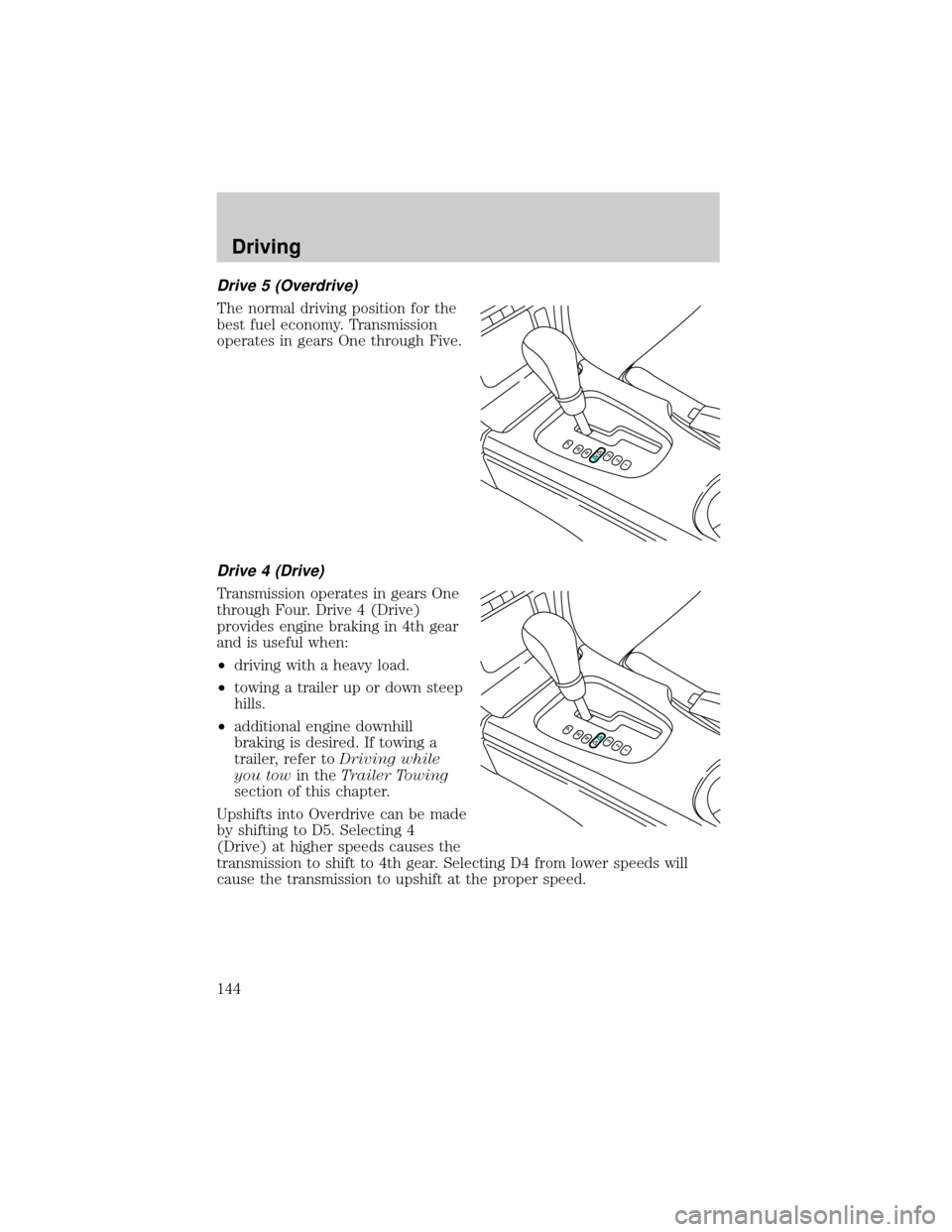
Drive 5 (Overdrive)
The normal driving position for the
best fuel economy. Transmission
operates in gears One through Five.
Drive 4 (Drive)
Transmission operates in gears One
through Four. Drive 4 (Drive)
provides engine braking in 4th gear
and is useful when:
²driving with a heavy load.
²towing a trailer up or down steep
hills.
²additional engine downhill
braking is desired. If towing a
trailer, refer toDriving while
you towin theTrailer Towing
section of this chapter.
Upshifts into Overdrive can be made
by shifting to D5. Selecting 4
(Drive) at higher speeds causes the
transmission to shift to 4th gear. Selecting D4 from lower speeds will
cause the transmission to upshift at the proper speed.
Driving
144
Page 150 of 248
Trailer brakes
Electric brakes and manual, automatic or surge-type trailer brakes are
safe if installed properly and adjusted to the manufacturer's
specifications. The trailer brakes must meet local and Federal
regulations.
Do not connect a trailer's hydraulic brake system directly to your
vehicle's brake system. Your vehicle may not have enough
braking power and your chances of having a collision greatly increase.
The braking system of the tow vehicle is rated for operation at the
GVWR not GCWR.
Trailer lamps
Trailer lamps are required on most towed vehicles. Make sure your
trailer lamps conform to local and Federal regulations. See your dealer or
trailer rental agency for proper instructions and equipment for hooking
up trailer lamps.
Driving while you tow
When towing a trailer:
²Ensure that you turn off your speed control. The speed control may
shut off automatically when you are towing on long, steep grades.
²Consult your local motor vehicle speed regulations for towing a trailer.
²Shift out of D5 (Overdrive) and into D4 (Drive) or a lower gear when
towing up or down steep hills. This will eliminate excessive
downshifting and upshifting for optimum fuel economy and
transmission cooling.
²Anticipate stops and brake gradually.
Servicing after towing
If you tow a trailer for long distances, your vehicle will require more
frequent service intervals. Refer to your scheduled maintenance guide for
more information.
Trailer towing tips
²Practice turning, stopping and backing up before starting on a trip to
get the feel of the vehicle trailer combination. When turning, make
wider turns so the trailer wheels will clear curbs and other obstacles.
Driving
150
Page 153 of 248
GETTING ROADSIDE ASSISTANCE
To fully assist if you should have a vehicle concern, Ford Motor Company
offers a complimentary roadside assistance program. This program is
separate from the New Vehicle Limited Warranty. The service is available:
²24±hours, seven days a week
²for the Basic warranty period (Canada) or New Vehicle Limited
Warranty period (U.S.) of three years or 60 000 km (36 000 miles),
whichever comes first on Ford and Mercury vehicles, and four years or
80 000 km (50 000 miles) on Lincoln vehicles
Roadside assistance will cover:
²changing a flat tire
²jump-starts
²lock-out assistance
²limited fuel delivery*
²towing of your disabled vehicle to the nearest Ford Motor Company
dealership, or your selling dealer if within 25 kms (15.5 miles) of the
nearest Ford Motor Company dealership (one tow per disablement).
Even non-warranty related tows, like accidents or getting stuck in the
mud or snow, are covered (some exclusions apply, such as impound
towing or repossession).
* Canadian customers refer to yourRoadside Assistance supplement
for exact fuel amounts.
Using roadside assistance
Complete the roadside assistance identification card and place it in your
wallet for quick reference. In the United States, this card is found in the
Owner Guide portfolio in the glove compartment in Ford vehicles and is
mailed to you if you own a Mercury or Lincoln. In Canada, the card is
found in the Roadside Assistance book in the glove compartment.
U.S. Ford or Mercury vehicle customers who require roadside assistance,
call 1±800±241±3673; Lincoln vehicle customers call 1±800±521±4140.
Canadian customers who require roadside assistance, call 1±800±665±2006.
If you need to arrange roadside assistance for yourself, Ford Motor
Company will reimburse a reasonable amount. To obtain reimbursement
information, U.S. Ford or Mercury vehicles customers call
1-800-241-3673; Lincoln vehicle customers call 1±800±521±4140.
Canadian customers who need to obtain reimbursement information, call
1±800±665±2006.
Roadside emergencies
153
Page 154 of 248
Roadside coverage beyond basic warranty
In the United States, you may purchase additional roadside assistance
coverage beyond this period through the Ford Auto Club by contacting
your Ford or Lincoln Mercury dealer.
Similarly in Canada, for uninterrupted Roadside Assistance coverage, you
may purchase extended coverage prior to your Basic Warranty's Roadside
Assistance expiring. For more information and enrollment, contact
1±877±294±2582 or visit our website at www.ford.ca.
HAZARD FLASHER
Use only in an emergency to warn traffic of vehicle breakdown,
approaching danger, etc. The hazard flashers can be operated when the
ignition is off.
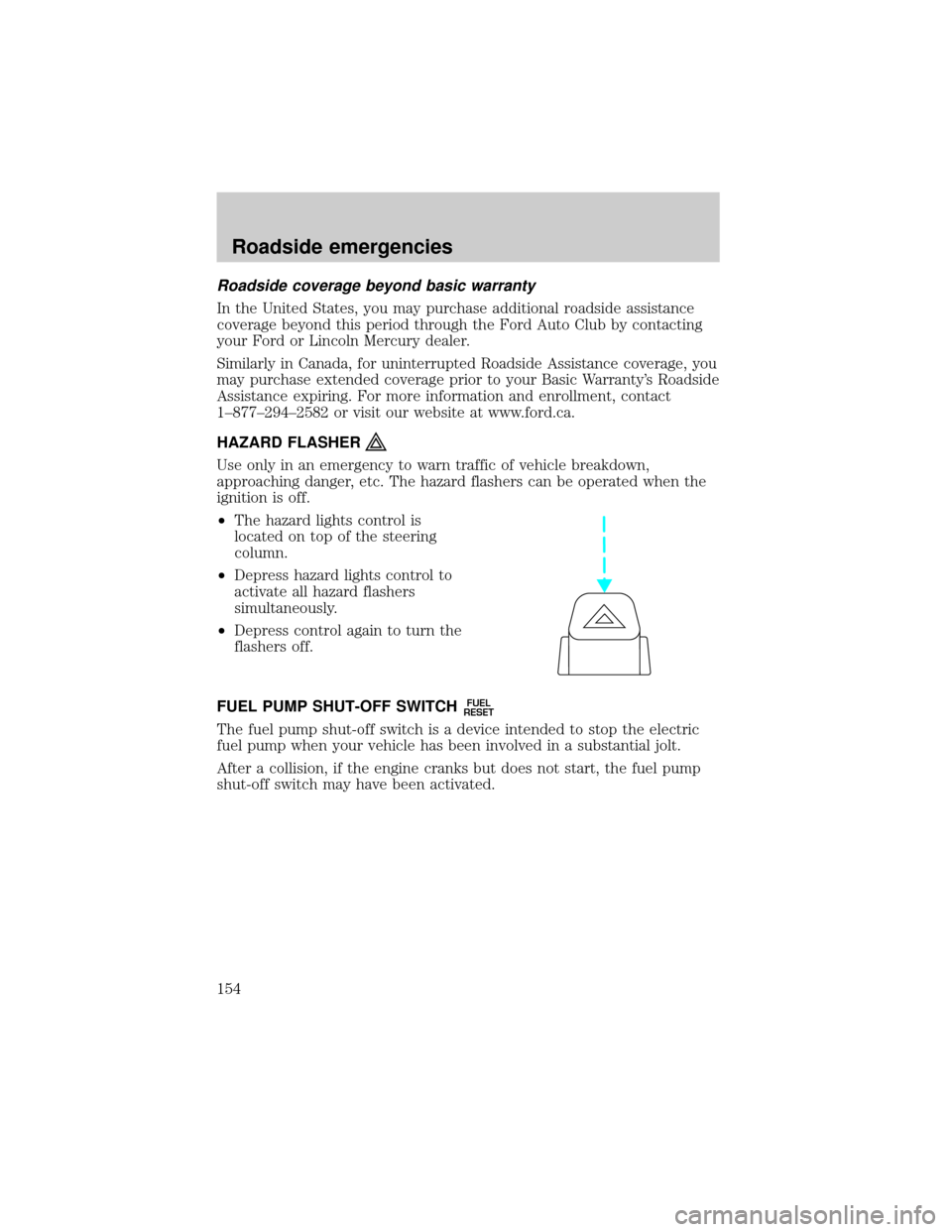
²The hazard lights control is
located on top of the steering
column.
²Depress hazard lights control to
activate all hazard flashers
simultaneously.
²Depress control again to turn the
flashers off.
FUEL PUMP SHUT-OFF SWITCH
FUEL
RESET
The fuel pump shut-off switch is a device intended to stop the electric
fuel pump when your vehicle has been involved in a substantial jolt.
After a collision, if the engine cranks but does not start, the fuel pump
shut-off switch may have been activated.
Roadside emergencies
154
Page 155 of 248
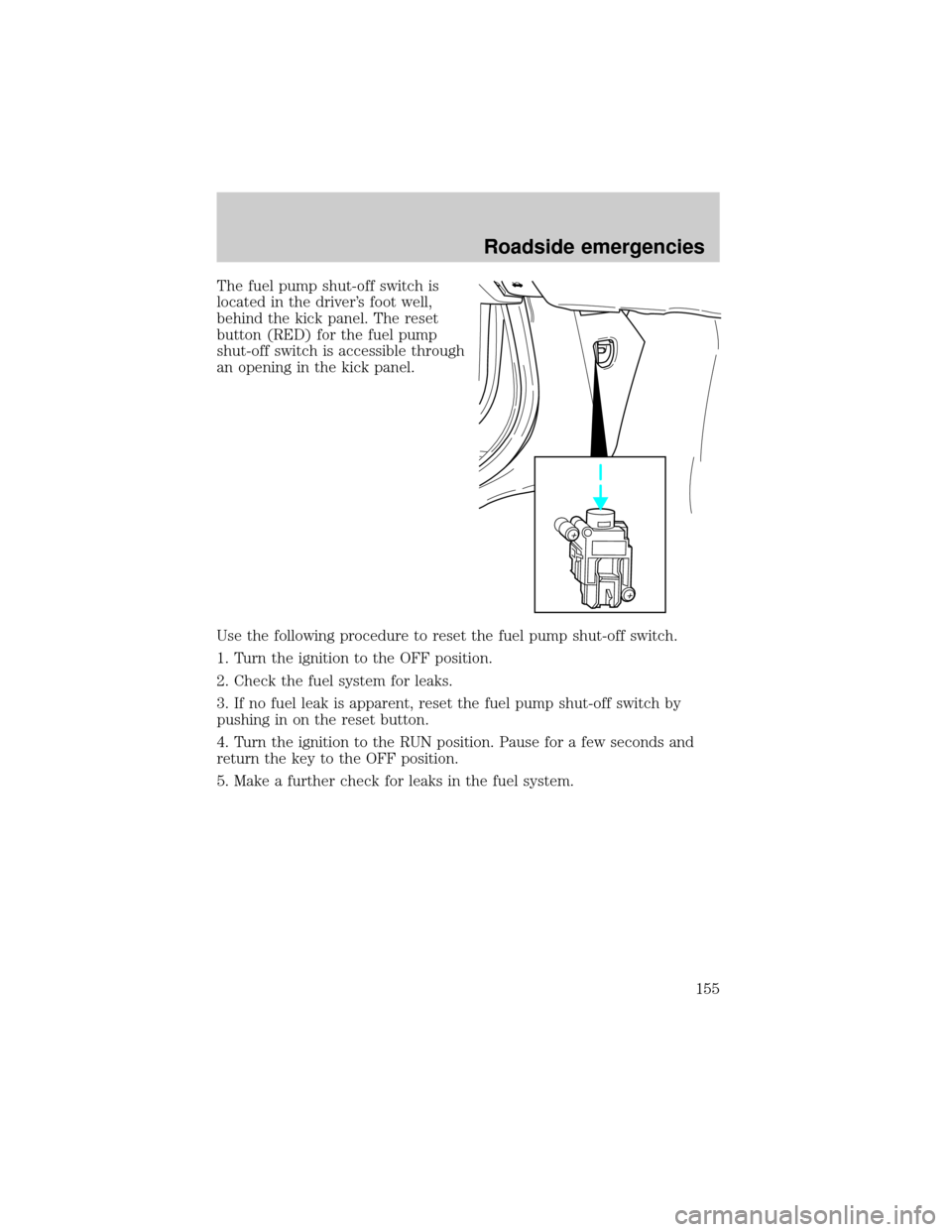
The fuel pump shut-off switch is
located in the driver's foot well,
behind the kick panel. The reset
button (RED) for the fuel pump
shut-off switch is accessible through
an opening in the kick panel.
Use the following procedure to reset the fuel pump shut-off switch.
1. Turn the ignition to the OFF position.
2. Check the fuel system for leaks.
3. If no fuel leak is apparent, reset the fuel pump shut-off switch by
pushing in on the reset button.
4. Turn the ignition to the RUN position. Pause for a few seconds and
return the key to the OFF position.
5. Make a further check for leaks in the fuel system.
Roadside emergencies
155
Page 157 of 248
Passenger compartment fuse panel
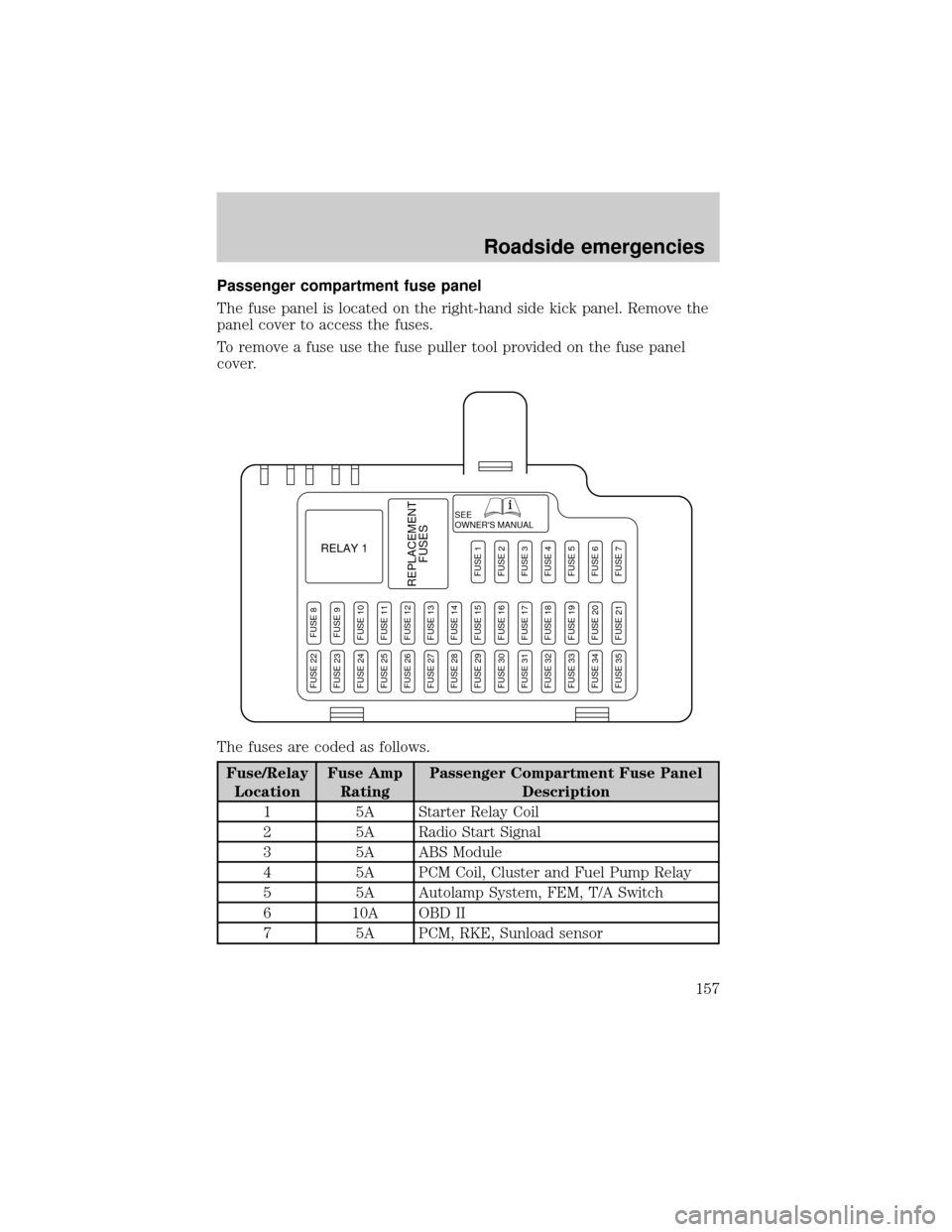
The fuse panel is located on the right-hand side kick panel. Remove the
panel cover to access the fuses.
To remove a fuse use the fuse puller tool provided on the fuse panel
cover.
The fuses are coded as follows.
Fuse/Relay
LocationFuse Amp
RatingPassenger Compartment Fuse Panel
Description
1 5A Starter Relay Coil
2 5A Radio Start Signal
3 5A ABS Module
4 5A PCM Coil, Cluster and Fuel Pump Relay
5 5A Autolamp System, FEM, T/A Switch
6 10A OBD II
7 5A PCM, RKE, Sunload sensor
SEE
OWNER'S MANUAL
RELAY 1
REPLACEMENT
FUSES
FUSE 8FUSE 9FUSE 10FUSE 11FUSE 12FUSE 13FUSE 14FUSE 15FUSE 16FUSE 17FUSE 18FUSE 19FUSE 20FUSE 21
FUSE 1FUSE 2FUSE 3FUSE 4FUSE 5FUSE 6FUSE 7
FUSE 22FUSE 23FUSE 24FUSE 25FUSE 26FUSE 27FUSE 28FUSE 29FUSE 30FUSE 31FUSE 32FUSE 33FUSE 34FUSE 35
Roadside emergencies
157
Page 160 of 248
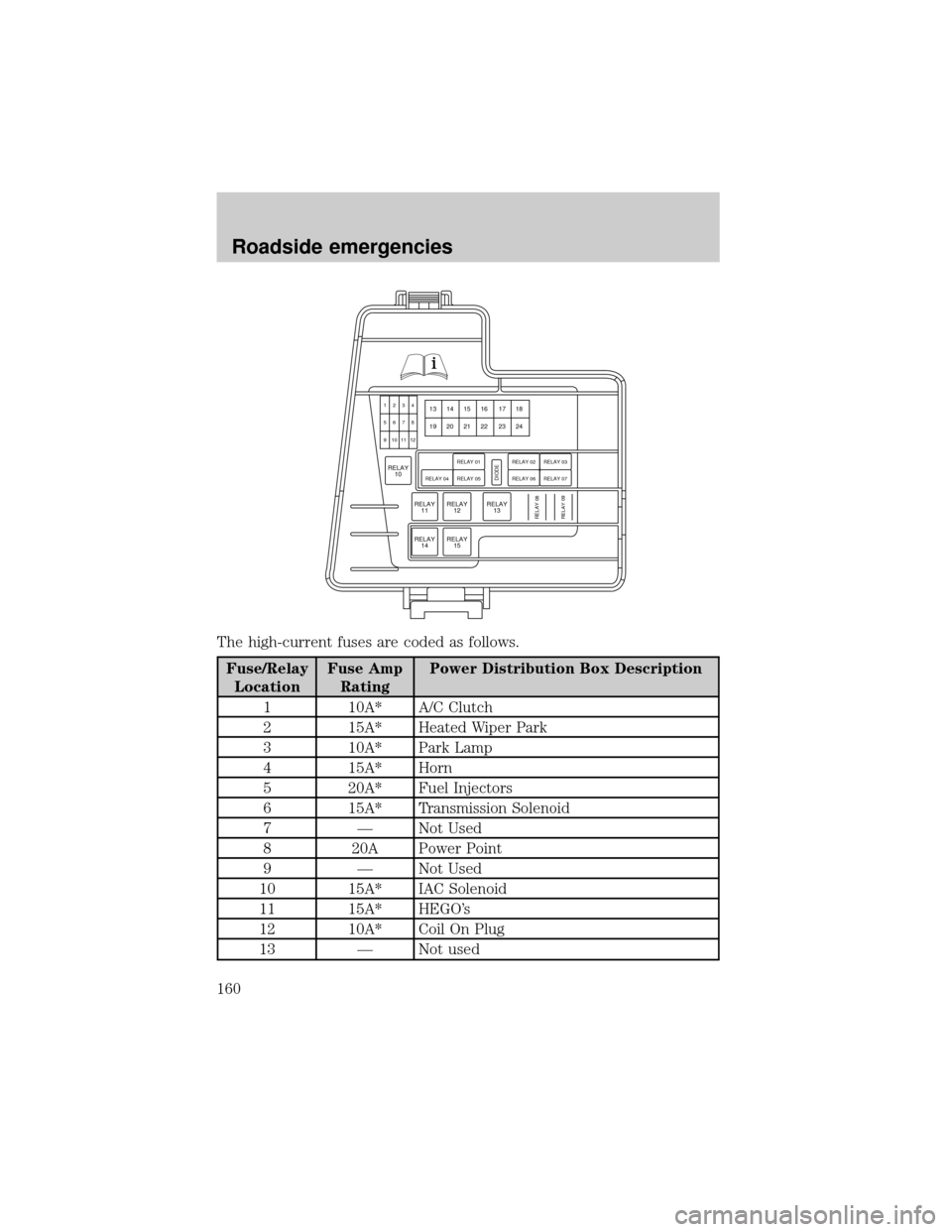
The high-current fuses are coded as follows.
Fuse/Relay
LocationFuse Amp
RatingPower Distribution Box Description
1 10A* A/C Clutch
2 15A* Heated Wiper Park
3 10A* Park Lamp
4 15A* Horn
5 20A* Fuel Injectors
6 15A* Transmission Solenoid
7 Ð Not Used
8 20A Power Point
9 Ð Not Used
10 15A* IAC Solenoid
11 15A* HEGO's
12 10A* Coil On Plug
13 Ð Not used
RELAY
14RELAY
15
RELAY
11RELAY
12
RELAY
1013
1234
5678
9 10111214 15 16 17 18
19 20 21 22 23 24
RELAY
13RELAY 08DIODE
RELAY 04 RELAY 05RELAY 01
RELAY 09
RELAY 06
RELAY 02RELAY 07
RELAY 03
Roadside emergencies
160
Page 163 of 248
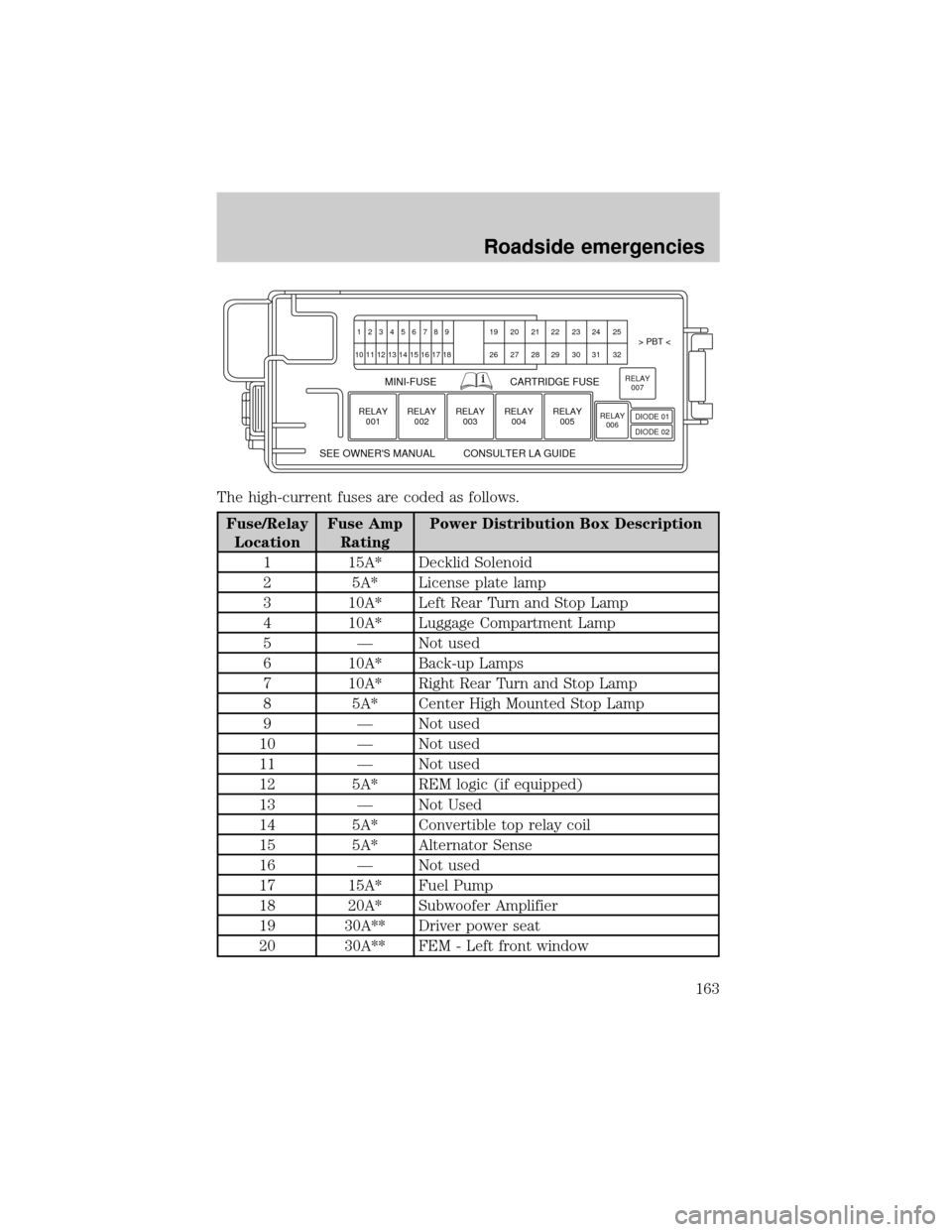
The high-current fuses are coded as follows.
Fuse/Relay
LocationFuse Amp
RatingPower Distribution Box Description
1 15A* Decklid Solenoid
2 5A* License plate lamp
3 10A* Left Rear Turn and Stop Lamp
4 10A* Luggage Compartment Lamp
5 Ð Not used
6 10A* Back-up Lamps
7 10A* Right Rear Turn and Stop Lamp
8 5A* Center High Mounted Stop Lamp
9 Ð Not used
10 Ð Not used
11 Ð Not used
12 5A* REM logic (if equipped)
13 Ð Not Used
14 5A* Convertible top relay coil
15 5A* Alternator Sense
16 Ð Not used
17 15A* Fuel Pump
18 20A* Subwoofer Amplifier
19 30A** Driver power seat
20 30A** FEM - Left front window
123456789 19 20 21 22 23 24 25> PBT <
MINI-FUSE
SEE OWNER'S MANUAL CONSULTER LA GUIDECARTRIDGE FUSE
26 27 28 29 30 31 32 10 11
RELAY
001
12 13 14 15 16 17 18
RELAY
002RELAY
003RELAY
004RELAY
005RELAY
006RELAY
007
DIODE 01
DIODE 02
Roadside emergencies
163