door lock FORD TRANSIT 2015 5.G User Guide
[x] Cancel search | Manufacturer: FORD, Model Year: 2015, Model line: TRANSIT, Model: FORD TRANSIT 2015 5.GPages: 461, PDF Size: 5.82 MB
Page 62 of 461
PASSIVE ANTI-THEFT
SYSTEM
Note:
The system is not compatible with
non-Ford aftermarket remote start systems.
Use of these systems may result in vehicle
starting problems and a loss of security
protection.
Note: Metallic objects, electronic devices
or a second coded key on the same key
chain may cause vehicle starting problems
if they are too close to the key when starting
the engine. Prevent these objects from
touching the coded key while starting the
engine. Switch the ignition off, move all
objects on the key chain away from the
coded key and restart the engine if a
problem occurs.
Note: Do not leave a duplicate coded key
in the vehicle. Always take your keys and
lock all doors when leaving the vehicle.
SecuriLock®
The system is an engine immobilization
system. It is designed to help prevent the
engine from being started unless a
correctly coded key for your vehicle is used.
Using an incorrectly coded key may
prevent the engine from starting. A
message may appear in the information
display.
If you are unable to start the engine with a
correctly coded key, a malfunction has
happened and a message may appear in
the information display.
Automatic Arming
The engine immobilization system arms
immediately after you switch the ignition
off. Automatic Disarming
Switching the ignition on with a correctly
coded key disarms the engine
immobilization system.
Replacement Keys
The integrated keyhead transmitter
functions as a programmed ignition key
that operates all the locks and starts your
vehicle, as well as a remote control.
If your keys are lost or stolen and you do
not have a spare correctly coded key, you
will need to have your vehicle towed to an
authorized dealer. You need to erase the
coded keys from your vehicle and program
new coded keys.
Store an extra correctly coded key away
from the vehicle in a safe place to help
prevent any inconveniences. See an
authorized dealer to purchase additional
spare or replacement keys.
Programming a Spare Integrated
Keyhead Transmitter
You can program your own integrated
keyhead transmitter or standard
SecuriLock coded keys to your vehicle. This
procedure will program both the engine
immobilizer keycode and the remote entry
portion of the remote control to your
vehicle
Only use integrated keyhead transmitters
or standard SecuriLock keys.
You must have two previously
programmed correctly coded keys and the
new unprogrammed key readily accessible.
See an authorized dealer to have the spare
key programmed if two previously
programmed correctly coded keys are not
available.
Read and understand the entire procedure
before you begin.
1.
Insert the first previously programmed
correctly coded key into the ignition.
59 Transit (TTH) Canada/United States of America, enUSA, Edition date: 03/2014 Security
Page 63 of 461
2.
Switch the ignition from off to on. Keep
the ignition on for at least three
seconds, but no more than 10 seconds.
3. Switch the ignition off and remove the
first correctly coded key from the
ignition.
4. After three seconds but within 10 seconds of switching the ignition off,
insert the second previously correctly
coded key into the ignition.
5. Switch the ignition from off to on. Keep
the ignition on for at least three
seconds, but no more than 10 seconds.
6. Switch the ignition off and remove the
second previously programmed
correctly coded key from the ignition.
7. After three seconds but within 10 seconds of switching the ignition off
and removing the previously
programmed correctly coded key,
insert the new unprogrammed key into
the ignition.
8. Switch the ignition from off to on. Keep
the ignition on for at least six seconds.
9. Remove the newly programmed correctly coded key from the ignition.
If the key has been successfully
programmed it will start the engine and
operate the remote entry system (if the
new key is an integrated keyhead
transmitter).
If the key was not successfully
programmed, wait 10 seconds and repeat
Steps 1 through 8. If you are still
unsuccessful, take your vehicle to an
authorized dealer.
Note: You can program a maximum of eight
coded keys to your vehicle. All eight can be
integrated keyhead transmitters. ANTI-THEFT ALARM (If Equipped)
Alarm System
The perimeter alarm is a deterrent against
unauthorized access to your vehicle
through the doors, luggage compartment
and the hood. It also protects the audio
unit.
Triggering the Alarm
Once armed, the alarm is triggered in any
of the following ways:
• If someone opens a door, cargo area
or the hood without a valid key or
remote control.
• If someone removes the audio or
navigation system.
• If you switch the ignition on without a
valid key.
If the alarm is triggered, the horn will sound
for 30 seconds and the hazard warning
flasher will flash for five minutes.
Any further attempts to perform one of the
above will trigger the alarm again.
Arming the Alarm
To arm the alarm, lock your vehicle. See
Locks
(page 54).
Disarming the Alarm
Disarm and silence the alarm by unlocking
the doors with the key and switching the
ignition on with a correctly coded key
within 12 seconds, or by unlocking the
doors or the cargo area with the remote
control.
60 Transit (TTH) Canada/United States of America, enUSA, Edition date: 03/2014 Security
Page 72 of 461
DIRECTION INDICATORS
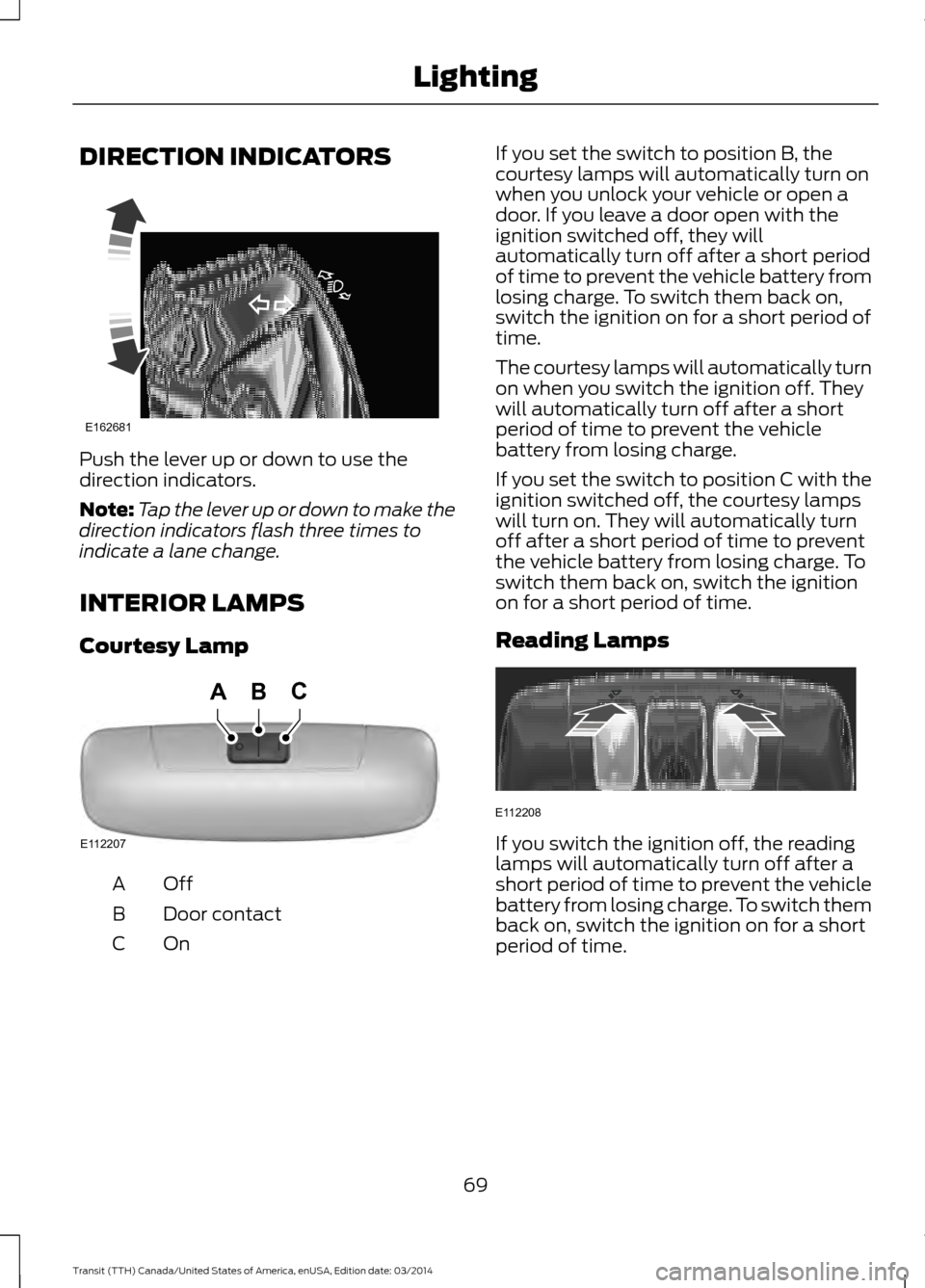
Push the lever up or down to use the
direction indicators.
Note:
Tap the lever up or down to make the
direction indicators flash three times to
indicate a lane change.
INTERIOR LAMPS
Courtesy Lamp OffA
Door contact
B
OnC If you set the switch to position B, the
courtesy lamps will automatically turn on
when you unlock your vehicle or open a
door. If you leave a door open with the
ignition switched off, they will
automatically turn off after a short period
of time to prevent the vehicle battery from
losing charge. To switch them back on,
switch the ignition on for a short period of
time.
The courtesy lamps will automatically turn
on when you switch the ignition off. They
will automatically turn off after a short
period of time to prevent the vehicle
battery from losing charge.
If you set the switch to position C with the
ignition switched off, the courtesy lamps
will turn on. They will automatically turn
off after a short period of time to prevent
the vehicle battery from losing charge. To
switch them back on, switch the ignition
on for a short period of time.
Reading Lamps
If you switch the ignition off, the reading
lamps will automatically turn off after a
short period of time to prevent the vehicle
battery from losing charge. To switch them
back on, switch the ignition on for a short
period of time.
69 Transit (TTH) Canada/United States of America, enUSA, Edition date: 03/2014 LightingE162681 E112207
BCA E112208
Page 74 of 461
4. Release the switch.
5. Lift the switch again for one more
second.
6. Open the window and then try to close
using the one-touch feature.
7. Repeat the procedure if the window does not close using the one-touch
feature.
Note: If you have disconnected the battery,
you must reset the bounce-back memory.
EXTERIOR MIRRORS
Power Exterior Mirrors WARNING
Do not adjust the mirrors when your
vehicle is moving. This could result
in the loss of control of your vehicle,
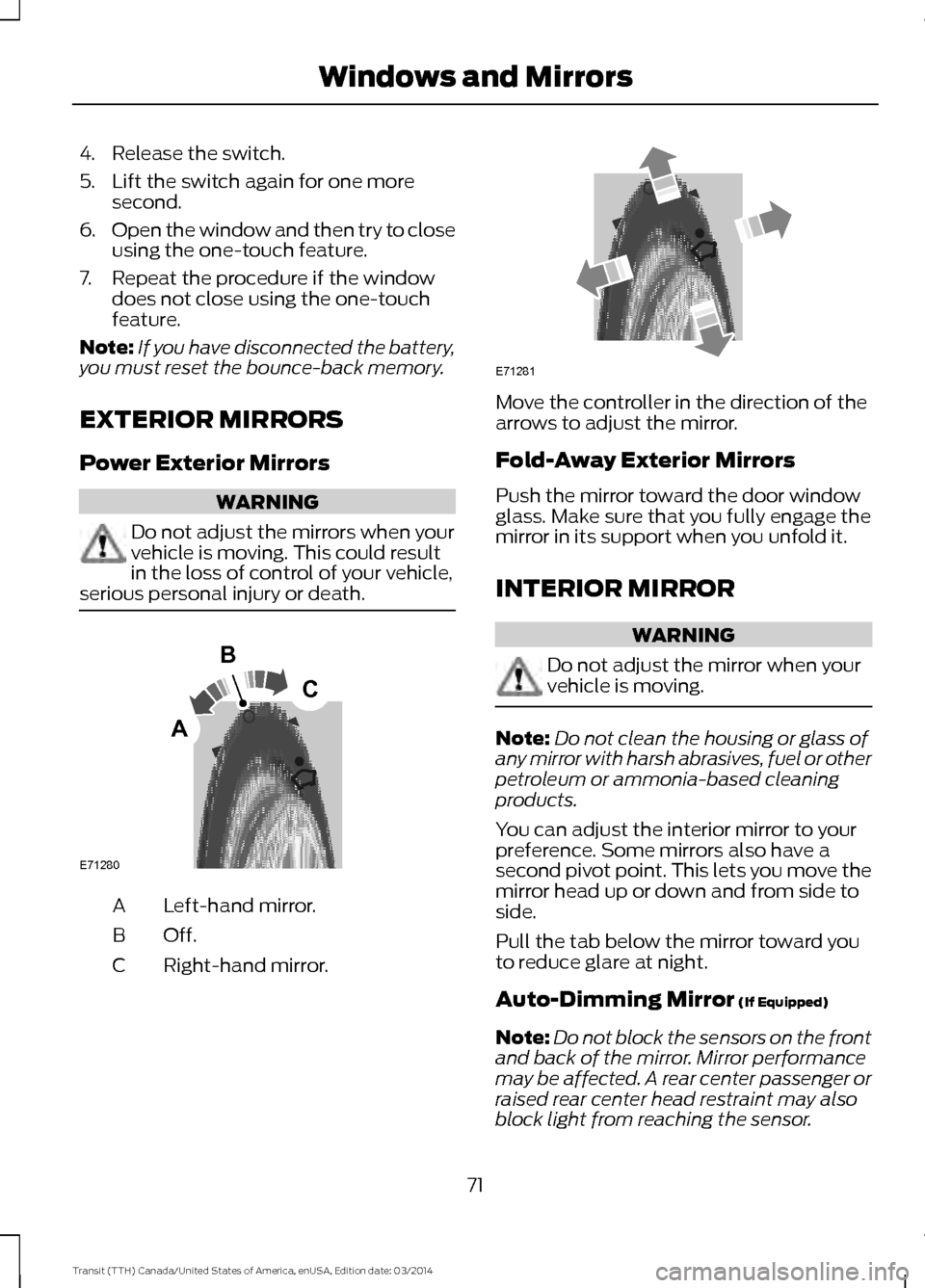
serious personal injury or death. Left-hand mirror.
A
Off.B
Right-hand mirror.
C Move the controller in the direction of the
arrows to adjust the mirror.
Fold-Away Exterior Mirrors
Push the mirror toward the door window
glass. Make sure that you fully engage the
mirror in its support when you unfold it.
INTERIOR MIRROR
WARNING
Do not adjust the mirror when your
vehicle is moving.
Note:
Do not clean the housing or glass of
any mirror with harsh abrasives, fuel or other
petroleum or ammonia-based cleaning
products.
You can adjust the interior mirror to your
preference. Some mirrors also have a
second pivot point. This lets you move the
mirror head up or down and from side to
side.
Pull the tab below the mirror toward you
to reduce glare at night.
Auto-Dimming Mirror (If Equipped)
Note: Do not block the sensors on the front
and back of the mirror. Mirror performance
may be affected. A rear center passenger or
raised rear center head restraint may also
block light from reaching the sensor.
71 Transit (TTH) Canada/United States of America, enUSA, Edition date: 03/2014 Windows and MirrorsE71280
B
C
A E71281
Page 113 of 461

WARNINGS
Do not use your heater with
ungrounded electrical systems or
two-pronged adapters. There is a risk
of electrical shock. Note:
The heater is most effective when
outdoor temperatures are below 0°F
(-18°C).
The heater acts as a starting aid by
warming the engine coolant. This allows
the climate control system to respond
quickly. The equipment includes a heater
element (installed in the engine block) and
a wire harness. You can connect the
system to a grounded 120-volt AC
electrical source.
We recommend that you do the following
for a safe and correct operation:
• Use a 16-gauge outdoor extension cord
that is product certified by
Underwriter ’s Laboratory (UL) or
Canadian Standards Association
(CSA). This extension cord must be
suitable for use outdoors, in cold
temperatures, and be clearly marked
Suitable for Use with Outdoor
Appliances. Do not use an indoor
extension cord outdoors. This could
result in an electric shock or become a
fire hazard.
• Use as short an extension cord as
possible.
• Do not use multiple extension cords.
• Make sure that when in operation, the
extension cord plug and heater cord
plug connections are free and clear of
water. This could cause an electric
shock or fire.
• Make sure your vehicle is parked in a
clean area, clear of combustibles.
• Make sure the heater, heater cord and
extension cord are firmly connected. •
Check for heat anywhere in the
electrical hookup once the system has
been operating for approximately 30
minutes.
• Make sure the system is unplugged and
properly stowed before driving your
vehicle. Make sure the protective cover
seals the prongs of the block heater
cord plug when not in use.
• Make sure the heater system is
checked for proper operation before
winter.
Using the Engine Block Heater
Make sure the receptacle terminals are
clean and dry prior to use. Clean them with
a dry cloth if necessary.
The heater uses 0.4 to 1.0 kilowatt-hours
of energy per hour of use. The system does
not have a thermostat. It achieves
maximum temperature after
approximately three hours of operation.
Using the heater longer than three hours
does not improve system performance and
unnecessarily uses electricity.
110 Transit (TTH) Canada/United States of America, enUSA, Edition date: 03/2014Starting and Stopping the Engine
Page 137 of 461

WARNINGS
Apply the parking brake, shift the
gearshift lever to park (P) and switch
the ignition off before leaving your
vehicle. Make sure that the gearshift lever
fully latches into position. When the gearshift lever is in this position,
it will lock the transmission. The engine
does not transmit power to the driven
wheels. You can start the engine with the
gearshift lever in this position.
Note:
A warning tone will sound if you open
the driver door and you have not shifted the
gearshift lever to park (P).
Reverse (R) WARNINGS
Do not shift the gearshift lever to
reverse (R) when your vehicle is
moving. This can cause damage to
the transmission not covered by the vehicle
warranty, and can result in a crash or
serious injury. Always come to a complete stop
before shifting the gearshift lever out
of reverse (R).
Shift the gearshift lever to reverse (R) to
allow your vehicle to move backward.
Neutral (N)
When the gearshift lever is in this position,
the transmission does not lock. The engine
does not transmit power to the driven
wheels. You can start the engine with the
gearshift lever in this position.
Drive (D)
Shift the gearshift lever to drive (D) to
allow your vehicle to move forward and
shift automatically through the forward
gears. The transmission shifts to the appropriate
gear for optimum performance based on
ambient temperature, road gradient,
vehicle load and your input.
Note:
A shift will occur only when your
vehicle speed and the engine speed are
appropriate.
Note: You can temporarily override the
selected gear by pressing the + or - buttons
on the side of the gearshift lever.
Manual (M) WARNING
Do not hold the + or - buttons
permanently in. Shift the gearshift lever to manual (M) to
allow your vehicle to move forward and
allow you to shift manually through the
forward gears. Press the
+ or - buttons on
the side of the gearshift lever to shift
manually through the forward gears. The
instrument cluster will display the selected
gear, and a shift indicator arrow to assist
optimum shifting.
• Press the
+ button to upshift.
• Press the
- button to downshift.
You can skip gears by pressing a button
repeatedly at short intervals.
Upshift at the recommended shift
speeds according to the following
chart: Upshifts when accelerating (recom-
mended for best fuel economy)
Vehicle speed mph( km/h):
Upshift from:
15 (24)
1 - 2
25 (40)
2 - 3
40 (64)
3 - 4
134 Transit (TTH) Canada/United States of America, enUSA, Edition date: 03/2014 Transmission
Page 153 of 461
System Warnings
Note:
The system will not issue warnings
below approximately 40 mph (65 km/h).
The warning system has two stages:
1. A temporary warning is issued to advise
you to take a rest. This message only
appears for a short time.
2. If you do not rest and the system continues to detect that your driving
deteriorates, it will issue a further
warning. This will remain in the
information display until you cancel it.
See Information Messages (page
84).
Press
OK on the steering wheel control to
remove the warning.
System Display
When active the system will run
automatically in the background and only
issue warnings if required. You can view
the status at any time using the
information display. See
General
Information (page 79).
The alertness level is shown by six steps
as a colored bar. Alertness level is fine, no rest required. Alertness level is critical, indicating that
you should take a rest as soon as it is safe
to do so.
The status bar will travel from left to right
as the calculated alertness level
decreases. As the rest icon is approached
the color turns from green to yellow and
then finally red when a rest break must be
taken.
•
Green: No rest required.
• Yellow: First (temporary) warning.
• Red: Second warning.
Your alertness level will be shown in grey
if:
• the camera sensor cannot track the
road lane markings
• your vehicle speed drops below
approximately 40 mph (65 km/h).
Resetting the System
You can reset the system by:
• switching the ignition off and on
• stopping your vehicle and then opening
and closing the driver's door.
LANE KEEPING SYSTEM
Lane Keeping Alert
Principle of Operation WARNINGS
The system does not relieve you of
your responsibility to drive with due
care and attention.
At all times you are responsible for
controlling your vehicle, supervising
the system and intervening if
required. If the sensor becomes blocked the
system may not function.
150 Transit (TTH) Canada/United States of America, enUSA, Edition date: 03/2014 Driving AidsE131358 E131359
Page 231 of 461
WARNINGS
Do not apply cleaning product to hot
surfaces and do not leave cleaning
product on chrome surfaces for a
period of time exceeding that which is
recommended. Industrial-strength (heavy-duty)
cleaners, or cleaning chemicals, may
cause damage over a period of time.
Body Paintwork Preservation
WARNINGS
Do not polish your vehicle in strong
sunshine.
Do not allow polish to touch plastic
surfaces. It could be difficult to
remove.
Do not apply polish to the windshield
or rear window. This could cause the
wipers to become noisy and they
may not clear the window properly. We recommend that you wax the
paintwork once or twice a year.
WAXING
Regular waxing is necessary to protect your
car's paint from the elements. We
recommend that you wash and wax the
painted surface once or twice a year.
When washing and waxing, park your
vehicle in a shaded area out of direct
sunlight. Always wash your vehicle before
applying wax.
•
Use a quality wax that does not contain
abrasives.
• Follow the manufacturer ’s instructions
to apply and remove the wax.
• Apply a small amount of wax in a
back-and-forth motion, not in circles. •
Do not allow wax to come in contact
with any non-body (low-gloss black)
colored trim. The wax will discolor or
stain the parts over time.
•Roof racks.
• Bumpers.
• Grained door handles.
• Side moldings.
• Mirror housings.
• Windshield cowl area.
• Do not apply wax to glass areas.
• After waxing, your car's paint should
feel smooth, and be free of streaks and
smudges.
CLEANING THE ENGINE
Engines are more efficient when they are
clean because grease and dirt buildup keep
the engine warmer than normal.
When washing:
• Take care when using a power washer
to clean the engine. The high-pressure
fluid could penetrate the sealed parts
and cause damage.
• Do not spray a hot engine with cold
water to avoid cracking the engine
block or other engine components.
• Spray Motorcraft Engine Shampoo and
Degreaser on all parts that require
cleaning and pressure rinse clean. In
Canada, use Motorcraft Engine
Shampoo.
• Never wash or rinse the engine while it
is hot or running; water in the running
engine may cause internal damage.
228 Transit (TTH) Canada/United States of America, enUSA, Edition date: 03/2014 Vehicle Care
Page 258 of 461
Overview
WARNING
To determine the required
pressure(s) for your vehicle, see the
Safety Compliance Certification
Label (affixed to either the door hinge
pillar, door-latch post, or the door edge
that meets the door-latch post, next to the
driver seating position), or Tire Label
located on the B-Pillar or the edge of the
driver door. To maintain your vehicle
’s load carrying
capability, this vehicle requires different
tire pressures in the front tires compared
to the rear tires. The system on your vehicle
is designed to illuminate the warning light
at different pressures for the front and rear
tires.
The tires need to be periodically rotated
to provide consistent performance and
maximum tire life, the system needs to
know when the tires have been rotated to
determine which set of tires are on the
front and rear axles. With this information,
the system can detect and correctly warn
of low tire pressures.
System Reset Tips:
• To reduce the chance of interference
from another vehicle, the system reset
procedure should be carried out at
least three feet (one meter) away from
another Ford vehicle undergoing the
system reset procedure.
• Do not wait more than two minutes
between resetting each tire sensor or
the system will time-out and the entire
procedure will have to be repeated on
all four wheels. A double horn chirp
indicates the need to repeat the
procedure. Carrying Out the System Reset
Procedure
Read the entire procedure before carrying
out a system reset.
1. Drive your vehicle above 20 mph (32
km/h) for at least two minutes and
then park in a safe location where you
can easily get to all four tires and have
access to a tire inflation pump.
2. Switch the ignition off.
3. Switch the ignition on with the engine off.
4. Turn the hazard flashers on then off three times, this must be completed
within 10 seconds. If the reset mode
has been entered successfully, the horn
will chirp once and the system indicator
will flash. If this does not occur, repeat
the procedure from step 2. If after
repeated attempts to enter the reset
mode, the horn does not chirp and the
system indicator does not flash, have
your vehicle checked by an authorized
dealer as soon as possible.
5. Train the system sensors in the tires using the following reset sequence
starting with the left front tire and
following a clockwise order: Left front,
right front, right rear, left rear.
6. Remove the valve cap from the valve stem on the left front tire. Decrease the
air pressure until the horn chirps.
Note: The single horn chirp confirms that
the sensor identification code has been
learned by your vehicle for this position. If a
double horn chirp is heard, the reset
procedure was unsuccessful and must be
repeated.
7. Remove the valve cap from the valve stem on the right front tire. Decrease
the air pressure until the horn chirps.
8. Remove the valve cap from the valve stem on the right rear tire. Decrease the
air pressure until the horn chirps.
255 Transit (TTH) Canada/United States of America, enUSA, Edition date: 03/2014 Wheels and Tires
Page 261 of 461
Note:
If your vehicle is fitted with a tire
pressure monitoring system, the warning
indicator will flash if you fit the spare wheel
to your vehicle. To restore the correct
operation of the tire pressure monitoring
system, you must have the repaired road
wheel and tire assembly refitted to your
vehicle. See Tire Pressure Monitoring
System (page 251). To prevent damage
occurring to the tire pressure monitoring
system sensors, make sure you have a
damage tire repaired or replaced by a tire
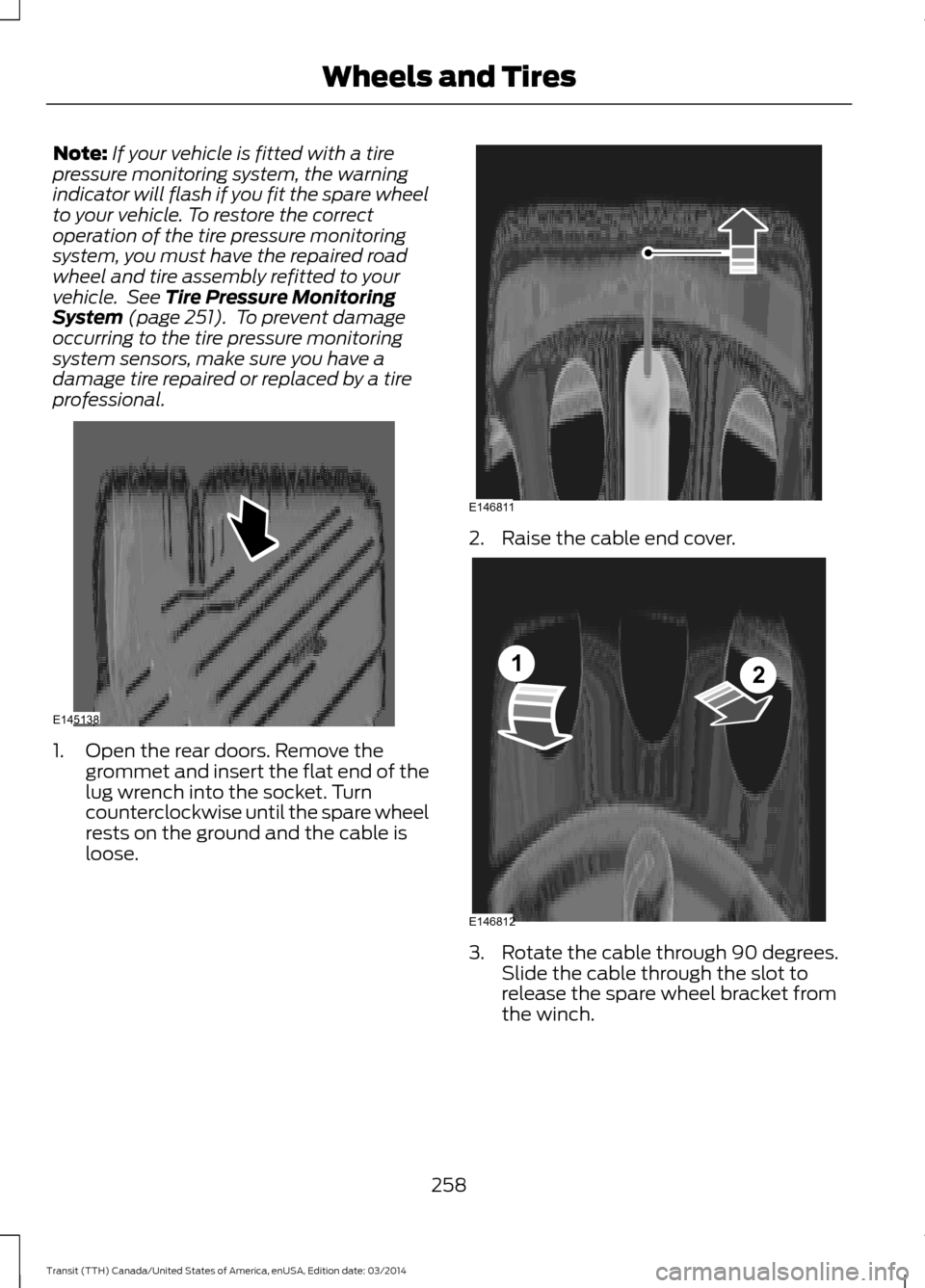
professional. 1. Open the rear doors. Remove the
grommet and insert the flat end of the
lug wrench into the socket. Turn
counterclockwise until the spare wheel
rests on the ground and the cable is
loose. 2. Raise the cable end cover.
3. Rotate the cable through 90 degrees.
Slide the cable through the slot to
release the spare wheel bracket from
the winch.
258 Transit (TTH) Canada/United States of America, enUSA, Edition date: 03/2014 Wheels and TiresE145138 E146811 E146812
12