steering FORD TRANSIT 2015 5.G Owner's Manual
[x] Cancel search | Manufacturer: FORD, Model Year: 2015, Model line: TRANSIT, Model: FORD TRANSIT 2015 5.GPages: 461, PDF Size: 5.82 MB
Page 154 of 461
WARNINGS
The sensor may incorrectly track lane
markings such as other structures or
objects. This can result in a false or
missed warning. In cold and severe weather
conditions the system may not
function. Rain, snow, spray and large
contrasts in lighting can all influence the
sensor. The system will not operate if the
sensor cannot track the road lane
markings.
The system may not operate in areas
during roadwork construction.
The system may not operate on
roads with sharp bends or narrow
lanes.
Do not carry out windshield repairs
in the immediate area surrounding
the sensor.
If your vehicle has a suspension kit
not approved by us, the system may
not function correctly.
Note:
Keep the windshield free from
obstructions such as bird droppings, insects
and snow or ice.
Note: The system may assist you when
driving on fast main roads and freeways.
Note: The system may not operate during
hard braking or acceleration and when you
are intentionally steering your vehicle.
Note: The system will operate with a
minimum of one tracked lane marking.
Note: The system will only operate above
vehicle speeds of approximately 40 mph
(65 km/h).
The sensor is located behind the interior
mirror. It continuously monitors conditions
to alert you of unintentional lane drifting
at high speeds. The system will automatically detect and
track the lane markings on the road. If your
vehicle unintentionally drifts toward the
road lane markings, you will see a warning
in the information display. There is also a
warning given in the form of a vibration felt
through the steering wheel.
Note:
The vibration intensity from the
steering wheel may decease depending on
the quality of the road surface.
Using Lane Keeping Alert
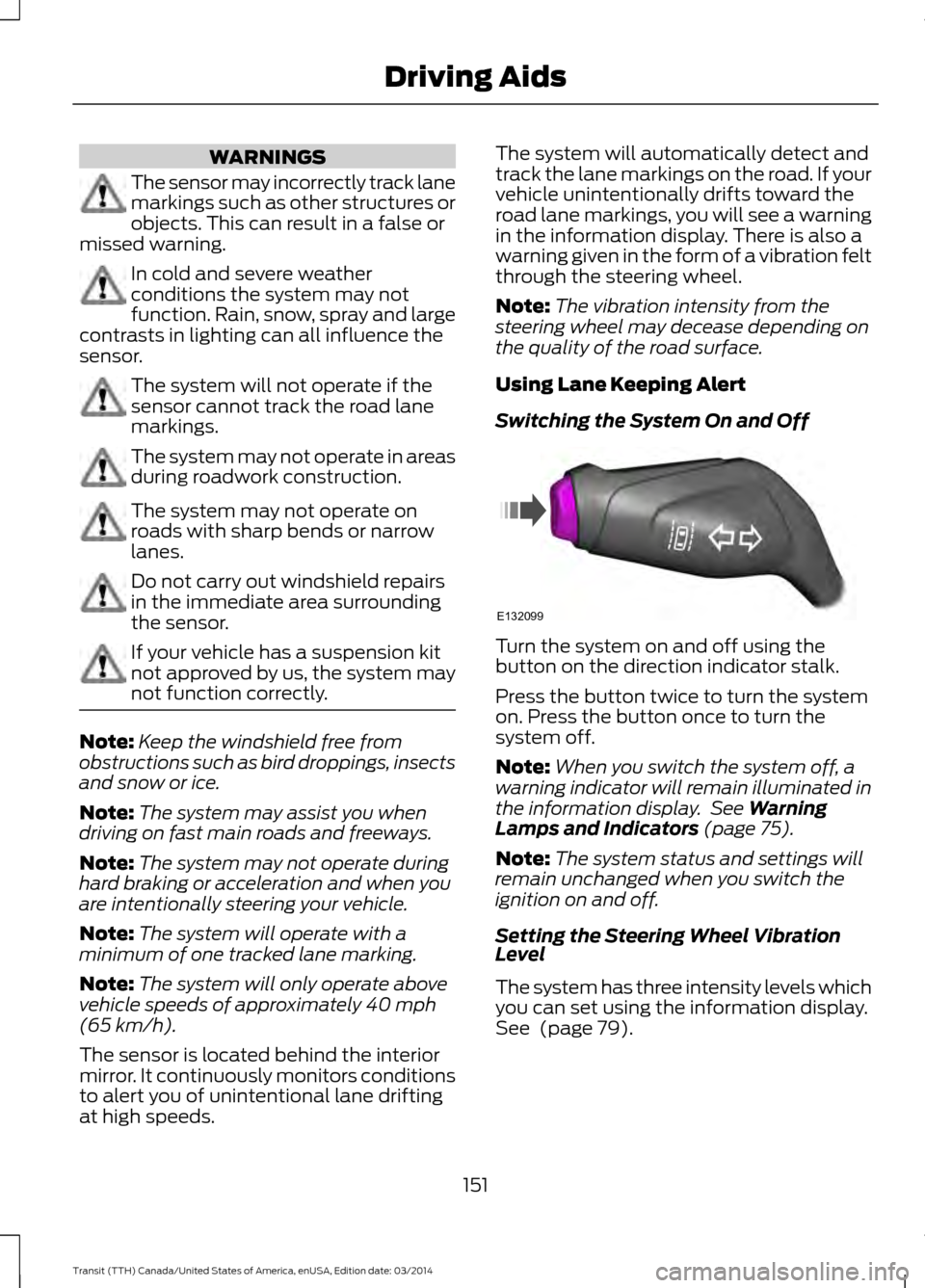
Switching the System On and Off Turn the system on and off using the
button on the direction indicator stalk.
Press the button twice to turn the system
on. Press the button once to turn the
system off.
Note:
When you switch the system off, a
warning indicator will remain illuminated in
the information display. See Warning
Lamps and Indicators (page 75).
Note: The system status and settings will
remain unchanged when you switch the
ignition on and off.
Setting the Steering Wheel Vibration
Level
The system has three intensity levels which
you can set using the information display.
See
(page 79).
151 Transit (TTH) Canada/United States of America, enUSA, Edition date: 03/2014 Driving AidsE132099
Page 155 of 461
Setting the System Sensitivity
You can adjust how quickly the system
warns you of a dangerous situation. The
system has two sensitivity levels which you
can set using the information display. See
(page 79).
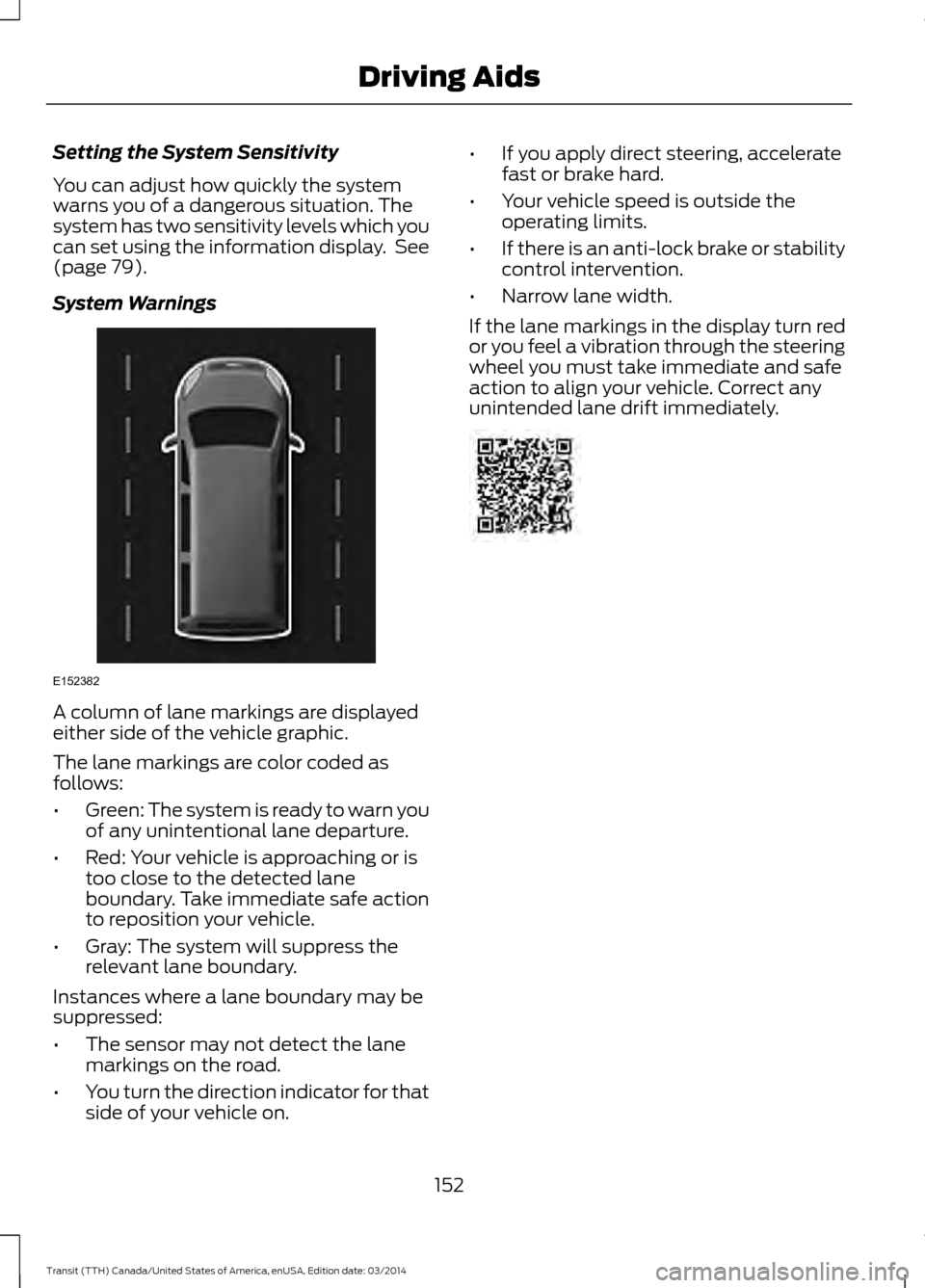
System Warnings A column of lane markings are displayed
either side of the vehicle graphic.
The lane markings are color coded as
follows:
•
Green: The system is ready to warn you
of any unintentional lane departure.
• Red: Your vehicle is approaching or is
too close to the detected lane
boundary. Take immediate safe action
to reposition your vehicle.
• Gray: The system will suppress the
relevant lane boundary.
Instances where a lane boundary may be
suppressed:
• The sensor may not detect the lane
markings on the road.
• You turn the direction indicator for that
side of your vehicle on. •
If you apply direct steering, accelerate
fast or brake hard.
• Your vehicle speed is outside the
operating limits.
• If there is an anti-lock brake or stability
control intervention.
• Narrow lane width.
If the lane markings in the display turn red
or you feel a vibration through the steering
wheel you must take immediate and safe
action to align your vehicle. Correct any
unintended lane drift immediately. 152
Transit (TTH) Canada/United States of America, enUSA, Edition date: 03/2014 Driving AidsE152382
Page 173 of 461
•
If your vehicle is fitted with
AdvanceTrac with roll stability control
(RSC), this system may turn on during
typical cornering maneuvers with a
heavily loaded trailer. This is normal.
Turning the corner at a slower speed
while towing may reduce this tendency.
• If you are towing a trailer frequently in
hot weather, hilly conditions, at the
gross combined weight rating (or any
combination of these factors), consider
refilling your vehicle's rear axle with
synthetic gear lubricant (if the axle is
not already filled with it). See
Scheduled Maintenance (page 433).
• Allow more distance for stopping with
a trailer attached. Anticipate stops and
brake gradually.
• Avoid parking on a grade. However, if
you must park on a grade:
•Turn the steering wheel to point
your vehicle tires away from traffic
flow.
• Set your vehicle parking brake.
• Place the automatic transmission
in position park (
P).
• Place wheel chocks in front of and
at the back of the trailer wheels.
(trailer wheel chocks are not
included with your vehicle.)
Launching or Retrieving a Boat or
Personal Water Craft (PWC)
When backing down a ramp during boat
launching or retrieval:
• Do not allow the static water level to
rise above the bottom edge of the rear
bumper.
• Do not allow waves to break higher
than
6 in (15 cm) above the bottom
edge of the rear bumper.
Note: Disconnect the wiring to the trailer
before backing the trailer into the water. Note:
Reconnect the wiring to the trailer
after the trailer is removed from the water.
Exceeding these limits may allow water to
enter vehicle components:
• Causing internal damage to the
components.
• Affecting driveability, emissions, and
reliability.
Replace the rear axle lubricant anytime
the rear axle has been submerged in water.
Water may have contaminated the rear
axle lubricant, which is not normally
checked or changed unless a leak is
suspected or other axle repair is required.
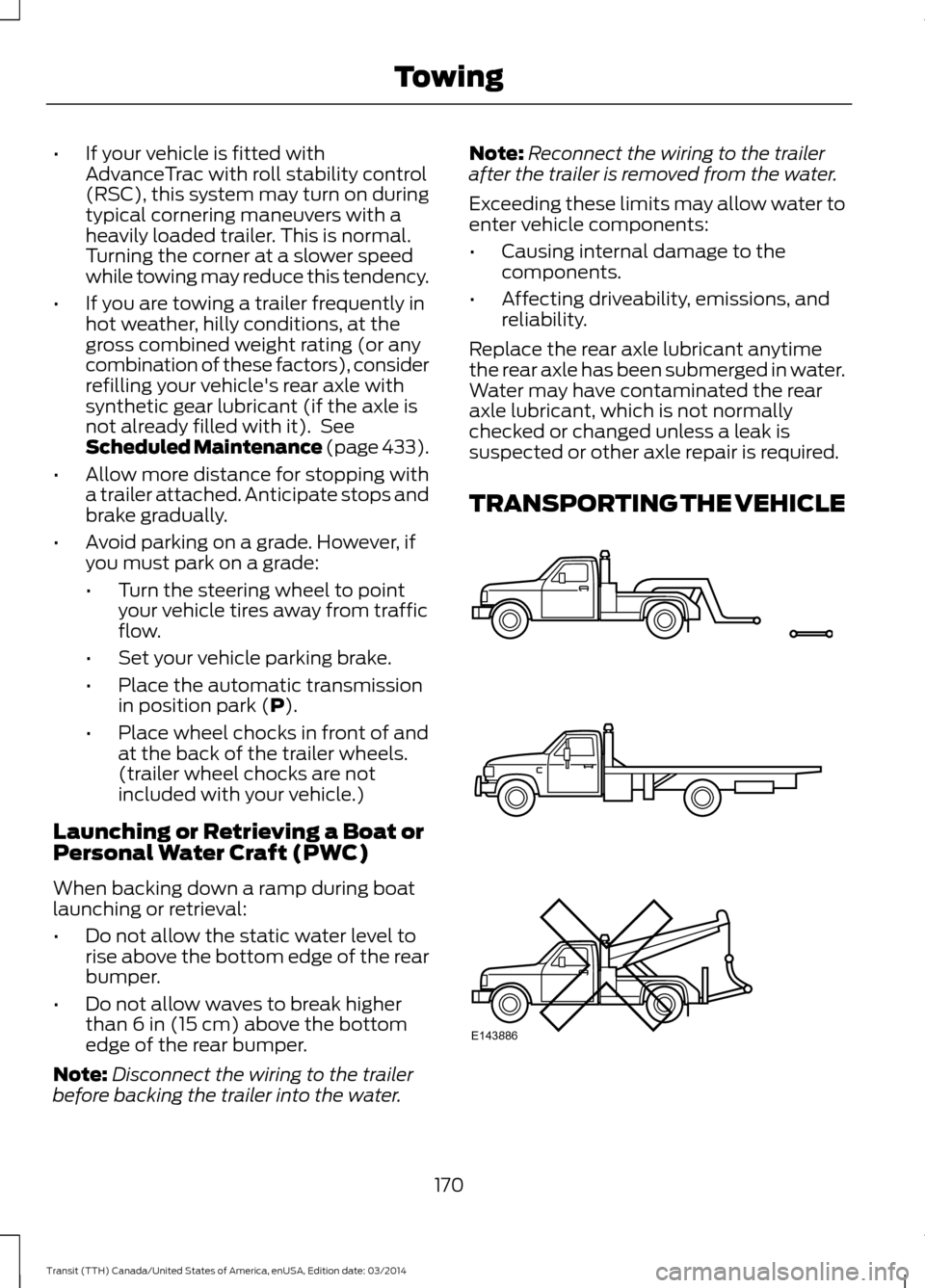
TRANSPORTING THE VEHICLE 170
Transit (TTH) Canada/United States of America, enUSA, Edition date: 03/2014 TowingE143886
Page 177 of 461
•
Reduce the use of air conditioning and
heat.
• Avoid using speed control in hilly
terrain.
• Do not rest your foot on the brake
pedal while driving.
• Avoid carrying unnecessary weight
(approximately 1 mpg [0.4
kilometers/liter] is lost for every 400
lbs [180 kilograms] of weight carried).
• Avoid adding particular accessories to
your vehicle (e.g. bug deflectors,
rollbars/light bars, running boards, ski
racks).
• Avoid driving with the wheels out of
alignment.
COLD WEATHER
PRECAUTIONS
The functional operation of some
components and systems can be affected
at temperatures below -13°F (-25°C).
DRIVING THROUGH WATER WARNINGS
Drive through water in an emergency
only and not as part of normal
driving.
Engine damage can occur if water
enters the air filter.
In an emergency, you can drive your vehicle
through water to a maximum depth of 8
inches (200 millimeters) and at a
maximum speed of 6 mph (10 km/h). You
must take extra care when driving through
flowing water. When driving in water, maintain a low
speed and do not stop your vehicle. After
driving through water and as soon as it is
safe to do so:
•
Depress the brake pedal lightly to
check that the brakes are functioning
correctly.
• Check that the horn works.
• Check that your vehicle's lamps are
fully operational.
• Check the power assistance
of the steering system.
FLOOR MATS WARNINGS
Always use floor mats that are
designed to fit the foot well of your
vehicle. Only use floor mats that
leave the pedal area unobstructed. Only
use floor mats that are firmly secured to
retention posts so that they cannot slip out
of position and interfere with the pedals
or impair safe operation of your vehicle in
other ways. Pedals that cannot move freely can
cause loss of vehicle control and
increase the risk of serious personal
injury. Always make sure that the floor
mats are properly attached to the
retention posts in the carpet that are
supplied with your vehicle. Floor mats must
be properly secured to both retention posts
to make sure mats do not shift out of
position. Never place floor mats or any other
covering in the vehicle foot well that
cannot be properly secured to
prevent them from moving and interfering
with the pedals or the ability to control the
vehicle.
174 Transit (TTH) Canada/United States of America, enUSA, Edition date: 03/2014 Driving Hints
Page 201 of 461
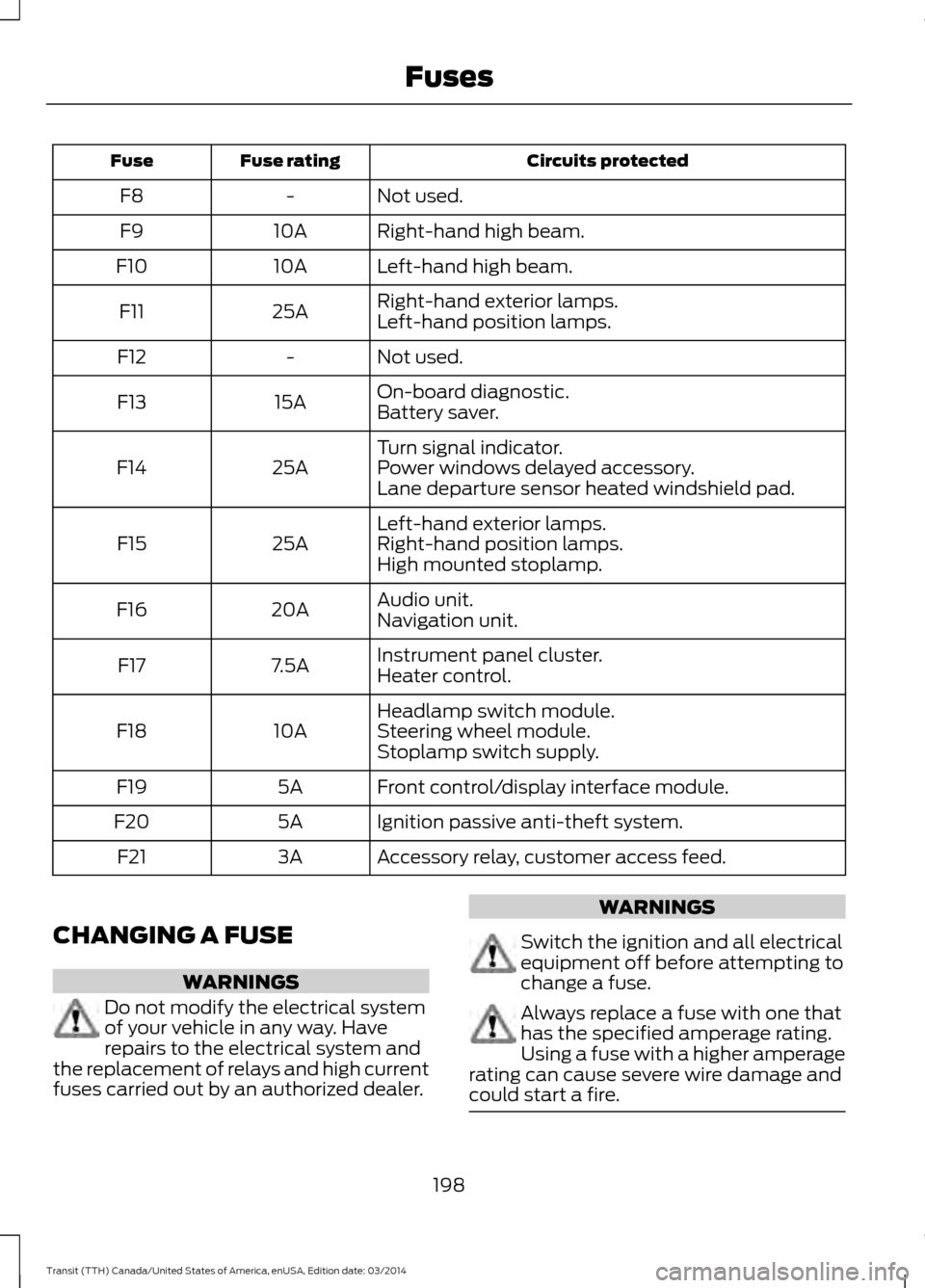
Circuits protected
Fuse rating
Fuse
Not used.
-
F8
Right-hand high beam.
10A
F9
Left-hand high beam.
10A
F10
Right-hand exterior lamps.
25A
F11
Left-hand position lamps.
Not used.
-
F12
On-board diagnostic.
15A
F13
Battery saver.
Turn signal indicator.
25A
F14 Power windows delayed accessory.
Lane departure sensor heated windshield pad.
Left-hand exterior lamps.
25A
F15 Right-hand position lamps.
High mounted stoplamp.
Audio unit.
20A
F16
Navigation unit.
Instrument panel cluster.
7.5A
F17
Heater control.
Headlamp switch module.
10A
F18 Steering wheel module.
Stoplamp switch supply.
Front control/display interface module.
5A
F19
Ignition passive anti-theft system.
5A
F20
Accessory relay, customer access feed.
3A
F21
CHANGING A FUSE WARNINGS
Do not modify the electrical system
of your vehicle in any way. Have
repairs to the electrical system and
the replacement of relays and high current
fuses carried out by an authorized dealer. WARNINGS
Switch the ignition and all electrical
equipment off before attempting to
change a fuse.
Always replace a fuse with one that
has the specified amperage rating.
Using a fuse with a higher amperage
rating can cause severe wire damage and
could start a fire. 198
Transit (TTH) Canada/United States of America, enUSA, Edition date: 03/2014 Fuses
Page 205 of 461
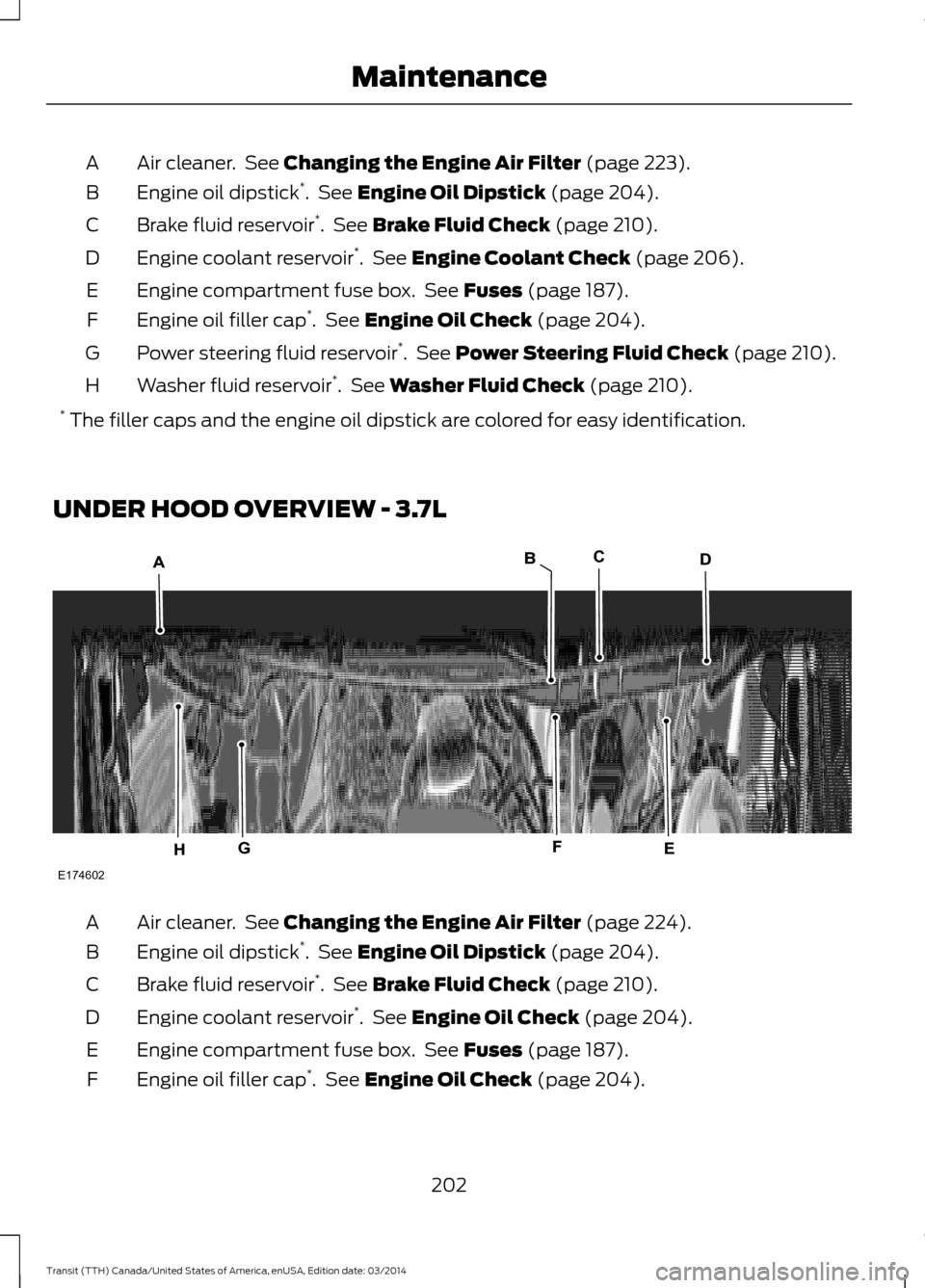
Air cleaner. See Changing the Engine Air Filter (page 223).
A
Engine oil dipstick *
. See
Engine Oil Dipstick (page 204).
B
Brake fluid reservoir *
. See
Brake Fluid Check (page 210).
C
Engine coolant reservoir *
. See
Engine Coolant Check (page 206).
D
Engine compartment fuse box. See
Fuses (page 187).
E
Engine oil filler cap *
. See
Engine Oil Check (page 204).
F
Power steering fluid reservoir *
. See
Power Steering Fluid Check (page 210).
G
Washer fluid reservoir *
. See
Washer Fluid Check (page 210).
H
* The filler caps and the engine oil dipstick are colored for easy identification.
UNDER HOOD OVERVIEW - 3.7L Air cleaner. See Changing the Engine Air Filter (page 224
).
A
Engine oil dipstick *
. See
Engine Oil Dipstick (page 204).
B
Brake fluid reservoir *
. See Brake Fluid Check
(page 210).
C
Engine coolant reservoir *
. See
Engine Oil Check (page 204).
D
Engine compartment fuse box. See Fuses
(page 187).
E
Engine oil filler cap *
. See
Engine Oil Check (page 204).
F
202Transit (TTH) Canada/United States of America, enUSA, Edition date: 03/2014 MaintenanceE174602
ACD
EGH
B
F
Page 206 of 461
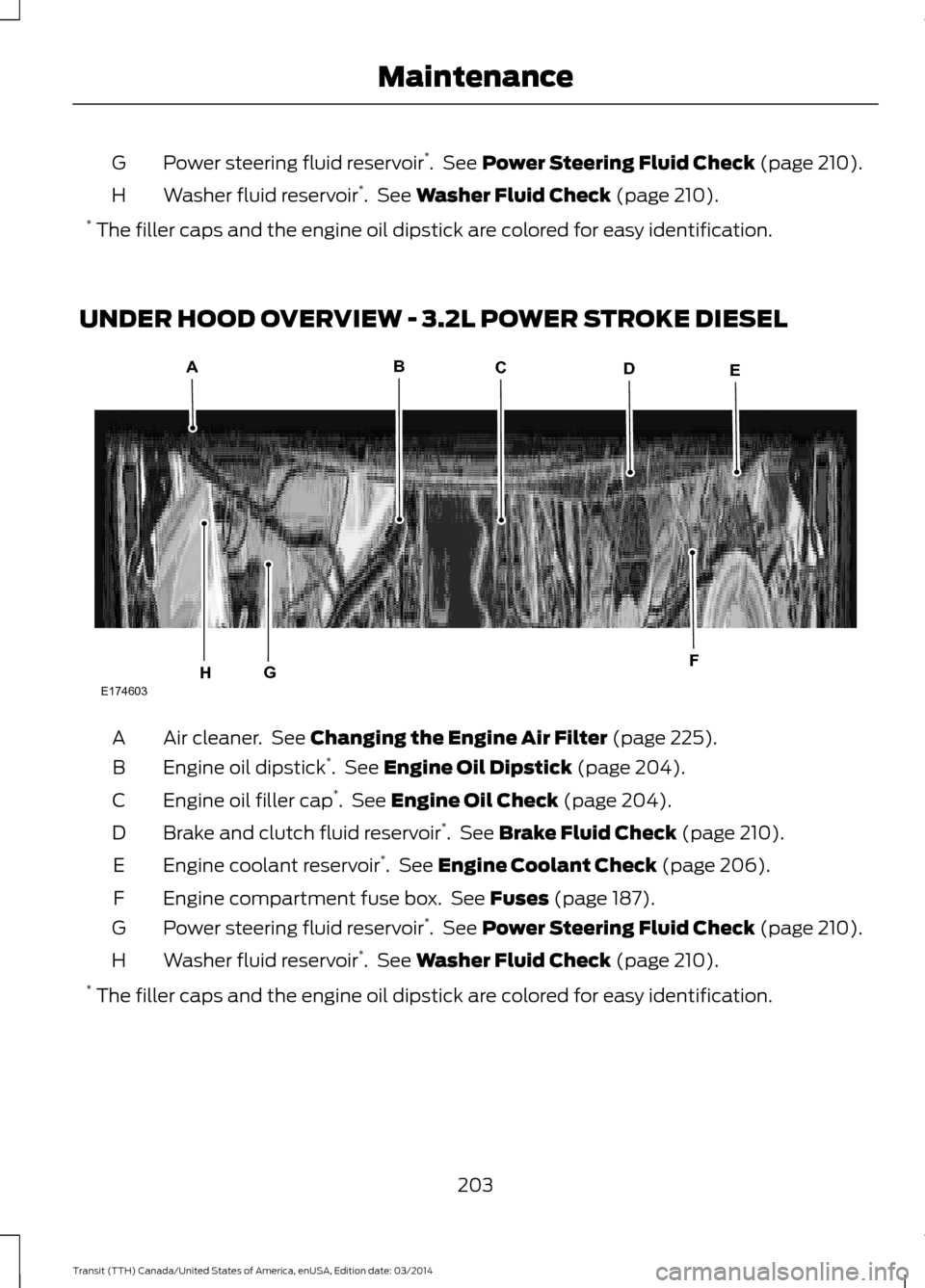
Power steering fluid reservoir
*
. See Power Steering Fluid Check (page 210).
G
Washer fluid reservoir *
. See
Washer Fluid Check (page 210).
H
* The filler caps and the engine oil dipstick are colored for easy identification.
UNDER HOOD OVERVIEW - 3.2L POWER STROKE DIESEL Air cleaner. See Changing the Engine Air Filter (page 225
).
A
Engine oil dipstick *
. See Engine Oil Dipstick (page 204).
B
Engine oil filler cap *
. See
Engine Oil Check (page 204).
C
Brake and clutch fluid reservoir *
. See
Brake Fluid Check (page 210).
D
Engine coolant reservoir *
. See Engine Coolant Check (page 206).
E
Engine compartment fuse box. See Fuses
(page 187).
F
Power steering fluid reservoir *
. See
Power Steering Fluid Check (page 210).
G
Washer fluid reservoir *
. See Washer Fluid Check
(page 210).
H
* The filler caps and the engine oil dipstick are colored for easy identification.
203Transit (TTH) Canada/United States of America, enUSA, Edition date: 03/2014 MaintenanceE174603
ABCDE
FGH
Page 211 of 461
Used engine coolant should be disposed
of in an appropriate manner. Follow your
community
’s regulations and standards
for recycling and disposing of automotive
fluids.
Severe Climates
If you drive in extremely cold climates:
• It may be necessary to have a Ford
authorized dealer increase the coolant
concentration above 50%.
• A coolant concentration of 60% will
provide improved freeze point
protection. Engine coolant
concentrations above 60% will
decrease the overheat protection
characteristics of the engine coolant
and may cause engine damage.
If you drive in extremely hot climates:
• It may be necessary to have a Ford
authorized dealer decrease the coolant
concentration to 40%.
• A coolant concentration of 40% will
provide improved overheat protection.
Engine coolant concentrations below
40% will decrease the corrosion or
freeze protection characteristics of the
engine coolant and may cause engine
damage.
Vehicles driven year-round in non-extreme
climates should use prediluted engine
coolant for optimum cooling system and
engine protection.
What You Should Know About Fail-
Safe Cooling
If you deplete the engine coolant supply,
this feature allows you to temporarily drive
your vehicle before you incur incremental
component damage. The fail-safe distance
depends on ambient temperatures, vehicle
load and terrain. How Fail-Safe Cooling Works
If the engine begins to overheat, the engine
coolant temperature gauge will move to
the red area and: The coolant temperature
warning light will illuminate.
The service engine soon
indicator will illuminate.
If the engine reaches a preset
over-temperature condition, the engine
will automatically switch to alternating
cylinder operation. Each disabled cylinder
acts as an air pump and cools the engine.
When this occurs the vehicle will still
operate. However:
• The engine power will be limited.
• This will disable the air conditioning
system.
Continued operation will increase the
engine temperature and the engine will
completely shut down, causing steering
and braking effort to increase.
Once the engine temperature cools, the
engine can be re-started. Take your vehicle
to an authorized dealer as soon as possible
to minimize engine damage.
When Fail-Safe Mode Is Turned On WARNING
Fail-safe mode is for use during
emergencies only. Operate the
vehicle in fail-safe mode only as long
as necessary to bring the vehicle to rest in
a safe location and seek immediate repairs.
When in fail-safe mode, the vehicle will
have limited power, will not be able to
maintain high-speed operation, and may
completely shut down and lose power
steering assist, and power brake assist,
which may increase the possibility of a
crash resulting in serious injury. 208
Transit (TTH) Canada/United States of America, enUSA, Edition date: 03/2014 Maintenance
Page 213 of 461
Have an authorized dealer check and
change the transmission fluid and filter at
the correct service interval. See
Scheduled Maintenance (page 433). Your
transmission does not consume fluid.
However, the fluid level should be checked
if the transmission is not working properly,
(i.e., if the transmission slips or shifts
slowly) or if you notice some sign of fluid
leakage.
Do not use supplemental transmission
fluid additives, treatments or cleaning
agents. The use of these materials may
affect transmission operation and result
in damage to internal transmission
components.
BRAKE FLUID CHECK
Fluid levels between the MIN and MAX
lines are within the normal operating range;
there is no need to add fluid. If the fluid
levels are outside of the normal operating
range, the performance of the system
could be compromised; seek service from
your authorized dealer immediately.
POWER STEERING FLUID
CHECK
WARNING
Do not allow the fluid to touch your
skin or eyes. This could cause serious
personal injury. Rinse the affected
areas immediately with plenty of water
and consult a physician. If the power steering fluid level is not
between the MAX and MIN marks, add
power steering fluid that meets the correct
specification. See
Capacities and
Specifications (page 271). Adding Power Steering Fluid
1. Remove the filler cap.
2. Add power steering fluid to the
MAX
mark. Do not overfill.
3. Replace the filler cap. Turn it until you feel a strong resistance.
WASHER FLUID CHECK
Note: The reservoir supplies the front and
rear washer systems.
When adding fluid, use a mixture of washer
fluid and water to help prevent freezing in
cold weather and improve the cleaning
capability. We recommend that you use
only high quality washer fluid.
For information on fluid dilution, refer to
the product instructions.
DRAINING THE FUEL FILTER
WATER TRAP WARNING
Do not dispose of fuel in the
household refuse or the public
sewage system. Use an authorized
waste disposal facility. Your vehicle is fitted with a diesel fuel
conditioner module located behind the fuel
tank. A warning lamp will illuminate and a
message will be displayed when
approximately
3.38 (100 ml) of water
accumulates in the module. If you allow
the water level to exceed this level, the
water may pass through to the engine and
may cause fuel injection equipment
damage.
Note: To drain the fuel filter water trap,
access the underside of your vehicle.
210 Transit (TTH) Canada/United States of America, enUSA, Edition date: 03/2014 Maintenance
Page 232 of 461
•
Never wash or rinse any ignition coil,
spark plug wire or spark plug well, or
the area in and around these locations.
• Cover the battery, power distribution
box, and air filter assembly to prevent
water damage when cleaning the
engine.
CLEANING THE WINDOWS AND
WIPER BLADES
Car wash chemicals and environmental
fallout can result in windshield and wiper
blade contamination. Dirty windshield and
wipers will result in poor windshield wiper
operation. Keep the windshield and wiper
blades clean to maintain windshield wiper
performance.
To clean the windshield and wiper blades:
• Clean the windshield with a
non-abrasive glass cleaner.
• For windshields contaminated with
tree sap, chemicals, wax or bugs, clean
the entire windshield using steel wool
(no greater than 0000 grade) in a
circular motion and rinse with water.
• Clean the wiper blades with isopropyl
rubbing alcohol or windshield washer
fluid.
Note: Do not use razor blades or other
sharp objects to clean or remove decals
from the inside of the heated rear window.
The vehicle warranty does not cover
damage caused to the heated rear window
grid lines.
CLEANING THE INTERIOR
Note: Do not allow air fresheners and hand
sanitizers to spill on interior surfaces. If a
spill occurs, wipe off immediately. Damage
may not be covered by your warranty. Safety Belts WARNINGS
Do not use abrasives, or chemical
solvents to clean them.
Do not allow moisture to penetrate
the safety belt retractor mechanism.
Clean them with interior cleaner or water
applied with a soft sponge. Let them dry
naturally, away from artificial heat.
Instrument Cluster Screens, LCD
Screens and Radio Screens
WARNING
Do not use abrasives, alcoholic
solvents or chemical solvents to
clean them.
Rear Windows
WARNING
Do not use any abrasive materials to
clean the interior of the rear
windows.
Note:
Do not install stickers or labels to the
interior of the rear windows.
CLEANING THE INSTRUMENT
PANEL AND INSTRUMENT
CLUSTER LENS WARNING
Do not use chemical solvents or
strong detergents when cleaning the
steering wheel or instrument panel
to avoid contamination of the airbag
system. 229
Transit (TTH) Canada/United States of America, enUSA, Edition date: 03/2014 Vehicle Care