remote control FORD TRANSIT 2015 5.G Owners Manual
[x] Cancel search | Manufacturer: FORD, Model Year: 2015, Model line: TRANSIT, Model: FORD TRANSIT 2015 5.GPages: 461, PDF Size: 5.82 MB
Page 4 of 461
Introduction
About This Manual...........................................7
Symbols Glossary.............................................7
Data Recording..................................................9
California Proposition 65.............................10
P
erchlorate........................................................10
Ford Credit
.........................................................10
Replacement Parts Recommendation......................................10
Special Notices
.................................................11
Mobile Communications Equipment......................................................11
Export Unique Options...................................11
Child Safety
General Information
.......................................13
Installing Child Seats
.....................................14
Booster Seats
..................................................22
Child Seat Positioning
..................................24
Child Safety Locks
..........................................25
Safety Belts
Principle of Operation...................................27
F
astening the Safety Belts
.........................28
Safety Belt Height Adjustment
................30
Safety Belt Warning Lamp and Indicator Chime.............................................................30
Safety Belt Minder..........................................31
Child Restraint and Safety Belt Maintenance................................................32
Supplementary Restraints System
Principle of Operation - Canada/United States of America......................................33
Driver and Passenger Airbags...................34
Side Airbags.....................................................40
Safety Canopy ™.............................................
41
Crash Sensors and Airbag Indicator........42
Airbag Disposal
...............................................43 Keys and Remote Controls
Principle of Operation..................................44
General Information on Radio
Frequencies..................................................44
Remote Control..............................................44
Replacing a Lost Key or Remote Control...........................................................46
MyKey ™
Principle of Operation...................................47
Creating a MyKey............................................47
Clearing All MyKeys.......................................48
Che
cking MyKey System Status..............50
Using MyKey With Remote Start Systems..........................................................51
MyKey Troubleshooting
...............................52
Locks
Locking and Unlocking
.................................54
Security
Passive Anti-Theft System........................59
Anti-Theft Alarm...........................................60
Steering Wheel
Adjusting the Steering Wheel....................61
Audio Control - Vehicles Without: Touchscreen Display..................................
61
Audio Control - Vehicles With: Touchscreen Display.................................
62
Voice Control - Vehicles Without: Touchscreen Display.................................62
Voice Control - Vehicles With: Touchscreen Display.................................62
Cruise Control..................................................63
Information Display Control.......................63
Wipers and Washers
Windshield Wipers........................................64
Autowipers.......................................................64
Windshield Washers.....................................65
1 Transit (TTH) Canada/United States of America, enUSA, Edition date: 03/2014 Table of Contents
Page 13 of 461
If services are used (e.g. repair works,
service processes, warranty cases, quality
assurance), employees of the service
network (including manufacturers) are
able to read out this technical information
from the event and error data storage
modules using special diagnostic devices.
If required, you will receive further
information. After an error has been
corrected, these data are deleted from the
error storage module or they are constantly
overwritten.
When using the vehicle, situations may
occur in which these technical data related
to other information (accident report,
damages on the vehicle, witness
statements etc.) may be associated with
a specific person - possibly, with the
assistance of an expert.
Additional functions contractually agreed
upon with the client (e.g. vehicle location
in emergency cases) allow the
transmission of particular vehicle data
from the vehicle.
CALIFORNIA PROPOSITION 65
WARNING
Some constituents of engine
exhaust, certain vehicle components,
certain fluids contained in vehicles
and certain products of component wear
contain or emit chemicals known to the
State of California to cause cancer and
birth defects or other reproductive harm. PERCHLORATE
Certain components in your vehicle such
as airbag modules, safety belt
pretensioners and remote control batteries
may contain perchlorate material. Special
handling may apply for service or vehicle
end of life disposal. For more information
visit: Web Address
www.dtsc.ca.gov/hazardouswaste/ perchlorate
FORD CREDIT
(U.S. Only)
Ford Credit offers a full range of financing
and lease plans to help you acquire your
vehicle. If you have financed or leased your
vehicle through Ford Credit, thank you for
your business.
For your convenience we offer a number
of ways to contact us, as well as to help
manage your account.
Phone: 1-800-727-7000
For more information regarding Ford Credit,
as well as to access Account Manager,
please go to www.fordcredit.com.
REPLACEMENT PARTS
RECOMMENDATION
Your vehicle has been built to the highest
standards using quality parts. We
recommend that you demand the use of
genuine Ford and Motorcraft parts
whenever your vehicle requires scheduled
maintenance or repair. You can clearly
identify genuine Ford and Motorcraft parts
by looking for the Ford, FoMoCo or
Motorcraft branding on the parts or their
packaging.
10 Transit (TTH) Canada/United States of America, enUSA, Edition date: 03/2014 Introduction
Page 47 of 461
PRINCIPLE OF OPERATION
The remote control allows you to:
•
remotely lock or unlock the vehicle
doors
• unlock the doors without actively using
a key or remote control (intelligent
access only)
• remotely open the power liftgate (if
equipped)
• remotely start or stop the engine (if
equipped)
• arm and disarm the anti-theft system
• activate the panic alarm.
GENERAL INFORMATION ON
RADIO FREQUENCIES
This device complies with Part 15 of the
FCC Rules and with Industry Canada
license-exempt RSS standard(s).
Operation is subject to the following two
conditions: (1) This device may not cause
harmful interference, and (2) This device
must accept any interference received,
including interference that may cause
undesired operation.
Note: Changes or modifications not
expressively approved by the party
responsible for compliance could void the
user's authority to operate the equipment.
The term IC before the radio certification
number only signifies that Industry Canada
technical specifications were met.
The typical operating range for your
transmitter is approximately 33 feet (10
meters). Vehicles with the remote start
feature will have a greater range. One of
the following could cause a decrease in
operating range:
• weather conditions
• nearby radio towers •
structures around the vehicle
• other vehicles parked next to your
vehicle
The radio frequency used by your remote
control can also be used by other short
distance radio transmissions, for example
amateur radios, medical equipment,
wireless headphones, remote controls and
alarm systems. If the frequencies are
jammed, you will not be able to use your
remote control. You can lock and unlock
the doors with the key.
Note: Make sure to lock your vehicle before
leaving it unattended.
Note: If you are in range, the remote control
will operate if you press any button
unintentionally.
REMOTE CONTROL
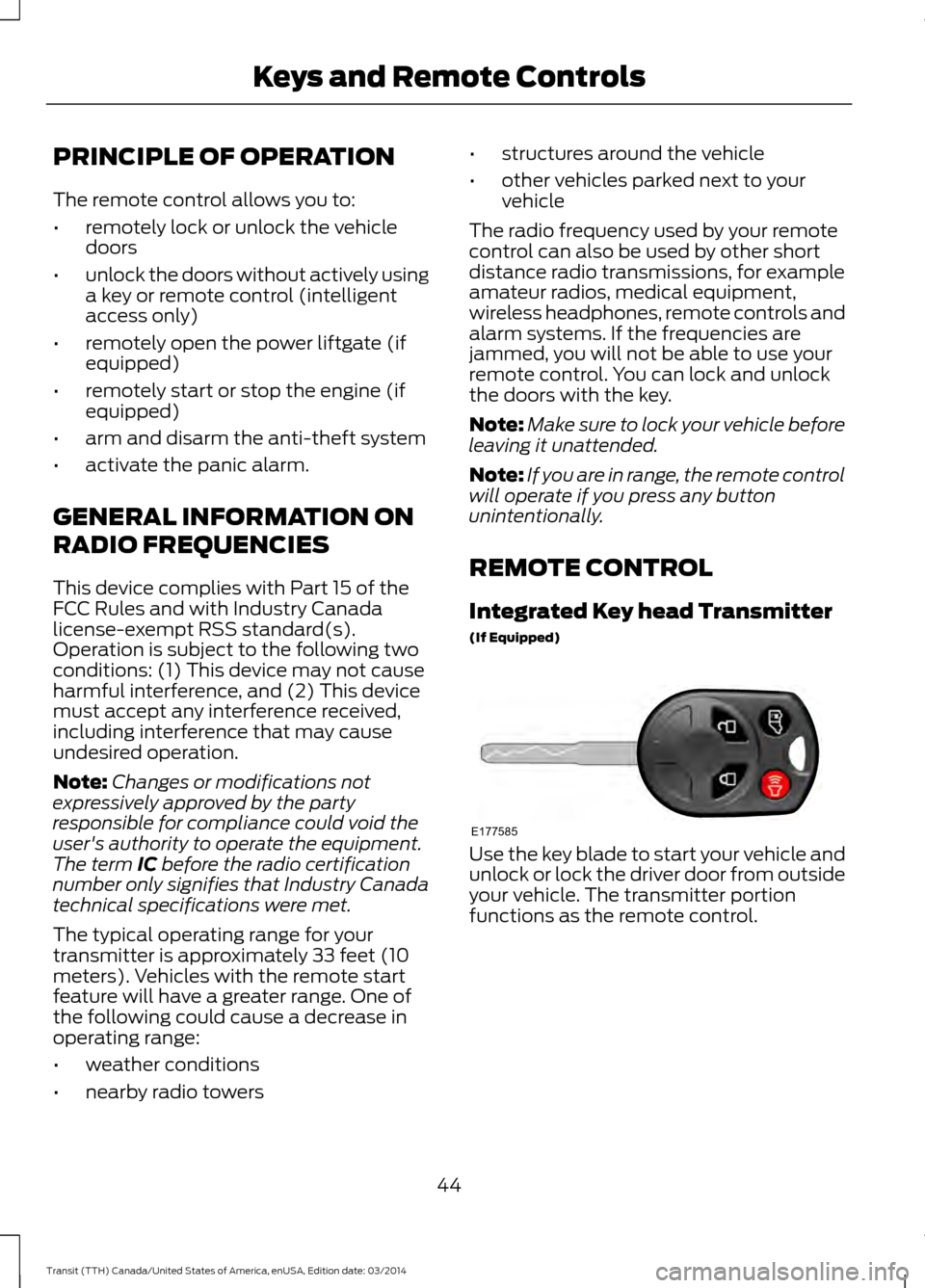
Integrated Key head Transmitter
(If Equipped) Use the key blade to start your vehicle and
unlock or lock the driver door from outside
your vehicle. The transmitter portion
functions as the remote control.
44 Transit (TTH) Canada/United States of America, enUSA, Edition date: 03/2014 Keys and Remote ControlsE177585
Page 48 of 461
Note:
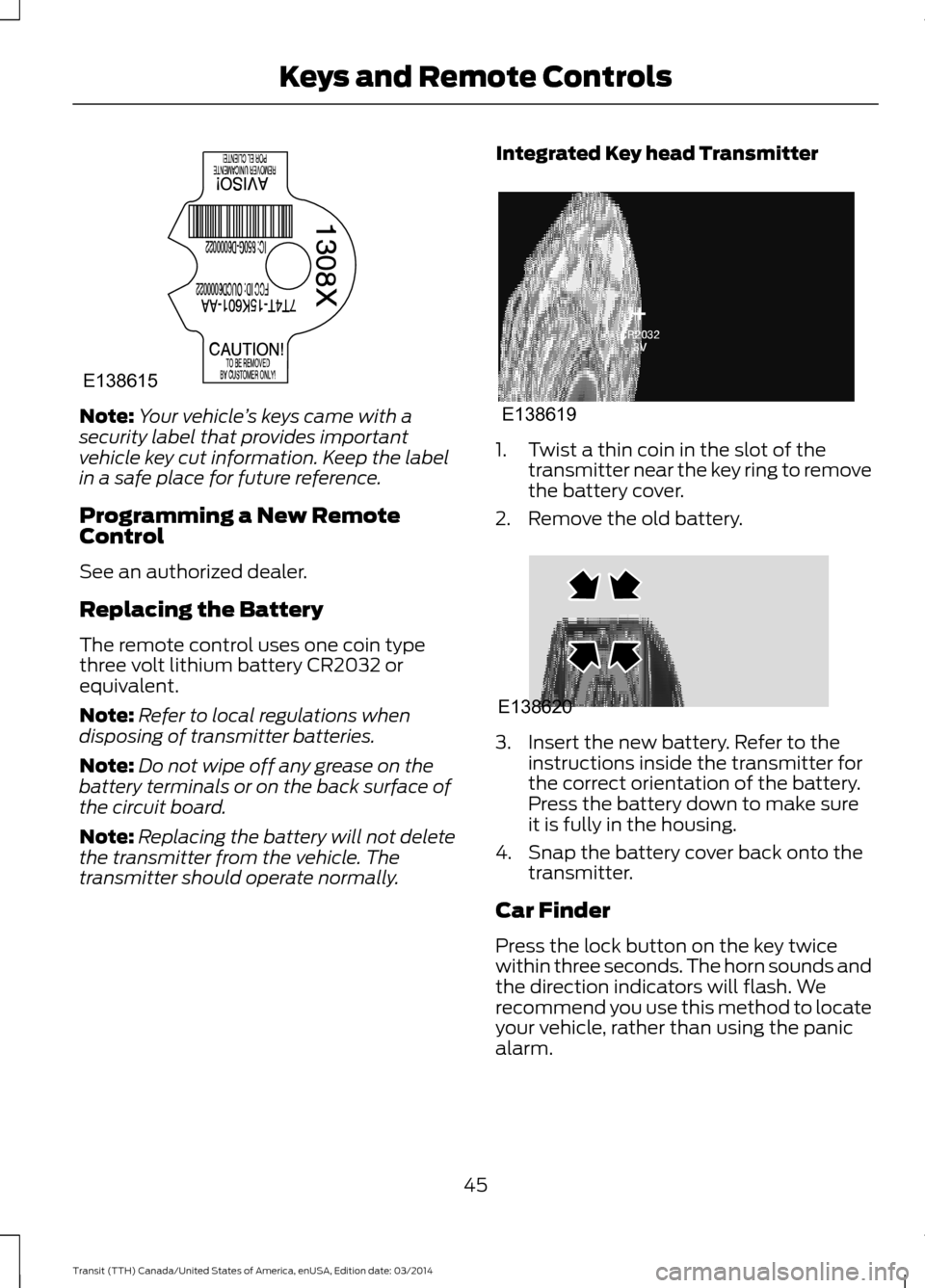
Your vehicle ’s keys came with a
security label that provides important
vehicle key cut information. Keep the label
in a safe place for future reference.
Programming a New Remote
Control
See an authorized dealer.
Replacing the Battery
The remote control uses one coin type
three volt lithium battery CR2032 or
equivalent.
Note: Refer to local regulations when
disposing of transmitter batteries.
Note: Do not wipe off any grease on the
battery terminals or on the back surface of
the circuit board.
Note: Replacing the battery will not delete
the transmitter from the vehicle. The
transmitter should operate normally. Integrated Key head Transmitter 1. Twist a thin coin in the slot of the
transmitter near the key ring to remove
the battery cover.
2. Remove the old battery. 3. Insert the new battery. Refer to the
instructions inside the transmitter for
the correct orientation of the battery.
Press the battery down to make sure
it is fully in the housing.
4. Snap the battery cover back onto the transmitter.
Car Finder
Press the lock button on the key twice
within three seconds. The horn sounds and
the direction indicators will flash. We
recommend you use this method to locate
your vehicle, rather than using the panic
alarm.
45 Transit (TTH) Canada/United States of America, enUSA, Edition date: 03/2014 Keys and Remote ControlsE138615 E138619 E138620
Page 49 of 461
Note:
If locking was not successful or if any
door or the liftgate is open, or if the hood is
open on vehicles with a perimeter alarm or
remote start, the horn will sound and the
direction indicators will not flash.
Sounding a Panic Alarm
Note: The alarm will only operate when the
ignition is off. Press the button to turn on the
alarm. Press the button again or
switch the ignition on to turn off.
REPLACING A LOST KEY OR
REMOTE CONTROL
You can purchase replacement keys or
remote controls from an authorized dealer.
Authorized dealers can program remote
controls for your vehicle. See Remote
Control (page 44).
To re-program the passive anti-theft
system see an authorized dealer.
46Transit (TTH) Canada/United States of America, enUSA, Edition date: 03/2014 Keys and Remote ControlsE138624
Page 57 of 461
LOCKING AND UNLOCKING
Note:
Make sure you have locked your
vehicle before leaving it unattended.
Note: Do not leave the keys in your vehicle.
Locking
Locking With the Key
Turn the top of the key toward the rear of
your vehicle.
Locking With the Remote Control Press the button.
Note: You can lock the driver door with the
key. Use the key when the remote control is
not functioning.
Unlocking (If Equipped)
Unlocking With the Key
Turn the top of the key toward the front of
your vehicle.
Unlocking With the Remote Control Press the button.
Note: You can unlock the driver door with
the key. Use the key when the remote
control is not functioning.
Note: When you leave your vehicle
unattended for several weeks, the remote
control turns off.
Note: Unlock your vehicle and start the
engine using the key. Unlocking and starting
your vehicle once enables the remote
control.
Unlocking the Rear Cargo Doors Press the button. Note:
The liftgate does not automatically
open.
Note: The liftgate unlocks if all the doors
are unlocked.
Reprogramming the Unlocking
Function
You can reprogram the unlocking function
so that only the driver door unlocks. See
Remote Control
(page 44).
Locking and Unlocking
Confirmation
When you lock the doors, the direction
indicators flash twice.
When you unlock the doors, the direction
indicators flash once and a tone sounds.
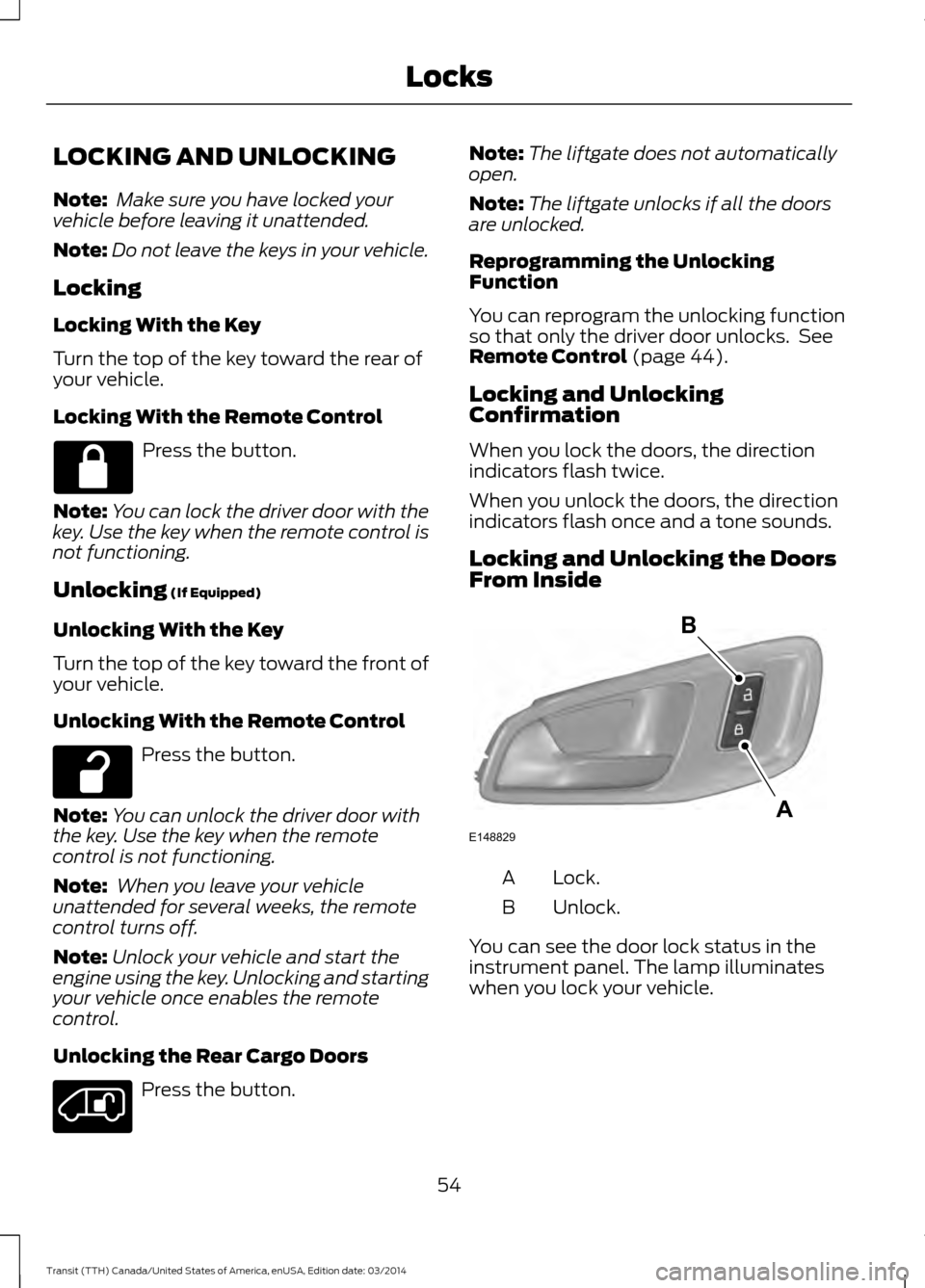
Locking and Unlocking the Doors
From Inside Lock.
A
Unlock.
B
You can see the door lock status in the
instrument panel. The lamp illuminates
when you lock your vehicle.
54 Transit (TTH) Canada/United States of America, enUSA, Edition date: 03/2014 Locks E148829
A
B
Page 60 of 461
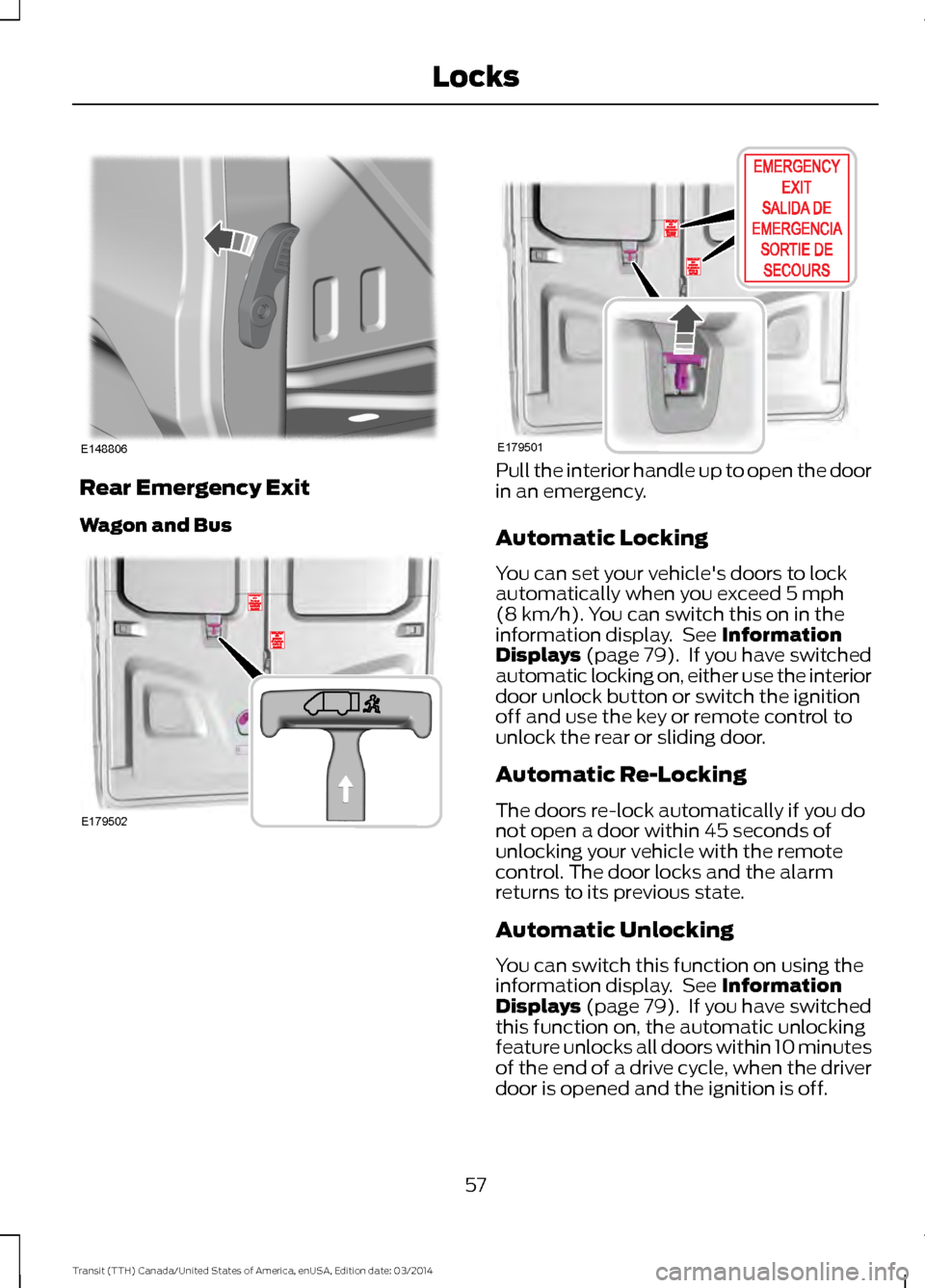
Rear Emergency Exit
Wagon and Bus Pull the interior handle up to open the door
in an emergency.
Automatic Locking
You can set your vehicle's doors to lock
automatically when you exceed 5 mph
(8 km/h). You can switch this on in the
information display. See Information
Displays (page 79). If you have switched
automatic locking on, either use the interior
door unlock button or switch the ignition
off and use the key or remote control to
unlock the rear or sliding door.
Automatic Re-Locking
The doors re-lock automatically if you do
not open a door within 45 seconds of
unlocking your vehicle with the remote
control. The door locks and the alarm
returns to its previous state.
Automatic Unlocking
You can switch this function on using the
information display. See Information
Displays (page 79). If you have switched
this function on, the automatic unlocking
feature unlocks all doors within 10 minutes
of the end of a drive cycle, when the driver
door is opened and the ignition is off.
57 Transit (TTH) Canada/United States of America, enUSA, Edition date: 03/2014 LocksE148806 E179502 E179501
Page 61 of 461
One-Stage Unlocking
You can switch on this function using the
information display. See Information
Displays (page 79).
If you have switched on this function, you
unlock all doors including the rear doors
and the sliding door.
Note: When you unlock the doors, the
direction indicators flash once.
You unlock all of the doors when you:
• Pull either interior handle.
• Turn the key in the driver door lock.
• Press the unlock button on the remote
control once.
• Press the interior unlock button once.
Two-Stage Unlocking
Note: When you unlock the doors, the
direction indicators flash once.
You unlock the front doors when you:
• Pull either interior handle.
• Turn the key in the driver door lock.
• Press the unlock button on the remote
control once.
• Press the interior unlock button once.
You unlock the front doors and cargo area
when you:
• Turn the key in the driver door lock to
the unlock position twice within three
seconds.
• Press the unlock button on the remote
control twice within three seconds.
• Press the interior unlock button twice
within three seconds.
Zone Re-Locking
If you enable zone re-locking and open one
door, all other doors remain locked. See an
authorized dealer for further information. The locks on van, bus or wagon and Kombi
have two zones, cabin and cargo. For van
and Kombi, the cargo area includes the
rear doors and the sliding door. For bus or
wagon, the cargo area includes the rear
doors.
•
Exit your vehicle and press the lock
button.
• Press the unlock button or the cargo
area unlock button once to open the
respective zone.
If you now open a door within the unlocked
zone, the other doors in that zone
automatically lock.
Configurable Unlocking
Configurable unlocking is set when you
purchase your vehicle. It allows you to
select which doors unlock when you press,
once or twice, the unlock button or the
cargo area unlock button on your remote
control. You cannot switch this feature
back on if you had it switched off. See an
authorized dealer for further information.
58 Transit (TTH) Canada/United States of America, enUSA, Edition date: 03/2014 Locks
Page 62 of 461
PASSIVE ANTI-THEFT
SYSTEM
Note:
The system is not compatible with
non-Ford aftermarket remote start systems.
Use of these systems may result in vehicle
starting problems and a loss of security
protection.
Note: Metallic objects, electronic devices
or a second coded key on the same key
chain may cause vehicle starting problems
if they are too close to the key when starting
the engine. Prevent these objects from
touching the coded key while starting the
engine. Switch the ignition off, move all
objects on the key chain away from the
coded key and restart the engine if a
problem occurs.
Note: Do not leave a duplicate coded key
in the vehicle. Always take your keys and
lock all doors when leaving the vehicle.
SecuriLock®
The system is an engine immobilization
system. It is designed to help prevent the
engine from being started unless a
correctly coded key for your vehicle is used.
Using an incorrectly coded key may
prevent the engine from starting. A
message may appear in the information
display.
If you are unable to start the engine with a
correctly coded key, a malfunction has
happened and a message may appear in
the information display.
Automatic Arming
The engine immobilization system arms
immediately after you switch the ignition
off. Automatic Disarming
Switching the ignition on with a correctly
coded key disarms the engine
immobilization system.
Replacement Keys
The integrated keyhead transmitter
functions as a programmed ignition key
that operates all the locks and starts your
vehicle, as well as a remote control.
If your keys are lost or stolen and you do
not have a spare correctly coded key, you
will need to have your vehicle towed to an
authorized dealer. You need to erase the
coded keys from your vehicle and program
new coded keys.
Store an extra correctly coded key away
from the vehicle in a safe place to help
prevent any inconveniences. See an
authorized dealer to purchase additional
spare or replacement keys.
Programming a Spare Integrated
Keyhead Transmitter
You can program your own integrated
keyhead transmitter or standard
SecuriLock coded keys to your vehicle. This
procedure will program both the engine
immobilizer keycode and the remote entry
portion of the remote control to your
vehicle
Only use integrated keyhead transmitters
or standard SecuriLock keys.
You must have two previously
programmed correctly coded keys and the
new unprogrammed key readily accessible.
See an authorized dealer to have the spare
key programmed if two previously
programmed correctly coded keys are not
available.
Read and understand the entire procedure
before you begin.
1.
Insert the first previously programmed
correctly coded key into the ignition.
59 Transit (TTH) Canada/United States of America, enUSA, Edition date: 03/2014 Security
Page 63 of 461
2.
Switch the ignition from off to on. Keep
the ignition on for at least three
seconds, but no more than 10 seconds.
3. Switch the ignition off and remove the
first correctly coded key from the
ignition.
4. After three seconds but within 10 seconds of switching the ignition off,
insert the second previously correctly
coded key into the ignition.
5. Switch the ignition from off to on. Keep
the ignition on for at least three
seconds, but no more than 10 seconds.
6. Switch the ignition off and remove the
second previously programmed
correctly coded key from the ignition.
7. After three seconds but within 10 seconds of switching the ignition off
and removing the previously
programmed correctly coded key,
insert the new unprogrammed key into
the ignition.
8. Switch the ignition from off to on. Keep
the ignition on for at least six seconds.
9. Remove the newly programmed correctly coded key from the ignition.
If the key has been successfully
programmed it will start the engine and
operate the remote entry system (if the
new key is an integrated keyhead
transmitter).
If the key was not successfully
programmed, wait 10 seconds and repeat
Steps 1 through 8. If you are still
unsuccessful, take your vehicle to an
authorized dealer.
Note: You can program a maximum of eight
coded keys to your vehicle. All eight can be
integrated keyhead transmitters. ANTI-THEFT ALARM (If Equipped)
Alarm System
The perimeter alarm is a deterrent against
unauthorized access to your vehicle
through the doors, luggage compartment
and the hood. It also protects the audio
unit.
Triggering the Alarm
Once armed, the alarm is triggered in any
of the following ways:
• If someone opens a door, cargo area
or the hood without a valid key or
remote control.
• If someone removes the audio or
navigation system.
• If you switch the ignition on without a
valid key.
If the alarm is triggered, the horn will sound
for 30 seconds and the hazard warning
flasher will flash for five minutes.
Any further attempts to perform one of the
above will trigger the alarm again.
Arming the Alarm
To arm the alarm, lock your vehicle. See
Locks
(page 54).
Disarming the Alarm
Disarm and silence the alarm by unlocking
the doors with the key and switching the
ignition on with a correctly coded key
within 12 seconds, or by unlocking the
doors or the cargo area with the remote
control.
60 Transit (TTH) Canada/United States of America, enUSA, Edition date: 03/2014 Security