warning light FORD TRANSIT 2016 5.G User Guide
[x] Cancel search | Manufacturer: FORD, Model Year: 2016, Model line: TRANSIT, Model: FORD TRANSIT 2016 5.GPages: 411, PDF Size: 5.65 MB
Page 41 of 411
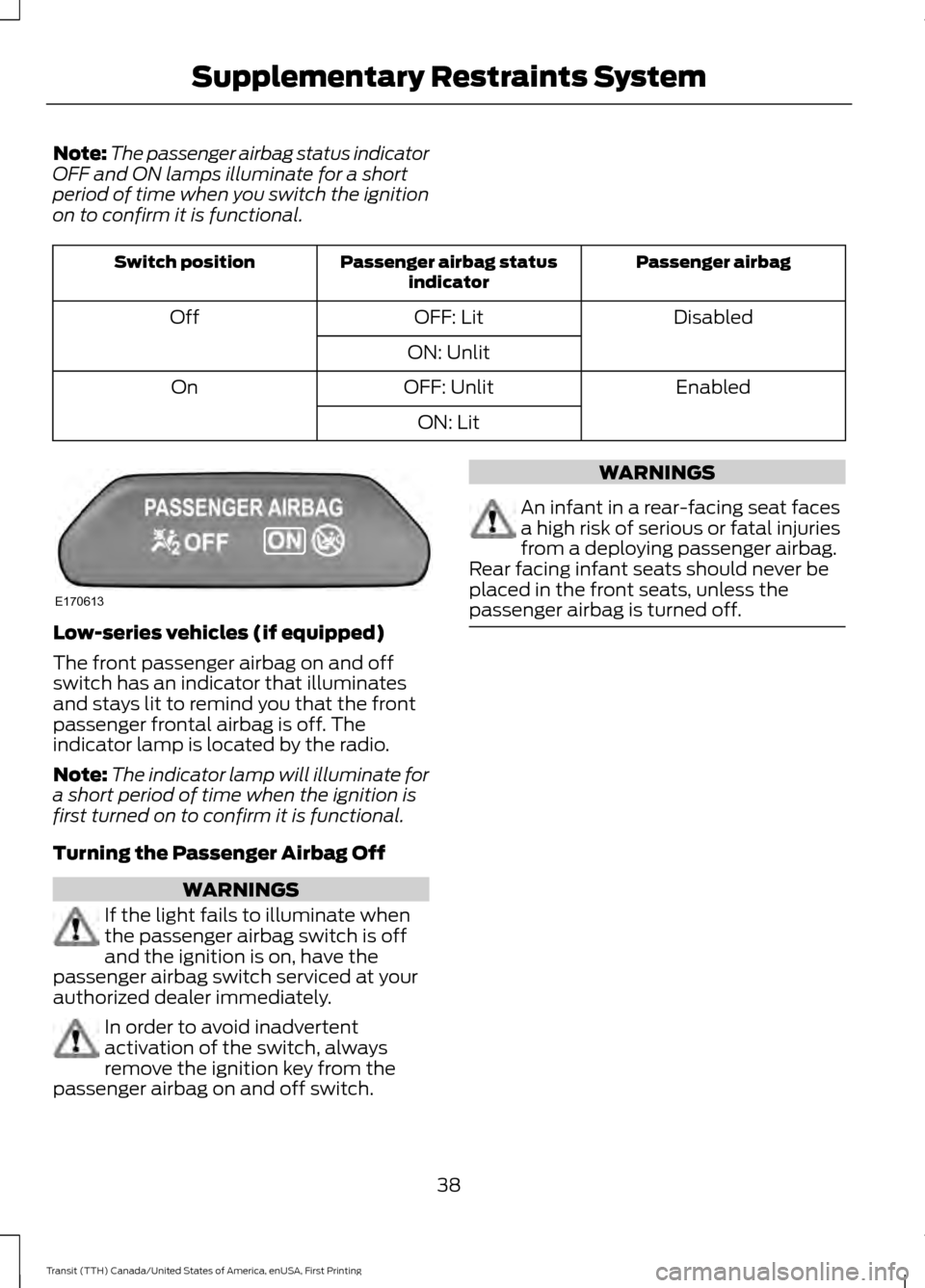
Note:
The passenger airbag status indicator
OFF and ON lamps illuminate for a short
period of time when you switch the ignition
on to confirm it is functional. Passenger airbag
Passenger airbag status
indicator
Switch position
Disabled
OFF: Lit
Off
ON: Unlit Enabled
OFF: Unlit
On
ON: LitLow-series vehicles (if equipped)
The front passenger airbag on and off
switch has an indicator that illuminates
and stays lit to remind you that the front
passenger frontal airbag is off. The
indicator lamp is located by the radio.
Note:
The indicator lamp will illuminate for
a short period of time when the ignition is
first turned on to confirm it is functional.
Turning the Passenger Airbag Off WARNINGS
If the light fails to illuminate when
the passenger airbag switch is off
and the ignition is on, have the
passenger airbag switch serviced at your
authorized dealer immediately. In order to avoid inadvertent
activation of the switch, always
remove the ignition key from the
passenger airbag on and off switch. WARNINGS
An infant in a rear-facing seat faces
a high risk of serious or fatal injuries
from a deploying passenger airbag.
Rear facing infant seats should never be
placed in the front seats, unless the
passenger airbag is turned off. 38
Transit (TTH) Canada/United States of America, enUSA, First Printing Supplementary Restraints SystemE170613
Page 42 of 411
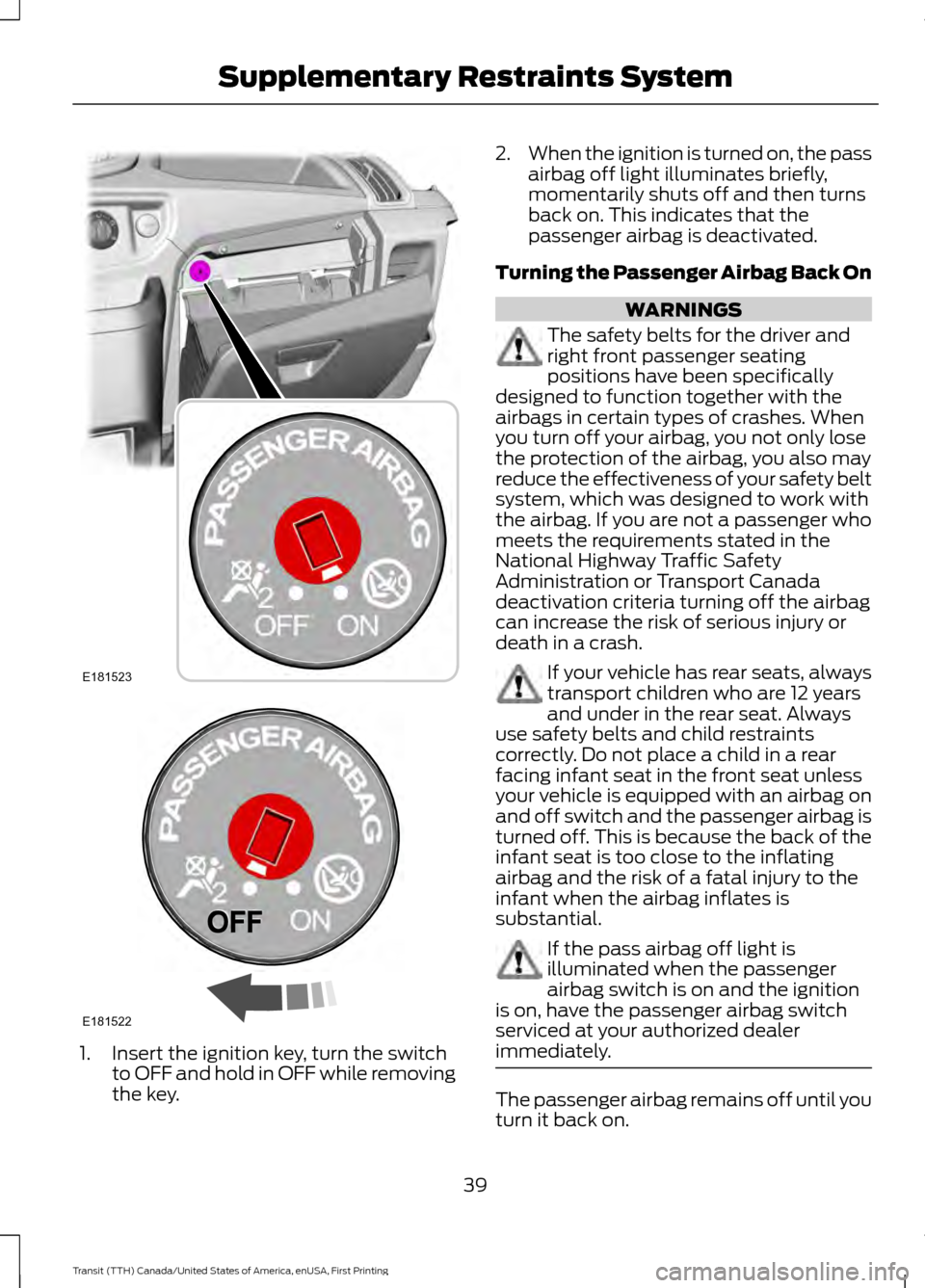
1. Insert the ignition key, turn the switch
to OFF and hold in OFF while removing
the key. 2.
When the ignition is turned on, the pass
airbag off light illuminates briefly,
momentarily shuts off and then turns
back on. This indicates that the
passenger airbag is deactivated.
Turning the Passenger Airbag Back On WARNINGS
The safety belts for the driver and
right front passenger seating
positions have been specifically
designed to function together with the
airbags in certain types of crashes. When
you turn off your airbag, you not only lose
the protection of the airbag, you also may
reduce the effectiveness of your safety belt
system, which was designed to work with
the airbag. If you are not a passenger who
meets the requirements stated in the
National Highway Traffic Safety
Administration or Transport Canada
deactivation criteria turning off the airbag
can increase the risk of serious injury or
death in a crash. If your vehicle has rear seats, always
transport children who are 12 years
and under in the rear seat. Always
use safety belts and child restraints
correctly. Do not place a child in a rear
facing infant seat in the front seat unless
your vehicle is equipped with an airbag on
and off switch and the passenger airbag is
turned off. This is because the back of the
infant seat is too close to the inflating
airbag and the risk of a fatal injury to the
infant when the airbag inflates is
substantial. If the pass airbag off light is
illuminated when the passenger
airbag switch is on and the ignition
is on, have the passenger airbag switch
serviced at your authorized dealer
immediately. The passenger airbag remains off until you
turn it back on.
39
Transit (TTH) Canada/United States of America, enUSA, First Printing Supplementary Restraints SystemE181523 E181522
Page 43 of 411
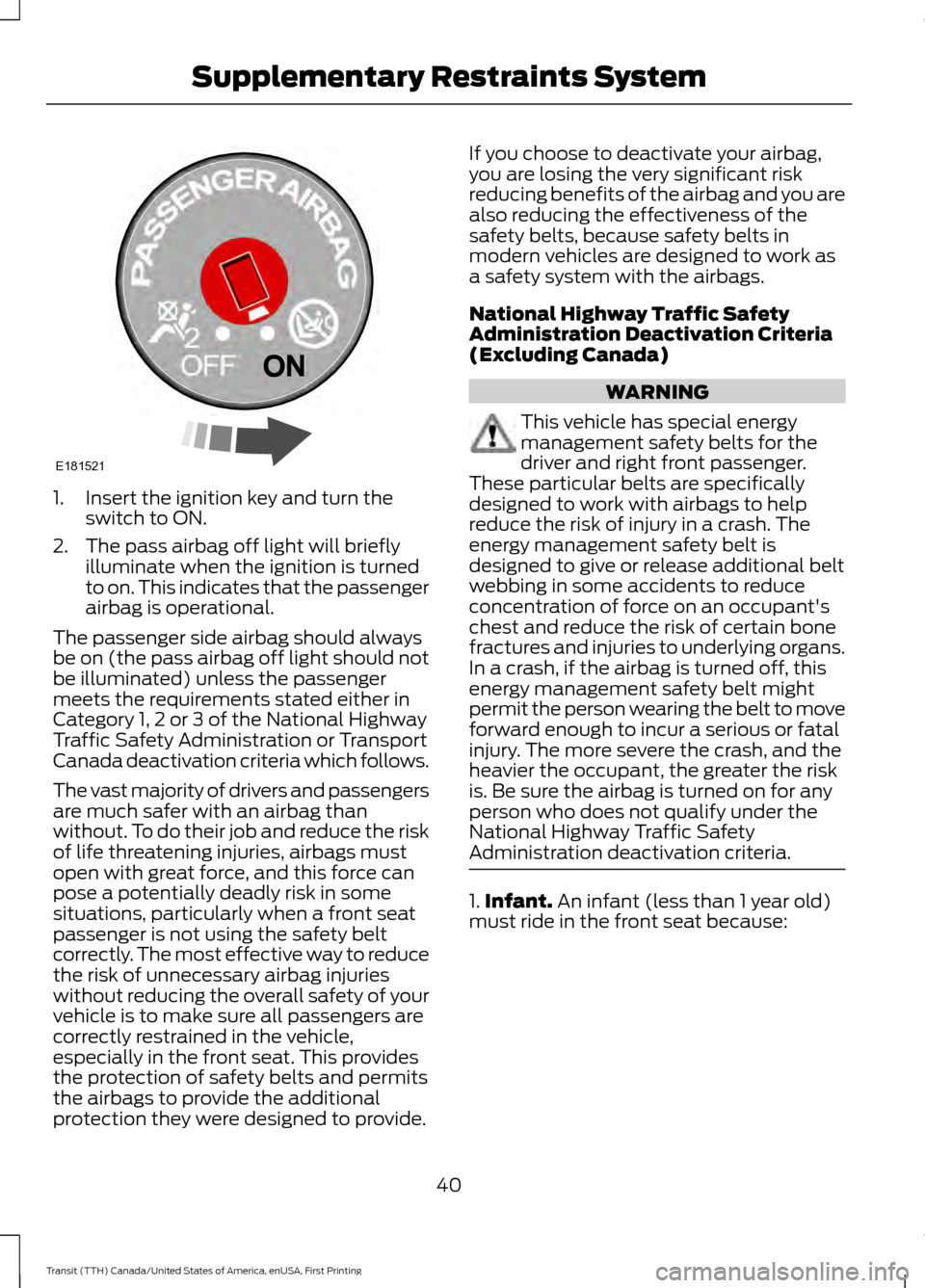
1. Insert the ignition key and turn the
switch to ON.
2. The pass airbag off light will briefly illuminate when the ignition is turned
to on. This indicates that the passenger
airbag is operational.
The passenger side airbag should always
be on (the pass airbag off light should not
be illuminated) unless the passenger
meets the requirements stated either in
Category 1, 2 or 3 of the National Highway
Traffic Safety Administration or Transport
Canada deactivation criteria which follows.
The vast majority of drivers and passengers
are much safer with an airbag than
without. To do their job and reduce the risk
of life threatening injuries, airbags must
open with great force, and this force can
pose a potentially deadly risk in some
situations, particularly when a front seat
passenger is not using the safety belt
correctly. The most effective way to reduce
the risk of unnecessary airbag injuries
without reducing the overall safety of your
vehicle is to make sure all passengers are
correctly restrained in the vehicle,
especially in the front seat. This provides
the protection of safety belts and permits
the airbags to provide the additional
protection they were designed to provide. If you choose to deactivate your airbag,
you are losing the very significant risk
reducing benefits of the airbag and you are
also reducing the effectiveness of the
safety belts, because safety belts in
modern vehicles are designed to work as
a safety system with the airbags.
National Highway Traffic Safety
Administration Deactivation Criteria
(Excluding Canada)
WARNING
This vehicle has special energy
management safety belts for the
driver and right front passenger.
These particular belts are specifically
designed to work with airbags to help
reduce the risk of injury in a crash. The
energy management safety belt is
designed to give or release additional belt
webbing in some accidents to reduce
concentration of force on an occupant's
chest and reduce the risk of certain bone
fractures and injuries to underlying organs.
In a crash, if the airbag is turned off, this
energy management safety belt might
permit the person wearing the belt to move
forward enough to incur a serious or fatal
injury. The more severe the crash, and the
heavier the occupant, the greater the risk
is. Be sure the airbag is turned on for any
person who does not qualify under the
National Highway Traffic Safety
Administration deactivation criteria. 1.
Infant. An infant (less than 1 year old)
must ride in the front seat because:
40
Transit (TTH) Canada/United States of America, enUSA, First Printing Supplementary Restraints SystemE181521
Page 45 of 411
•
My vehicle has no rear seat;
• Athough children age 12 and under ride
in the rear seat whenever possible,
children age 12 and under have no
option but to sometimes ride in the
front seat because rear seat space is
insufficient;
• The child has a medical condition that,
according to the child's physician,
makes it necessary for the child to ride
in the front seat so that the driver can
monitor the child's condition.
3. Medical condition: A passenger has a
medical condition that, according to his or
her physician:
• Poses a special risk for the passenger
if the airbag deploys; and
• Makes the potential harm from the
passenger airbag deployment greater
than the potential harm from turning
off the airbag and experiencing a crash
without the protection offered by the
airbag
Proper Driver and Front Passenger
Seating Adjustment WARNING
The National Highway Traffic Safety
Administration recommends a
minimum distance of at least 10
inches (25 centimeters) between an
occupant’ s chest and the driver airbag
module. To properly position yourself away from
the airbag:
•
Move your seat to the rear as far as you
can while still reaching the pedals
comfortably.
• Recline the seat slightly (one or two
degrees) from the upright position. After all occupants have adjusted their
seats and put on safety belts, it is very
important that they continue to sit
properly. Properly seated occupants sit
upright, lean against the seat back, and
center themselves on the seat cushion,
with their feet comfortably extended on
the floor. Sitting improperly can increase
the chance of injury in a crash event. For
example, if an occupant slouches, lies
down, turns sideways, sits forward, leans
forward or sideways, or puts one or both
feet up, the chance of injury during a crash
is greatly increased.
Children and Airbags
WARNING
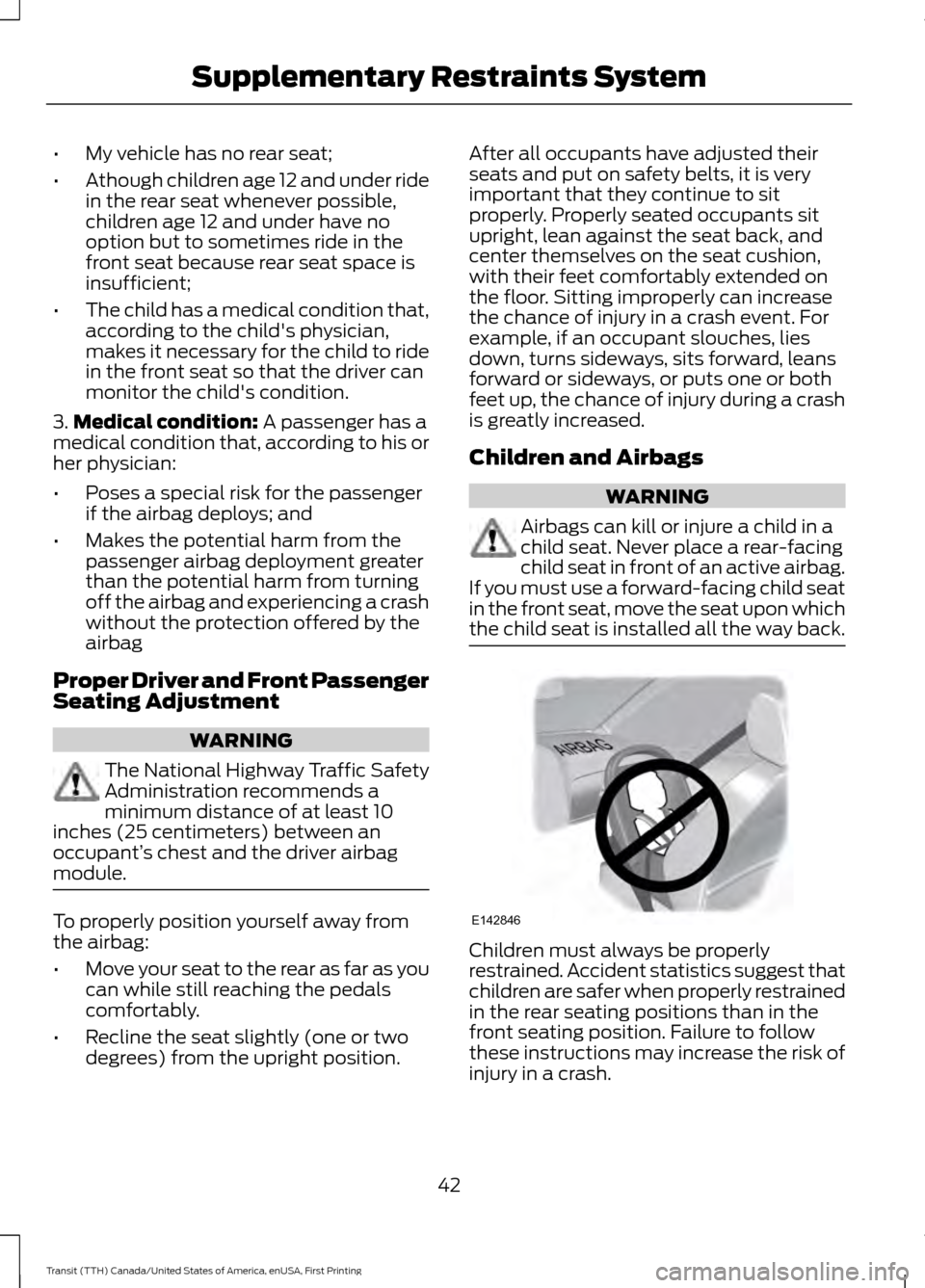
Airbags can kill or injure a child in a
child seat. Never place a rear-facing
child seat in front of an active airbag.
If you must use a forward-facing child seat
in the front seat, move the seat upon which
the child seat is installed all the way back. Children must always be properly
restrained. Accident statistics suggest that
children are safer when properly restrained
in the rear seating positions than in the
front seating position. Failure to follow
these instructions may increase the risk of
injury in a crash.
42
Transit (TTH) Canada/United States of America, enUSA, First Printing Supplementary Restraints SystemE142846
Page 73 of 411
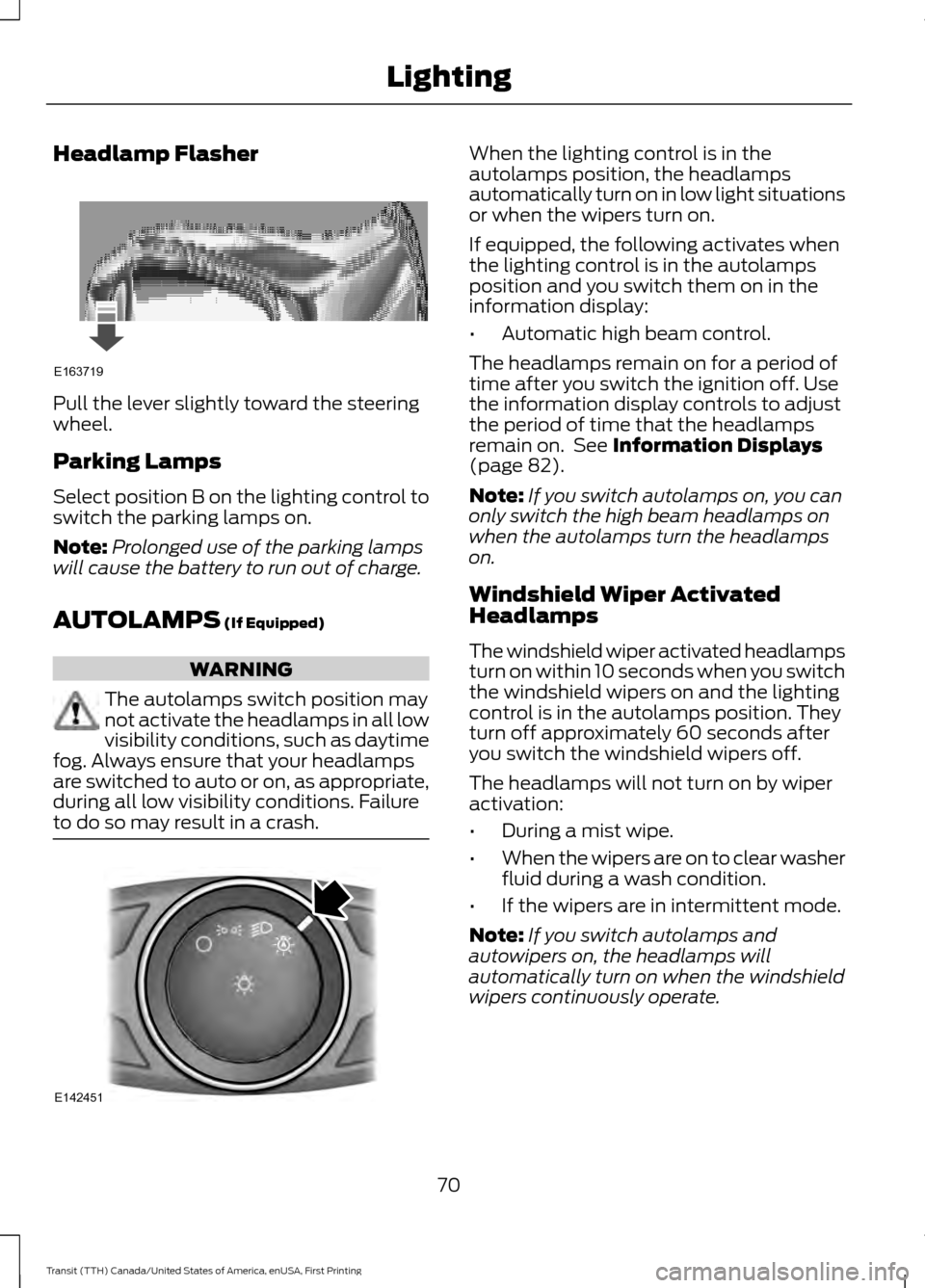
Headlamp Flasher
Pull the lever slightly toward the steering
wheel.
Parking Lamps
Select position B on the lighting control to
switch the parking lamps on.
Note:
Prolonged use of the parking lamps
will cause the battery to run out of charge.
AUTOLAMPS (If Equipped) WARNING
The autolamps switch position may
not activate the headlamps in all low
visibility conditions, such as daytime
fog. Always ensure that your headlamps
are switched to auto or on, as appropriate,
during all low visibility conditions. Failure
to do so may result in a crash. When the lighting control is in the
autolamps position, the headlamps
automatically turn on in low light situations
or when the wipers turn on.
If equipped, the following activates when
the lighting control is in the autolamps
position and you switch them on in the
information display:
•
Automatic high beam control.
The headlamps remain on for a period of
time after you switch the ignition off. Use
the information display controls to adjust
the period of time that the headlamps
remain on. See
Information Displays
(page 82).
Note: If you switch autolamps on, you can
only switch the high beam headlamps on
when the autolamps turn the headlamps
on.
Windshield Wiper Activated
Headlamps
The windshield wiper activated headlamps
turn on within 10 seconds when you switch
the windshield wipers on and the lighting
control is in the autolamps position. They
turn off approximately 60 seconds after
you switch the windshield wipers off.
The headlamps will not turn on by wiper
activation:
• During a mist wipe.
• When the wipers are on to clear washer
fluid during a wash condition.
• If the wipers are in intermittent mode.
Note: If you switch autolamps and
autowipers on, the headlamps will
automatically turn on when the windshield
wipers continuously operate.
70
Transit (TTH) Canada/United States of America, enUSA, First Printing LightingE163719 E142451
Page 74 of 411
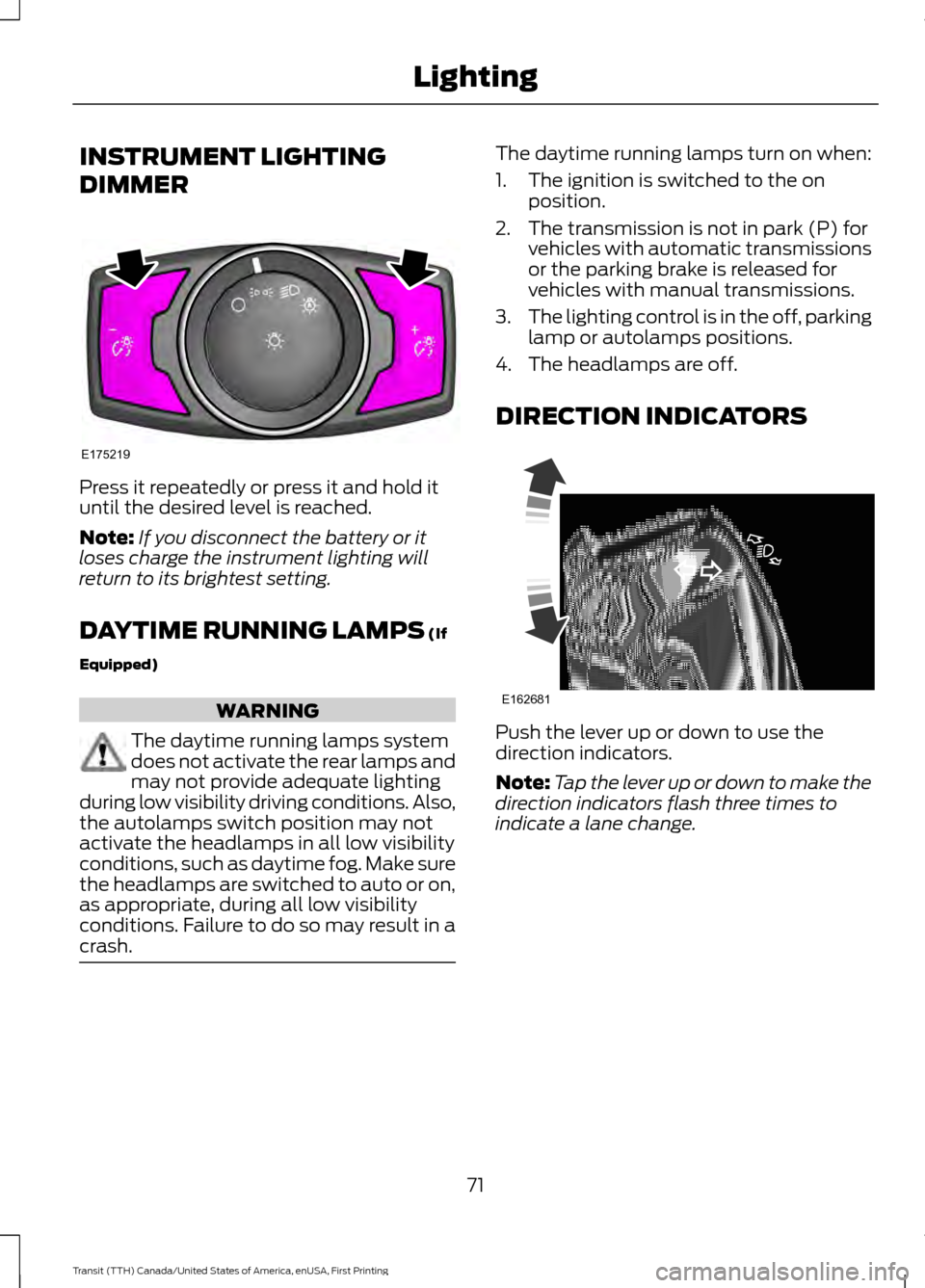
INSTRUMENT LIGHTING
DIMMER
Press it repeatedly or press it and hold it
until the desired level is reached.
Note:
If you disconnect the battery or it
loses charge the instrument lighting will
return to its brightest setting.
DAYTIME RUNNING LAMPS (If
Equipped) WARNING
The daytime running lamps system
does not activate the rear lamps and
may not provide adequate lighting
during low visibility driving conditions. Also,
the autolamps switch position may not
activate the headlamps in all low visibility
conditions, such as daytime fog. Make sure
the headlamps are switched to auto or on,
as appropriate, during all low visibility
conditions. Failure to do so may result in a
crash. The daytime running lamps turn on when:
1. The ignition is switched to the on
position.
2. The transmission is not in park (P) for vehicles with automatic transmissions
or the parking brake is released for
vehicles with manual transmissions.
3. The lighting control is in the off, parking
lamp or autolamps positions.
4. The headlamps are off.
DIRECTION INDICATORS Push the lever up or down to use the
direction indicators.
Note:
Tap the lever up or down to make the
direction indicators flash three times to
indicate a lane change.
71
Transit (TTH) Canada/United States of America, enUSA, First Printing LightingE175219 E162681
Page 76 of 411
POWER WINDOWS
WARNINGS
To avoid risk of injury, do not leave
children or pets unattended in your
vehicle.
When closing the power windows,
you should verify they are free of
obstructions and make sure that
children and pets are not in the proximity
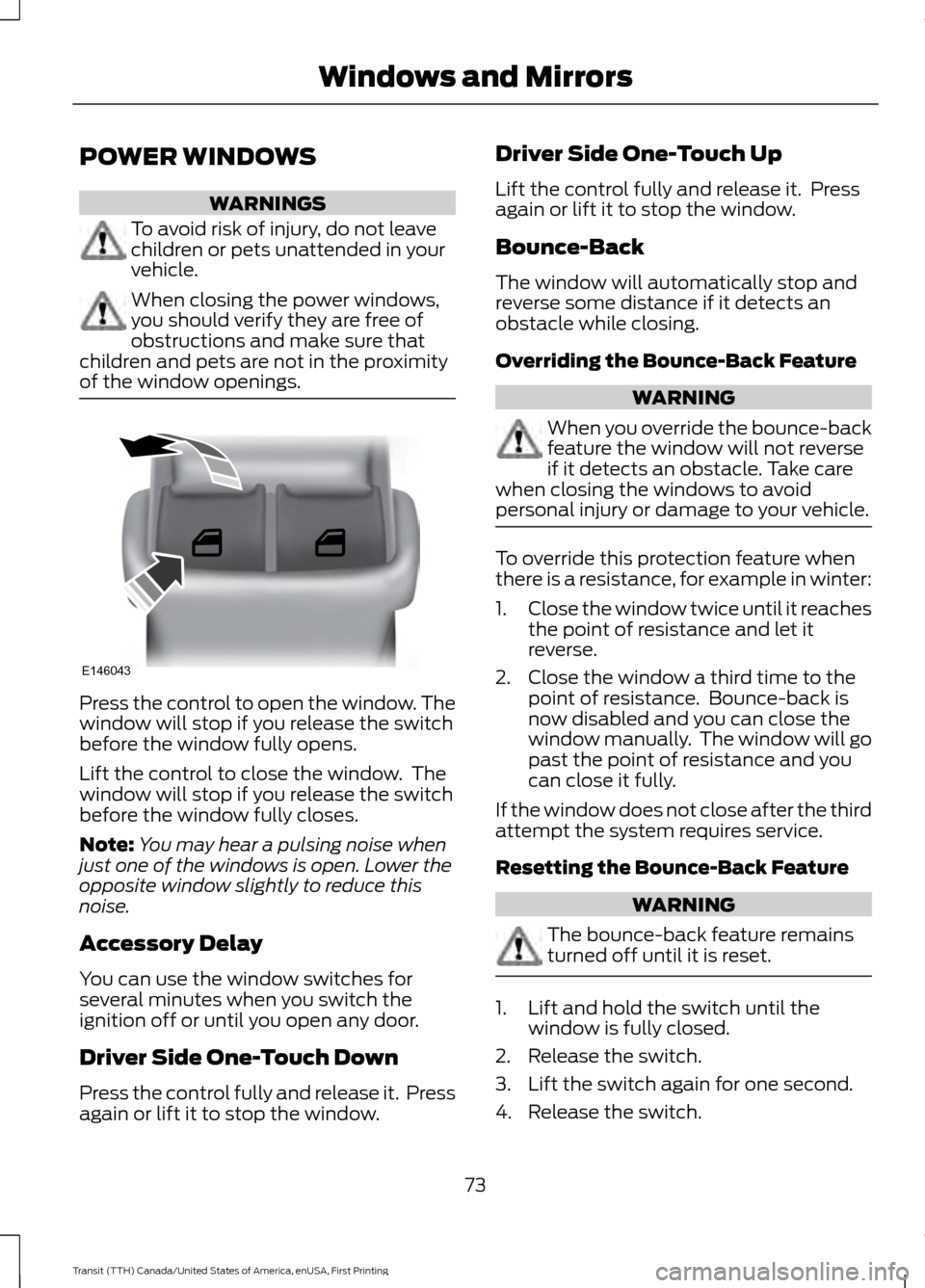
of the window openings. Press the control to open the window. The
window will stop if you release the switch
before the window fully opens.
Lift the control to close the window. The
window will stop if you release the switch
before the window fully closes.
Note:
You may hear a pulsing noise when
just one of the windows is open. Lower the
opposite window slightly to reduce this
noise.
Accessory Delay
You can use the window switches for
several minutes when you switch the
ignition off or until you open any door.
Driver Side One-Touch Down
Press the control fully and release it. Press
again or lift it to stop the window. Driver Side One-Touch Up
Lift the control fully and release it. Press
again or lift it to stop the window.
Bounce-Back
The window will automatically stop and
reverse some distance if it detects an
obstacle while closing.
Overriding the Bounce-Back Feature
WARNING
When you override the bounce-back
feature the window will not reverse
if it detects an obstacle. Take care
when closing the windows to avoid
personal injury or damage to your vehicle. To override this protection feature when
there is a resistance, for example in winter:
1.
Close the window twice until it reaches
the point of resistance and let it
reverse.
2. Close the window a third time to the point of resistance. Bounce-back is
now disabled and you can close the
window manually. The window will go
past the point of resistance and you
can close it fully.
If the window does not close after the third
attempt the system requires service.
Resetting the Bounce-Back Feature WARNING
The bounce-back feature remains
turned off until it is reset.
1. Lift and hold the switch until the
window is fully closed.
2. Release the switch.
3. Lift the switch again for one second.
4. Release the switch.
73
Transit (TTH) Canada/United States of America, enUSA, First Printing Windows and MirrorsE146043
Page 85 of 411
GENERAL INFORMATION
WARNING
Driving while distracted can result in
loss of vehicle control, crash and
injury. We strongly recommend that
you use extreme caution when using any
device that may take your focus off the
road. Your primary responsibility is the safe
operation of your vehicle. We recommend
against the use of any hand-held device
while driving and encourage the use of
voice-operated systems when possible.
Make sure you are aware of all applicable
local laws that may affect the use of
electronic devices while driving. You can control various systems on your
vehicle using the information display
controls on the steering wheel.
The information display shows the
corresponding information.
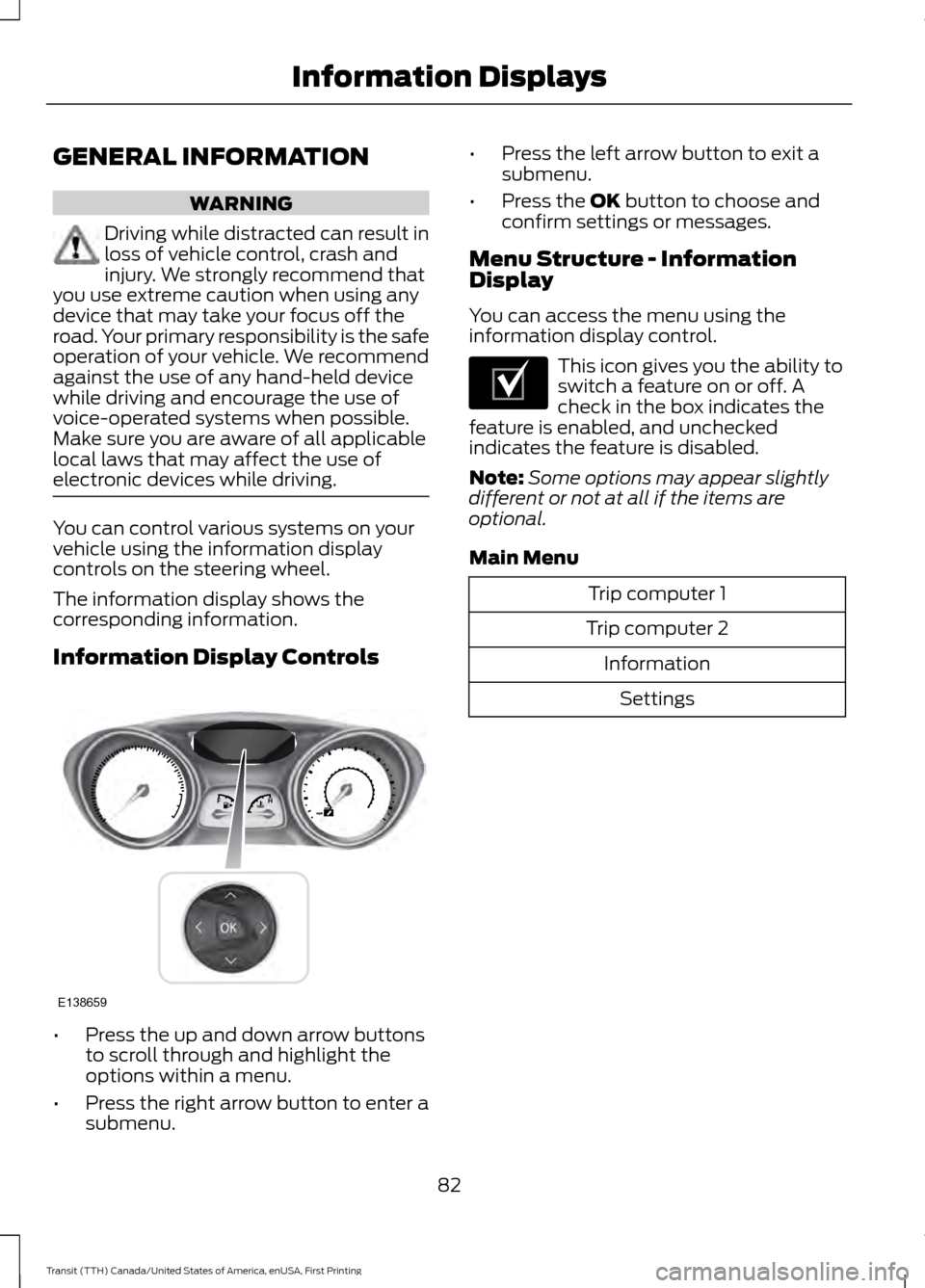
Information Display Controls
•
Press the up and down arrow buttons
to scroll through and highlight the
options within a menu.
• Press the right arrow button to enter a
submenu. •
Press the left arrow button to exit a
submenu.
• Press the OK button to choose and
confirm settings or messages.
Menu Structure - Information
Display
You can access the menu using the
information display control. This icon gives you the ability to
switch a feature on or off. A
check in the box indicates the
feature is enabled, and unchecked
indicates the feature is disabled.
Note: Some options may appear slightly
different or not at all if the items are
optional.
Main Menu Trip computer 1
Trip computer 2 InformationSettings
82
Transit (TTH) Canada/United States of America, enUSA, First Printing Information DisplaysE138659 E204495
Page 93 of 411
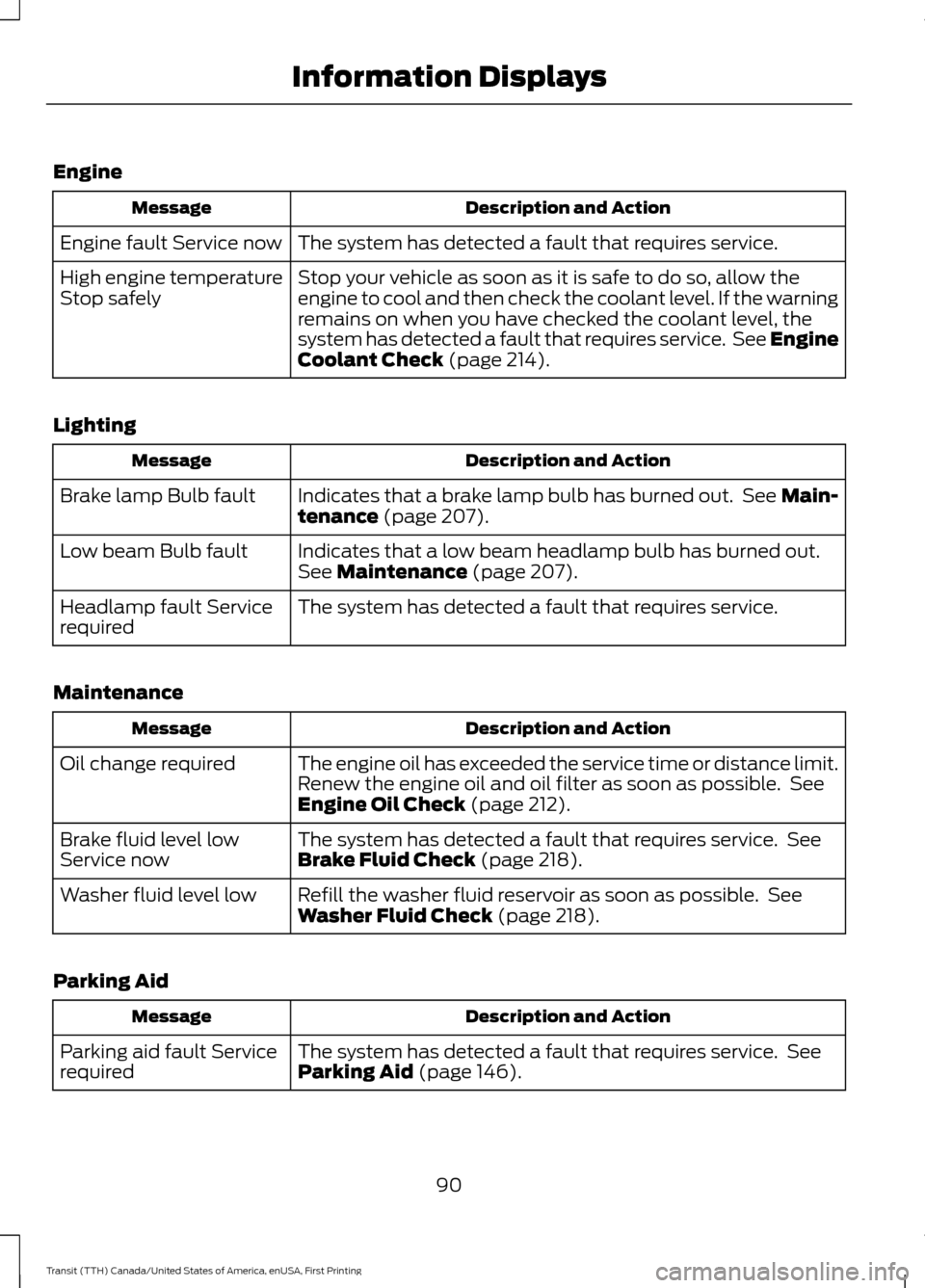
Engine
Description and Action
Message
The system has detected a fault that requires service.
Engine fault Service now
Stop your vehicle as soon as it is safe to do so, allow the
engine to cool and then check the coolant level. If the warning
remains on when you have checked the coolant level, the
system has detected a fault that requires service. See Engine
Coolant Check (page 214).
High engine temperature
Stop safely
Lighting Description and Action
Message
Indicates that a brake lamp bulb has burned out. See Main-
tenance
(page 207).
Brake lamp Bulb fault
Indicates that a low beam headlamp bulb has burned out.
See
Maintenance (page 207).
Low beam Bulb fault
The system has detected a fault that requires service.
Headlamp fault Service
required
Maintenance Description and Action
Message
The engine oil has exceeded the service time or distance limit.
Renew the engine oil and oil filter as soon as possible. See
Engine Oil Check
(page 212).
Oil change required
The system has detected a fault that requires service. See
Brake Fluid Check
(page 218).
Brake fluid level low
Service now
Refill the washer fluid reservoir as soon as possible. See
Washer Fluid Check
(page 218).
Washer fluid level low
Parking Aid Description and Action
Message
The system has detected a fault that requires service. See
Parking Aid
(page 146).
Parking aid fault Service
required
90
Transit (TTH) Canada/United States of America, enUSA, First Printing Information Displays
Page 100 of 411
SITTING IN THE CORRECT
POSITION
WARNINGS
Do not recline the seat backrest too
far as this can cause the occupant
to slide under the safety belt,
resulting in serious injury in the event of a
crash. Sitting improperly, out of position or
with the seat backrest reclined too
far, can result in serious injury or
death in the event of a crash. Always sit
upright against your seat backrest, with
your feet on the floor. Do not place objects higher than the
seat backrest to reduce the risk of
serious injury in the event of a crash
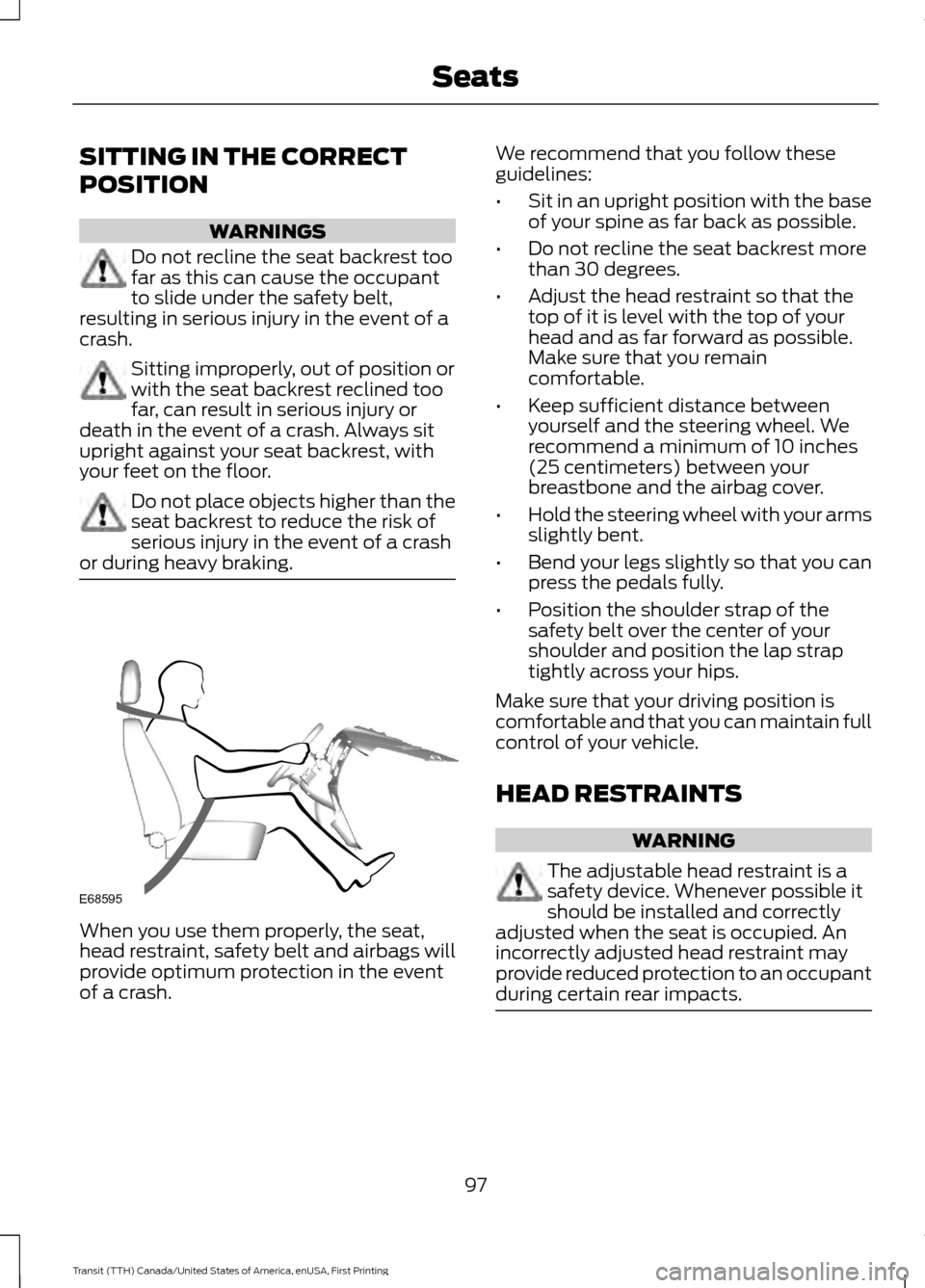
or during heavy braking. When you use them properly, the seat,
head restraint, safety belt and airbags will
provide optimum protection in the event
of a crash. We recommend that you follow these
guidelines:
•
Sit in an upright position with the base
of your spine as far back as possible.
• Do not recline the seat backrest more
than 30 degrees.
• Adjust the head restraint so that the
top of it is level with the top of your
head and as far forward as possible.
Make sure that you remain
comfortable.
• Keep sufficient distance between
yourself and the steering wheel. We
recommend a minimum of 10 inches
(25 centimeters) between your
breastbone and the airbag cover.
• Hold the steering wheel with your arms
slightly bent.
• Bend your legs slightly so that you can
press the pedals fully.
• Position the shoulder strap of the
safety belt over the center of your
shoulder and position the lap strap
tightly across your hips.
Make sure that your driving position is
comfortable and that you can maintain full
control of your vehicle.
HEAD RESTRAINTS WARNING
The adjustable head restraint is a
safety device. Whenever possible it
should be installed and correctly
adjusted when the seat is occupied. An
incorrectly adjusted head restraint may
provide reduced protection to an occupant
during certain rear impacts. 97
Transit (TTH) Canada/United States of America, enUSA, First Printing SeatsE68595