change time FORD TRANSIT 2016 5.G Owners Manual
[x] Cancel search | Manufacturer: FORD, Model Year: 2016, Model line: TRANSIT, Model: FORD TRANSIT 2016 5.GPages: 411, PDF Size: 5.65 MB
Page 2 of 411

The information contained in this publication was correct at the time of going to print. In the interest of
continuous development, we reserve the right to change specifications, design or equipment at any time
without notice or obligation. No part of this publication may be reproduced, transmitted, stored in a
retrieval system or translated into any language in any form by any means without our written permission.
Errors and omissions excepted.
© Ford Motor Company 2015
All rights reserved.
Part Number: 20150529194406
Page 53 of 411
PRINCIPLE OF OPERATION
MyKey allows you to program keys with
restricted driving modes to promote good
driving habits. All but one of the keys can
be activated with these restricted modes.
Any keys that remain unprogrammed are
referred to as administrator keys or admin
keys. They can be used to:
•
Create a MyKey.
• Program configurable MyKey settings.
• Clear all MyKey features.
When you have created a MyKey, you can
access the following information by using
the information display to determine:
• How many admin keys and MyKeys are
programmed to your vehicle.
• The total distance your vehicle traveled
with a MyKey.
Note: Switch the ignition on to use the
system.
Note: All MyKeys are programmed to the
same settings. You cannot program them
individually.
Non-configurable Settings
The following settings cannot be changed
by an admin key user:
• Safety belt minder. You cannot disable
this feature. The audio system will
mute when the driver's safety belt is
not fastened.
• Early low fuel. The low-fuel warning
activates earlier, giving the MyKey user
more time to refuel.
• Driver assist features, if equipped on
your vehicle, are forced on: parking aid,
Blind Spot Information System (BLIS)
with cross traffic alert, lane departure
warning and forward collision warning
system. Configurable Settings
With an admin key, you can configure
certain MyKey settings when you first
create a MyKey and before you recycle the
key or restart the engine. You can also
change the settings afterward with an
admin key.
•
A vehicle speed limit can be set.
Warnings will be shown in the display
followed by an audible tone when your
vehicle reaches the set speed. You
cannot override the set speed by fully
depressing the accelerator pedal or by
setting cruise control. WARNING
Do not set MyKey maximum speed
limit to a limit that will prevent the
driver from maintaining a safe speed
considering posted speed limits and
prevailing road conditions. The driver is
always responsible to drive in accordance
with local laws and prevailing conditions.
Failure to do so could result in accident or
injury. •
Various vehicle speed minders can be
set. Once you select a speed, it will be
shown in the display, followed by an
audible tone when the preselected
vehicle speed is exceeded.
• Audio system maximum volume of
45%. A message will be shown in the
display when you attempt to exceed
the limited volume. Also, the
speed-sensitive or compensated
automatic volume control will be
disabled.
• Always on setting. When this is
selected, you will not be able to turn
off traction control (if your vehicle is
equipped with this feature).
50
Transit (TTH) Canada/United States of America, enUSA, First Printing MyKey
™ (If Equipped)
Page 54 of 411
CREATING A MYKEY
You can program a MyKey using the
information display control on the steering
wheel. See Information Displays (page
82).
Insert the key you want to program into the
ignition and switch the ignition on.
Press the left arrow button to access the main menu and scroll to: Action and Description
Message
Press the
OK button.
Settings
Press the
OK button.
MyKey
When prompted, hold the OK button until you see a message
informing you to label this key as a MyKey. The key will be
restricted at your vehicle's next start.
Create MyKey
Make sure you label the key so you can distinguish it from the
admin keys.
You can also program configurable settings for the key(s).
Refer to the following Programming/Changing Configur-
able Settings
.
Programming/Changing
Configurable Settings
Switch the ignition on using an admin key
or fob.
Use the information display to access the configurable MyKey settings, scroll to: Action and Description
Message
Press the
OK button.
Settings
Use the up and down arrow buttons to scroll to a configurable
feature.
MyKey
Press the
OK or right arrow button to make a selection.
Choose your applicable setting.
Note: You can clear or change your MyKey settings at any time during the same key cycle
as you created the MyKey. Once you switch the ignition off you will need an admin key to
change or clear your MyKey settings.
51
Transit (TTH) Canada/United States of America, enUSA, First Printing MyKey
™
(If Equipped)
Page 72 of 411

GENERAL INFORMATION
Condensation in Lamp Assemblies
Exterior lamps have vents to
accommodate normal changes in air
pressure.
Condensation can be a natural by-product
of this design. When moist air enters the
lamp assembly through the vents, there is
a possibility that condensation can occur
when the temperature is cold. When
normal condensation occurs, a fine mist
can form on the interior of the lens. The
fine mist eventually clears and exits
through the vents during normal operation.
Clearing time may take as long as 48 hours
under dry weather conditions.
Examples of acceptable condensation are:
•
The presence of a fine mist (no streaks,
drip marks or large droplets).
• A fine mist covers less than 50% of the
lens.
Examples of unacceptable condensation
are:
• A water puddle inside the lamp.
• Streaks, drip marks or large droplets
present on the interior of the lens.
If you see any unacceptable condensation,
have your vehicle checked by an authorized
dealer. LIGHTING CONTROL
Lighting Control Positions Off.A
Position lamps, instrument panel
lamps, license plate lamps.
B
Headlamps.
C
Autolamps.
D
High Beams Push the lever away from you to switch
the high beam on.
Push the lever forward again or pull the
lever toward you to switch the high beams
off.
69
Transit (TTH) Canada/United States of America, enUSA, First Printing LightingE175211
ABCD E163718
Page 74 of 411
INSTRUMENT LIGHTING
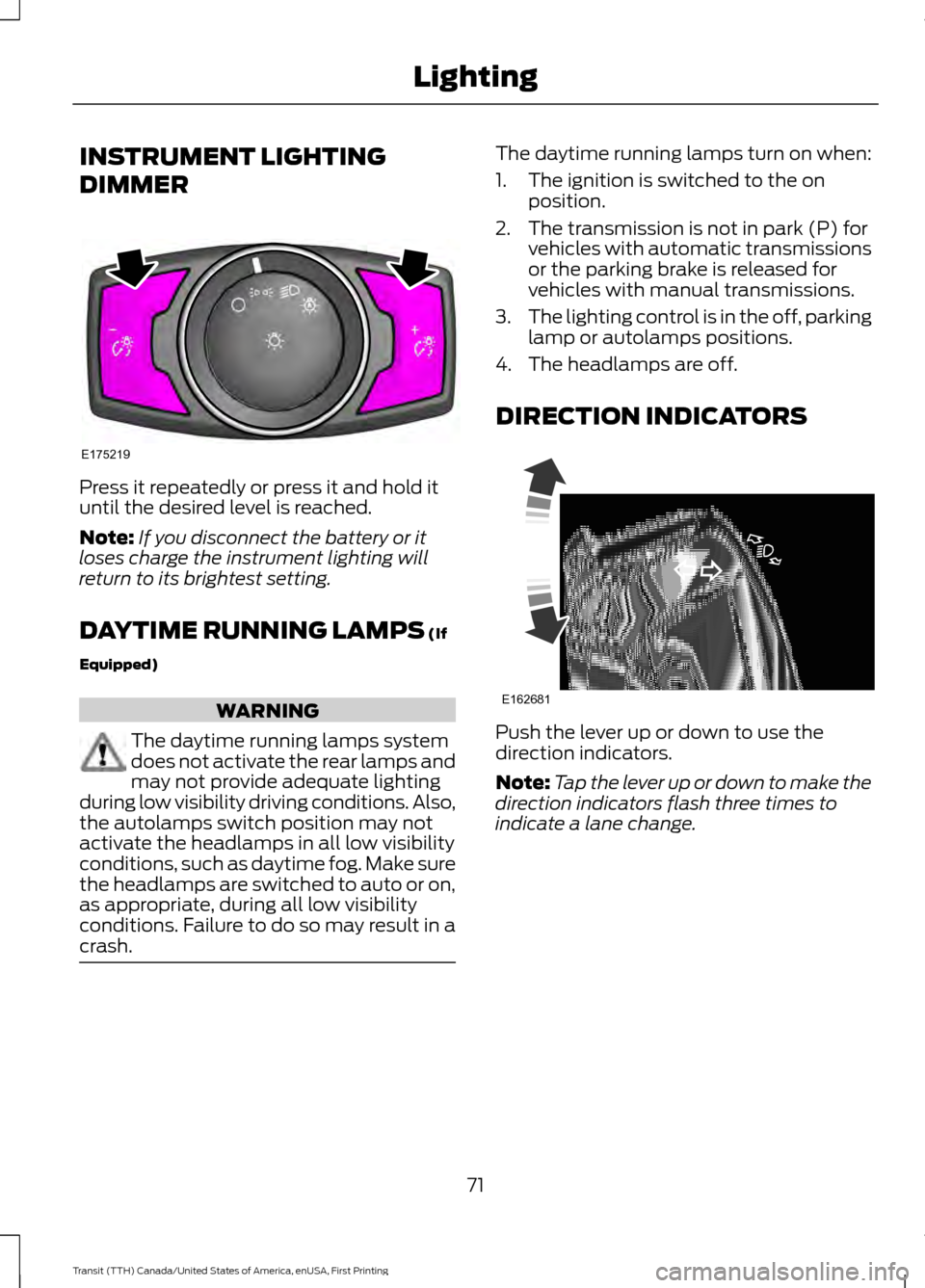
DIMMER
Press it repeatedly or press it and hold it
until the desired level is reached.
Note:
If you disconnect the battery or it
loses charge the instrument lighting will
return to its brightest setting.
DAYTIME RUNNING LAMPS (If
Equipped) WARNING
The daytime running lamps system
does not activate the rear lamps and
may not provide adequate lighting
during low visibility driving conditions. Also,
the autolamps switch position may not
activate the headlamps in all low visibility
conditions, such as daytime fog. Make sure
the headlamps are switched to auto or on,
as appropriate, during all low visibility
conditions. Failure to do so may result in a
crash. The daytime running lamps turn on when:
1. The ignition is switched to the on
position.
2. The transmission is not in park (P) for vehicles with automatic transmissions
or the parking brake is released for
vehicles with manual transmissions.
3. The lighting control is in the off, parking
lamp or autolamps positions.
4. The headlamps are off.
DIRECTION INDICATORS Push the lever up or down to use the
direction indicators.
Note:
Tap the lever up or down to make the
direction indicators flash three times to
indicate a lane change.
71
Transit (TTH) Canada/United States of America, enUSA, First Printing LightingE175219 E162681
Page 80 of 411
At normal operating temperature, the
needle will remain in the center section.
If the needle enters the red section, the
engine is overheating. Stop your vehicle as
soon as it is safe to do so and switch the
engine off. Determine the cause once the
engine has cooled down. See Engine
Coolant Check (page 214).
Note: Do not restart the engine until the
cause of overheating has been determined
and resolved.
Tripmeter Reset and Distance to
Empty
(If Equipped)
Press the button to change between the
tripmeter and distance to empty
information. Press and hold the button to
reset the tripmeter.
Fuel Gauge
Note: The fuel gauge may vary slightly
when your vehicle is moving or on a gradient. Switch the ignition on. The fuel gauge will
indicate approximately how much fuel is
in the fuel tank. The arrow adjacent to the
fuel pump symbol indicates on which side
of your vehicle the fuel filler door is located.
The needle should move toward F when
you refuel your vehicle. If the needle points
to E after adding fuel, this indicates your
vehicle needs service soon.
After refueling some variability in needle
position is normal:
•
It may take a short time for the needle
to reach F after leaving the gas station.
This is normal and depends upon the
slope of pavement at the gas station.
• The fuel amount dispensed into the
tank is a little less or more than the
gauge indicated. This is normal and
depends upon the slope of pavement
at the gas station.
• If the gas station nozzle shuts off
before the tank is full, try a different
gas pump nozzle.
Low Fuel Reminder
A low fuel reminder triggers when the fuel
gauge needle is at 1/16th.
Variations: Distance-to-empty
Fuel gauge position
Driving type (fuel economy
conditions)
35 miles to 80 miles (56 kmto 129 km)
1/16th
Highway driving
35 miles (56km)
1/16th
Severe duty driving (trailer
towing, extended idle)
77
Transit (TTH) Canada/United States of America, enUSA, First Printing Instrument Cluster
Page 89 of 411
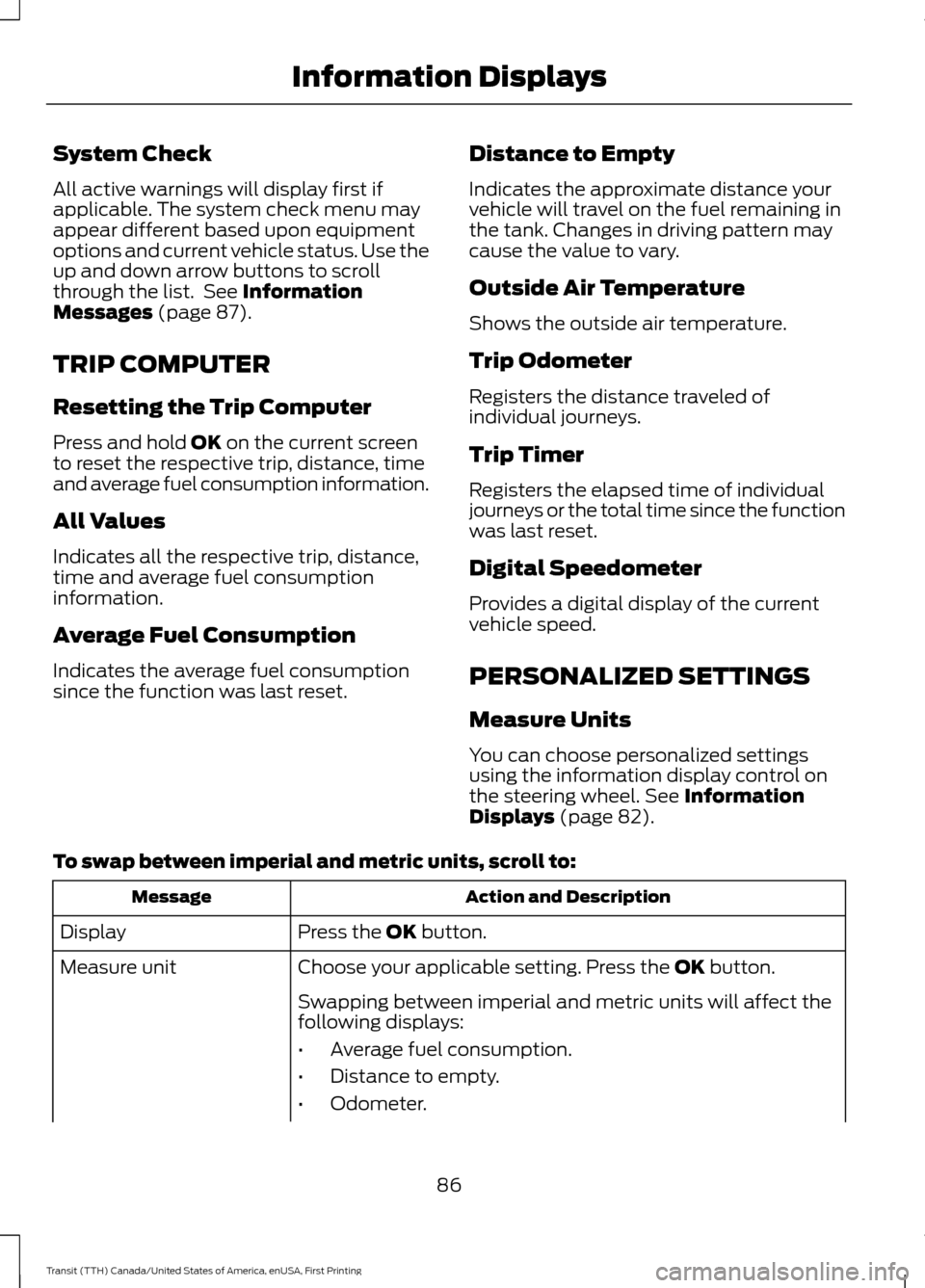
System Check
All active warnings will display first if
applicable. The system check menu may
appear different based upon equipment
options and current vehicle status. Use the
up and down arrow buttons to scroll
through the list. See Information
Messages (page 87).
TRIP COMPUTER
Resetting the Trip Computer
Press and hold
OK on the current screen
to reset the respective trip, distance, time
and average fuel consumption information.
All Values
Indicates all the respective trip, distance,
time and average fuel consumption
information.
Average Fuel Consumption
Indicates the average fuel consumption
since the function was last reset. Distance to Empty
Indicates the approximate distance your
vehicle will travel on the fuel remaining in
the tank. Changes in driving pattern may
cause the value to vary.
Outside Air Temperature
Shows the outside air temperature.
Trip Odometer
Registers the distance traveled of
individual journeys.
Trip Timer
Registers the elapsed time of individual
journeys or the total time since the function
was last reset.
Digital Speedometer
Provides a digital display of the current
vehicle speed.
PERSONALIZED SETTINGS
Measure Units
You can choose personalized settings
using the information display control on
the steering wheel.
See Information
Displays (page 82).
To swap between imperial and metric units, scroll to: Action and Description
Message
Press the
OK button.
Display
Choose your applicable setting. Press the
OK button.
Measure unit
Swapping between imperial and metric units will affect the
following displays:
•Average fuel consumption.
• Distance to empty.
• Odometer.
86
Transit (TTH) Canada/United States of America, enUSA, First Printing Information Displays
Page 93 of 411
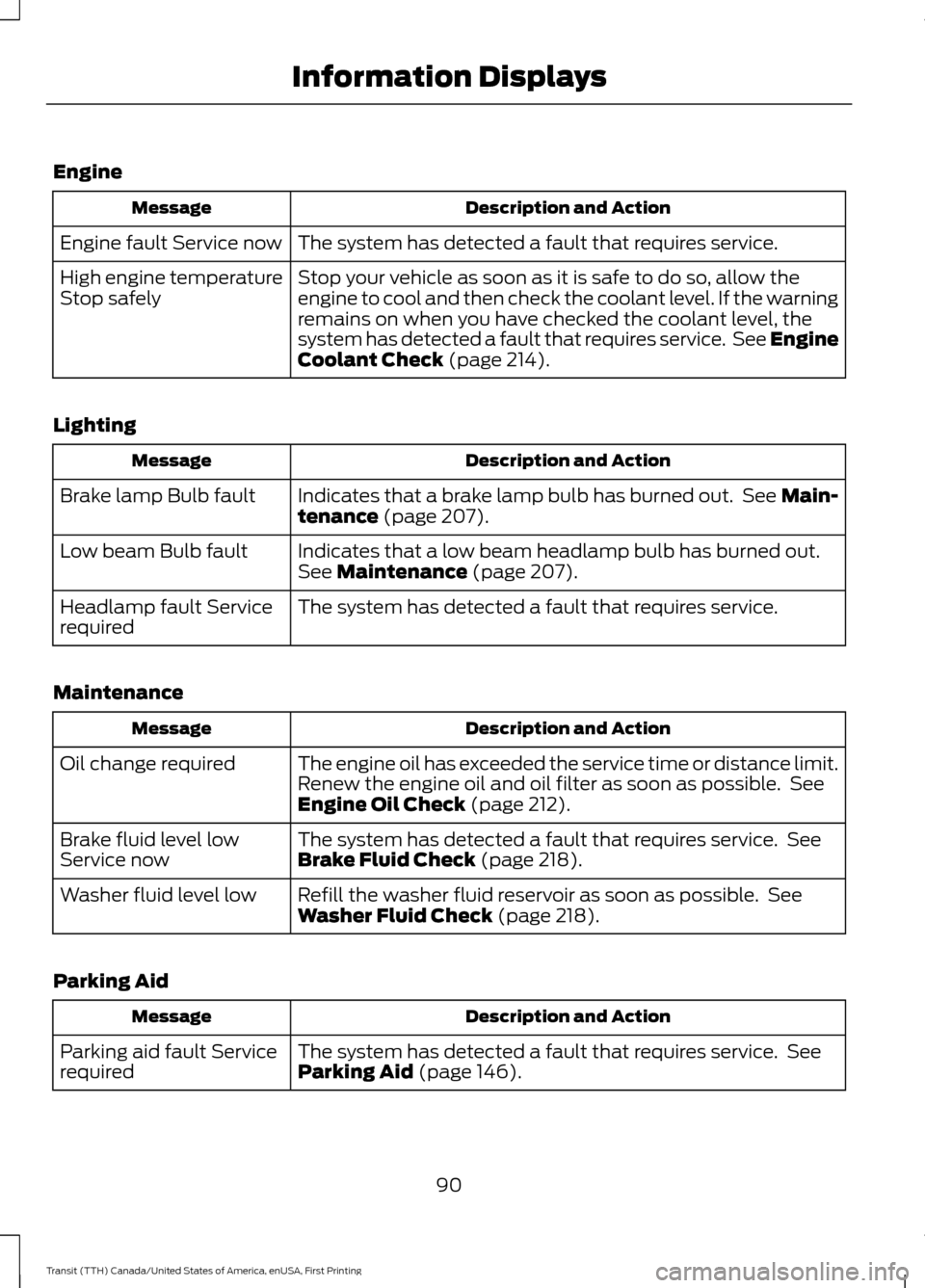
Engine
Description and Action
Message
The system has detected a fault that requires service.
Engine fault Service now
Stop your vehicle as soon as it is safe to do so, allow the
engine to cool and then check the coolant level. If the warning
remains on when you have checked the coolant level, the
system has detected a fault that requires service. See Engine
Coolant Check (page 214).
High engine temperature
Stop safely
Lighting Description and Action
Message
Indicates that a brake lamp bulb has burned out. See Main-
tenance
(page 207).
Brake lamp Bulb fault
Indicates that a low beam headlamp bulb has burned out.
See
Maintenance (page 207).
Low beam Bulb fault
The system has detected a fault that requires service.
Headlamp fault Service
required
Maintenance Description and Action
Message
The engine oil has exceeded the service time or distance limit.
Renew the engine oil and oil filter as soon as possible. See
Engine Oil Check
(page 212).
Oil change required
The system has detected a fault that requires service. See
Brake Fluid Check
(page 218).
Brake fluid level low
Service now
Refill the washer fluid reservoir as soon as possible. See
Washer Fluid Check
(page 218).
Washer fluid level low
Parking Aid Description and Action
Message
The system has detected a fault that requires service. See
Parking Aid
(page 146).
Parking aid fault Service
required
90
Transit (TTH) Canada/United States of America, enUSA, First Printing Information Displays
Page 114 of 411
Note:
Do not press the accelerator pedal.
5. Turn the key to the start position to start the engine.
6. Release the key.
DIESEL PARTICULATE FILTER
The filter forms part of the emissions
reduction system on your vehicle. It filters
harmful diesel particulates (soot) from the
exhaust gas.
Regeneration WARNING
Do not park or idle your vehicle over
dry leaves, dry grass or other
combustible materials. The
regeneration process creates very high
exhaust gas temperatures and the exhaust
will radiate a considerable amount of heat
during and after regeneration and after you
have switched the engine off. This is a
potential fire hazard. Note:
Avoid running out of fuel.
Note: During regeneration at low speed or
engine idle, you may smell a hot metallic
odor and could notice a clicking metallic
sound. This is due to the high temperatures
reached during regeneration and is normal.
Note: Changes in the engine or exhaust
sound may be heard during the regeneration
process.
Note: After you have switched your engine
off the fans may continue to run for a short
period of time.
The diesel particulate filter on your vehicle
requires periodic regeneration to maintain
its correct function. Your vehicle will carry
out this process automatically. If your journeys meet one of the following
conditions:
•
You drive only short distances.
• You frequently switch the ignition on
and off.
• Your journeys contain a high level of
acceleration and deceleration.
You must carry out occasional trips with
the following conditions to assist the
regeneration process:
• Drive your vehicle in more favorable
conditions, which you will find at higher
vehicle speeds in normal driving, on a
main road or freeway for a minimum
of 20 minutes. This drive may include
short stops that will not affect the
regeneration process.
• Avoid prolonged idling and always
observe speed limits and road
conditions.
• Do not switch the ignition off.
• Select a suitable gear to ideally
maintain engine speed between 1500
and 3000 RPM.
SWITCHING OFF THE ENGINE
Vehicles With a Turbocharger WARNING
Do not switch the engine off when it
is running at high speed. If you do, the
turbocharger will continue running
after the engine oil pressure has dropped
to zero. This will lead to premature
turbocharger bearing wear. Release the accelerator pedal. Wait until
the engine has reached idle speed and then
switch it off.
111
Transit (TTH) Canada/United States of America, enUSA, First Printing Starting and Stopping the Engine
Page 131 of 411
If the vehicle engine or transmission has
just been serviced or the battery has
recently run out of charge or been
replaced, the OBD-II system may indicate
that your vehicle is not ready for I/M
testing. To determine if the vehicle is ready
for I/M testing, switch the ignition on for 15
seconds without cranking the engine. If the
service engine soon indicator flashes on
and off eight times, it means that your
vehicle is not ready for I/M testing; if the
service engine soon indicator illuminates
and remains on, it means that your vehicle
is ready for I/M testing.
The OBD-II system monitors the emission
control system during normal driving. A
complete check may take several days.
If your vehicle is not ready for I/M testing,
you may need to:
•
Drive on an expressway or highway for
a steady 15 minutes, followed by 20
minutes of stop-and-go driving with at
least four 30-second idle periods.
• Allow your vehicle to sit for at least
eight hours without starting the engine.
Then complete the above driving cycle.
The engine must warm up to its normal
operating temperature. Do not switch the
ignition off until the above driving cycle is
complete. If your vehicle is still not ready
for I/M testing, you will have to repeat the
above driving cycle.
Diesel Exhaust System: Oxidation
Catalyst And Diesel Particulate
Filter System
Your vehicle is fitted with a diesel
particulate filter. The diesel particulate
filter is an inline filter in the exhaust system
that reduces carbon emissions by trapping
exhaust particles before they reach the
tailpipe. The diesel particulate filter looks
similar to a traditional exhaust catalyst,
except it is larger, and is part of the exhaust
system under the vehicle. The filter couples to a diesel oxidation catalyst that reduces
the amount of harmful exhaust emitted
from the tailpipe. As soot gathers in the
system it begins to restrict the filter. The
soot that gathers inside the filter is cleaned
in two different ways, passive regeneration
and active regeneration. Both methods
occur automatically and require no actions
from the driver. During either one of these
regeneration methods, you may notice a
change in exhaust tone. At certain times,
the information display will display various
messages related to the diesel particulate
filter.
Diesel Particulate Filter Maintenance
Failure to carry out active or operator
commanded regeneration when advised
could result in a clogged diesel particulate
filter. If the diesel particulate filter fills
beyond the regeneration threshold, your
vehicle will disable the ability for active
and operator commanded regeneration.
This could result in irreversible damage to
the diesel particulate filter requiring
replacement that the Ford Warranty may
not cover. If your vehicle is not fitted with
operator commanded regeneration, check
with an authorized dealer for availability.
Passive Regeneration
During passive regeneration, the exhaust
system temperature and constituents
automatically clean the diesel particulate
filter, or reduce the soot level, by oxidizing
the soot. Cleaning occurs naturally during
normal engine operating conditions, at
varying levels depending on driving
conditions.
Active Regeneration
Once the diesel particulate filter is full of
exhaust particles, the engine control
module will command the exhaust system
to clean the diesel particulate filter through
a process called active regeneration. Active
regeneration requires the engine computer
128
Transit (TTH) Canada/United States of America, enUSA, First Printing Fuel and Refueling