airbag off FORD TRANSIT 2017 5.G User Guide
[x] Cancel search | Manufacturer: FORD, Model Year: 2017, Model line: TRANSIT, Model: FORD TRANSIT 2017 5.GPages: 484, PDF Size: 11.45 MB
Page 246 of 484
To clean:
•
Remove dust and loose dirt with a
vacuum cleaner.
• Wipe the surface with a soft, damp
cloth and a mild soap and water
solution. Dry the area with a clean, soft
cloth.
• If a ring forms on the fabric after spot
cleaning, clean the entire area
immediately, but do not soak or the
ring will set.
Instrument Cluster Screens, LCD
Screens and Radio Screens
Note: Do not use abrasives, alcoholic
solvents or chemical solvents to clean the
instrument cluster screens, LCD screens or
radio screens. These cleaning products can
damage the screens.
Clean the instrument panel and cluster
lens with a clean, damp and soft cloth,
then use a clean, dry and soft cloth to dry
these areas.
Rear Windows
Note: Do not use any abrasive materials to
clean the interior of the rear windows.
Note: Do not install stickers or labels to the
interior of the rear windows.
Storage Compartments, Cup
Holders and Ashtrays
To clean:
• Take out any removable inserts.
• Wipe the surface with a soft, damp
cloth and a mild soap and water
solution. Dry the area with a clean, soft
cloth. CLEANING THE INSTRUMENT
PANEL AND INSTRUMENT
CLUSTER LENS WARNING
Do not use chemical solvents or
strong detergents when cleaning the
steering wheel or instrument panel
to avoid contamination of the airbag
system. Note:
Follow the same procedure as
cleaning leather seats for cleaning leather
instrument panels and leather interior trim
surfaces.
Clean the instrument panel and cluster
lens with a clean, damp and soft cloth,
then use a clean, dry and soft cloth to dry
these areas.
• Avoid cleaners or polishes that increase
the gloss of the upper portion of the
instrument panel. The dull finish in this
area helps protect you from
undesirable windshield reflection.
• Do not use any household cleaning
products or glass cleaners as these
may damage the finish of the
instrument panel, interior trim and
cluster lens.
• Wash or wipe your hands clean if you
have been in contact with certain
products such as insect repellent and
suntan lotion to avoid possible damage
to the interior painted surfaces.
• Do not allow air fresheners and hand
sanitizers to spill onto interior surfaces.
If a spill occurs, wipe off immediately.
Your warranty may not cover these
damages.
If a staining liquid like coffee or juice has
been spilled on the instrument panel or on
interior trim surfaces:
243
Transit (TTH) Canada/United States of America, HK3J 19A321 AA enUSA, Edition date: 04/2016, First Printing Vehicle Care
Page 334 of 484
SYNC™ APPLICATIONS AND
SERVICES (If Equipped)
In order for the following features to work,
your cellular phone must be compatible
with SYNC. To check your phone's
compatibility, visit www.SYNCMyRide.com,
www.SYNCMyRide.ca or
www.syncmaroute.ca.
• 911 Assist: Can alert 911 in the event of
an emergency.
• SYNC AppLink: Allows you to connect
to and use certain applications such as
Spotify and Glympse (if your phone is
compatible).
These features may require activation.
Available AppLink enabled apps vary by
market.
911 Assist WARNINGS
Unless the 911 Assist setting is set on
before a crash, the system will not
dial for help which could delay
response time, potentially increasing the
risk of serious injury or death after a crash. Do not wait for 911 Assist to make an
emergency call if you can do it
yourself. Dial emergency services
immediately to avoid delayed response
time which could increase the risk of
serious injury or death after a crash. If you
do not hear 911 Assist within five seconds
of the crash, the system or phone may be
damaged or non-functional. Always place your phone in a secure
location in your vehicle so it does not
become a projectile or get damaged
in a crash. Failure to do so may cause
serious injury to someone or damage the
phone which could prevent 911 Assist from
working properly. Note:
The SYNC 911 Assist feature must be
set on before the incident.
Note: The SYNC 911 Assist feature only
operates in the U.S., Canada or in a territory
in which 911 is the emergency number.
Note: Before setting this feature on, make
sure that you read the 911 Assist Privacy
Notice later in this section for important
information.
Note: If any user switches 911 Assist to on
or off, that setting applies for all paired
phones. If 911 Assist is switched off, either
a voice message plays or a display message
or an icon comes on when your vehicle is
started and after a previously paired phone
connects.
Note: Every phone operates differently.
While SYNC 911 Assist works with most
cellular phones, some may have trouble
using this feature.
If a crash deploys an airbag (excluding
knee airbags and rear inflatable safety
belts [if equipped]) or activates the fuel
pump shut-off, your SYNC-equipped
vehicle may be able to contact emergency
services by dialing 911 through a paired and
connected Bluetooth-enabled phone. You
can learn more about the 911 Assist
feature, visit www.SYNCMyRide.com,
www.SYNCMyRide.ca or
www.syncmaroute.ca.
See
Supplementary Restraints System
(page 37). Important information about
airbag deployment is in this chapter.
See
Roadside Emergencies (page 183).
Important information about the fuel pump
shut-off is in this chapter.
331
Transit (TTH) Canada/United States of America, HK3J 19A321 AA enUSA, Edition date: 04/2016, First Printing SYNC™
(If Equipped)
Page 335 of 484
Setting 911 Assist On or Off
Press Menu then select
Action and Description
Menu
Item
SYNC-Applications Select desired option, on or
off.
911 Assist
If you choose not to activate this
feature you will have the following
options: Action and Description
Menu
Item
Provides a display and voice
reminder at phone connection
at vehicle start.
Voice
Reminder
ON
Provides a display reminder
only without a voice reminder
at phone connection.
Voice
Reminder
OFF
To make sure that 911 Assist works
properly:
• SYNC must be powered and working
properly at the time of the incident and
throughout feature activation and use.
• The 911 Assist feature must be set on
before the incident.
• You must pair and connect a
Bluetooth-enabled and compatible
cell phone to SYNC.
• A connected Bluetooth-enabled phone
must have the ability to make and
maintain an outgoing call at the time
of the incident. •
A connected Bluetooth-enabled phone
must have adequate network coverage,
battery power and signal strength.
• The vehicle must have battery power
and be located in the U.S., Canada or
in a territory in which 911 is the
emergency number.
In the Event of a Crash
Not all crashes deploy an airbag or activate
the fuel pump shut-off (the triggers for 911
Assist). If a connected cell phone sustains
damage or loses its connection to SYNC
during a crash, SYNC searches for and tries
to connect to a previously paired cell
phone; SYNC then attempts to call the
emergency services.
Before making the call:
• SYNC provides a short window of time
(about 10 seconds) to cancel the call.
If you fail to cancel the call, SYNC
attempts to dial 911.
• SYNC says the following, or a similar
message: "SYNC will attempt to call
911, to cancel the call, press Cancel on
your screen or press and hold the
phone button on your steering wheel".
If you do not cancel the call, and SYNC
makes a successful call, a pre-recorded
message plays for the 911 operator, and
then the occupant(s) in your vehicle is able
to talk with the operator. Be prepared to
provide your name, phone number and
location immediately, because not all 911
systems are capable of receiving this
information electronically.
911 Assist May Not Work If
• Your cellular phone or 911 Assist
hardware sustains damage in a crash.
• The vehicle's battery or the SYNC
system has no power.
• The phone(s) thrown from your vehicle
are the ones paired and connected to
the system.
332
Transit (TTH) Canada/United States of America, HK3J 19A321 AA enUSA, Edition date: 04/2016, First Printing SYNC™ (If Equipped)
Page 336 of 484
911 Assist Privacy Notice
When you switch on 911 Assist, it may
disclose to emergency services that your
vehicle has been in a crash involving the
deployment of an airbag or activation of
the fuel pump shut-off. Certain versions or
updates to 911 Assist may also be capable
of electronically or verbally disclosing to
911 operators your vehicle location or other
details about your vehicle or crash to assist
911 operators to provide the most
appropriate emergency services. If you do
not want to disclose this information, do
not switch the feature on.
SYNC Mobile Apps
The system enables voice and steering
wheel control of SYNC AppLink enabled
smartphone apps. When an app is running
through AppLink, you can control main
features of the app through voice
commands and steering wheel controls.
Note:
You must pair and connect your
smartphone to SYNC to access AppLink.
Note: iPhone users need to connect the
phone to the USB port.
Note: Android users need to connect the
phone to SYNC using Bluetooth.
Note: For information on available apps,
supported smartphone devices and
troubleshooting tips please visit the Ford
website.
Availability of SYNC AppLink enabled Apps
will vary by region. Note:
Make sure you have an active account
for the app that you have downloaded.
Some apps work automatically with no
setup. Other apps want you to configure
your personal settings and personalize your
experience by creating stations or favorites.
We recommend you do this at home or
outside of your vehicle.
Note: AppLink is not available if your
vehicle is equipped with the MyFordTouch
system.
To Access Using the SYNC Menu
Press the MENU button to access the
menu on-screen. Then select: Action and Description
Menu
Item
SYNC-Apps Scroll through the list of
available applications and
select a particular app or
select:
Mobile
Apps
Find New Apps
Note: If you cannot find a compatible SYNC
AppLink app, make sure the required app is
running on the mobile device.
Accessing an App's Menu
When an app is running through SYNC,
press the right arrow button on the steering
wheel control to access the app menu.
You can access various app features from
here, for example thumbs up and thumbs
down.
Press the left arrow button on the steering
wheel control to exit the app menu.
333
Transit (TTH) Canada/United States of America, HK3J 19A321 AA enUSA, Edition date: 04/2016, First Printing SYNC™
(If Equipped)
Page 361 of 484
•
SOUND: Press to access the Sound
menu where you can adjust sound and
other audio settings.
• 1-6:
Press and hold to store or press to
select an AM, FM or SIRIUS memory
preset. See Audio System (page 298).
• DISP:
Switch the display on or off. You
can also touch the screen to switch the
display back on.
• Temperature, fan and climate
control buttons:
Control the
temperature, fan speed or settings of
the climate control system.
911 Assist WARNINGS
Unless the 911 Assist setting is set on
before a crash, the system will not
dial for help which could delay
response time, potentially increasing the
risk of serious injury or death after a crash. Do not wait for 911 Assist to make an
emergency call if you can do it
yourself. Dial emergency services
immediately to avoid delayed response
time which could increase the risk of
serious injury or death after a crash. If you
do not hear 911 Assist within five seconds
of the crash, the system or phone may be
damaged or non-functional. Always place your phone in a secure
location in your vehicle so it does not
become a projectile or get damaged
in a crash. Failure to do so may cause
serious injury to someone or damage the
phone which could prevent 911 Assist from
working properly. Note:
The SYNC 911 Assist feature must be
set on before the incident.
Note: The SYNC 911 Assist feature only
operates in the U.S., Canada or in a territory
in which 911 is the emergency number. Note:
Before setting this feature on, make
sure that you read the 911 Assist Privacy
Notice later in this section for important
information.
Note: If any user sets 911 Assist to on or off,
that setting applies for all paired phones. If
911 Assist is switched off and the phone is
connected to SYNC, an icon displays on the
status bar.
Note: Every phone operates differently.
While SYNC 911 Assist works with most
cellular phones, some may have trouble
using this feature.
If a crash deploys an airbag (excluding
knee airbags and rear inflatable safety
belts [if equipped]) or activates the fuel
pump shut-off, your SYNC-equipped
vehicle may be able to contact emergency
services by dialing 911 through a paired and
connected Bluetooth-enabled phone. You
can learn more about the 911 Assist
feature, by visiting: Website
owner.ford.com
www.syncmyride.ca
www.syncmaroute.ca
For important information about airbag
deployment and the fuel pump shut-off
please see the Supplementary Restrains
and Roadside Emergencies sections of
your owner manual.
To switch 911 Assist on and off please view
the settings information.
See Settings
(page 397).
To make sure that 911 Assist works
correctly:
• SYNC must be powered and working
properly at the time of the incident and
throughout feature activation and use.
• The 911 Assist feature must be set on
before the incident.
358
Transit (TTH) Canada/United States of America, HK3J 19A321 AA enUSA, Edition date: 04/2016, First Printing SYNC™ 3
Page 362 of 484
•
You must pair and connect a
Bluetooth-enabled and compatible
cell phone to SYNC.
• A connected Bluetooth-enabled phone
must have the ability to make and
maintain an outgoing call at the time
of the incident.
• A connected Bluetooth-enabled phone
must have adequate network coverage,
battery power and signal strength.
• The vehicle must have battery power
and be located in the U.S., Canada or
in a territory in which 911 is the
emergency number.
In the Event of a Crash
Not all crashes will deploy an airbag or
activate the fuel pump shut-off (the
triggers for 911 Assist). If a connected cell
phone sustains damage or loses its
connection to SYNC during a crash, SYNC
will search for and try to connect to a
previously paired cell phone; SYNC will
then attempt to call the emergency
services.
Before making the call:
• SYNC provides a short window of time
(about 10 seconds) to cancel the call.
If you fail to cancel the call, SYNC
attempts to dial 911.
• SYNC says the following, or a similar
message: "SYNC will attempt to call
911, to cancel the call, press Cancel on
your screen or press and hold the
phone button on your steering wheel."
If you do not cancel the call, and SYNC
makes a successful call, a pre-recorded
message plays for the 911 operator, and
then the occupant(s) in your vehicle is able
to talk with the operator. Be prepared to
provide your name, phone number and
location immediately, because not all 911
systems are capable of receiving this
information electronically. 911 Assist May Not Work If
•
Your cellular phone or 911 Assist
hardware sustains damage in a crash.
• The vehicle's battery or the SYNC
system has no power.
• The phone(s) thrown from your vehicle
are the ones paired and connected to
the system.
911 Assist Privacy Notice
When you switch on 911 Assist, it may
disclose to emergency services that your
vehicle has been in a crash involving the
deployment of an airbag or activation of
the fuel pump shut-off. Certain versions or
updates to 911 Assist may also be capable
of electronically or verbally disclosing to
911 operators your vehicle location or other
details about your vehicle or crash to assist
911 operators to provide the most
appropriate emergency services. If you do
not want to disclose this information, do
not switch the feature on.
Safety Information WARNING
Driving while distracted can result in
loss of vehicle control, crash and
injury. We strongly recommend that
you use extreme caution when using any
device that may take your focus off the
road. Your primary responsibility is the safe
operation of your vehicle. We recommend
against the use of any hand-held device
while driving and encourage the use of
voice-operated systems when possible.
Make sure you are aware of all applicable
local laws that may affect the use of
electronic devices while driving. 359
Transit (TTH) Canada/United States of America, HK3J 19A321 AA enUSA, Edition date: 04/2016, First Printing SYNC™ 3
Page 476 of 484
Clearing All MyKeys.......................................53
Climate Control..............................................95
Cold Weather Precautions.........................181
Coolant Check See: Engine Coolant Check............................. 218
Crash Sensors and Airbag Indicator.......46
Creating a MyKey............................................52 Programming/Changing Configurable
Settings............................................................... 52
Cruise Control.................................................68 Principle of Operation....................................... 157
Cruise control See: Using Cruise Control................................. 157
Cup Holders
......................................................111
Customer Assistance.................................189
D
Data Recording
..................................................9
Daytime Running Lamps.............................74
Diesel Particulate Filter
...............................115
Regeneration......................................................... 115
Digital Radio..................................................308
HD Radio Reception and Station
Troubleshooting........................................... 309
Direction Indicators........................................74
Doors and Locks..............................................57
DPF See: Diesel Particulate Filter............................ 115
Draining the Fuel Filter Water Trap - 3.2L Power Stroke Diesel.................................224
Changing the Fuel Filter.................................. 224
Purging Air From the Fuel System...............225
Driver Alert
......................................................159
Principle of Operation....................................... 159
Using Driver Alert................................................ 159
Driver and Passenger Airbags...................38 Children and Airbags........................................... 43
Passenger Airbag On and Off Switch ..........38
Proper Driver and Front Passenger Seating Adjustment........................................................ 43
Driving Aids
.....................................................159
Driving Hints...................................................180
Driving Through Water.................................181
DRL See: Daytime Running Lamps......................... 74E
Economical Driving.....................................180
Emission Control System..........................130
Diesel Exhaust System: Oxidation Catalyst
And Diesel Particulate Filter System
........................................................................\
....... 132
Noise Emissions Warranty, Prohibited Tampering Acts and Maintenance.........140
On-Board Diagnostics (OBD-II)..................... 131
Readiness for Inspection/Maintenance (I/M) Testing..................................................... 131
Tampering With a Noise Control System............................................................... 139
End User License Agreement
.................445
VEHICLE SOFTWARE END USER LICENSE
AGREEMENT (EULA) ................................. 445
Engine Block Heater.....................................116 Using the Engine Block Heater....................... 116
Engine Coolant Check
................................218
Adding Coolant.................................................... 219
Coolant Change................................................. 220
Engine Coolant Temperature Management.................................................. 222
Fail-Safe Cooling................................................. 221
Recycled Coolant............................................... 220
Severe Climates................................................. 220
Engine Cooling Fan - Diesel......................218
Engine Cooling Fan - E85/ Gasoline........................................................218
Engine Immobilizer See: Passive Anti-Theft System..................... 62
Engine Oil Check...........................................216 Adding Engine Oil................................................ 217
Engine Oil Dipstick - 3.2L Power Stroke Diesel..............................................................216
Engine Oil Dipstick - 3.5L Ecoboost™..................................................216
Engine Oil Dipstick - 3.7L...........................216
Engine Specifications - 3.2L Power Stroke Diesel
..............................................282
Drivebelt Routing............................................... 282
Engine Specifications - 3.5L Ecoboost™..................................................281
Drivebelt Routing................................................ 281
Engine Specifications - 3.7L.....................281 Drivebelt Routing............................................... 282
473
Transit (TTH) Canada/United States of America, HK3J 19A321 AA enUSA, Edition date: 04/2016, First Printing Index
Page 481 of 484
Filling a Portable Fuel Container...................
122
S
Safety Canopy ™............................................44
Safety Precautions........................................117
Satellite Radio...............................................310
Satellite Radio Electronic Serial Number
(ESN)................................................................... 311
Satellite Radio Reception Factors.................311
SIRIUS® Satellite Radio Service.................... 311
Troubleshooting.................................................. 312
Scheduled Maintenance Record
...........435
Scheduled Maintenance...........................427
Seatbelt Extension........................................36
Seatbelt Height Adjustment
......................33
Seatbelt Reminder........................................34
Belt-Minder®......................................................... 34
Seatbelts...........................................................30 Principle of Operation........................................ 30
Seatbelt Warning Lamp and Indicator Chime...............................................................33
Conditions of operation..................................... 34
Seats...................................................................99
Security..............................................................62
Selective Catalytic Reduction System...........................................................123
Approximate Diesel Exhaust Fluid Usage................................................................. 126
Contaminated Diesel Exhaust Fluid or Inoperative Selective Catalytic Reduction
System............................................................... 126
Diesel Exhaust Fluid Guidelines.................... 126
Diesel Exhaust Fluid Level............................... 124
Settings............................................................397 911 Assist............................................................... 402
Ambient Lighting............................................... 407
Bluetooth.............................................................. 399
Clock...................................................................... 398
Display
.................................................................. 408
General................................................................. 406
Media Player........................................................ 398
Mobile Apps........................................................ 405
Navigation............................................................ 403
Phone..................................................................... 399
Radio...................................................................... 402
Sound..................................................................... 397
Valet Mode.......................................................... 409Vehicle...................................................................
407
Voice Control...................................................... 409
Wi-Fi....................................................................... 407
Side Airbags
.....................................................44
Sitting in the Correct Position...................99
Snow Chains See: Using Snow Chains................................. 265
Special Notices
.................................................11
New Vehicle Limited Warranty.......................... 11
Special Operating Conditions Scheduled Maintenance...............................................432
Exceptions............................................................ 434
Speed Control See: Cruise Control............................................. 157
Speed Limiter
.................................................159
Engine Speed Limiter........................................ 159
Vehicle Speed Limiter - Fixed........................ 159
Stability Control
............................................150
Principle of Operation...................................... 150
Starter Switch See: Ignition Switch............................................. 112
Starting a Diesel Engine..............................113 Cold Weather Operation................................... 114
Engine Glow Plugs............................................... 114
Failure to Start...................................................... 114
Starting a Cold or Hot Engine......................... 114
Starting a Gasoline Engine.........................113 Cold or Hot Engine............................................... 113
Engine Idle Speed after Starting.................... 113
Flooded Engine..................................................... 113
Starting and Stopping the Engine...........112 General Information............................................ 112
Steering............................................................162
Steering Wheel
................................................67
Storage Compartments...............................111
Supplementary Restraints System..........37 Principle of Operation......................................... 37
Switching Off the Engine............................115 Vehicles With a Turbocharger......................... 115
Symbols Glossary
.............................................7
SYNC™ 3........................................................353
General Information......................................... 353
SYNC™ 3 Troubleshooting.....................409
SYNC™ Applications and Services
.......331
911 Assist................................................................ 331
SYNC Mobile Apps............................................ 333
SYNC™.............................................................315 General Information.......................................... 315
478
Transit (TTH) Canada/United States of America, HK3J 19A321 AA enUSA, Edition date: 04/2016, First Printing Index
Page 483 of 484
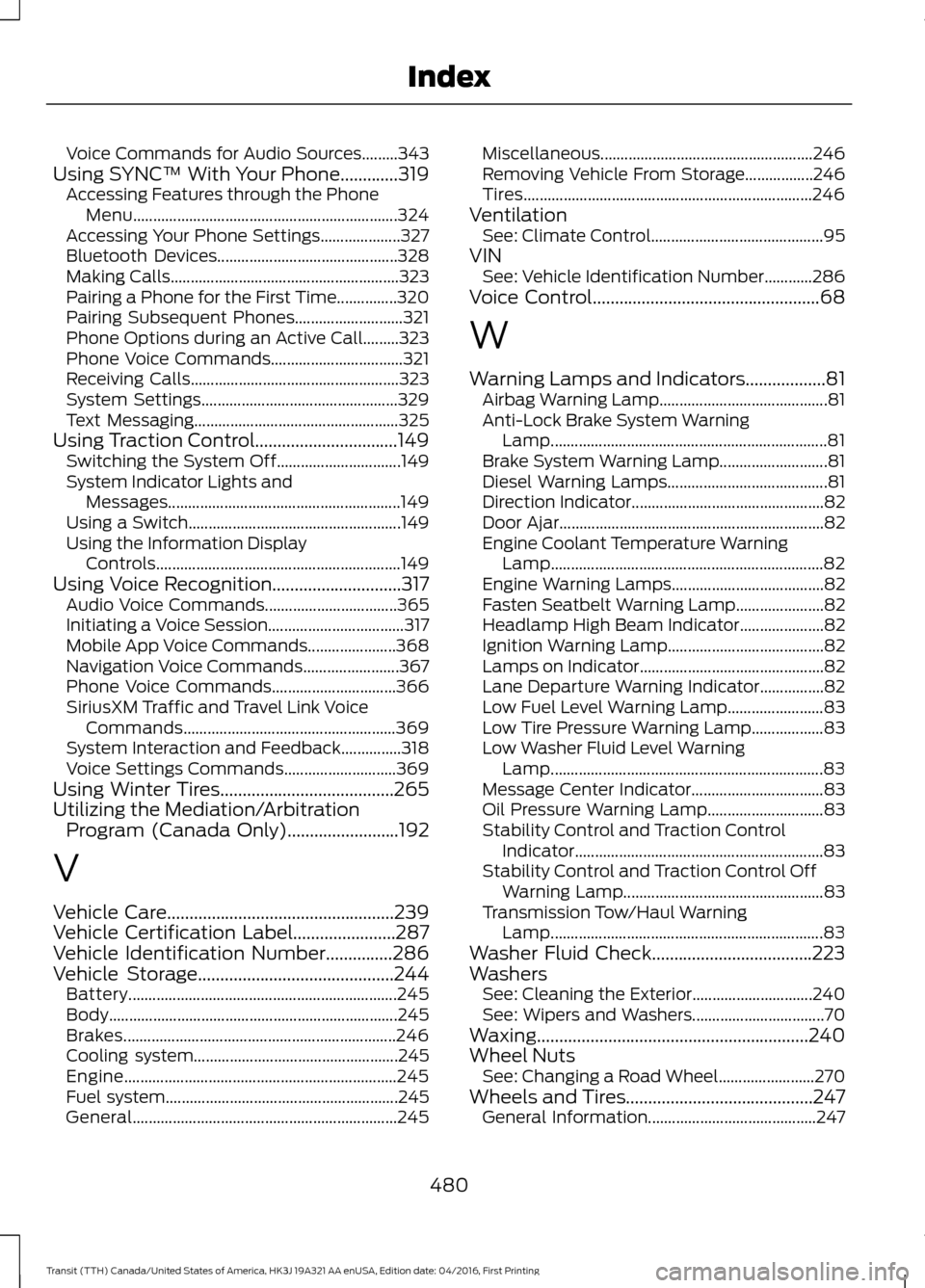
Voice Commands for Audio Sources.........343
Using SYNC™ With Your Phone.............319 Accessing Features through the Phone
Menu.................................................................. 324
Accessing Your Phone Settings.................... 327
Bluetooth Devices............................................. 328
Making Calls......................................................... 323
Pairing a Phone for the First Time...............320
Pairing Subsequent Phones........................... 321
Phone Options during an Active Call.........323
Phone Voice Commands................................. 321
Receiving Calls.................................................... 323
System Settings................................................. 329
Text Messaging................................................... 325
Using Traction Control................................149 Switching the System Off............................... 149
System Indicator Lights and Messages.......................................................... 149
Using a Switch..................................................... 149
Using the Information Display Controls............................................................. 149
Using Voice Recognition.............................317 Audio Voice Commands................................. 365
Initiating a Voice Session.................................. 317
Mobile App Voice Commands...................... 368
Navigation Voice Commands........................ 367
Phone Voice Commands............................... 366
SiriusXM Traffic and Travel Link Voice Commands..................................................... 369
System Interaction and Feedback...............318
Voice Settings Commands............................ 369
Using Winter Tires.......................................265
Utilizing the Mediation/Arbitration Program (Canada Only).........................192
V
Vehicle Care
...................................................239
Vehicle Certification Label.......................287
Vehicle Identification Number...............286
Vehicle Storage............................................244
Battery................................................................... 245
Body........................................................................\
245
Brakes.................................................................... 246
Cooling system................................................... 245
Engine.................................................................... 245
Fuel system.......................................................... 245
General.................................................................. 245Miscellaneous.....................................................
246
Removing Vehicle From Storage.................246
Tires........................................................................\
246
Ventilation See: Climate Control........................................... 95
VIN See: Vehicle Identification Number............286
Voice Control
...................................................68
W
Warning Lamps and Indicators..................81 Airbag Warning Lamp.......................................... 81
Anti-Lock Brake System Warning Lamp..................................................................... 81
Brake System Warning Lamp........................... 81
Diesel Warning Lamps........................................ 81
Direction Indicator................................................ 82
Door Ajar.................................................................. 82
Engine Coolant Temperature Warning Lamp.................................................................... 82
Engine Warning Lamps...................................... 82
Fasten Seatbelt Warning Lamp...................... 82
Headlamp High Beam Indicator..................... 82
Ignition Warning Lamp....................................... 82
Lamps on Indicator.............................................. 82
Lane Departure Warning Indicator................82
Low Fuel Level Warning Lamp........................ 83
Low Tire Pressure Warning Lamp.................. 83
Low Washer Fluid Level Warning Lamp.................................................................... 83
Message Center Indicator................................. 83
Oil Pressure Warning Lamp............................. 83
Stability Control and Traction Control Indicator.............................................................. 83
Stability Control and Traction Control Off Warning Lamp.................................................. 83
Transmission Tow/Haul Warning Lamp.................................................................... 83
Washer Fluid Check....................................223
Washers See: Cleaning the Exterior.............................. 240
See: Wipers and Washers................................. 70
Waxing.............................................................240
Wheel Nuts See: Changing a Road Wheel........................ 270
Wheels and Tires..........................................247 General Information.......................................... 247
480
Transit (TTH) Canada/United States of America, HK3J 19A321 AA enUSA, Edition date: 04/2016, First Printing Index