warning FORD TRANSIT 2021 Service Manual
[x] Cancel search | Manufacturer: FORD, Model Year: 2021, Model line: TRANSIT, Model: FORD TRANSIT 2021Pages: 509, PDF Size: 8.21 MB
Page 83 of 509
SLIDING DOOR PRECAUTIONS
WARNING: Fully close the sliding
door before driving, to prevent
passengers and cargo from falling out.
Failure to follow this instruction could
result in personal injury or death. WARNING:
Do not open or close
the sliding door when your hands are
near the tracks or rollers. Failure to
follow this instruction could result in
personal injury.
Note: Do not leave the sliding door open
when you are driving. This could damage
the sliding door and its components.
OPENING THE SLIDING DOOR
OPENING THE SLIDING DOOR
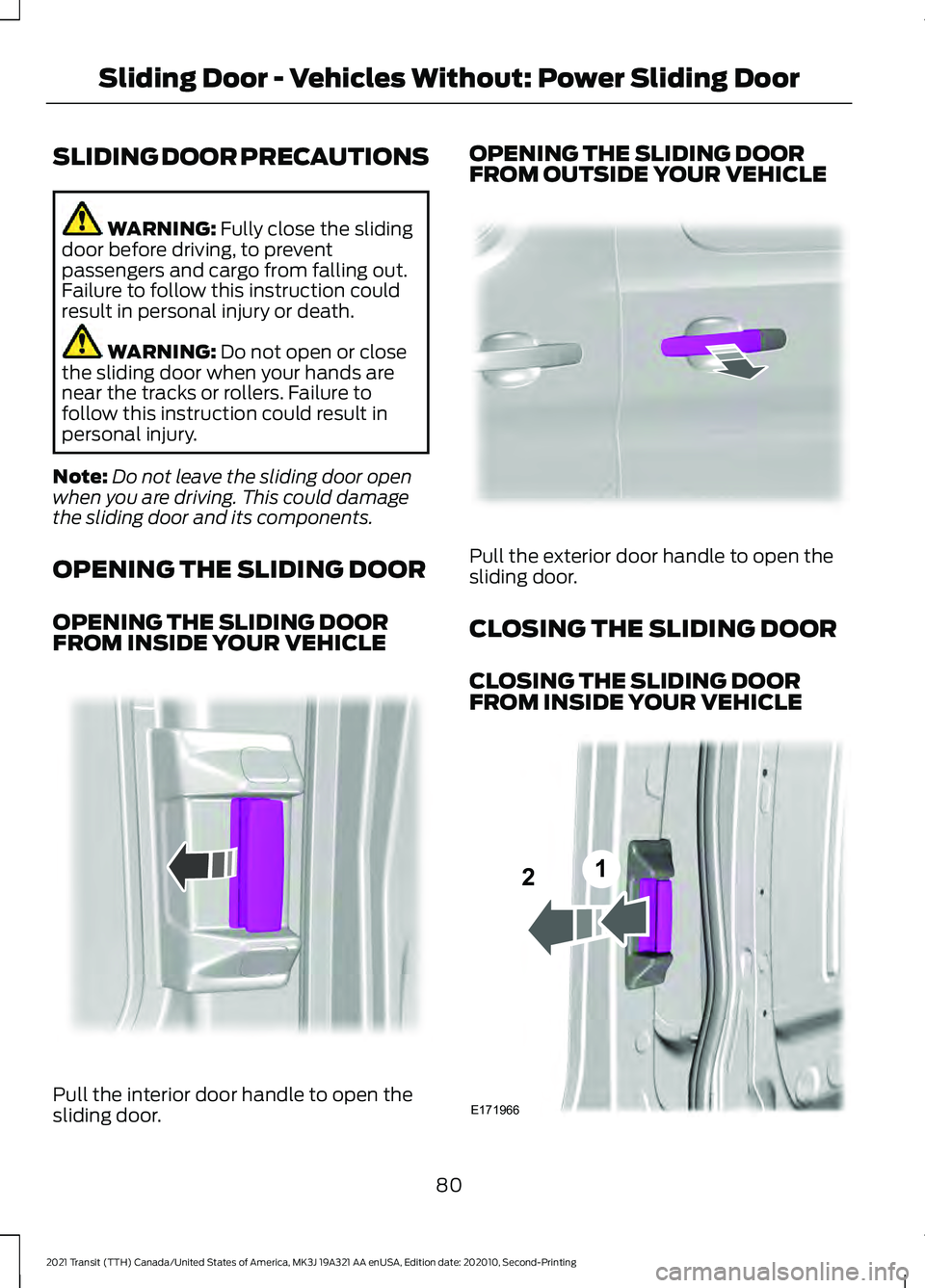
FROM INSIDE YOUR VEHICLE Pull the interior door handle to open the
sliding door. OPENING THE SLIDING DOOR
FROM OUTSIDE YOUR VEHICLE
Pull the exterior door handle to open the
sliding door.
CLOSING THE SLIDING DOOR
CLOSING THE SLIDING DOOR
FROM INSIDE YOUR VEHICLE
80
2021 Transit (TTH) Canada/United States of America, MK3J 19A321 AA enUSA, Edition date: 202010, Second-Printing Sliding Door - Vehicles Without: Power Sliding DoorE148804 E293743 E171966
12
Page 85 of 509
SLIDING DOOR PRECAUTIONS
WARNING: Fully close the power
sliding door before driving, to prevent
passengers and cargo from falling out.
Failure to follow this instruction could
result in personal injury or death. WARNING:
Do not open or close
the power sliding door when your hands
are near the tracks or rollers. Failure to
follow this instruction could result in
personal injury. WARNING:
When closing the
power sliding door, verify that it is free of
obstruction and make sure that people
and pets are not in the proximity of the
sliding door opening.
Note: Do not leave the sliding door open
when you are driving. This could damage
the sliding door and its components.
Note: If you operate the sliding door often
during a short period of time, the system
could become not available for a certain
time to prevent damage due to overheating.
Allow the system to open the sliding door.
Do not manually push or pull the sliding
door when it is moving. This could damage
the sliding door and its components.
OPENING THE SLIDING DOOR
OPENING THE SLIDING DOOR
FROM INSIDE YOUR VEHICLE
Opening the Sliding Door From
Inside Your Vehicle Using the
Instrument Panel Button Press the button on the
instrument panel twice to open
the sliding door. Opening the Sliding Door From
Inside Your Vehicle Using the
Sliding Door Handle
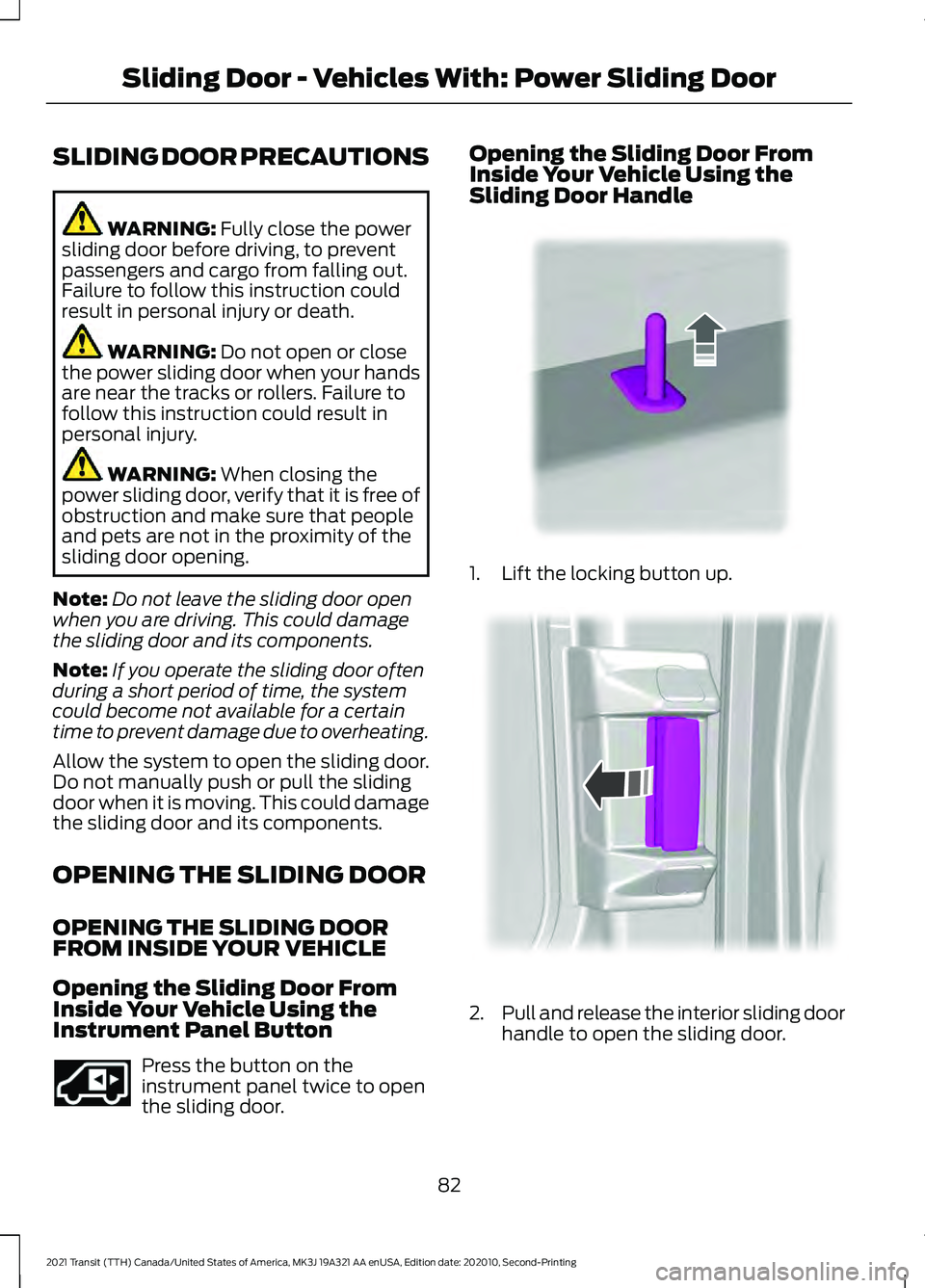
1. Lift the locking button up.
2.
Pull and release the interior sliding door
handle to open the sliding door.
82
2021 Transit (TTH) Canada/United States of America, MK3J 19A321 AA enUSA, Edition date: 202010, Second-Printing Sliding Door - Vehicles With: Power Sliding DoorE293692 E310708 E148804
Page 93 of 509
2.
Switch the ignition from off to on. Keep
the ignition on for at least three
seconds, but no more than 10 seconds.
3. Switch the ignition off and remove the
first correctly coded key from the
ignition.
4. After three seconds but within 10 seconds of switching the ignition off,
insert the second previously correctly
coded key into the ignition.
5. Switch the ignition from off to on. Keep
the ignition on for at least three
seconds, but no more than 10 seconds.
6. Switch the ignition off and remove the
second previously programmed
correctly coded key from the ignition.
7. After three seconds but within 10 seconds of switching the ignition off
and removing the previously
programmed correctly coded key,
insert the new unprogrammed key into
the ignition.
8. Switch the ignition from off to on. Keep
the ignition on for at least six seconds.
9. Remove the newly programmed correctly coded key from the ignition.
If the key has been successfully
programmed it will start the engine and
operate the remote entry system (if the
new key is an integrated keyhead
transmitter).
If the key was not successfully
programmed, wait 10 seconds and repeat
Steps 1 through 8. If you are still
unsuccessful, take your vehicle to an
authorized dealer.
Note: You can program a maximum of eight
coded keys to your vehicle. All eight can be
integrated keyhead transmitters. ANTI-THEFT ALARM -
VEHICLES WITHOUT: ANTI-
THEFT ALARM HORN WITH
INTEGRAL BATTERY
Alarm System
The perimeter alarm is a deterrent against
unauthorized access to your vehicle
through the doors, luggage compartment
and the hood.
Triggering the Alarm
Once armed, the alarm is triggered in any
of the following ways:
•
If someone opens a door, cargo area
or the hood without a valid key or
remote control.
• If you switch the ignition on without a
valid key.
If the alarm is triggered, the horn will sound
for 30 seconds and the hazard warning
flasher will flash for five minutes.
Any further attempts to perform one of the
above will trigger the alarm again.
Arming the Alarm
To arm the alarm, lock your vehicle. See
Doors and Locks (page 76).
Disarming the Alarm
Disarm and silence the alarm by unlocking
the doors with the key and switching the
ignition on with a correctly coded key or by
unlocking the doors or the cargo area with
the remote control.
90
2021 Transit (TTH) Canada/United States of America, MK3J 19A321 AA enUSA, Edition date: 202010, Second-Printing Security
Page 94 of 509
ANTI-THEFT ALARM -
VEHICLES WITH: ANTI-THEFT
ALARM HORN WITH INTEGRAL
BATTERY
Alarm System
Your vehicle may have one of the following
alarm systems:
•
Category one alarm with interior
sensors and battery back-up sounder.
• Perimeter alarm.
Perimeter Alarm
The perimeter alarm is a deterrent against
unauthorized access to your vehicle
through the doors and the hood.
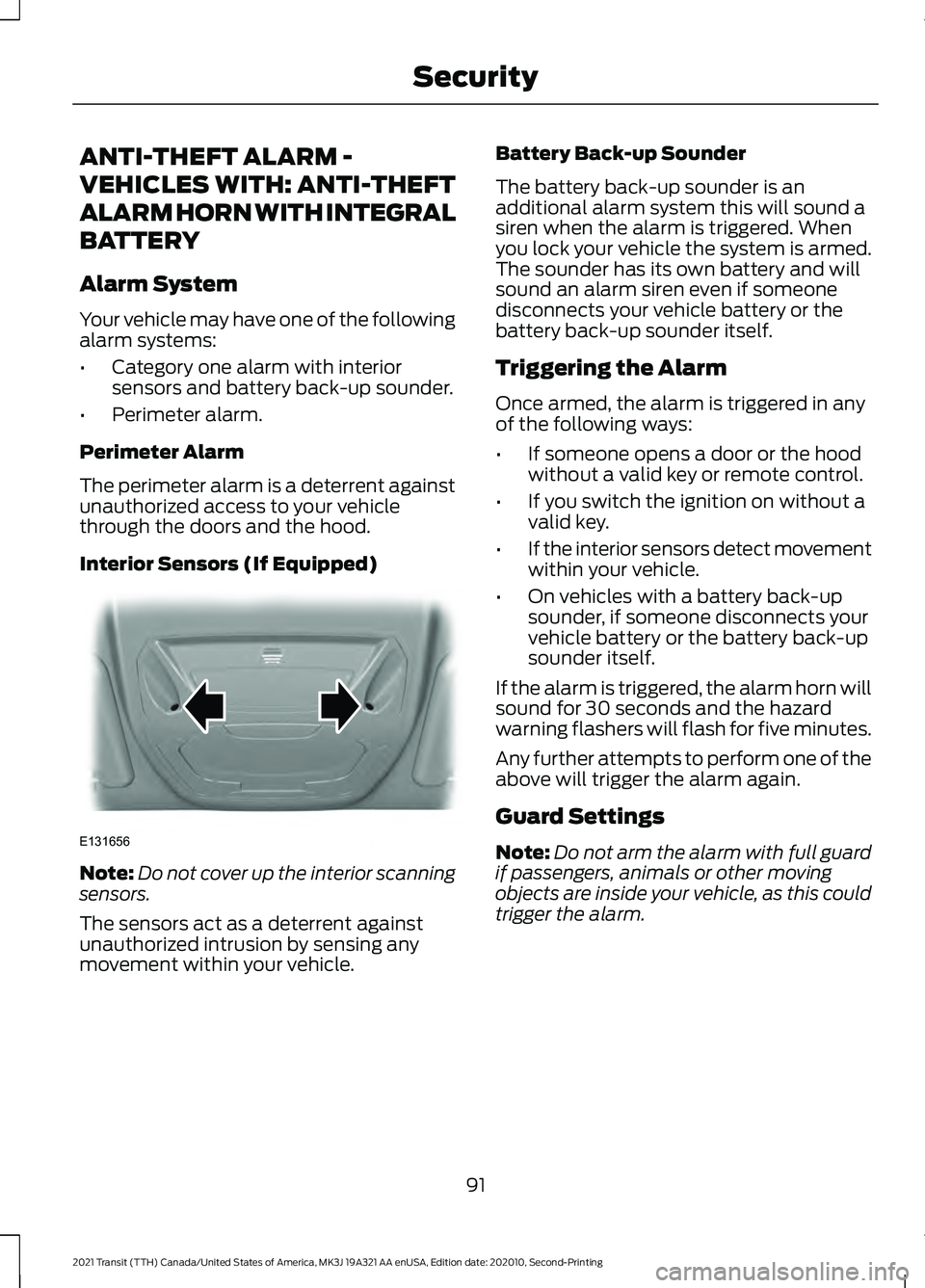
Interior Sensors (If Equipped) Note:
Do not cover up the interior scanning
sensors.
The sensors act as a deterrent against
unauthorized intrusion by sensing any
movement within your vehicle. Battery Back-up Sounder
The battery back-up sounder is an
additional alarm system this will sound a
siren when the alarm is triggered. When
you lock your vehicle the system is armed.
The sounder has its own battery and will
sound an alarm siren even if someone
disconnects your vehicle battery or the
battery back-up sounder itself.
Triggering the Alarm
Once armed, the alarm is triggered in any
of the following ways:
•
If someone opens a door or the hood
without a valid key or remote control.
• If you switch the ignition on without a
valid key.
• If the interior sensors detect movement
within your vehicle.
• On vehicles with a battery back-up
sounder, if someone disconnects your
vehicle battery or the battery back-up
sounder itself.
If the alarm is triggered, the alarm horn will
sound for 30 seconds and the hazard
warning flashers will flash for five minutes.
Any further attempts to perform one of the
above will trigger the alarm again.
Guard Settings
Note: Do not arm the alarm with full guard
if passengers, animals or other moving
objects are inside your vehicle, as this could
trigger the alarm.
91
2021 Transit (TTH) Canada/United States of America, MK3J 19A321 AA enUSA, Edition date: 202010, Second-Printing SecurityE131656
Page 96 of 509
USING POWER RUNNING
BOARDS
WARNING: In extreme climates,
excessive ice buildup may occur, causing
the running boards not to deploy. Make
sure that the running boards have
deployed, and have finished moving
before attempting to step on them. The
running boards will resume normal
function once the blockage is cleared. WARNING:
Switch off the running
boards before jacking or placing any
object under your vehicle. Never place
your hand between the extended running
board and your vehicle. A moving running
board may cause injury.
Note: Do not use the power running boards,
front and rear hinge assemblies, running
board motors or the running board
underbody mounts to lift your vehicle when
jacking. Always use proper jacking points.
Note: The power running boards may
operate more slowly in cool temperatures.
Note: The running board mechanism may
trap debris such as mud, dirt, snow, ice and
salt. This may cause unwanted noise. If this
happens, manually set the power running
boards to the deployed position. Then wash
the system in particular the front and rear
hinge arms with a high-pressure car wash
wand.
Note: If you drive off when the power
running boards are deployed the engine may
stop. Note:
In the event of a malfunction you can
stow the power running boards manually.
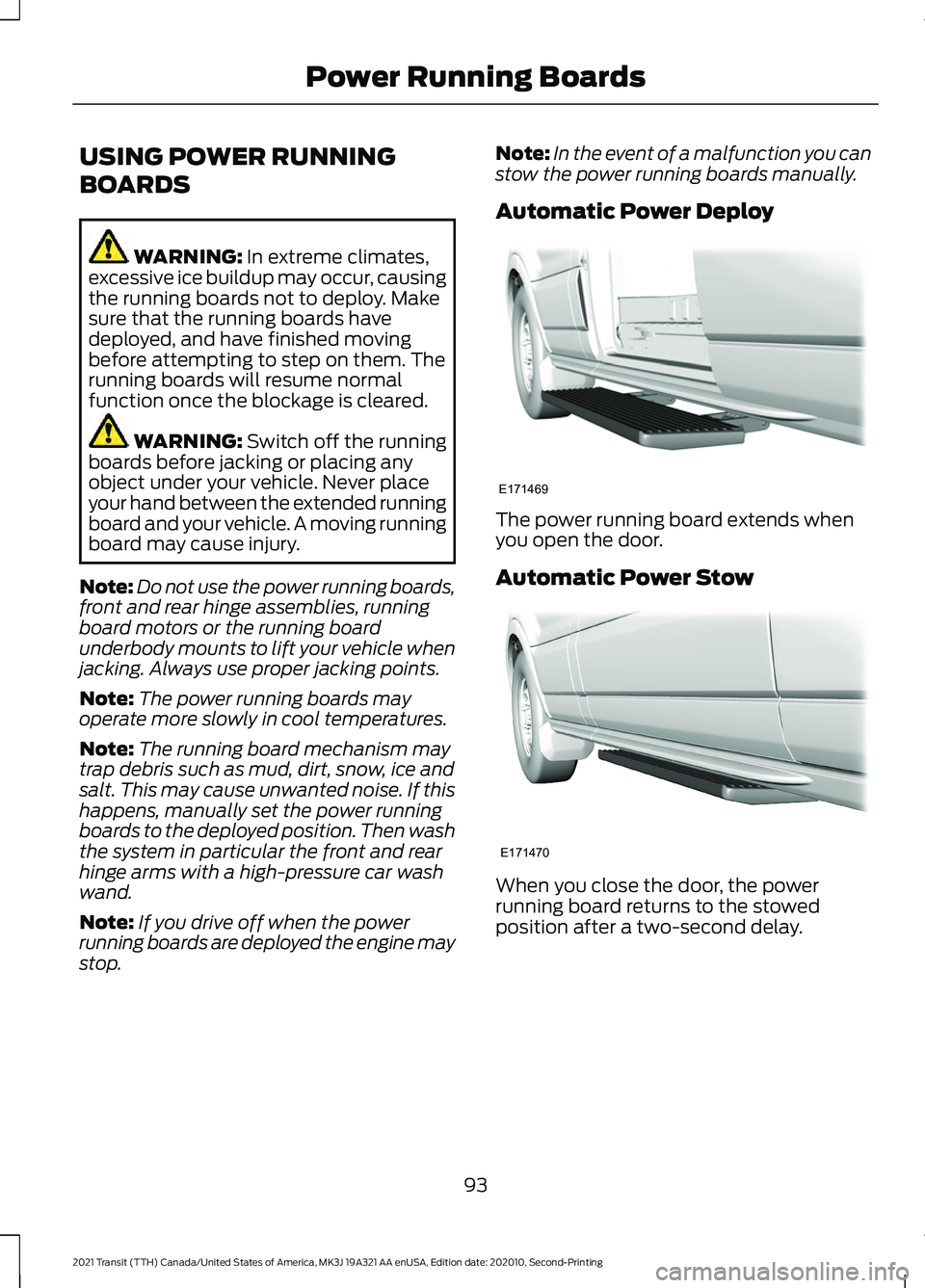
Automatic Power Deploy The power running board extends when
you open the door.
Automatic Power Stow
When you close the door, the power
running board returns to the stowed
position after a two-second delay.
93
2021 Transit (TTH) Canada/United States of America, MK3J 19A321 AA enUSA, Edition date: 202010, Second-Printing Power Running BoardsE171469 E171470
Page 99 of 509
ADJUSTING THE STEERING
WHEEL
WARNING: Do not adjust the
steering wheel when your vehicle is
moving.
Note: Make sure that you are sitting in the
correct position. See Sitting in the Correct
Position
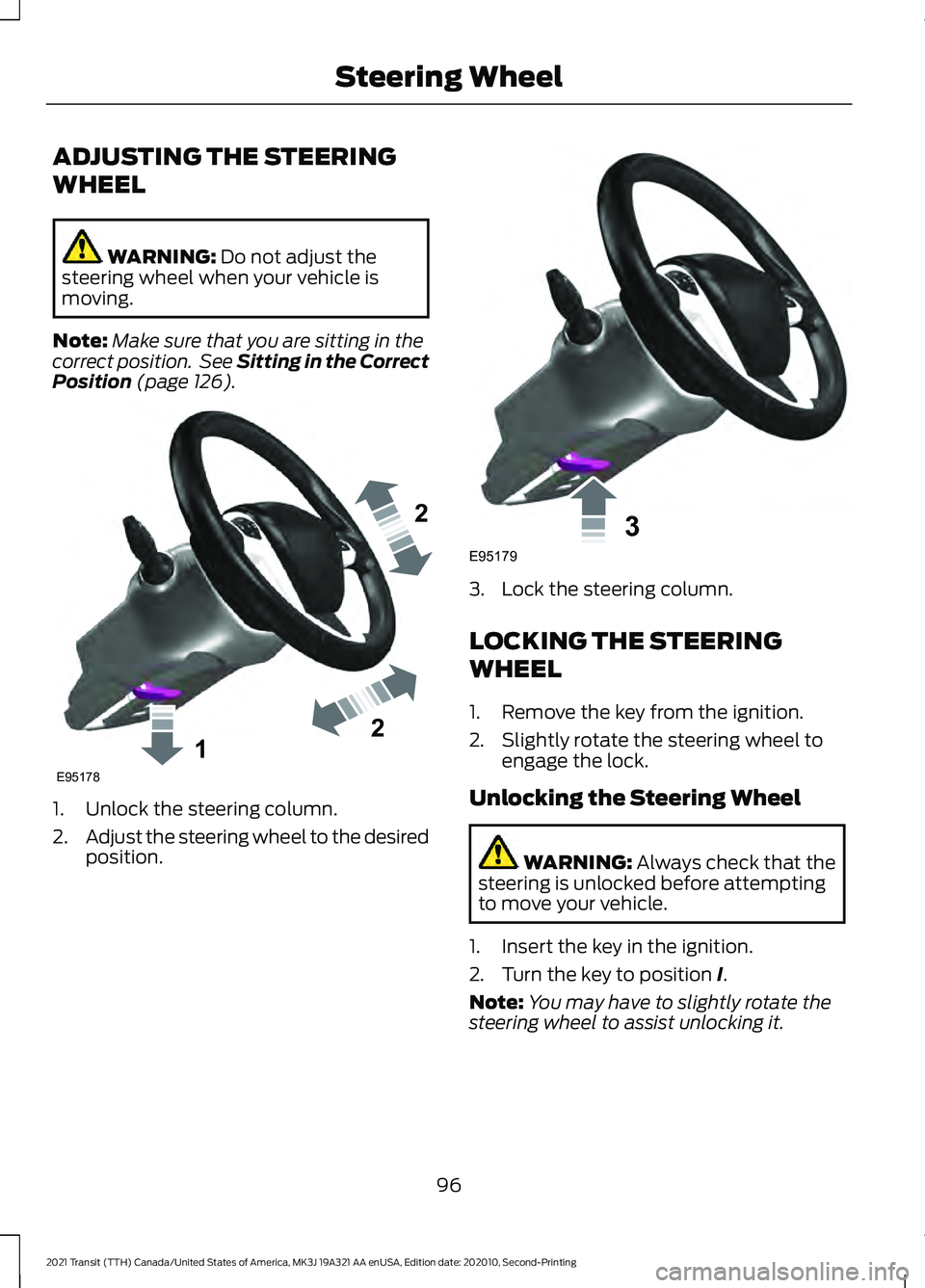
(page 126). 1. Unlock the steering column.
2.
Adjust the steering wheel to the desired
position. 3. Lock the steering column.
LOCKING THE STEERING
WHEEL
1. Remove the key from the ignition.
2. Slightly rotate the steering wheel to
engage the lock.
Unlocking the Steering Wheel WARNING:
Always check that the
steering is unlocked before attempting
to move your vehicle.
1. Insert the key in the ignition.
2. Turn the key to position
I.
Note: You may have to slightly rotate the
steering wheel to assist unlocking it.
96
2021 Transit (TTH) Canada/United States of America, MK3J 19A321 AA enUSA, Edition date: 202010, Second-Printing Steering Wheel122E95178 3E95179
Page 104 of 509
Switching High Beam Headlamps
On and Off
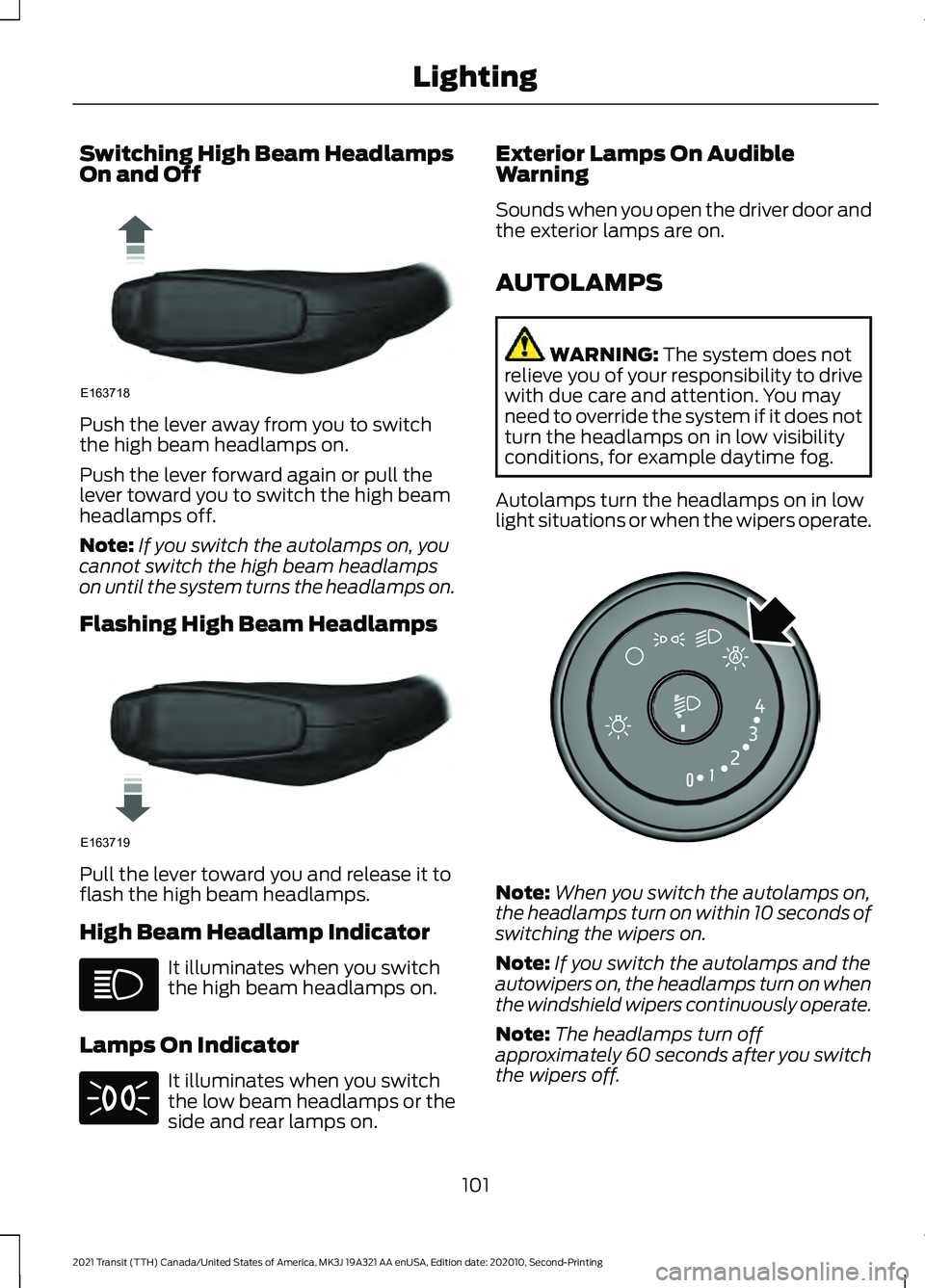
Push the lever away from you to switch
the high beam headlamps on.
Push the lever forward again or pull the
lever toward you to switch the high beam
headlamps off.
Note:
If you switch the autolamps on, you
cannot switch the high beam headlamps
on until the system turns the headlamps on.
Flashing High Beam Headlamps Pull the lever toward you and release it to
flash the high beam headlamps.
High Beam Headlamp Indicator
It illuminates when you switch
the high beam headlamps on.
Lamps On Indicator It illuminates when you switch
the low beam headlamps or the
side and rear lamps on. Exterior Lamps On Audible
Warning
Sounds when you open the driver door and
the exterior lamps are on.
AUTOLAMPS
WARNING: The system does not
relieve you of your responsibility to drive
with due care and attention. You may
need to override the system if it does not
turn the headlamps on in low visibility
conditions, for example daytime fog.
Autolamps turn the headlamps on in low
light situations or when the wipers operate. Note:
When you switch the autolamps on,
the headlamps turn on within 10 seconds of
switching the wipers on.
Note: If you switch the autolamps and the
autowipers on, the headlamps turn on when
the windshield wipers continuously operate.
Note: The headlamps turn off
approximately 60 seconds after you switch
the wipers off.
101
2021 Transit (TTH) Canada/United States of America, MK3J 19A321 AA enUSA, Edition date: 202010, Second-Printing LightingE163718 E163719 E253316
Page 105 of 509
The headlamps remain on for a period of
time after you switch the ignition off. Use
the information display controls to adjust
the period of time that the headlamps
remain on.
Adjusting the Period of Time That
the Headlamps Remain On
1. Using the information display controls
on the steering wheel, select Settings.
2. Select Vehicle Settings.
3. Select
Lighting.
4. Select
Autolamp Delay.
5. Select a setting.
6. Press the
OK button.
INSTRUMENT LIGHTING
DIMMER
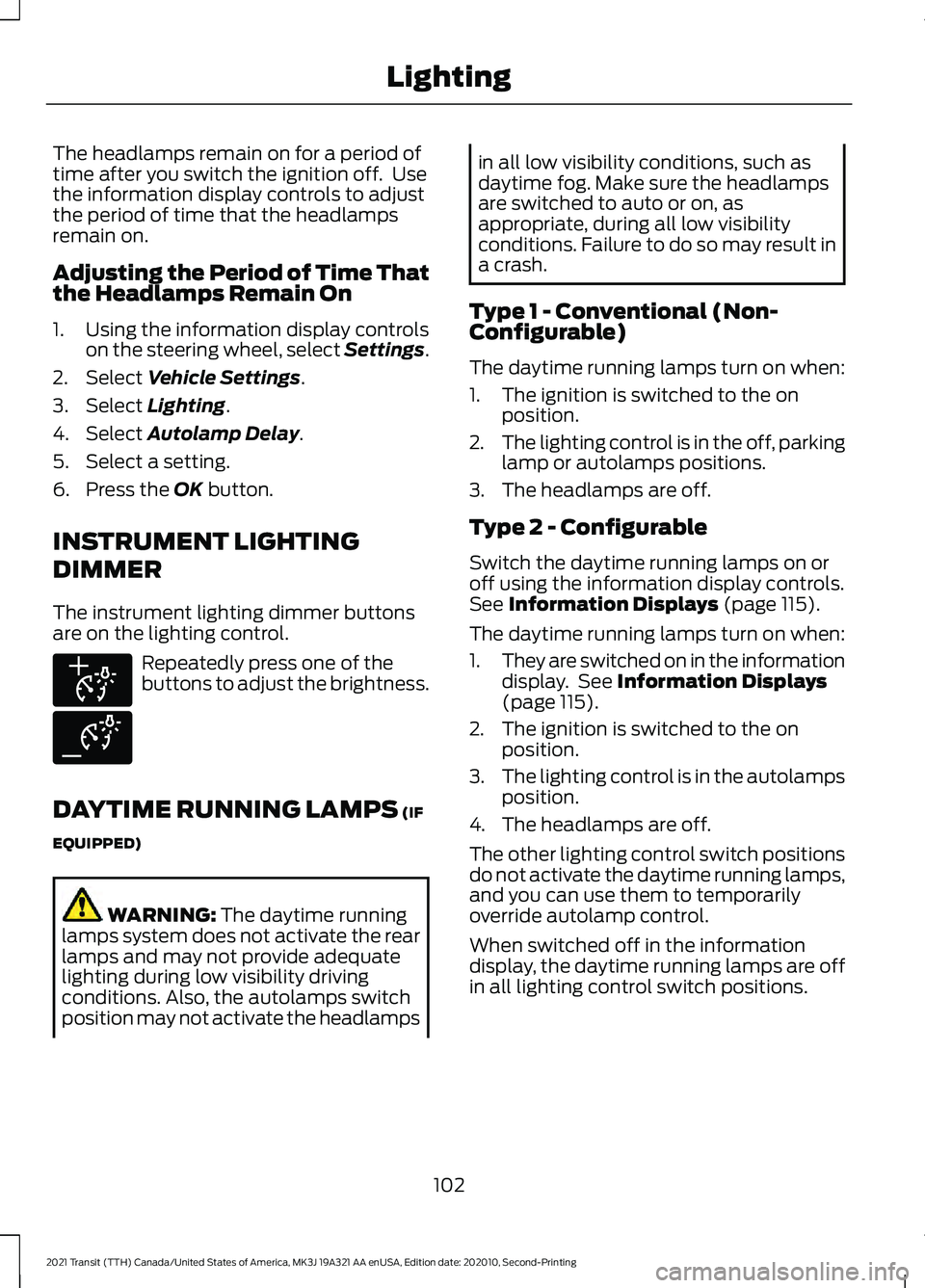
The instrument lighting dimmer buttons
are on the lighting control. Repeatedly press one of the
buttons to adjust the brightness.
DAYTIME RUNNING LAMPS
(IF
EQUIPPED) WARNING:
The daytime running
lamps system does not activate the rear
lamps and may not provide adequate
lighting during low visibility driving
conditions. Also, the autolamps switch
position may not activate the headlamps in all low visibility conditions, such as
daytime fog. Make sure the headlamps
are switched to auto or on, as
appropriate, during all low visibility
conditions. Failure to do so may result in
a crash.
Type 1 - Conventional (Non-
Configurable)
The daytime running lamps turn on when:
1. The ignition is switched to the on position.
2. The lighting control is in the off, parking
lamp or autolamps positions.
3. The headlamps are off.
Type 2 - Configurable
Switch the daytime running lamps on or
off using the information display controls.
See
Information Displays (page 115).
The daytime running lamps turn on when:
1. They are switched on in the information
display. See
Information Displays
(page 115).
2. The ignition is switched to the on position.
3. The lighting control is in the autolamps
position.
4. The headlamps are off.
The other lighting control switch positions
do not activate the daytime running lamps,
and you can use them to temporarily
override autolamp control.
When switched off in the information
display, the daytime running lamps are off
in all lighting control switch positions.
102
2021 Transit (TTH) Canada/United States of America, MK3J 19A321 AA enUSA, Edition date: 202010, Second-Printing LightingE291299 E291298
Page 106 of 509
AUTOMATIC HIGH BEAM
CONTROL
WARNING: The system does not
relieve you of your responsibility to drive
with due care and attention. You may
need to override the system if it does not
turn the high beams on or off. WARNING:
You may need to
override the system when approaching
other road users. WARNING:
You may need to
override the system during inclement
weather. WARNING:
Do not use the system
in poor visibility, for example fog, heavy
rain, spray or snow. WARNING:
The system may not
switch the high beams off if the lights of
oncoming vehicles are hidden by
obstacles, for example guard rails. WARNING: Inspect and replace the
windshield wiper blades regularly to
make sure the camera sensor has a clear
view. The windshield wiper blades must
be the correct length. The system is designed to turn the high
beams on if all of the following occur:
•
You switched the system on in the
information display.
• You set the lighting control to the
autolamps position.
• The ambient light level is low enough
that high beams are required.
• There is no traffic in front of your
vehicle.
• Your vehicle speed is greater than
approximately
32 mph (51 km/h).
The system is designed to turn the high
beams off if any of the following occur:
• You switch the system off in the
information display.
• You set the lighting control to any
position except autolamps.
• The ambient light level is high enough
that high beams are not required.
• The system detects an approaching
vehicle's headlamps or rear lamps.
• The system detects severe rain, snow
or fog.
• The system detects street lighting.
• The camera has reduced visibility.
• Your vehicle speed falls below
approximately
27 mph (44 km/h).
Note: High beam reactivation may be
delayed in certain curvy road situations.
Note: Using much larger tires or equipping
vehicle accessories such as snowplows can
modify your vehicle's ride height and
degrade automatic high beam control
performance.
103
2021 Transit (TTH) Canada/United States of America, MK3J 19A321 AA enUSA, Edition date: 202010, Second-Printing Lighting
Page 110 of 509
POWER WINDOWS
Opening and Closing the Windows
WARNING: Do not leave children
unattended in your vehicle and do not
let them play with the power windows.
Failure to follow this instruction could
result in personal injury. WARNING:
When closing the
power windows, verify they are free of
obstruction and make sure that children
and pets are not in the proximity of the
window openings. Press the control to open the
window. Lift the control to close
the window.
Note: The power windows operate with the
ignition on, and for several minutes after you
switch the ignition off or until you open a
front door.
To reduce wind noise or pulsing noise when
one window is open, slightly open the
opposite window.
One-Touch Open
Fully press the control and release it. Press
again or lift it to stop the window.
One-Touch Close
Fully lift the control and release it. Press
again or lift it to stop the window.
Resetting One-Touch Close
1. Lift and hold the switch until the window is fully closed.
2. Release the switch.
3. Lift the switch again for one more second.
4. Release the switch. 5. Lift the switch again for one more
second.
Note: Repeat the procedure if the window
does not close when you use one-touch.
Bounce-Back
The window stops and reverses if it detects
an obstruction while closing.
Overriding Bounce-Back WARNING:
If you override
bounce-back, the window does not
reverse if it detects an obstacle. Take
care when closing the windows to avoid
personal injury or damage to your
vehicle.
1. Close the window until it reaches the point of resistance and let it reverse.
2. Close the window a third time to the point of resistance. Bounce-back is
now disabled and you can close the
window manually.
Note: The window goes past the point of
resistance and you can fully close it.
Note: If the window does not close, have
your vehicle checked as soon as possible.
Resetting Bounce-Back WARNING: Bounce-back is off until
you reset the memory. Take care when
closing the windows to avoid personal
injury or damage to your vehicle.
1. Lift and hold the switch until the window is fully closed.
2. Release the switch.
3. Lift the switch again for one more second.
4. Release the switch.
107
2021 Transit (TTH) Canada/United States of America, MK3J 19A321 AA enUSA, Edition date: 202010, Second-Printing Windows and Mirrors