light FORD TRANSIT CONNECT 2013 1.G Owner's Manual
[x] Cancel search | Manufacturer: FORD, Model Year: 2013, Model line: TRANSIT CONNECT, Model: FORD TRANSIT CONNECT 2013 1.GPages: 321, PDF Size: 4.5 MB
Page 74 of 321
INTERIOR LAMPS
Dome Lamp
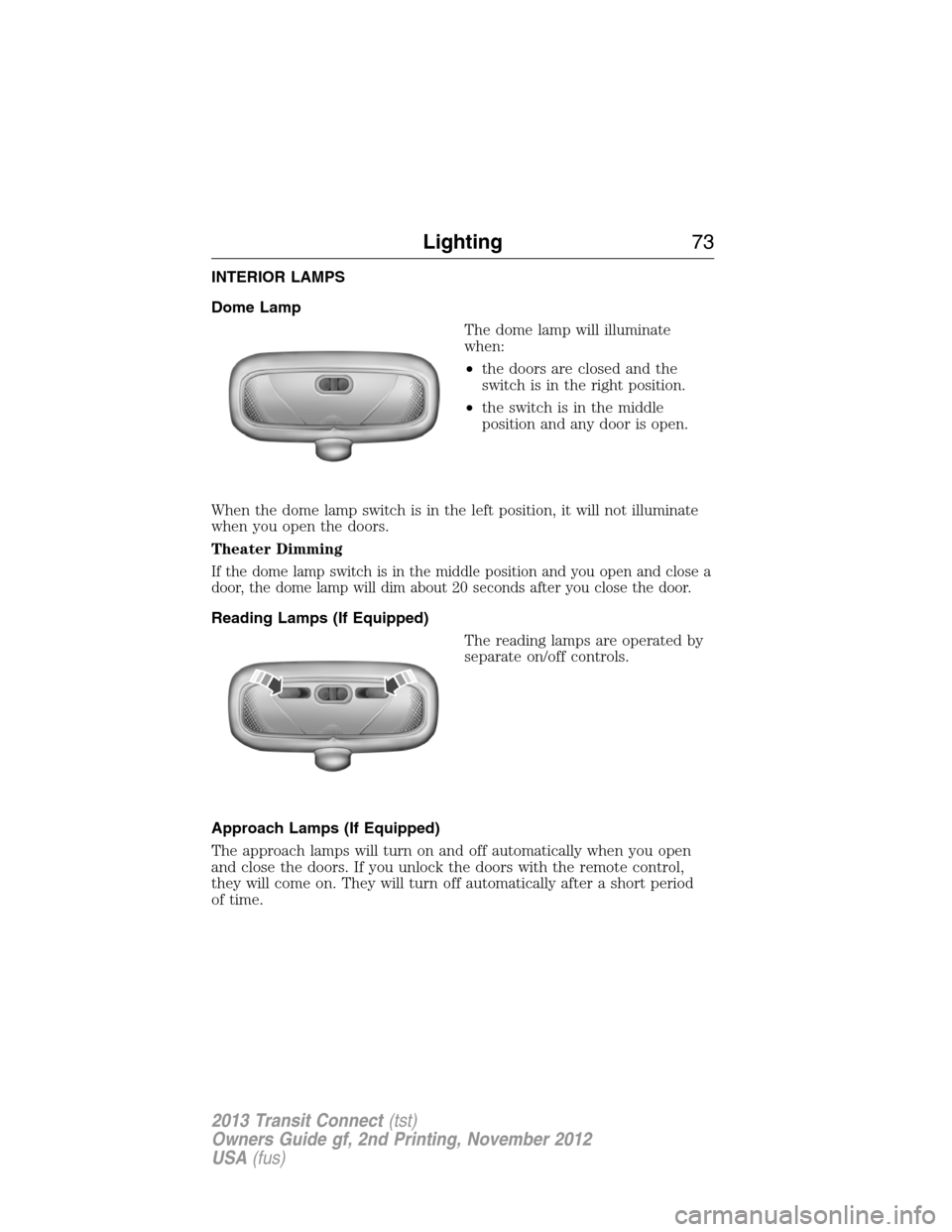
The dome lamp will illuminate
when:
•the doors are closed and the
switch is in the right position.
•the switch is in the middle
position and any door is open.
When the dome lamp switch is in the left position, it will not illuminate
when you open the doors.
Theater Dimming
If the dome lamp switch is in the middle position and you open and close a
door, the dome lamp will dim about 20 seconds after you close the door.
Reading Lamps (If Equipped)
The reading lamps are operated by
separate on/off controls.
Approach Lamps (If Equipped)
The approach lamps will turn on and off automatically when you open
and close the doors. If you unlock the doors with the remote control,
they will come on. They will turn off automatically after a short period
of time.
Lighting73
2013 Transit Connect(tst)
Owners Guide gf, 2nd Printing, November 2012
USA(fus)
Page 78 of 321
Auto-Dimming Mirror (If Equipped)
Note:Do not block the sensors on the front and back of the mirror.
Mirror performance may be affected. A rear center passenger or raised
rear center head restraint may also block light from reaching the sensor.
The mirror will dim automatically to reduce glare when bright lights are
detected from behind your vehicle. It will automatically return to normal
reflection when you select reverse gear to make sure you have a clear
view when backing up.
SUN VISORS
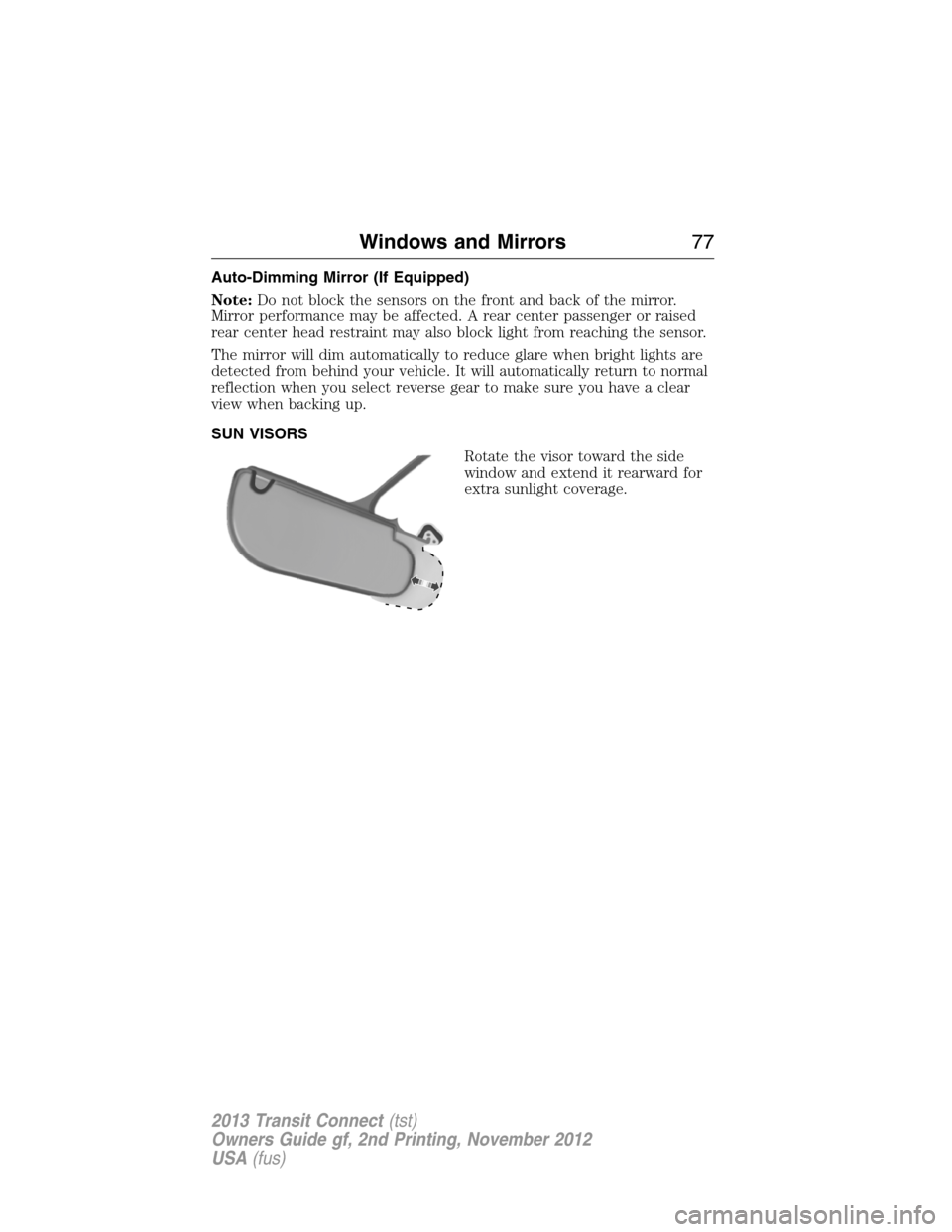
Rotate the visor toward the side
window and extend it rearward for
extra sunlight coverage.
Windows and Mirrors77
2013 Transit Connect(tst)
Owners Guide gf, 2nd Printing, November 2012
USA(fus)
Page 80 of 321
Engine Coolant Temperature Gauge
Shows the temperature of the engine coolant. At normal operating
temperature, the needle will remain in the center section. If the needle
enters the red section, the engine is overheating. Stop the engine, switch
the ignition off and determine the cause once the engine has cooled down.
Note:Do not restart the engine until the cause of overheating has been
resolved.
WARNING:Never remove the coolant reservoir cap while the
engine is running or hot.
Fuel Gauge
Indicates approximately how much fuel is left in the fuel tank (when the
ignition is on). The fuel gauge may vary slightly when the vehicle is in
motion or on a grade. The fuel icon and arrow indicates which side of
the vehicle the fuel filler door is located.
Information Display
Odometer
Located in the bottom of the information display Registers the
accumulated distance your vehicle has travelled.
Trip Computer
SeeTrip ComputerinInformation Displays.
WARNING LAMPS AND INDICATORS
The following warning lamps and indicators will alert you to a vehicle
condition that may become serious. Some lamps will illuminate when you
start your vehicle to make sure they work. If any lamps remain on after
starting your vehicle, refer to the respective system warning lamp for
further information.
Note:Some warning indicators appear in the information display and
function the same as a warning lamp but do not display when you start
your vehicle.
Airbag – Front
If it fails to illuminate on startup, continues to flash or remains
on, it indicates a malfunction. Have the system checked by your
authorized dealer. A chime will sound when there is a malfunction
in the indicator light.
Instrument Cluster79
2013 Transit Connect(tst)
Owners Guide gf, 2nd Printing, November 2012
USA(fus)
Page 81 of 321
Anti-Lock Braking System
If it illuminates when you are driving, this indicates a
malfunction. You will continue to have the normal braking
system (without ABS) unless the brake warning lamp is also
illuminated. Have the system checked by your authorized dealer.
Anti-Theft System
Flashes when the SecuriLock® passive Anti-Theft system has
been activated.
Brake System
It will illuminate when the parking brake is engaged and the
ignition is on.
If it illuminates when you are driving, check that the parking brake is not
engaged. If the parking brake is not engaged, this indicates low brake
fluid level or a brake system malfunction. Have the system checked
immediately by your authorized dealer.
WARNING:Driving a vehicle with the brake system warning
light on is dangerous. A significant decrease in braking
performance may occur. It will take you longer to stop the vehicle.
Have the vehicle checked by your authorized dealer as soon as possible.
Driving extended distances with the parking brake engaged can cause
brake failure and the risk of personal injury.
Charging
Illuminates when the battery is not charging properly. If it stays
on while the engine is running, there may be a malfunction with
the charging system. Contact your authorized dealer as soon as
possible. This indicates a problem with the electrical system or a related
component.
Cruise Control (if equipped)
It will illuminate when you switch this feature on.
80Instrument Cluster
2013 Transit Connect(tst)
Owners Guide gf, 2nd Printing, November 2012
USA(fus)
Page 84 of 321
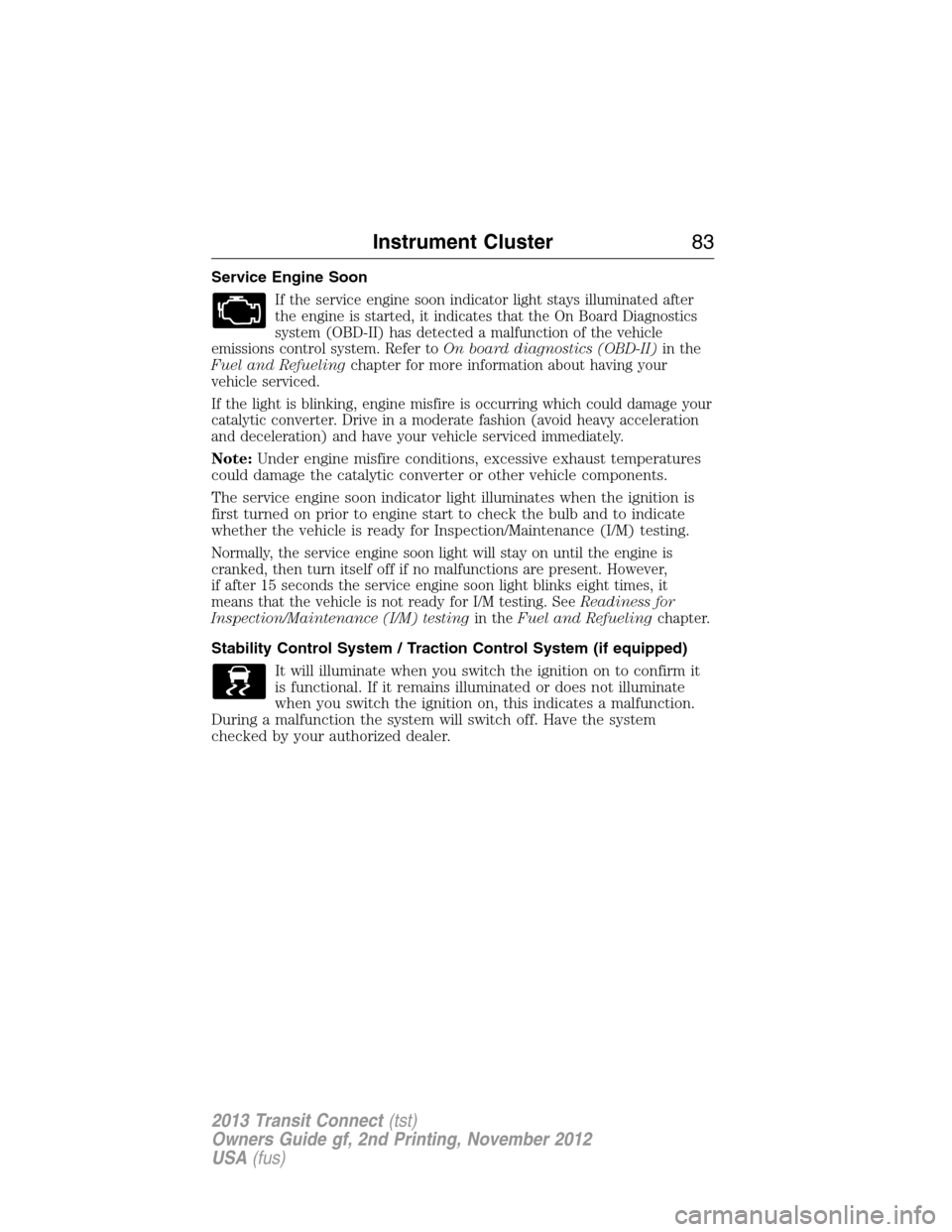
Service Engine Soon
If the service engine soon indicator light stays illuminated after
the engine is started, it indicates that the On Board Diagnostics
system (OBD-II) has detected a malfunction of the vehicle
emissions control system. Refer toOn board diagnostics (OBD-II)in the
Fuel and Refuelingchapter for more information about having your
vehicle serviced.
If the light is blinking, engine misfire is occurring which could damage your
catalytic converter. Drive in a moderate fashion (avoid heavy acceleration
and deceleration) and have your vehicle serviced immediately.
Note:Under engine misfire conditions, excessive exhaust temperatures
could damage the catalytic converter or other vehicle components.
The service engine soon indicator light illuminates when the ignition is
first turned on prior to engine start to check the bulb and to indicate
whether the vehicle is ready for Inspection/Maintenance (I/M) testing.
Normally, the service engine soon light will stay on until the engine is
cranked, then turn itself off if no malfunctions are present. However,
if after 15 seconds the service engine soon light blinks eight times, it
means that the vehicle is not ready for I/M testing. SeeReadiness for
Inspection/Maintenance (I/M) testingin theFuel and Refuelingchapter.
Stability Control System / Traction Control System (if equipped)
It will illuminate when you switch the ignition on to confirm it
is functional. If it remains illuminated or does not illuminate
when you switch the ignition on, this indicates a malfunction.
During a malfunction the system will switch off. Have the system
checked by your authorized dealer.
Instrument Cluster83
2013 Transit Connect(tst)
Owners Guide gf, 2nd Printing, November 2012
USA(fus)
Page 85 of 321
AUDIBLE WARNINGS AND INDICATORS
Key In Ignition Warning Chime:Sounds when the key is left in the
ignition in the off or accessory position and the driver’s door is opened.
Park Warning Chime:Sounds when the transmission is not in park, the
driver’s door is opened and the ignition is off or in accessory position.
Headlamps On Warning Chime:Sounds when the headlamps or
parking lamps are on and the driver’s door is opened.
Seatbelt Warning Chime:The seatbelt chime sounds when the driver’s
seatbelt is not fastened. When the ignition is in run and the seatbelt is
not fastened, the chime will chime for six seconds. The chime will turn
off if the driver’s seatbelt is fastened or if the ignition returns to off or
accessory position.
Belt-Minder® Warning Chime:This chime periodically sounds to
remind the driver and/or passenger that their seatbelt is unbuckled.
The seatbelt warning lamp in the cluster will also illuminate once vehicle
speed has exceeded 6 mph (10 km/h).
Airbag Secondary Warning Chime:This chime sounds to indicate a
fault with the supplemental restraint system in the event that the airbag
readiness warning light is not operating.
Door Ajar Warning Chime:The door ajar reminder chime informs the
driver that one or more doors are open while the ignition is in the run
position.
84Instrument Cluster
2013 Transit Connect(tst)
Owners Guide gf, 2nd Printing, November 2012
USA(fus)
Page 87 of 321
GENERAL INFORMATION
Radio Frequencies and Reception Factors
AM and FM frequencies are established by the Federal Communications
Commission (FCC) and the Canadian Radio and Telecommunications
Commission (CRTC). Those frequencies are:
AM: 530, 540–1700, 1710 kHz
FM: 87.9–107.7, 107.9 MHz
Radio reception factors
Distance and
strengthThe further you travel from an FM station,
the weaker the signal and the weaker the
reception.
TerrainHills, mountains, tall buildings, bridges,
tunnels, freeway overpasses, parking garages,
dense tree foliage and thunderstorms can
interfere with the reception.
Station overloadWhen you pass a ground-based broadcast
repeating tower, a stronger signal may
overtake a weaker one and result in the audio
system muting.
CD and CD Player Information
Note:CD units play commercially pressed 4.75-inch (12 centimeter)
audio compact discs only. Due to technical incompatibility, certain
recordable and re-recordable compact discs may not function correctly
when used in Ford CD players.
Note:Do not insert CDs with homemade paper (adhesive) labels into
the CD player as the label may peel and cause the CD to become
jammed. You should use a permanent felt tip marker rather than
adhesive labels on your homemade CDs. Ballpoint pens may damage
CDs. Please contact your authorized dealer for further information.
Note:Do not use any irregularly shaped discs or discs with a scratch
protection film attached.
Always handle discs by their edges only. Clean the disc with an approved
CD cleaner only. Wipe it from the center of the disc toward the edge.
Do not clean in a circular motion.
Do not expose discs to direct sunlight or heat sources for extended
periods.
86Audio System
2013 Transit Connect(tst)
Owners Guide gf, 2nd Printing, November 2012
USA(fus)
Page 96 of 321
D.Recirculated air:Press to switch between outside air and
recirculated air. When you select recirculated air, the button illuminates
and the air currently in the passenger compartment recirculates. This
can reduce the time needed to cool the interior and reduce unwanted
odors from entering your vehicle.
E.Air conditioning:Press to switch the air conditioning off and on.
Air conditioning cools your vehicle using outside air. To improve air
conditioning when starting your vehicle, drive with the windows slightly
open for two to three minutes.
If you select recirculated air and A/C, the system distributes recirculated
air through the instrument panel air vents. This mode is more
economical and efficient than normal air conditioning.
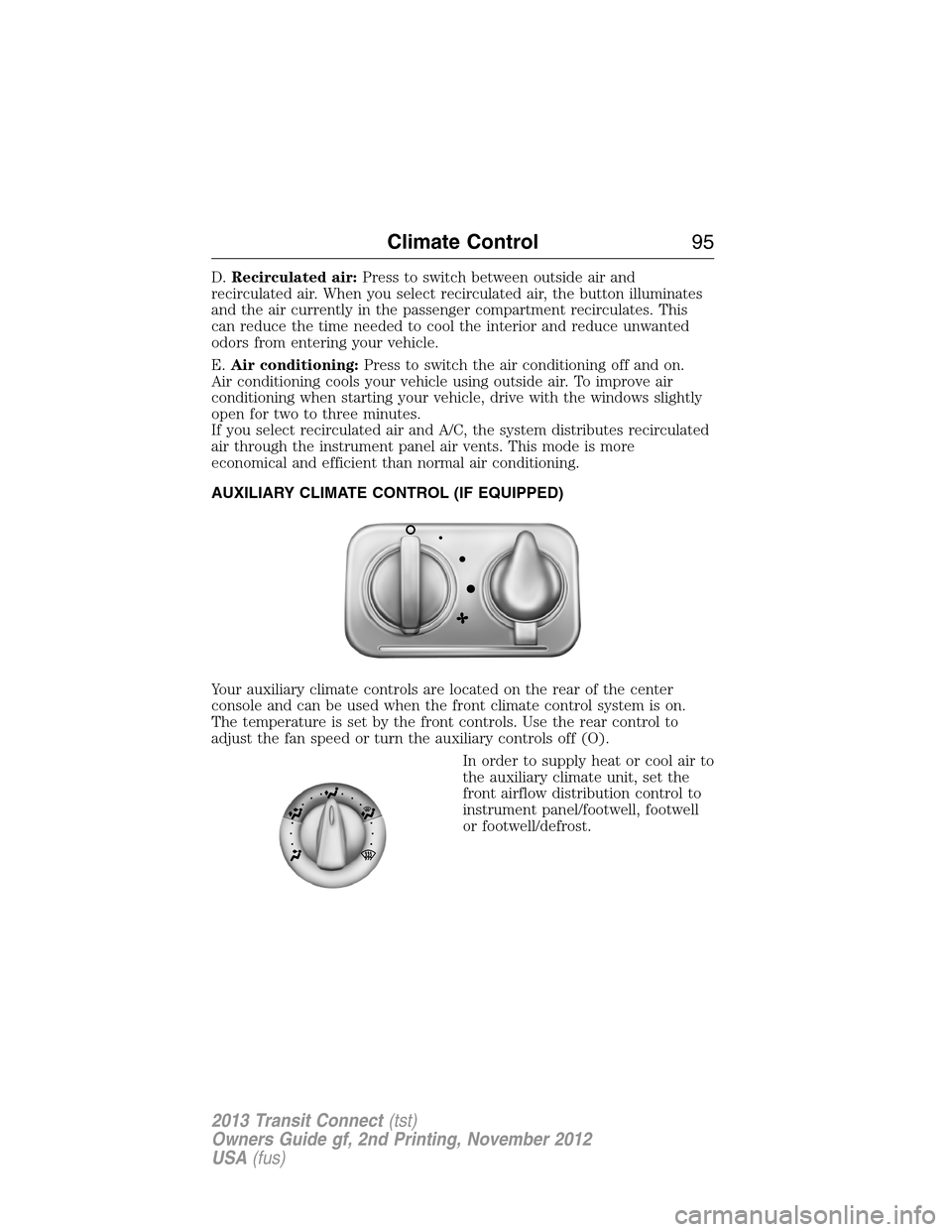
AUXILIARY CLIMATE CONTROL (IF EQUIPPED)
Your auxiliary climate controls are located on the rear of the center
console and can be used when the front climate control system is on.
The temperature is set by the front controls. Use the rear control to
adjust the fan speed or turn the auxiliary controls off (O).
In order to supply heat or cool air to
the auxiliary climate unit, set the
front airflow distribution control to
instrument panel/footwell, footwell
or footwell/defrost.
Climate Control95
2013 Transit Connect(tst)
Owners Guide gf, 2nd Printing, November 2012
USA(fus)
Page 100 of 321
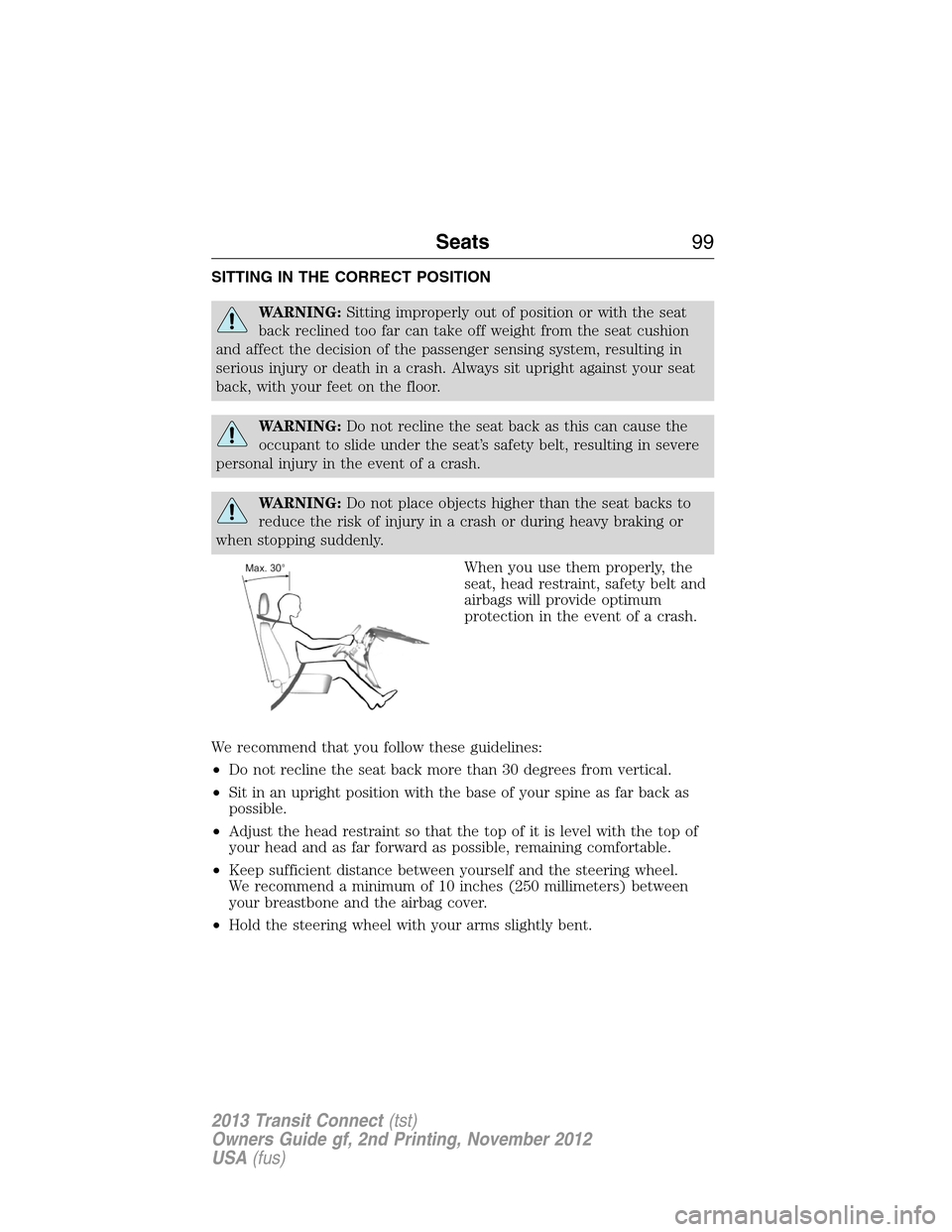
SITTING IN THE CORRECT POSITION
WARNING:Sitting improperly out of position or with the seat
back reclined too far can take off weight from the seat cushion
and affect the decision of the passenger sensing system, resulting in
serious injury or death in a crash. Always sit upright against your seat
back, with your feet on the floor.
WARNING:Do not recline the seat back as this can cause the
occupant to slide under the seat’s safety belt, resulting in severe
personal injury in the event of a crash.
WARNING:Do not place objects higher than the seat backs to
reduce the risk of injury in a crash or during heavy braking or
when stopping suddenly.
When you use them properly, the
seat, head restraint, safety belt and
airbags will provide optimum
protection in the event of a crash.
We recommend that you follow these guidelines:
•Do not recline the seat back more than 30 degrees from vertical.
•Sit in an upright position with the base of your spine as far back as
possible.
•Adjust the head restraint so that the top of it is level with the top of
your head and as far forward as possible, remaining comfortable.
•Keep sufficient distance between yourself and the steering wheel.
We recommend a minimum of 10 inches (250 millimeters) between
your breastbone and the airbag cover.
•Hold the steering wheel with your arms slightly bent.
Seats99
2013 Transit Connect(tst)
Owners Guide gf, 2nd Printing, November 2012
USA(fus)
Page 101 of 321
•Bend your legs slightly so that you can press the pedals fully.
•Position the shoulder strap of the safety belt over the center of your
shoulder and position the lap strap tightly across your hips.
Make sure that your driving position is comfortable and that you can
maintain full control of your vehicle.
HEAD RESTRAINTS
WARNING:To minimize the risk of neck injury in the event of a
collision, the driver and passenger occupants should not sit in
and/or operate the vehicle, until the head restraint is placed in its proper
position. The driver should never adjust the head restraint while the
vehicle is in motion.
WARNING:The adjustable head restraint is a safety device.
Whenever possible, it should be installed and properly adjusted
when the seat is occupied.
WARNING:Install the head restraint properly to minimize the
risk of neck injury in the event of a collision.
Note:Adjust the seat back to an upright driving position before
adjusting any head restraint. Adjust the head restraint so that the top
of it is level with the top of your head and as far forward as possible,
remaining comfortable. For occupants of extremely tall stature, adjust
the head restraint to its highest position.
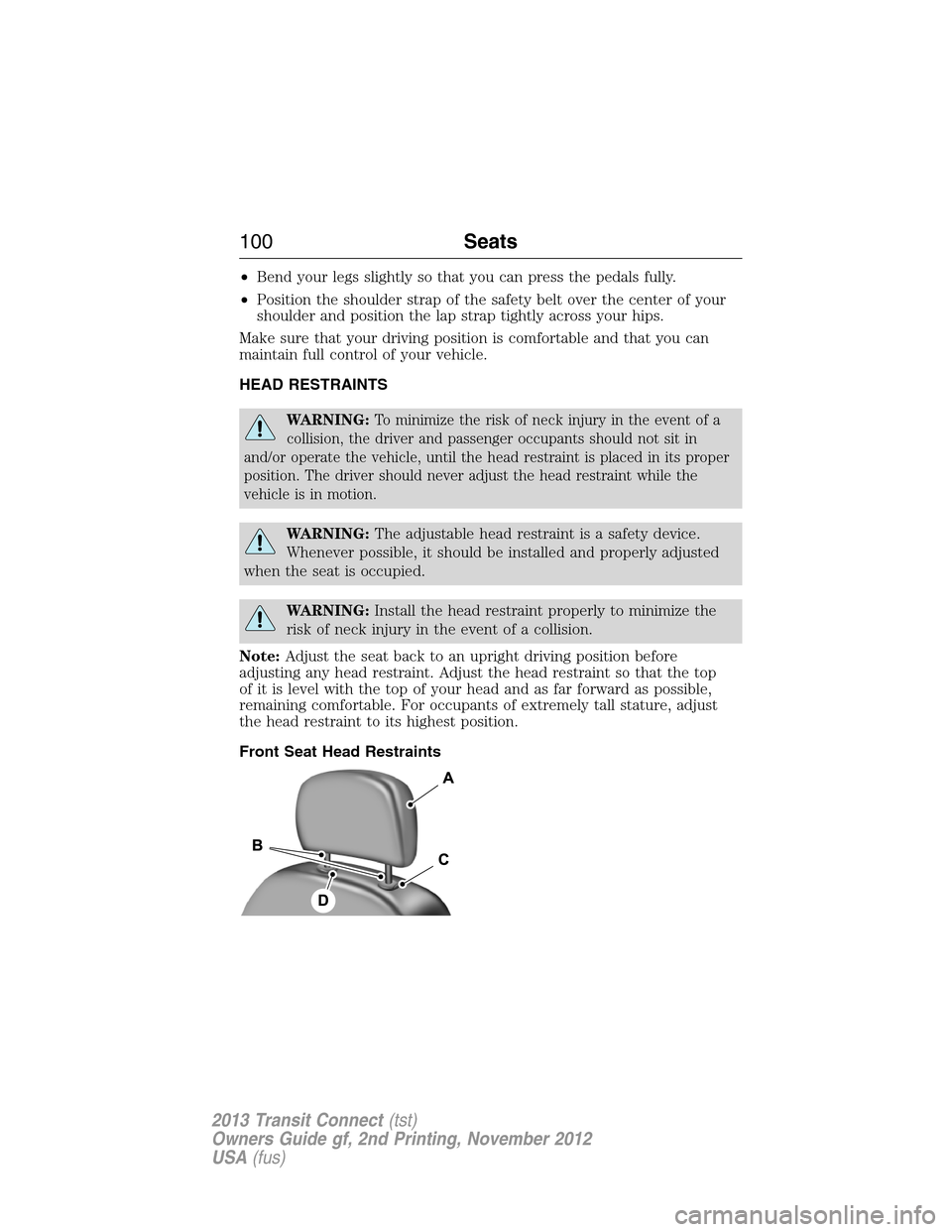
Front Seat Head Restraints
100Seats
2013 Transit Connect(tst)
Owners Guide gf, 2nd Printing, November 2012
USA(fus)