window FORD TRANSIT CONNECT 2013 1.G Owners Manual
[x] Cancel search | Manufacturer: FORD, Model Year: 2013, Model line: TRANSIT CONNECT, Model: FORD TRANSIT CONNECT 2013 1.GPages: 321, PDF Size: 4.5 MB
Page 3 of 321
Steering Wheel 65
Adjusting the steering wheel..............................65
Wipers and Washers 68
Windshield wipers.....................................68
Windshield washers....................................69
Lighting 70
Headlamps...........................................70
Front fog lamps.......................................71
Directionindicators ....................................72
Interior lamps........................................73
Windows and Mirrors 74
Power windows.......................................74
Exteriormirrors.......................................75
Interiormirrors .......................................76
Sunvisors ...........................................77
Instrument Cluster 78
Gauges.............................................78
Warning lamps and indicators.............................79
Audible warnings and indicators...........................84
Information Displays 85
Trip computer........................................85
Audio System 86
AM/FMstereo ........................................88
AM/FM/CD with SYNC..................................89
Auxiliary input jack....................................91
USB port............................................93
Climate Control 94
Manual heating and air conditioning........................94
Rear window defroster..................................98
2Table of Contents
2013 Transit Connect(tst)
Owners Guide gf, 2nd Printing, November 2012
USA(fus)
Page 6 of 321
Maintenance 172
General information...................................172
Opening and closing the hood............................173
Under hood overview..................................175
Engine oil dipstick....................................176
Engine oil check......................................176
Engine coolant check..................................177
Automatic transmission fluid check........................181
Power steering fluid check..............................184
Fuel filter...........................................184
Washer fluid check....................................185
Changing the vehicle battery.............................185
Checking the wiper blades..............................187
Changing the wiper blades..............................187
Air filter(s).........................................188
Adjusting the headlamps................................189
Changing a bulb......................................190
Removing a headlamp..................................191
Bulb replacement.....................................195
Bulb specification chart.................................200
Vehicle Care 201
Cleaning products.....................................201
Cleaning the exterior..................................201
Waxing.............................................203
Repairing minor paint damage............................203
Cleaning the engine...................................203
Cleaning the windows and wiper blades.....................204
Cleaning the interior...................................204
Cleaning the instrument panel and instrument cluster lens.......205
Cleaning leather seats..................................206
Cleaning the alloy wheels...............................206
Vehiclestorage.......................................207
Table of Contents5
2013 Transit Connect(tst)
Owners Guide gf, 2nd Printing, November 2012
USA(fus)
Page 10 of 321
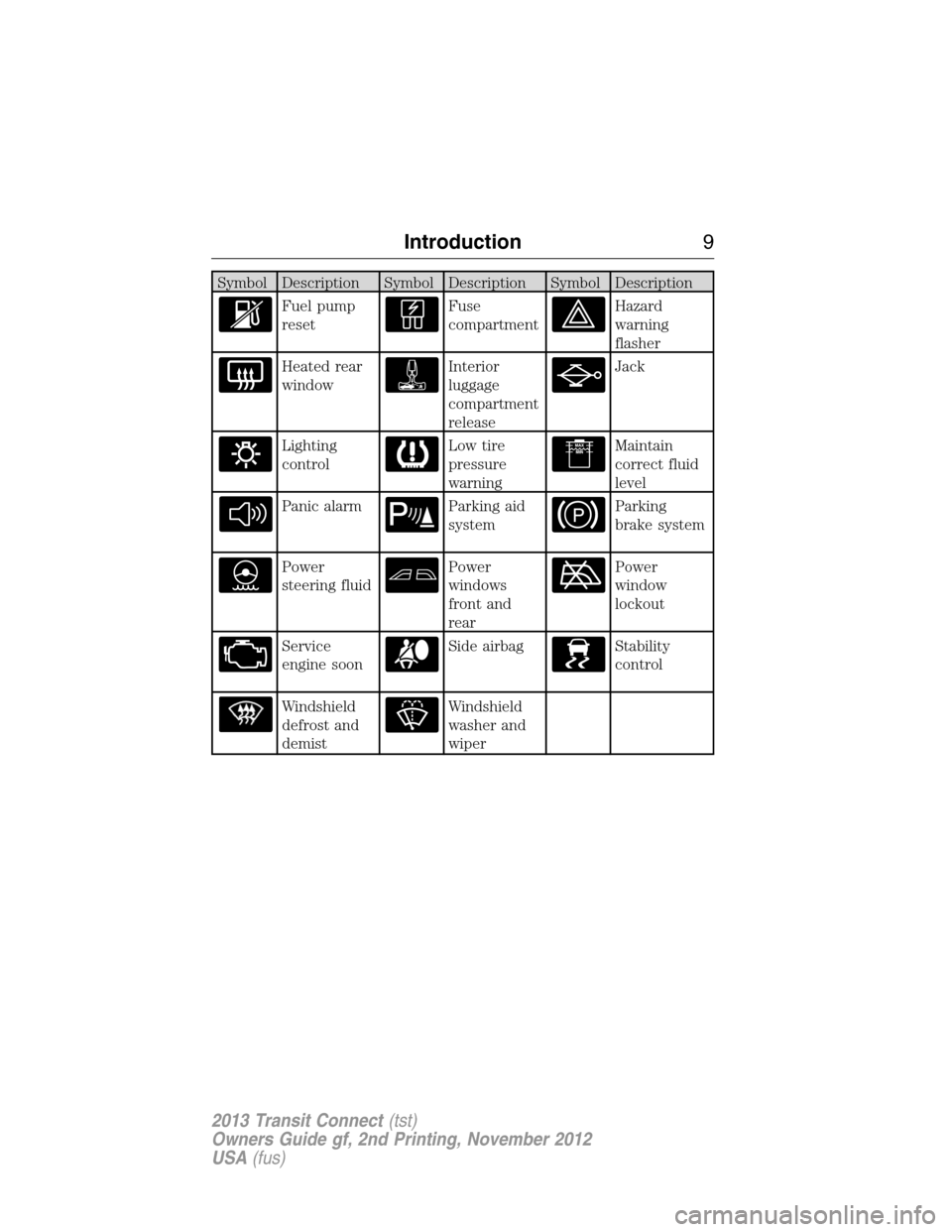
Symbol Description Symbol Description Symbol Description
Fuel pump
resetFuse
compartmentHazard
warning
flasher
Heated rear
windowInterior
luggage
compartment
releaseJack
Lighting
controlLow tire
pressure
warningMaintain
correct fluid
level
Panic alarmParking aid
systemParking
brake system
Power
steering fluidPower
windows
front and
rearPower
window
lockout
Service
engine soonSide airbagStability
control
Windshield
defrost and
demistWindshield
washer and
wiper
Introduction9
2013 Transit Connect(tst)
Owners Guide gf, 2nd Printing, November 2012
USA(fus)
Page 70 of 321
WINDSHIELD WASHERS
Note:Do not operate the washers when the washer reservoir is empty.
This may cause the washer pump to overheat.
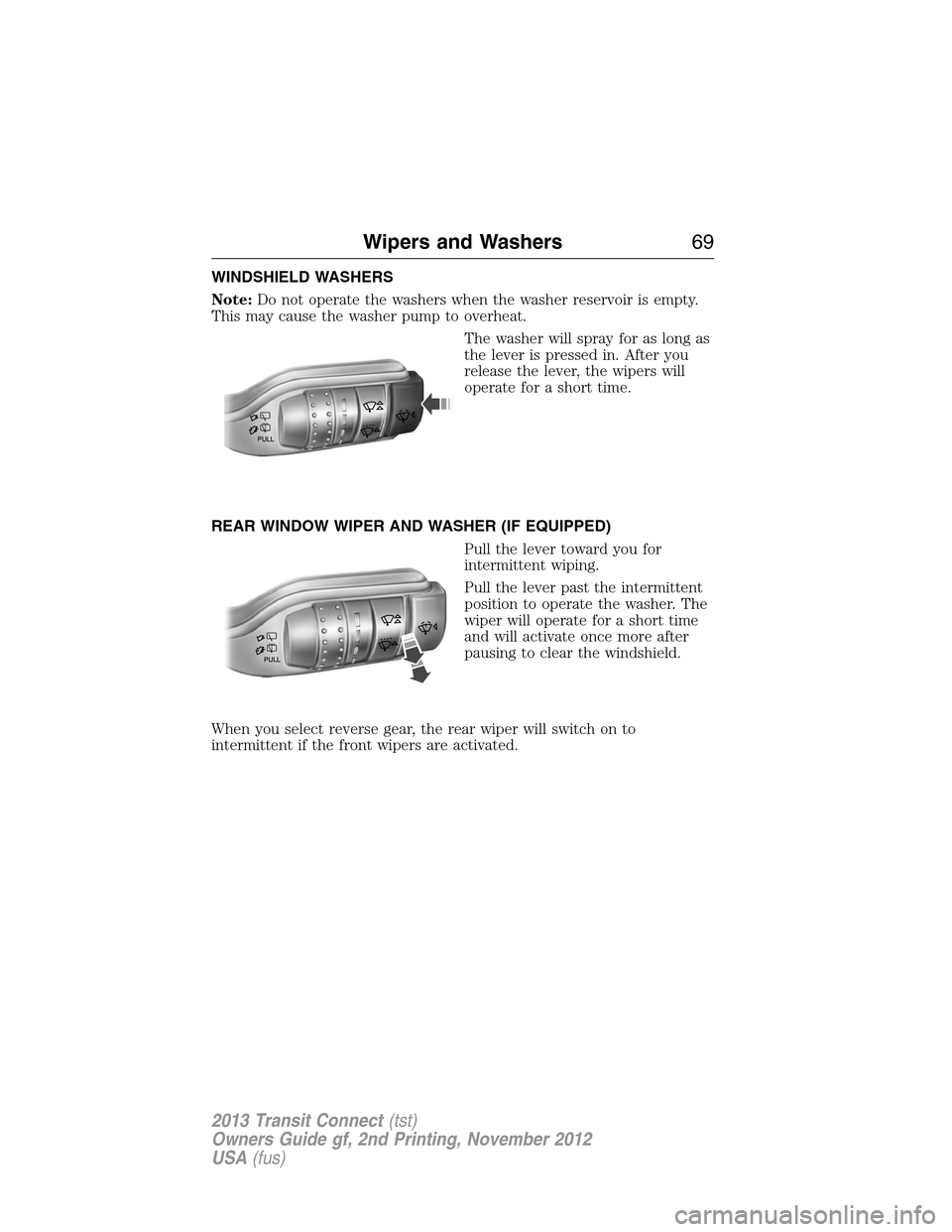
The washer will spray for as long as
the lever is pressed in. After you
release the lever, the wipers will
operate for a short time.
REAR WINDOW WIPER AND WASHER (IF EQUIPPED)
Pull the lever toward you for
intermittent wiping.
Pull the lever past the intermittent
position to operate the washer. The
wiper will operate for a short time
and will activate once more after
pausing to clear the windshield.
When you select reverse gear, the rear wiper will switch on to
intermittent if the front wipers are activated.
Wipers and Washers69
2013 Transit Connect(tst)
Owners Guide gf, 2nd Printing, November 2012
USA(fus)
Page 75 of 321
POWER WINDOWS (IF EQUIPPED)
WARNING:Do not leave children unattended in your vehicle
and do not let children play with the power windows. They may
seriously injure themselves.
WARNING:When closing the power windows, you should verify
they are free of obstructions and make sure that children and
pets are not in the proximity of the window openings.
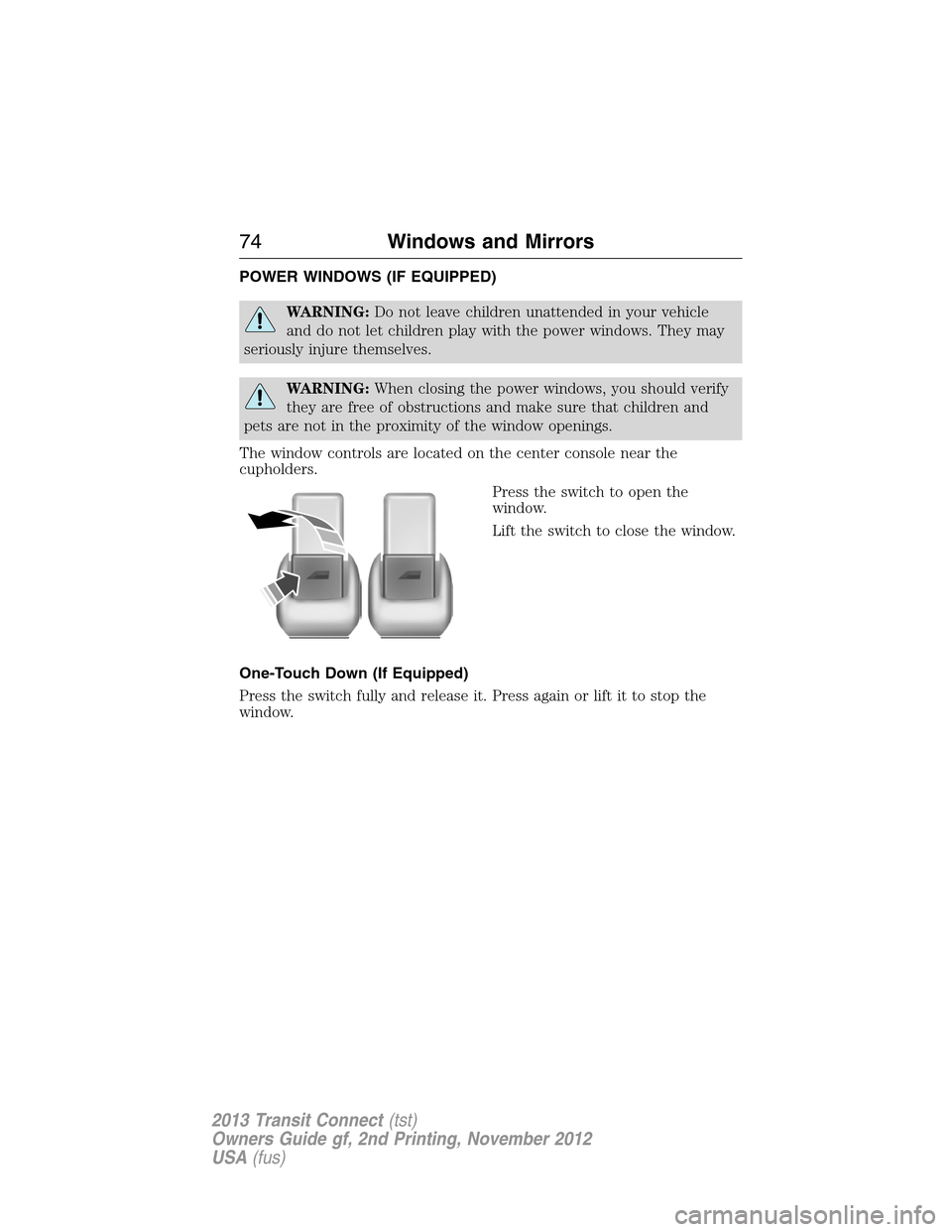
The window controls are located on the center console near the
cupholders.
Press the switch to open the
window.
Lift the switch to close the window.
One-Touch Down (If Equipped)
Press the switch fully and release it. Press again or lift it to stop the
window.
74Windows and Mirrors
2013 Transit Connect(tst)
Owners Guide gf, 2nd Printing, November 2012
USA(fus)
Page 76 of 321
EXTERIOR MIRRORS
Power Exterior Mirrors (If Equipped)
WARNING:Do not adjust the mirror while your vehicle is in
motion.
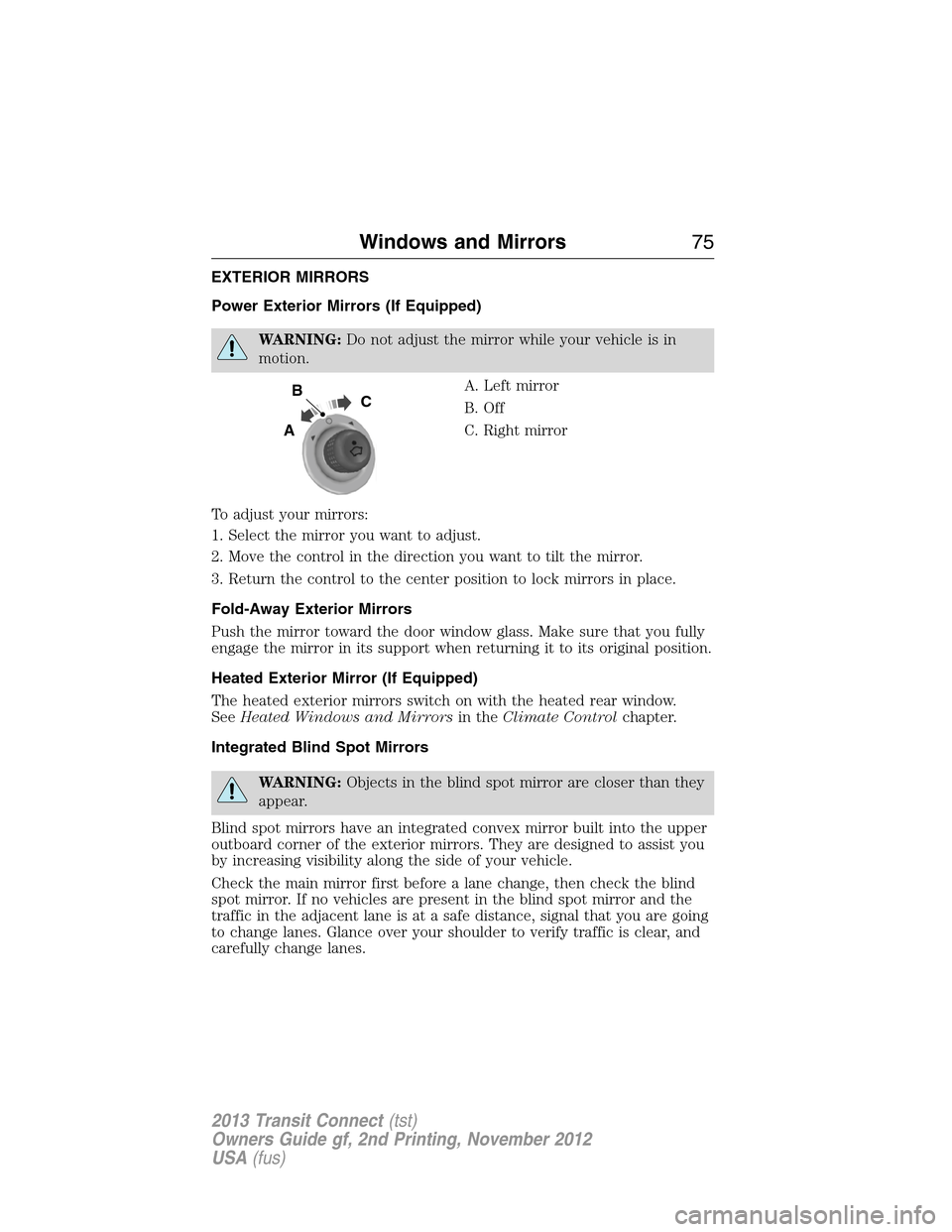
A. Left mirror
B. Off
C. Right mirror
To adjust your mirrors:
1. Select the mirror you want to adjust.
2. Move the control in the direction you want to tilt the mirror.
3. Return the control to the center position to lock mirrors in place.
Fold-Away Exterior Mirrors
Push the mirror toward the door window glass. Make sure that you fully
engage the mirror in its support when returning it to its original position.
Heated Exterior Mirror (If Equipped)
The heated exterior mirrors switch on with the heated rear window.
SeeHeated Windows and Mirrorsin theClimate Controlchapter.
Integrated Blind Spot Mirrors
WARNING:Objects in the blind spot mirror are closer than they
appear.
Blind spot mirrors have an integrated convex mirror built into the upper
outboard corner of the exterior mirrors. They are designed to assist you
by increasing visibility along the side of your vehicle.
Check the main mirror first before a lane change, then check the blind
spot mirror. If no vehicles are present in the blind spot mirror and the
traffic in the adjacent lane is at a safe distance, signal that you are going
to change lanes. Glance over your shoulder to verify traffic is clear, and
carefully change lanes.
B
A
C
Windows and Mirrors75
2013 Transit Connect(tst)
Owners Guide gf, 2nd Printing, November 2012
USA(fus)
Page 77 of 321
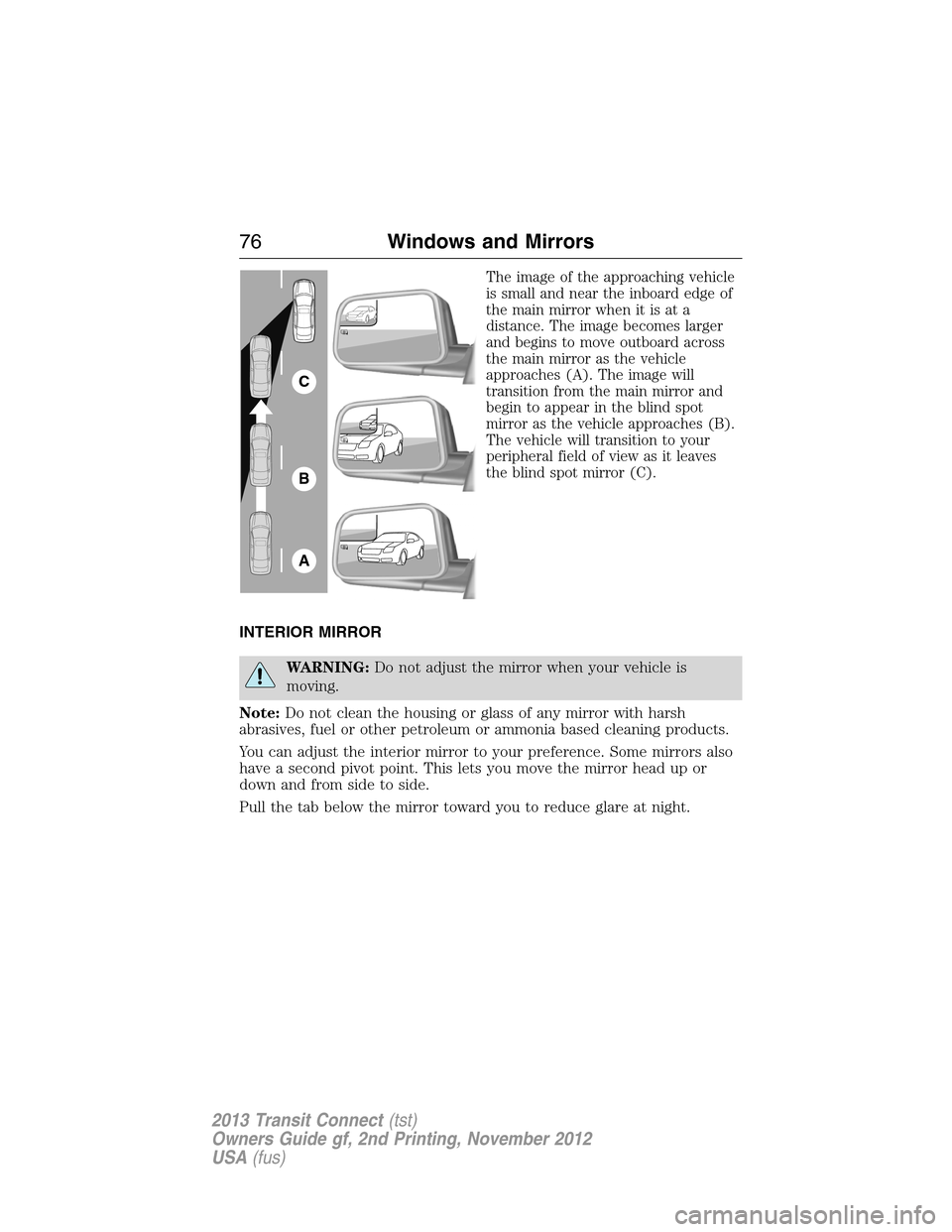
The image of the approaching vehicle
is small and near the inboard edge of
the main mirror when it is at a
distance. The image becomes larger
and begins to move outboard across
the main mirror as the vehicle
approaches (A). The image will
transition from the main mirror and
begin to appear in the blind spot
mirror as the vehicle approaches (B).
The vehicle will transition to your
peripheral field of view as it leaves
the blind spot mirror (C).
INTERIOR MIRROR
WARNING:Do not adjust the mirror when your vehicle is
moving.
Note:Do not clean the housing or glass of any mirror with harsh
abrasives, fuel or other petroleum or ammonia based cleaning products.
You can adjust the interior mirror to your preference. Some mirrors also
have a second pivot point. This lets you move the mirror head up or
down and from side to side.
Pull the tab below the mirror toward you to reduce glare at night.
A
B
C
76Windows and Mirrors
2013 Transit Connect(tst)
Owners Guide gf, 2nd Printing, November 2012
USA(fus)
Page 78 of 321
Auto-Dimming Mirror (If Equipped)
Note:Do not block the sensors on the front and back of the mirror.
Mirror performance may be affected. A rear center passenger or raised
rear center head restraint may also block light from reaching the sensor.
The mirror will dim automatically to reduce glare when bright lights are
detected from behind your vehicle. It will automatically return to normal
reflection when you select reverse gear to make sure you have a clear
view when backing up.
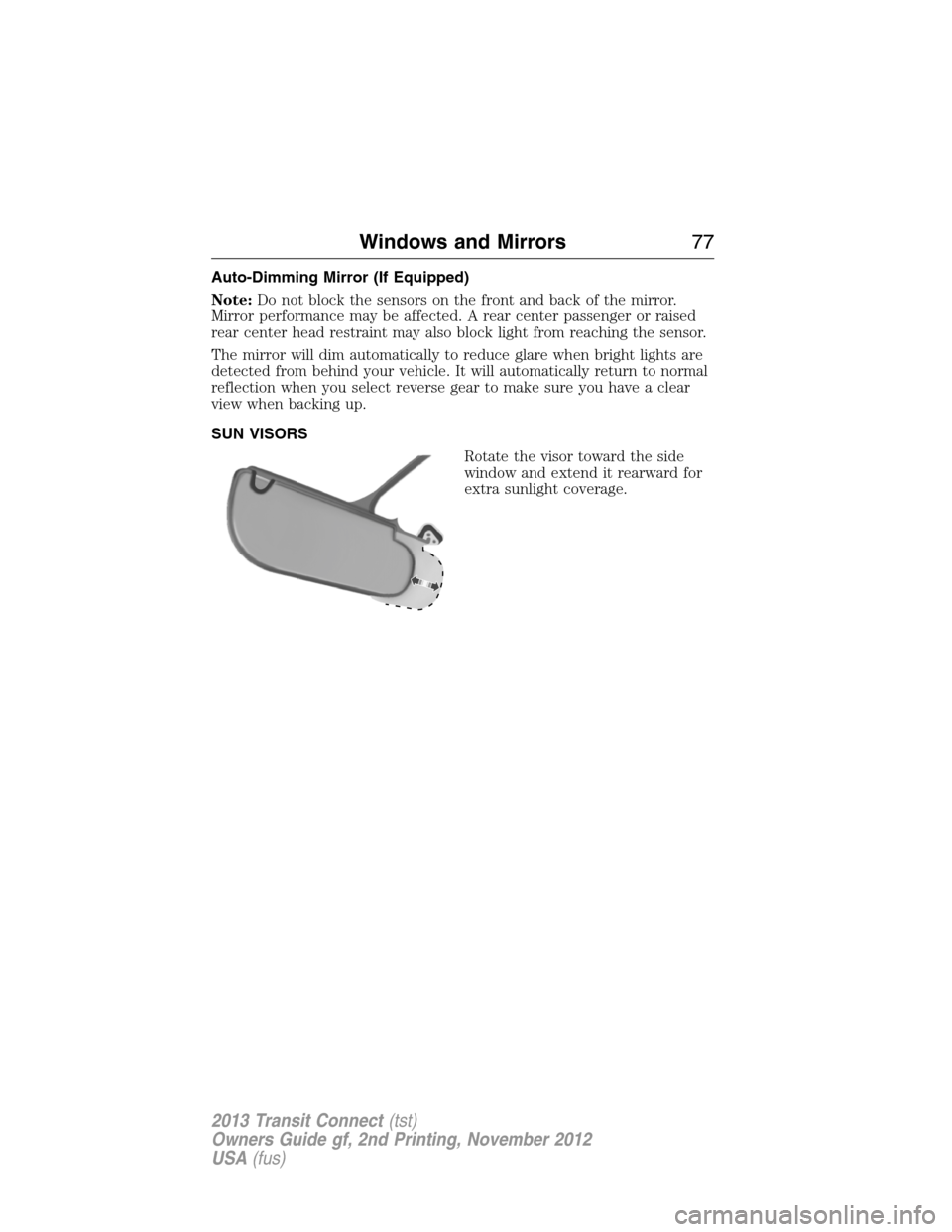
SUN VISORS
Rotate the visor toward the side
window and extend it rearward for
extra sunlight coverage.
Windows and Mirrors77
2013 Transit Connect(tst)
Owners Guide gf, 2nd Printing, November 2012
USA(fus)
Page 96 of 321
D.Recirculated air:Press to switch between outside air and
recirculated air. When you select recirculated air, the button illuminates
and the air currently in the passenger compartment recirculates. This
can reduce the time needed to cool the interior and reduce unwanted
odors from entering your vehicle.
E.Air conditioning:Press to switch the air conditioning off and on.
Air conditioning cools your vehicle using outside air. To improve air
conditioning when starting your vehicle, drive with the windows slightly
open for two to three minutes.
If you select recirculated air and A/C, the system distributes recirculated
air through the instrument panel air vents. This mode is more
economical and efficient than normal air conditioning.
AUXILIARY CLIMATE CONTROL (IF EQUIPPED)
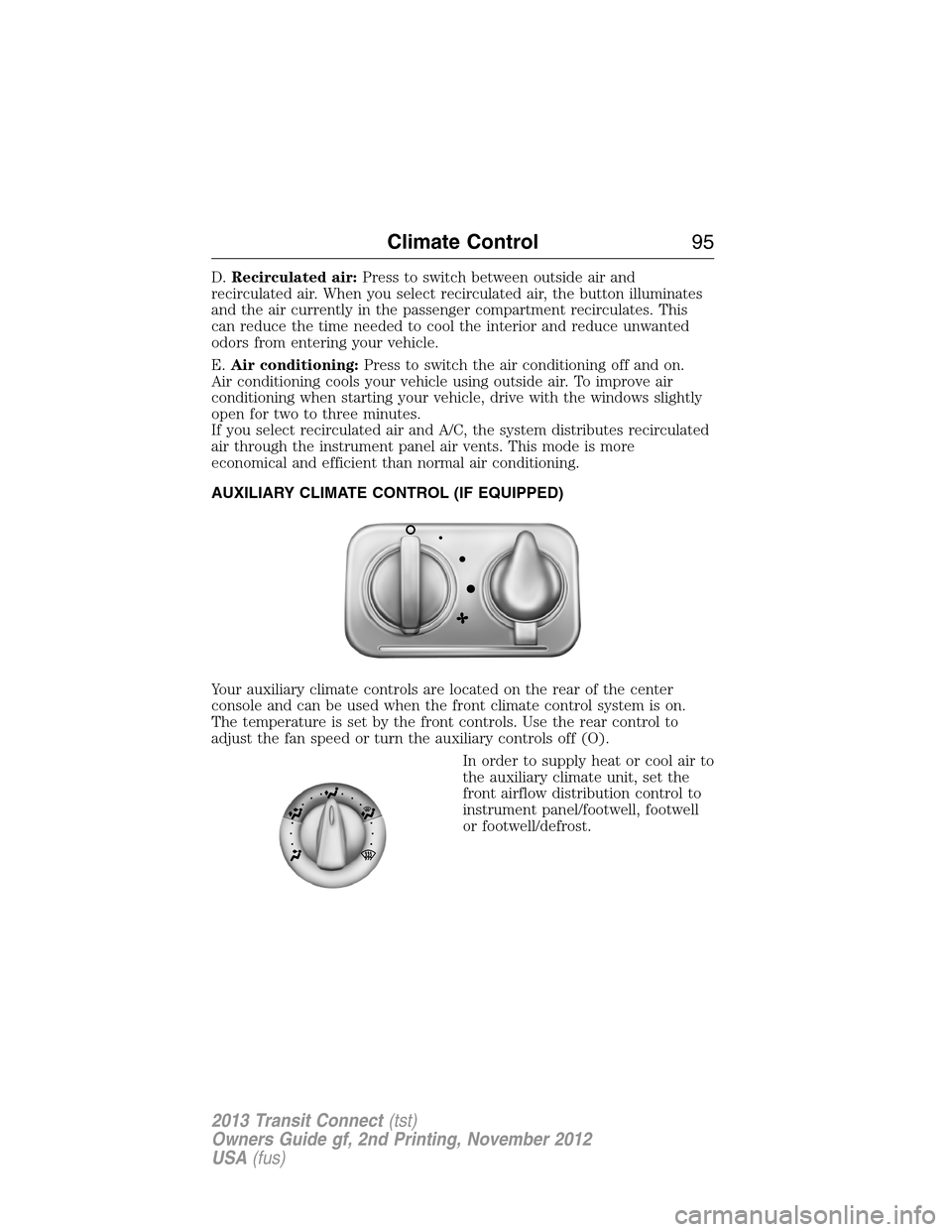
Your auxiliary climate controls are located on the rear of the center
console and can be used when the front climate control system is on.
The temperature is set by the front controls. Use the rear control to
adjust the fan speed or turn the auxiliary controls off (O).
In order to supply heat or cool air to
the auxiliary climate unit, set the
front airflow distribution control to
instrument panel/footwell, footwell
or footwell/defrost.
Climate Control95
2013 Transit Connect(tst)
Owners Guide gf, 2nd Printing, November 2012
USA(fus)
Page 97 of 321
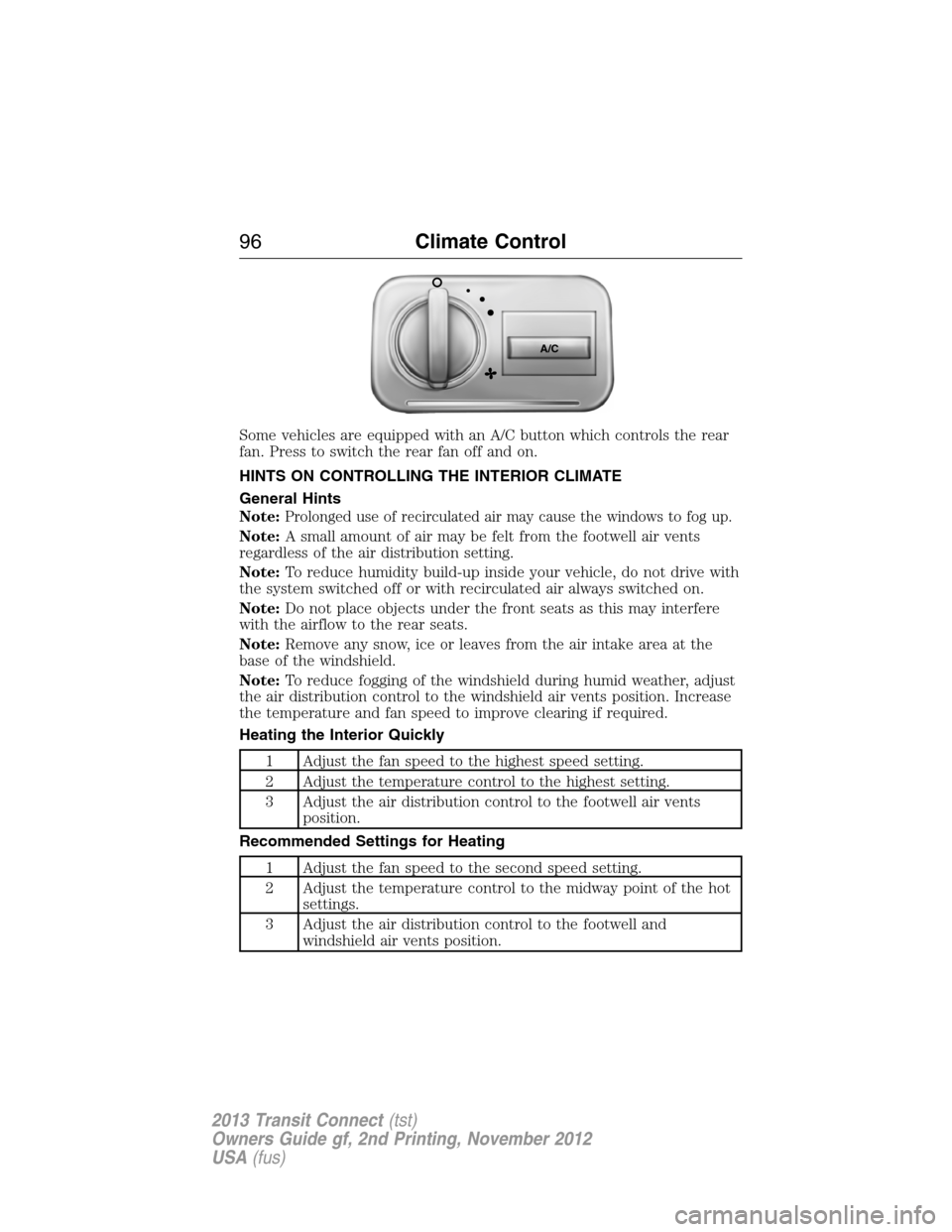
Some vehicles are equipped with an A/C button which controls the rear
fan. Press to switch the rear fan off and on.
HINTS ON CONTROLLING THE INTERIOR CLIMATE
General Hints
Note:
Prolonged use of recirculated air may cause the windows to fog up.
Note:A small amount of air may be felt from the footwell air vents
regardless of the air distribution setting.
Note:To reduce humidity build-up inside your vehicle, do not drive with
the system switched off or with recirculated air always switched on.
Note:Do not place objects under the front seats as this may interfere
with the airflow to the rear seats.
Note:Remove any snow, ice or leaves from the air intake area at the
base of the windshield.
Note:To reduce fogging of the windshield during humid weather, adjust
the air distribution control to the windshield air vents position. Increase
the temperature and fan speed to improve clearing if required.
Heating the Interior Quickly
1 Adjust the fan speed to the highest speed setting.
2 Adjust the temperature control to the highest setting.
3 Adjust the air distribution control to the footwell air vents
position.
Recommended Settings for Heating
1 Adjust the fan speed to the second speed setting.
2 Adjust the temperature control to the midway point of the hot
settings.
3 Adjust the air distribution control to the footwell and
windshield air vents position.
A/C
96Climate Control
2013 Transit Connect(tst)
Owners Guide gf, 2nd Printing, November 2012
USA(fus)