alarm FORD TRANSIT CONNECT 2014 2.G Owners Manual
[x] Cancel search | Manufacturer: FORD, Model Year: 2014, Model line: TRANSIT CONNECT, Model: FORD TRANSIT CONNECT 2014 2.GPages: 411, PDF Size: 6.62 MB
Page 4 of 411
Introduction
About This Manual...........................................7
Symbols Glossary
.............................................7
Data Recording
..................................................9
California Proposition 65..............................11
Perchlorate.........................................................11
Ford Credit
..........................................................11
Replacement Parts Recommendation
........................................11
Special Notices................................................12
Mobile Communications Equipment.....................................................12
Export Unique Options
..................................12
Child Safety
General Information
.......................................13
Installing Child Seats
.....................................14
Booster Seats
..................................................20
Child Seat Positioning...................................22
Child Safety Locks
.........................................24
Safety Belts
Principle of Operation
...................................25
Fastening the Safety Belts
..........................26
Safety Belt Height Adjustment.................28
Safety Belt Warning Lamp and Indicator Chime.............................................................29
Safety Belt Minder.........................................29
Child Restraint and Safety Belt Maintenance
.................................................31
Personal Safety System ™
Personal Safety System ™
..........................32
Supplementary Restraints System
Principle of Operation...................................33
Driver and Passenger Airbags...................34
Front Passenger Sensing System............35
Safety Canopy ™
............................................38Crash Sensors and Airbag Indicator........39
Airbag Disposal..............................................40
Keys and Remote Controls
General Information on Radio
Frequencies...................................................41
Remote Control...............................................41
Replacing a Lost Key or Remote Control...........................................................42
MyKey ™
Principle of Operation..................................43
Creating a MyKey
............................................43
Clearing All MyKeys.......................................44
Checking MyKey System Status..............46
Using MyKey With Remote Start Systems.........................................................47
MyKey Troubleshooting
...............................47
Locks
Locking and Unlocking
................................48
Manual Liftgate
...............................................52
Security
Passive Anti-Theft System.........................53
Anti-Theft Alarm
............................................54
Steering Wheel
Adjusting the Steering Wheel
....................55
Audio Control
...................................................55
Voice Control
...................................................56
Cruise Control..................................................56
Information Display Control.......................57
Wipers and Washers
Windshield Wipers........................................58
Autowipers.......................................................58
Windshield Washers.....................................59
Rear Window Wiper and Washers...........59
1
Tourneo Connect/Transit Connect (CHC) Canada/United States of America, enUSA, Edition date: 07/2013 Table of Contents
Page 12 of 411
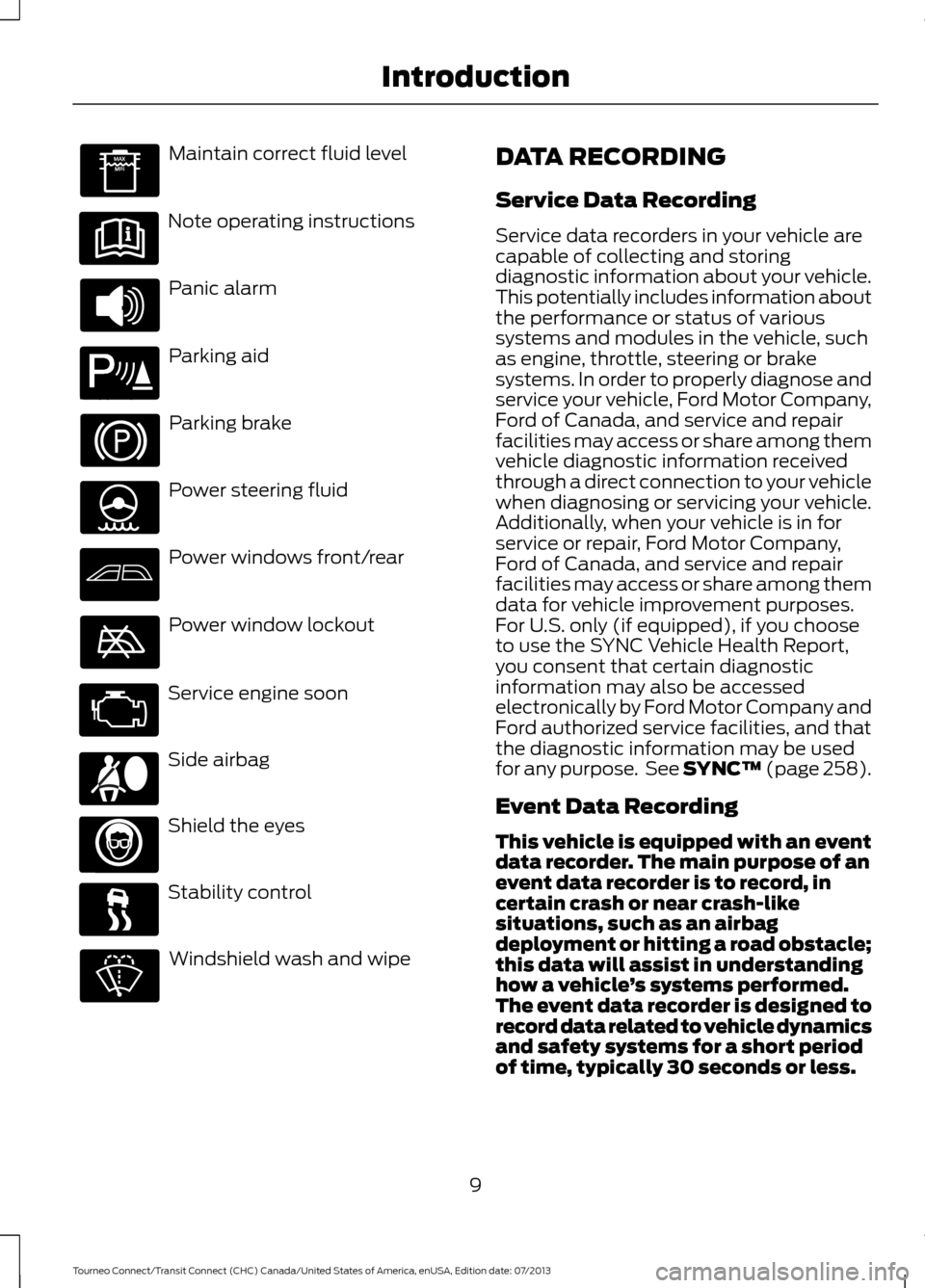
Maintain correct fluid level
Note operating instructions
Panic alarm
Parking aid
Parking brake
Power steering fluid
Power windows front/rear
Power window lockout
Service engine soon
Side airbag
Shield the eyes
Stability control
Windshield wash and wipe DATA RECORDING
Service Data Recording
Service data recorders in your vehicle are
capable of collecting and storing
diagnostic information about your vehicle.
This potentially includes information about
the performance or status of various
systems and modules in the vehicle, such
as engine, throttle, steering or brake
systems. In order to properly diagnose and
service your vehicle, Ford Motor Company,
Ford of Canada, and service and repair
facilities may access or share among them
vehicle diagnostic information received
through a direct connection to your vehicle
when diagnosing or servicing your vehicle.
Additionally, when your vehicle is in for
service or repair, Ford Motor Company,
Ford of Canada, and service and repair
facilities may access or share among them
data for vehicle improvement purposes.
For U.S. only (if equipped), if you choose
to use the SYNC Vehicle Health Report,
you consent that certain diagnostic
information may also be accessed
electronically by Ford Motor Company and
Ford authorized service facilities, and that
the diagnostic information may be used
for any purpose. See SYNC™ (page 258).
Event Data Recording
This vehicle is equipped with an event
data recorder. The main purpose of an
event data recorder is to record, in
certain crash or near crash-like
situations, such as an airbag
deployment or hitting a road obstacle;
this data will assist in understanding
how a vehicle
’s systems performed.
The event data recorder is designed to
record data related to vehicle dynamics
and safety systems for a short period
of time, typically 30 seconds or less.
9
Tourneo Connect/Transit Connect (CHC) Canada/United States of America, enUSA, Edition date: 07/2013 Introduction E139213 E167012
Page 44 of 411
GENERAL INFORMATION ON
RADIO FREQUENCIES
This device complies with Part 15 of the
FCC Rules and with Industry Canada
license-exempt RSS standard(s).
Operation is subject to the following two
conditions: (1) This device may not cause
harmful interference, and (2) This device
must accept any interference received,
including interference that may cause
undesired operation.
Note:
Changes or modifications not
expressively approved by the party
responsible for compliance could void the
user's authority to operate the equipment.
The term IC before the radio certification
number only signifies that Industry Canada
technical specifications were met.
The typical operating range for your
transmitter is approximately 33 feet (10
meters). Vehicles with the remote start
feature will have a greater range. One of
the following could cause a decrease in
operating range:
• weather conditions
• nearby radio towers
• structures around the vehicle
• other vehicles parked next to your
vehicle
The radio frequency used by your remote
control can also be used by other short
distance radio transmissions, for example
amateur radios, medical equipment,
wireless headphones, remote controls and
alarm systems. If the frequencies are
jammed, you will not be able to use your
remote control. You can lock and unlock
the doors with the key.
Note: Make sure to lock your vehicle before
leaving it unattended.
Note: If you are in range, the remote control
will operate if you press any button
unintentionally. REMOTE CONTROL
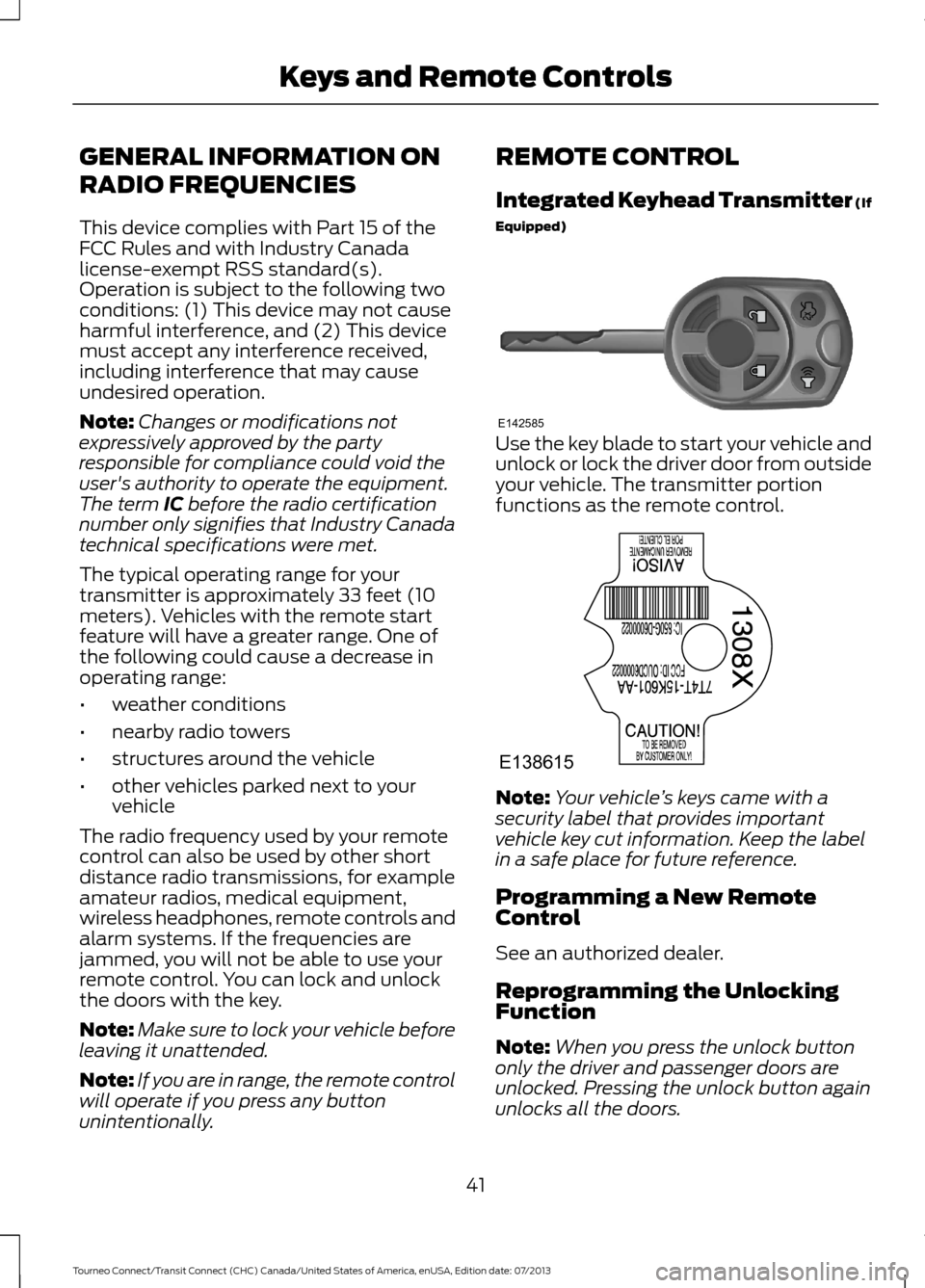
Integrated Keyhead Transmitter (If
Equipped)
Use the key blade to start your vehicle and
unlock or lock the driver door from outside
your vehicle. The transmitter portion
functions as the remote control.
Note:
Your vehicle ’s keys came with a
security label that provides important
vehicle key cut information. Keep the label
in a safe place for future reference.
Programming a New Remote
Control
See an authorized dealer.
Reprogramming the Unlocking
Function
Note: When you press the unlock button
only the driver and passenger doors are
unlocked. Pressing the unlock button again
unlocks all the doors.
41
Tourneo Connect/Transit Connect (CHC) Canada/United States of America, enUSA, Edition date: 07/2013 Keys and Remote ControlsE142585 E138615
Page 45 of 411
Press and hold the unlock and lock buttons
on the remote control simultaneously for
at least four seconds with the ignition off.
The direction indicators will flash twice to
confirm the change.
To return to the original unlocking function,
repeat the process.
Replacing the Battery
The remote control uses one coin type
three volt lithium battery CR2032 or
equivalent.
Note:
Refer to local regulations when
disposing of transmitter batteries.
Note: Do not wipe off any grease on the
battery terminals or on the back surface of
the circuit board.
Note: Replacing the battery will not delete
the transmitter from the vehicle. The
transmitter should operate normally.
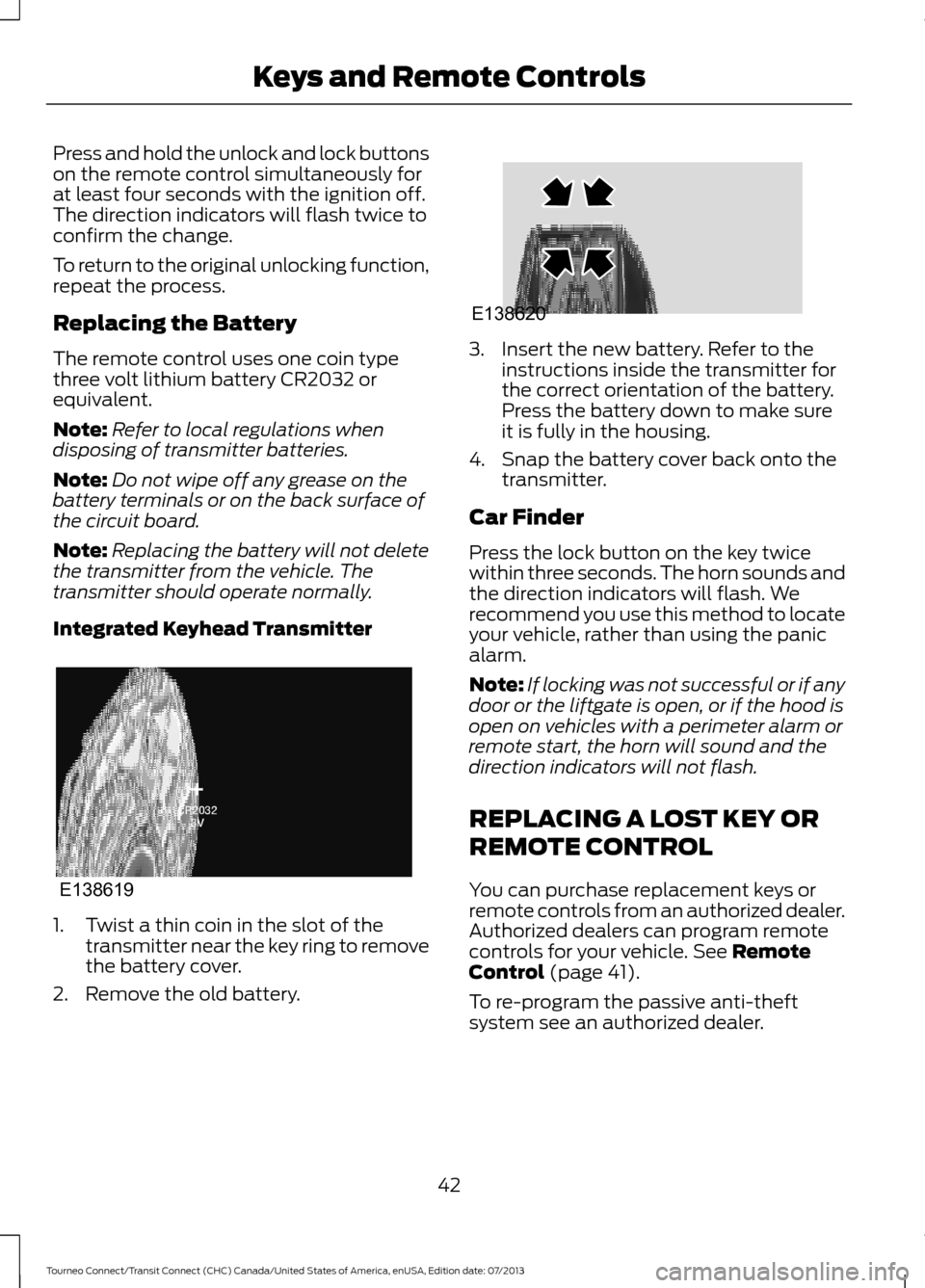
Integrated Keyhead Transmitter 1. Twist a thin coin in the slot of the
transmitter near the key ring to remove
the battery cover.
2. Remove the old battery. 3. Insert the new battery. Refer to the
instructions inside the transmitter for
the correct orientation of the battery.
Press the battery down to make sure
it is fully in the housing.
4. Snap the battery cover back onto the transmitter.
Car Finder
Press the lock button on the key twice
within three seconds. The horn sounds and
the direction indicators will flash. We
recommend you use this method to locate
your vehicle, rather than using the panic
alarm.
Note: If locking was not successful or if any
door or the liftgate is open, or if the hood is
open on vehicles with a perimeter alarm or
remote start, the horn will sound and the
direction indicators will not flash.
REPLACING A LOST KEY OR
REMOTE CONTROL
You can purchase replacement keys or
remote controls from an authorized dealer.
Authorized dealers can program remote
controls for your vehicle. See Remote
Control (page 41).
To re-program the passive anti-theft
system see an authorized dealer.
42
Tourneo Connect/Transit Connect (CHC) Canada/United States of America, enUSA, Edition date: 07/2013 Keys and Remote ControlsE138619 E138620
Page 51 of 411
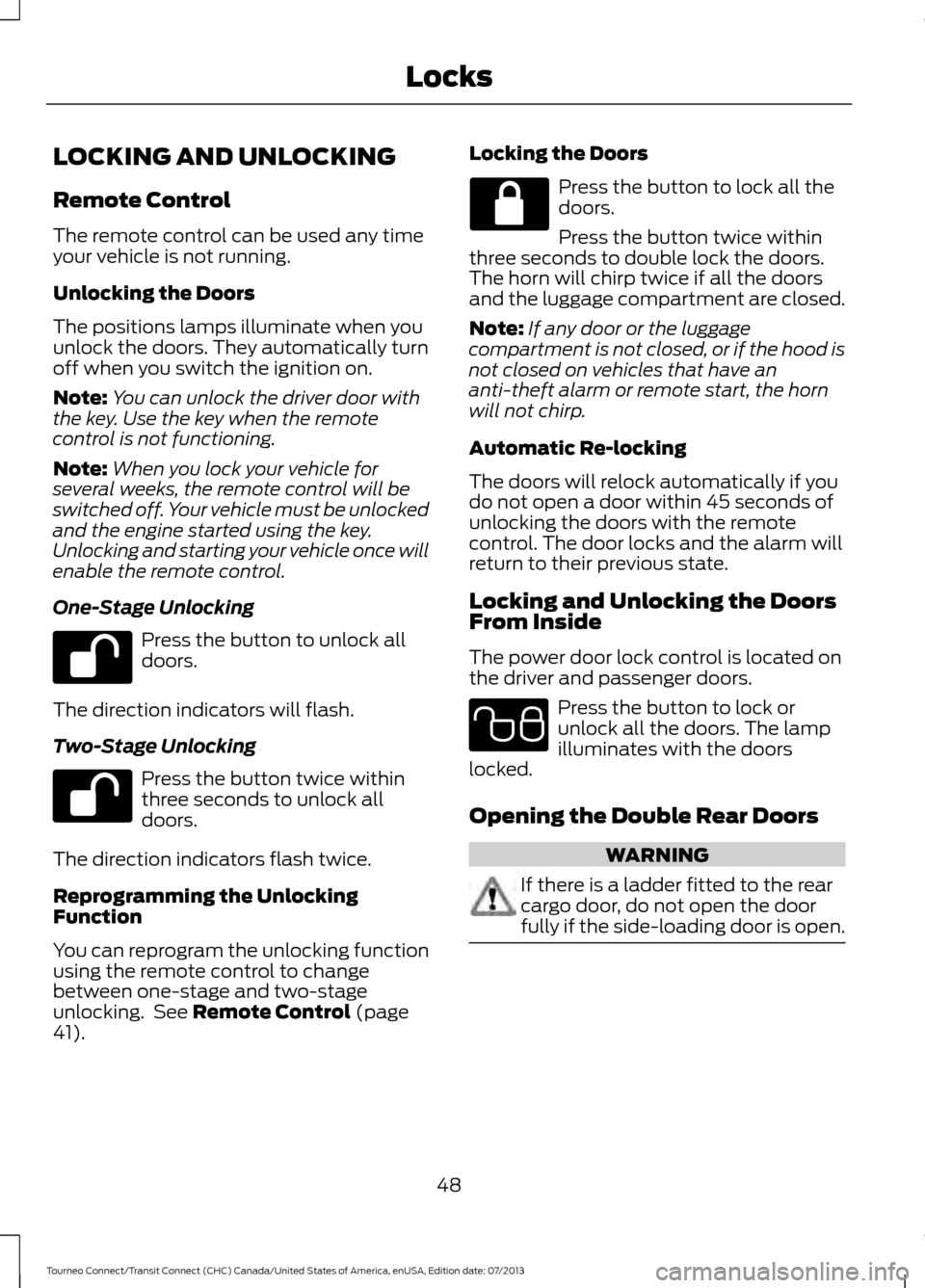
LOCKING AND UNLOCKING
Remote Control
The remote control can be used any time
your vehicle is not running.
Unlocking the Doors
The positions lamps illuminate when you
unlock the doors. They automatically turn
off when you switch the ignition on.
Note:
You can unlock the driver door with
the key. Use the key when the remote
control is not functioning.
Note: When you lock your vehicle for
several weeks, the remote control will be
switched off. Your vehicle must be unlocked
and the engine started using the key.
Unlocking and starting your vehicle once will
enable the remote control.
One-Stage Unlocking Press the button to unlock all
doors.
The direction indicators will flash.
Two-Stage Unlocking Press the button twice within
three seconds to unlock all
doors.
The direction indicators flash twice.
Reprogramming the Unlocking
Function
You can reprogram the unlocking function
using the remote control to change
between one-stage and two-stage
unlocking. See Remote Control (page
41). Locking the Doors Press the button to lock all the
doors.
Press the button twice within
three seconds to double lock the doors.
The horn will chirp twice if all the doors
and the luggage compartment are closed.
Note: If any door or the luggage
compartment is not closed, or if the hood is
not closed on vehicles that have an
anti-theft alarm or remote start, the horn
will not chirp.
Automatic Re-locking
The doors will relock automatically if you
do not open a door within 45 seconds of
unlocking the doors with the remote
control. The door locks and the alarm will
return to their previous state.
Locking and Unlocking the Doors
From Inside
The power door lock control is located on
the driver and passenger doors. Press the button to lock or
unlock all the doors. The lamp
illuminates with the doors
locked.
Opening the Double Rear Doors WARNING
If there is a ladder fitted to the rear
cargo door, do not open the door
fully if the side-loading door is open.
48
Tourneo Connect/Transit Connect (CHC) Canada/United States of America, enUSA, Edition date: 07/2013 Locks E102566
Page 57 of 411
1.
Insert the first previously programmed
correctly coded key into the ignition.
2. Switch the ignition from off to on. Keep
the ignition on for at least three
seconds, but no more than 10 seconds.
3. Switch the ignition off and remove the
first correctly coded key from the
ignition.
4. After three seconds but within 10 seconds of switching the ignition off,
insert the second previously correctly
coded key into the ignition.
5. Switch the ignition from off to on. Keep
the ignition on for at least three
seconds, but no more than 10 seconds.
6. Switch the ignition off and remove the
second previously programmed
correctly coded key from the ignition.
7. After three seconds but within 10 seconds of switching the ignition off
and removing the previously
programmed correctly coded key,
insert the new unprogrammed key into
the ignition.
8. Switch the ignition from off to on. Keep
the ignition on for at least six seconds.
9. Remove the newly programmed correctly coded key from the ignition.
If the key has been successfully
programmed it will start the engine and
operate the remote entry system (if the
new key is an integrated keyhead
transmitter).
If the key was not successfully
programmed, wait 10 seconds and repeat
Steps 1 through 8. If you are still
unsuccessful, take your vehicle to an
authorized dealer.
Note: You can program a maximum of eight
coded keys to your vehicle. All eight can be
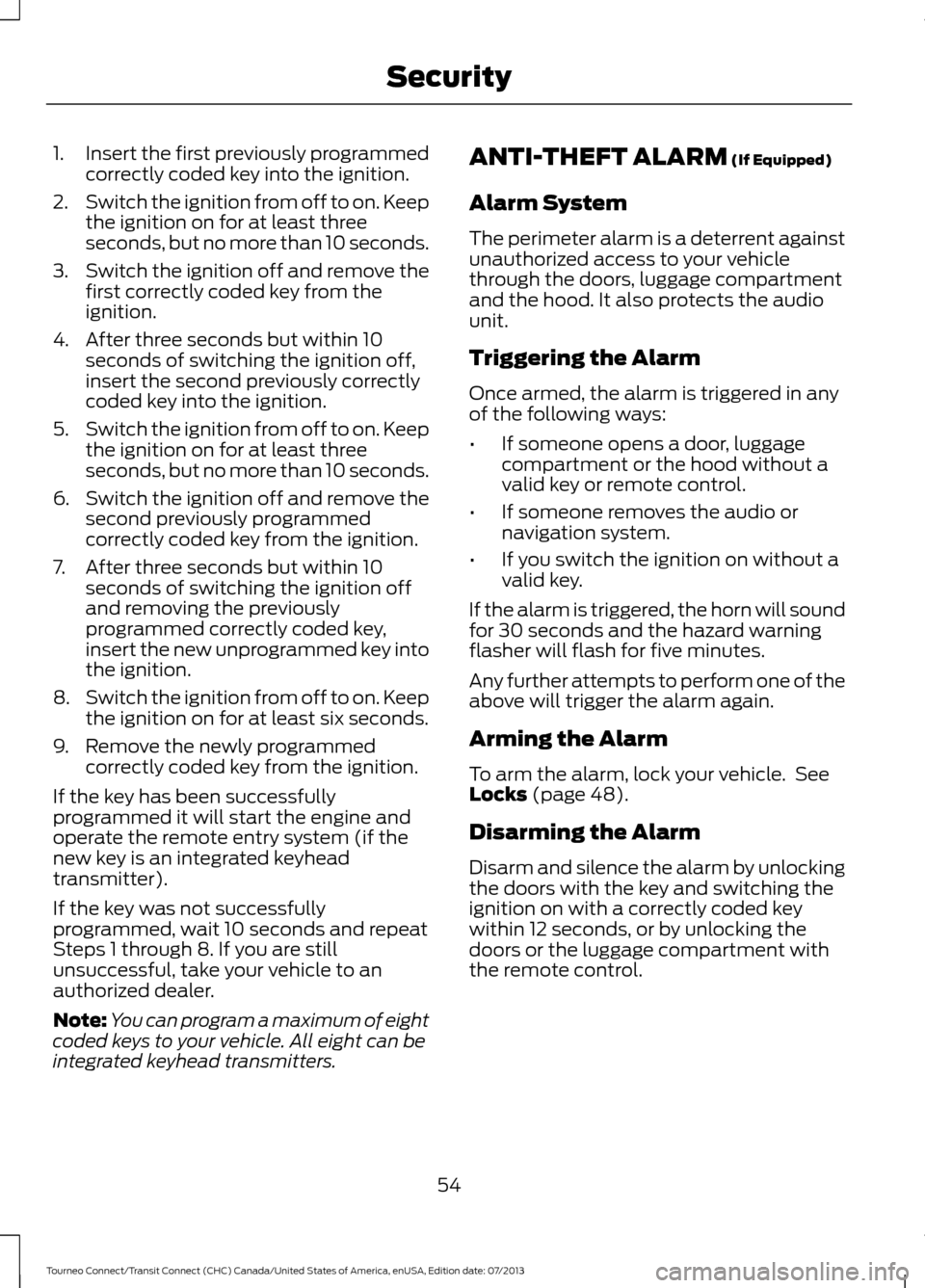
integrated keyhead transmitters. ANTI-THEFT ALARM (If Equipped)
Alarm System
The perimeter alarm is a deterrent against
unauthorized access to your vehicle
through the doors, luggage compartment
and the hood. It also protects the audio
unit.
Triggering the Alarm
Once armed, the alarm is triggered in any
of the following ways:
• If someone opens a door, luggage
compartment or the hood without a
valid key or remote control.
• If someone removes the audio or
navigation system.
• If you switch the ignition on without a
valid key.
If the alarm is triggered, the horn will sound
for 30 seconds and the hazard warning
flasher will flash for five minutes.
Any further attempts to perform one of the
above will trigger the alarm again.
Arming the Alarm
To arm the alarm, lock your vehicle. See
Locks
(page 48).
Disarming the Alarm
Disarm and silence the alarm by unlocking
the doors with the key and switching the
ignition on with a correctly coded key
within 12 seconds, or by unlocking the
doors or the luggage compartment with
the remote control.
54
Tourneo Connect/Transit Connect (CHC) Canada/United States of America, enUSA, Edition date: 07/2013 Security
Page 82 of 411
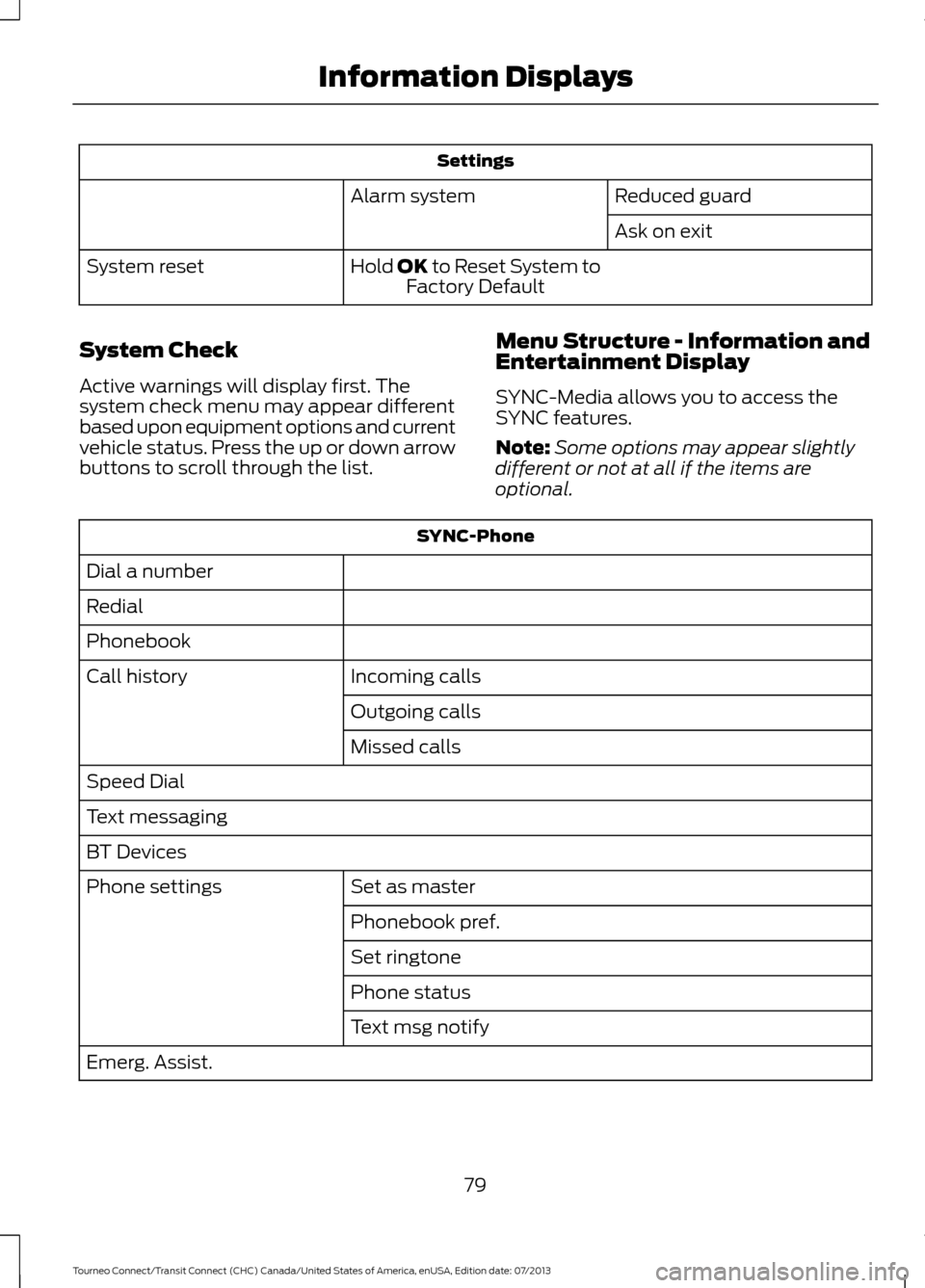
Settings
Reduced guard
Alarm system
Ask on exit
Hold OK to Reset System to Factory Default
System reset
System Check
Active warnings will display first. The
system check menu may appear different
based upon equipment options and current
vehicle status. Press the up or down arrow
buttons to scroll through the list. Menu Structure - Information and
Entertainment Display
SYNC-Media allows you to access the
SYNC features.
Note:
Some options may appear slightly
different or not at all if the items are
optional. SYNC-Phone
Dial a number
Redial
Phonebook Incoming calls
Call history
Outgoing calls
Missed calls
Speed Dial
Text messaging
BT Devices Set as master
Phone settings
Phonebook pref.
Set ringtone
Phone status
Text msg notify
Emerg. Assist.
79
Tourneo Connect/Transit Connect (CHC) Canada/United States of America, enUSA, Edition date: 07/2013 Information Displays
Page 83 of 411
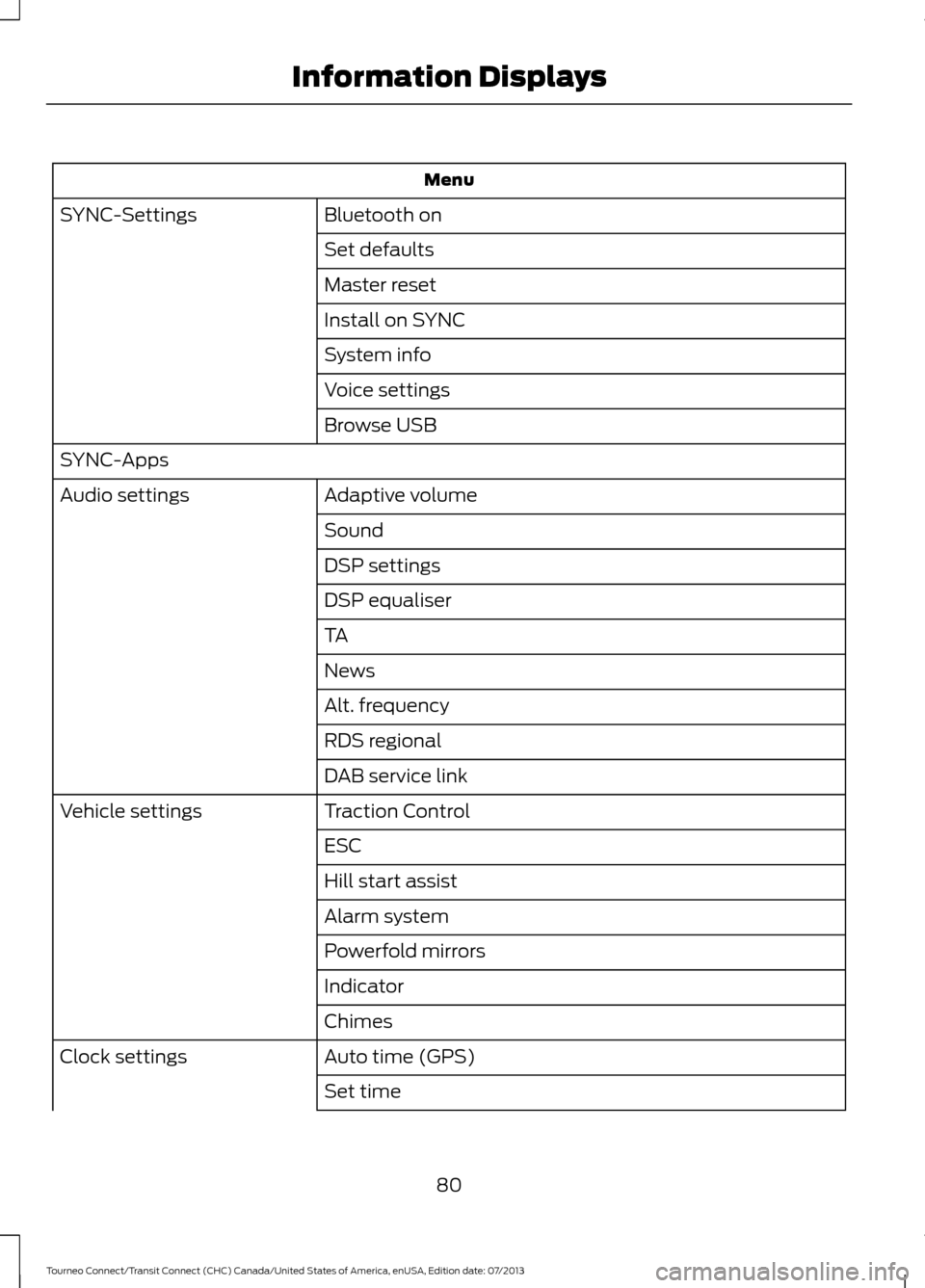
Menu
Bluetooth on
SYNC-Settings
Set defaults
Master reset
Install on SYNC
System info
Voice settings
Browse USB
SYNC-Apps Adaptive volume
Audio settings
Sound
DSP settings
DSP equaliser
TA
News
Alt. frequency
RDS regional
DAB service link
Traction Control
Vehicle settings
ESC
Hill start assist
Alarm system
Powerfold mirrors
Indicator
Chimes
Auto time (GPS)
Clock settings
Set time
80
Tourneo Connect/Transit Connect (CHC) Canada/United States of America, enUSA, Edition date: 07/2013 Information Displays
Page 85 of 411
INFORMATION MESSAGES
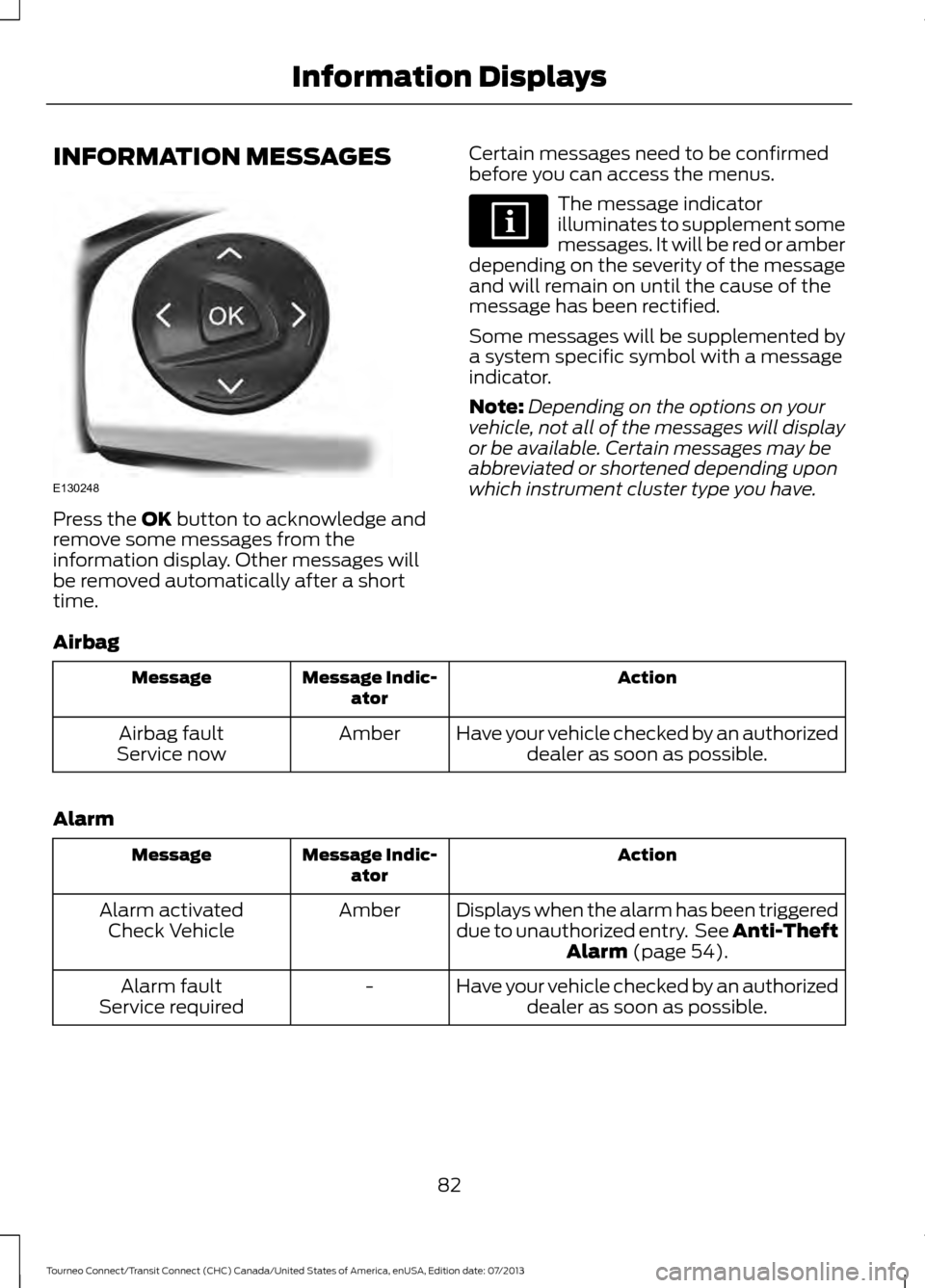
Press the OK button to acknowledge and
remove some messages from the
information display. Other messages will
be removed automatically after a short
time. Certain messages need to be confirmed
before you can access the menus. The message indicator
illuminates to supplement some
messages. It will be red or amber
depending on the severity of the message
and will remain on until the cause of the
message has been rectified.
Some messages will be supplemented by
a system specific symbol with a message
indicator.
Note: Depending on the options on your
vehicle, not all of the messages will display
or be available. Certain messages may be
abbreviated or shortened depending upon
which instrument cluster type you have.
Airbag Action
Message Indic-
ator
Message
Have your vehicle checked by an authorizeddealer as soon as possible.
Amber
Airbag fault
Service now
Alarm Action
Message Indic-
ator
Message
Displays when the alarm has been triggered
due to unauthorized entry. See Anti-TheftAlarm
(page 54).
Amber
Alarm activated
Check Vehicle
Have your vehicle checked by an authorizeddealer as soon as possible.
-
Alarm fault
Service required
82
Tourneo Connect/Transit Connect (CHC) Canada/United States of America, enUSA, Edition date: 07/2013 Information DisplaysE130248
Page 369 of 411
•
When adding accessories, equipment,
passengers and luggage to your
vehicle, do not exceed the total weight
capacity of the vehicle or of the front
or rear axle (GVWR or GAWR as
indicated on the Safety Compliance
Certification label). Ask an authorized
dealer for specific weight information.
• The Federal Communications
Commission (FCC) and Canadian
Radio Telecommunications
Commission (CRTC) regulate the use
of mobile communications systems
that are equipped with radio
transmitters, for example, two-way
radios, telephones and theft alarms.
Any such equipment installed in your
vehicle should comply with Federal
Communications Commission (FCC)
and Canadian Radio
Telecommunications Commission
(CRTC) regulations and should be
installed only by an authorized dealer.
• Mobile communications systems may
harm the operation of your vehicle,
particularly if they are not properly
designed for automotive use.
• To avoid interference with other vehicle
functions, for example anti-lock brake
systems, do not locate amateur radio
antennas in the area of the driver side
hood.
• If you or an authorized Ford dealer add
any non-Ford custom electrical or
electronic accessories or components
to your vehicle, you may adversely
affect battery performance and
durability, and may adversely affect
the performance of other electrical
systems in the vehicle.
366
Tourneo Connect/Transit Connect (CHC) Canada/United States of America, enUSA, Edition date: 07/2013 Accessories