wipers FORD TRANSIT CONNECT 2014 2.G Owners Manual
[x] Cancel search | Manufacturer: FORD, Model Year: 2014, Model line: TRANSIT CONNECT, Model: FORD TRANSIT CONNECT 2014 2.GPages: 411, PDF Size: 6.62 MB
Page 4 of 411
Introduction
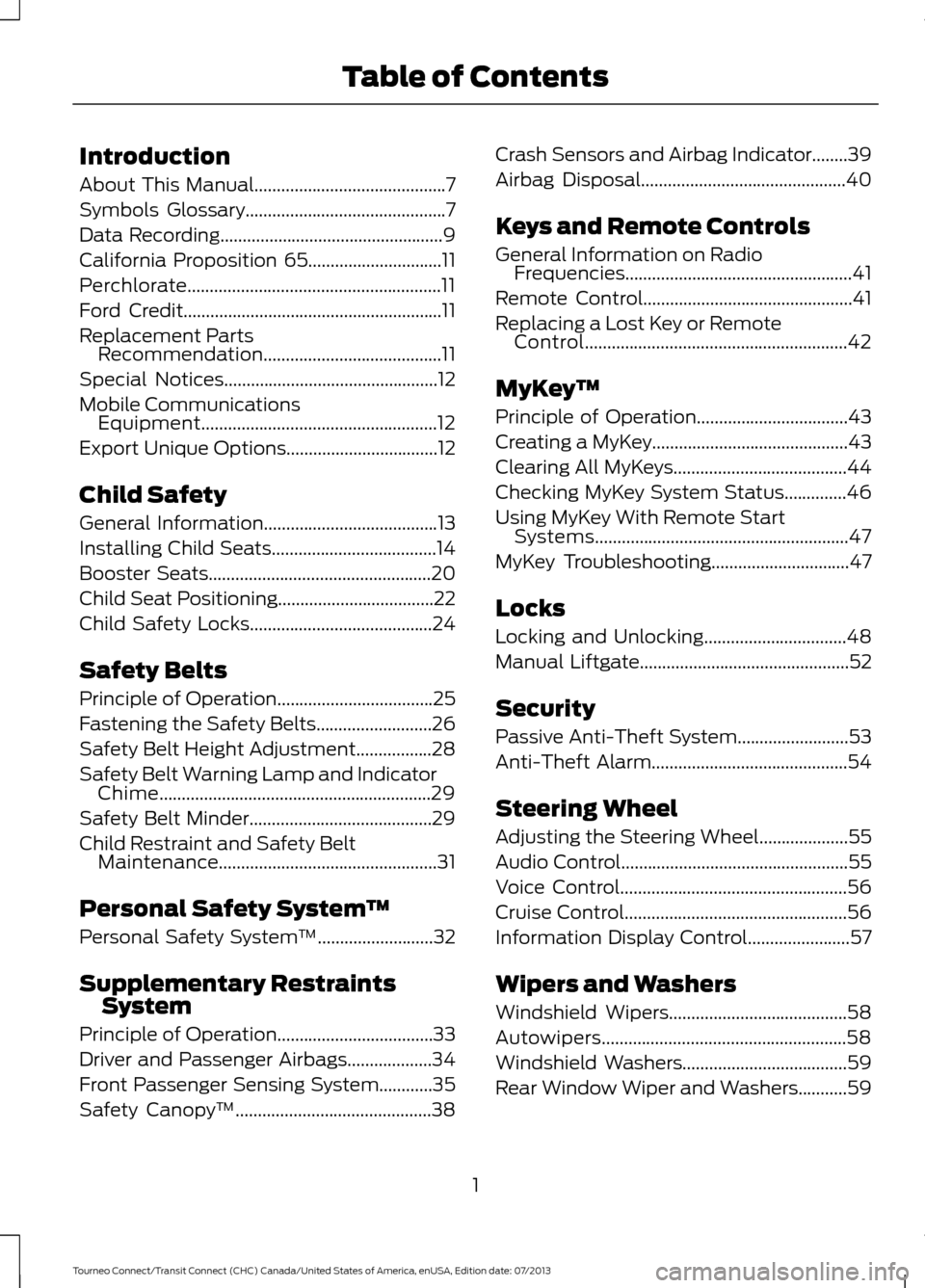
About This Manual...........................................7
Symbols Glossary
.............................................7
Data Recording
..................................................9
California Proposition 65..............................11
Perchlorate.........................................................11
Ford Credit
..........................................................11
Replacement Parts Recommendation
........................................11
Special Notices................................................12
Mobile Communications Equipment.....................................................12
Export Unique Options
..................................12
Child Safety
General Information
.......................................13
Installing Child Seats
.....................................14
Booster Seats
..................................................20
Child Seat Positioning...................................22
Child Safety Locks
.........................................24
Safety Belts
Principle of Operation
...................................25
Fastening the Safety Belts
..........................26
Safety Belt Height Adjustment.................28
Safety Belt Warning Lamp and Indicator Chime.............................................................29
Safety Belt Minder.........................................29
Child Restraint and Safety Belt Maintenance
.................................................31
Personal Safety System ™
Personal Safety System ™
..........................32
Supplementary Restraints System
Principle of Operation...................................33
Driver and Passenger Airbags...................34
Front Passenger Sensing System............35
Safety Canopy ™
............................................38Crash Sensors and Airbag Indicator........39
Airbag Disposal..............................................40
Keys and Remote Controls
General Information on Radio
Frequencies...................................................41
Remote Control...............................................41
Replacing a Lost Key or Remote Control...........................................................42
MyKey ™
Principle of Operation..................................43
Creating a MyKey
............................................43
Clearing All MyKeys.......................................44
Checking MyKey System Status..............46
Using MyKey With Remote Start Systems.........................................................47
MyKey Troubleshooting
...............................47
Locks
Locking and Unlocking
................................48
Manual Liftgate
...............................................52
Security
Passive Anti-Theft System.........................53
Anti-Theft Alarm
............................................54
Steering Wheel
Adjusting the Steering Wheel
....................55
Audio Control
...................................................55
Voice Control
...................................................56
Cruise Control..................................................56
Information Display Control.......................57
Wipers and Washers
Windshield Wipers........................................58
Autowipers.......................................................58
Windshield Washers.....................................59
Rear Window Wiper and Washers...........59
1
Tourneo Connect/Transit Connect (CHC) Canada/United States of America, enUSA, Edition date: 07/2013 Table of Contents
Page 61 of 411
WINDSHIELD WIPERS
Note:
Fully defrost the windshield before
you switch the windshield wipers on.
Note: Make sure you switch the windshield
wipers and ignition off before using an
automatic car wash.
Note: If streaks or smears appear on the
windshield, clean the windshield and the
wiper blades. If that does not resolve the
issue, install new wiper blades.
Note: Do not operate the wipers on a dry
windshield. This may scratch the glass,
damage the wiper blades or cause the wiper
motor to burn out. Always use the
windshield washers before wiping a dry
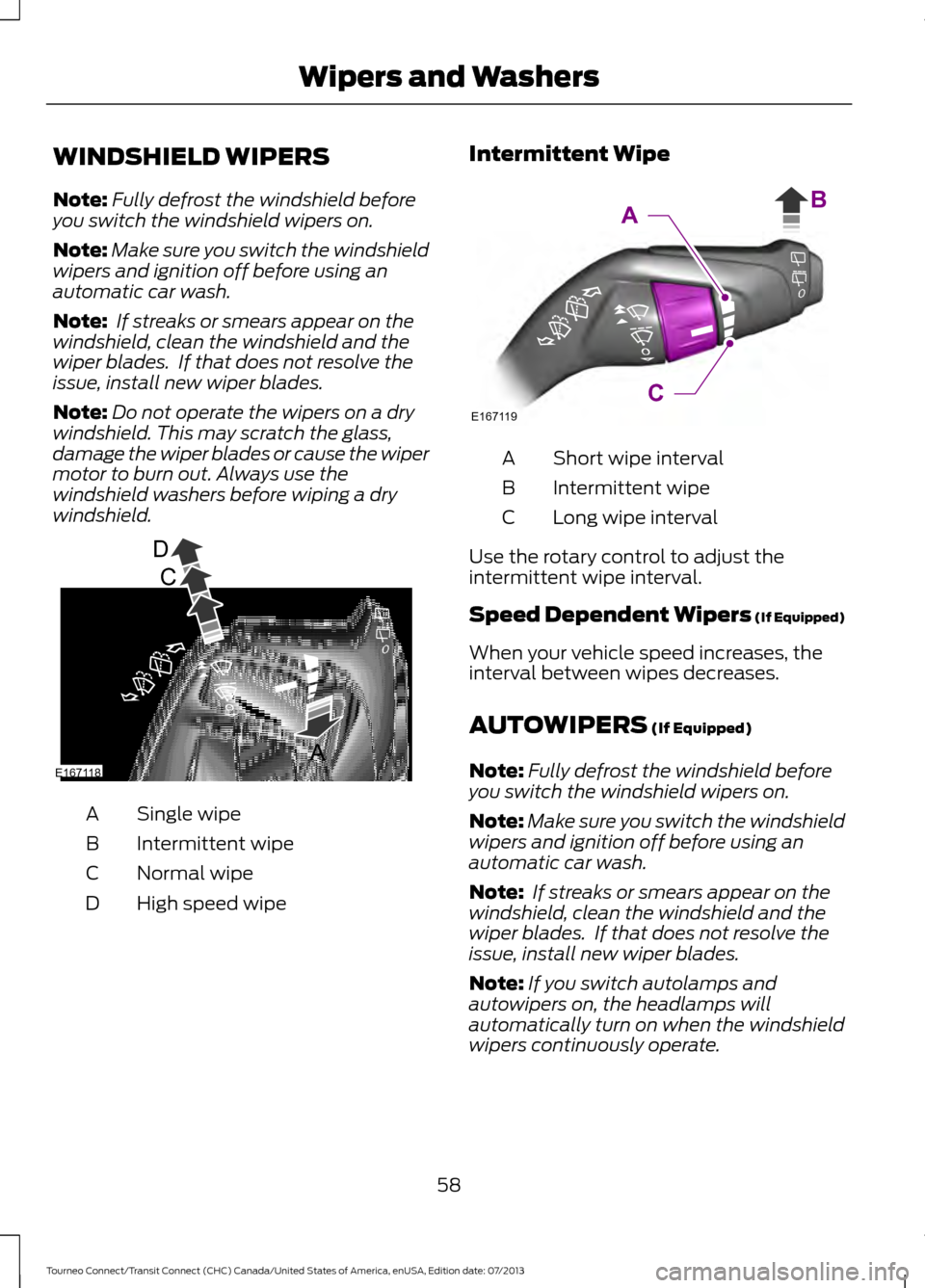
windshield. Single wipe
A
Intermittent wipe
B
Normal wipe
C
High speed wipe
D Intermittent Wipe Short wipe interval
A
Intermittent wipe
B
Long wipe interval
C
Use the rotary control to adjust the
intermittent wipe interval.
Speed Dependent Wipers (If Equipped)
When your vehicle speed increases, the
interval between wipes decreases.
AUTOWIPERS (If Equipped)
Note: Fully defrost the windshield before
you switch the windshield wipers on.
Note: Make sure you switch the windshield
wipers and ignition off before using an
automatic car wash.
Note: If streaks or smears appear on the
windshield, clean the windshield and the
wiper blades. If that does not resolve the
issue, install new wiper blades.
Note: If you switch autolamps and
autowipers on, the headlamps will
automatically turn on when the windshield
wipers continuously operate.
58
Tourneo Connect/Transit Connect (CHC) Canada/United States of America, enUSA, Edition date: 07/2013 Wipers and WashersD
C
A
BE167118 E167119C
AB
Page 62 of 411
Note:
During wet or winter driving
conditions with ice, snow or a salty road
mist, inconsistent or unexpected wiping or
smearing may occur.
In these conditions, you can do the
following:
• Lower the sensitivity of the autowipers
to reduce the amount of smearing on
the windshield.
• Switch to normal or high-speed wipe.
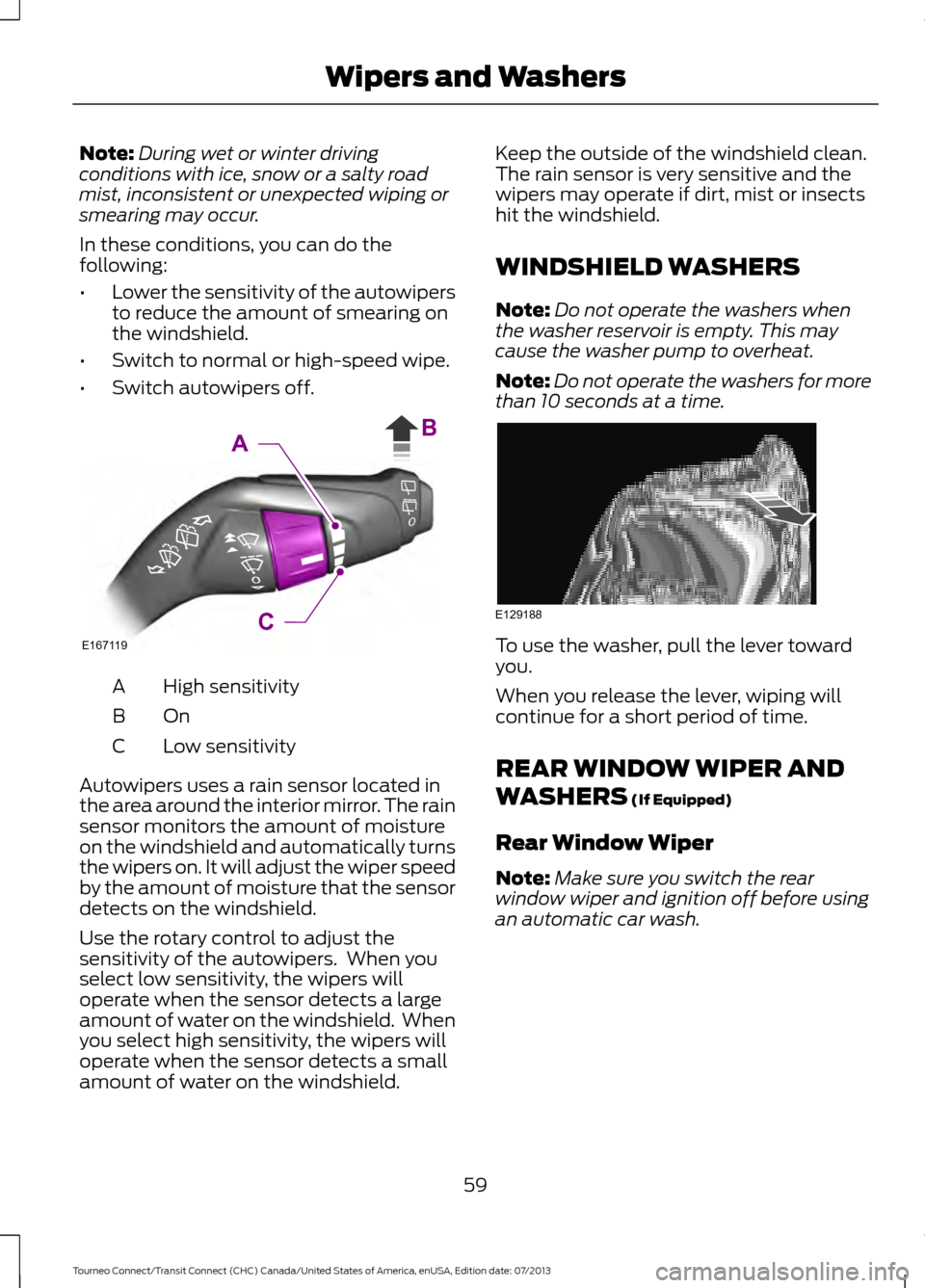
• Switch autowipers off. High sensitivity
A
OnB
Low sensitivity
C
Autowipers uses a rain sensor located in
the area around the interior mirror. The rain
sensor monitors the amount of moisture
on the windshield and automatically turns
the wipers on. It will adjust the wiper speed
by the amount of moisture that the sensor
detects on the windshield.
Use the rotary control to adjust the
sensitivity of the autowipers. When you
select low sensitivity, the wipers will
operate when the sensor detects a large
amount of water on the windshield. When
you select high sensitivity, the wipers will
operate when the sensor detects a small
amount of water on the windshield. Keep the outside of the windshield clean.
The rain sensor is very sensitive and the
wipers may operate if dirt, mist or insects
hit the windshield.
WINDSHIELD WASHERS
Note:
Do not operate the washers when
the washer reservoir is empty. This may
cause the washer pump to overheat.
Note: Do not operate the washers for more
than 10 seconds at a time. To use the washer, pull the lever toward
you.
When you release the lever, wiping will
continue for a short period of time.
REAR WINDOW WIPER AND
WASHERS (If Equipped)
Rear Window Wiper
Note: Make sure you switch the rear
window wiper and ignition off before using
an automatic car wash.
59
Tourneo Connect/Transit Connect (CHC) Canada/United States of America, enUSA, Edition date: 07/2013 Wipers and WashersE167119C
AB E129188
Page 63 of 411
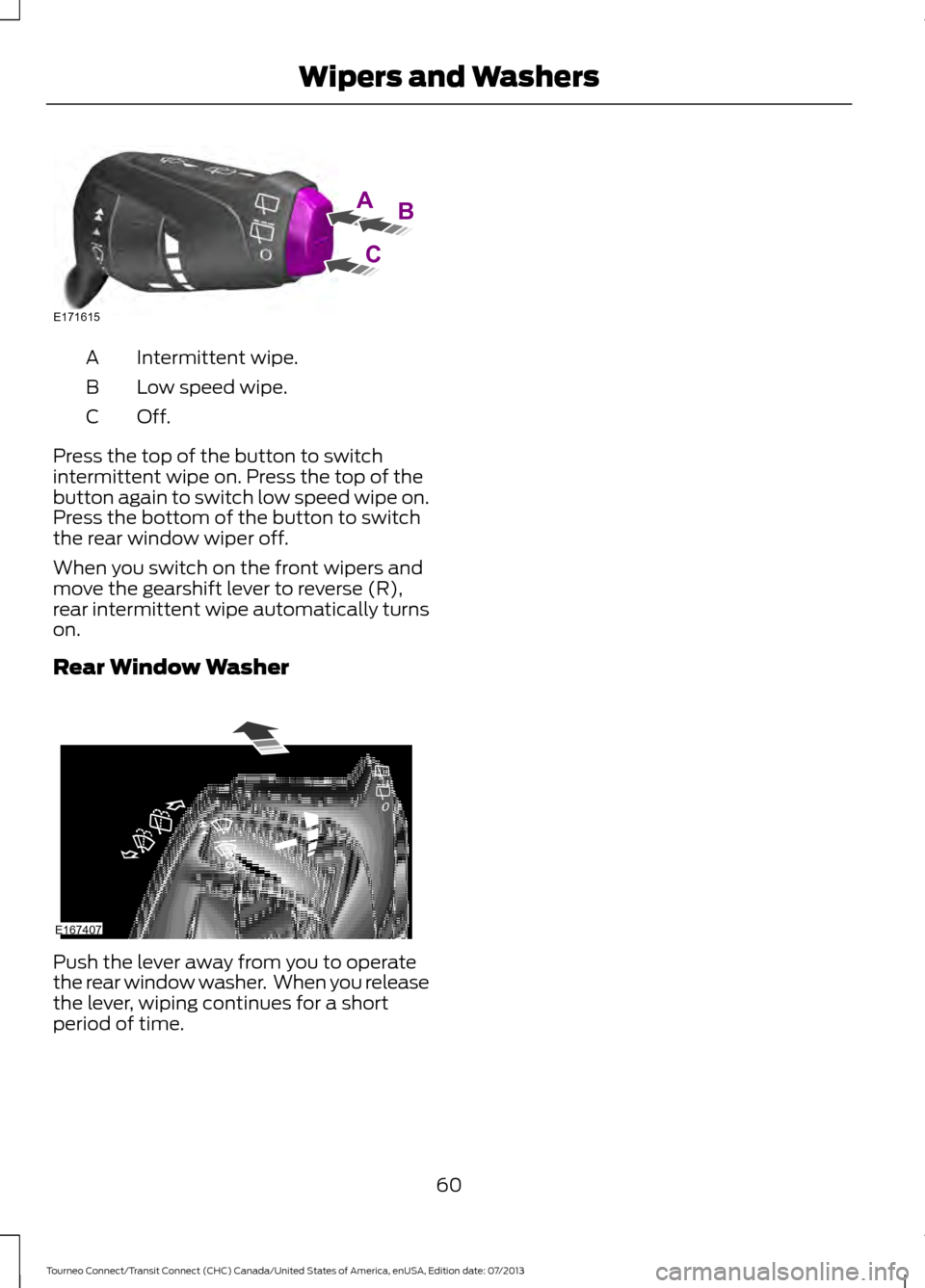
Intermittent wipe.
A
Low speed wipe.
B
Off.C
Press the top of the button to switch
intermittent wipe on. Press the top of the
button again to switch low speed wipe on.
Press the bottom of the button to switch
the rear window wiper off.
When you switch on the front wipers and
move the gearshift lever to reverse (R),
rear intermittent wipe automatically turns
on.
Rear Window Washer Push the lever away from you to operate
the rear window washer. When you release
the lever, wiping continues for a short
period of time.
60
Tourneo Connect/Transit Connect (CHC) Canada/United States of America, enUSA, Edition date: 07/2013 Wipers and WashersAB
C
E171615 E167407
Page 66 of 411
When the headlamp switch is in the
Autolamps position, the windshield wiper
activated exterior lamps will turn on within
10 seconds when you switch the
windshield wipers on. The exterior lamps
will turn off approximately 60 seconds
after you switch the windshield wipers off.
This feature does not turn on the exterior
lamps:
•
during a mist wipe
• while the wipers are on to clear washer
fluid during a wash condition
• if the wipers are in automatic or
intermittent modes.
Note: If you have autolamps and
autowipers switched on the low beam
headlamps will turn on automatically when
the windshield wipers operate continuously.
Note: You may have to manually switch
the headlamps on in severe weather
conditions.
Note: If you have autolamps switched on
you can only switch the high beam
headlamps on once the system has turned
the headlamps on.
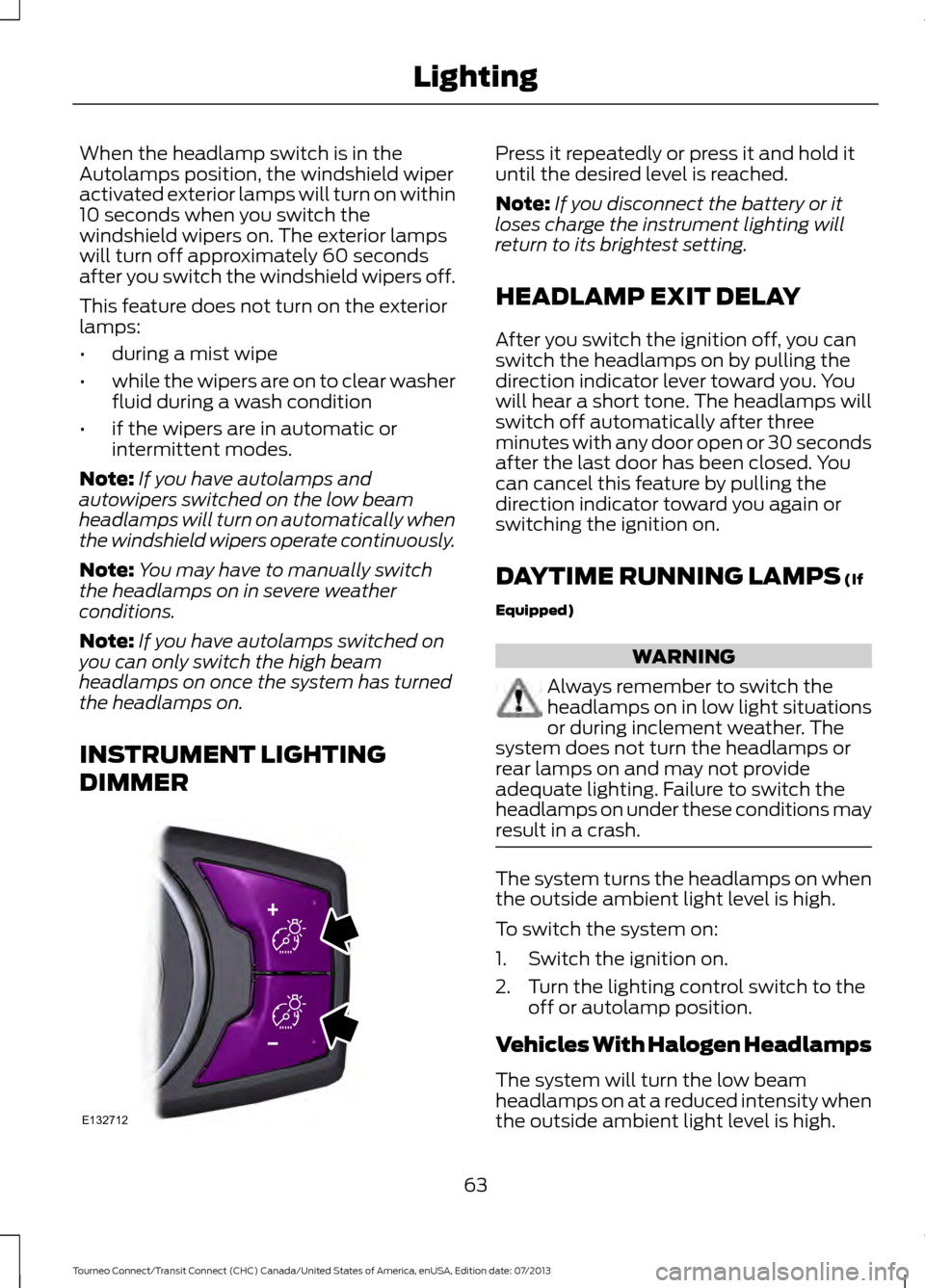
INSTRUMENT LIGHTING
DIMMER Press it repeatedly or press it and hold it
until the desired level is reached.
Note:
If you disconnect the battery or it
loses charge the instrument lighting will
return to its brightest setting.
HEADLAMP EXIT DELAY
After you switch the ignition off, you can
switch the headlamps on by pulling the
direction indicator lever toward you. You
will hear a short tone. The headlamps will
switch off automatically after three
minutes with any door open or 30 seconds
after the last door has been closed. You
can cancel this feature by pulling the
direction indicator toward you again or
switching the ignition on.
DAYTIME RUNNING LAMPS (If
Equipped) WARNING
Always remember to switch the
headlamps on in low light situations
or during inclement weather. The
system does not turn the headlamps or
rear lamps on and may not provide
adequate lighting. Failure to switch the
headlamps on under these conditions may
result in a crash. The system turns the headlamps on when
the outside ambient light level is high.
To switch the system on:
1. Switch the ignition on.
2. Turn the lighting control switch to the
off or autolamp position.
Vehicles With Halogen Headlamps
The system will turn the low beam
headlamps on at a reduced intensity when
the outside ambient light level is high.
63
Tourneo Connect/Transit Connect (CHC) Canada/United States of America, enUSA, Edition date: 07/2013 LightingE132712
Page 175 of 411
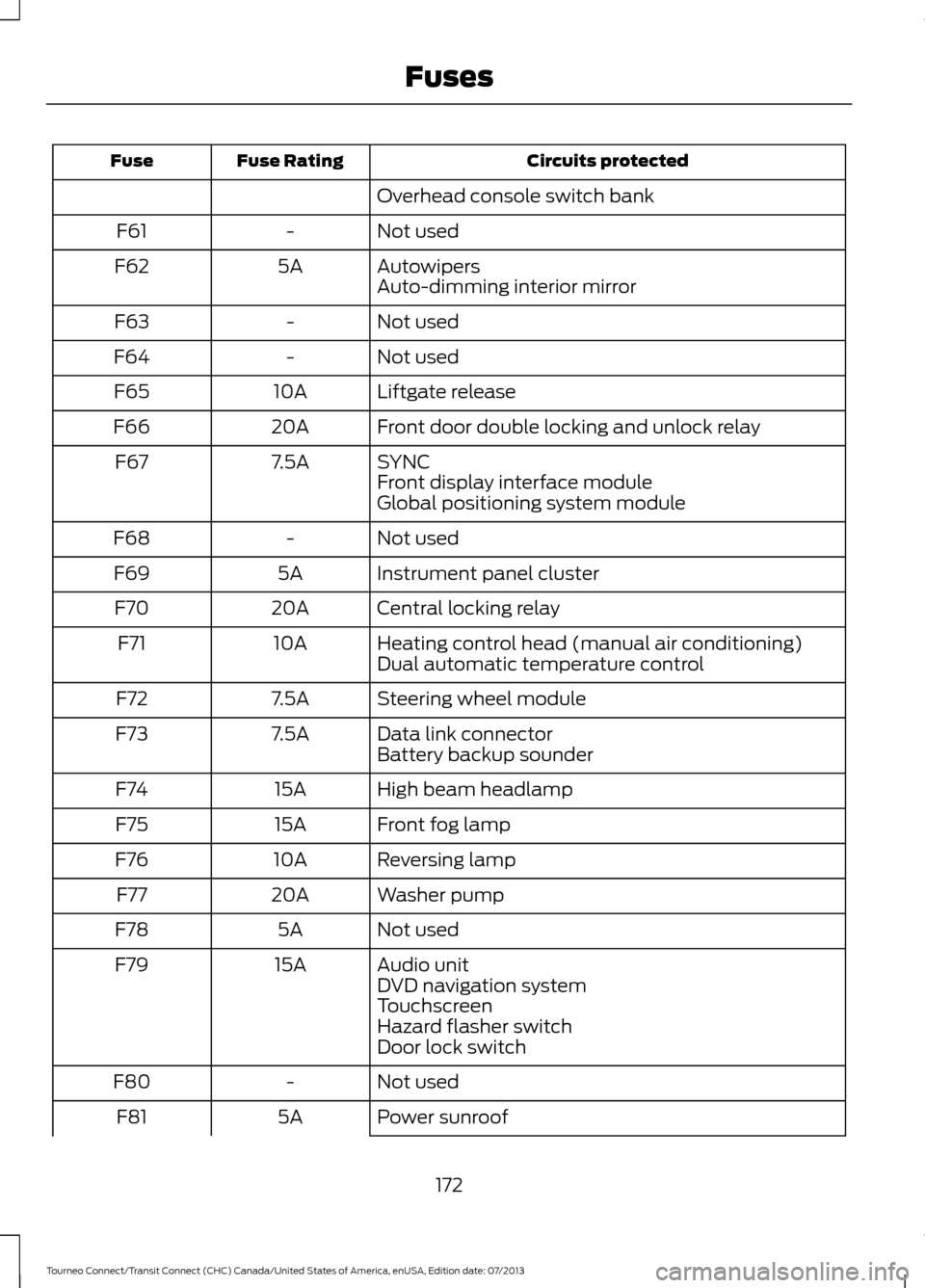
Circuits protected
Fuse Rating
Fuse
Overhead console switch bank
Not used
-
F61
Autowipers
5A
F62
Auto-dimming interior mirror
Not used
-
F63
Not used
-
F64
Liftgate release
10A
F65
Front door double locking and unlock relay
20A
F66
SYNC
7.5A
F67
Front display interface module
Global positioning system module
Not used
-
F68
Instrument panel cluster
5A
F69
Central locking relay
20A
F70
Heating control head (manual air conditioning)
10A
F71
Dual automatic temperature control
Steering wheel module
7.5A
F72
Data link connector
7.5A
F73
Battery backup sounder
High beam headlamp
15A
F74
Front fog lamp
15A
F75
Reversing lamp
10A
F76
Washer pump
20A
F77
Not used
5A
F78
Audio unit
15A
F79
DVD navigation system
Touchscreen
Hazard flasher switch
Door lock switch
Not used
-
F80
Power sunroof
5A
F81
172
Tourneo Connect/Transit Connect (CHC) Canada/United States of America, enUSA, Edition date: 07/2013 Fuses
Page 207 of 411
•
Never wash or rinse any ignition coil,
spark plug wire or spark plug well, or
the area in and around these locations.
• Cover the battery, power distribution
box, and air filter assembly to prevent
water damage when cleaning the
engine.
CLEANING THE WINDOWS AND
WIPER BLADES
Car wash chemicals and environmental
fallout can result in windshield and wiper
blade contamination. Dirty windshield and
wipers will result in poor windshield wiper
operation. Keep the windshield and wiper
blades clean to maintain windshield wiper
performance.
To clean the windshield and wiper blades:
• Clean the windshield with a
non-abrasive glass cleaner.
• For windshields contaminated with
tree sap, chemicals, wax or bugs, clean
the entire windshield using steel wool
(no greater than 0000 grade) in a
circular motion and rinse with water.
• Clean the wiper blades with isopropyl
rubbing alcohol or windshield washer
concentrate.
Note: Do not use razor blades or other
sharp objects to clean or remove decals
from the inside of the heated rear window.
The vehicle warranty does not cover
damage caused to the heated rear window
grid lines.
CLEANING THE INTERIOR WARNINGS
Do not use cleaning solvents, bleach
or dye on the vehicle
’s safety belts,
as these actions may weaken the
belt webbing. WARNINGS
On vehicles equipped with
seat-mounted airbags, do not use
chemical solvents or strong
detergents. Such products could
contaminate the side airbag system and
affect performance of the side airbag in a
collision. For fabric, carpets, cloth seats, safety belts
and seats equipped with side airbags:
•
Remove dust and loose dirt with a
vacuum cleaner.
• Remove light stains and soil with
Motorcraft Professional Strength
Carpet & Upholstery Cleaner.
• If grease or tar is present on the
material, spot-clean the area first with
Motorcraft Spot and Stain Remover. In
Canada, use Motorcraft Multi-Purpose
Cleaner.
• If a ring forms on the fabric after spot
cleaning, clean the entire area
immediately (but do not oversaturate)
or the ring will set.
• Do not use household cleaning
products or glass cleaners, which can
stain and discolor the fabric and affect
the flame retardant abilities of the seat
materials.
CLEANING THE INSTRUMENT
PANEL AND INSTRUMENT
CLUSTER LENS WARNING
Do not use chemical solvents or
strong detergents when cleaning the
steering wheel or instrument panel
to avoid contamination of the airbag
system. 204
Tourneo Connect/Transit Connect (CHC) Canada/United States of America, enUSA, Edition date: 07/2013 Vehicle Care
Page 210 of 411
•
Touch-up exposed or primed metal to
prevent rust.
• Cover chrome and stainless steel parts
with a thick coat of auto wax to prevent
discoloration. Re-wax as necessary
when you wash your vehicle.
• Lubricate all hood, door and trunk lid
hinges, and latches with a light grade
oil.
• Cover interior trim to prevent fading.
• Keep all rubber parts free from oil and
solvents.
Engine
• The engine oil and filter should be
changed prior to storage because used
engine oil contains contaminates that
may cause engine damage.
• Start the engine every 15 days for a
minimum of 15 minutes. Run at fast idle
with the climate controls set to defrost
until the engine reaches normal
operating temperature.
• With your foot on the brake, shift
through all the gears while the engine
is running.
• We recommend that you change the
engine oil before you use your vehicle
again.
Fuel system
• Fill the fuel tank with high-quality fuel
until the first automatic shutoff of the
fuel pump nozzle.
Cooling system
• Protect against freezing temperatures.
• When removing your vehicle from
storage, check coolant fluid level.
Confirm that there are no cooling
system leaks and that fluid is at the
recommended level. Battery
•
Check and recharge as necessary. Keep
connections clean.
• If storing your vehicle for more than 30
days without recharging the battery,
we recommend that you disconnect
the battery cables to maintain battery
charge for quick starting.
Note: It is necessary to reset memory
features if battery cables are disconnected.
Brakes
• Make sure the brakes and parking brake
release fully.
Tires
• Maintain recommended air pressure.
Miscellaneous
• Make sure all linkages, cables, levers
and pins under your vehicle are covered
with grease to prevent rust.
• Move vehicles at least 25 ft (7.5 m)
every 15 days to lubricate working parts
and prevent corrosion.
Removing Vehicle From Storage
When your vehicle is ready to come out of
storage, do the following:
• Wash your vehicle to remove any dirt
or grease film build-up on window
surfaces.
• Check windshield wipers for any
deterioration.
• Check under the hood for any foreign
material that may have collected
during storage such as mice or squirrel
nests.
• Check the exhaust for any foreign
material that may have collected
during storage.
207
Tourneo Connect/Transit Connect (CHC) Canada/United States of America, enUSA, Edition date: 07/2013 Vehicle Care
Page 402 of 411
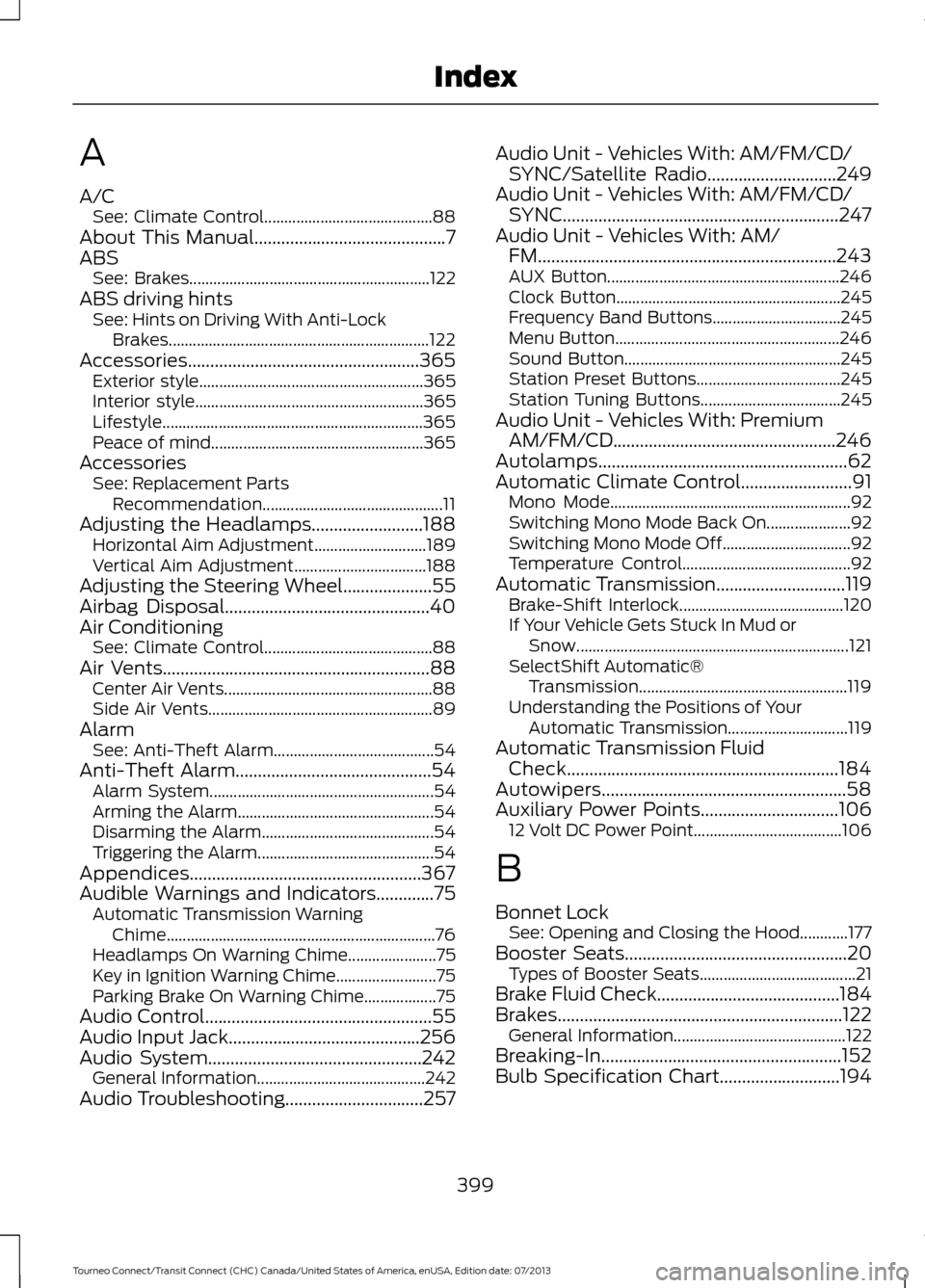
A
A/C
See: Climate Control.......................................... 88
About This Manual...........................................7
ABS See: Brakes............................................................ 122
ABS driving hints See: Hints on Driving With Anti-Lock
Brakes................................................................. 122
Accessories....................................................365 Exterior style........................................................ 365
Interior style......................................................... 365
Lifestyle................................................................. 365
Peace of mind..................................................... 365
Accessories See: Replacement Parts
Recommendation............................................. 11
Adjusting the Headlamps.........................188 Horizontal Aim Adjustment............................ 189
Vertical Aim Adjustment................................. 188
Adjusting the Steering Wheel
....................55
Airbag Disposal..............................................40
Air Conditioning See: Climate Control.......................................... 88
Air Vents
............................................................88
Center Air Vents.................................................... 88
Side Air Vents........................................................ 89
Alarm See: Anti-Theft Alarm........................................ 54
Anti-Theft Alarm
............................................54
Alarm System........................................................ 54
Arming the Alarm................................................. 54
Disarming the Alarm........................................... 54
Triggering the Alarm............................................ 54
Appendices....................................................367
Audible Warnings and Indicators
.............75
Automatic Transmission Warning
Chime................................................................... 76
Headlamps On Warning Chime...................... 75
Key in Ignition Warning Chime......................... 75
Parking Brake On Warning Chime.................. 75
Audio Control
...................................................55
Audio Input Jack...........................................256
Audio System
................................................242
General Information.......................................... 242
Audio Troubleshooting
...............................257 Audio Unit - Vehicles With: AM/FM/CD/
SYNC/Satellite Radio
.............................249
Audio Unit - Vehicles With: AM/FM/CD/ SYNC..............................................................247
Audio Unit - Vehicles With: AM/ FM...................................................................243
AUX Button.......................................................... 246
Clock Button........................................................ 245
Frequency Band Buttons................................ 245
Menu Button........................................................ 246
Sound Button...................................................... 245
Station Preset Buttons.................................... 245
Station Tuning Buttons................................... 245
Audio Unit - Vehicles With: Premium AM/FM/CD..................................................246
Autolamps........................................................62
Automatic Climate Control
.........................91
Mono Mode............................................................ 92
Switching Mono Mode Back On..................... 92
Switching Mono Mode Off................................ 92
Temperature Control.......................................... 92
Automatic Transmission
.............................119
Brake-Shift Interlock......................................... 120
If Your Vehicle Gets Stuck In Mud or Snow.................................................................... 121
SelectShift Automatic® Transmission.................................................... 119
Understanding the Positions of Your Automatic Transmission.............................. 119
Automatic Transmission Fluid Check.............................................................184
Autowipers.......................................................58
Auxiliary Power Points...............................106 12 Volt DC Power Point..................................... 106
B
Bonnet Lock See: Opening and Closing the Hood............177
Booster Seats
..................................................20
Types of Booster Seats....................................... 21
Brake Fluid Check.........................................184
Brakes................................................................122 General Information........................................... 122
Breaking-In......................................................152
Bulb Specification Chart...........................194
399
Tourneo Connect/Transit Connect (CHC) Canada/United States of America, enUSA, Edition date: 07/2013 Index
Page 410 of 411
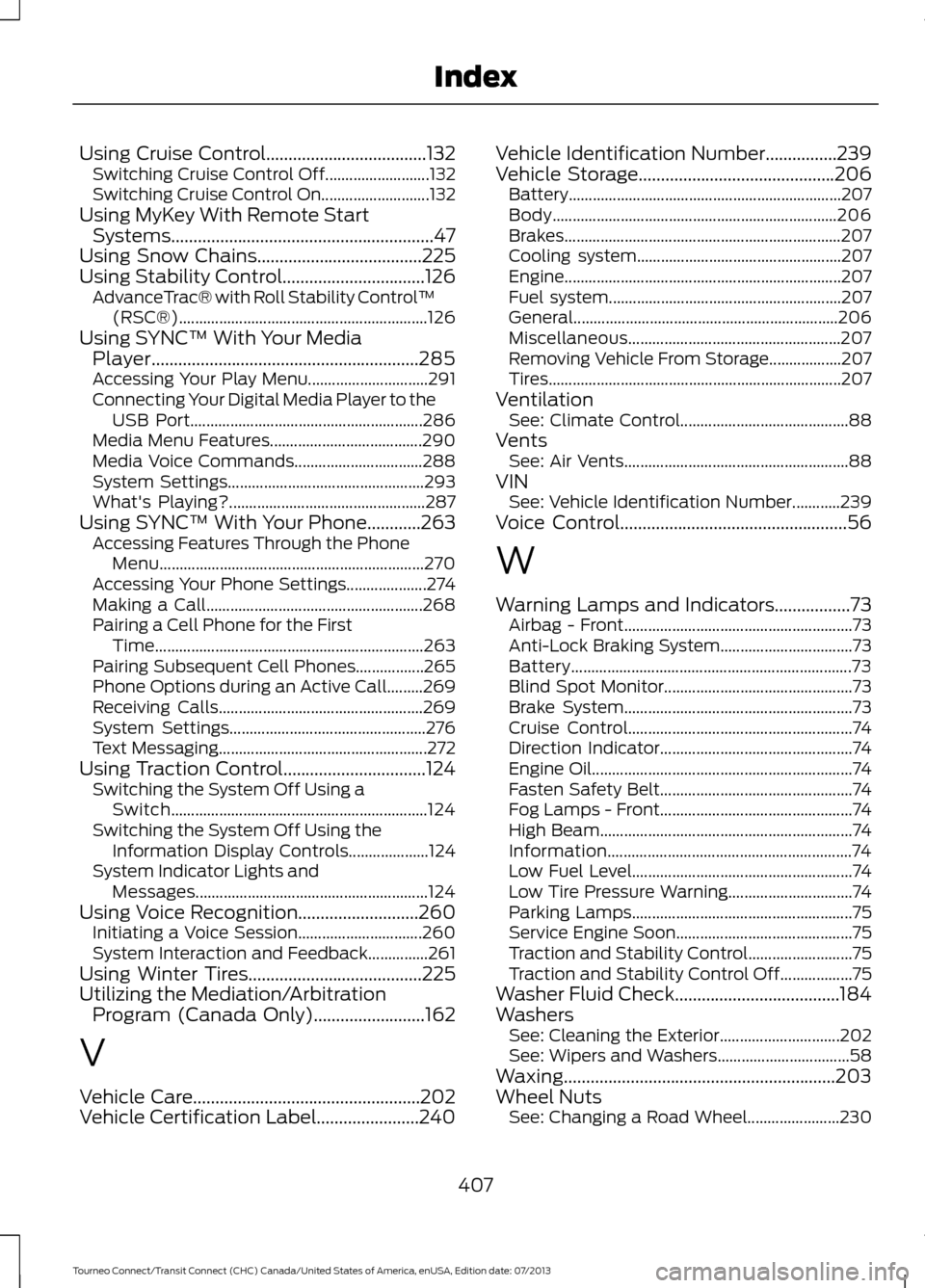
Using Cruise Control....................................132
Switching Cruise Control Off.......................... 132
Switching Cruise Control On........................... 132
Using MyKey With Remote Start Systems...........................................................47
Using Snow Chains.....................................225
Using Stability Control................................126
AdvanceTrac® with Roll Stability Control ™
(RSC®).............................................................. 126
Using SYNC™ With Your Media Player............................................................285
Accessing Your Play Menu.............................. 291
Connecting Your Digital Media Player to the USB Port.......................................................... 286
Media Menu Features...................................... 290
Media Voice Commands................................ 288
System Settings................................................. 293
What's Playing?................................................. 287
Using SYNC™ With Your Phone............263 Accessing Features Through the Phone
Menu.................................................................. 270
Accessing Your Phone Settings.................... 274
Making a Call...................................................... 268
Pairing a Cell Phone for the First Time................................................................... 263
Pairing Subsequent Cell Phones.................265
Phone Options during an Active Call.........269
Receiving Calls................................................... 269
System Settings................................................. 276
Text Messaging.................................................... 272
Using Traction Control
................................124
Switching the System Off Using a
Switch................................................................ 124
Switching the System Off Using the Information Display Controls.................... 124
System Indicator Lights and Messages.......................................................... 124
Using Voice Recognition
...........................260
Initiating a Voice Session............................... 260
System Interaction and Feedback...............261
Using Winter Tires
.......................................225
Utilizing the Mediation/Arbitration Program (Canada Only).........................162
V
Vehicle Care...................................................202
Vehicle Certification Label.......................240 Vehicle Identification Number
................239
Vehicle Storage............................................206
Battery.................................................................... 207
Body....................................................................... 206
Brakes..................................................................... 207
Cooling system................................................... 207
Engine..................................................................... 207
Fuel system.......................................................... 207
General.................................................................. 206
Miscellaneous..................................................... 207
Removing Vehicle From Storage.................. 207
Tires........................................................................\
. 207
Ventilation See: Climate Control.......................................... 88
Vents See: Air Vents........................................................ 88
VIN See: Vehicle Identification Number............239
Voice Control
...................................................56
W
Warning Lamps and Indicators.................73 Airbag - Front......................................................... 73
Anti-Lock Braking System................................. 73
Battery...................................................................... 73
Blind Spot Monitor............................................... 73
Brake System......................................................... 73
Cruise Control........................................................ 74
Direction Indicator................................................ 74
Engine Oil................................................................. 74
Fasten Safety Belt................................................ 74
Fog Lamps - Front................................................ 74
High Beam............................................................... 74
Information............................................................. 74
Low Fuel Level....................................................... 74
Low Tire Pressure Warning............................... 74
Parking Lamps....................................................... 75
Service Engine Soon............................................ 75
Traction and Stability Control.......................... 75
Traction and Stability Control Off.................. 75
Washer Fluid Check.....................................184
Washers See: Cleaning the Exterior.............................. 202
See: Wipers and Washers................................. 58
Waxing.............................................................203
Wheel Nuts See: Changing a Road Wheel....................... 230
407
Tourneo Connect/Transit Connect (CHC) Canada/United States of America, enUSA, Edition date: 07/2013 Index