wheel FORD TRANSIT CONNECT 2015 2.G User Guide
[x] Cancel search | Manufacturer: FORD, Model Year: 2015, Model line: TRANSIT CONNECT, Model: FORD TRANSIT CONNECT 2015 2.GPages: 428, PDF Size: 6.27 MB
Page 55 of 428
CHECKING MYKEY SYSTEM
STATUS
You can find information on programmed
MyKey(s) using the information display
control on the steering wheel. See
Information Displays (page 84).
To find information on a programed MyKey(s), press the left arrow button to
access the main menu and scroll to: Description
Message
Press the
OK button.
Settings
Press the
OK button.
MyKey
Select one of the following:
Tracks the distance when drivers use a MyKey. The only way
to delete the accumulated distance is by using an admin key
to clear your MyKey. If the distance does not accumulate as
expected, then the intended user is not using the MyKey, or
an admin key user recently cleared and then recreated a
MyKey.
MyKey Dist.
Indicates the number of MyKeys programed to your vehicle.
Use this feature to detect how many MyKeys you have for
your vehicle and determine when a MyKey has been deleted.
{0} MyKeys
Indicates how many admin keys are programed to your
vehicle. Use this feature to determine how many unrestricted
keys you have for your vehicle, and detect if an additional
MyKey has been programed.
{0} Admin Keys
52
Transit Connect (CHC) Canada/United States of America, enUSA, First Printing MyKey
™
Page 64 of 428
ADJUSTING THE STEERING
WHEEL
WARNING
Do not adjust the steering wheel
when your vehicle is moving.
Note:
Make sure that you are sitting in the
correct position. See Sitting in the Correct
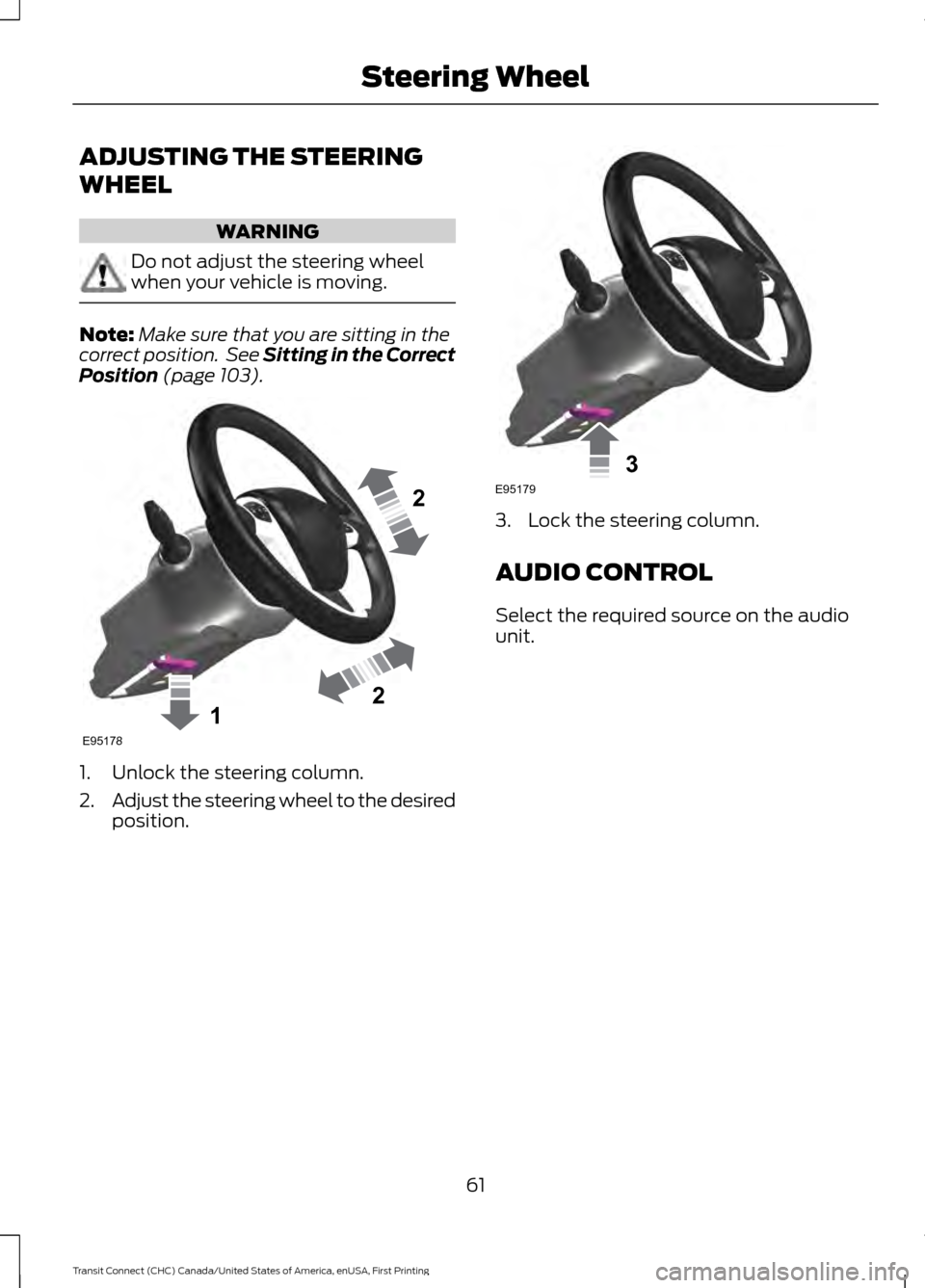
Position (page 103). 1. Unlock the steering column.
2.
Adjust the steering wheel to the desired
position. 3. Lock the steering column.
AUDIO CONTROL
Select the required source on the audio
unit.
61
Transit Connect (CHC) Canada/United States of America, enUSA, First Printing Steering Wheel122E95178 3E95179
Page 65 of 428
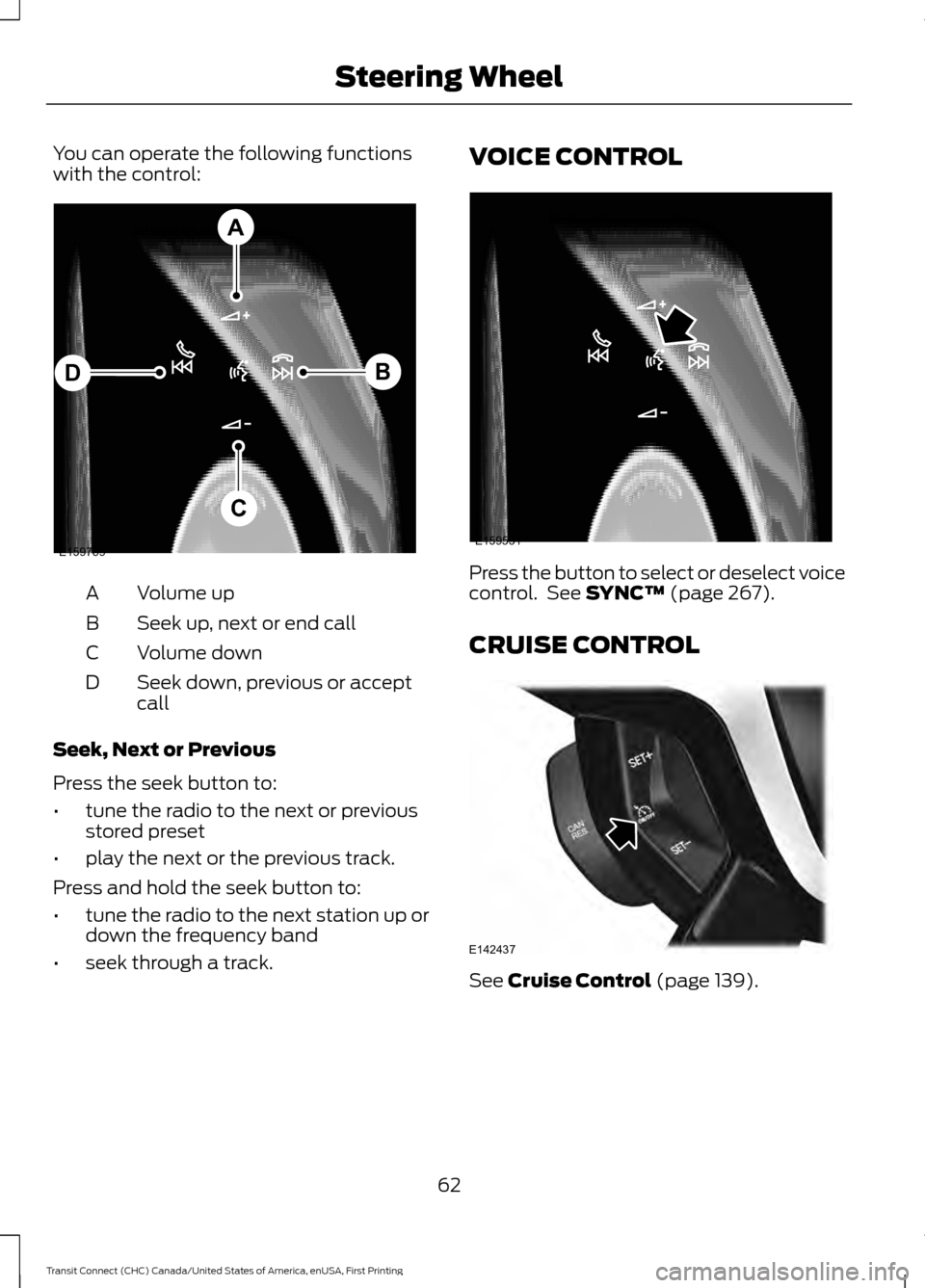
You can operate the following functions
with the control:
Volume up
A
Seek up, next or end call
B
Volume down
C
Seek down, previous or accept
call
D
Seek, Next or Previous
Press the seek button to:
• tune the radio to the next or previous
stored preset
• play the next or the previous track.
Press and hold the seek button to:
• tune the radio to the next station up or
down the frequency band
• seek through a track. VOICE CONTROL
Press the button to select or deselect voice
control. See SYNC™ (page 267).
CRUISE CONTROL See
Cruise Control (page 139).
62
Transit Connect (CHC) Canada/United States of America, enUSA, First Printing Steering WheelE159789
A
B
C
D E159531 E142437
Page 66 of 428
INFORMATION DISPLAY
CONTROL
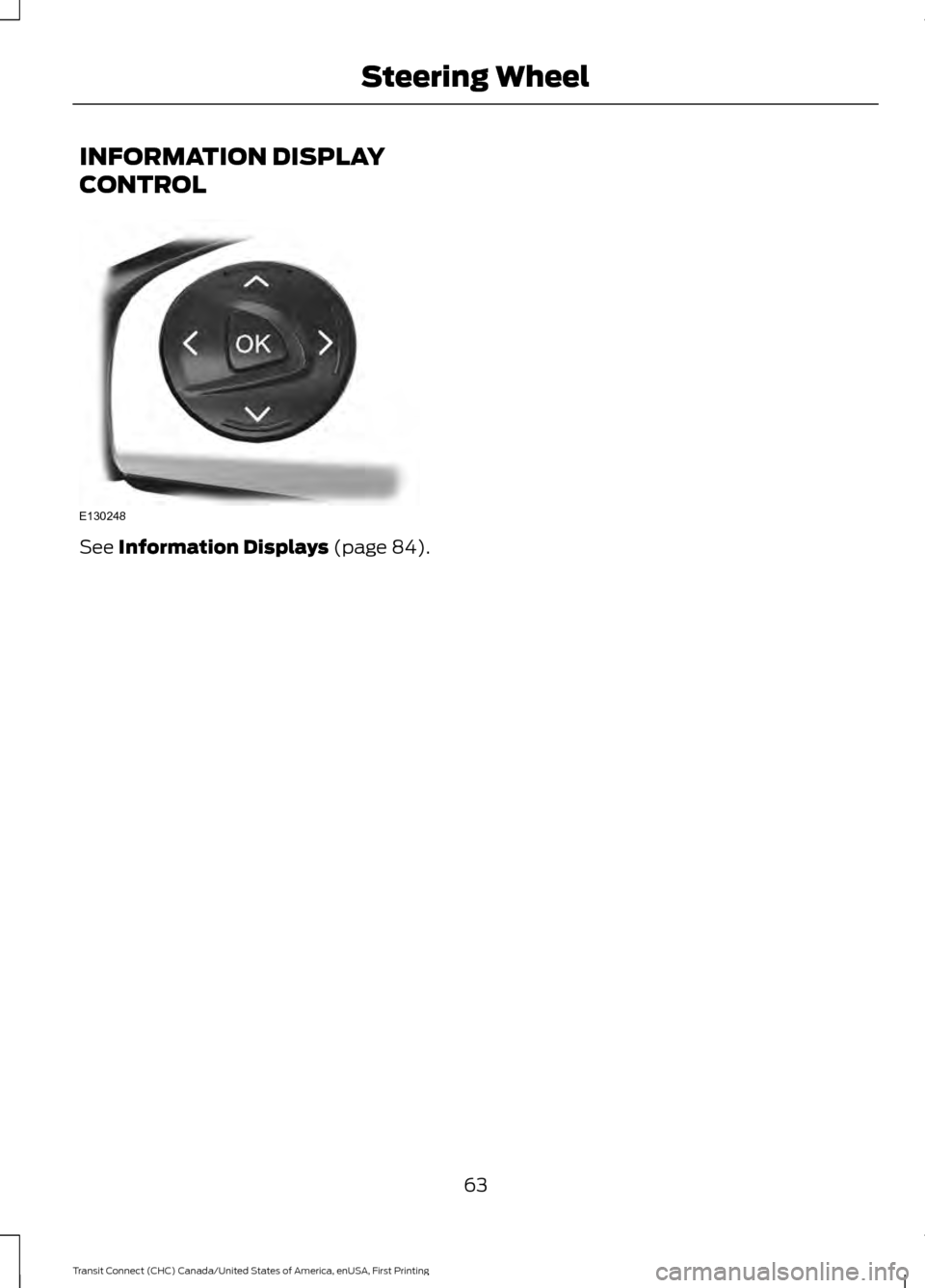
See Information Displays (page 84).
63
Transit Connect (CHC) Canada/United States of America, enUSA, First Printing Steering WheelE130248
Page 87 of 428
GENERAL INFORMATION
WARNING
Driving while distracted can result in
loss of vehicle control, crash and
injury. We strongly recommend that
you use extreme caution when using any
device that may take your focus off the
road. Your primary responsibility is the safe
operation of your vehicle. We recommend
against the use of any handheld device
while driving and encourage the use of
voice-operated systems when possible.
Make sure you are aware of all applicable
local laws that may affect the use of
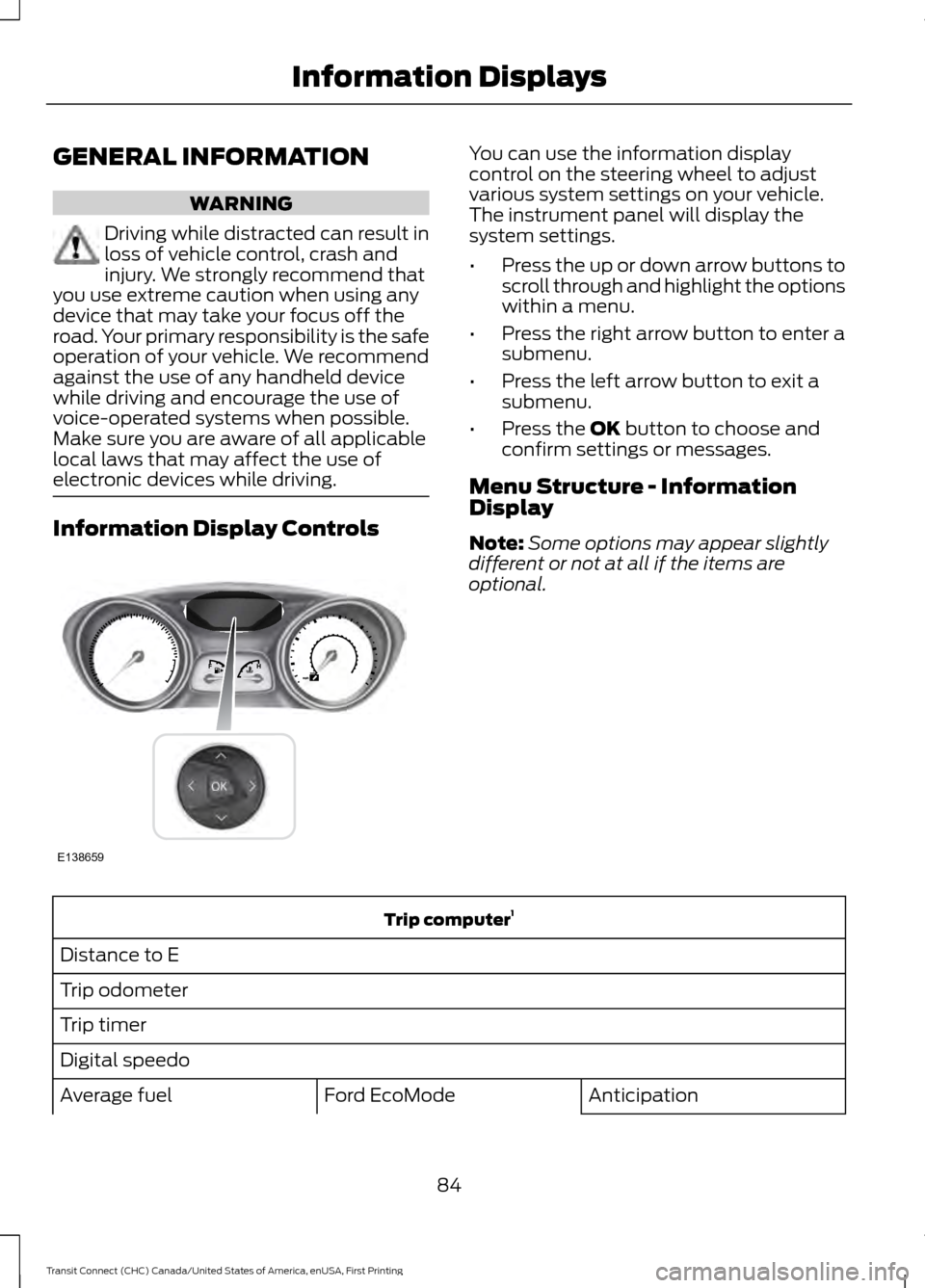
electronic devices while driving. Information Display Controls You can use the information display
control on the steering wheel to adjust
various system settings on your vehicle.
The instrument panel will display the
system settings.
•
Press the up or down arrow buttons to
scroll through and highlight the options
within a menu.
• Press the right arrow button to enter a
submenu.
• Press the left arrow button to exit a
submenu.
• Press the OK button to choose and
confirm settings or messages.
Menu Structure - Information
Display
Note: Some options may appear slightly
different or not at all if the items are
optional. Trip computer
1
Distance to E
Trip odometer
Trip timer
Digital speedo Anticipation
Ford EcoMode
Average fuel
84
Transit Connect (CHC) Canada/United States of America, enUSA, First Printing Information DisplaysE138659
Page 98 of 428
PRINCIPLE OF OPERATION
Outside Air
Keep the air intakes in front of the
windshield free from obstruction (such as
snow or leaves) to allow the climate
control system to function effectively.
Recirculated Air
WARNING
Prolonged use of recirculated air may
cause the windows to mist up. If the
windows mist up, follow the settings
for demisting the windshield. The air currently in the passenger
compartment recirculates. Outside air does
not enter your vehicle.
Heating
Heating performance depends on the
temperature of the engine coolant.
General Information on Controlling
the Interior Climate
Fully close all the windows.
Warming the Interior
Direct the air toward your feet. In cold or
humid weather conditions, direct some of
the air toward the windshield and the door
windows.
Cooling the Interior
Direct the air toward your face. Air Conditioning
The system directs air through the
evaporator for cooling. The evaporator
extracts humidity from the air to help keep
the windows free of mist. The system
directs the resulting condensation to the
outside of your vehicle, which may cause
a small pool to form under your vehicle.
This is normal.
Note:
The air conditioning operates only
when the temperature is above 39°F (4°C).
Note: When you use air conditioning, your
vehicle uses more fuel.
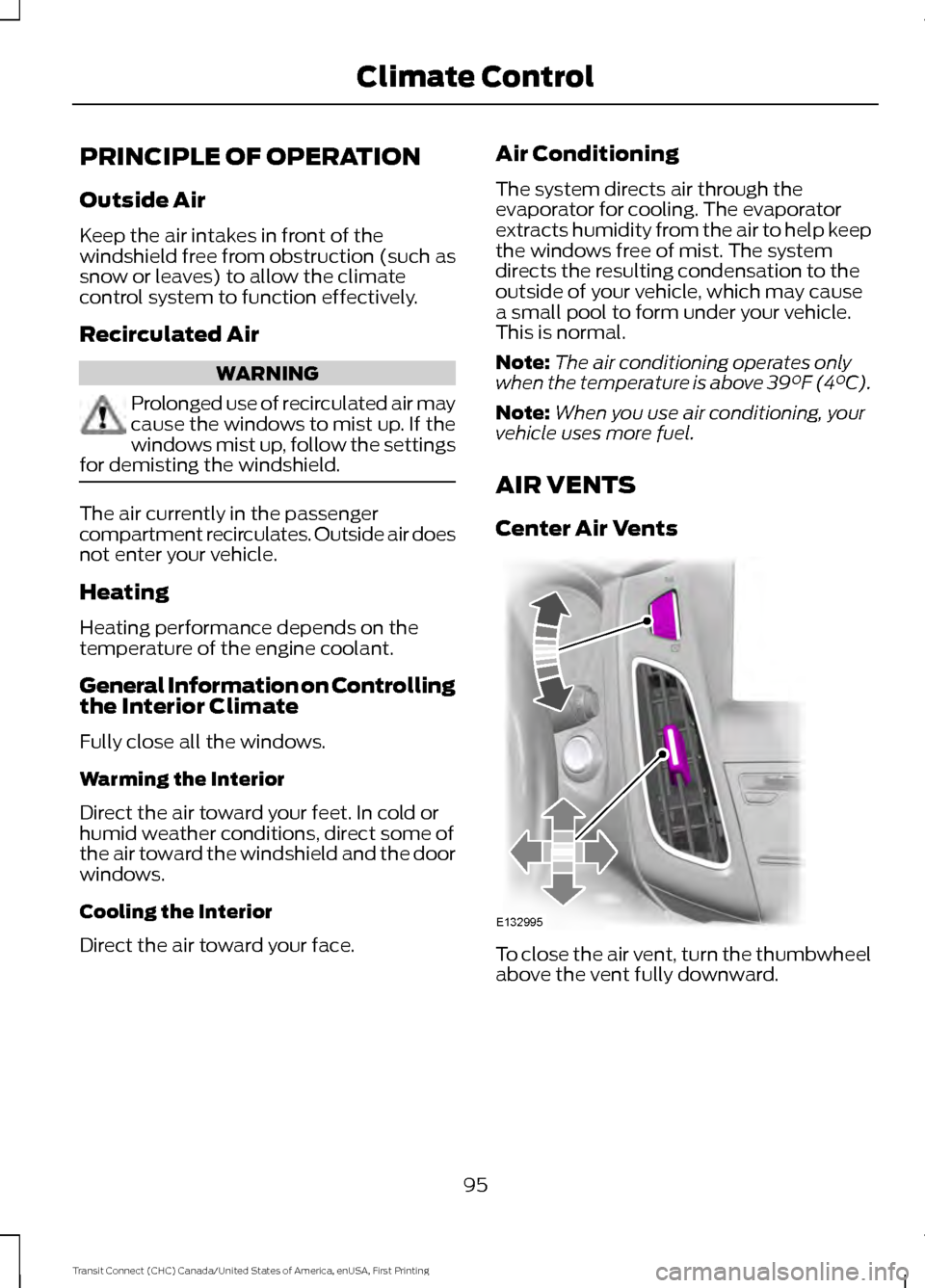
AIR VENTS
Center Air Vents To close the air vent, turn the thumbwheel
above the vent fully downward.
95
Transit Connect (CHC) Canada/United States of America, enUSA, First Printing Climate ControlE132995
Page 106 of 428
SITTING IN THE CORRECT
POSITION
WARNINGS
Do not recline the seat backrest too
far as this can cause the occupant
to slide under the safety belt,
resulting in serious injury in the event of a
crash. Sitting improperly, out of position or
with the seat backrest reclined too
far, can result in serious injury or
death in the event of a crash. Always sit
upright against your seat backrest, with
your feet on the floor. Do not place objects higher than the
seat backrest to reduce the risk of
serious injury in the event of a crash
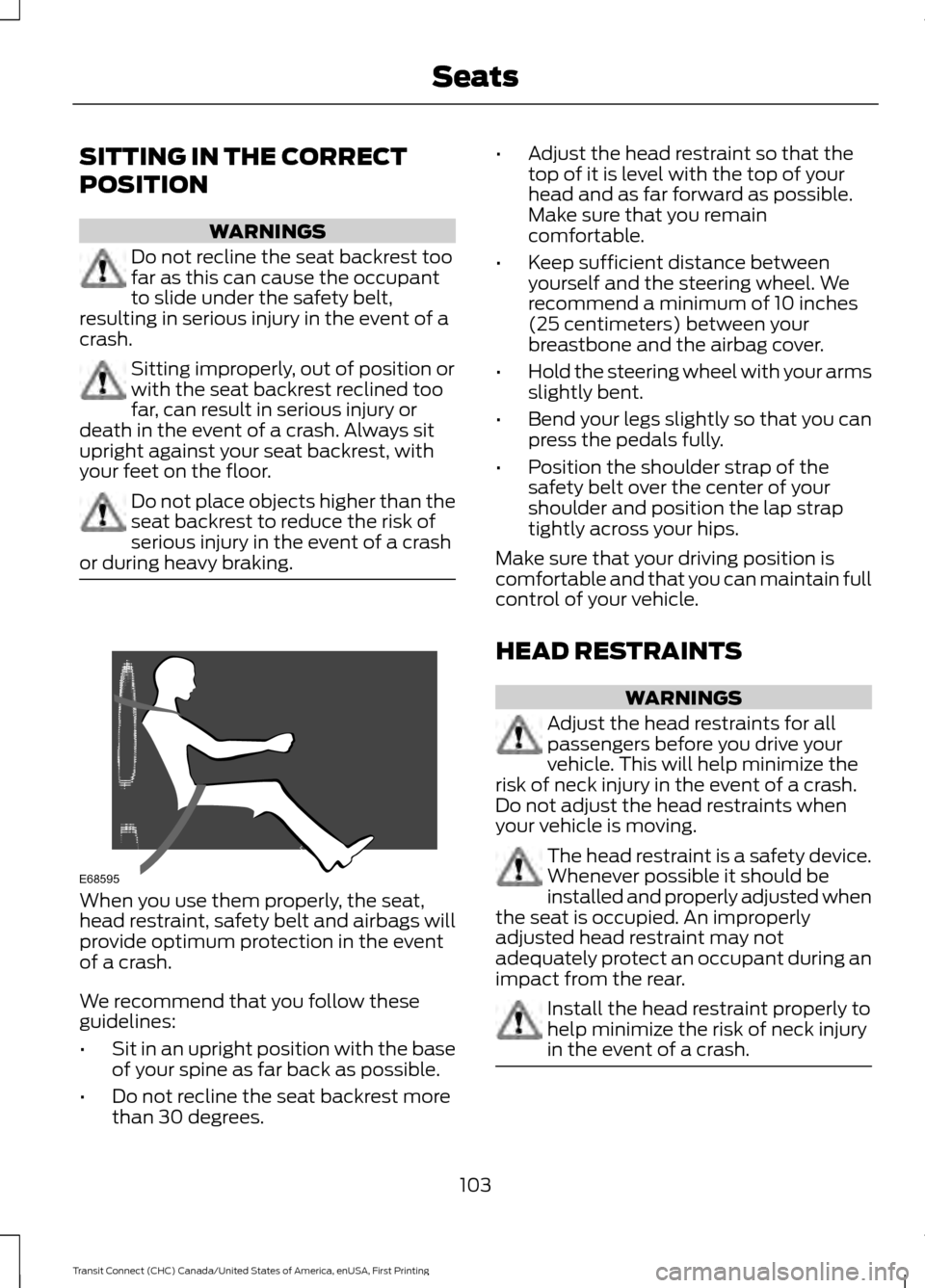
or during heavy braking. When you use them properly, the seat,
head restraint, safety belt and airbags will
provide optimum protection in the event
of a crash.
We recommend that you follow these
guidelines:
•
Sit in an upright position with the base
of your spine as far back as possible.
• Do not recline the seat backrest more
than 30 degrees. •
Adjust the head restraint so that the
top of it is level with the top of your
head and as far forward as possible.
Make sure that you remain
comfortable.
• Keep sufficient distance between
yourself and the steering wheel. We
recommend a minimum of 10 inches
(25 centimeters) between your
breastbone and the airbag cover.
• Hold the steering wheel with your arms
slightly bent.
• Bend your legs slightly so that you can
press the pedals fully.
• Position the shoulder strap of the
safety belt over the center of your
shoulder and position the lap strap
tightly across your hips.
Make sure that your driving position is
comfortable and that you can maintain full
control of your vehicle.
HEAD RESTRAINTS WARNINGS
Adjust the head restraints for all
passengers before you drive your
vehicle. This will help minimize the
risk of neck injury in the event of a crash.
Do not adjust the head restraints when
your vehicle is moving. The head restraint is a safety device.
Whenever possible it should be
installed and properly adjusted when
the seat is occupied. An improperly
adjusted head restraint may not
adequately protect an occupant during an
impact from the rear. Install the head restraint properly to
help minimize the risk of neck injury
in the event of a crash.
103
Transit Connect (CHC) Canada/United States of America, enUSA, First Printing SeatsE68595
Page 118 of 428
GENERAL INFORMATION
WARNINGS
Extended idling at high engine
speeds can produce very high
temperatures in the engine and
exhaust system, creating the risk of fire or
other damage. Do not park, idle or drive your vehicle
on dry grass or other dry ground
cover. The emission system heats up
the engine compartment and exhaust
system, creating the risk of fire. Do not start the engine in a closed
garage or in other enclosed areas.
Exhaust fumes can be toxic. Always
open the garage door before you start the
engine. If you smell exhaust fumes inside
your vehicle, have your vehicle
checked by an authorized dealer
immediately. Do not drive your vehicle if
you smell exhaust fumes. If you disconnect the battery, your vehicle
may exhibit some unusual driving
characteristics for approximately 5 miles
(8 kilometers) after you reconnect it. This
is because the engine management system
must realign itself with the engine. You can
disregard any unusual driving
characteristics during this period.
The powertrain control system meets all
Canadian interference-causing equipment
standard requirements regulating the
impulse electrical field or radio noise.
When you start the engine, avoid pressing
the accelerator pedal before and during
operation. Only use the accelerator pedal
when you have difficulty starting the
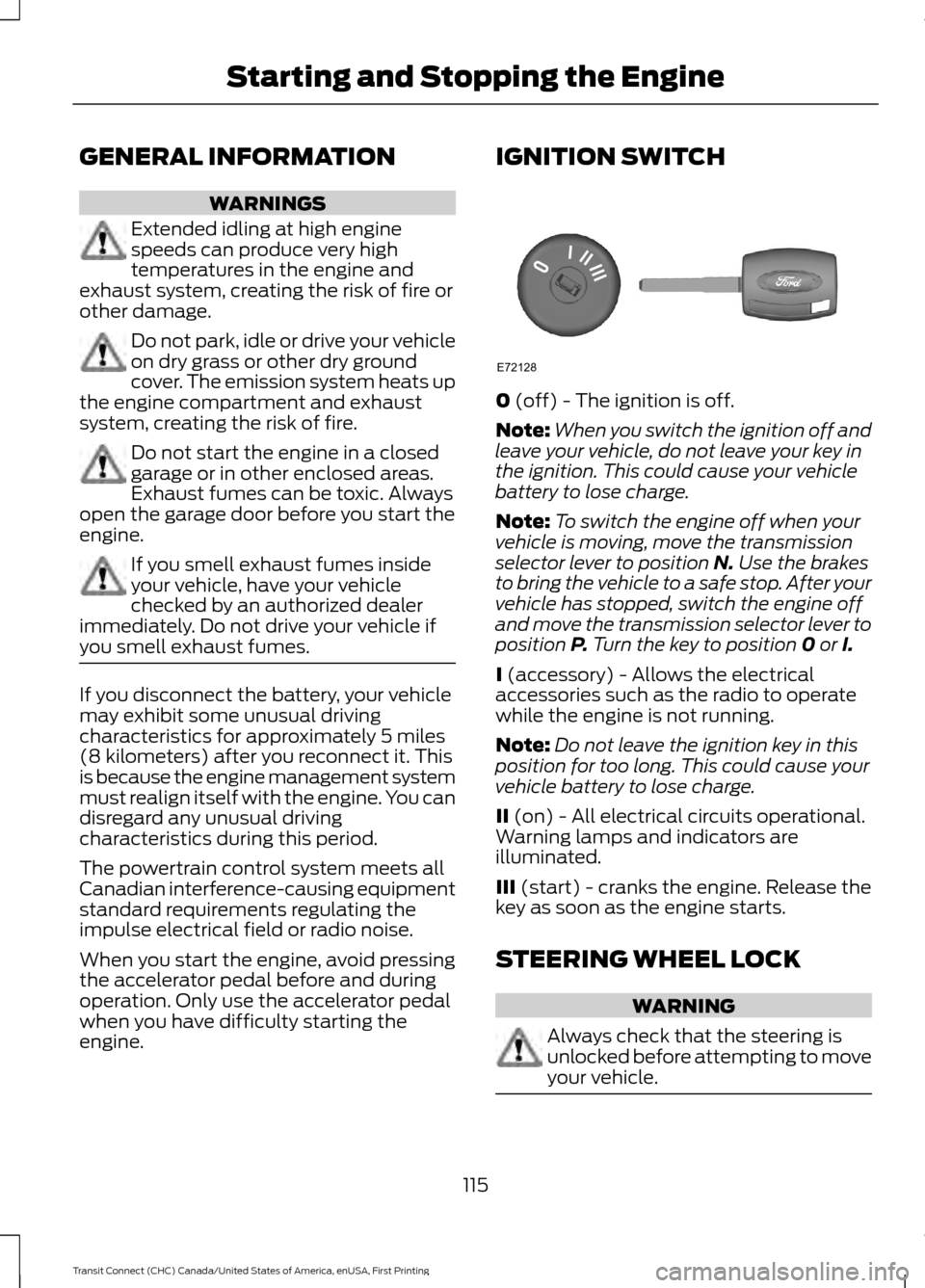
engine. IGNITION SWITCH
0 (off) - The ignition is off.
Note: When you switch the ignition off and
leave your vehicle, do not leave your key in
the ignition. This could cause your vehicle
battery to lose charge.
Note: To switch the engine off when your
vehicle is moving, move the transmission
selector lever to position
N. Use the brakes
to bring the vehicle to a safe stop. After your
vehicle has stopped, switch the engine off
and move the transmission selector lever to
position
P. Turn the key to position 0 or I.
I
(accessory) - Allows the electrical
accessories such as the radio to operate
while the engine is not running.
Note: Do not leave the ignition key in this
position for too long. This could cause your
vehicle battery to lose charge.
II
(on) - All electrical circuits operational.
Warning lamps and indicators are
illuminated.
III
(start) - cranks the engine. Release the
key as soon as the engine starts.
STEERING WHEEL LOCK WARNING
Always check that the steering is
unlocked before attempting to move
your vehicle.
115
Transit Connect (CHC) Canada/United States of America, enUSA, First Printing Starting and Stopping the EngineE72128
Page 119 of 428
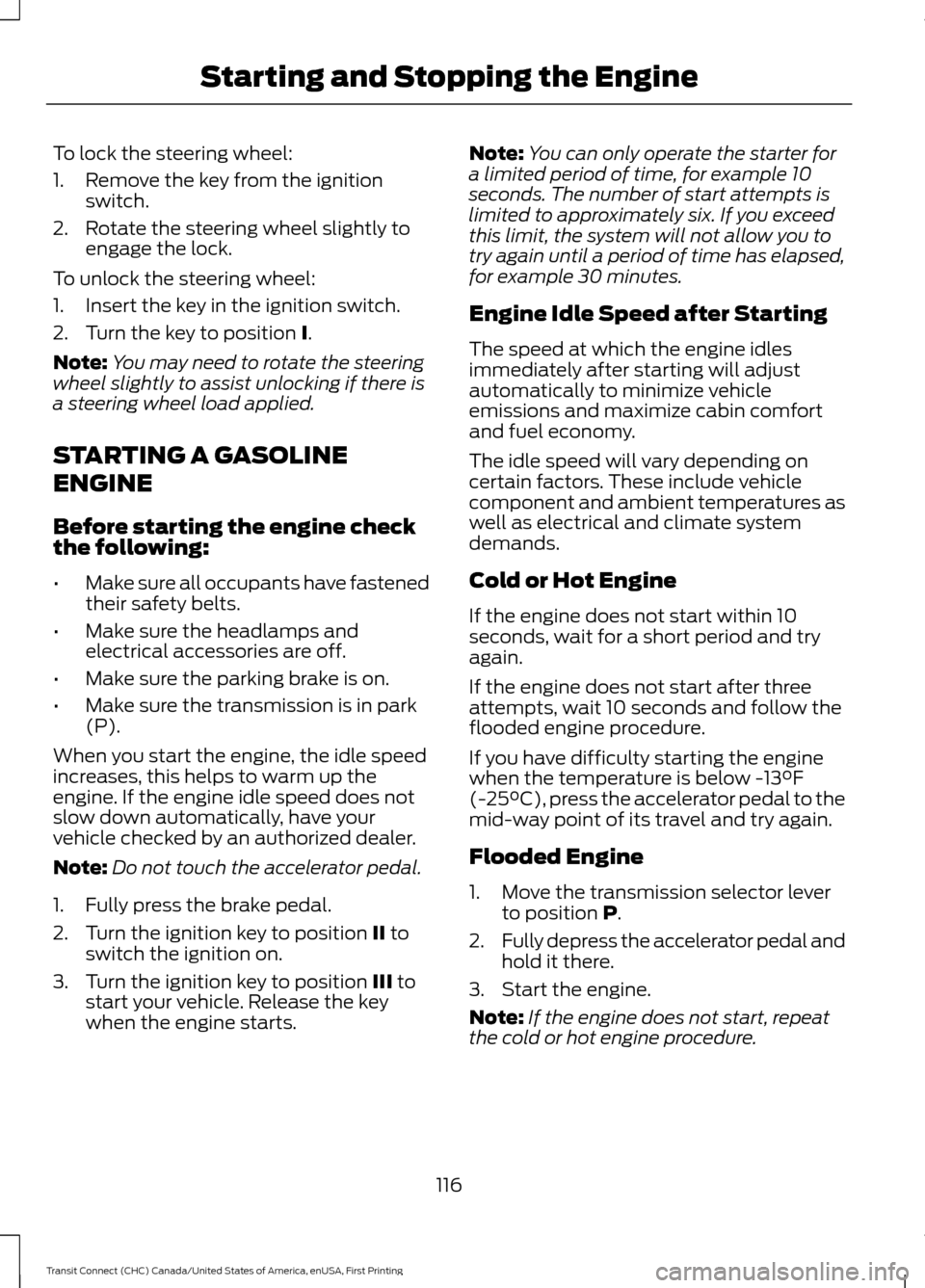
To lock the steering wheel:
1. Remove the key from the ignition
switch.
2. Rotate the steering wheel slightly to engage the lock.
To unlock the steering wheel:
1. Insert the key in the ignition switch.
2. Turn the key to position I.
Note: You may need to rotate the steering
wheel slightly to assist unlocking if there is
a steering wheel load applied.
STARTING A GASOLINE
ENGINE
Before starting the engine check
the following:
• Make sure all occupants have fastened
their safety belts.
• Make sure the headlamps and
electrical accessories are off.
• Make sure the parking brake is on.
• Make sure the transmission is in park
(P).
When you start the engine, the idle speed
increases, this helps to warm up the
engine. If the engine idle speed does not
slow down automatically, have your
vehicle checked by an authorized dealer.
Note: Do not touch the accelerator pedal.
1. Fully press the brake pedal.
2. Turn the ignition key to position
II to
switch the ignition on.
3. Turn the ignition key to position
III to
start your vehicle. Release the key
when the engine starts. Note:
You can only operate the starter for
a limited period of time, for example 10
seconds. The number of start attempts is
limited to approximately six. If you exceed
this limit, the system will not allow you to
try again until a period of time has elapsed,
for example 30 minutes.
Engine Idle Speed after Starting
The speed at which the engine idles
immediately after starting will adjust
automatically to minimize vehicle
emissions and maximize cabin comfort
and fuel economy.
The idle speed will vary depending on
certain factors. These include vehicle
component and ambient temperatures as
well as electrical and climate system
demands.
Cold or Hot Engine
If the engine does not start within 10
seconds, wait for a short period and try
again.
If the engine does not start after three
attempts, wait 10 seconds and follow the
flooded engine procedure.
If you have difficulty starting the engine
when the temperature is below -13°F
(-25°C), press the accelerator pedal to the
mid-way point of its travel and try again.
Flooded Engine
1. Move the transmission selector lever to position
P.
2. Fully depress the accelerator pedal and
hold it there.
3. Start the engine.
Note: If the engine does not start, repeat
the cold or hot engine procedure.
116
Transit Connect (CHC) Canada/United States of America, enUSA, First Printing Starting and Stopping the Engine
Page 129 of 428
AUTOMATIC TRANSMISSION
WARNINGS
Always set the parking brake fully
and make sure the gearshift is
latched in P (Park). Turn the ignition
to the off position and remove the key
whenever you leave your vehicle. Do not apply the brake pedal and
accelerator pedal simultaneously.
Applying both pedals simultaneously
for more than three seconds will limit
engine rpm, which may result in difficulty
maintaining speed in traffic and could lead
to serious injury. Understanding the Positions of
Your Automatic Transmission
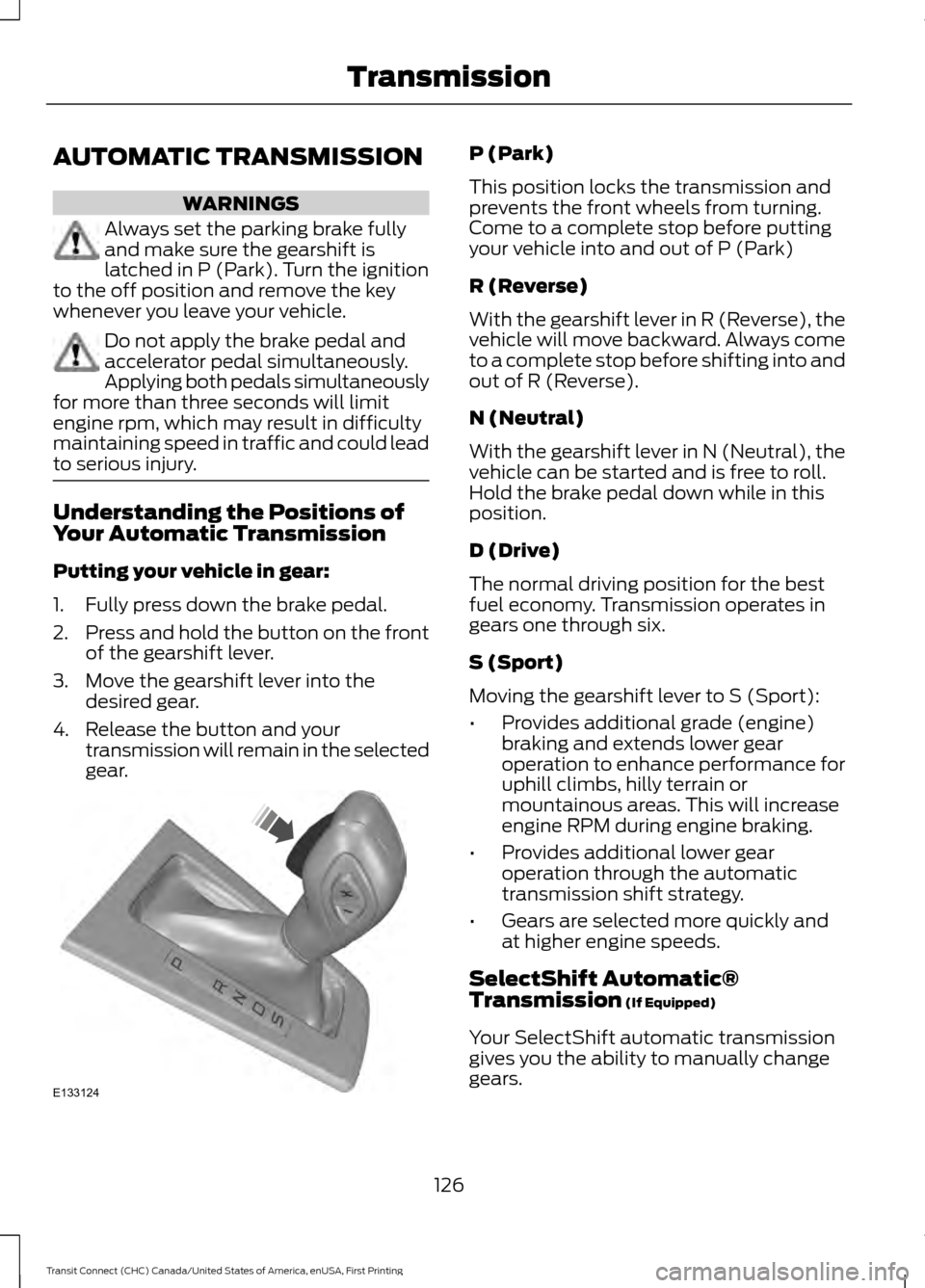
Putting your vehicle in gear:
1. Fully press down the brake pedal.
2.
Press and hold the button on the front
of the gearshift lever.
3. Move the gearshift lever into the desired gear.
4. Release the button and your transmission will remain in the selected
gear. P (Park)
This position locks the transmission and
prevents the front wheels from turning.
Come to a complete stop before putting
your vehicle into and out of P (Park)
R (Reverse)
With the gearshift lever in R (Reverse), the
vehicle will move backward. Always come
to a complete stop before shifting into and
out of R (Reverse).
N (Neutral)
With the gearshift lever in N (Neutral), the
vehicle can be started and is free to roll.
Hold the brake pedal down while in this
position.
D (Drive)
The normal driving position for the best
fuel economy. Transmission operates in
gears one through six.
S (Sport)
Moving the gearshift lever to S (Sport):
•
Provides additional grade (engine)
braking and extends lower gear
operation to enhance performance for
uphill climbs, hilly terrain or
mountainous areas. This will increase
engine RPM during engine braking.
• Provides additional lower gear
operation through the automatic
transmission shift strategy.
• Gears are selected more quickly and
at higher engine speeds.
SelectShift Automatic®
Transmission (If Equipped)
Your SelectShift automatic transmission
gives you the ability to manually change
gears.
126
Transit Connect (CHC) Canada/United States of America, enUSA, First Printing TransmissionE133124