airbag off FORD TRANSIT CONNECT 2018 User Guide
[x] Cancel search | Manufacturer: FORD, Model Year: 2018, Model line: TRANSIT CONNECT, Model: FORD TRANSIT CONNECT 2018Pages: 449, PDF Size: 6.73 MB
Page 180 of 449
1. Remove the jumper cable from the
ground metal surface or connecting
point, if available.
2. Remove the jumper cable on the negative (-) terminal of the booster
vehicle's battery.
3. Remove the jumper cable from the positive (+) terminal of the booster
vehicle's battery.
4. Remove the jumper cable from the positive (+) terminal of the disabled
vehicle's battery.
After starting your vehicle and removing
the jumper cables, allow it to idle for
several minutes so the battery can
recharge.
POST-CRASH ALERT SYSTEM
The system flashes the turn signal lamps
and sounds the horn (intermittently) in the
event of a serious impact that deploys an
airbag (front, side, side curtain or Safety
Canopy) or the safety belt pretensioners.
The horn and lamps will turn off when:
• The hazard control button is pressed
• The panic button (if equipped) is
pressed on the remote entry
transmitter
• Your vehicle runs out of power
177
2018 Transit Connect (CHC) Canada/United States of America, CG3709en enUSA, Edition date: 201704, First Printing Roadside Emergencies
Page 225 of 449
To clean the windshield and wiper blades:
•
Clean the windshield with a
non-abrasive glass cleaner. When
cleaning the interior of the windshield,
avoid getting any glass cleaner on the
instrument panel or door panels. Wipe
any glass cleaner off these surfaces
immediately.
• For windshields contaminated with
tree sap, chemicals, wax or bugs, clean
the entire windshield using steel wool
(no greater than 0000 grade) in a
circular motion and rinse with water.
• Clean the wiper blades with isopropyl
rubbing alcohol or windshield washer
concentrate.
Note: Do not use razor blades or other
sharp objects to clean or remove decals
from the inside of the heated rear window.
The vehicle warranty does not cover
damage caused to the heated rear window
grid lines.
CLEANING THE INTERIOR WARNINGS
Do not use cleaning solvents, bleach
or dye on the vehicle
’s safety belts,
as these actions may weaken the
belt webbing. On vehicles equipped with
seat-mounted airbags, do not use
chemical solvents or strong
detergents. Such products could
contaminate the side airbag system and
affect performance of the side airbag in a
collision. For fabric, carpets, cloth seats, safety belts
and seats equipped with side airbags:
•
Remove dust and loose dirt with a
vacuum cleaner.
• Remove light stains and soil with
Motorcraft Professional Strength
Carpet & Upholstery Cleaner.
• If grease or tar is present on the
material, spot-clean the area first with
Motorcraft Spot and Stain Remover. In
Canada, use Motorcraft Multi-Purpose
Cleaner.
• If a ring forms on the fabric after spot
cleaning, clean the entire area
immediately (but do not oversaturate)
or the ring will set.
• Do not use household cleaning
products or glass cleaners, which can
stain and discolor the fabric and affect
the flame retardant abilities of the seat
materials.
CLEANING THE INSTRUMENT
PANEL AND INSTRUMENT
CLUSTER LENS WARNING
Do not use chemical solvents or
strong detergents when cleaning the
steering wheel or instrument panel
to avoid contamination of the airbag
system. Note:
Follow the same procedure as
cleaning leather seats for cleaning leather
instrument panels and leather interior trim
surfaces. See Cleaning Leather Seats
(page 223).
Clean the instrument panel and cluster
lens with a clean, damp and soft cloth,
then use a clean, dry and soft cloth to dry
these areas.
222
2018 Transit Connect (CHC) Canada/United States of America, CG3709en enUSA, Edition date: 201704, First Printing Vehicle Care
Page 296 of 449
SYNC™ APPLICATIONS AND
SERVICES (If Equipped)
In order for the following features to work,
your cellular phone must be compatible
with SYNC. To check your phone's
compatibility, visit www.SYNCMyRide.com,
www.SYNCMyRide.ca or
www.syncmaroute.ca.
• 911 Assist: Can alert 911 in the event of
an emergency.
• SYNC AppLink: Allows you to connect
to and use certain applications such as
Spotify and Glympse (if your phone is
compatible).
These features may require activation.
Available AppLink enabled apps vary by
market.
911 Assist WARNINGS
Unless the 911 Assist setting is set on
before a crash, the system will not
dial for help which could delay
response time, potentially increasing the
risk of serious injury or death after a crash. Do not wait for 911 Assist to make an
emergency call if you can do it
yourself. Dial emergency services
immediately to avoid delayed response
time which could increase the risk of
serious injury or death after a crash. If you
do not hear 911 Assist within five seconds
of the crash, the system or phone may be
damaged or non-functional. Always place your phone in a secure
location in your vehicle so it does not
become a projectile or get damaged
in a crash. Failure to do so may cause
serious injury to someone or damage the
phone which could prevent 911 Assist from
working properly. Note:
The SYNC 911 Assist feature must be
set on before the incident.
Note: The SYNC 911 Assist feature only
operates in the U.S., Canada or in a territory
in which 911 is the emergency number.
Note: Before setting this feature on, make
sure that you read the 911 Assist Privacy
Notice later in this section for important
information.
Note: If any user switches 911 Assist to on
or off, that setting applies for all paired
phones. If 911 Assist is switched off, either
a voice message plays or a display message
or an icon comes on when your vehicle is
started and after a previously paired phone
connects.
Note: Every phone operates differently.
While SYNC 911 Assist works with most
cellular phones, some may have trouble
using this feature.
If a crash deploys an airbag (excluding
knee airbags and rear inflatable safety
belts [if equipped]) or activates the fuel
pump shut-off, your SYNC-equipped
vehicle may be able to contact emergency
services by dialing 911 through a paired and
connected Bluetooth-enabled phone. You
can learn more about the 911 Assist
feature, visit www.SYNCMyRide.com,
www.SYNCMyRide.ca or
www.syncmaroute.ca.
See
Supplementary Restraints System
(page 37). Important information about
airbag deployment is in this chapter.
See
Roadside Emergencies (page 173).
Important information about the fuel pump
shut-off is in this chapter.
293
2018 Transit Connect (CHC) Canada/United States of America, CG3709en enUSA, Edition date: 201704, First Printing SYNC™
Page 297 of 449
Setting 911 Assist On or Off
Press Menu then select
Action and Description
Menu
Item
SYNC-Applications Select the desired option, on
or off.
911 Assist
If you choose not to activate this
feature you will have the following
options: Action and Description
Menu
Item
Provides a display and voice
reminder at phone connection
at vehicle start.
Voice
Reminder
ON
Provides a display reminder
only without a voice reminder
at phone connection.
Voice
Reminder
OFF
To make sure that 911 Assist works
properly:
• SYNC must be powered and working
properly at the time of the incident and
throughout feature activation and use.
• The 911 Assist feature must be set on
before the incident.
• You must pair and connect a
Bluetooth-enabled and compatible
cell phone to SYNC.
• A connected Bluetooth-enabled phone
must have the ability to make and
maintain an outgoing call at the time
of the incident. •
A connected Bluetooth-enabled phone
must have adequate network coverage,
battery power and signal strength.
• The vehicle must have battery power
and be located in the U.S., Canada or
in a territory in which 911 is the
emergency number.
In the Event of a Crash
Not all crashes deploy an airbag or activate
the fuel pump shut-off (the triggers for 911
Assist). If a connected cell phone sustains
damage or loses its connection to SYNC
during a crash, SYNC searches for and tries
to connect to a previously paired cell
phone; SYNC then attempts to call the
emergency services.
Before making the call:
• SYNC provides a short window of time
(about 10 seconds) to cancel the call.
If you fail to cancel the call, SYNC
attempts to dial 911.
• SYNC says the following, or a similar
message: "SYNC will attempt to call
911, to cancel the call, press Cancel on
your screen or press and hold the
phone button on your steering wheel".
If you do not cancel the call, and SYNC
makes a successful call, a pre-recorded
message plays for the 911 operator, and
then the occupant(s) in your vehicle is able
to talk with the operator. Be prepared to
provide your name, phone number and
location immediately, because not all 911
systems are capable of receiving this
information electronically.
911 Assist May Not Work If
• Your cellular phone or 911 Assist
hardware sustains damage in a crash.
• The vehicle's battery or the SYNC
system has no power.
• The phone(s) thrown from your vehicle
are the ones paired and connected to
the system.
294
2018 Transit Connect (CHC) Canada/United States of America, CG3709en enUSA, Edition date: 201704, First Printing SYNC™
Page 298 of 449
911 Assist Privacy Notice
When you switch on 911 Assist, it may
disclose to emergency services that your
vehicle has been in a crash involving the
deployment of an airbag or activation of
the fuel pump shut-off. Certain versions or
updates to 911 Assist may also be capable
of electronically or verbally disclosing to
911 operators your vehicle location or other
details about your vehicle or crash to assist
911 operators to provide the most
appropriate emergency services. If you do
not want to disclose this information, do
not switch the feature on.
SYNC Mobile Apps
The system enables voice and steering
wheel control of SYNC AppLink enabled
smartphone apps. When an app is running
through AppLink, you can control main
features of the app through voice
commands and steering wheel controls.
Note:
You must pair and connect your
smartphone to SYNC to access AppLink.
Note: iPhone users need to connect the
phone to the USB port.
Note: Android users need to connect the
phone to SYNC using Bluetooth.
Note: For information on available apps,
supported smartphone devices and
troubleshooting tips please visit the Ford
website.
Availability of SYNC AppLink enabled Apps
will vary by region. Note:
Make sure you have an active account
for the app that you have downloaded.
Some apps work automatically with no
setup. Other apps want you to configure
your personal settings and personalize your
experience by creating stations or favorites.
We recommend you do this at home or
outside of your vehicle.
Note: AppLink is not available if your
vehicle is equipped with the MyFordTouch
system.
To Access Using the SYNC Menu
Press the MENU button to access the
menu on-screen. Then select: Action and Description
Menu
Item
SYNC-Apps Scroll through the list of
available applications and
select a particular app or
select:
Mobile
Apps
Find New Apps
Note: If you cannot find a compatible SYNC
AppLink app, make sure the required app is
running on the mobile device.
Accessing an App's Menu
When an app is running through SYNC,
press the right arrow button on the steering
wheel control to access the app menu.
You can access various app features from
here, for example thumbs up and thumbs
down.
Press the left arrow button on the steering
wheel control to exit the app menu.
295
2018 Transit Connect (CHC) Canada/United States of America, CG3709en enUSA, Edition date: 201704, First Printing SYNC™
Page 323 of 449
•
SOUND: Press to access the Sound
menu where you can adjust sound and
other audio settings.
• 1-6:
Press and hold to store or press to
select an AM, FM or SIRIUS memory
preset. See Audio System (page 261).
• DISP:
Switch the display on or off. You
can also touch the screen to switch the
display back on.
• Temperature, fan and climate
control buttons:
Control the
temperature, fan speed or settings of
the climate control system. See
Climate Control
(page 96).
911 Assist WARNINGS
Unless the 911 Assist setting is set on
before a crash, the system will not
dial for help which could delay
response time, potentially increasing the
risk of serious injury or death after a crash. Do not wait for 911 Assist to make an
emergency call if you can do it
yourself. Dial emergency services
immediately to avoid delayed response
time which could increase the risk of
serious injury or death after a crash. If you
do not hear 911 Assist within five seconds
of the crash, the system or phone may be
damaged or non-functional. Always place your phone in a secure
location in your vehicle so it does not
become a projectile or get damaged
in a crash. Failure to do so may cause
serious injury to someone or damage the
phone which could prevent 911 Assist from
working properly. Note:
The SYNC 911 Assist feature must be
set on before the incident.
Note: The SYNC 911 Assist feature only
operates in the U.S., Canada or in a territory
in which 911 is the emergency number. Note:
Before setting this feature on, make
sure that you read the 911 Assist Privacy
Notice later in this section for important
information.
Note: If any user sets 911 Assist to on or off,
that setting applies for all paired phones. If
911 Assist is switched off and the phone is
connected to SYNC, an icon displays on the
status bar.
Note: Every phone operates differently.
While SYNC 911 Assist works with most
cellular phones, some may have trouble
using this feature.
If a crash deploys an airbag (excluding
knee airbags and rear inflatable safety
belts [if equipped]) or activates the fuel
pump shut-off, your SYNC-equipped
vehicle may be able to contact emergency
services by dialing 911 through a paired and
connected Bluetooth-enabled phone. You
can learn more about the 911 Assist
feature, by visiting: Website
www.owner.ford.com
www.syncmyride.ca
www.syncmaroute.ca
For important information about airbag
deployment and the fuel pump shut-off
please see the Supplementary Restrains
and Roadside Emergencies sections of
your owner manual.
To switch 911 Assist on and off please view
the settings information.
See Settings
(page 359).
To make sure that 911 Assist works
correctly:
• SYNC must be powered and working
properly at the time of the incident and
throughout feature activation and use.
• The 911 Assist feature must be set on
before the incident.
320
2018 Transit Connect (CHC) Canada/United States of America, CG3709en enUSA, Edition date: 201704, First Printing SYNC™ 3
Page 324 of 449
•
You must pair and connect a
Bluetooth-enabled and compatible
cell phone to SYNC.
• A connected Bluetooth-enabled phone
must have the ability to make and
maintain an outgoing call at the time
of the incident.
• A connected Bluetooth-enabled phone
must have adequate network coverage,
battery power and signal strength.
• The vehicle must have battery power
and be located in the U.S., Canada or
in a territory in which 911 is the
emergency number.
In the Event of a Crash
Not all crashes will deploy an airbag or
activate the fuel pump shut-off (the
triggers for 911 Assist). If a connected cell
phone sustains damage or loses its
connection to SYNC during a crash, SYNC
will search for and try to connect to a
previously paired cell phone; SYNC will
then attempt to call the emergency
services.
Before making the call:
• SYNC provides a short window of time
(about 10 seconds) to cancel the call.
If you fail to cancel the call, SYNC
attempts to dial 911.
• SYNC says the following, or a similar
message: "SYNC will attempt to call
911, to cancel the call, press Cancel on
your screen or press and hold the
phone button on your steering wheel."
If you do not cancel the call, and SYNC
makes a successful call, a pre-recorded
message plays for the 911 operator, and
then the occupant(s) in your vehicle is able
to talk with the operator. Be prepared to
provide your name, phone number and
location immediately, because not all 911
systems are capable of receiving this
information electronically. 911 Assist May Not Work If
•
Your cellular phone or 911 Assist
hardware sustains damage in a crash.
• The vehicle's battery or the SYNC
system has no power.
• The phone(s) thrown from your vehicle
are the ones paired and connected to
the system.
911 Assist Privacy Notice
When you switch on 911 Assist, it may
disclose to emergency services that your
vehicle has been in a crash involving the
deployment of an airbag or activation of
the fuel pump shut-off. Certain versions or
updates to 911 Assist may also be capable
of electronically or verbally disclosing to
911 operators your vehicle location or other
details about your vehicle or crash to assist
911 operators to provide the most
appropriate emergency services. If you do
not want to disclose this information, do
not switch the feature on.
Safety Information WARNING
Driving while distracted can result in
loss of vehicle control, crash and
injury. We strongly recommend that
you use extreme caution when using any
device that may take your focus off the
road. Your primary responsibility is the safe
operation of your vehicle. We recommend
against the use of any hand-held device
while driving and encourage the use of
voice-operated systems when possible.
Make sure you are aware of all applicable
local laws that may affect the use of
electronic devices while driving. 321
2018 Transit Connect (CHC) Canada/United States of America, CG3709en enUSA, Edition date: 201704, First Printing SYNC™ 3
Page 440 of 449
A
A/C
See: Climate Control.......................................... 96
About This Manual...........................................7
ABS See: Brakes............................................................ 134
ABS driving hints See: Hints on Driving With Anti-Lock
Brakes.................................................................134
Accessories....................................................384 Exterior Style....................................................... 384
Interior Style........................................................ 384
Lifestyle................................................................. 384
Peace of Mind..................................................... 384
Accessories See: Replacement Parts
Recommendation............................................ 12
Adjusting the Headlamps...........................211 Horizontal Aim Adjustment............................ 212
Vertical Aim Adjustment................................... 211
Adjusting the Steering Wheel...................60
Airbag Disposal...............................................45
Air Conditioning See: Climate Control.......................................... 96
Air Filter See: Changing the Engine Air Filter..............218
Appendices...................................................406
Apps.................................................................356 ........................................................................\
.......... 356
SiriusXM Traffic and Travel Link................... 358
Audible Warnings and Indicators.............82 Automatic Transmission Warning
Chime.................................................................. 83
Headlamps On Warning Chime...................... 82
Key in Ignition Warning Chime........................ 82
Parking Brake On Warning Chime.................. 83
Audio Control..................................................60
Audio Input Jack...........................................275
Audio System
.................................................261
General Information.......................................... 261
Audio Troubleshooting
..............................276
Audio Unit - Vehicles With: AM/FM/CD/ SYNC/Satellite Radio..............................267
Audio Unit - Vehicles With: AM/FM/CD/ SYNC.............................................................265 Audio Unit - Vehicles With: AM/
FM...................................................................262
AUX Button.......................................................... 265
Clock Button........................................................ 264
Frequency Band Buttons................................ 264
Menu Button........................................................ 265
Sound Button...................................................... 264
Station Preset Buttons.................................... 264
Station Tuning Buttons................................... 264
Audio Unit - Vehicles With: Premium AM/FM/CD..................................................269
Autolamps........................................................67 Windshield Wiper Activated
Headlamps........................................................ 67
Automatic Climate Control........................97 Mono Mode............................................................ 98
Switching Mono Mode Back On..................... 99
Switching Mono Mode Off............................... 99
Temperature Control.......................................... 98
Automatic Transmission.............................131 Brake-Shift Interlock.......................................... 132
If Your Vehicle Gets Stuck In Mud or Snow................................................................... 133
SelectShift Automatic® Transmission.................................................... 131
Understanding the Positions of Your Automatic Transmission.............................. 131
Automatic Transmission Fluid Check............................................................206
Autowipers.......................................................63
Auxiliary Power Points.................................113 12 Volt DC Power Point...................................... 113
Locations................................................................. 113
B
Battery See: Changing the 12V Battery..................... 206
Blind Spot Information System..............146 Switching the System Off and On...............148
System Errors....................................................... 148
Using the System............................................... 146
Bonnet Lock See: Opening and Closing the Hood...........197
Booster Seats..................................................24 Types of Booster Seats...................................... 25
Brake Fluid Check
.......................................206
437
2018 Transit Connect (CHC) Canada/United States of America, CG3709en enUSA, Edition date: 201704, First Printing Index
Page 441 of 449
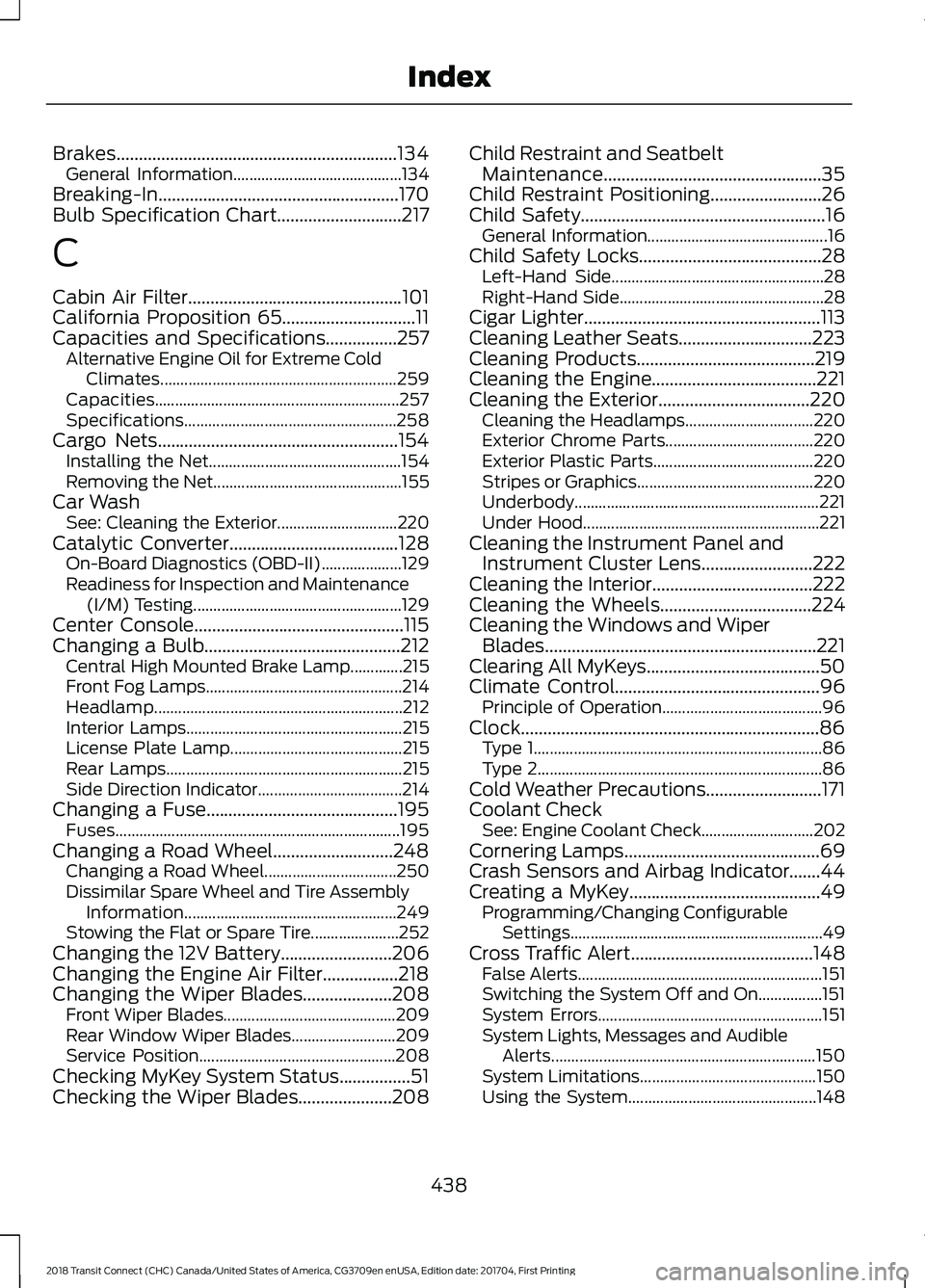
Brakes...............................................................134
General Information.......................................... 134
Breaking-In......................................................170
Bulb Specification Chart............................217
C
Cabin Air Filter................................................101
California Proposition 65..............................11
Capacities and Specifications................257 Alternative Engine Oil for Extreme Cold
Climates........................................................... 259
Capacities............................................................. 257
Specifications..................................................... 258
Cargo Nets
......................................................154
Installing the Net................................................ 154
Removing the Net............................................... 155
Car Wash See: Cleaning the Exterior.............................. 220
Catalytic Converter
......................................128
On-Board Diagnostics (OBD-II).................... 129
Readiness for Inspection and Maintenance (I/M) Testing.................................................... 129
Center Console...............................................115
Changing a Bulb............................................212 Central High Mounted Brake Lamp.............215
Front Fog Lamps................................................. 214
Headlamp.............................................................. 212
Interior Lamps...................................................... 215
License Plate Lamp........................................... 215
Rear Lamps........................................................... 215
Side Direction Indicator.................................... 214
Changing a Fuse...........................................195 Fuses....................................................................... 195
Changing a Road Wheel...........................248 Changing a Road Wheel................................. 250
Dissimilar Spare Wheel and Tire Assembly Information..................................................... 249
Stowing the Flat or Spare Tire...................... 252
Changing the 12V Battery.........................206
Changing the Engine Air Filter.................218
Changing the Wiper Blades
....................208
Front Wiper Blades........................................... 209
Rear Window Wiper Blades.......................... 209
Service Position................................................. 208
Checking MyKey System Status................51
Checking the Wiper Blades
.....................208 Child Restraint and Seatbelt
Maintenance.................................................35
Child Restraint Positioning
.........................26
Child Safety.......................................................16 General Information............................................. 16
Child Safety Locks.........................................28 Left-Hand Side..................................................... 28
Right-Hand Side................................................... 28
Cigar Lighter
.....................................................113
Cleaning Leather Seats..............................223
Cleaning Products........................................219
Cleaning the Engine
.....................................221
Cleaning the Exterior..................................220
Cleaning the Headlamps................................ 220
Exterior Chrome Parts..................................... 220
Exterior Plastic Parts........................................ 220
Stripes or Graphics............................................ 220
Underbody............................................................. 221
Under Hood........................................................... 221
Cleaning the Instrument Panel and Instrument Cluster Lens.........................222
Cleaning the Interior....................................222
Cleaning the Wheels
..................................224
Cleaning the Windows and Wiper Blades.............................................................221
Clearing All MyKeys.......................................50
Climate Control..............................................96 Principle of Operation........................................ 96
Clock...................................................................86 Type 1........................................................................\
86
Type 2....................................................................... 86
Cold Weather Precautions..........................171
Coolant Check See: Engine Coolant Check............................ 202
Cornering Lamps............................................69
Crash Sensors and Airbag Indicator.......44
Creating a MyKey
...........................................49
Programming/Changing Configurable
Settings............................................................... 49
Cross Traffic Alert.........................................148 False Alerts............................................................. 151
Switching the System Off and On................151
System Errors........................................................ 151
System Lights, Messages and Audible Alerts.................................................................. 150
System Limitations............................................ 150
Using the System............................................... 148
438
2018 Transit Connect (CHC) Canada/United States of America, CG3709en enUSA, Edition date: 201704, First Printing Index
Page 447 of 449

Clock........................................................................\
361
Display................................................................... 370
General.................................................................. 368
Media Player....................................................... 360
Mobile Apps......................................................... 367
Navigation............................................................ 365
Phone...................................................................... 361
Radio...................................................................... 364
Sound..................................................................... 359
Valet Mode............................................................. 371
Vehicle................................................................... 369
Voice Control........................................................ 371
Wi-Fi....................................................................... 369
Side Airbags.....................................................42
Sitting in the Correct Position..................103
Snow Chains See: Using Snow Chains................................. 243
Special Notices................................................12 New Vehicle Limited Warranty......................... 12
On Board Diagnostics Data Link Connector............................................................ 13
Special Instructions.............................................. 12
Special Operating Conditions Scheduled Maintenance..............................................394
Speed Control See: Cruise Control............................................ 145
Stability Control............................................138
Principle of Operation....................................... 138
Starter Switch See: Ignition Switch............................................ 116
Starting a Gasoline Engine.........................117 Cold or Hot Engine............................................... 117
Engine Idle Speed after Starting.................... 117
Flooded Engine..................................................... 117
Starting and Stopping the Engine...........116 General Information........................................... 116
Steering.............................................................151 Electric Power Steering..................................... 151
Steering Wheel
...............................................60
Storage Compartments..............................115
Sun Shades.......................................................77 Bounce-Back......................................................... 78
Opening and Closing the Sun Shade............78
Sun Shade Relearning........................................ 78
Supplementary Restraints System..........37 Principle of Operation......................................... 37
Switching Off the Engine............................117 Vehicles With a Turbocharger......................... 117Symbols Glossary
.............................................7
SYNC™ 3.........................................................315
General Information.......................................... 315
SYNC™ 3 Troubleshooting.......................371
SYNC™ Applications and Services........................................................293
911 Assist............................................................... 293
SYNC Mobile Apps............................................ 295
SYNC™.............................................................277 General Information.......................................... 277
SYNC™ Troubleshooting.........................306
T
Tailgate See: Manual Liftgate........................................... 56
Technical Specifications See: Capacities and Specifications............255
The Better Business Bureau (BBB) Auto Line Program (U.S. Only).......................180
Tire Care
..........................................................228
Glossary of Tire Terminology........................ 230
Information About Uniform Tire Quality Grading............................................................. 228
Information Contained on the Tire Sidewall............................................................. 231
Temperature A B C............................................ 229
Traction AA A B C............................................... 229
Treadwear............................................................. 229
Tire Pressure Monitoring System
...........244
Changing Tires With a Tire Pressure
Monitoring System....................................... 245
Tire Pressure Monitoring System Reset Procedure......................................................... 247
Understanding the Tire Pressure Monitoring System ............................................................. 245
Tires See: Wheels and Tires...................................... 227
Towing a Trailer.............................................162 Load Placement.................................................. 162
Towing Points
.................................................167
Recovery Hook..................................................... 167
Towing the Vehicle on Four Wheels..........................................................169
Emergency Towing............................................ 169
Recreational Vehicle Towing.......................... 169
Towing..............................................................162
444
2018 Transit Connect (CHC) Canada/United States of America, CG3709en enUSA, Edition date: 201704, First Printing Index