transmission FORD TRANSIT CONNECT 2018 Owners Manual
[x] Cancel search | Manufacturer: FORD, Model Year: 2018, Model line: TRANSIT CONNECT, Model: FORD TRANSIT CONNECT 2018Pages: 449, PDF Size: 6.73 MB
Page 6 of 449
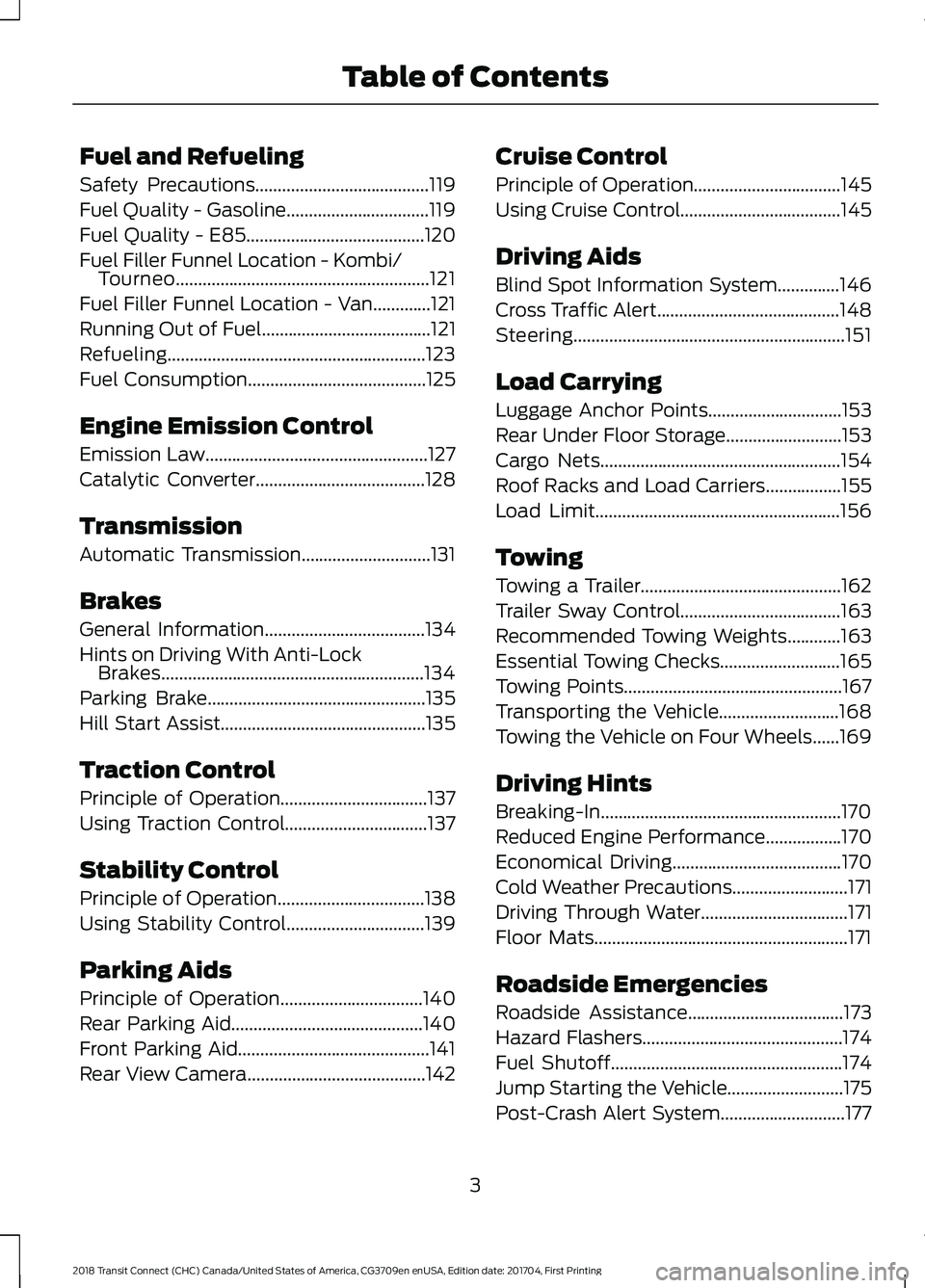
Fuel and Refueling
Safety Precautions.......................................119
Fuel Quality - Gasoline................................119
Fuel Quality - E85
........................................120
Fuel Filler Funnel Location - Kombi/ Tourneo.........................................................121
Fuel Filler Funnel Location - Van.............121
Running Out of Fuel
......................................121
Refueling..........................................................123
Fuel Consumption........................................125
Engine Emission Control
Emission Law..................................................127
Catalytic Converter
......................................128
Transmission
Automatic Transmission.............................131
Brakes
General Information....................................134
Hints on Driving With Anti-Lock Brakes...........................................................134
Parking Brake
.................................................135
Hill Start Assist
..............................................135
Traction Control
Principle of Operation.................................137
Using Traction Control................................137
Stability Control
Principle of Operation.................................138
Using Stability Control...............................139
Parking Aids
Principle of Operation
................................140
Rear Parking Aid...........................................140
Front Parking Aid...........................................141
Rear View Camera........................................142 Cruise Control
Principle of Operation
.................................145
Using Cruise Control....................................145
Driving Aids
Blind Spot Information System..............146
Cross Traffic Alert.........................................148
Steering.............................................................151
Load Carrying
Luggage Anchor Points
..............................153
Rear Under Floor Storage
..........................153
Cargo Nets
......................................................154
Roof Racks and Load Carriers
.................155
Load Limit.......................................................156
Towing
Towing a Trailer.............................................162
Trailer Sway Control....................................163
Recommended Towing Weights............163
Essential Towing Checks...........................165
Towing Points
.................................................167
Transporting the Vehicle...........................168
Towing the Vehicle on Four Wheels......169
Driving Hints
Breaking-In......................................................170
Reduced Engine Performance.................170
Economical Driving
......................................170
Cold Weather Precautions..........................171
Driving Through Water.................................171
Floor Mats.........................................................171
Roadside Emergencies
Roadside Assistance...................................173
Hazard Flashers.............................................174
Fuel Shutoff....................................................174
Jump Starting the Vehicle..........................175
Post-Crash Alert System............................177
3
2018 Transit Connect (CHC) Canada/United States of America, CG3709en enUSA, Edition date: 201704, First Printing Table of Contents
Page 7 of 449
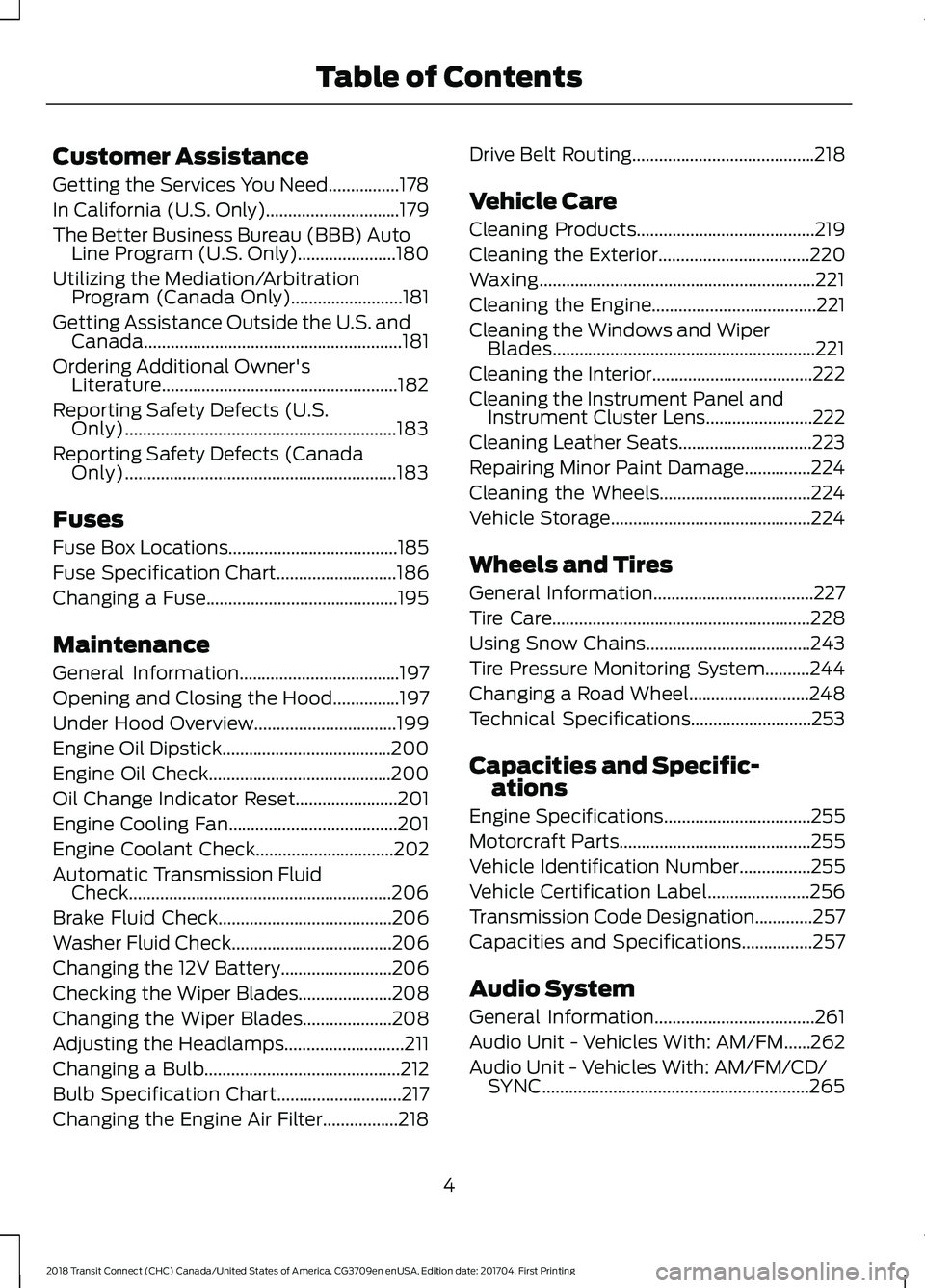
Customer Assistance
Getting the Services You Need................178
In California (U.S. Only)..............................179
The Better Business Bureau (BBB) Auto
Line Program (U.S. Only)......................180
Utilizing the Mediation/Arbitration Program (Canada Only).........................181
Getting Assistance Outside the U.S. and Canada..........................................................181
Ordering Additional Owner's Literature.....................................................182
Reporting Safety Defects (U.S. Only).............................................................183
Reporting Safety Defects (Canada Only).............................................................183
Fuses
Fuse Box Locations......................................185
Fuse Specification Chart
...........................186
Changing a Fuse...........................................195
Maintenance
General Information....................................197
Opening and Closing the Hood...............197
Under Hood Overview................................199
Engine Oil Dipstick
......................................200
Engine Oil Check
.........................................200
Oil Change Indicator Reset.......................201
Engine Cooling Fan......................................201
Engine Coolant Check...............................202
Automatic Transmission Fluid Check
...........................................................206
Brake Fluid Check
.......................................206
Washer Fluid Check
....................................206
Changing the 12V Battery.........................206
Checking the Wiper Blades
.....................208
Changing the Wiper Blades
....................208
Adjusting the Headlamps...........................211
Changing a Bulb............................................212
Bulb Specification Chart............................217
Changing the Engine Air Filter.................218 Drive Belt Routing.........................................218
Vehicle Care
Cleaning Products........................................219
Cleaning the Exterior
..................................220
Waxing..............................................................221
Cleaning the Engine
.....................................221
Cleaning the Windows and Wiper Blades...........................................................221
Cleaning the Interior....................................222
Cleaning the Instrument Panel and Instrument Cluster Lens........................222
Cleaning Leather Seats..............................223
Repairing Minor Paint Damage...............224
Cleaning the Wheels..................................224
Vehicle Storage.............................................224
Wheels and Tires
General Information
....................................227
Tire Care
..........................................................228
Using Snow Chains.....................................243
Tire Pressure Monitoring System..........244
Changing a Road Wheel...........................248
Technical Specifications...........................253
Capacities and Specific- ations
Engine Specifications
.................................255
Motorcraft Parts
...........................................255
Vehicle Identification Number................255
Vehicle Certification Label
.......................256
Transmission Code Designation.............257
Capacities and Specifications
................257
Audio System
General Information....................................261
Audio Unit - Vehicles With: AM/FM......262
Audio Unit - Vehicles With: AM/FM/CD/ SYNC............................................................265
4
2018 Transit Connect (CHC) Canada/United States of America, CG3709en enUSA, Edition date: 201704, First Printing Table of Contents
Page 16 of 449
On Board Diagnostics Data Link
Connector
WARNING
Do not connect wireless plug-in
devices to the data link connector.
Unauthorized third parties could gain
access to vehicle data and impair the
performance of safety related systems.
Only allow repair facilities that follow our
service and repair instructions to connect
their equipment to the data link connector. Your vehicle has an OBD Data Link
Connector (DLC) that is used in
conjunction with a diagnostic scan tool for
vehicle diagnostics, repairs and
reprogramming services. Installing an
aftermarket device that uses the DLC
during normal driving for purposes such as
remote insurance company monitoring,
transmission of vehicle data to other
devices or entities, or altering the
performance of the vehicle, may cause
interference with or even damage to
vehicle systems. We do not recommend
or endorse the use of aftermarket plug-in
devices unless approved by Ford. The
vehicle Warranty will not cover damage
caused by an aftermarket plug-in device.
MOBILE COMMUNICATIONS
EQUIPMENT WARNING
Driving while distracted can result in
loss of vehicle control, crash and
injury. We strongly recommend that
you use extreme caution when using any
device that may take your focus off the
road. Your primary responsibility is the safe
operation of your vehicle. We recommend
against the use of any hand-held device
while driving and encourage the use of
voice-operated systems when possible.
Make sure you are aware of all applicable
local laws that may affect the use of
electronic devices while driving. Using mobile communications equipment
is becoming increasingly important in the
conduct of business and personal affairs.
However, you must not compromise your
own or others’
safety when using such
equipment. Mobile communications can
enhance personal safety and security when
appropriately used, particularly in
emergency situations. Safety must be
paramount when using mobile
communications equipment to avoid
negating these benefits. Mobile
communication equipment includes, but
is not limited to, cellular phones, pagers,
portable email devices, text messaging
devices and portable two-way radios.
EXPORT UNIQUE OPTIONS
For your particular global region, your
vehicle may be equipped with features and
options that are different from the features
and options that are described in this
Owner ’s Manual. A market unique
supplement may be supplied that
complements this book. By referring to the
market unique supplement, if provided,
you can properly identify those features,
13
2018 Transit Connect (CHC) Canada/United States of America, CG3709en enUSA, Edition date: 201704, First Printing Introduction
Page 37 of 449
Then...
If...
The Belt-Minder feature will not activate.
You and the front seat passenger buckle
your seatbelts before you switch the igni-
tion on or less than 1– 2 minutes elapse after
you switch the ignition on...
The Belt-Minder feature activates, the
seatbelt warning light illuminates and a
warning tone sounds for 6 seconds every
25 seconds, repeating for about 5 minutes
or until you and the front seat passenger
buckle your seatbelts.
You or the front seat passenger do not
buckle your seatbelts before your vehicle
reaches at least 6 mph (9.7 km/h) and 1–
2
minutes elapse after you switch the ignition
on...
The Belt-Minder feature activates, the
seatbelt warning light illuminates and a
warning tone sounds for 6 seconds every
25 seconds, repeating for about 5 minutes
or until you and the front seat passenger
buckle your seatbelts.
The seatbelt for the driver or front
passenger is unbuckled for about 1 minute
while the vehicle is traveling at least 6 mph
(9.7 km/h) and more than 1–
2 minutes
elapse after you switch the ignition on...
Deactivating and Activating the
Belt-Minder Feature WARNING
While the system allows you to
deactivate it, this system is designed
to improve your chances of being
safely belted and surviving an accident.
We recommend you leave the system
activated for yourself and others who may
use the vehicle. Note:
The driver and front passenger
warnings switch on and off independently.
When you perform this procedure for one
seating position, do not buckle the other
position as this will terminate the process.
Read Steps 1–4 thoroughly before
proceeding with the programming
procedure. Before following the procedure, make sure
that:
•
The parking brake is set.
• The transmission is in park (P).
• The ignition is off.
• The driver and front passenger
seatbelts are unbuckled.
1. Switch the ignition on. Do not start the
vehicle.
2. Wait until the seatbelt warning light turns off (about 1 minute). After Step
2, wait an additional 5 seconds before
proceeding with Step 3. Once you start
Step 3, you must complete the
procedure within 30 seconds.
3. For the seating position you are switching off, buckle then unbuckle the
seatbelt four times at a moderate
speed, ending in the unbuckled state.
After Step 3, the seatbelt warning light
turns on.
34
2018 Transit Connect (CHC) Canada/United States of America, CG3709en enUSA, Edition date: 201704, First Printing Seatbelts
Page 49 of 449
GENERAL INFORMATION ON
RADIO FREQUENCIES
This device complies with Part 15 of the
FCC Rules and with Licence exempt RSS
Standards of Industry Canada. Operation
is subject to the following two conditions:
•
This device may not cause harmful
interference, and
• This device must accept any
interference received, including
interference that may cause undesired
operation. WARNING
Changes or modifications not
expressively approved by the party
responsible for compliance could
void the user's authority to operate the
equipment. The term "IC:" before the radio
certification number only signifies that
Industry Canada technical specifications
were met. The typical operating range for your
transmitter is approximately 33 ft (10 m).
Vehicles with the remote start feature will
have a greater range. One of the following
could cause a decrease in operating range:
• Weather conditions.
• Nearby radio towers.
• Structures around the vehicle.
• Other vehicles parked next to your
vehicle.
Other short distance radio transmissions,
for example amateur radios, medical
equipment, wireless headphones, remote
controls and alarm systems can also use
the radio frequency used by your remote
control. If the frequencies are jammed, you
will not be able to use your remote control.
You can lock and unlock the doors with the
key. Note:
Make sure to lock your vehicle before
leaving it unattended.
Note: If you are in range, the remote control
will operate if you press any button
unintentionally.
Note: The remote control contains sensitive
electrical components. Exposure to moisture
or impact may cause permanent damage.
REMOTE CONTROL
Integrated Keyhead Transmitter (If
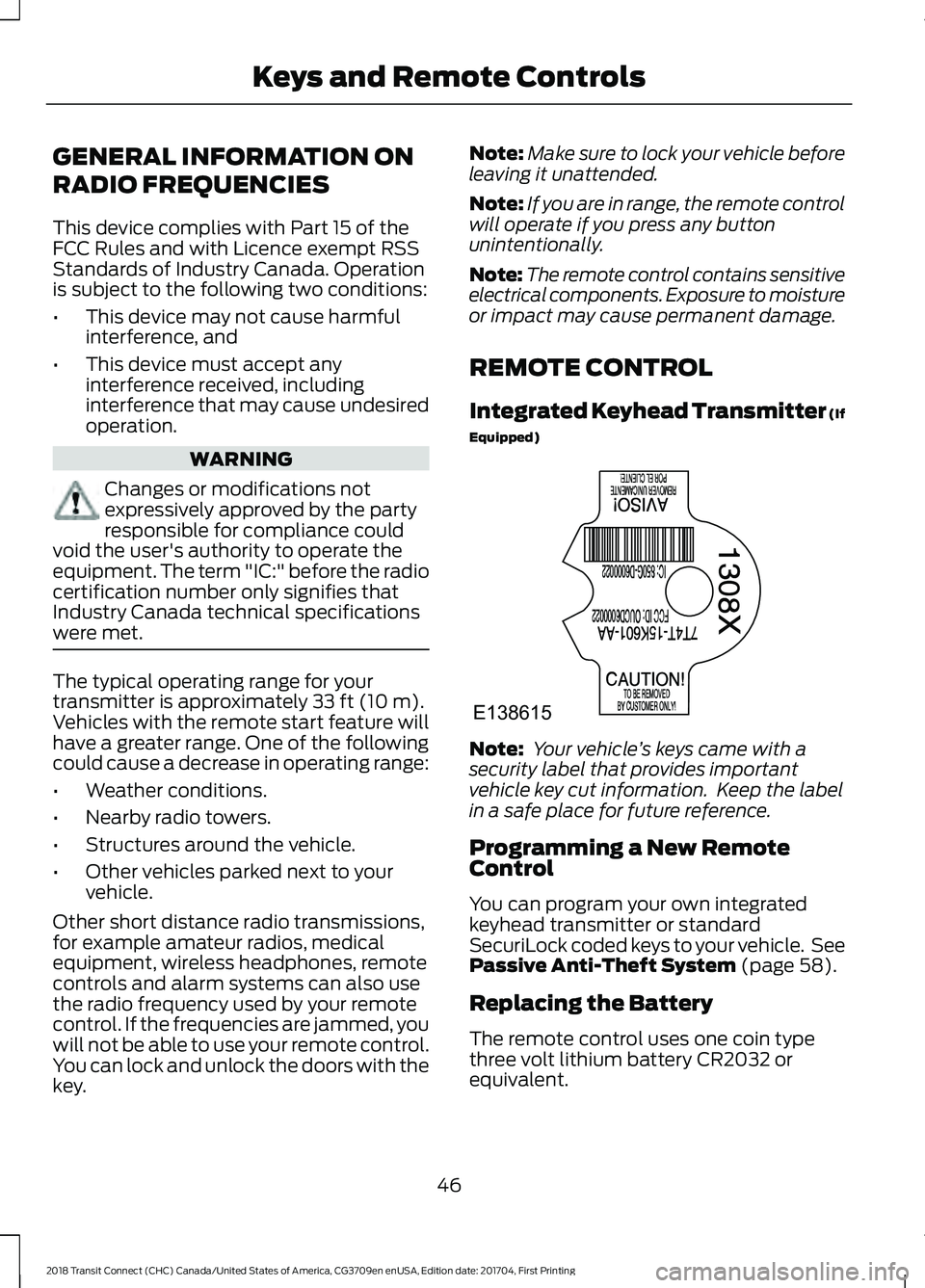
Equipped) Note:
Your vehicle ’s keys came with a
security label that provides important
vehicle key cut information. Keep the label
in a safe place for future reference.
Programming a New Remote
Control
You can program your own integrated
keyhead transmitter or standard
SecuriLock coded keys to your vehicle. See
Passive Anti-Theft System
(page 58).
Replacing the Battery
The remote control uses one coin type
three volt lithium battery CR2032 or
equivalent.
46
2018 Transit Connect (CHC) Canada/United States of America, CG3709en enUSA, Edition date: 201704, First Printing Keys and Remote ControlsE138615
Page 86 of 449
Parking Brake On Warning Chime
Sounds when you have left the parking
brake on and drive your vehicle. If the
warning chime remains on after you have
released the parking brake, have your
vehicle checked by an authorized dealer
immediately.
Automatic Transmission Warning
Chime
Sounds when you have not moved the
transmission selector lever to park. A
message will be shown in the display.
83
2018 Transit Connect (CHC) Canada/United States of America, CG3709en enUSA, Edition date: 201704, First Printing Instrument Cluster
Page 98 of 449
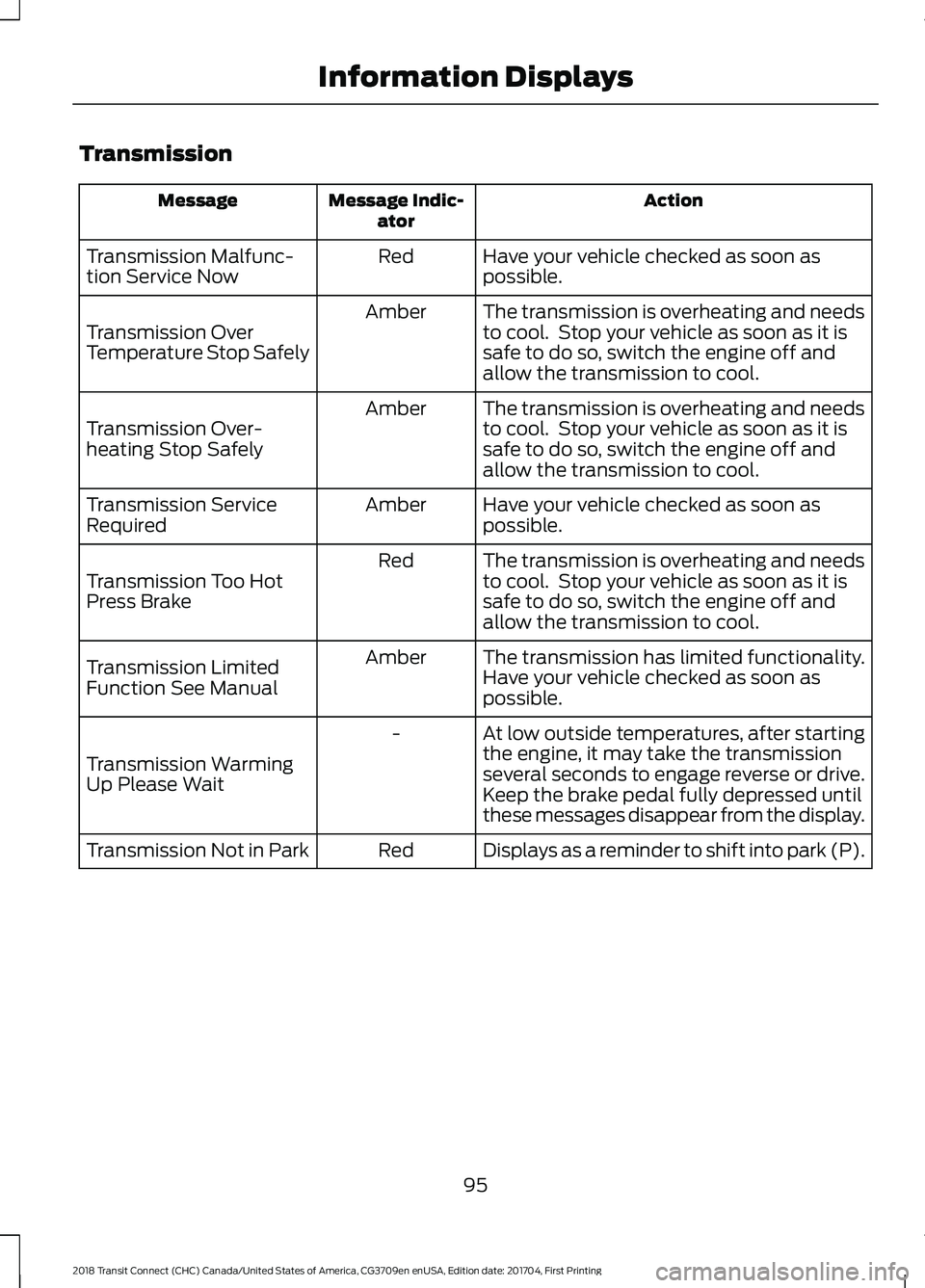
Transmission
Action
Message Indic-
ator
Message
Have your vehicle checked as soon as
possible.
Red
Transmission Malfunc-
tion Service Now
The transmission is overheating and needs
to cool. Stop your vehicle as soon as it is
safe to do so, switch the engine off and
allow the transmission to cool.
Amber
Transmission Over
Temperature Stop Safely
The transmission is overheating and needs
to cool. Stop your vehicle as soon as it is
safe to do so, switch the engine off and
allow the transmission to cool.
Amber
Transmission Over-
heating Stop Safely
Have your vehicle checked as soon as
possible.
Amber
Transmission Service
Required
The transmission is overheating and needs
to cool. Stop your vehicle as soon as it is
safe to do so, switch the engine off and
allow the transmission to cool.
Red
Transmission Too Hot
Press Brake
The transmission has limited functionality.
Have your vehicle checked as soon as
possible.
Amber
Transmission Limited
Function See Manual
At low outside temperatures, after starting
the engine, it may take the transmission
several seconds to engage reverse or drive.
Keep the brake pedal fully depressed until
these messages disappear from the display.
-
Transmission Warming
Up Please Wait
Displays as a reminder to shift into park (P).
Red
Transmission Not in Park
95
2018 Transit Connect (CHC) Canada/United States of America, CG3709en enUSA, Edition date: 201704, First Printing Information Displays
Page 102 of 449
Switching Mono Mode Off
Select a temperature for the passenger
side using the rotary control on the
passenger side. Mono mode automatically
switches off. The temperature on the driver
side remains unchanged. You can now
adjust the driver side and passenger side
temperatures independently. The
temperature settings for each side are
shown in the display.
Switching Mono Mode Back On
Press and hold the AUTO button. The
passenger side temperature is adjusted to
the driver side temperature setting.
HINTS ON CONTROLLING THE
INTERIOR CLIMATE
General Hints
Note: Prolonged use of recirculated air may
cause the windows to fog up.
Note: A small amount of air may be felt
from the footwell air vents regardless of the
air distribution setting.
Note: To reduce humidity build-up inside
your vehicle, do not drive with the system
switched off or with recirculated air always
switched on.
Note: Do not place objects under the front
seats as this may interfere with the airflow
to the rear seats.
Note: Keep the air intakes in front of the
windshield free from obstruction (such as
snow or leaves) to allow the climate control
system to function effectively.
Note: To reduce fogging of the windshield
during humid weather, adjust the air
distribution control to the windshield air
vents position. Increase the temperature
and fan speed and press the A/C button to
improve clearing, if required. Heating the Interior Quickly
•
Adjust the fan speed to the highest
speed setting.
• Adjust the temperature control to the
highest setting.
• Adjust the air distribution control to the
footwell air vents position.
Recommended Settings for
Heating
• Adjust the fan speed to the second
speed setting.
• Adjust the temperature control to the
midway point of the hot settings.
• Adjust the air distribution control to the
footwell and windshield air vents
position.
Cooling the Interior Quickly
• Adjust the fan speed to the highest
speed setting.
• Adjust the temperature control to the
MAX A/C
position.
• Adjust the air distribution control to the
instrument panel air vents position.
Recommended Settings for
Cooling
• Adjust the fan speed to the second
speed setting.
• Adjust the temperature control to the
midway point of the cold settings.
• Adjust the air distribution control to the
instrument panel air vents position.
Vehicle Stationary for Extended
Periods During Extreme High
Ambient Temperatures
• Apply the parking brake.
• Move the transmission selector lever
to position
P or neutral.
99
2018 Transit Connect (CHC) Canada/United States of America, CG3709en enUSA, Edition date: 201704, First Printing Climate Control
Page 119 of 449
GENERAL INFORMATION
WARNINGS
Extended idling at high engine
speeds can produce very high
temperatures in the engine and
exhaust system, creating the risk of fire or
other damage. Do not park, idle or drive your vehicle
on dry grass or other dry ground
cover. The emission system heats up
the engine compartment and exhaust
system, creating the risk of fire. Do not start the engine in a closed
garage or in other enclosed areas.
Exhaust fumes can be toxic. Always
open the garage door before you start the
engine. Exhaust leaks may result in entry of
harmful and potentially lethal fumes
into the passenger compartment. If
you smell exhaust fumes inside your
vehicle, have your vehicle inspected
immediately. Do not drive if you smell
exhaust fumes. If you disconnect the battery, your vehicle
may exhibit some unusual driving
characteristics for approximately 5 mi
(8 km) after you reconnect it. This is
because the engine management system
must realign itself with the engine. You
can disregard any unusual driving
characteristics during this period.
The powertrain control system meets all
Canadian interference-causing equipment
standard requirements regulating the
impulse electrical field or radio noise.
When you start the engine, avoid pressing
the accelerator pedal before and during
operation. Only use the accelerator pedal
when you have difficulty starting the
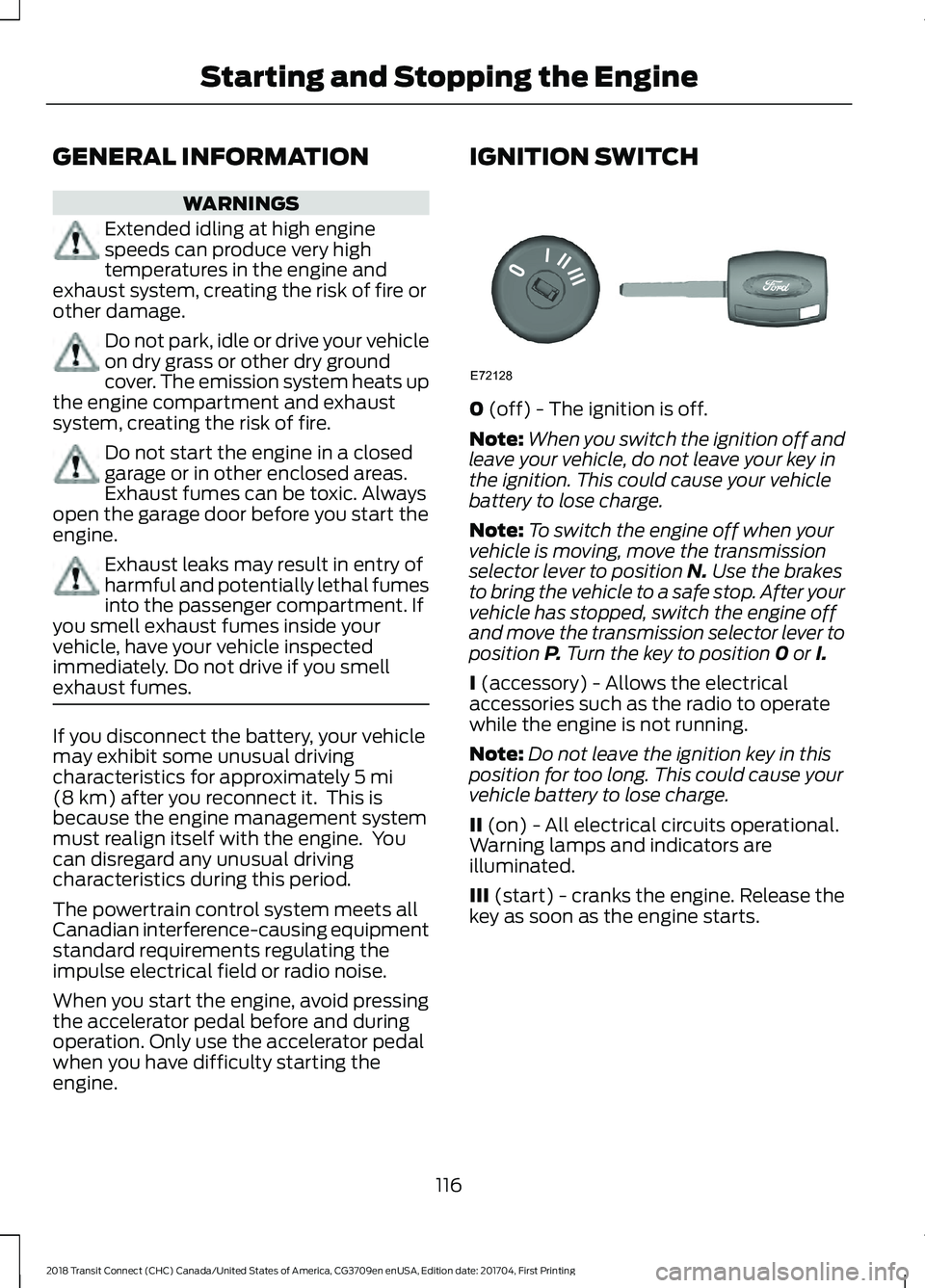
engine. IGNITION SWITCH
0
(off) - The ignition is off.
Note: When you switch the ignition off and
leave your vehicle, do not leave your key in
the ignition. This could cause your vehicle
battery to lose charge.
Note: To switch the engine off when your
vehicle is moving, move the transmission
selector lever to position
N. Use the brakes
to bring the vehicle to a safe stop. After your
vehicle has stopped, switch the engine off
and move the transmission selector lever to
position
P. Turn the key to position 0 or I.
I
(accessory) - Allows the electrical
accessories such as the radio to operate
while the engine is not running.
Note: Do not leave the ignition key in this
position for too long. This could cause your
vehicle battery to lose charge.
II
(on) - All electrical circuits operational.
Warning lamps and indicators are
illuminated.
III
(start) - cranks the engine. Release the
key as soon as the engine starts.
116
2018 Transit Connect (CHC) Canada/United States of America, CG3709en enUSA, Edition date: 201704, First Printing Starting and Stopping the EngineE72128
Page 120 of 449
STARTING A GASOLINE
ENGINE
Before starting the engine check the
following:
•
Make sure all occupants have fastened
their safety belts.
• Make sure the headlamps and
electrical accessories are off.
• Make sure the parking brake is on.
• Make sure the transmission is in park
(P).
When you start the engine, the idle speed
increases, this helps to warm up the
engine. If the engine idle speed does not
slow down automatically, have your
vehicle checked by an authorized dealer.
Note: Do not touch the accelerator pedal.
1. Fully press the brake pedal.
2. Turn the key to the on position to switch the ignition on.
3. Turn the key to the start position to start your vehicle. Release the key
when the engine starts.
Note: You can only operate the starter for
a limited period of time, for example 10
seconds. The number of start attempts is
limited to approximately six. If you exceed
this limit, the system will not allow you to
try again until a period of time has elapsed,
for example 30 minutes.
Engine Idle Speed after Starting
The speed at which the engine idles
immediately after starting will adjust
automatically to minimize vehicle
emissions and maximize cabin comfort
and fuel economy. The idle speed will vary depending on
certain factors. These include vehicle
component and ambient temperatures as
well as electrical and climate system
demands.
Cold or Hot Engine
If the engine does not start within 10
seconds, wait for a short period and try
again.
If the engine does not start after three
attempts, wait 10 seconds and follow the
flooded engine procedure.
If you have difficulty starting the engine
when the temperature is below -13°F
(-25°C), press the accelerator pedal to the
mid-way point of its travel and try again.
Flooded Engine
1. Shift into park (P).
2. Fully depress the accelerator pedal and
hold it there.
3. Start the engine.
Note: If the engine does not start, repeat
the cold or hot engine procedure.
SWITCHING OFF THE ENGINE
Vehicles With a Turbocharger WARNING
Do not switch the engine off when it
is running at high speed. If you do, the
turbocharger will continue running
after the engine oil pressure has dropped
to zero. This will lead to premature
turbocharger bearing wear. Release the accelerator pedal. Wait until
the engine has reached idle speed and then
switch it off.
117
2018 Transit Connect (CHC) Canada/United States of America, CG3709en enUSA, Edition date: 201704, First Printing Starting and Stopping the Engine