power steering FORD TRANSIT CONNECT 2018 User Guide
[x] Cancel search | Manufacturer: FORD, Model Year: 2018, Model line: TRANSIT CONNECT, Model: FORD TRANSIT CONNECT 2018Pages: 449, PDF Size: 6.73 MB
Page 297 of 449
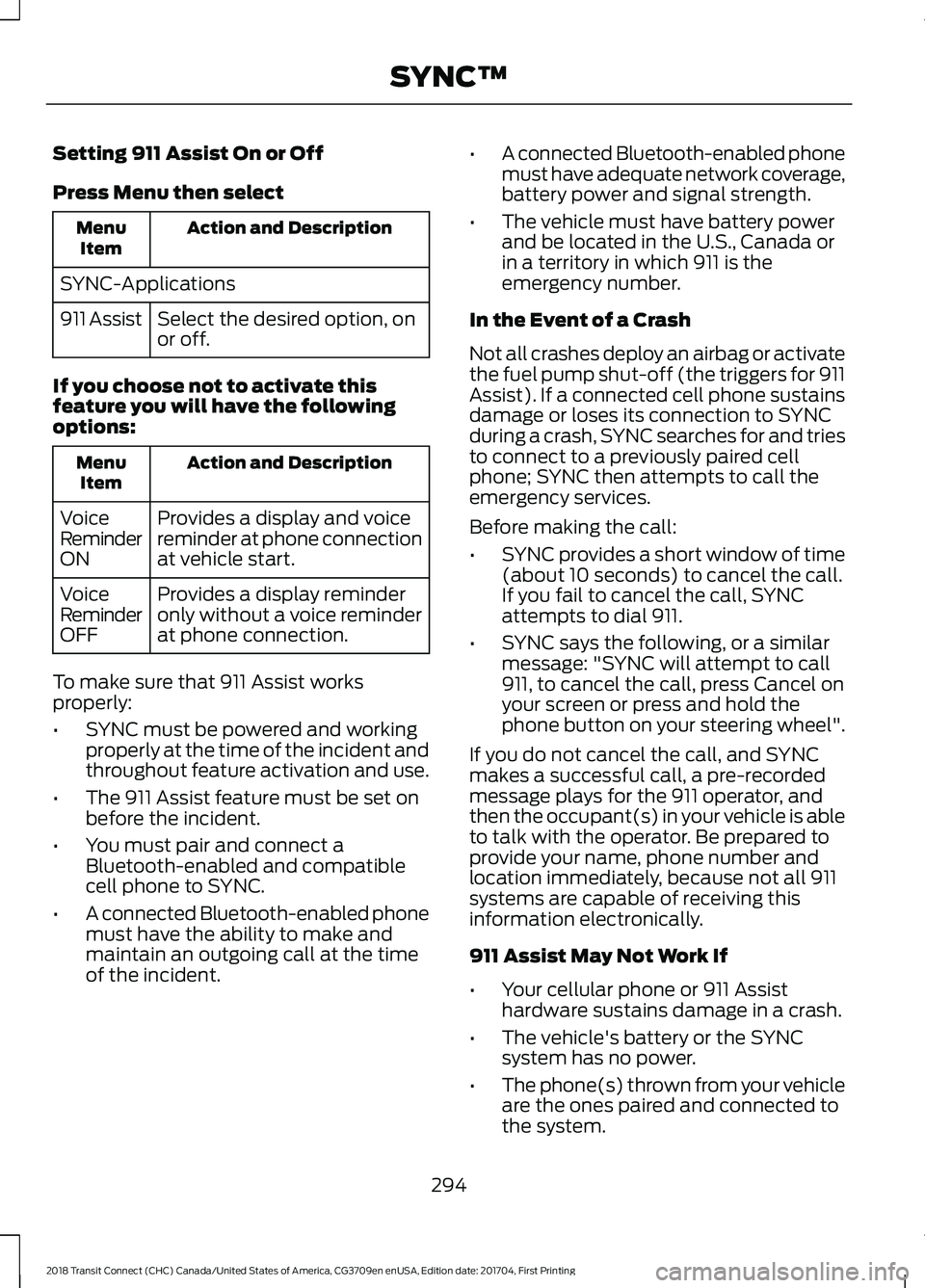
Setting 911 Assist On or Off
Press Menu then select
Action and Description
Menu
Item
SYNC-Applications Select the desired option, on
or off.
911 Assist
If you choose not to activate this
feature you will have the following
options: Action and Description
Menu
Item
Provides a display and voice
reminder at phone connection
at vehicle start.
Voice
Reminder
ON
Provides a display reminder
only without a voice reminder
at phone connection.
Voice
Reminder
OFF
To make sure that 911 Assist works
properly:
• SYNC must be powered and working
properly at the time of the incident and
throughout feature activation and use.
• The 911 Assist feature must be set on
before the incident.
• You must pair and connect a
Bluetooth-enabled and compatible
cell phone to SYNC.
• A connected Bluetooth-enabled phone
must have the ability to make and
maintain an outgoing call at the time
of the incident. •
A connected Bluetooth-enabled phone
must have adequate network coverage,
battery power and signal strength.
• The vehicle must have battery power
and be located in the U.S., Canada or
in a territory in which 911 is the
emergency number.
In the Event of a Crash
Not all crashes deploy an airbag or activate
the fuel pump shut-off (the triggers for 911
Assist). If a connected cell phone sustains
damage or loses its connection to SYNC
during a crash, SYNC searches for and tries
to connect to a previously paired cell
phone; SYNC then attempts to call the
emergency services.
Before making the call:
• SYNC provides a short window of time
(about 10 seconds) to cancel the call.
If you fail to cancel the call, SYNC
attempts to dial 911.
• SYNC says the following, or a similar
message: "SYNC will attempt to call
911, to cancel the call, press Cancel on
your screen or press and hold the
phone button on your steering wheel".
If you do not cancel the call, and SYNC
makes a successful call, a pre-recorded
message plays for the 911 operator, and
then the occupant(s) in your vehicle is able
to talk with the operator. Be prepared to
provide your name, phone number and
location immediately, because not all 911
systems are capable of receiving this
information electronically.
911 Assist May Not Work If
• Your cellular phone or 911 Assist
hardware sustains damage in a crash.
• The vehicle's battery or the SYNC
system has no power.
• The phone(s) thrown from your vehicle
are the ones paired and connected to
the system.
294
2018 Transit Connect (CHC) Canada/United States of America, CG3709en enUSA, Edition date: 201704, First Printing SYNC™
Page 322 of 449
Cleaning the Touchscreen
You can remove fingerprints with a dry,
clean, soft cloth.
If dirt or fingerprints are still on the screen,
apply a small amount of alcohol to the
cloth and try to clean it again.
Note:
Do not use detergent or any type of
solvent to clean the touchscreen.
Note: Do not pour or spray alcohol onto the
touchscreen.
Using Voice Recognition
Using voice commands allows you to keep
your hands on the wheel and focus on
what is in front of you. The system provides
feedback through audible tones, prompts,
questions and spoken confirmations
depending on the situation and the chosen
level of interaction (voice settings).
The system also asks short questions
(confirmation prompts) when it is not sure
of your request or when there are multiple
possible responses to your request.
When using voice commands, words and
icons may appear in the status bar
indicating the status of the voice command
session. See Using Voice Recognition
(page 326).
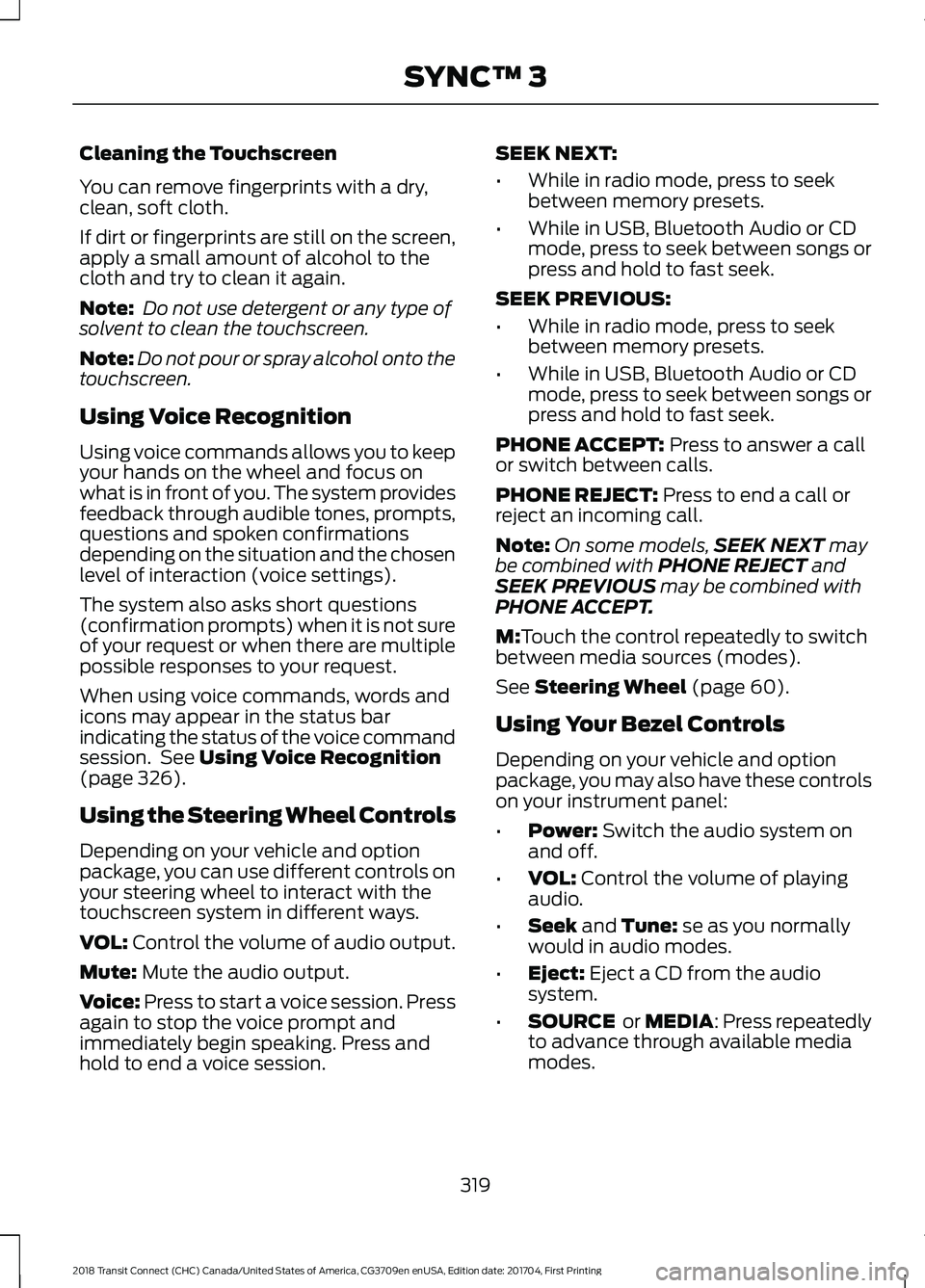
Using the Steering Wheel Controls
Depending on your vehicle and option
package, you can use different controls on
your steering wheel to interact with the
touchscreen system in different ways.
VOL:
Control the volume of audio output.
Mute:
Mute the audio output.
Voice:
Press to start a voice session. Press
again to stop the voice prompt and
immediately begin speaking. Press and
hold to end a voice session. SEEK NEXT:
•
While in radio mode, press to seek
between memory presets.
• While in USB, Bluetooth Audio or CD
mode, press to seek between songs or
press and hold to fast seek.
SEEK PREVIOUS:
• While in radio mode, press to seek
between memory presets.
• While in USB, Bluetooth Audio or CD
mode, press to seek between songs or
press and hold to fast seek.
PHONE ACCEPT:
Press to answer a call
or switch between calls.
PHONE REJECT:
Press to end a call or
reject an incoming call.
Note: On some models, SEEK NEXT
may
be combined with PHONE REJECT and
SEEK PREVIOUS may be combined with
PHONE ACCEPT.
M:
Touch the control repeatedly to switch
between media sources (modes).
See
Steering Wheel (page 60).
Using Your Bezel Controls
Depending on your vehicle and option
package, you may also have these controls
on your instrument panel:
• Power:
Switch the audio system on
and off.
• VOL:
Control the volume of playing
audio.
• Seek
and Tune: se as you normally
would in audio modes.
• Eject:
Eject a CD from the audio
system.
• SOURCE
or MEDIA: Press repeatedly
to advance through available media
modes.
319
2018 Transit Connect (CHC) Canada/United States of America, CG3709en enUSA, Edition date: 201704, First Printing SYNC™ 3
Page 324 of 449
•
You must pair and connect a
Bluetooth-enabled and compatible
cell phone to SYNC.
• A connected Bluetooth-enabled phone
must have the ability to make and
maintain an outgoing call at the time
of the incident.
• A connected Bluetooth-enabled phone
must have adequate network coverage,
battery power and signal strength.
• The vehicle must have battery power
and be located in the U.S., Canada or
in a territory in which 911 is the
emergency number.
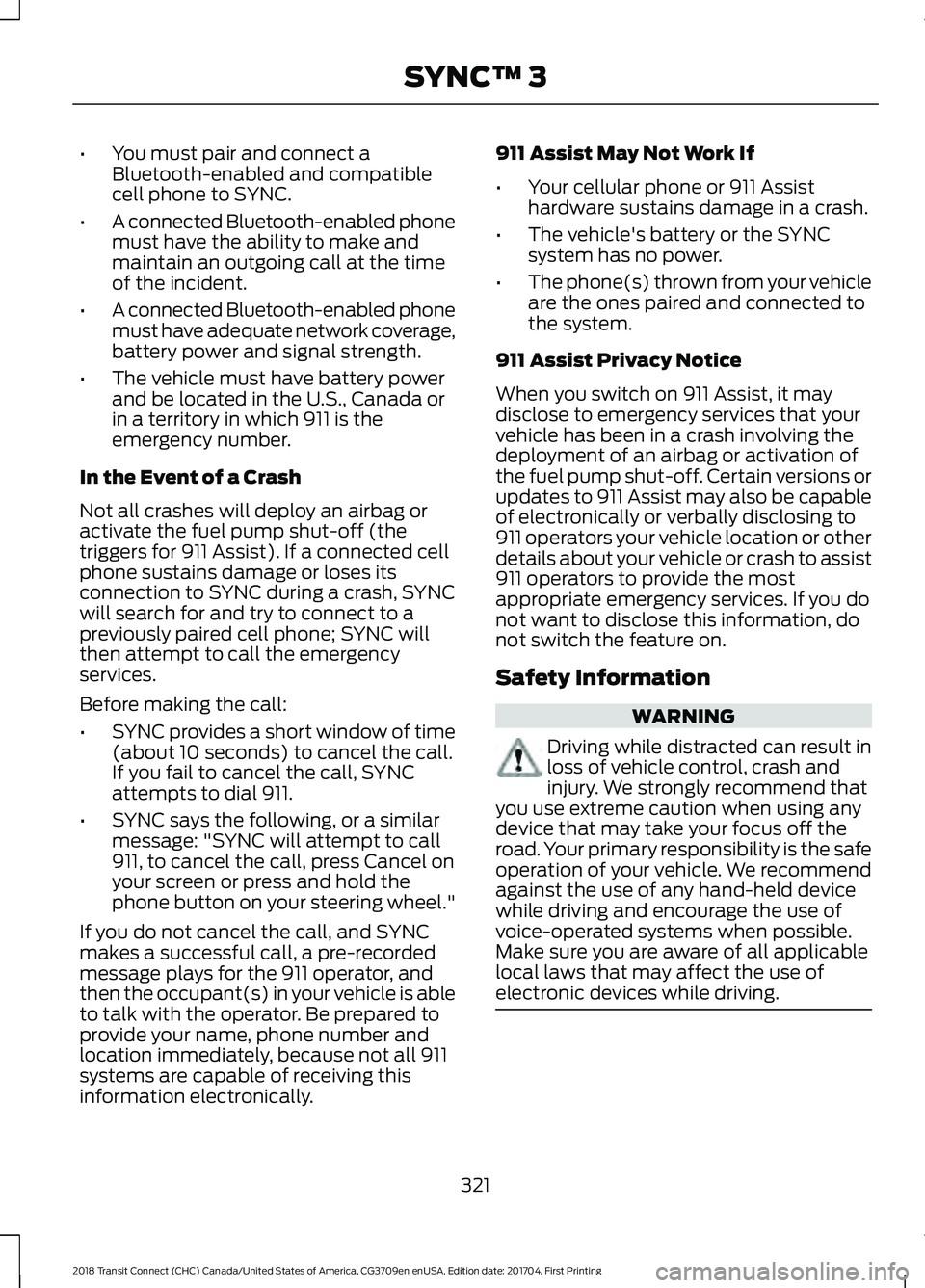
In the Event of a Crash
Not all crashes will deploy an airbag or
activate the fuel pump shut-off (the
triggers for 911 Assist). If a connected cell
phone sustains damage or loses its
connection to SYNC during a crash, SYNC
will search for and try to connect to a
previously paired cell phone; SYNC will
then attempt to call the emergency
services.
Before making the call:
• SYNC provides a short window of time
(about 10 seconds) to cancel the call.
If you fail to cancel the call, SYNC
attempts to dial 911.
• SYNC says the following, or a similar
message: "SYNC will attempt to call
911, to cancel the call, press Cancel on
your screen or press and hold the
phone button on your steering wheel."
If you do not cancel the call, and SYNC
makes a successful call, a pre-recorded
message plays for the 911 operator, and
then the occupant(s) in your vehicle is able
to talk with the operator. Be prepared to
provide your name, phone number and
location immediately, because not all 911
systems are capable of receiving this
information electronically. 911 Assist May Not Work If
•
Your cellular phone or 911 Assist
hardware sustains damage in a crash.
• The vehicle's battery or the SYNC
system has no power.
• The phone(s) thrown from your vehicle
are the ones paired and connected to
the system.
911 Assist Privacy Notice
When you switch on 911 Assist, it may
disclose to emergency services that your
vehicle has been in a crash involving the
deployment of an airbag or activation of
the fuel pump shut-off. Certain versions or
updates to 911 Assist may also be capable
of electronically or verbally disclosing to
911 operators your vehicle location or other
details about your vehicle or crash to assist
911 operators to provide the most
appropriate emergency services. If you do
not want to disclose this information, do
not switch the feature on.
Safety Information WARNING
Driving while distracted can result in
loss of vehicle control, crash and
injury. We strongly recommend that
you use extreme caution when using any
device that may take your focus off the
road. Your primary responsibility is the safe
operation of your vehicle. We recommend
against the use of any hand-held device
while driving and encourage the use of
voice-operated systems when possible.
Make sure you are aware of all applicable
local laws that may affect the use of
electronic devices while driving. 321
2018 Transit Connect (CHC) Canada/United States of America, CG3709en enUSA, Edition date: 201704, First Printing SYNC™ 3
Page 440 of 449
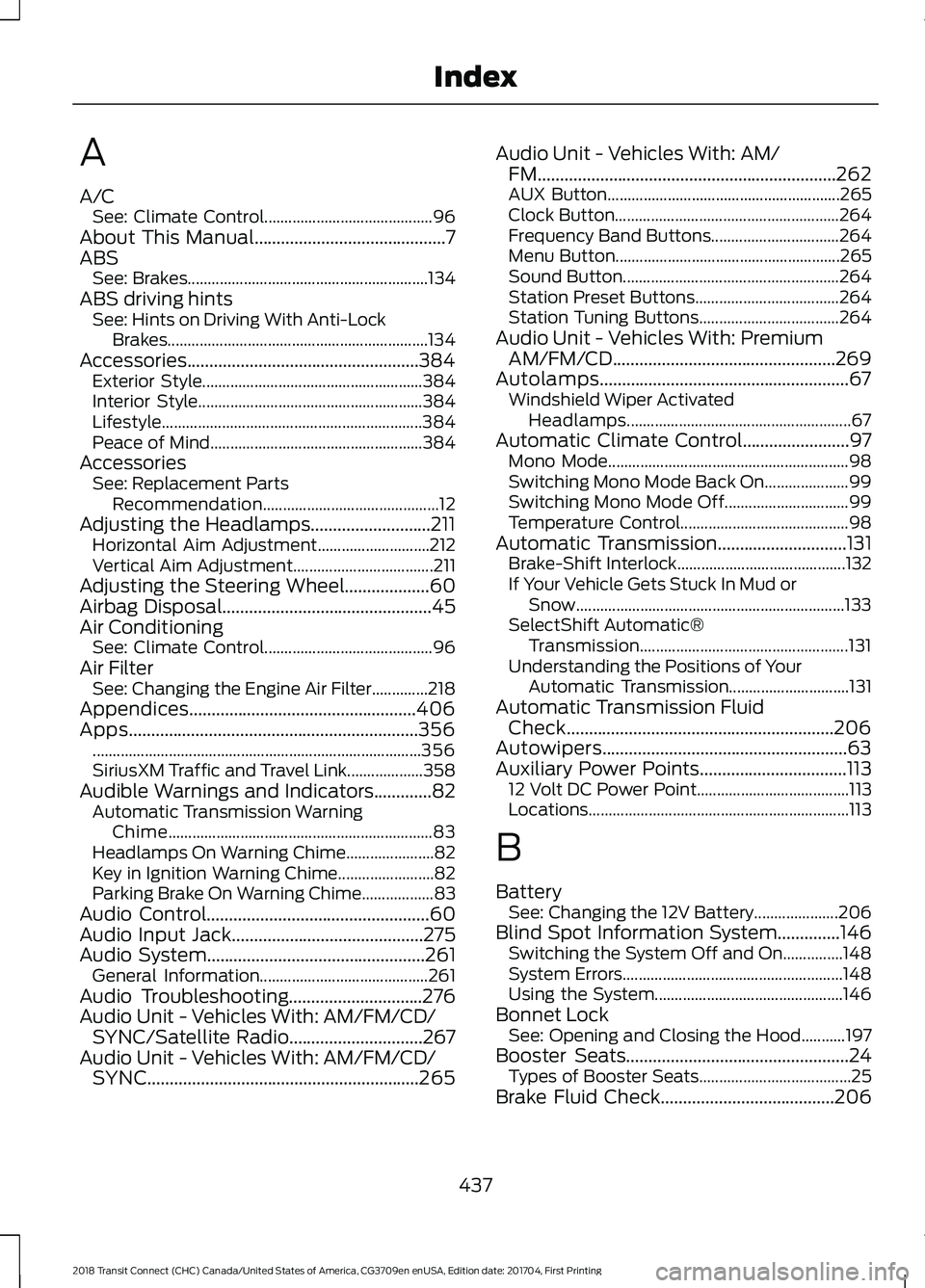
A
A/C
See: Climate Control.......................................... 96
About This Manual...........................................7
ABS See: Brakes............................................................ 134
ABS driving hints See: Hints on Driving With Anti-Lock
Brakes.................................................................134
Accessories....................................................384 Exterior Style....................................................... 384
Interior Style........................................................ 384
Lifestyle................................................................. 384
Peace of Mind..................................................... 384
Accessories See: Replacement Parts
Recommendation............................................ 12
Adjusting the Headlamps...........................211 Horizontal Aim Adjustment............................ 212
Vertical Aim Adjustment................................... 211
Adjusting the Steering Wheel...................60
Airbag Disposal...............................................45
Air Conditioning See: Climate Control.......................................... 96
Air Filter See: Changing the Engine Air Filter..............218
Appendices...................................................406
Apps.................................................................356 ........................................................................\
.......... 356
SiriusXM Traffic and Travel Link................... 358
Audible Warnings and Indicators.............82 Automatic Transmission Warning
Chime.................................................................. 83
Headlamps On Warning Chime...................... 82
Key in Ignition Warning Chime........................ 82
Parking Brake On Warning Chime.................. 83
Audio Control..................................................60
Audio Input Jack...........................................275
Audio System
.................................................261
General Information.......................................... 261
Audio Troubleshooting
..............................276
Audio Unit - Vehicles With: AM/FM/CD/ SYNC/Satellite Radio..............................267
Audio Unit - Vehicles With: AM/FM/CD/ SYNC.............................................................265 Audio Unit - Vehicles With: AM/
FM...................................................................262
AUX Button.......................................................... 265
Clock Button........................................................ 264
Frequency Band Buttons................................ 264
Menu Button........................................................ 265
Sound Button...................................................... 264
Station Preset Buttons.................................... 264
Station Tuning Buttons................................... 264
Audio Unit - Vehicles With: Premium AM/FM/CD..................................................269
Autolamps........................................................67 Windshield Wiper Activated
Headlamps........................................................ 67
Automatic Climate Control........................97 Mono Mode............................................................ 98
Switching Mono Mode Back On..................... 99
Switching Mono Mode Off............................... 99
Temperature Control.......................................... 98
Automatic Transmission.............................131 Brake-Shift Interlock.......................................... 132
If Your Vehicle Gets Stuck In Mud or Snow................................................................... 133
SelectShift Automatic® Transmission.................................................... 131
Understanding the Positions of Your Automatic Transmission.............................. 131
Automatic Transmission Fluid Check............................................................206
Autowipers.......................................................63
Auxiliary Power Points.................................113 12 Volt DC Power Point...................................... 113
Locations................................................................. 113
B
Battery See: Changing the 12V Battery..................... 206
Blind Spot Information System..............146 Switching the System Off and On...............148
System Errors....................................................... 148
Using the System............................................... 146
Bonnet Lock See: Opening and Closing the Hood...........197
Booster Seats..................................................24 Types of Booster Seats...................................... 25
Brake Fluid Check
.......................................206
437
2018 Transit Connect (CHC) Canada/United States of America, CG3709en enUSA, Edition date: 201704, First Printing Index
Page 447 of 449

Clock........................................................................\
361
Display................................................................... 370
General.................................................................. 368
Media Player....................................................... 360
Mobile Apps......................................................... 367
Navigation............................................................ 365
Phone...................................................................... 361
Radio...................................................................... 364
Sound..................................................................... 359
Valet Mode............................................................. 371
Vehicle................................................................... 369
Voice Control........................................................ 371
Wi-Fi....................................................................... 369
Side Airbags.....................................................42
Sitting in the Correct Position..................103
Snow Chains See: Using Snow Chains................................. 243
Special Notices................................................12 New Vehicle Limited Warranty......................... 12
On Board Diagnostics Data Link Connector............................................................ 13
Special Instructions.............................................. 12
Special Operating Conditions Scheduled Maintenance..............................................394
Speed Control See: Cruise Control............................................ 145
Stability Control............................................138
Principle of Operation....................................... 138
Starter Switch See: Ignition Switch............................................ 116
Starting a Gasoline Engine.........................117 Cold or Hot Engine............................................... 117
Engine Idle Speed after Starting.................... 117
Flooded Engine..................................................... 117
Starting and Stopping the Engine...........116 General Information........................................... 116
Steering.............................................................151 Electric Power Steering..................................... 151
Steering Wheel
...............................................60
Storage Compartments..............................115
Sun Shades.......................................................77 Bounce-Back......................................................... 78
Opening and Closing the Sun Shade............78
Sun Shade Relearning........................................ 78
Supplementary Restraints System..........37 Principle of Operation......................................... 37
Switching Off the Engine............................117 Vehicles With a Turbocharger......................... 117Symbols Glossary
.............................................7
SYNC™ 3.........................................................315
General Information.......................................... 315
SYNC™ 3 Troubleshooting.......................371
SYNC™ Applications and Services........................................................293
911 Assist............................................................... 293
SYNC Mobile Apps............................................ 295
SYNC™.............................................................277 General Information.......................................... 277
SYNC™ Troubleshooting.........................306
T
Tailgate See: Manual Liftgate........................................... 56
Technical Specifications See: Capacities and Specifications............255
The Better Business Bureau (BBB) Auto Line Program (U.S. Only).......................180
Tire Care
..........................................................228
Glossary of Tire Terminology........................ 230
Information About Uniform Tire Quality Grading............................................................. 228
Information Contained on the Tire Sidewall............................................................. 231
Temperature A B C............................................ 229
Traction AA A B C............................................... 229
Treadwear............................................................. 229
Tire Pressure Monitoring System
...........244
Changing Tires With a Tire Pressure
Monitoring System....................................... 245
Tire Pressure Monitoring System Reset Procedure......................................................... 247
Understanding the Tire Pressure Monitoring System ............................................................. 245
Tires See: Wheels and Tires...................................... 227
Towing a Trailer.............................................162 Load Placement.................................................. 162
Towing Points
.................................................167
Recovery Hook..................................................... 167
Towing the Vehicle on Four Wheels..........................................................169
Emergency Towing............................................ 169
Recreational Vehicle Towing.......................... 169
Towing..............................................................162
444
2018 Transit Connect (CHC) Canada/United States of America, CG3709en enUSA, Edition date: 201704, First Printing Index