reset FORD TRANSIT CONNECT 2018 Owners Manual
[x] Cancel search | Manufacturer: FORD, Model Year: 2018, Model line: TRANSIT CONNECT, Model: FORD TRANSIT CONNECT 2018Pages: 449, PDF Size: 6.73 MB
Page 7 of 449
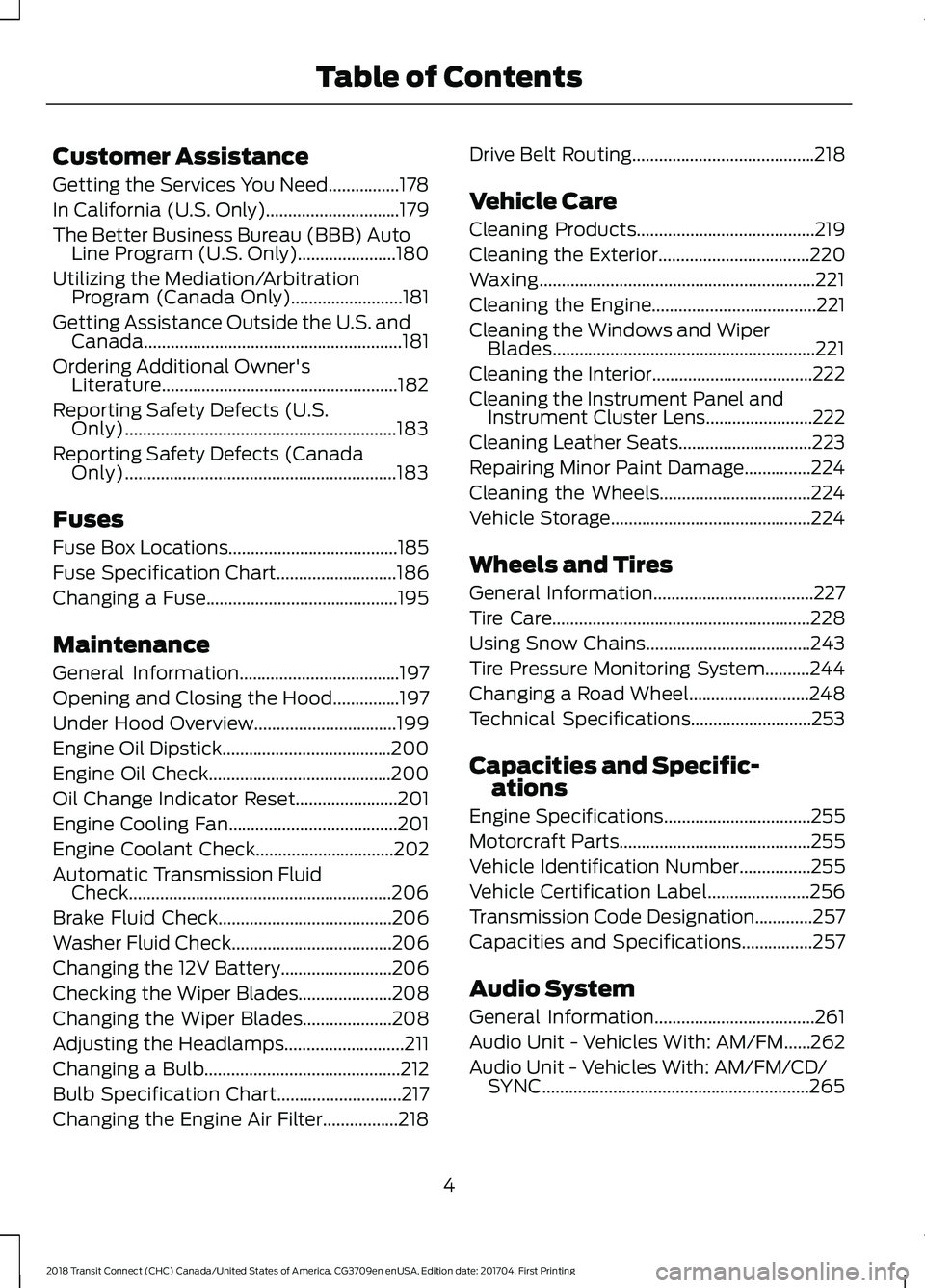
Customer Assistance
Getting the Services You Need................178
In California (U.S. Only)..............................179
The Better Business Bureau (BBB) Auto
Line Program (U.S. Only)......................180
Utilizing the Mediation/Arbitration Program (Canada Only).........................181
Getting Assistance Outside the U.S. and Canada..........................................................181
Ordering Additional Owner's Literature.....................................................182
Reporting Safety Defects (U.S. Only).............................................................183
Reporting Safety Defects (Canada Only).............................................................183
Fuses
Fuse Box Locations......................................185
Fuse Specification Chart
...........................186
Changing a Fuse...........................................195
Maintenance
General Information....................................197
Opening and Closing the Hood...............197
Under Hood Overview................................199
Engine Oil Dipstick
......................................200
Engine Oil Check
.........................................200
Oil Change Indicator Reset.......................201
Engine Cooling Fan......................................201
Engine Coolant Check...............................202
Automatic Transmission Fluid Check
...........................................................206
Brake Fluid Check
.......................................206
Washer Fluid Check
....................................206
Changing the 12V Battery.........................206
Checking the Wiper Blades
.....................208
Changing the Wiper Blades
....................208
Adjusting the Headlamps...........................211
Changing a Bulb............................................212
Bulb Specification Chart............................217
Changing the Engine Air Filter.................218 Drive Belt Routing.........................................218
Vehicle Care
Cleaning Products........................................219
Cleaning the Exterior
..................................220
Waxing..............................................................221
Cleaning the Engine
.....................................221
Cleaning the Windows and Wiper Blades...........................................................221
Cleaning the Interior....................................222
Cleaning the Instrument Panel and Instrument Cluster Lens........................222
Cleaning Leather Seats..............................223
Repairing Minor Paint Damage...............224
Cleaning the Wheels..................................224
Vehicle Storage.............................................224
Wheels and Tires
General Information
....................................227
Tire Care
..........................................................228
Using Snow Chains.....................................243
Tire Pressure Monitoring System..........244
Changing a Road Wheel...........................248
Technical Specifications...........................253
Capacities and Specific- ations
Engine Specifications
.................................255
Motorcraft Parts
...........................................255
Vehicle Identification Number................255
Vehicle Certification Label
.......................256
Transmission Code Designation.............257
Capacities and Specifications
................257
Audio System
General Information....................................261
Audio Unit - Vehicles With: AM/FM......262
Audio Unit - Vehicles With: AM/FM/CD/ SYNC............................................................265
4
2018 Transit Connect (CHC) Canada/United States of America, CG3709en enUSA, Edition date: 201704, First Printing Table of Contents
Page 11 of 449
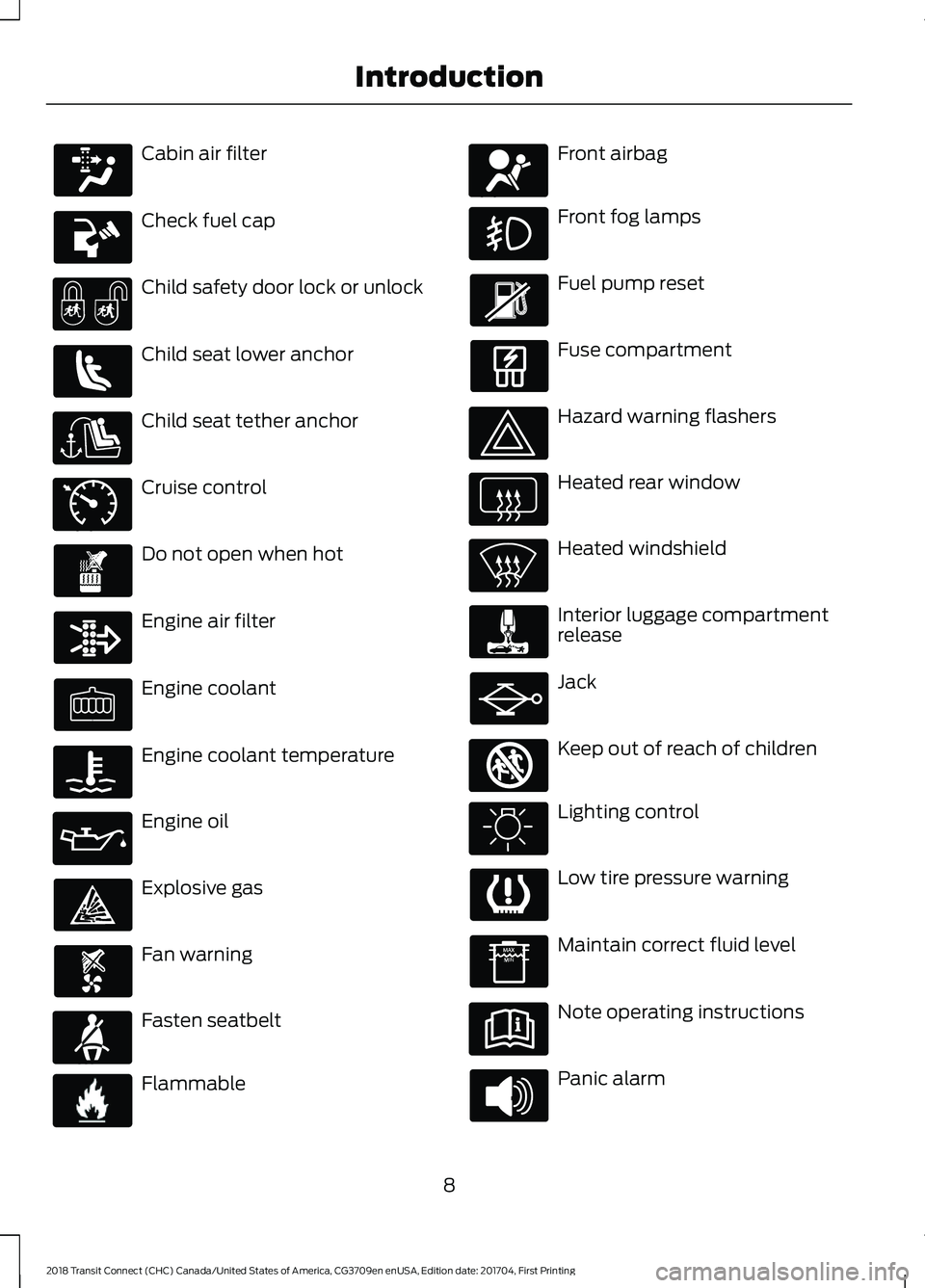
Cabin air filter
Check fuel cap
Child safety door lock or unlock
Child seat lower anchor
Child seat tether anchor
Cruise control
Do not open when hot
Engine air filter
Engine coolant
Engine coolant temperature
Engine oil
Explosive gas
Fan warning
Fasten seatbelt
Flammable Front airbag
Front fog lamps
Fuel pump reset
Fuse compartment
Hazard warning flashers
Heated rear window
Heated windshield
Interior luggage compartment
release
Jack
Keep out of reach of children
Lighting control
Low tire pressure warning
Maintain correct fluid level
Note operating instructions
Panic alarm
8
2018 Transit Connect (CHC) Canada/United States of America, CG3709en enUSA, Edition date: 201704, First Printing Introduction E71340 E71880 E231160 E67017 E161353
Page 55 of 449
USING MYKEY WITH REMOTE
START SYSTEMS
MyKey is not compatible with non
Ford-approved, aftermarket remote start
systems. If you choose to install a remote
start system, see an authorized dealer for
a Ford-approved remote start system.
MYKEY TROUBLESHOOTING Potential Causes
Condition
· The key used to start your vehicle does
not have admin privileges.
I cannot program a MyKey.
·
The key used to start your vehicle is the
only admin key (there always has to be at
least one admin key).
·
SecuriLock passive anti-theft system is
disabled or in unlimited mode.
·
The key used to start your vehicle does
not have admin privileges.
I cannot program the configurable settings.
· No keys are programmed to the vehicle.
See
Creating a MyKey (page 49).
·
The key used to start your vehicle does
not have admin privileges.
I cannot clear the MyKeys.
·
No MyKeys are programmed to the
vehicle. See Creating a MyKey (page
49).
Purchase a new key from your authorized
dealer.
I lost the only admin key.
Program a spare key. See
Passive Anti-
Theft System (page 58).
I lost a key.
·
The MyKey user is not using the MyKey.
MyKey distance does not accumulate.
· An admin key holder cleared the MyKeys
and created new MyKeys.
·
The key system has been reset.
52
2018 Transit Connect (CHC) Canada/United States of America, CG3709en enUSA, Edition date: 201704, First Printing MyKey
™
Page 64 of 449
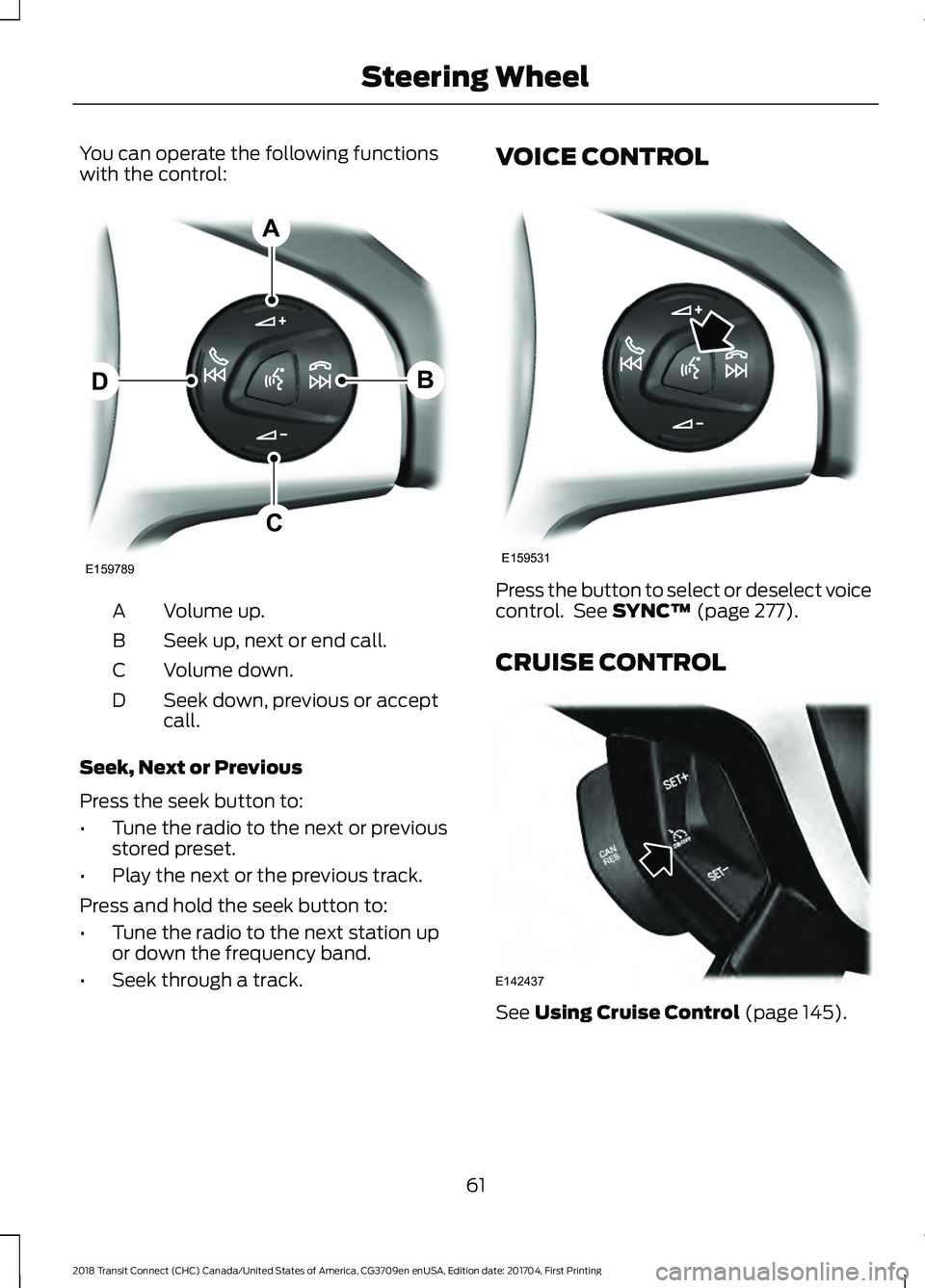
You can operate the following functions
with the control:
Volume up.
A
Seek up, next or end call.
B
Volume down.
C
Seek down, previous or accept
call.
D
Seek, Next or Previous
Press the seek button to:
• Tune the radio to the next or previous
stored preset.
• Play the next or the previous track.
Press and hold the seek button to:
• Tune the radio to the next station up
or down the frequency band.
• Seek through a track. VOICE CONTROL
Press the button to select or deselect voice
control. See SYNC™ (page 277).
CRUISE CONTROL See
Using Cruise Control (page 145).
61
2018 Transit Connect (CHC) Canada/United States of America, CG3709en enUSA, Edition date: 201704, First Printing Steering WheelE159789
A
B
C
D E159531 E142437
Page 77 of 449
Note:
You may hear a pulsing noise when
just one of the windows is open. Lower the
opposite window slightly to reduce this
noise.
One-Touch Down (If Equipped)
Press the control fully and release it. Press
again or lift it to stop the window.
One-Touch Up
(If Equipped)
Lift the control fully and release it. Press
or lift it again to stop the window.
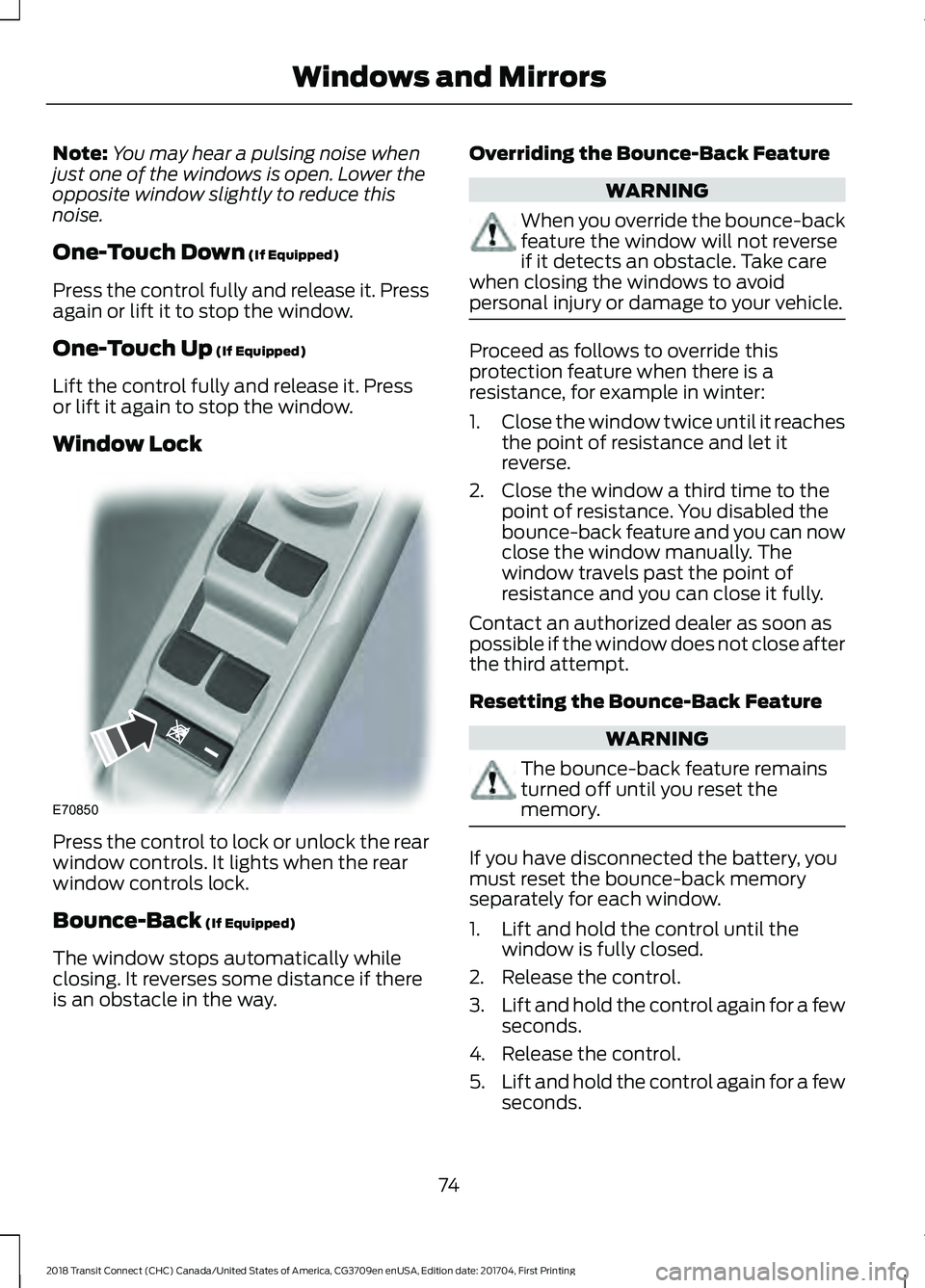
Window Lock Press the control to lock or unlock the rear
window controls. It lights when the rear
window controls lock.
Bounce-Back
(If Equipped)
The window stops automatically while
closing. It reverses some distance if there
is an obstacle in the way. Overriding the Bounce-Back Feature WARNING
When you override the bounce-back
feature the window will not reverse
if it detects an obstacle. Take care
when closing the windows to avoid
personal injury or damage to your vehicle. Proceed as follows to override this
protection feature when there is a
resistance, for example in winter:
1.
Close the window twice until it reaches
the point of resistance and let it
reverse.
2. Close the window a third time to the point of resistance. You disabled the
bounce-back feature and you can now
close the window manually. The
window travels past the point of
resistance and you can close it fully.
Contact an authorized dealer as soon as
possible if the window does not close after
the third attempt.
Resetting the Bounce-Back Feature WARNING
The bounce-back feature remains
turned off until you reset the
memory.
If you have disconnected the battery, you
must reset the bounce-back memory
separately for each window.
1. Lift and hold the control until the
window is fully closed.
2. Release the control.
3. Lift and hold the control again for a few
seconds.
4. Release the control.
5. Lift and hold the control again for a few
seconds.
74
2018 Transit Connect (CHC) Canada/United States of America, CG3709en enUSA, Edition date: 201704, First Printing Windows and MirrorsE70850
Page 89 of 449
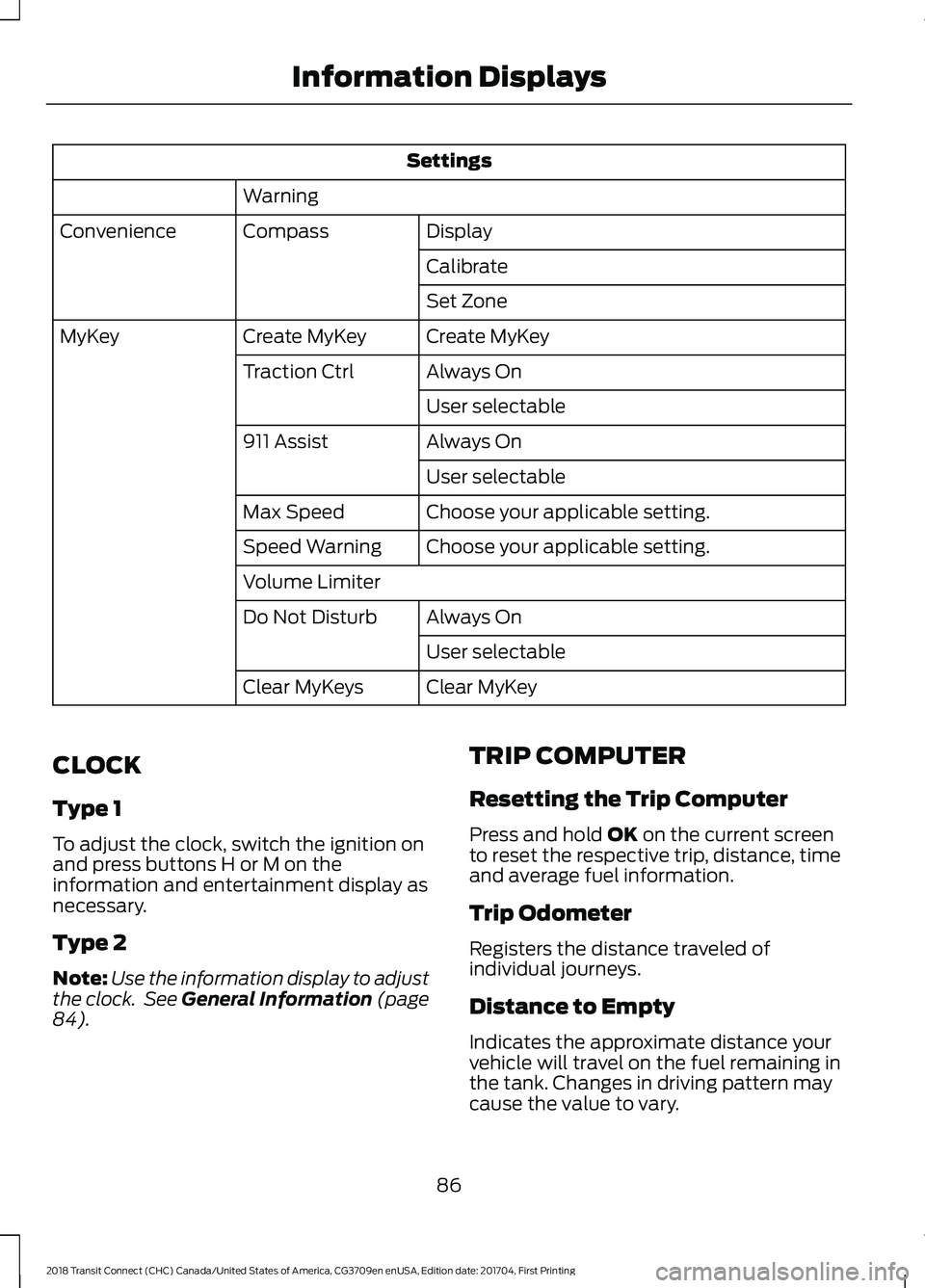
Settings
Warning Display
Compass
Convenience
Calibrate
Set Zone
Create MyKey
Create MyKey
MyKey
Always On
Traction Ctrl
User selectable
Always On
911 Assist
User selectable
Choose your applicable setting.
Max Speed
Choose your applicable setting.
Speed Warning
Volume Limiter
Always On
Do Not Disturb
User selectable
Clear MyKey
Clear MyKeys
CLOCK
Type 1
To adjust the clock, switch the ignition on
and press buttons H or M on the
information and entertainment display as
necessary.
Type 2
Note: Use the information display to adjust
the clock. See General Information (page
84). TRIP COMPUTER
Resetting the Trip Computer
Press and hold
OK on the current screen
to reset the respective trip, distance, time
and average fuel information.
Trip Odometer
Registers the distance traveled of
individual journeys.
Distance to Empty
Indicates the approximate distance your
vehicle will travel on the fuel remaining in
the tank. Changes in driving pattern may
cause the value to vary.
86
2018 Transit Connect (CHC) Canada/United States of America, CG3709en enUSA, Edition date: 201704, First Printing Information Displays
Page 90 of 449
Average Fuel
Indicates the average fuel consumption
since the function was last reset.
Digital Speedometer
The speed your vehicle is traveling at will
display as a digital number.
PERSONALIZED SETTINGS
Measure Units
To swap between imperial and metric
units, scroll to this display and press the
OK button.
Swapping between imperial and metric
units will affect the following displays:
• Distance to empty.
• Average fuel consumption.
• Instantaneous fuel consumption.
• Average speed.
Switching Chimes Off
The following chimes can be switched off:
• Warning messages.
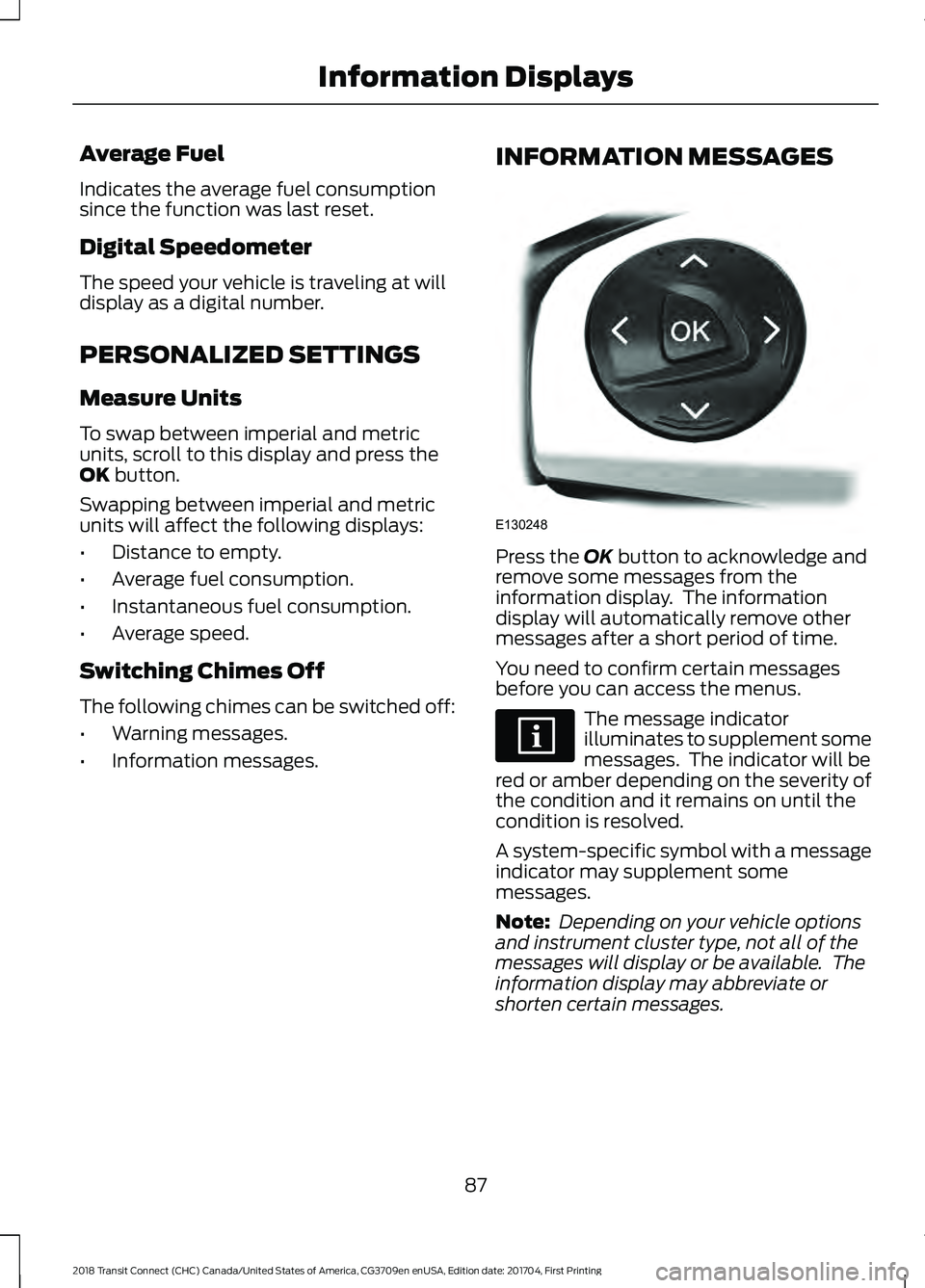
• Information messages. INFORMATION MESSAGES Press the
OK button to acknowledge and
remove some messages from the
information display. The information
display will automatically remove other
messages after a short period of time.
You need to confirm certain messages
before you can access the menus. The message indicator
illuminates to supplement some
messages. The indicator will be
red or amber depending on the severity of
the condition and it remains on until the
condition is resolved.
A system-specific symbol with a message
indicator may supplement some
messages.
Note: Depending on your vehicle options
and instrument cluster type, not all of the
messages will display or be available. The
information display may abbreviate or
shorten certain messages.
87
2018 Transit Connect (CHC) Canada/United States of America, CG3709en enUSA, Edition date: 201704, First Printing Information DisplaysE130248
Page 128 of 449
6. Fully insert a fuel pump nozzle or the
fuel filler funnel provided with your
vehicle into the fuel filler inlet. This
action should dislodge any debris that
may be preventing the fuel filler inlet
from fully closing.
7. Fully close the fuel filler door.
Note: If this action corrects the problem
the message may not immediately reset. If
the message remains and a warning lamp
illuminates, have your vehicle checked as
soon as possible.
FUEL CONSUMPTION
The advertised capacity is the maximum
amount of fuel that you can add to the fuel
tank after running out of fuel. Included in
the advertised capacity is an empty
reserve. The empty reserve is an
unspecified amount of fuel that remains
in the fuel tank when the fuel gauge
indicates empty.
Note: The amount of fuel in the empty
reserve varies and should not be relied upon
to increase driving range.
Filling the Fuel Tank
For consistent results when refueling:
• Turn the ignition off before fueling; an
inaccurate reading results if the engine
is left running.
• Use the same fill rate
(low-medium-high) each time the tank
is filled.
• Allow no more than one automatic
shut-off when refueling.
Results are most accurate when the filling
method is consistent. Calculating Fuel Economy
Do not measure fuel economy during the
first 1,000 mi (1,600 km) of driving (this is
your engine ’s break-in period). A more
accurate measurement is obtained after
2,000 mi (3,200 km)
to 3,000 mi
(4,800 km). Also, fuel expense, frequency
of fill ups or fuel gauge readings are not
accurate ways to measure fuel economy.
1. Fill the fuel tank completely and record
the initial odometer reading.
2. Each time you fill the fuel tank, record the amount of fuel added.
3. After at least three fill ups, fill the fuel tank and record the current odometer
reading.
4. Subtract your initial odometer reading from the current odometer reading.
To calculate L/100 km (liters per 100
kilometers) fuel consumption, multiply the
liters used by 100, then divide by kilometers
traveled. To calculate MPG (miles per
gallon) fuel consumption, divide miles
traveled by gallons used.
Keep a record for at least one month and
record the type of driving (city or highway).
This provides an accurate estimate of your
vehicle's fuel economy under current
driving conditions. Keeping records during
summer and winter will show how
temperature impacts fuel economy.
Conditions
• Heavily loading your vehicle reduces
fuel economy.
• Carrying unnecessary weight in your
vehicle may reduce fuel economy.
• Adding certain accessories to your
vehicle such as bug deflectors, rollbars
or light bars, running boards and ski
racks may reduce fuel economy.
• Using fuel blended with alcohol may
lower fuel economy.
125
2018 Transit Connect (CHC) Canada/United States of America, CG3709en enUSA, Edition date: 201704, First Printing Fuel and Refueling
Page 204 of 449
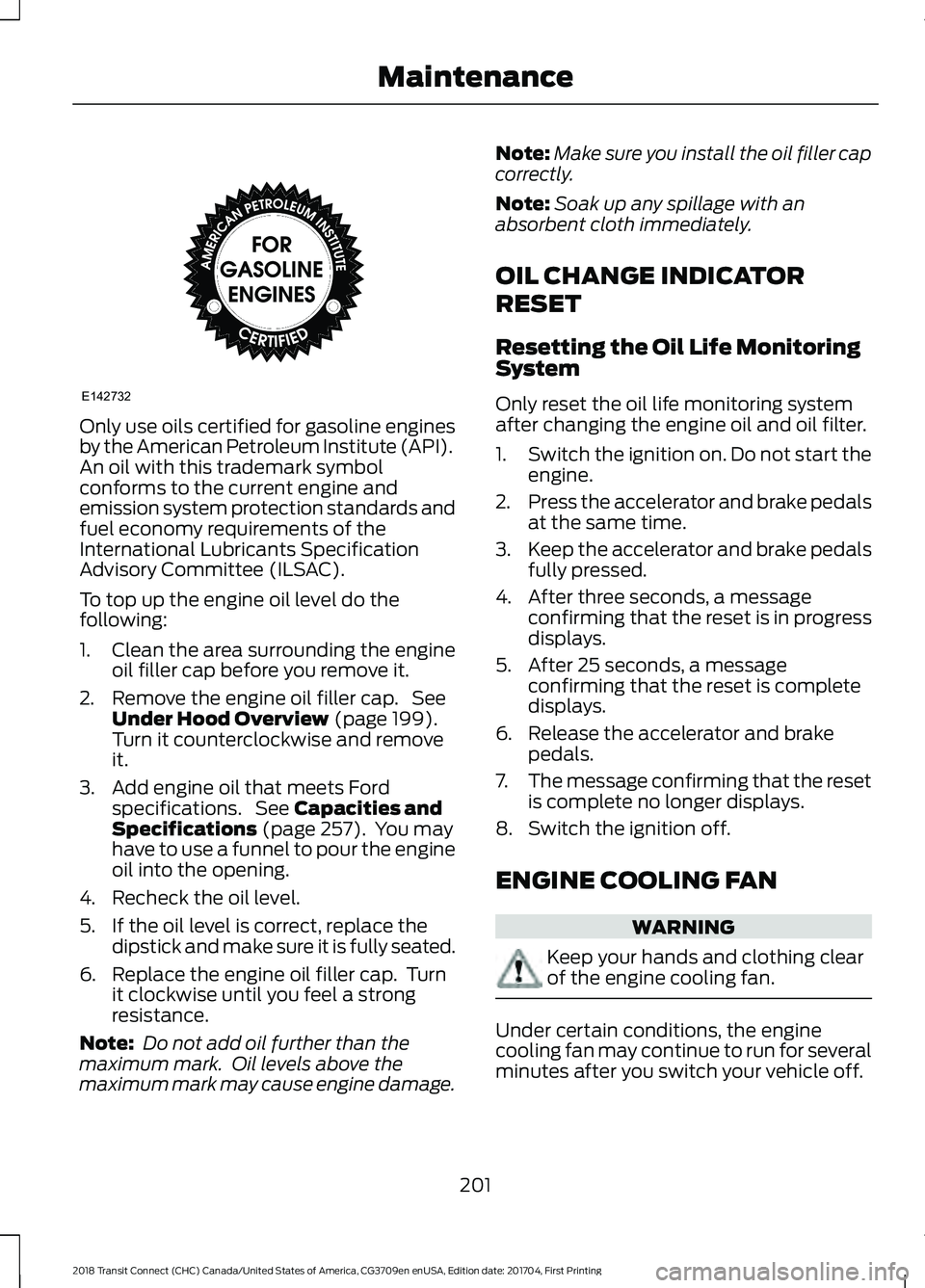
Only use oils certified for gasoline engines
by the American Petroleum Institute (API).
An oil with this trademark symbol
conforms to the current engine and
emission system protection standards and
fuel economy requirements of the
International Lubricants Specification
Advisory Committee (ILSAC).
To top up the engine oil level do the
following:
1. Clean the area surrounding the engine
oil filler cap before you remove it.
2. Remove the engine oil filler cap. See Under Hood Overview (page 199).
Turn it counterclockwise and remove
it.
3. Add engine oil that meets Ford specifications. See
Capacities and
Specifications (page 257). You may
have to use a funnel to pour the engine
oil into the opening.
4. Recheck the oil level.
5. If the oil level is correct, replace the dipstick and make sure it is fully seated.
6. Replace the engine oil filler cap. Turn it clockwise until you feel a strong
resistance.
Note: Do not add oil further than the
maximum mark. Oil levels above the
maximum mark may cause engine damage. Note:
Make sure you install the oil filler cap
correctly.
Note: Soak up any spillage with an
absorbent cloth immediately.
OIL CHANGE INDICATOR
RESET
Resetting the Oil Life Monitoring
System
Only reset the oil life monitoring system
after changing the engine oil and oil filter.
1. Switch the ignition on. Do not start the
engine.
2. Press the accelerator and brake pedals
at the same time.
3. Keep the accelerator and brake pedals
fully pressed.
4. After three seconds, a message confirming that the reset is in progress
displays.
5. After 25 seconds, a message confirming that the reset is complete
displays.
6. Release the accelerator and brake pedals.
7. The message confirming that the reset
is complete no longer displays.
8. Switch the ignition off.
ENGINE COOLING FAN WARNING
Keep your hands and clothing clear
of the engine cooling fan.
Under certain conditions, the engine
cooling fan may continue to run for several
minutes after you switch your vehicle off.
201
2018 Transit Connect (CHC) Canada/United States of America, CG3709en enUSA, Edition date: 201704, First Printing MaintenanceE142732
Page 207 of 449
If you drive in extremely hot climates:
•
You can decrease the coolant
concentration to 40%.
• Coolant concentrations below 40%
decrease the freeze and corrosion
protection characteristics of the
coolant and may cause engine
damage.
Vehicles driven year-round in non-extreme
climates should use prediluted coolant for
optimum cooling system and engine
protection.
Coolant Change
At specific mileage intervals, as listed in
the scheduled maintenance information,
the coolant should be changed. Add
prediluted coolant approved to the correct
specification. See Capacities and
Specifications (page 255).
Fail-Safe Cooling
Fail-safe cooling allows you to temporarily
drive your vehicle before any incremental
component damage occurs. The fail-safe
distance depends on ambient
temperature, vehicle load and terrain.
How Fail-Safe Cooling Works If the engine begins to overheat,
the coolant temperature gauge
moves toward the red zone:
A warning lamp illuminates and
a message may appear in the
information display.
If the engine reaches a preset
over-temperature condition, the engine
automatically switches to alternating
cylinder operation. Each disabled cylinder
acts as an air pump and cools the engine. When this occurs, your vehicle still
operates, however:
•
Engine power is limited.
• The air conditioning system turns off.
Continued operation increases the engine
temperature, causing the engine to
completely shut down. Your steering and
braking effort increases in this situation.
When the engine temperature cools, you
can re-start the engine. Have your vehicle
checked as soon as possible to minimize
engine damage.
When Fail-Safe Mode Is Activated WARNINGS
Fail-safe mode is for use during
emergencies only. Operate your
vehicle in fail-safe mode only as long
as necessary to bring your vehicle to rest
in a safe location and seek immediate
repairs. When in fail-safe mode, your
vehicle will have limited power, will not be
able to maintain high-speed operation, and
may completely shut down without
warning, potentially losing engine power,
power steering assist, and power brake
assist, which may increase the possibility
of a crash resulting in serious injury. Never remove the coolant reservoir
cap when the engine is running or
hot.
Your vehicle has limited engine power
when in the fail-safe mode, drive your
vehicle with caution. Your vehicle does not
maintain high-speed operation and the
engine may operate poorly.
Remember that the engine is capable of
automatically shutting down to prevent
engine damage. In this situation:
1. Pull off the road as soon as safely
possible and switch the engine off.
204
2018 Transit Connect (CHC) Canada/United States of America, CG3709en enUSA, Edition date: 201704, First Printing Maintenance