light FORD TRANSIT CONNECT 2019 Owner's Manual
[x] Cancel search | Manufacturer: FORD, Model Year: 2019, Model line: TRANSIT CONNECT, Model: FORD TRANSIT CONNECT 2019Pages: 493, PDF Size: 7.43 MB
Page 85 of 493

Switch the lighting control to the
autolamps position. See Autolamps
(page 79).
Overriding the System
Push the lever away from you to switch
between high beam and low beam.
Automatic High Beam Indicator
(If
Equipped) The indicator illuminates to
confirm when the system is
ready to assist.
FRONT FOG LAMPS
Only switch the front fog lamps on during
reduced visibility.
You can switch the front fog lamps on
when the lighting control is in any position
except off.
If you switch the autolamps on, you can
only switch the front fog lamps on when
the headlamps are on.
The front fog lamps button is on the
lighting control. Press the button to switch the
front fog lamps on and off.
CORNERING LAMPS Headlamp beam.
A
Cornering lamp beam.
B The cornering lamps illuminate the inside
of a corner when you are turning the
steering wheel.
81
2019 Transit Connect (CHC) Canada/United States of America, CG3739en enUSA, Edition date: 201804, First-Printing Lighting E72898
Page 86 of 493
DIRECTION INDICATORS
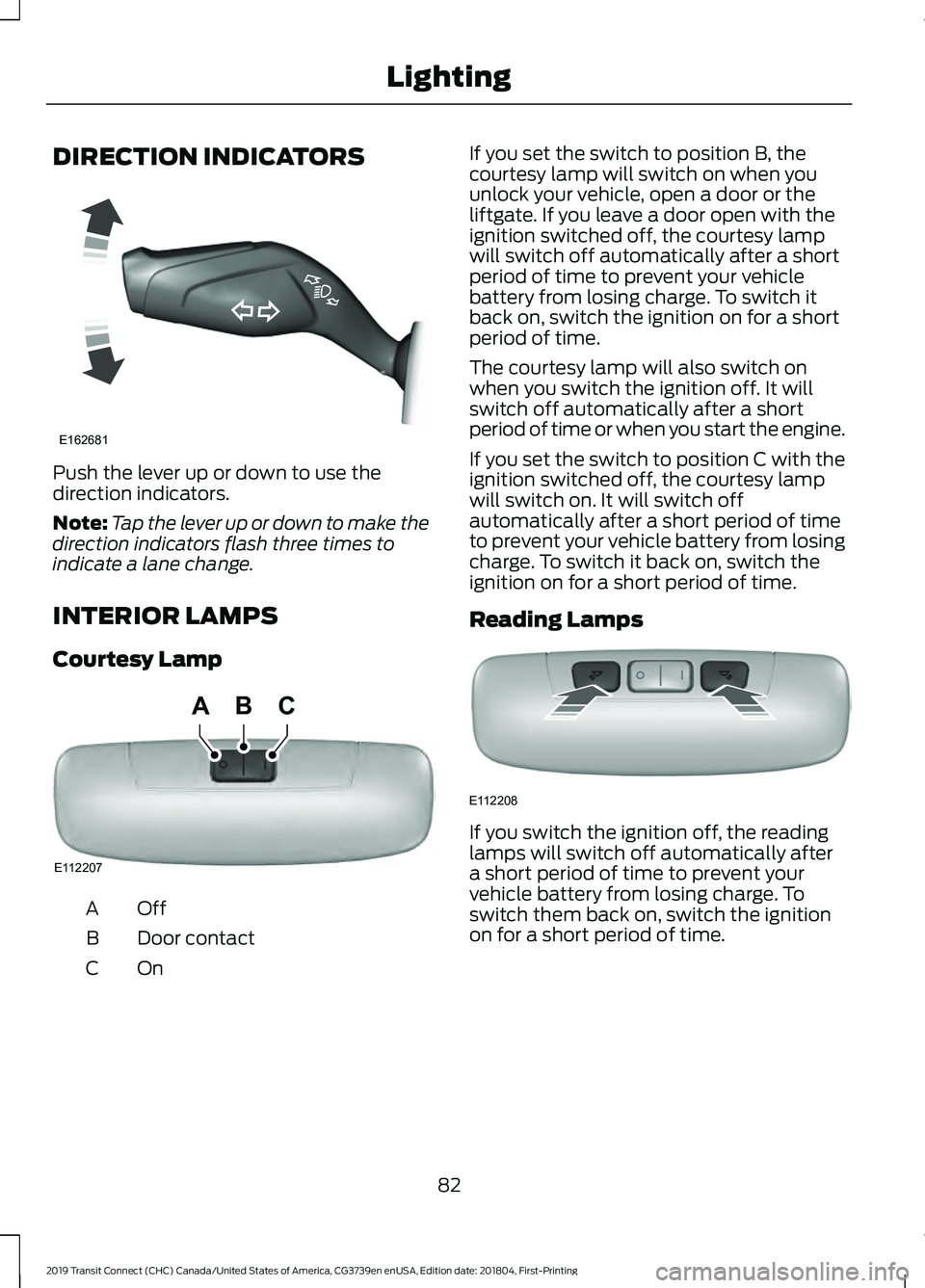
Push the lever up or down to use the
direction indicators.
Note:
Tap the lever up or down to make the
direction indicators flash three times to
indicate a lane change.
INTERIOR LAMPS
Courtesy Lamp OffA
Door contact
B
OnC If you set the switch to position B, the
courtesy lamp will switch on when you
unlock your vehicle, open a door or the
liftgate. If you leave a door open with the
ignition switched off, the courtesy lamp
will switch off automatically after a short
period of time to prevent your vehicle
battery from losing charge. To switch it
back on, switch the ignition on for a short
period of time.
The courtesy lamp will also switch on
when you switch the ignition off. It will
switch off automatically after a short
period of time or when you start the engine.
If you set the switch to position C with the
ignition switched off, the courtesy lamp
will switch on. It will switch off
automatically after a short period of time
to prevent your vehicle battery from losing
charge. To switch it back on, switch the
ignition on for a short period of time.
Reading Lamps
If you switch the ignition off, the reading
lamps will switch off automatically after
a short period of time to prevent your
vehicle battery from losing charge. To
switch them back on, switch the ignition
on for a short period of time.
82
2019 Transit Connect (CHC) Canada/United States of America, CG3739en enUSA, Edition date: 201804, First-Printing LightingE162681 E112207
BCA E112208
Page 87 of 493
POWER WINDOWS - VEHICLES
WITH: REAR POWER
WINDOWS
WARNING: Do not leave children
unattended in your vehicle and do not let
them play with the power windows. Failure
to follow this instruction could result in
personal injury. WARNING: When closing the power
windows, verify they are free of obstruction
and make sure that children and pets are
not in the proximity of the window
openings. Press the control to open the
window. Lift the control to close
the window.
Note: The power windows operate with the
ignition on, and for several minutes after you
switch the ignition off or until you open a
front door.
To reduce wind noise or pulsing noise when
just one window is open, slightly open the
opposite window.
One-Touch Open
(If Equipped)
Fully press the control and release it. Press
again or lift it to stop the window.
One-Touch Close
(If Equipped)
Fully lift the control and release it. Press
again or lift it to stop the window.
Resetting One-Touch Close
Start the engine.
1. Lift and hold the control until you fully close the window. Continue to hold the
control for a few seconds after you
close the window. 2. Release the control.
3. Press and hold the control until you
fully open the window.
4. Release the control.
5. Lift and hold the control until you fully close the window.
6. Test for correct window operation by opening and closing the windows using
one-touch.
Bounce-Back
The window stops and reverses if it detects
an obstruction.
Overriding Bounce-Back WARNING:
If you override
bounce-back, the window does not reverse
if it detects an obstacle. Take care when
closing the windows to avoid personal
injury or damage to your vehicle.
1. Close the window until it reaches the point of resistance and let it reverse.
2. Lift the control within a few seconds to override bounce-back and close the
window. Bounce-back is now disabled
and you can close the window
manually.
Note: The window goes past the point of
resistance and you can fully close it.
Note: If the window does not close, have
your vehicle checked as soon as possible.
Rear Window Lock Press the control to lock or
unlock the rear window controls.
It illuminates when you lock the
rear window controls.
83
2019 Transit Connect (CHC) Canada/United States of America, CG3739en enUSA, Edition date: 201804, First-Printing Windows and Mirrors
Page 88 of 493
POWER WINDOWS - VEHICLES
WITH: ONE-TOUCH OPEN
DRIVER WINDOW
WARNING: Do not leave children
unattended in your vehicle and do not let
them play with the power windows. Failure
to follow this instruction could result in
personal injury. WARNING: When closing the power
windows, verify they are free of obstruction
and make sure that children and pets are
not in the proximity of the window
openings. Press the control to open the
window. Lift the control to close
the window.
Note: The power windows operate with the
ignition on, and for several minutes after you
switch the ignition off or until you open a
front door.
To reduce wind noise or pulsing noise when
just one window is open, slightly open the
opposite window.
One-Touch Open
(If Equipped)
Fully press the control and release it. Press
again or lift it to stop the window.
GLOBAL OPENING
1. Press and release the unlock button on
the remote control.
2. Press and hold the unlock button on the remote control.
3. Release the button when the windows
start to open.
Press the lock or the unlock button on the
remote control to stop global opening. Note:
You can use global opening for a
short period of time when you unlock your
vehicle using the remote control.
EXTERIOR MIRRORS
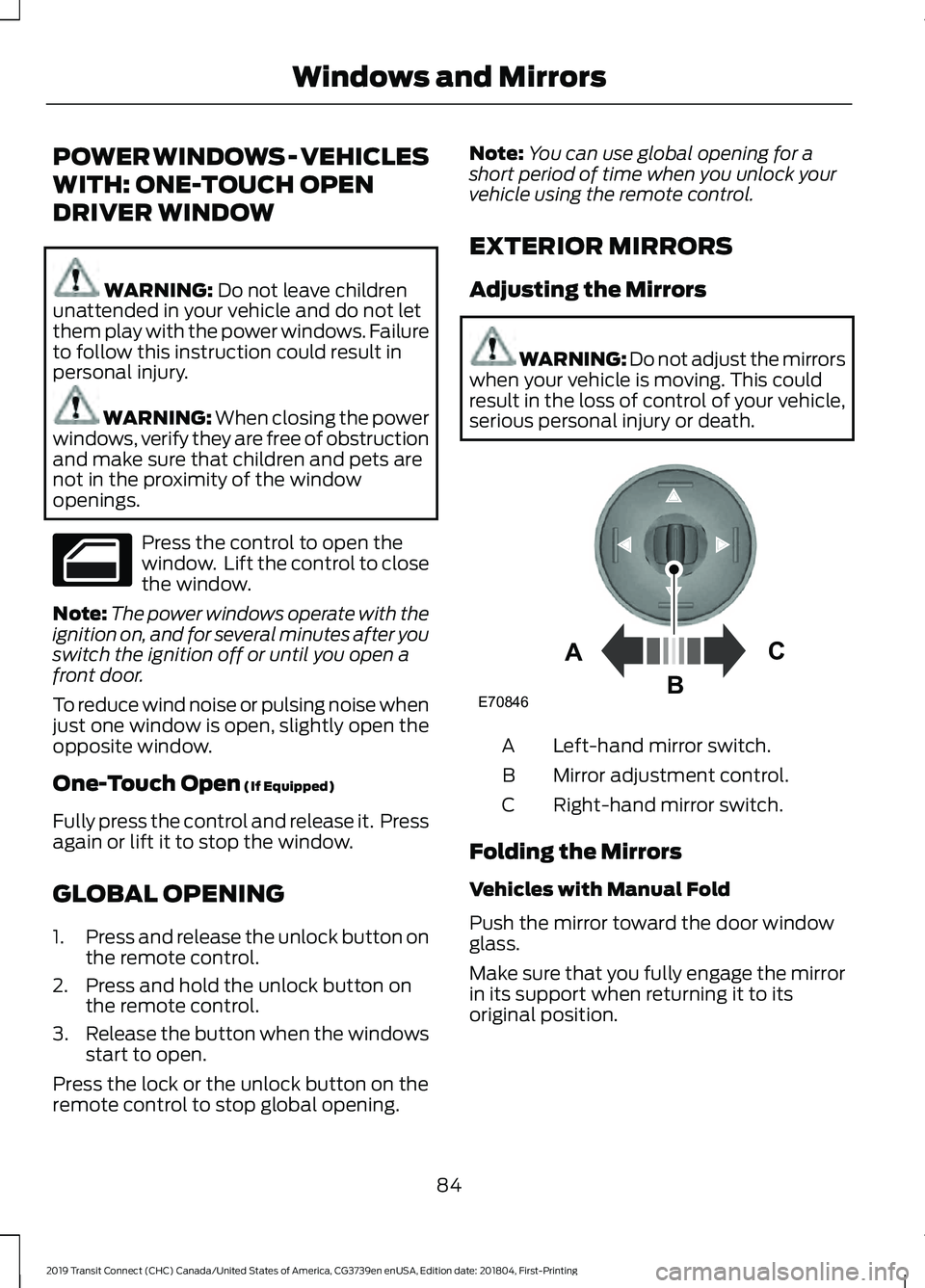
Adjusting the Mirrors WARNING: Do not adjust the mirrors
when your vehicle is moving. This could
result in the loss of control of your vehicle,
serious personal injury or death. Left-hand mirror switch.
A
Mirror adjustment control.
B
Right-hand mirror switch.
C
Folding the Mirrors
Vehicles with Manual Fold
Push the mirror toward the door window
glass.
Make sure that you fully engage the mirror
in its support when returning it to its
original position.
84
2019 Transit Connect (CHC) Canada/United States of America, CG3739en enUSA, Edition date: 201804, First-Printing Windows and Mirrors E70846A
C
B
Page 89 of 493
Vehicles with Auto-fold
The exterior mirrors fold when you lock
your vehicle and unfold when you unlock
your vehicle.
For tight parking conditions,
press the control to fold the
mirrors.
Press the control again to unfold the
mirrors.
If you press the control to fold in the
mirrors with auto-fold on, the mirrors do
not unfold when you unlock your vehicle.
You can switch auto-fold on or off in the
information display. See General
Information (page 92).
Note: The power folding mirrors operate
with the ignition on, and for several minutes
after you switch the ignition off.
Note: If you fold and unfold the mirrors
several times within one minute, the power
fold function may turn off to protect the
motors from overheating.
INTERIOR MIRROR - VEHICLES
WITHOUT: AUTO-DIMMING
INTERIOR MIRROR WARNING: Do not adjust the mirrors
when your vehicle is moving. This could
result in the loss of control of your vehicle,
serious personal injury or death.
Pull the tab below the mirror toward you
to reduce the effect of bright light from
behind. INTERIOR MIRROR - VEHICLES
WITH: AUTO-DIMMING
INTERIOR MIRROR WARNING: Do not adjust the mirrors
when your vehicle is moving. This could
result in the loss of control of your vehicle,
serious personal injury or death.
The mirror dims to reduce the effect of
bright light from behind. It returns to
normal when the bright light from behind
is no longer present or if you shift into
reverse (R).
Do not block the sensors on the front and
back of the mirror.
Note: A rear center passenger or raised rear
center head restraint could prevent light
from reaching the sensor.
SUN SHADES WARNING:
Do not let children play
with the sun shade or leave them
unattended in the vehicle. They may
seriously hurt themselves. WARNING:
When closing the sun
shade, you should verify that it is free of
obstructions and make sure that children
and pets are not in the proximity of the
sunshade.
The control is located in the overhead
console.
The sun shade has a one-touch open and
close feature. To stop motion during
one-touch operation, press the control a
second time.
85
2019 Transit Connect (CHC) Canada/United States of America, CG3739en enUSA, Edition date: 201804, First-Printing Windows and Mirrors
Page 112 of 493
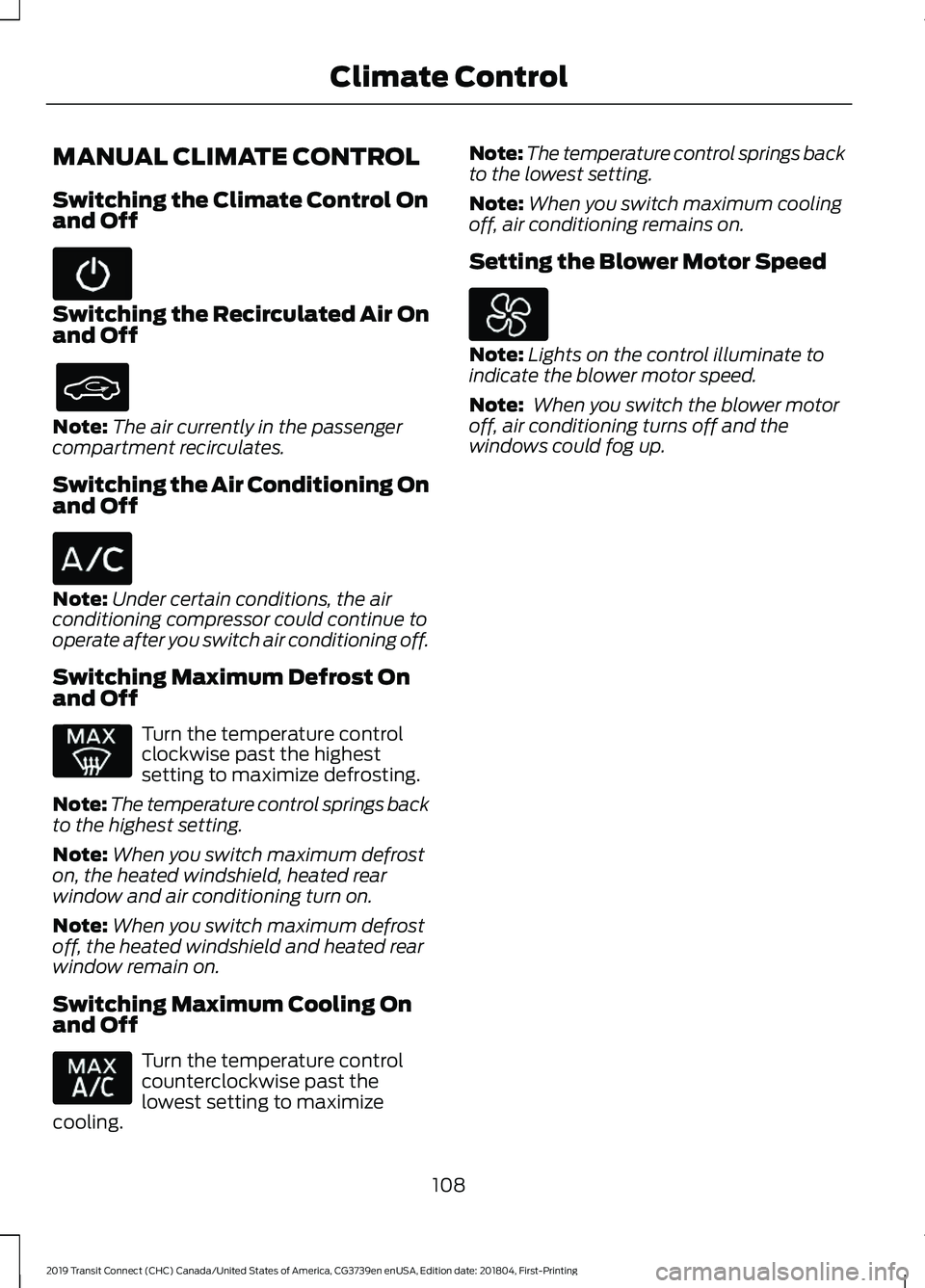
MANUAL CLIMATE CONTROL
Switching the Climate Control On
and Off
Switching the Recirculated Air On
and Off
Note:
The air currently in the passenger
compartment recirculates.
Switching the Air Conditioning On
and Off Note:
Under certain conditions, the air
conditioning compressor could continue to
operate after you switch air conditioning off.
Switching Maximum Defrost On
and Off Turn the temperature control
clockwise past the highest
setting to maximize defrosting.
Note: The temperature control springs back
to the highest setting.
Note: When you switch maximum defrost
on, the heated windshield, heated rear
window and air conditioning turn on.
Note: When you switch maximum defrost
off, the heated windshield and heated rear
window remain on.
Switching Maximum Cooling On
and Off Turn the temperature control
counterclockwise past the
lowest setting to maximize
cooling. Note:
The temperature control springs back
to the lowest setting.
Note: When you switch maximum cooling
off, air conditioning remains on.
Setting the Blower Motor Speed Note:
Lights on the control illuminate to
indicate the blower motor speed.
Note: When you switch the blower motor
off, air conditioning turns off and the
windows could fog up.
108
2019 Transit Connect (CHC) Canada/United States of America, CG3739en enUSA, Edition date: 201804, First-Printing Climate Control
Page 114 of 493
Switching Maximum Cooling On
and Off
Note:
When you switch maximum cooling
off, air conditioning remains on.
Switching Auto Mode On and Off The system controls the blower
motor speed and direction of air
to reach and maintain the
temperature you have set.
Note: When you switch auto mode on,
lights on the blower motor control do not
illuminate to indicate the blower motor
speed.
Adjust the blower motor control or air
distribution control to switch auto mode
off.
Adjusting the Auto Mode Repeatedly press to limit the
maximum blower motor speed.
Note: Limiting the blower motor speed
increases the time taken to cool or heat the
interior.
Setting the Blower Motor Speed Note:
Lights on the control illuminate to
indicate the blower motor speed.
Switching Dual Mode On and Off Note:
When you switch dual mode on, the
passenger side temperature control can be
independently adjusted. Note:
You can also switch dual mode on
by adjusting the passenger side temperature
control.
Directing Air to the Windshield Air
Vents Directing Air to the Instrument
Panel Air Vents
Directing Air to the Footwell Air
Vents
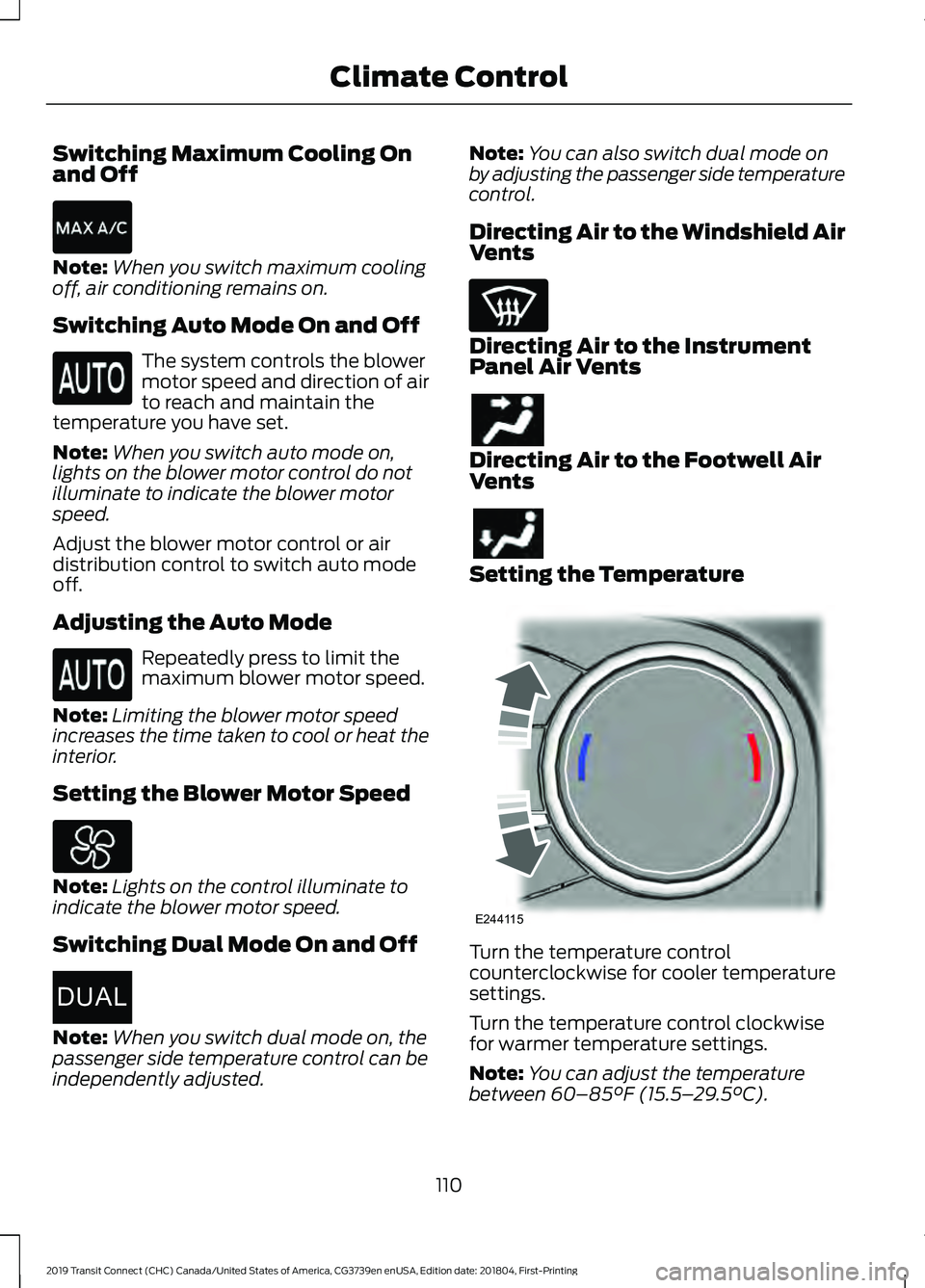
Setting the Temperature
Turn the temperature control
counterclockwise for cooler temperature
settings.
Turn the temperature control clockwise
for warmer temperature settings.
Note:
You can adjust the temperature
between 60–85°F (15.5– 29.5°C).
110
2019 Transit Connect (CHC) Canada/United States of America, CG3739en enUSA, Edition date: 201804, First-Printing Climate Control E267666DUAL E244115
Page 119 of 493
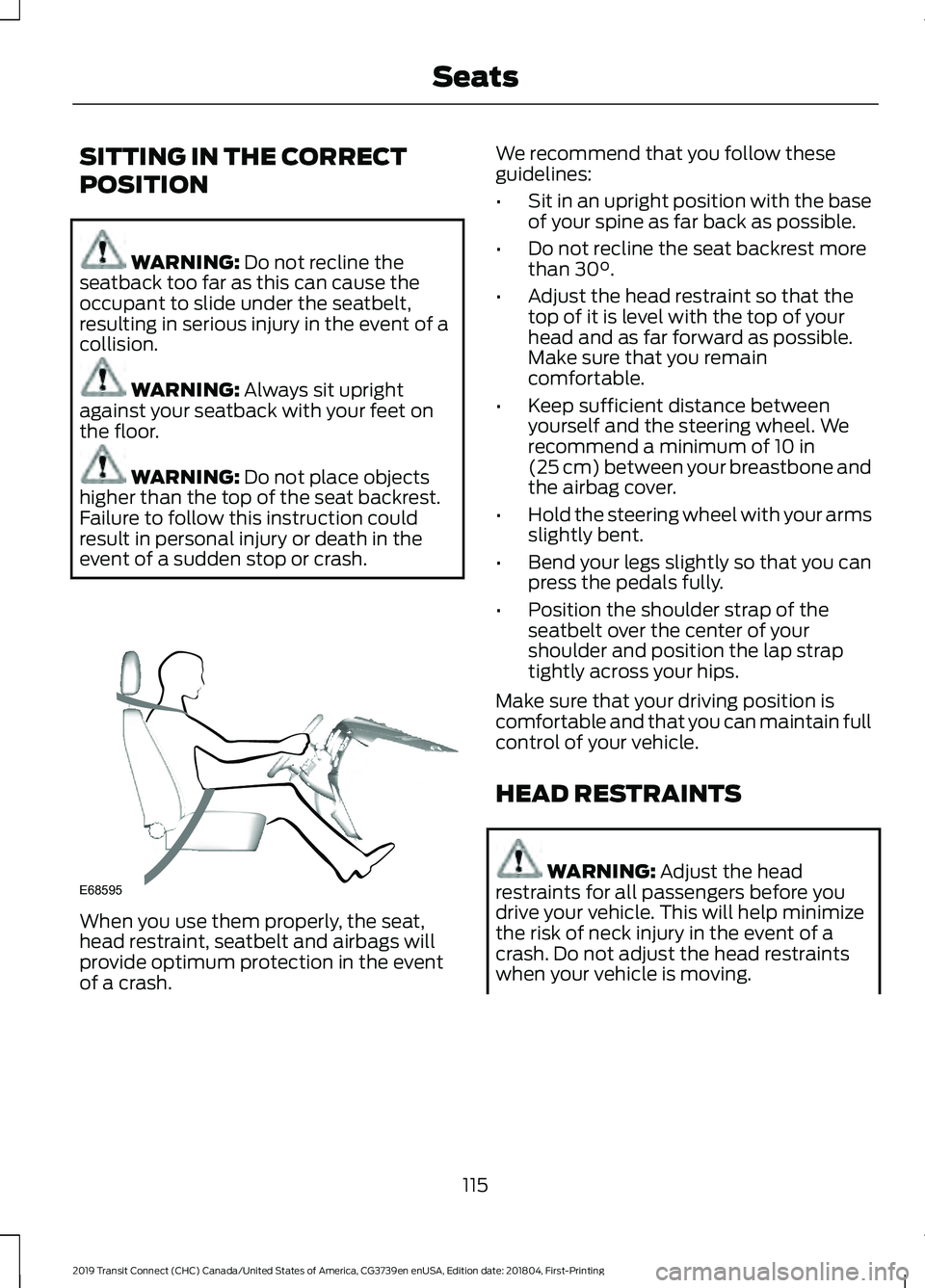
SITTING IN THE CORRECT
POSITION
WARNING: Do not recline the
seatback too far as this can cause the
occupant to slide under the seatbelt,
resulting in serious injury in the event of a
collision. WARNING:
Always sit upright
against your seatback with your feet on
the floor. WARNING:
Do not place objects
higher than the top of the seat backrest.
Failure to follow this instruction could
result in personal injury or death in the
event of a sudden stop or crash. When you use them properly, the seat,
head restraint, seatbelt and airbags will
provide optimum protection in the event
of a crash. We recommend that you follow these
guidelines:
•
Sit in an upright position with the base
of your spine as far back as possible.
• Do not recline the seat backrest more
than
30°.
• Adjust the head restraint so that the
top of it is level with the top of your
head and as far forward as possible.
Make sure that you remain
comfortable.
• Keep sufficient distance between
yourself and the steering wheel. We
recommend a minimum of
10 in
(25 cm) between your breastbone and
the airbag cover.
• Hold the steering wheel with your arms
slightly bent.
• Bend your legs slightly so that you can
press the pedals fully.
• Position the shoulder strap of the
seatbelt over the center of your
shoulder and position the lap strap
tightly across your hips.
Make sure that your driving position is
comfortable and that you can maintain full
control of your vehicle.
HEAD RESTRAINTS WARNING:
Adjust the head
restraints for all passengers before you
drive your vehicle. This will help minimize
the risk of neck injury in the event of a
crash. Do not adjust the head restraints
when your vehicle is moving.
115
2019 Transit Connect (CHC) Canada/United States of America, CG3739en enUSA, Edition date: 201804, First-Printing SeatsE68595
Page 134 of 493
HEATED SEATS (If Equipped)
WARNING:
People who are unable
to feel pain to their skin because of
advanced age, chronic illness, diabetes,
spinal cord injury, medication, alcohol use,
exhaustion or other physical conditions,
must use caution when using the heated
seat. The heated seat may cause burns
even at low temperatures, especially if
used for long periods of time. Do not place
anything on the seat that may block the
heat, such as a blanket or cushion. This can
cause the heated seat to overheat. Do not
puncture the seat with pins, needles or
other pointed objects. This damages the
heating element and can cause the heated
seat to overheat. An overheated seat may
cause serious personal injury.
Do not do the following:
• Place heavy objects on the seat.
• Operate the heated seat if water or any
other liquid spills on the seat. Allow the
seat to dry thoroughly.
• Operate the heated seats unless the
engine is running. Doing so can cause
the battery to lose charge. Press the heated seat symbol to cycle
through the various heat settings and off.
More indicator lights indicate warmer
settings.
130
2019 Transit Connect (CHC) Canada/United States of America, CG3739en enUSA, Edition date: 201804, First-Printing SeatsE146322
Page 135 of 493
12 Volt DC Power Point
WARNING: Do not plug optional
electrical accessories into the cigar lighter
socket. Incorrect use of the cigar lighter
can cause damage not covered by the
vehicle warranty, and can result in fire or
serious injury. WARNING: Do not use a power point
for operating a cigar lighter. Incorrect use
of the power points can cause damage not
covered by the vehicle warranty, and can
result in fire or serious injury.
Do not hang any accessory from the
accessory plug.
Do not use the power point over the vehicle
capacity of 12 volt DC 180 watts or a fuse
may blow.
Keep the power point caps closed when
not in use.
Do not insert objects other than an
accessory plug into the power point.
You can use the power point for up to 20
minutes after you switch the ignition off.
Note: When you switch the ignition on, you
can use the socket to power 12 volt
appliances with a maximum current rating
of 15 amps.
Run the vehicle for full capacity use of the
power point.
To prevent the battery from running out of
charge:
• Do not use the power point longer than
necessary when the vehicle is not
running.
• Do not leave devices plugged in
overnight or when you park your vehicle
for extended periods. Power points may be in the following
locations:
•
Front of the floor console.
• Rear of the floor console.
• Right hand side of the luggage
compartment.
• Instrument panel cluster storage
compartment.
CIGAR LIGHTER WARNING:
Do not plug optional
electrical accessories into the cigar lighter
socket. Incorrect use of the cigar lighter
can cause damage not covered by the
vehicle warranty, and can result in fire or
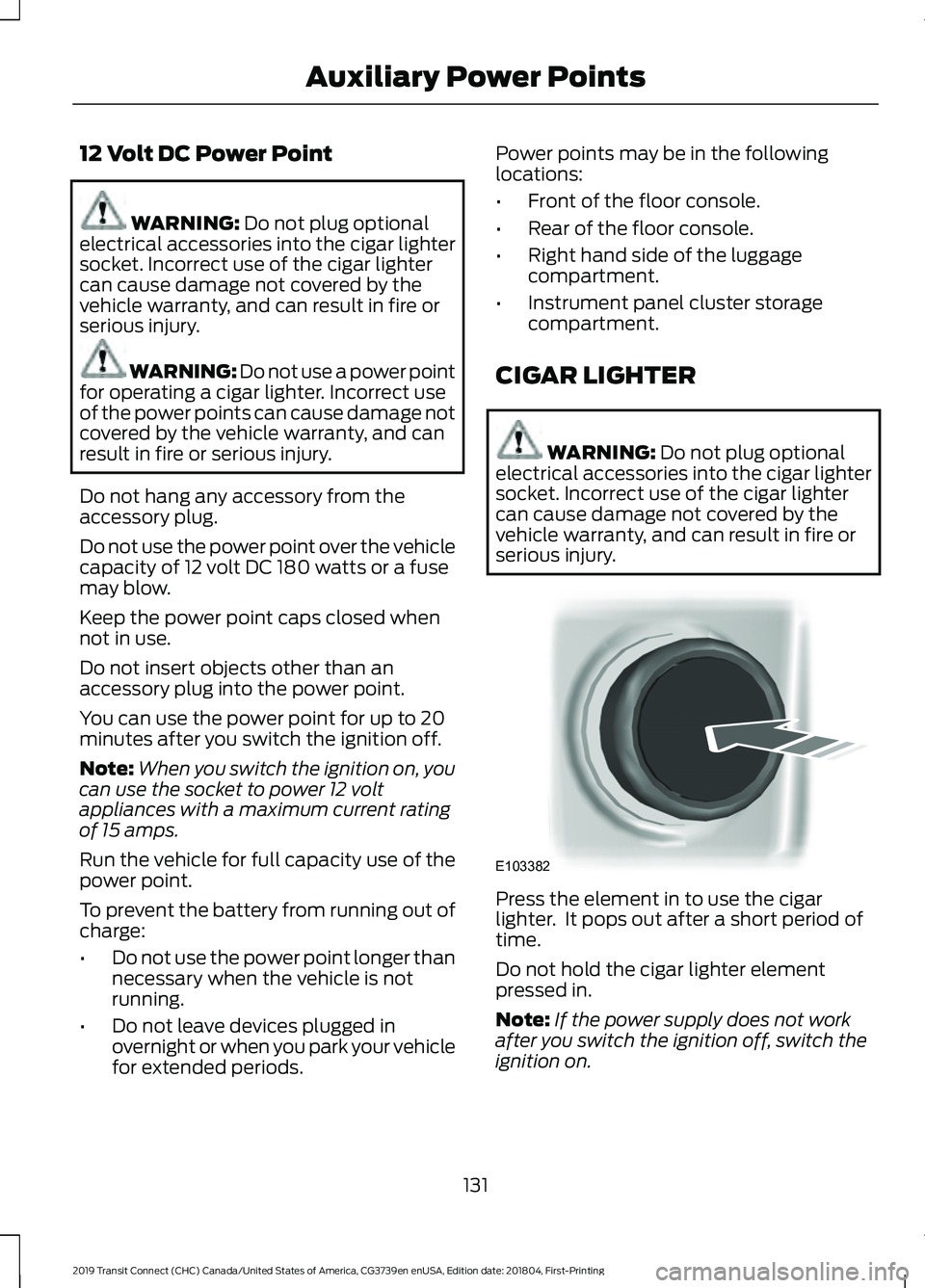
serious injury. Press the element in to use the cigar
lighter. It pops out after a short period of
time.
Do not hold the cigar lighter element
pressed in.
Note:
If the power supply does not work
after you switch the ignition off, switch the
ignition on.
131
2019 Transit Connect (CHC) Canada/United States of America, CG3739en enUSA, Edition date: 201804, First-Printing Auxiliary Power PointsE103382