fog light FORD TRANSIT CONNECT 2019 Owners Manual
[x] Cancel search | Manufacturer: FORD, Model Year: 2019, Model line: TRANSIT CONNECT, Model: FORD TRANSIT CONNECT 2019Pages: 493, PDF Size: 7.43 MB
Page 6 of 493
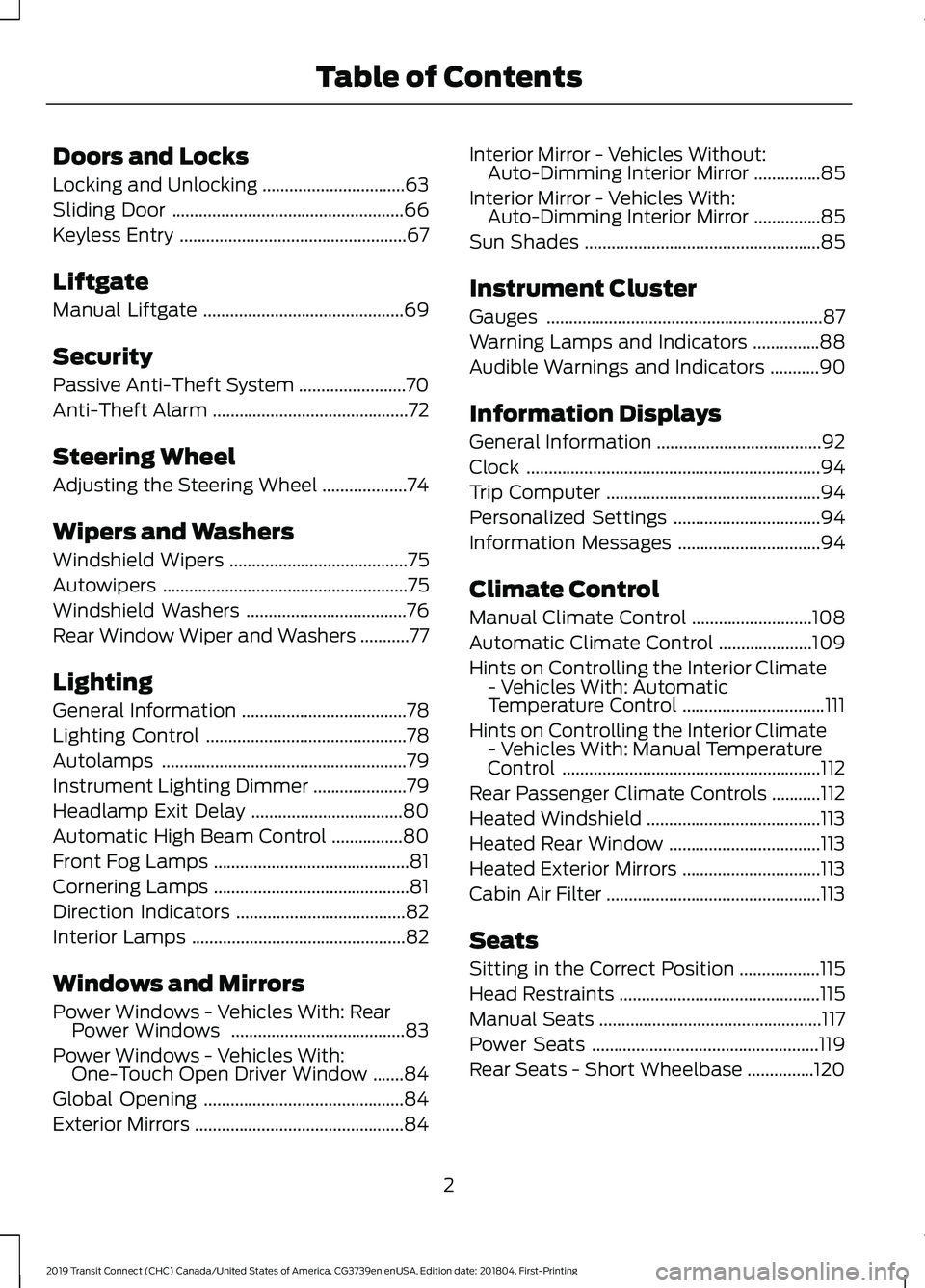
Doors and Locks
Locking and Unlocking
................................63
Sliding Door ....................................................
66
Keyless Entry ...................................................
67
Liftgate
Manual Liftgate .............................................
69
Security
Passive Anti-Theft System ........................
70
Anti-Theft Alarm ............................................
72
Steering Wheel
Adjusting the Steering Wheel ...................
74
Wipers and Washers
Windshield Wipers ........................................
75
Autowipers .......................................................
75
Windshield Washers ....................................
76
Rear Window Wiper and Washers ...........
77
Lighting
General Information .....................................
78
Lighting Control .............................................
78
Autolamps .......................................................
79
Instrument Lighting Dimmer .....................
79
Headlamp Exit Delay ..................................
80
Automatic High Beam Control ................
80
Front Fog Lamps ............................................
81
Cornering Lamps ............................................
81
Direction Indicators ......................................
82
Interior Lamps ................................................
82
Windows and Mirrors
Power Windows - Vehicles With: Rear Power Windows .......................................
83
Power Windows - Vehicles With: One-Touch Open Driver Window .......
84
Global Opening .............................................
84
Exterior Mirrors ...............................................
84Interior Mirror - Vehicles Without:
Auto-Dimming Interior Mirror ...............
85
Interior Mirror - Vehicles With: Auto-Dimming Interior Mirror ...............
85
Sun Shades .....................................................
85
Instrument Cluster
Gauges ..............................................................
87
Warning Lamps and Indicators ...............
88
Audible Warnings and Indicators ...........
90
Information Displays
General Information .....................................
92
Clock ..................................................................
94
Trip Computer ................................................
94
Personalized Settings .................................
94
Information Messages ................................
94
Climate Control
Manual Climate Control ...........................
108
Automatic Climate Control .....................
109
Hints on Controlling the Interior Climate - Vehicles With: Automatic
Temperature Control ................................
111
Hints on Controlling the Interior Climate - Vehicles With: Manual Temperature
Control ..........................................................
112
Rear Passenger Climate Controls ...........
112
Heated Windshield .......................................
113
Heated Rear Window ..................................
113
Heated Exterior Mirrors ...............................
113
Cabin Air Filter ................................................
113
Seats
Sitting in the Correct Position ..................
115
Head Restraints .............................................
115
Manual Seats ..................................................
117
Power Seats ...................................................
119
Rear Seats - Short Wheelbase ...............
120
2
2019 Transit Connect (CHC) Canada/United States of America, CG3739en enUSA, Edition date: 201804, First-Printing Table of Contents
Page 12 of 493
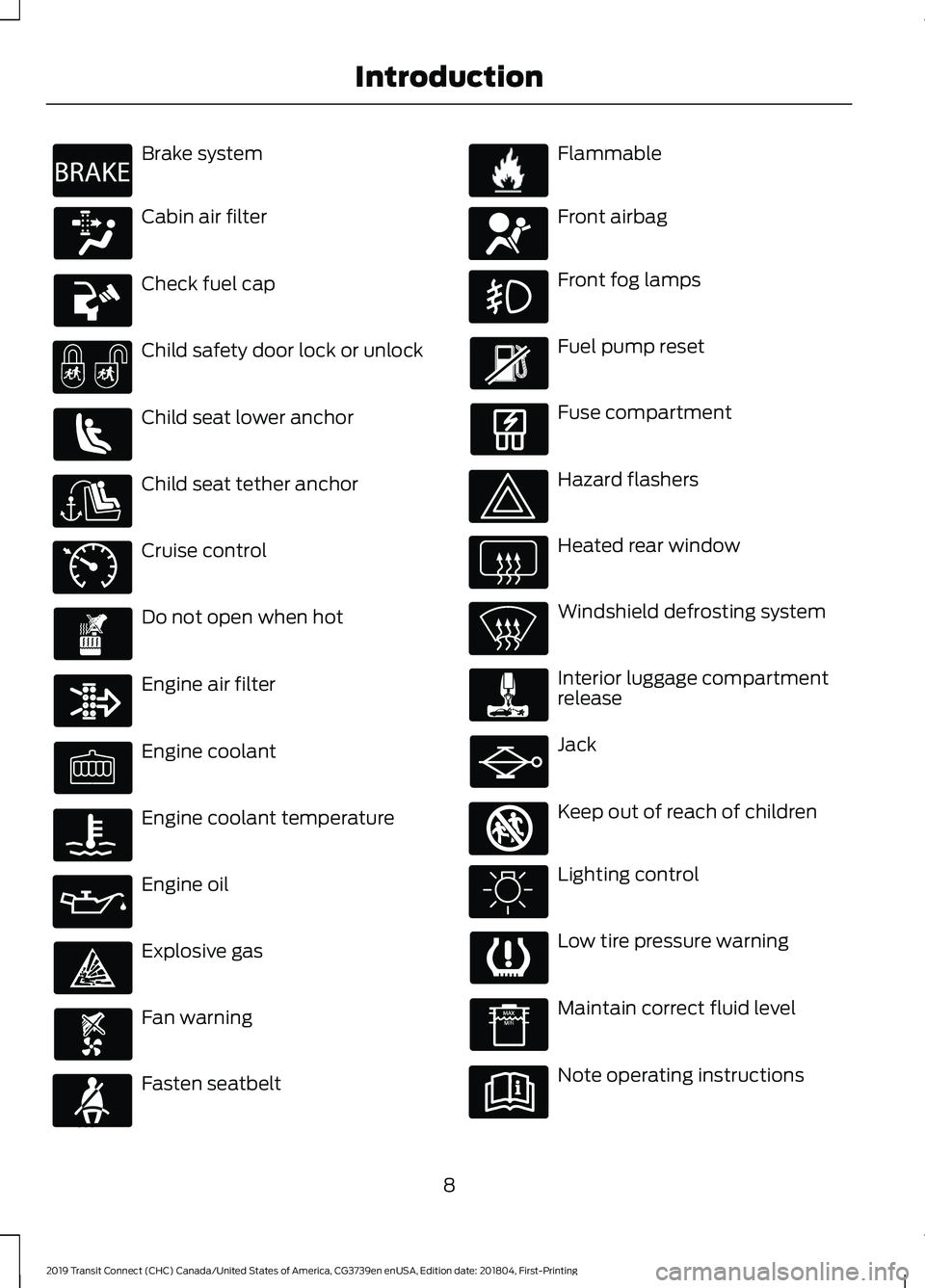
Brake system
Cabin air filter
Check fuel cap
Child safety door lock or unlock
Child seat lower anchor
Child seat tether anchor
Cruise control
Do not open when hot
Engine air filter
Engine coolant
Engine coolant temperature
Engine oil
Explosive gas
Fan warning
Fasten seatbelt Flammable
Front airbag
Front fog lamps
Fuel pump reset
Fuse compartment
Hazard flashers
Heated rear window
Windshield defrosting system
Interior luggage compartment
release
Jack
Keep out of reach of children
Lighting control
Low tire pressure warning
Maintain correct fluid level
Note operating instructions
8
2019 Transit Connect (CHC) Canada/United States of America, CG3739en enUSA, Edition date: 201804, First-Printing IntroductionE270480 E71340 E71880 E231160 E67017 E161353
Page 83 of 493
Push the lever away from you to switch
the high beam on.
Push the lever forward again or pull the
lever toward you to switch the high beams
off.
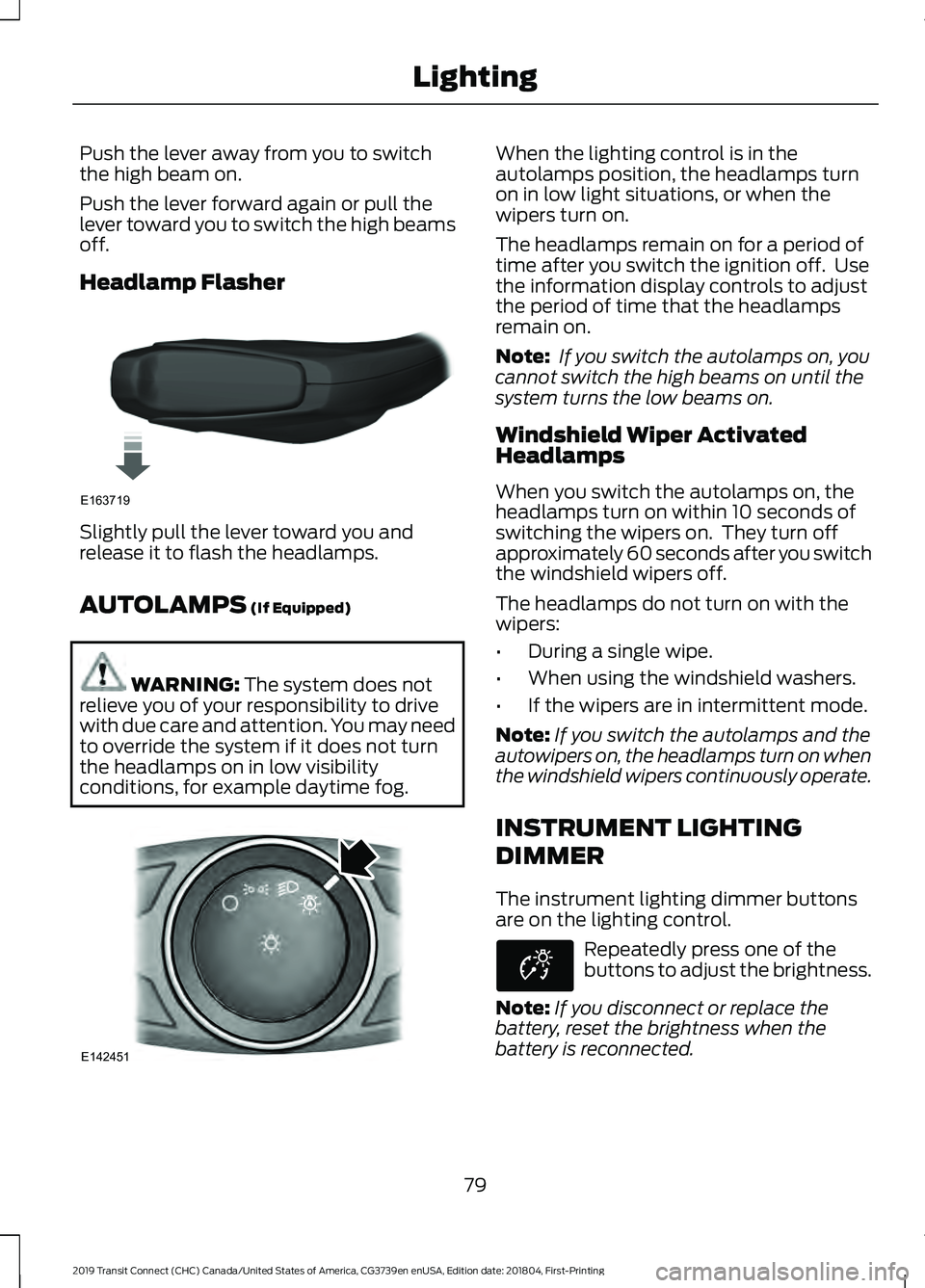
Headlamp Flasher
Slightly pull the lever toward you and
release it to flash the headlamps.
AUTOLAMPS (If Equipped)
WARNING:
The system does not
relieve you of your responsibility to drive
with due care and attention. You may need
to override the system if it does not turn
the headlamps on in low visibility
conditions, for example daytime fog. When the lighting control is in the
autolamps position, the headlamps turn
on in low light situations, or when the
wipers turn on.
The headlamps remain on for a period of
time after you switch the ignition off. Use
the information display controls to adjust
the period of time that the headlamps
remain on.
Note:
If you switch the autolamps on, you
cannot switch the high beams on until the
system turns the low beams on.
Windshield Wiper Activated
Headlamps
When you switch the autolamps on, the
headlamps turn on within 10 seconds of
switching the wipers on. They turn off
approximately 60 seconds after you switch
the windshield wipers off.
The headlamps do not turn on with the
wipers:
• During a single wipe.
• When using the windshield washers.
• If the wipers are in intermittent mode.
Note: If you switch the autolamps and the
autowipers on, the headlamps turn on when
the windshield wipers continuously operate.
INSTRUMENT LIGHTING
DIMMER
The instrument lighting dimmer buttons
are on the lighting control. Repeatedly press one of the
buttons to adjust the brightness.
Note: If you disconnect or replace the
battery, reset the brightness when the
battery is reconnected.
79
2019 Transit Connect (CHC) Canada/United States of America, CG3739en enUSA, Edition date: 201804, First-Printing LightingE163719 E142451 E253500
Page 84 of 493
HEADLAMP EXIT DELAY
After you switch the ignition off, you can
switch the headlamps on by pulling the
direction indicator lever toward you. You
will hear a short tone. The headlamps will
switch off automatically after three
minutes with any door open or 30 seconds
after the last door has been closed. You
can cancel this feature by pulling the
direction indicator toward you again or
switching the ignition on.
AUTOMATIC HIGH BEAM
CONTROL
WARNING: The system does not
relieve you of your responsibility to drive
with due care and attention. You may need
to override the system if it does not turn
the high beams on or off.
The system turns on high beams if it is dark
enough and no other traffic is present. If it
detects an approaching vehicle ’s
headlamps or tail lamps, or street lighting
ahead, the system turns off high beams
before they can distract other road users.
Low beams remain on.
Note: The system may not operate properly
if the sensor is blocked. Keep the windshield
free from obstruction or damage.
Note: The system may not operate properly
in cold or inclement conditions. You can
switch on the high beams by overriding the
system.
Note: If the system detects a blockage, for
example bird droppings, bug splatter, snow
or ice, the system goes into low beam mode
until you clear the blockage. A message may
appear in the information display if the
camera is blocked. Note:
Using much larger tires or equipping
vehicle accessories such as snowplows can
modify your vehicle's ride height and
degrade automatic high beam control
performance.
A camera sensor, centrally mounted
behind the windshield of your vehicle,
continuously monitors conditions to turn
the high beams on and off.
Once the system is active, the high beams
turn on if:
• The ambient light level is low enough.
• There is no traffic in front of your
vehicle.
• The vehicle speed is greater than
approximately
32 mph (51 km/h).
The system turns the high beams off if:
• The ambient light level is high enough
that high beams are not required.
• The system detects an approaching
vehicle's headlamps or tail lamps.
• The vehicle speed falls below
approximately
27 mph (44 km/h).
• The system detects severe rain, snow
or fog.
• The camera is blocked.
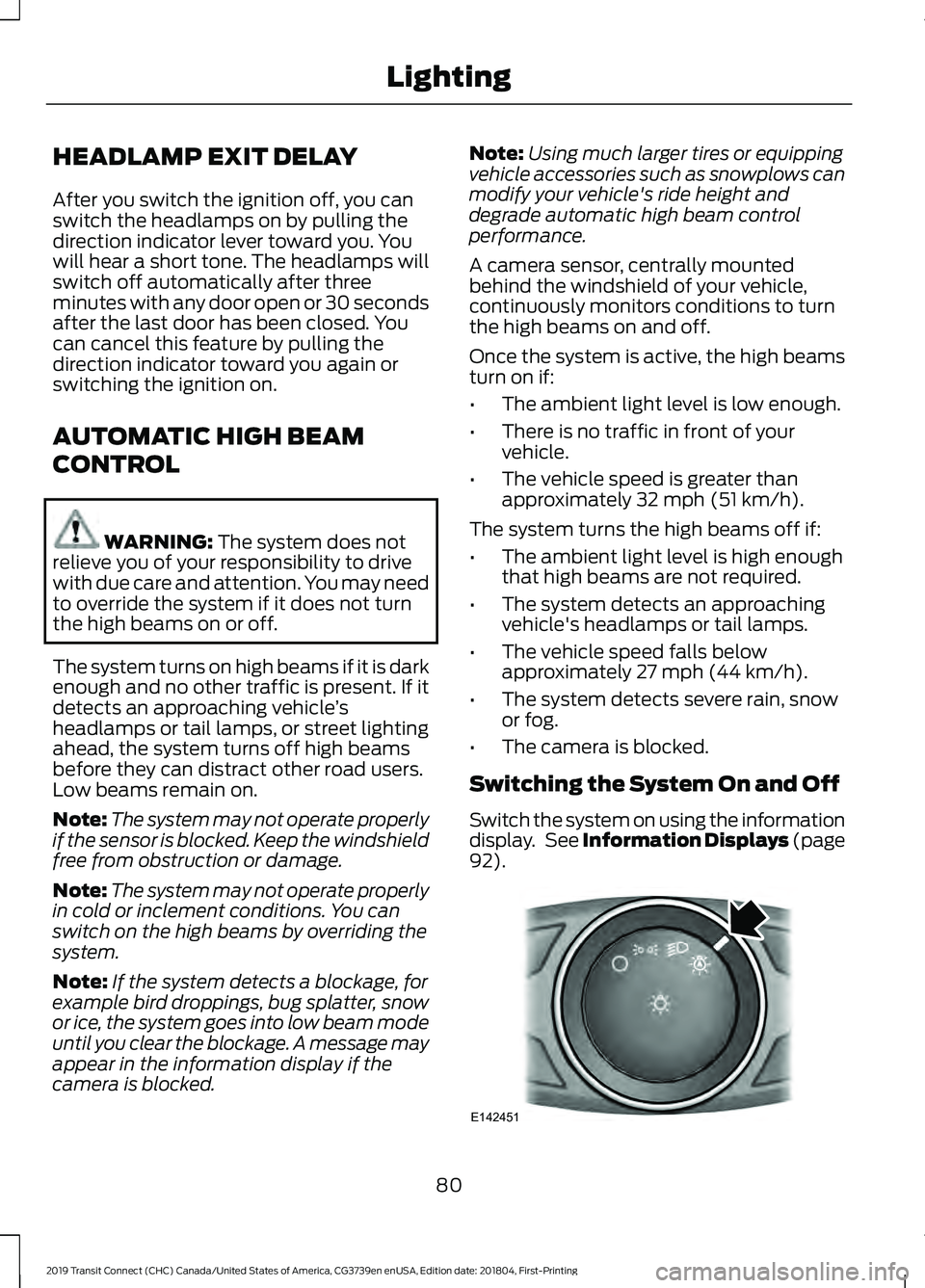
Switching the System On and Off
Switch the system on using the information
display. See Information Displays (page
92
). 80
2019 Transit Connect (CHC) Canada/United States of America, CG3739en enUSA, Edition date: 201804, First-Printing LightingE142451
Page 85 of 493

Switch the lighting control to the
autolamps position. See Autolamps
(page 79).
Overriding the System
Push the lever away from you to switch
between high beam and low beam.
Automatic High Beam Indicator
(If
Equipped) The indicator illuminates to
confirm when the system is
ready to assist.
FRONT FOG LAMPS
Only switch the front fog lamps on during
reduced visibility.
You can switch the front fog lamps on
when the lighting control is in any position
except off.
If you switch the autolamps on, you can
only switch the front fog lamps on when
the headlamps are on.
The front fog lamps button is on the
lighting control. Press the button to switch the
front fog lamps on and off.
CORNERING LAMPS Headlamp beam.
A
Cornering lamp beam.
B The cornering lamps illuminate the inside
of a corner when you are turning the
steering wheel.
81
2019 Transit Connect (CHC) Canada/United States of America, CG3739en enUSA, Edition date: 201804, First-Printing Lighting E72898
Page 112 of 493
MANUAL CLIMATE CONTROL
Switching the Climate Control On
and Off
Switching the Recirculated Air On
and Off
Note:
The air currently in the passenger
compartment recirculates.
Switching the Air Conditioning On
and Off Note:
Under certain conditions, the air
conditioning compressor could continue to
operate after you switch air conditioning off.
Switching Maximum Defrost On
and Off Turn the temperature control
clockwise past the highest
setting to maximize defrosting.
Note: The temperature control springs back
to the highest setting.
Note: When you switch maximum defrost
on, the heated windshield, heated rear
window and air conditioning turn on.
Note: When you switch maximum defrost
off, the heated windshield and heated rear
window remain on.
Switching Maximum Cooling On
and Off Turn the temperature control
counterclockwise past the
lowest setting to maximize
cooling. Note:
The temperature control springs back
to the lowest setting.
Note: When you switch maximum cooling
off, air conditioning remains on.
Setting the Blower Motor Speed Note:
Lights on the control illuminate to
indicate the blower motor speed.
Note: When you switch the blower motor
off, air conditioning turns off and the
windows could fog up.
108
2019 Transit Connect (CHC) Canada/United States of America, CG3739en enUSA, Edition date: 201804, First-Printing Climate Control
Page 150 of 493
AUTO-START-STOP
WARNING: Always switch the
ignition off and fully apply the parking
brake before carrying out any maintenance
or leaving your vehicle. Failure to follow
this instruction could result in personal
injury or death if the engine restarts.
Principle of Operation
The system is designed to help reduce fuel
consumption and CO 2 emissions by
stopping the engine when it is idling, for
example at traffic lights. Your vehicle has
an enhanced starter motor that is designed
for an increased number of engine starts.
The system does not stop the engine under
certain conditions, for example:
• If you have opened the driver door.
• If you have unfastened the driver
seatbelt.
• If your vehicle is at high altitude.
• If you have switched the heated
windshield on.
• If you have shifted into manual (M).
• If your vehicle is on a steep grade.
• If the engine is warming up.
• If the outside temperature is too low
or too high.
• If the battery charge is low or the
battery temperature is outside the
optimal operating range.
• To maintain the interior climate or
reduce fogging.
• If you have turned the steering more
than 270 degrees. The system restarts the engine under
certain conditions, for example:
•
If you have opened the driver door.
• If you have unfastened the driver
seatbelt.
• If you switch the heated windshield on.
• If you switch maximum defrost on.
• If you turn the steering wheel.
• If your vehicle starts to roll downhill in
neutral.
• To maintain adequate brake
assistance.
• To maintain the interior climate or
reduce fogging.
Note: The blower motor speed could
change when the system restarts the engine.
Using Auto-Start-Stop WARNING: Apply the parking brake
and shift into park (P) before leaving your
vehicle.
Stopping the Engine
Stop your vehicle and keep your foot on
the brake pedal and the transmission in
drive (D).
Note: The engine stops if you shift into park
(P) or neutral (N) regardless of whether you
have your foot on the brake pedal or not.
Note: Power assist steering turns off when
the engine is off.
Restarting the Engine
• Release the brake pedal.
• Press the accelerator pedal.
• Shift into drive (D), reverse (R) or
manual (M).
146
2019 Transit Connect (CHC) Canada/United States of America, CG3739en enUSA, Edition date: 201804, First-Printing Unique Driving Characteristics
Page 200 of 493
USING ADAPTIVE CRUISE
CONTROL
WARNING: Always pay close
attention to changing road conditions
when using adaptive cruise control. The
system does not replace attentive driving.
Failing to pay attention to the road may
result in a crash, serious injury or death. WARNING:
You are responsible for
controlling your vehicle at all times. The
system is designed to be an aid and does
not relieve you of your responsibility to
drive with due care and attention. Failure
to follow this instruction could result in the
loss of control of your vehicle, personal
injury or death. WARNING:
Adaptive cruise control
may not detect stationary or slow moving
vehicles below
6 mph (10 km/h). WARNING:
Do not use adaptive
cruise control on winding roads, in heavy
traffic or when the road surface is slippery.
This could result in loss of vehicle control,
serious injury or death. WARNING:
Do not use the system
when towing a trailer that has aftermarket
electronic trailer brake controls. Failure to
follow this instruction could result in the
loss of control of your vehicle, personal
injury or death. WARNING:
Adaptive cruise control
is not a crash warning or avoidance system. WARNING:
Adaptive cruise control
does not detect pedestrians or objects in
the road. WARNING:
Adaptive cruise control
does not detect oncoming vehicles in the
same lane. WARNING:
Do not use the system
in poor visibility, for example fog, heavy
rain, spray or snow. WARNING:
Do not use tire sizes
other than those recommended because
this can affect the normal operation of the
system. Failure to do so may result in a loss
of vehicle control, which could result in
serious injury.
The system helps you to maintain a gap
from the vehicle in front of you. The
system adjusts your vehicle speed to
maintain the set gap between you and the
vehicle in front of you in the same lane.
The system applies the brakes to slow your
vehicle to maintain a safe gap distance
from the vehicle in front.
The system uses a radar sensor which
projects a beam directly in front of your
vehicle.
The adaptive cruise controls are on the
steering wheel.
Switching Adaptive Cruise Control
On Press and release the switch.
The information display shows the grey
indicator light. The system is now in
standby.
196
2019 Transit Connect (CHC) Canada/United States of America, CG3739en enUSA, Edition date: 201804, First-Printing Cruise ControlE144529
Page 220 of 493
WARNING: The system may fail or
operate with reduced function during cold
and severe weather conditions. Snow, ice,
rain, spray and fog can adversely affect the
system. Keep the front camera and radar
free of snow and ice. Failure to take care
may result in the loss of control of your
vehicle, serious personal injury or death. WARNING:
The system may not
operate properly if your vehicle has a
non-Ford windshield. Do not carry out
windshield repairs in the area around the
sensor. WARNING:
In situations where the
vehicle camera has limited detection
capability, this may reduce system
performance. These situations include but
are not limited to direct or low sunlight,
vehicles at night without tail lights,
unconventional vehicle types, pedestrians
with complex backgrounds, running
pedestrians, partly obscured pedestrians,
or pedestrians that the system cannot
distinguish from a group. Failure to take
care may result in the loss of control of
your vehicle, serious personal injury or
death. WARNING:
The Pre-Collision Assist
system with brake support cannot help
prevent all collisions. Do not rely on this
system to replace your judgment and the
need to maintain correct distance and
speed.
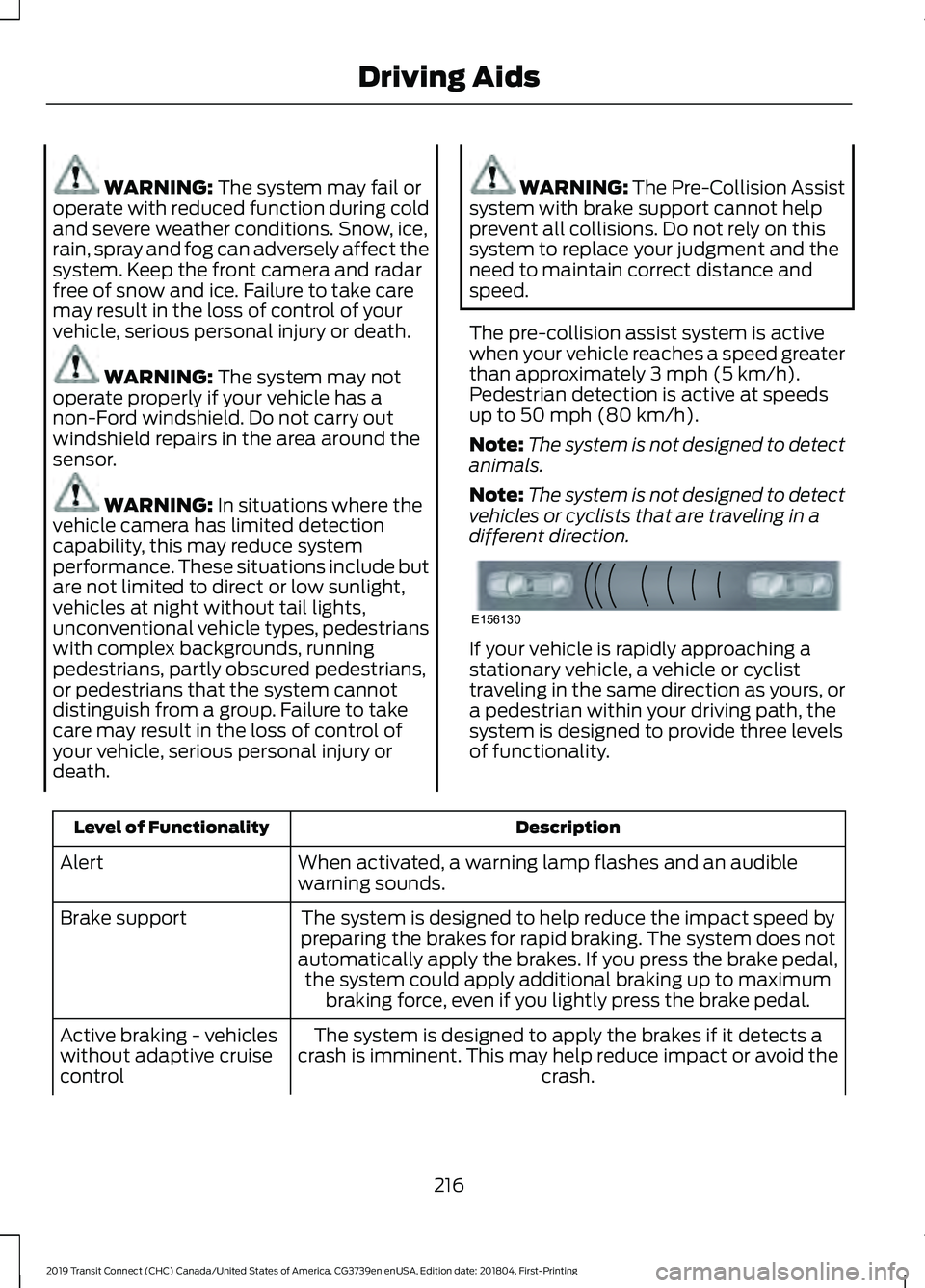
The pre-collision assist system is active
when your vehicle reaches a speed greater
than approximately
3 mph (5 km/h).
Pedestrian detection is active at speeds
up to
50 mph (80 km/h).
Note: The system is not designed to detect
animals.
Note: The system is not designed to detect
vehicles or cyclists that are traveling in a
different direction. If your vehicle is rapidly approaching a
stationary vehicle, a vehicle or cyclist
traveling in the same direction as yours, or
a pedestrian within your driving path, the
system is designed to provide three levels
of functionality.
Description
Level of Functionality
When activated, a warning lamp flashes and an audible
warning sounds.
Alert
The system is designed to help reduce the impact speed by
preparing the brakes for rapid braking. The system does not
automatically apply the brakes. If you press the brake pedal, the system could apply additional braking up to maximum braking force, even if you lightly press the brake pedal.
Brake support
The system is designed to apply the brakes if it detects a
crash is imminent. This may help reduce impact or avoid the crash.
Active braking - vehicles
without adaptive cruise
control
216
2019 Transit Connect (CHC) Canada/United States of America, CG3739en enUSA, Edition date: 201804, First-Printing Driving AidsE156130
Page 481 of 493
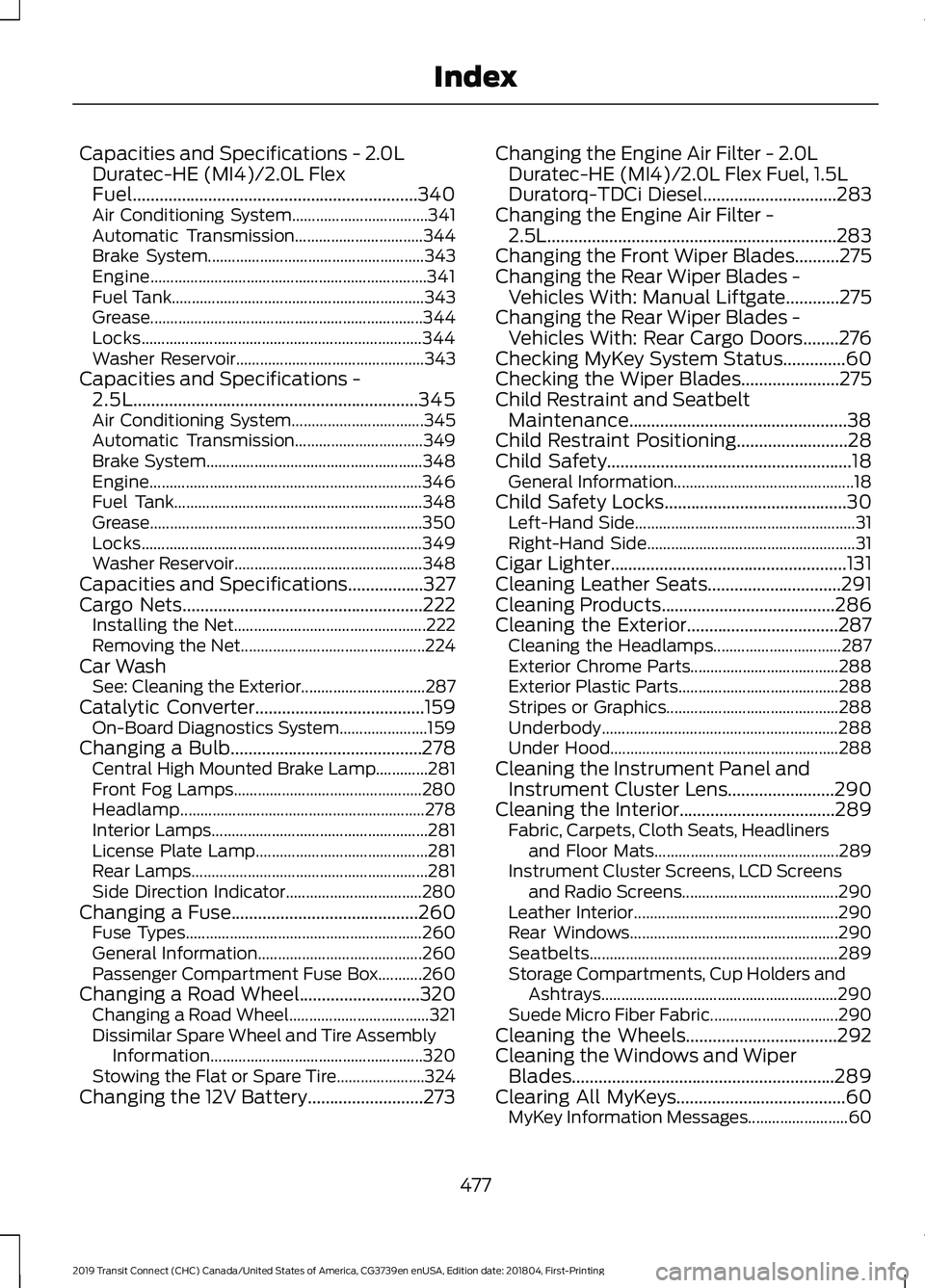
Capacities and Specifications - 2.0L
Duratec-HE (MI4)/2.0L Flex
Fuel................................................................340
Air Conditioning System.................................. 341
Automatic Transmission................................ 344
Brake System...................................................... 343
Engine..................................................................... 341
Fuel Tank............................................................... 343
Grease.................................................................... 344
Locks...................................................................... 344
Washer Reservoir............................................... 343
Capacities and Specifications - 2.5L................................................................345
Air Conditioning System................................. 345
Automatic Transmission................................ 349
Brake System...................................................... 348
Engine.................................................................... 346
Fuel Tank.............................................................. 348
Grease.................................................................... 350
Locks...................................................................... 349
Washer Reservoir............................................... 348
Capacities and Specifications.................327
Cargo Nets......................................................222
Installing the Net................................................ 222
Removing the Net.............................................. 224
Car Wash See: Cleaning the Exterior............................... 287
Catalytic Converter
......................................159
On-Board Diagnostics System...................... 159
Changing a Bulb...........................................278 Central High Mounted Brake Lamp.............281
Front Fog Lamps............................................... 280
Headlamp............................................................. 278
Interior Lamps...................................................... 281
License Plate Lamp........................................... 281
Rear Lamps........................................................... 281
Side Direction Indicator.................................. 280
Changing a Fuse..........................................260 Fuse Types........................................................... 260
General Information......................................... 260
Passenger Compartment Fuse Box...........260
Changing a Road Wheel...........................320 Changing a Road Wheel................................... 321
Dissimilar Spare Wheel and Tire Assembly Information
..................................................... 320
Stowing the Flat or Spare Tire...................... 324
Changing the 12V Battery..........................273 Changing the Engine Air Filter - 2.0L
Duratec-HE (MI4)/2.0L Flex Fuel, 1.5L
Duratorq-TDCi Diesel
..............................283
Changing the Engine Air Filter - 2.5L.................................................................283
Changing the Front Wiper Blades..........275
Changing the Rear Wiper Blades - Vehicles With: Manual Liftgate
............275
Changing the Rear Wiper Blades - Vehicles With: Rear Cargo Doors
........276
Checking MyKey System Status..............60
Checking the Wiper Blades......................275
Child Restraint and Seatbelt Maintenance.................................................38
Child Restraint Positioning.........................28
Child Safety
.......................................................18
General Information............................................. 18
Child Safety Locks.........................................30 Left-Hand Side....................................................... 31
Right-Hand Side.................................................... 31
Cigar Lighter
.....................................................131
Cleaning Leather Seats..............................291
Cleaning Products.......................................286
Cleaning the Exterior..................................287 Cleaning the Headlamps................................ 287
Exterior Chrome Parts..................................... 288
Exterior Plastic Parts........................................ 288
Stripes or Graphics........................................... 288
Underbody........................................................... 288
Under Hood......................................................... 288
Cleaning the Instrument Panel and Instrument Cluster Lens
........................290
Cleaning the Interior...................................289 Fabric, Carpets, Cloth Seats, Headliners
and Floor Mats.............................................. 289
Instrument Cluster Screens, LCD Screens and Radio Screens....................................... 290
Leather Interior................................................... 290
Rear Windows.................................................... 290
Seatbelts.............................................................. 289
Storage Compartments, Cup Holders and Ashtrays........................................................... 290
Suede Micro Fiber Fabric................................ 290
Cleaning the Wheels..................................292
Cleaning the Windows and Wiper Blades...........................................................289
Clearing All MyKeys......................................60 MyKey Information Messages......................... 60
477
2019 Transit Connect (CHC) Canada/United States of America, CG3739en enUSA, Edition date: 201804, First-Printing Index