brakes FORD TRANSIT CONNECT 2020 Owner's Manual
[x] Cancel search | Manufacturer: FORD, Model Year: 2020, Model line: TRANSIT CONNECT, Model: FORD TRANSIT CONNECT 2020Pages: 509, PDF Size: 7.73 MB
Page 203 of 509
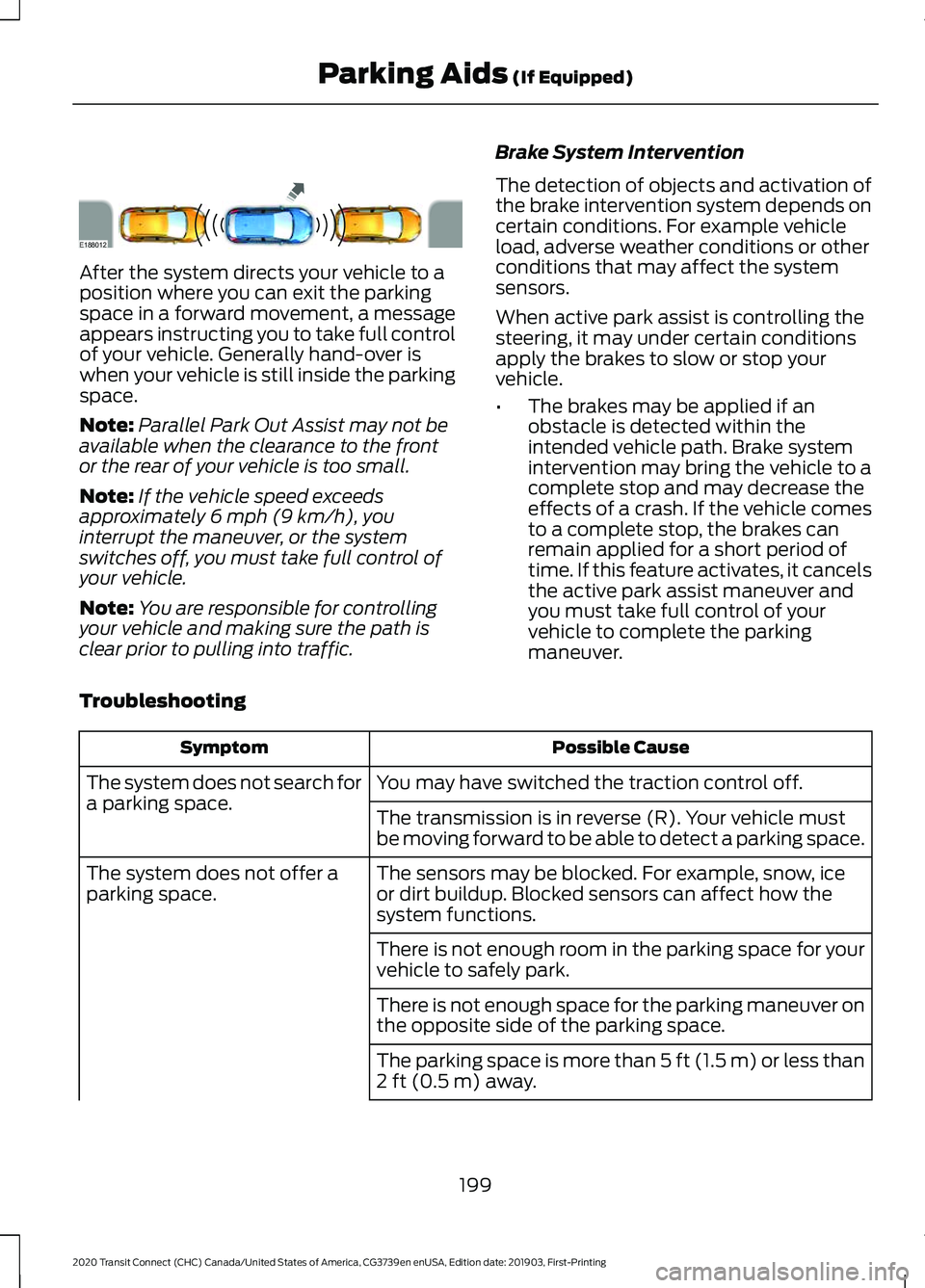
After the system directs your vehicle to a
position where you can exit the parking
space in a forward movement, a message
appears instructing you to take full control
of your vehicle. Generally hand-over is
when your vehicle is still inside the parking
space.
Note:
Parallel Park Out Assist may not be
available when the clearance to the front
or the rear of your vehicle is too small.
Note: If the vehicle speed exceeds
approximately 6 mph (9 km/h), you
interrupt the maneuver, or the system
switches off, you must take full control of
your vehicle.
Note: You are responsible for controlling
your vehicle and making sure the path is
clear prior to pulling into traffic. Brake System Intervention
The detection of objects and activation of
the brake intervention system depends on
certain conditions. For example vehicle
load, adverse weather conditions or other
conditions that may affect the system
sensors.
When active park assist is controlling the
steering, it may under certain conditions
apply the brakes to slow or stop your
vehicle.
•
The brakes may be applied if an
obstacle is detected within the
intended vehicle path. Brake system
intervention may bring the vehicle to a
complete stop and may decrease the
effects of a crash. If the vehicle comes
to a complete stop, the brakes can
remain applied for a short period of
time. If this feature activates, it cancels
the active park assist maneuver and
you must take full control of your
vehicle to complete the parking
maneuver.
Troubleshooting Possible Cause
Symptom
You may have switched the traction control off.
The system does not search for
a parking space.
The transmission is in reverse (R). Your vehicle must
be moving forward to be able to detect a parking space.
The sensors may be blocked. For example, snow, ice
or dirt buildup. Blocked sensors can affect how the
system functions.
The system does not offer a
parking space.
There is not enough room in the parking space for your
vehicle to safely park.
There is not enough space for the parking maneuver on
the opposite side of the parking space.
The parking space is more than
5 ft (1.5 m) or less than
2 ft (0.5 m) away.
199
2020 Transit Connect (CHC) Canada/United States of America, CG3739en enUSA, Edition date: 201903, First-Printing Parking Aids
(If Equipped)E188012
Page 207 of 509
PRINCIPLE OF OPERATION
Cruise control lets you maintain a set
speed without keeping your foot on the
accelerator pedal. You can use cruise
control when your vehicle speed is greater
than 20 mph (30 km/h).
USING CRUISE CONTROL WARNING:
Do not use cruise
control on winding roads, in heavy traffic
or when the road surface is slippery. This
could result in loss of vehicle control,
serious injury or death. WARNING:
When you are going
downhill, your vehicle speed could
increase above the set speed. The
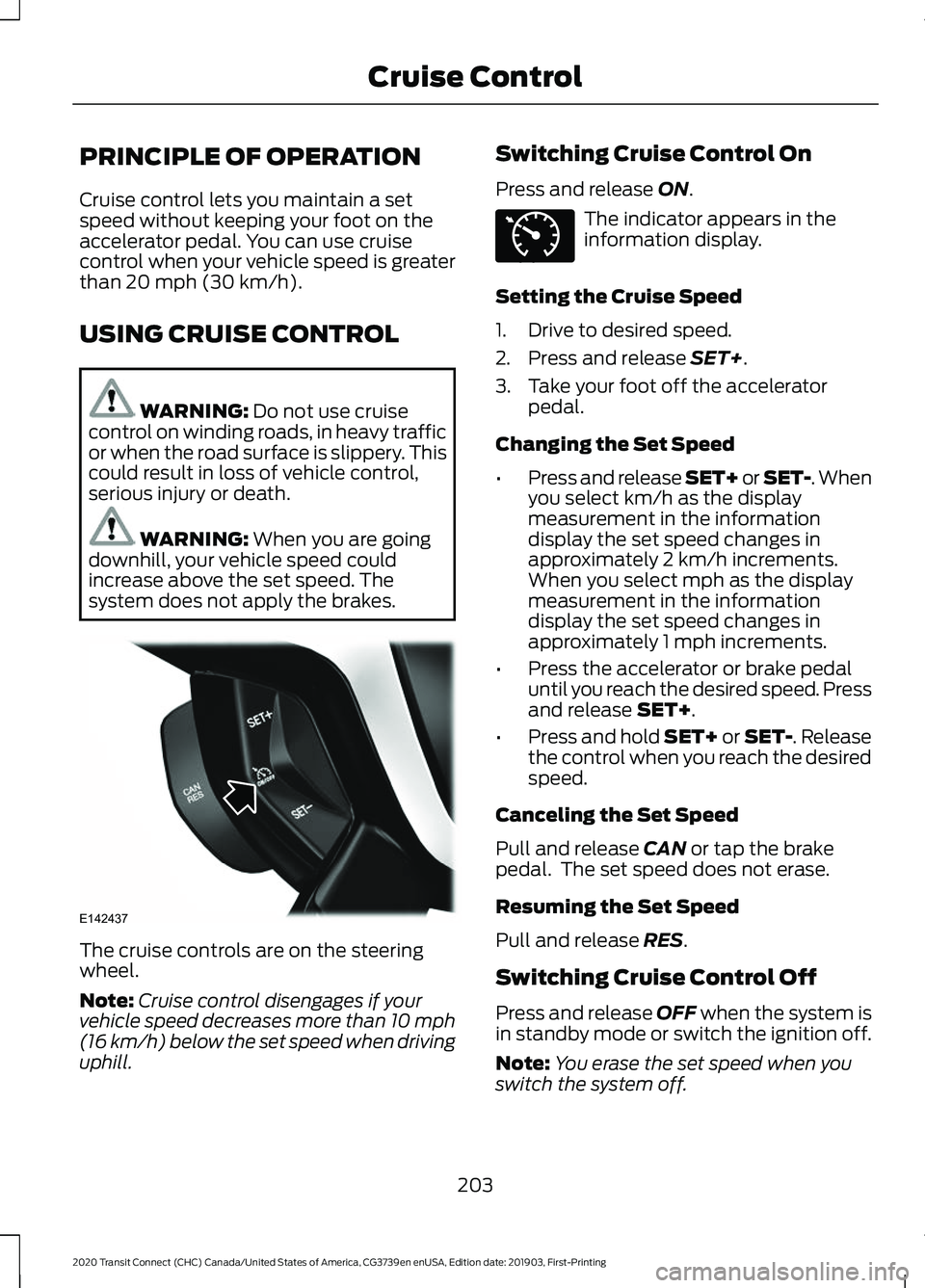
system does not apply the brakes. The cruise controls are on the steering
wheel.
Note:
Cruise control disengages if your
vehicle speed decreases more than 10 mph
(16 km/h) below the set speed when driving
uphill. Switching Cruise Control On
Press and release
ON. The indicator appears in the
information display.
Setting the Cruise Speed
1. Drive to desired speed.
2. Press and release
SET+.
3. Take your foot off the accelerator pedal.
Changing the Set Speed
• Press and release SET+ or SET-. When
you select km/h as the display
measurement in the information
display the set speed changes in
approximately 2 km/h increments.
When you select mph as the display
measurement in the information
display the set speed changes in
approximately 1 mph increments.
• Press the accelerator or brake pedal
until you reach the desired speed. Press
and release
SET+.
• Press and hold SET+ or SET-. Release
the control when you reach the desired
speed.
Canceling the Set Speed
Pull and release
CAN or tap the brake
pedal. The set speed does not erase.
Resuming the Set Speed
Pull and release
RES.
Switching Cruise Control Off
Press and release
OFF when the system is
in standby mode or switch the ignition off.
Note: You erase the set speed when you
switch the system off.
203
2020 Transit Connect (CHC) Canada/United States of America, CG3739en enUSA, Edition date: 201903, First-Printing Cruise ControlE142437 E71340
Page 208 of 509
USING ADAPTIVE CRUISE
CONTROL
WARNING: Always pay close
attention to changing road conditions
when using adaptive cruise control. The
system does not replace attentive
driving. Failing to pay attention to the
road may result in a crash, serious injury
or death. WARNING:
You are responsible
for controlling your vehicle at all times.
The system is designed to be an aid and
does not relieve you of your responsibility
to drive with due care and attention.
Failure to follow this instruction could
result in the loss of control of your
vehicle, personal injury or death. WARNING: Adaptive cruise control
may not detect stationary or slow
moving vehicles below 6 mph (10 km/h). WARNING:
Do not use adaptive
cruise control on winding roads, in heavy
traffic or when the road surface is
slippery. This could result in loss of
vehicle control, serious injury or death. WARNING:
Do not use the system
when towing a trailer that has
aftermarket electronic trailer brake
controls. Failure to follow this instruction
could result in the loss of control of your
vehicle, personal injury or death. WARNING: Adaptive cruise control
is not a crash warning or avoidance
system. WARNING: Adaptive cruise control
does not detect pedestrians or objects
in the road. WARNING: Adaptive cruise control
does not detect oncoming vehicles in the
same lane. WARNING:
Do not use the system
in poor visibility, for example fog, heavy
rain, spray or snow. WARNING:
Do not use tire sizes
other than those recommended because
this can affect the normal operation of
the system. Failure to do so may result
in a loss of vehicle control, which could
result in serious injury.
The system helps you to maintain a gap
from the vehicle in front of you. The
system adjusts your vehicle speed to
maintain the set gap between you and the
vehicle in front of you in the same lane.
The system applies the brakes to slow your
vehicle to maintain a safe gap distance
from the vehicle in front.
The system uses a radar sensor which
projects a beam directly in front of your
vehicle.
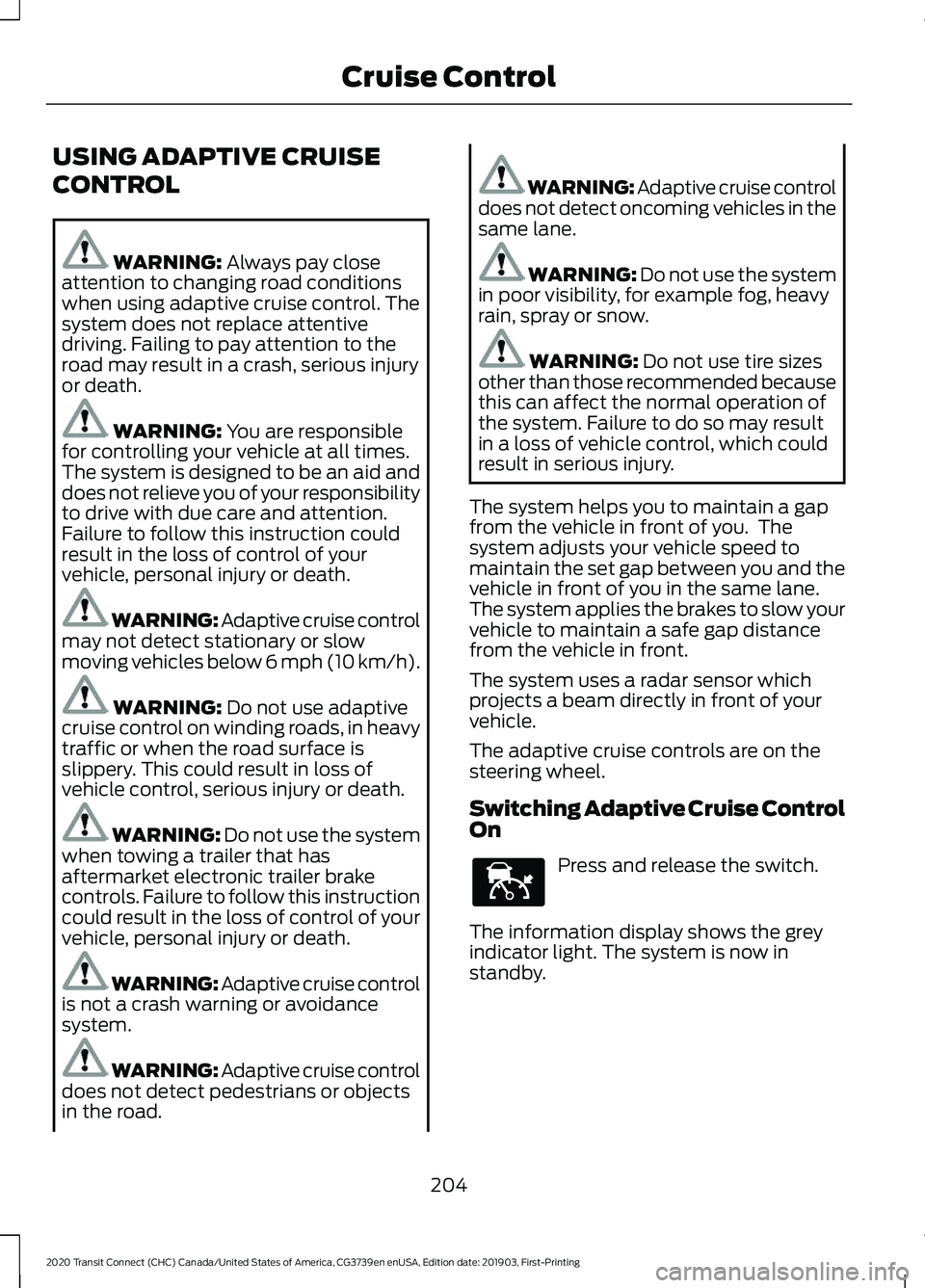
The adaptive cruise controls are on the
steering wheel.
Switching Adaptive Cruise Control
On Press and release the switch.
The information display shows the grey
indicator light. The system is now in
standby.
204
2020 Transit Connect (CHC) Canada/United States of America, CG3739en enUSA, Edition date: 201903, First-Printing Cruise ControlE144529
Page 209 of 509
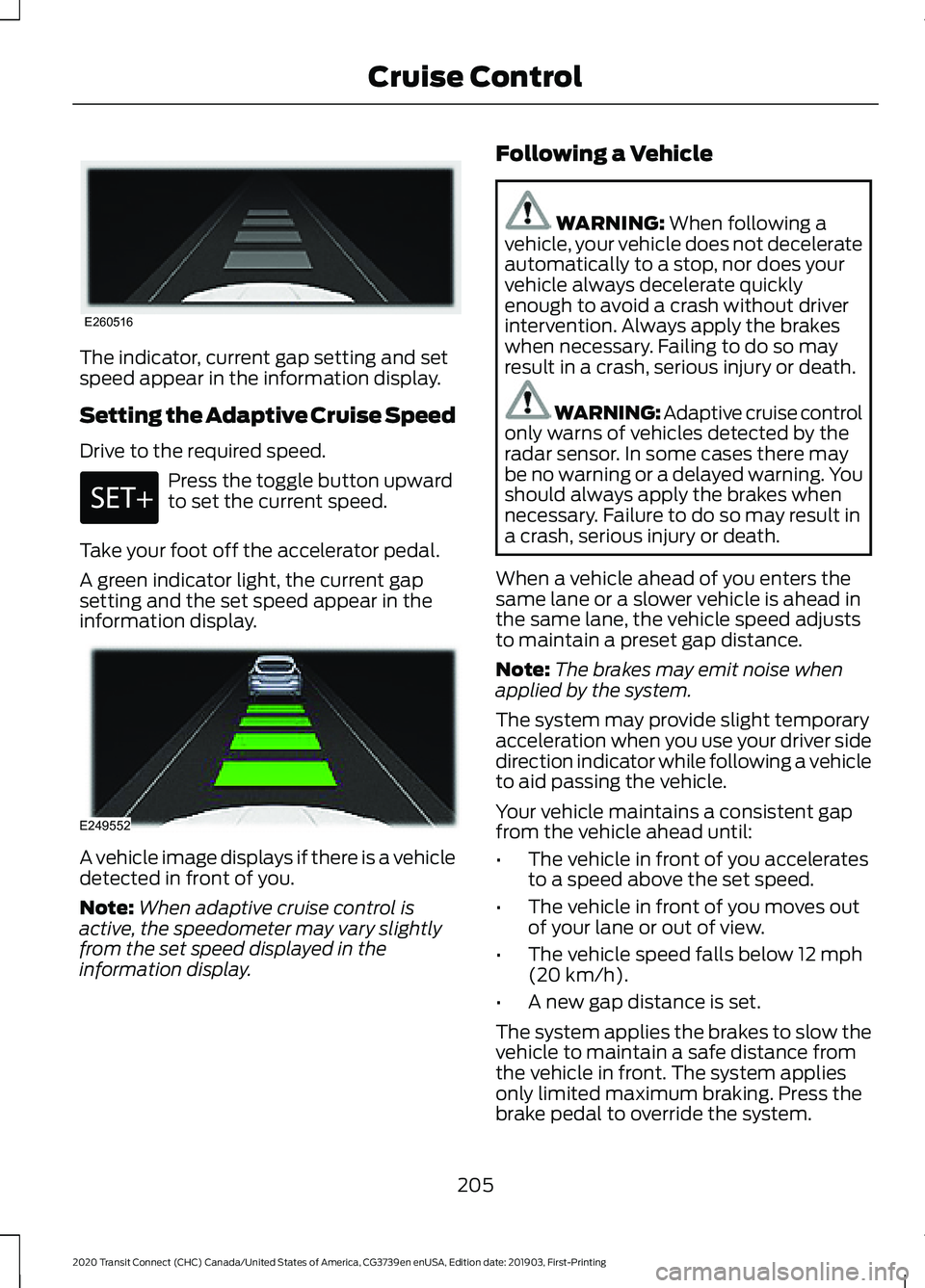
The indicator, current gap setting and set
speed appear in the information display.
Setting the Adaptive Cruise Speed
Drive to the required speed.
Press the toggle button upward
to set the current speed.
Take your foot off the accelerator pedal.
A green indicator light, the current gap
setting and the set speed appear in the
information display. A vehicle image displays if there is a vehicle
detected in front of you.
Note:
When adaptive cruise control is
active, the speedometer may vary slightly
from the set speed displayed in the
information display. Following a Vehicle WARNING: When following a
vehicle, your vehicle does not decelerate
automatically to a stop, nor does your
vehicle always decelerate quickly
enough to avoid a crash without driver
intervention. Always apply the brakes
when necessary. Failing to do so may
result in a crash, serious injury or death. WARNING: Adaptive cruise control
only warns of vehicles detected by the
radar sensor. In some cases there may
be no warning or a delayed warning. You
should always apply the brakes when
necessary. Failure to do so may result in
a crash, serious injury or death.
When a vehicle ahead of you enters the
same lane or a slower vehicle is ahead in
the same lane, the vehicle speed adjusts
to maintain a preset gap distance.
Note: The brakes may emit noise when
applied by the system.
The system may provide slight temporary
acceleration when you use your driver side
direction indicator while following a vehicle
to aid passing the vehicle.
Your vehicle maintains a consistent gap
from the vehicle ahead until:
• The vehicle in front of you accelerates
to a speed above the set speed.
• The vehicle in front of you moves out
of your lane or out of view.
• The vehicle speed falls below
12 mph
(20 km/h).
• A new gap distance is set.
The system applies the brakes to slow the
vehicle to maintain a safe distance from
the vehicle in front. The system applies
only limited maximum braking. Press the
brake pedal to override the system.
205
2020 Transit Connect (CHC) Canada/United States of America, CG3739en enUSA, Edition date: 201903, First-Printing Cruise ControlE260516 E249552
Page 210 of 509
If the system determines that its maximum
braking level is not sufficient, an audible
warning sounds and a message appears
in the information display when the system
continues to brake. You must take
immediate action.
Setting the Gap Distance
You can decrease or increase the distance
between your vehicle and the vehicle in
front by pressing the gap control.
Press and release to decrease
the gap distance.
Press and release to increase the
gap distance.
Note:
It is your responsibility to select a gap
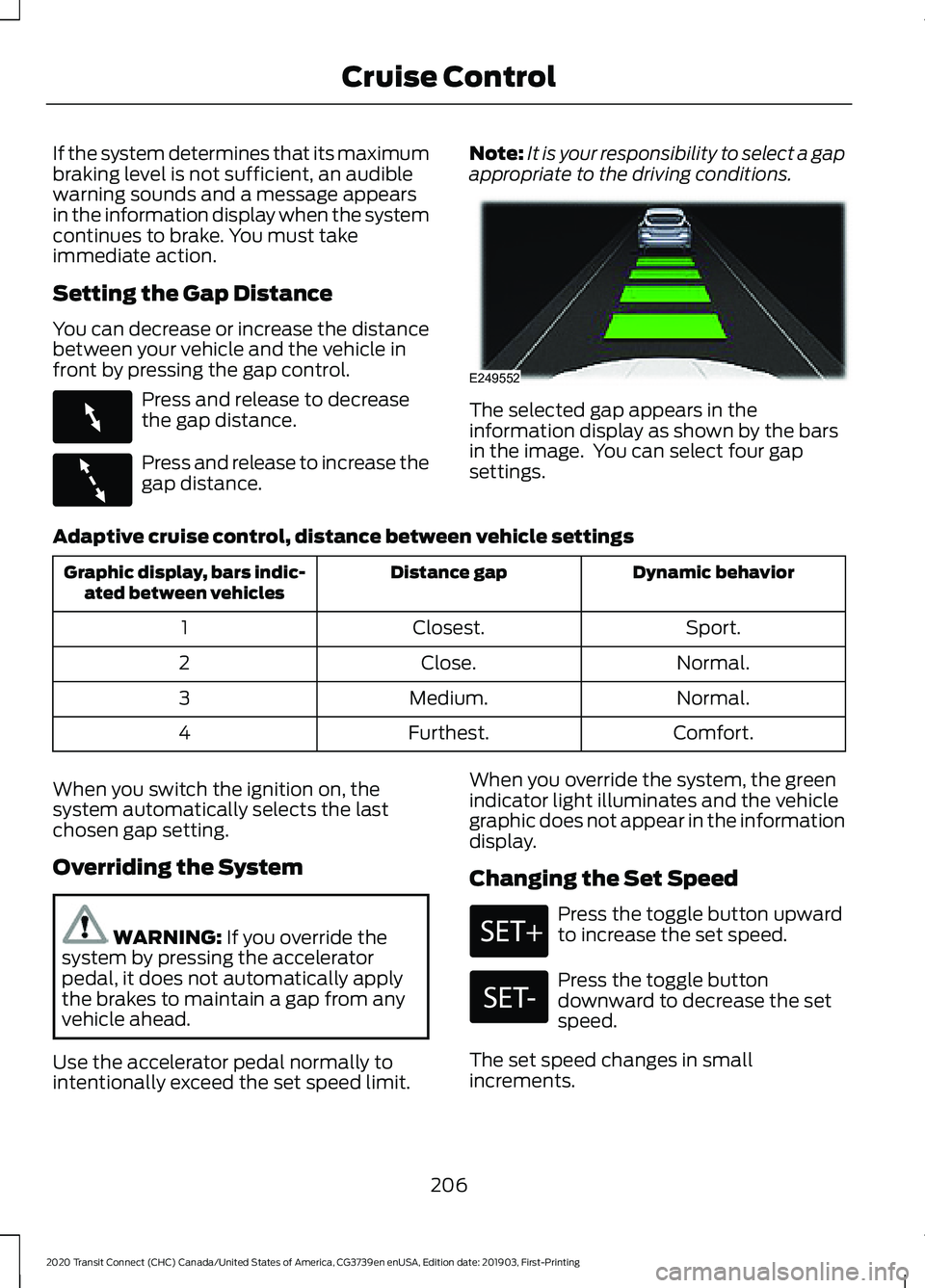
appropriate to the driving conditions. The selected gap appears in the
information display as shown by the bars
in the image. You can select four gap
settings.
Adaptive cruise control, distance between vehicle settings Dynamic behavior
Distance gap
Graphic display, bars indic-
ated between vehicles
Sport.
Closest.
1
Normal.
Close.
2
Normal.
Medium.
3
Comfort.
Furthest.
4
When you switch the ignition on, the
system automatically selects the last
chosen gap setting.
Overriding the System WARNING: If you override the
system by pressing the accelerator
pedal, it does not automatically apply
the brakes to maintain a gap from any
vehicle ahead.
Use the accelerator pedal normally to
intentionally exceed the set speed limit. When you override the system, the green
indicator light illuminates and the vehicle
graphic does not appear in the information
display.
Changing the Set Speed Press the toggle button upward
to increase the set speed.
Press the toggle button
downward to decrease the set
speed.
The set speed changes in small
increments.
206
2020 Transit Connect (CHC) Canada/United States of America, CG3739en enUSA, Edition date: 201903, First-Printing Cruise ControlE263697 E263696 E249552
Page 211 of 509
Note:
Press and hold the toggle button
upward or downward to change the set
speed in larger increments.
The system may apply the brakes to slow
the vehicle to the new set speed. The set
speed displays continuously in the
information display when the system is
active.
Canceling the Set Speed Press and release the switch or
tap the brake pedal.
The last set speed and gap setting displays
in grey but does not erase.
Note: If you press the clutch pedal for an
extended period, this action also cancels
the set speed.
Resuming the Set Speed Press and release the switch.
Your vehicle speed returns to the
previously set speed and gap setting. The
set speed shows continuously in the
information display while the system is
active.
Note: Only use resume if you are aware of
the set speed and intend to return to it.
Automatic Cancellation
The system is not functional at vehicle
speeds below 12 mph (20 km/h). An
audible alarm sounds and the automatic
braking releases if the vehicle drops below
this speed.
Automatic cancellation can also occur
when:
• The tires lose traction.
• The engine speed is too low.
• You apply the parking brake. Note:
If the engine speed drops too low,
the information display advises you to shift
to a lower gear.
Hilly Condition Usage
Note: An audible alarm sounds and the
system shuts down if it applies brakes for
an extended period of time. This allows the
brakes to cool. The system functions
normally again when the brakes have
cooled.
You should select a lower gear when the
system is active in situations such as
prolonged downhill driving on steep
grades, for example in mountainous areas.
The system needs additional engine
braking in these situations to reduce the
load on the vehicle ’s regular brake system
to prevent it from overheating.
Switching Adaptive Cruise Control
Off Press and release the switch.
Note: You erase the set speed when you
switch the system off.
Detection Issues WARNING:
On rare occasions,
detection issues can occur due to the
road infrastructures, for example bridges,
tunnels and safety barriers. In these
cases, the system may brake late or
unexpectedly. At all times, you are
responsible for controlling your vehicle,
supervising the system and intervening,
if required. WARNING:
If the system
malfunctions, have your vehicle checked
as soon as possible.
207
2020 Transit Connect (CHC) Canada/United States of America, CG3739en enUSA, Edition date: 201903, First-Printing Cruise Control E144529
Page 213 of 509
Action
Cause
Clean the radiator grille in front of the radar
or remove any obstruction.
The surface of the radar in the grille is dirty
or obstructed in some way.
Wait a short period of time. It may take
several minutes for the radar to detect that
it is free from obstruction.
The surface of the radar is clean but the
message remains in the display.
Do not use the system in these conditions
because it may not detect any vehicles
ahead.
Heavy rain or snow interfere with the radar
signals.
Do not use the system in these conditions
because it may not detect any vehicles
ahead.
Swirling water, snow or ice on the surface
of the road interfere with the radar signals.
Wait a short period of time or switch to
normal cruise control.
You are in a desert or remote area with no
other vehicles and no roadside objects.
It is possible to get a blockage warning and not be blocked. A false blocked condition self
clears or clears after a key cycle.
Due to the nature of radar technology, you
may get a blocked sensor warning when
no obstruction blocks your sensor. This can
happen, for example, when driving in
sparse rural or desert environments. A false
blocked condition either self clears or
clears after a key cycle.
Switching to Normal Cruise
Control WARNING: Normal cruise control
will not brake when your vehicle is
approaching slower vehicles. Always be
aware of which mode you have selected
and apply the brakes when necessary.
You can change from adaptive cruise
control to cruise control using the
information display. The gap setting does not display
and the system does not
respond to lead vehicles.
Automatic braking remains active to
maintain set speed.
209
2020 Transit Connect (CHC) Canada/United States of America, CG3739en enUSA, Edition date: 201903, First-Printing Cruise ControlE71340
Page 222 of 509
If the sensors become blocked, a message
may appear in the information display. See
Information Messages (page 100). The
alert indicators remain illuminated but the
system does not alert you.
System Errors
If the system detects a fault, a warning
lamp illuminates and a message displays.
See Information Messages (page 100).
Switching the System On and Off
You can switch the system off using the
information display.
See General
Information (page 98). When you switch
the system off, a warning lamp illuminates
and a message displays. When you switch
the system on or off, the alert indicators
flash twice.
Note: The system remembers the last
setting when you start your vehicle.
Note: The system may not correctly operate
when towing a trailer. For vehicles with a
trailer tow module and tow bar approved
by us, the system turns off when you attach
a trailer. For vehicles with an aftermarket
trailer tow module or tow bar, we
recommend that you switch the system off
when you attach a trailer.
To permanently switch the system off,
contact an authorized dealer. CROSS TRAFFIC ALERT WARNING:
Do not use the cross
traffic alert system as a replacement for
using the interior and exterior mirrors or
looking over your shoulder before
reversing out of a parking space. The
cross traffic alert system is not a
replacement for careful driving. WARNING:
The system may not
operate properly during severe weather
conditions, for example snow, ice, heavy
rain and spray. Always drive with due
care and attention. Failure to take care
may result in a crash.
The system is designed to alert you of
vehicles approaching from the sides behind
your vehicle when you shift into reverse
(R). If you continue to reverse after the
system alerts you, the system is designed
to apply the brakes if it still detects an
approaching vehicle. If the system applies
the brakes, a message appears in the
information display.
Note: The system does not apply the brakes
if you override it by firmly pressing the
accelerator pedal.
Using Cross Traffic Alert
The system is designed to detect vehicles
that approach at a speed between
4 mph
(6 km/h) and 37 mph (60 km/h). Coverage
decreases when the sensors are partially,
mostly or fully obstructed. Slowly reversing
helps increase the coverage area and
effectiveness.
The system turns on when you start the
engine and you shift into reverse (R). The
system turns off when you shift out of
reverse (R).
218
2020 Transit Connect (CHC) Canada/United States of America, CG3739en enUSA, Edition date: 201903, First-Printing Driving Aids
Page 225 of 509
Note:
If arrows do not display, a message
appears in the information display.
If the system malfunctions, an indicator
illuminates in the instrument cluster and
a message appears in the information
display. Have your vehicle checked as soon
as possible. Note:
In exceptional conditions, the system
could alert you or apply the brakes, even
when there is nothing in the detection zone,
for example a vehicle passing further away
from your vehicle.
Cross Traffic Alert Information Messages Action
Message
Displays instead of indication arrows when the system
detects a vehicle. Check for approaching traffic.
Cross Traffic Alert
Displays if the cross traffic alert system sensors are blocked.
Clean the sensors. If the message continues to appear, have
your vehicle checked as soon as possible.
Cross Traffic Not Avail-
able Sensor Blocked See
Manual
The system has malfunctioned. Have your vehicle checked
as soon as possible.
Cross Traffic System
Fault
Displays if you attach a trailer to your vehicle.
Cross Traffic Alert Deac-
tivated Trailer Attached
Displays if the system applies the brakes. Check for
approaching traffic.
Cross Traffic Alert
Applying Brakes
ECO
Principle of Operation
The system is designed to monitor certain
driving characteristics to help you drive
more efficiently. See Economical Driving
(page 247).
Note: The efficiency levels do not result in
a defined fuel consumption figure. See Fuel
Consumption
(page 163).
Note: The system only indicates the
efficiency level for the current trip. The
system resets each time you switch the
ignition on. Eco Mode System Display
You can view the instantaneous efficiency
level or the trip summary in the information
display.
Instantaneous Efficiency Level
The display ring increases as the
instantaneous efficiency level increases
and illuminates when it reaches maximum
efficiency. The level continuously updates
to indicate the efficiency level for the
current trip.
221
2020 Transit Connect (CHC) Canada/United States of America, CG3739en enUSA, Edition date: 201903, First-Printing Driving Aids
Page 228 of 509
running pedestrians, partly obscured
pedestrians, or pedestrians that the
system cannot distinguish from a group.
Failure to take care may result in the loss
of control of your vehicle, serious
personal injury or death.
WARNING: The Pre-Collision
Assist system with brake support cannot
help prevent all collisions. Do not rely on
this system to replace your judgment
and the need to maintain correct
distance and speed.
The pre-collision assist system is active
when your vehicle reaches a speed greater
than approximately
3 mph (5 km/h).
Pedestrian detection is active at speeds
up to
50 mph (80 km/h). Note:
The system is not designed to detect
animals.
Note: The system is not designed to detect
vehicles or cyclists that are traveling in a
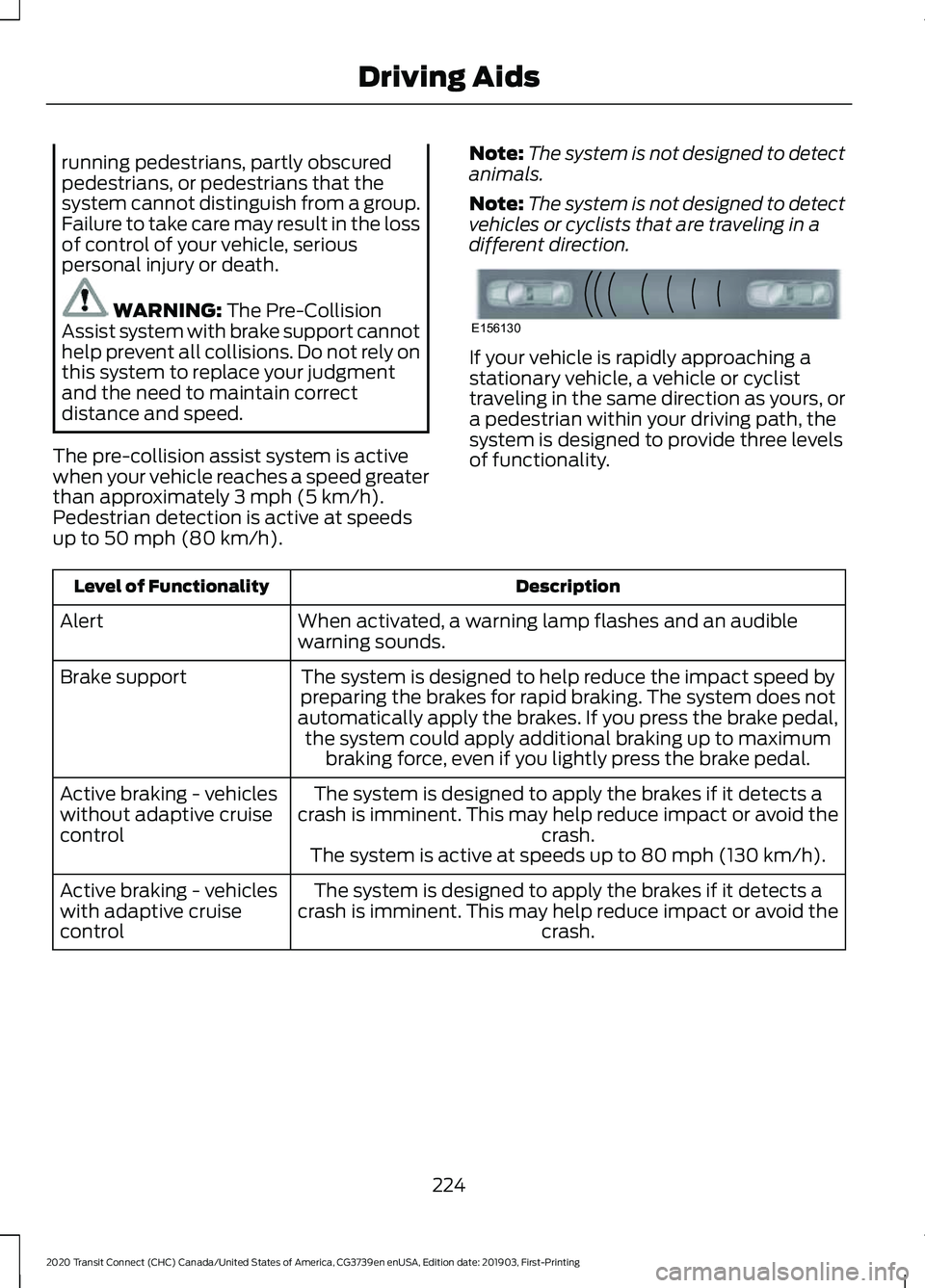
different direction. If your vehicle is rapidly approaching a
stationary vehicle, a vehicle or cyclist
traveling in the same direction as yours, or
a pedestrian within your driving path, the
system is designed to provide three levels
of functionality.
Description
Level of Functionality
When activated, a warning lamp flashes and an audible
warning sounds.
Alert
The system is designed to help reduce the impact speed by
preparing the brakes for rapid braking. The system does not
automatically apply the brakes. If you press the brake pedal, the system could apply additional braking up to maximum braking force, even if you lightly press the brake pedal.
Brake support
The system is designed to apply the brakes if it detects a
crash is imminent. This may help reduce impact or avoid the crash.
Active braking - vehicles
without adaptive cruise
control
The system is active at speeds up to
80 mph (130 km/h).
The system is designed to apply the brakes if it detects a
crash is imminent. This may help reduce impact or avoid the crash.
Active braking - vehicles
with adaptive cruise
control
224
2020 Transit Connect (CHC) Canada/United States of America, CG3739en enUSA, Edition date: 201903, First-Printing Driving AidsE156130