horn FORD TRANSIT CONNECT 2020 Owners Manual
[x] Cancel search | Manufacturer: FORD, Model Year: 2020, Model line: TRANSIT CONNECT, Model: FORD TRANSIT CONNECT 2020Pages: 509, PDF Size: 7.73 MB
Page 6 of 509
MyKey – Troubleshooting - Vehicles
With: Push Button Start .........................64
Doors and Locks
Locking and Unlocking ...............................
66
Sliding Door ....................................................
69
Keyless Entry ...................................................
70
Liftgate
Manual Liftgate ..............................................
73
Security
Passive Anti-Theft System ........................
74
Anti-Theft Alarm ...........................................
76
Steering Wheel
Adjusting the Steering Wheel ...................
78
Horn ....................................................................
78
Wipers and Washers
Windshield Wipers ........................................
79
Autowipers .......................................................
79
Windshield Washers .....................................
81
Rear Window Wiper and Washers ...........
81
Lighting
General Information .....................................
82
Lighting Control .............................................
82
Autolamps .......................................................
83
Instrument Lighting Dimmer ....................
83
Headlamp Exit Delay ...................................
84
Daytime Running Lamps ...........................
84
Automatic High Beam Control ................
84
Front Fog Lamps ...........................................
86
Cornering Lamps ...........................................
87
Direction Indicators .......................................
87
Interior Lamps ................................................
88Windows and Mirrors
Power Windows - Vehicles With: Rear
Power Windows .......................................
89
Power Windows - Vehicles With: One-Touch Open Driver Window .......
90
Global Opening .............................................
90
Exterior Mirrors ..............................................
90
Interior Mirror - Vehicles Without: Auto-Dimming Interior Mirror ................
91
Interior Mirror - Vehicles With: Auto-Dimming Interior Mirror ................
91
Sun Shades .....................................................
92
Instrument Cluster
Gauges ..............................................................
93
Warning Lamps and Indicators ...............
94
Audible Warnings and Indicators ............
96
Information Displays
General Information ....................................
98
Trip Computer ..............................................
100
Personalized Settings ...............................
100
Information Messages ..............................
100
Climate Control
Manual Climate Control .............................
114
Automatic Climate Control .......................
115
Hints on Controlling the Interior Climate - Vehicles With: Automatic
Temperature Control ..............................
116
Hints on Controlling the Interior Climate - Vehicles With: Manual Temperature
Control ..........................................................
117
Rear Passenger Climate Controls ..........
118
Heated Windshield ......................................
118
Heated Rear Window ..................................
118
Heated Exterior Mirrors ...............................
119
Cabin Air Filter ...............................................
119
Seats
Sitting in the Correct Position .................
120
2
2020 Transit Connect (CHC) Canada/United States of America, CG3739en enUSA, Edition date: 201903, First-Printing Table of Contents
Page 13 of 509
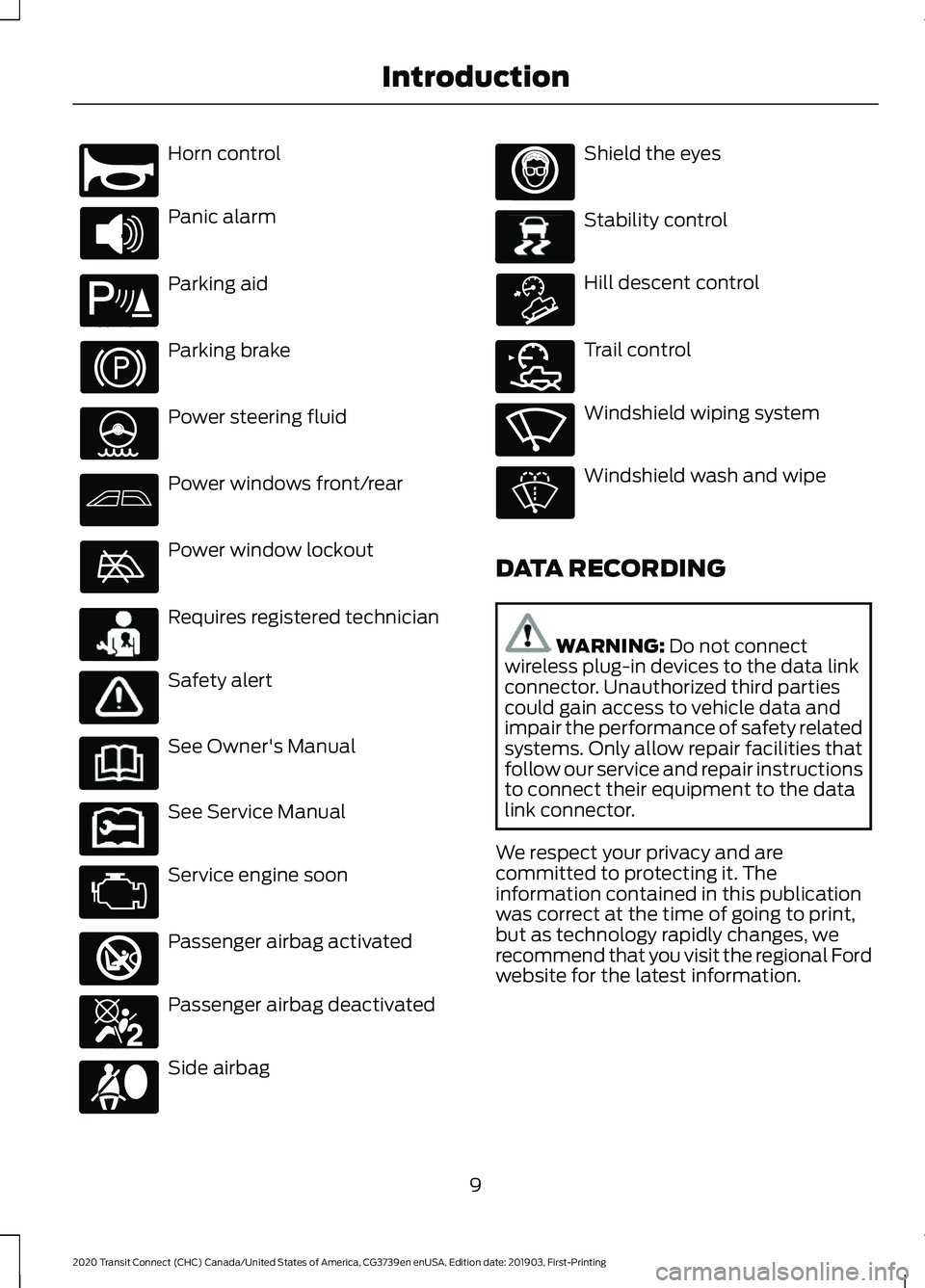
Horn control
Panic alarm
Parking aid
Parking brake
Power steering fluid
Power windows front/rear
Power window lockout
Requires registered technician
Safety alert
See Owner's Manual
See Service Manual
Service engine soon
Passenger airbag activated
Passenger airbag deactivated
Side airbag Shield the eyes
Stability control
Hill descent control
Trail control
Windshield wiping system
Windshield wash and wipe
DATA RECORDING WARNING: Do not connect
wireless plug-in devices to the data link
connector. Unauthorized third parties
could gain access to vehicle data and
impair the performance of safety related
systems. Only allow repair facilities that
follow our service and repair instructions
to connect their equipment to the data
link connector.
We respect your privacy and are
committed to protecting it. The
information contained in this publication
was correct at the time of going to print,
but as technology rapidly changes, we
recommend that you visit the regional Ford
website for the latest information.
9
2020 Transit Connect (CHC) Canada/United States of America, CG3739en enUSA, Edition date: 201903, First-Printing IntroductionE270945 E139213 E231159 E231158 E270849 E270850 E167012 E138639 E163957 E272858 E270969
Page 60 of 509
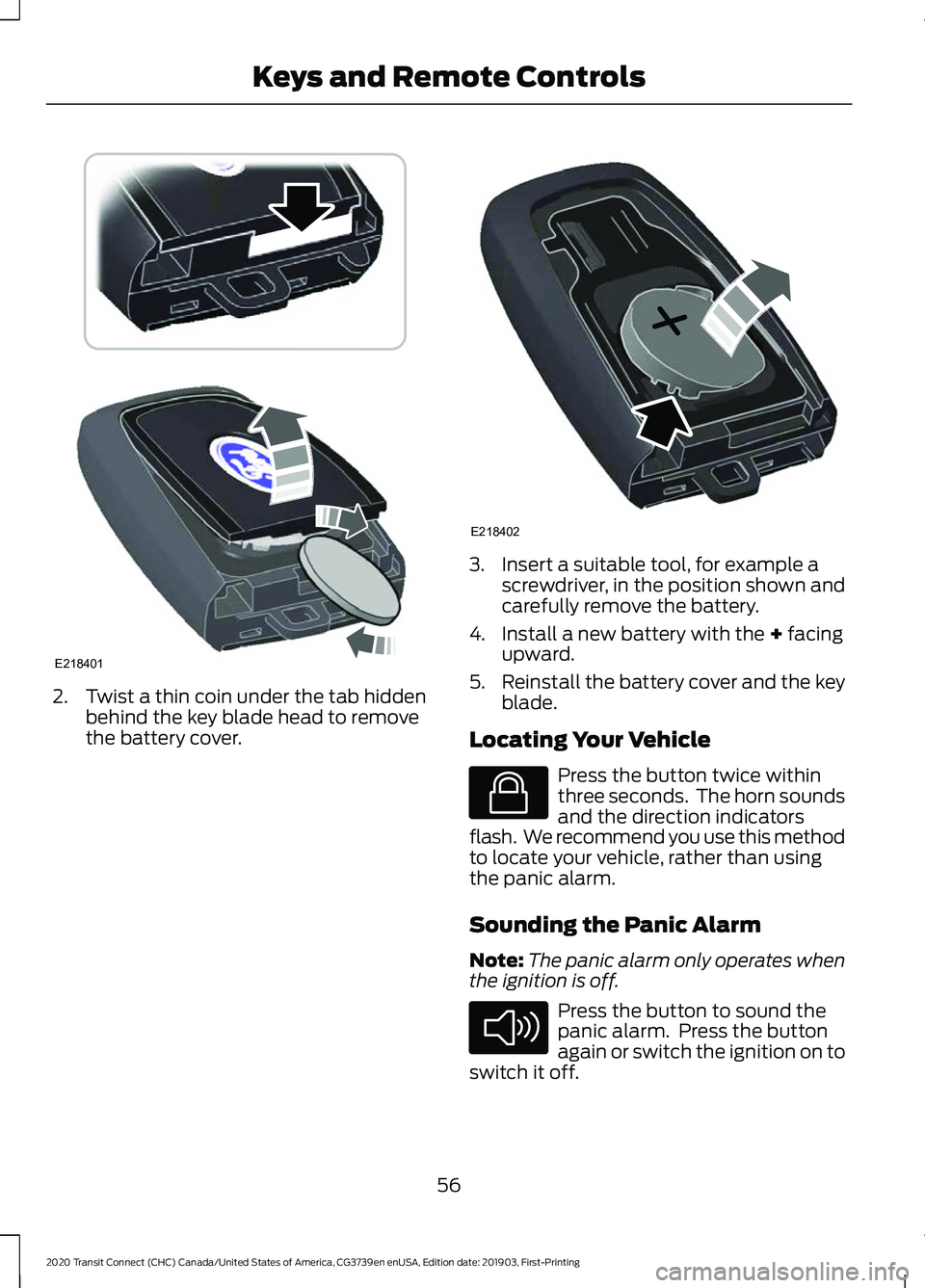
2. Twist a thin coin under the tab hidden
behind the key blade head to remove
the battery cover. 3. Insert a suitable tool, for example a
screwdriver, in the position shown and
carefully remove the battery.
4. Install a new battery with the + facing
upward.
5. Reinstall the battery cover and the key
blade.
Locating Your Vehicle Press the button twice within
three seconds. The horn sounds
and the direction indicators
flash. We recommend you use this method
to locate your vehicle, rather than using
the panic alarm.
Sounding the Panic Alarm
Note: The panic alarm only operates when
the ignition is off. Press the button to sound the
panic alarm. Press the button
again or switch the ignition on to
switch it off.
56
2020 Transit Connect (CHC) Canada/United States of America, CG3739en enUSA, Edition date: 201903, First-Printing Keys and Remote ControlsE218401 E218402 E138623 E138624
Page 62 of 509
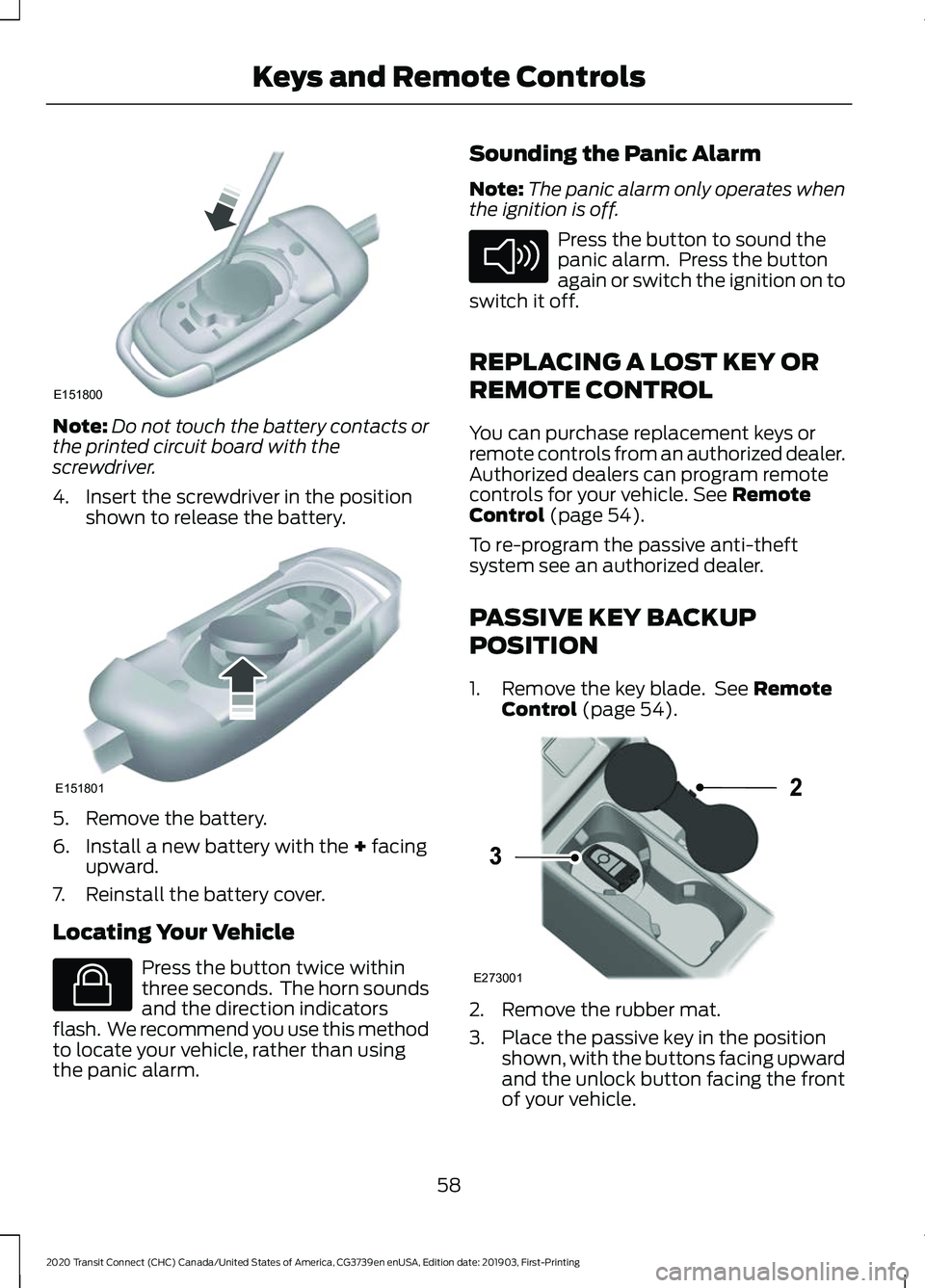
Note:
Do not touch the battery contacts or
the printed circuit board with the
screwdriver.
4. Insert the screwdriver in the position shown to release the battery. 5. Remove the battery.
6. Install a new battery with the + facing
upward.
7. Reinstall the battery cover.
Locating Your Vehicle Press the button twice within
three seconds. The horn sounds
and the direction indicators
flash. We recommend you use this method
to locate your vehicle, rather than using
the panic alarm. Sounding the Panic Alarm
Note:
The panic alarm only operates when
the ignition is off. Press the button to sound the
panic alarm. Press the button
again or switch the ignition on to
switch it off.
REPLACING A LOST KEY OR
REMOTE CONTROL
You can purchase replacement keys or
remote controls from an authorized dealer.
Authorized dealers can program remote
controls for your vehicle.
See Remote
Control (page 54).
To re-program the passive anti-theft
system see an authorized dealer.
PASSIVE KEY BACKUP
POSITION
1. Remove the key blade. See
Remote
Control (page 54). 2. Remove the rubber mat.
3. Place the passive key in the position
shown, with the buttons facing upward
and the unlock button facing the front
of your vehicle.
58
2020 Transit Connect (CHC) Canada/United States of America, CG3739en enUSA, Edition date: 201903, First-Printing Keys and Remote ControlsE151800 E151801 E138623 E138624 E273001
2
3
Page 70 of 509
LOCKING AND UNLOCKING
Remote Control
You can use the remote control at any
time.
Unlocking the Doors
The position lamps illuminate when you
unlock the doors. When you switch the
ignition on, they automatically turn off.
Note:
You can unlock the driver door with
the key. Use the key when the remote
control is not functioning.
Note: When you leave your vehicle
unattended for several weeks, the remote
control turns off. Your vehicle must be
unlocked and the engine started using the
key. Unlocking and starting your vehicle
once enables the remote control.
One-Stage Unlocking Press the button to unlock all
doors. The direction indicators
will flash.
Two-Stage Unlocking Press the button to unlock the
front doors. Press the button
again within three seconds to
unlock all doors. The direction indicators
will flash.
Reprogramming the Unlocking
Function
When you press the unlock button only the
driver and passenger doors unlock.
Pressing the unlock button again unlocks
all doors.
You can reprogram the unlocking function
so that all doors unlock when you press
the unlock button once.
1. Switch the ignition off. 2. Press and hold both the lock and
unlock buttons on the remote control
until the direction indicators flash twice
to confirm the change.
To return to the original unlocking function,
repeat the process.
Locking the Doors Press the button to lock all
doors. The direction indicators
will flash.
Press the button again within three
seconds to confirm that all the doors are
closed. The doors will lock again, the horn
will sound and the direction indicators will
flash if all the doors and the liftgate are
closed.
Note: If any door or the liftgate is open, or
if the hood is open on vehicles with an
anti-theft alarm or remote start, the horn
does not sound.
Locking and Unlocking the Doors
From Inside
The power door lock control is on the driver
and front passenger door panels. Press the button to lock or
unlock all the doors. The lamp
illuminates with the doors
locked.
Opening the Double Rear Doors
Note: If there is a ladder fitted to the rear
cargo door, do not open the door fully if the
side-loading door is open.
66
2020 Transit Connect (CHC) Canada/United States of America, CG3739en enUSA, Edition date: 201903, First-Printing Doors and Locks E102566
Page 80 of 509

6. Press the push button ignition switch.
7. Wait five seconds.
8. Press the push button ignition switch.
9. Remove the key.
10. Within 10 seconds, place the second
programmed key in the backup
position.
11. Press the push button ignition switch.
12. Wait five seconds.
13. Press the push button ignition switch.
14. Remove the key.
15. Within 10 seconds, place the unprogrammed key in the backup
position.
16. Press the push button ignition switch.
Check that the remote control function
operate with the new key.
Note: Wait 10 seconds and repeat the
procedure if the key functions do not
operate.
Wait 20 seconds and repeat the procedure
to program an additional key.
ANTI-THEFT ALARM
Alarm System (If Equipped)
Your vehicle may have one of the following
alarm systems:
• Perimeter Alarm.
• Anti-Theft Alarm with Interior and
Inclination Sensors.
Perimeter Alarm
The perimeter alarm is a deterrent against
unauthorized access to your vehicle
through the doors, luggage compartment
and the hood. Interior Sensors
The interior sensors are in the overhead
console.
When you lock your vehicle and arm the
alarm, the sensors are designed to detect
any movement inside your vehicle.
Note:
Do not cover the interior sensors.
Inclination Sensors
When you lock your vehicle and arm the
alarm, the sensors are designed to detect
an attempt to raise your vehicle, for
example to remove a wheel or to tow it
away.
Triggering the Alarm
Once armed, the alarm is triggered in any
of the following ways:
• If someone opens a door, the liftgate
or the hood without a valid key or
remote control.
• If you switch the ignition on without a
valid key.
• If the interior sensors detect movement
within your vehicle.
If the alarm is triggered, the alarm horn will
sound for 30 seconds and the hazard
warning flashers will flash for five minutes.
Any further attempts to carry out one of
the above will trigger the alarm again.
Full Guard and Reduced Guard
Full Guard
Full guard is the standard setting.
In full guard, the interior sensors are on
when you arm the alarm.
Note: Do not arm the alarm with full guard
if passengers, animals or other moving
objects are inside your vehicle.
76
2020 Transit Connect (CHC) Canada/United States of America, CG3739en enUSA, Edition date: 201903, First-Printing Security
Page 82 of 509
ADJUSTING THE STEERING
WHEEL
WARNING: Do not adjust the
steering wheel when your vehicle is
moving.
Note: Make sure that you are sitting in the
correct position. See Sitting in the Correct
Position
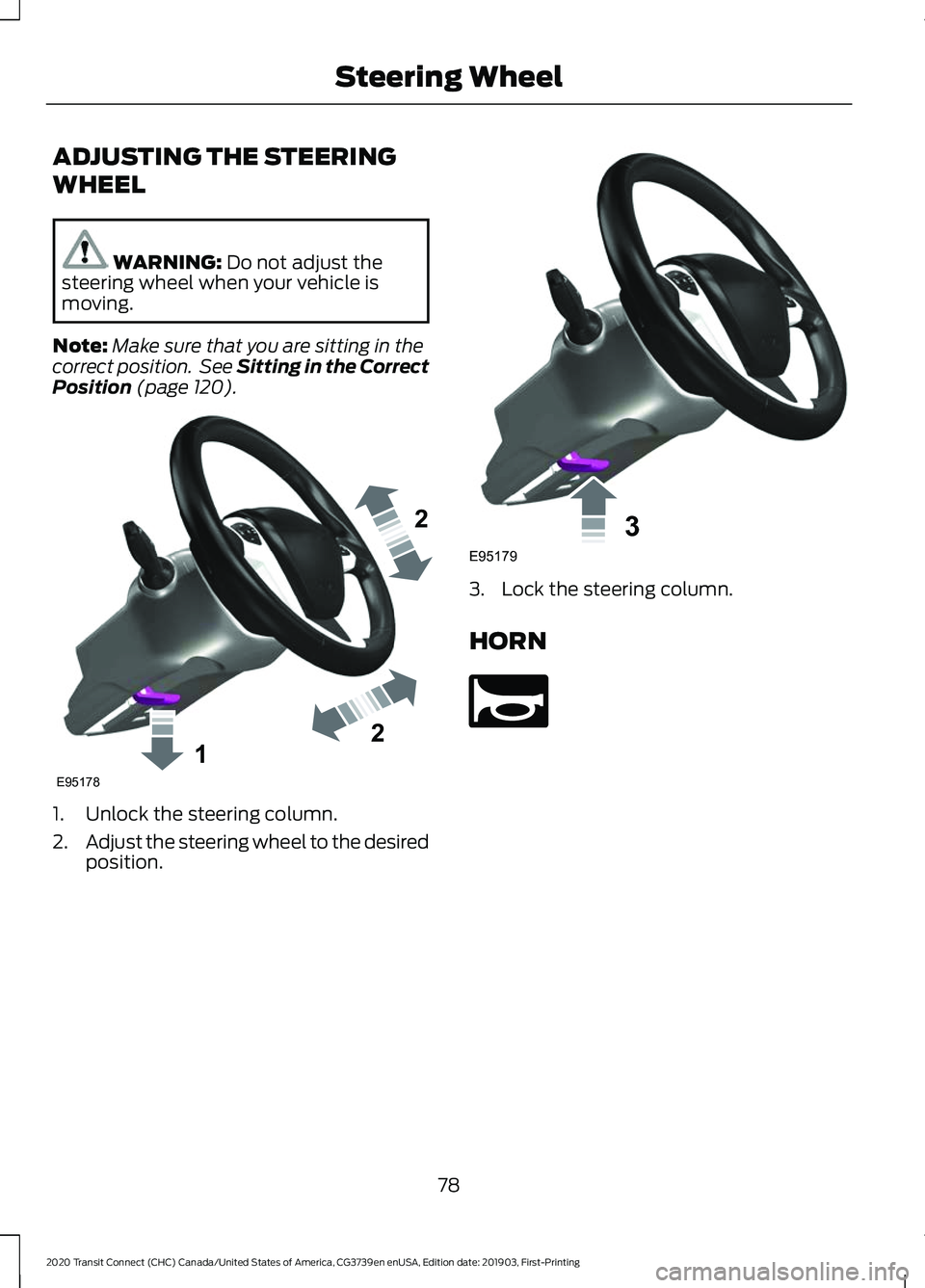
(page 120). 1. Unlock the steering column.
2.
Adjust the steering wheel to the desired
position. 3. Lock the steering column.
HORN
78
2020 Transit Connect (CHC) Canada/United States of America, CG3739en enUSA, Edition date: 201903, First-Printing Steering Wheel122E95178 3E95179 E270945
Page 197 of 509
When you shift into neutral (N), the system
only provides visual indication if your
vehicle is moving at a speed of
approximately 5 mph (8 km/h) or below.
For example, your vehicle is moving on a
slope, and the system detects an object
moving toward your vehicle. When you
stop your vehicle, visual indication turns
off after four seconds.
If the system is not available, the side
distance indicator blocks do not display.
ACTIVE PARK ASSIST WARNING:
You must remain in
your vehicle when the system turns on.
At all times, you are responsible for
controlling your vehicle, supervising the
system and intervening, if required.
Failure to take care may result in the loss
of control of your vehicle, serious
personal injury or death. WARNING:
The sensors may not
detect objects in heavy rain or other
conditions that cause interference. WARNING:
You are responsible
for controlling your vehicle at all times.
The system is designed to be an aid and
does not relieve you of your responsibility
to drive with due care and attention.
Failure to follow this instruction could
result in the loss of control of your
vehicle, personal injury or death.
Active park assist is a multi-step process
and may require you to shift the
transmission multiple times. Follow the
onscreen instructions until the parking
maneuver is complete. If you are uncomfortable with the proximity
to any vehicle or object, you may choose
to override the system by grabbing the
steering wheel, or by taking full control of
your vehicle after pressing the active park
assist button.
Keep your hands, hair, clothing and any
loose items clear of the steering wheel
when using active park assist.
The sensors are on the front and rear
bumpers.
Note:
Keep the sensors free from snow, ice
and large accumulations of dirt.
Note: Do not cover up the sensors.
Note: Do not clean the sensors with sharp
objects.
Note: The sensors may not detect objects
with surfaces that absorb ultrasonic waves.
The sensors may falsely detect objects due
to ultrasonic interference caused by, for
example motorcycle exhausts, truck air
brakes or horns.
Note: If you change any tires, the system
must recalibrate and may not correctly
operate for a short time.
The system may not correctly operate in
any of the following conditions:
• You use a spare tire or a tire that is
significantly worn more than the other
tires.
• One or more tires are incorrectly
inflated.
• You try to park on a tight curve.
• Something passes between the front
bumper and the parking space. For
example, a pedestrian or cyclist.
193
2020 Transit Connect (CHC) Canada/United States of America, CG3739en enUSA, Edition date: 201903, First-Printing Parking Aids
(If Equipped)
Page 252 of 509
•
Do not warm up your vehicle on cold
mornings.
• Reduce the use of air conditioning and
heat.
• Avoid using speed control in hilly
terrain.
• Do not rest your foot on the brake
pedal while driving.
• Avoid carrying unnecessary weight.
• Avoid adding particular accessories to
your vehicle (e.g. bug deflectors,
rollbars/light bars, running boards, ski
racks).
• Avoid driving with the wheels out of
alignment.
COLD WEATHER
PRECAUTIONS
The functional operation of some
components and systems can be affected
at temperatures below -13°F (-25°C).
DRIVING THROUGH WATER WARNING:
Do not drive through
flowing or deep water as you may lose
control of your vehicle.
Note: Driving through standing water can
cause vehicle damage.
Note: Engine damage can occur if water
enters the air filter.
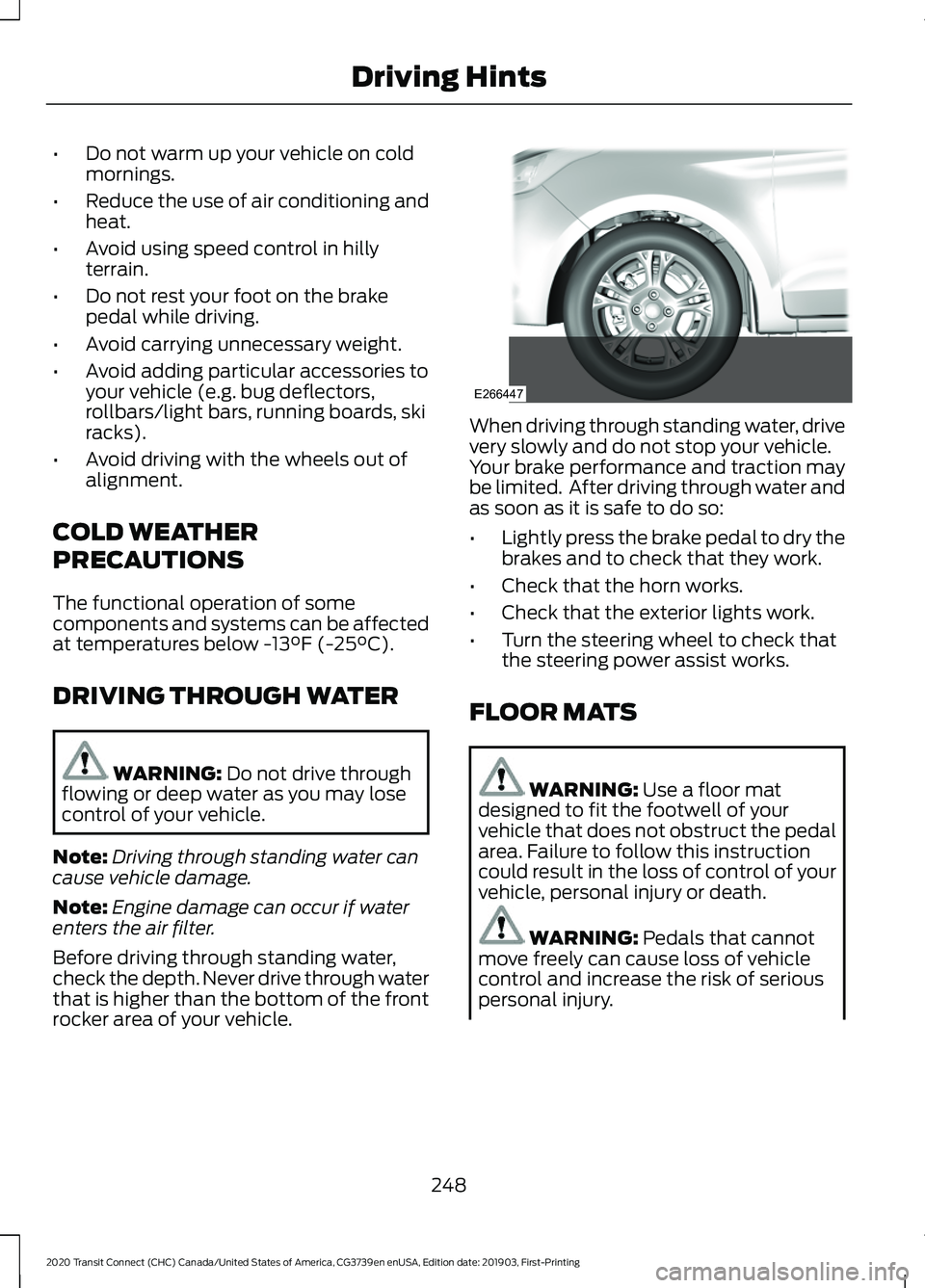
Before driving through standing water,
check the depth. Never drive through water
that is higher than the bottom of the front
rocker area of your vehicle. When driving through standing water, drive
very slowly and do not stop your vehicle.
Your brake performance and traction may
be limited. After driving through water and
as soon as it is safe to do so:
•
Lightly press the brake pedal to dry the
brakes and to check that they work.
• Check that the horn works.
• Check that the exterior lights work.
• Turn the steering wheel to check that
the steering power assist works.
FLOOR MATS WARNING: Use a floor mat
designed to fit the footwell of your
vehicle that does not obstruct the pedal
area. Failure to follow this instruction
could result in the loss of control of your
vehicle, personal injury or death. WARNING:
Pedals that cannot
move freely can cause loss of vehicle
control and increase the risk of serious
personal injury.
248
2020 Transit Connect (CHC) Canada/United States of America, CG3739en enUSA, Edition date: 201903, First-Printing Driving HintsE266447
Page 258 of 509
1. Remove the jumper cable from the
ground metal surface or connecting
point, if available.
2. Remove the jumper cable on the negative (-) terminal of the booster
vehicle's battery.
3. Remove the jumper cable from the positive (+) terminal of the booster
vehicle's battery.
4. Remove the jumper cable from the positive (+) terminal of the disabled
vehicle's battery.
After starting your vehicle and removing
the jumper cables, allow it to idle for
several minutes so the battery can
recharge.
POST-CRASH ALERT SYSTEM
The system flashes the turn signal lamps
and sounds the horn (intermittently) in the
event of a serious impact that deploys an
airbag (front, side, side curtain or Safety
Canopy) or the seatbelt pretensioners.
The horn and lamps will turn off when:
• The hazard control button is pressed
• The panic button (if equipped) is
pressed on the remote entry
transmitter
• Your vehicle runs out of power
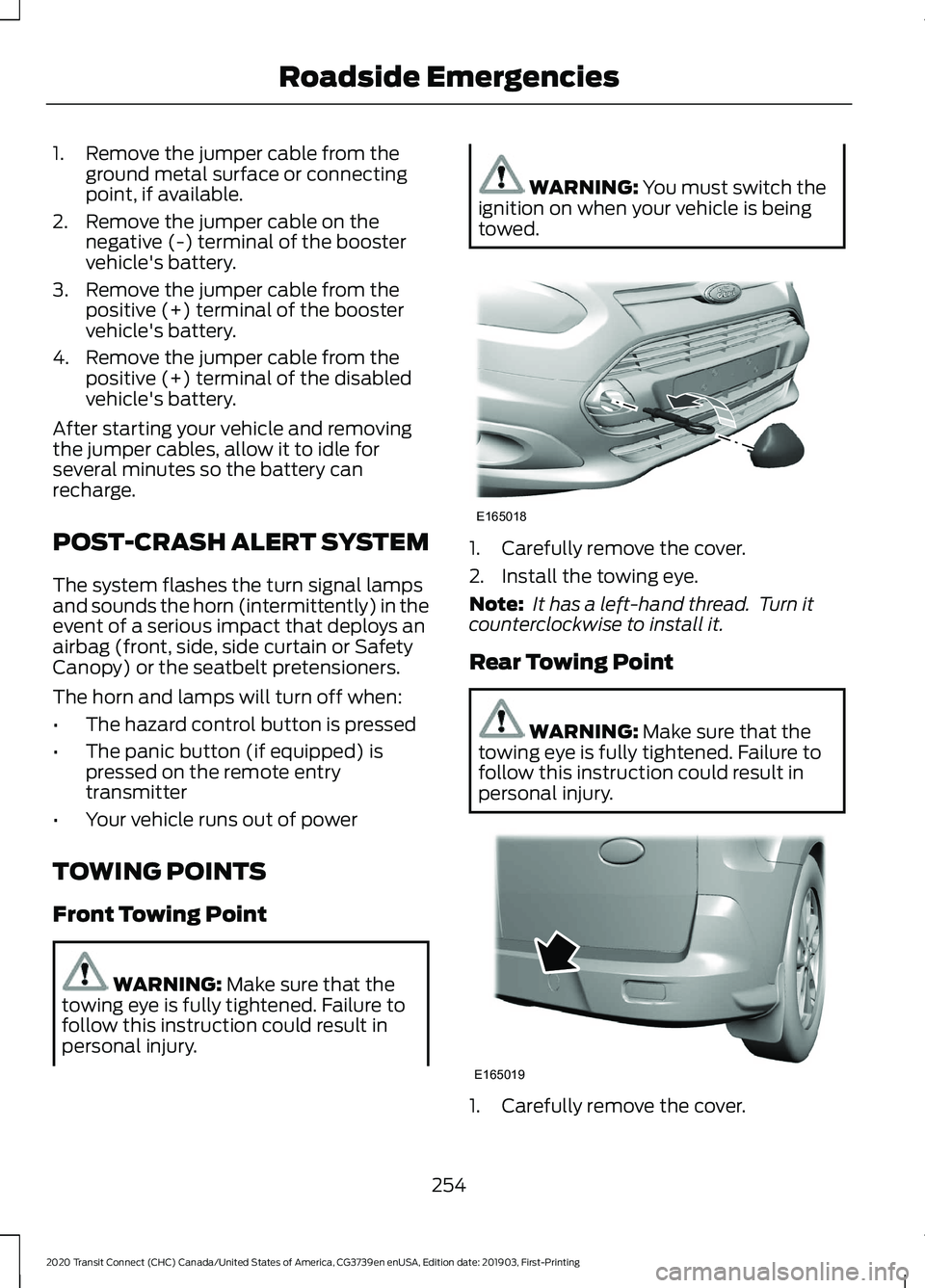
TOWING POINTS
Front Towing Point WARNING: Make sure that the
towing eye is fully tightened. Failure to
follow this instruction could result in
personal injury. WARNING:
You must switch the
ignition on when your vehicle is being
towed. 1. Carefully remove the cover.
2. Install the towing eye.
Note:
It has a left-hand thread. Turn it
counterclockwise to install it.
Rear Towing Point WARNING:
Make sure that the
towing eye is fully tightened. Failure to
follow this instruction could result in
personal injury. 1. Carefully remove the cover.
254
2020 Transit Connect (CHC) Canada/United States of America, CG3739en enUSA, Edition date: 201903, First-Printing Roadside EmergenciesE165018 E165019