lock FORD WINDSTAR 2002 2.G Owner's Manual
[x] Cancel search | Manufacturer: FORD, Model Year: 2002, Model line: WINDSTAR, Model: FORD WINDSTAR 2002 2.GPages: 296, PDF Size: 2.45 MB
Page 77 of 296
Replacing tail lamp/backup/turn lamp bulbs
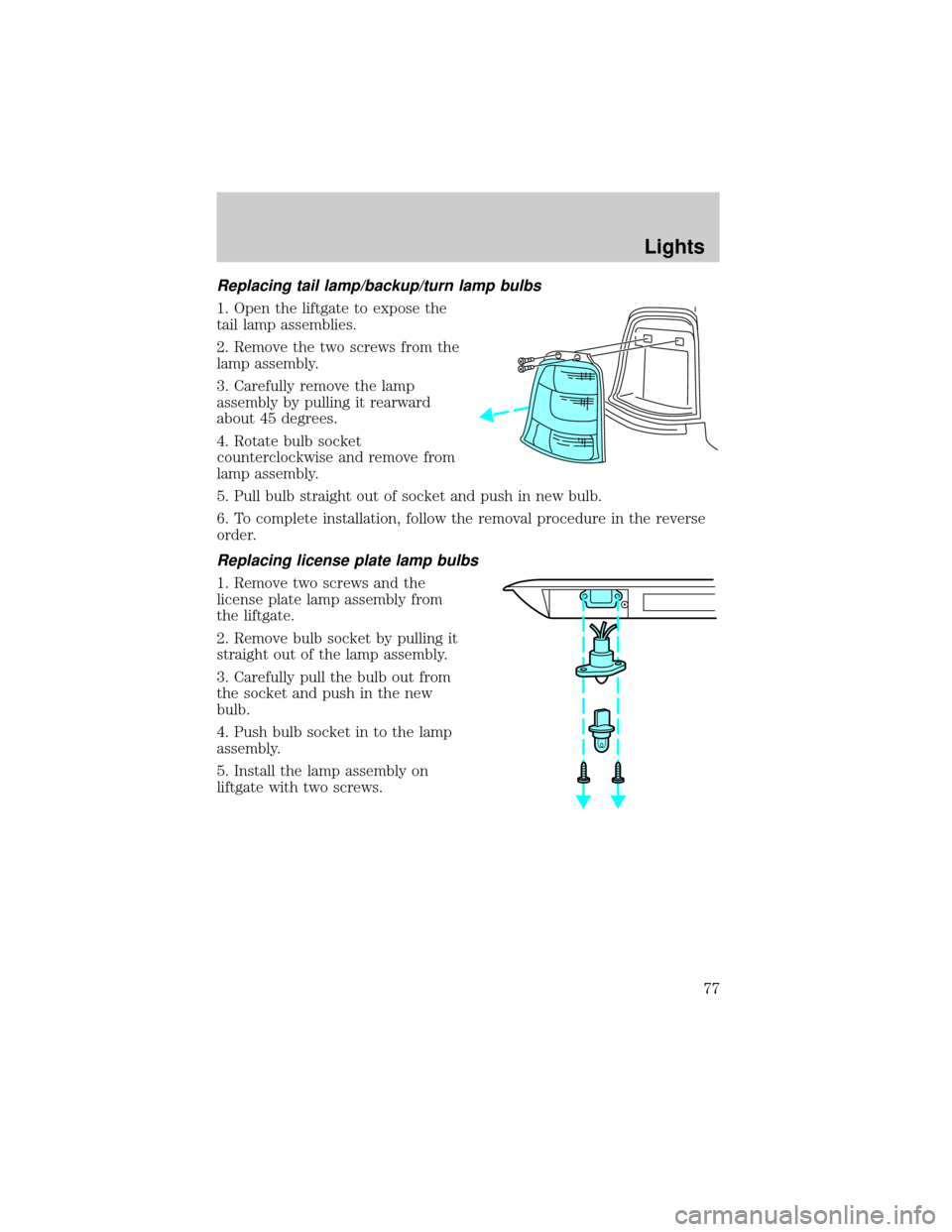
1. Open the liftgate to expose the
tail lamp assemblies.
2. Remove the two screws from the
lamp assembly.
3. Carefully remove the lamp
assembly by pulling it rearward
about 45 degrees.
4. Rotate bulb socket
counterclockwise and remove from
lamp assembly.
5. Pull bulb straight out of socket and push in new bulb.
6. To complete installation, follow the removal procedure in the reverse
order.
Replacing license plate lamp bulbs
1. Remove two screws and the
license plate lamp assembly from
the liftgate.
2. Remove bulb socket by pulling it
straight out of the lamp assembly.
3. Carefully pull the bulb out from
the socket and push in the new
bulb.
4. Push bulb socket in to the lamp
assembly.
5. Install the lamp assembly on
liftgate with two screws.
Lights
77
Page 78 of 296
Replacing high-mount brakelamp bulbs
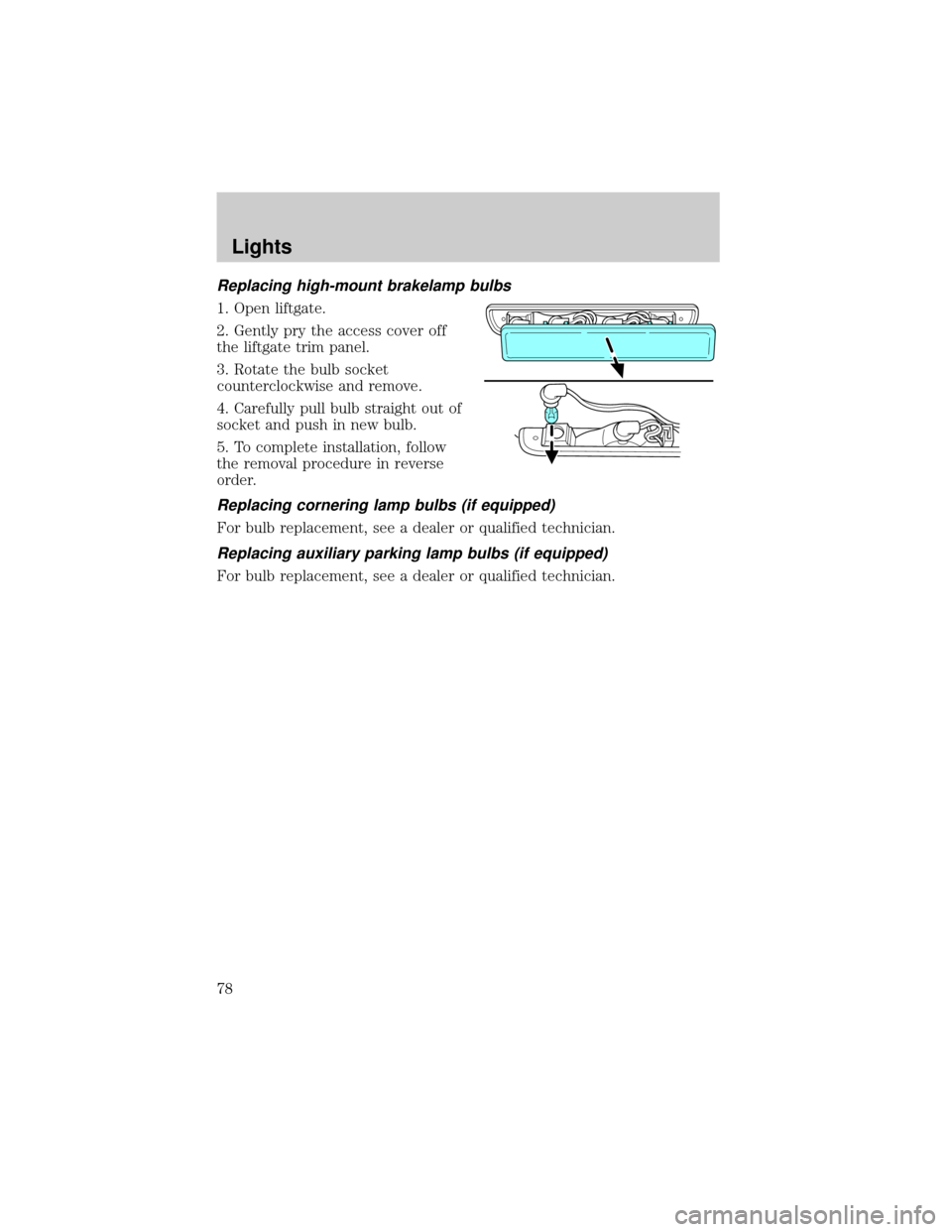
1. Open liftgate.
2. Gently pry the access cover off
the liftgate trim panel.
3. Rotate the bulb socket
counterclockwise and remove.
4. Carefully pull bulb straight out of
socket and push in new bulb.
5. To complete installation, follow
the removal procedure in reverse
order.
Replacing cornering lamp bulbs (if equipped)
For bulb replacement, see a dealer or qualified technician.
Replacing auxiliary parking lamp bulbs (if equipped)
For bulb replacement, see a dealer or qualified technician.
Lights
78
Page 80 of 296
Windshield wiper blades
Check the wiper blades at least twice a year or when they seem less
effective. Substances such as tree sap and some hot wax treatments used
by commercial car washes reduce the effectiveness of wiper blades.
Checking the wiper blades
If the wiper blades do not wipe properly, clean both the windshield and
wiper blades using undiluted windshield wiper solution or a mild
detergent. Rinse thoroughly with clean water. To avoid damaging the
blades, do not use fuel, kerosene, paint thinner or other solvents.
Changing the wiper blades
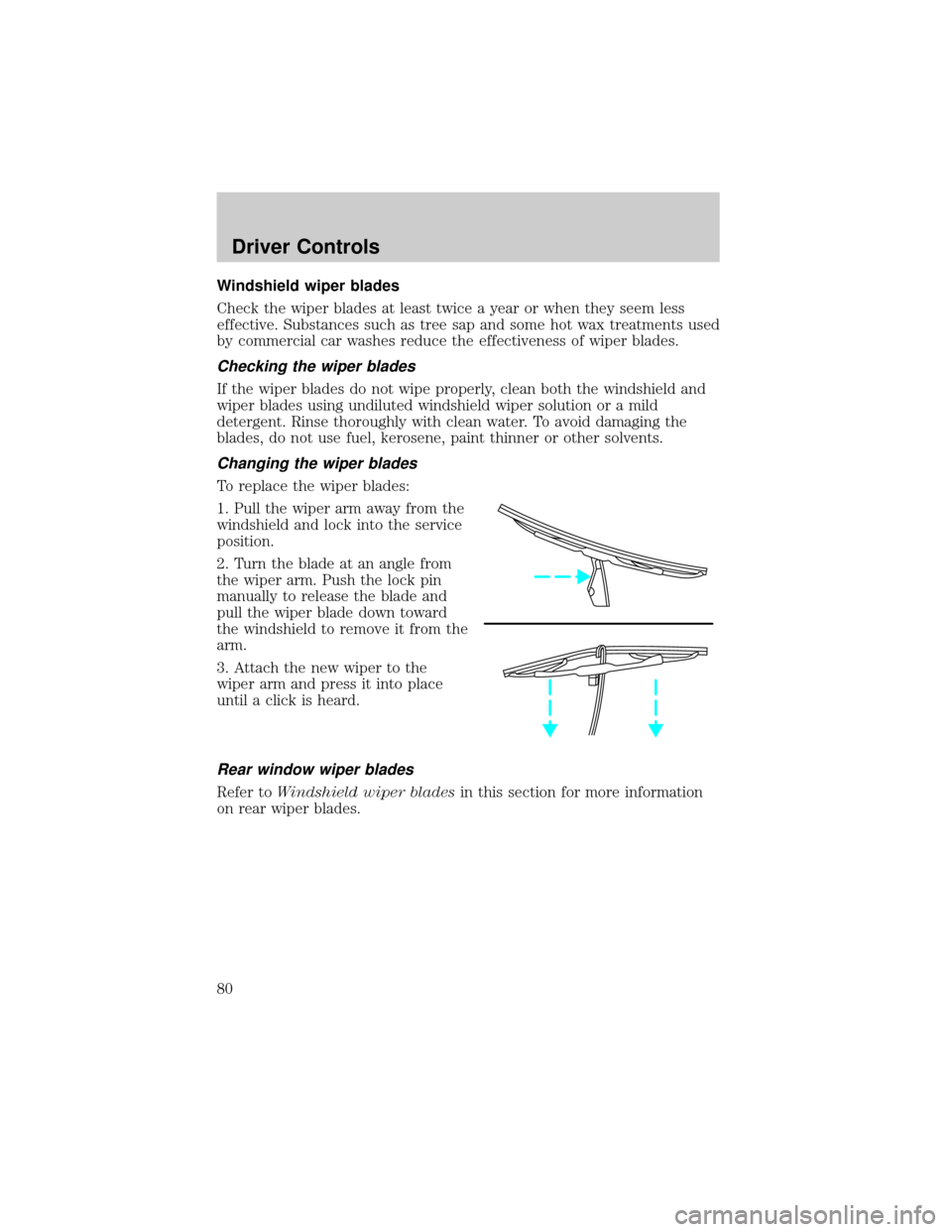
To replace the wiper blades:
1. Pull the wiper arm away from the
windshield and lock into the service
position.
2. Turn the blade at an angle from
the wiper arm. Push the lock pin
manually to release the blade and
pull the wiper blade down toward
the windshield to remove it from the
arm.
3. Attach the new wiper to the
wiper arm and press it into place
until a click is heard.
Rear window wiper blades
Refer toWindshield wiper bladesin this section for more information
on rear wiper blades.
Driver Controls
80
Page 81 of 296
TILT STEERING WHEEL (IF EQUIPPED)
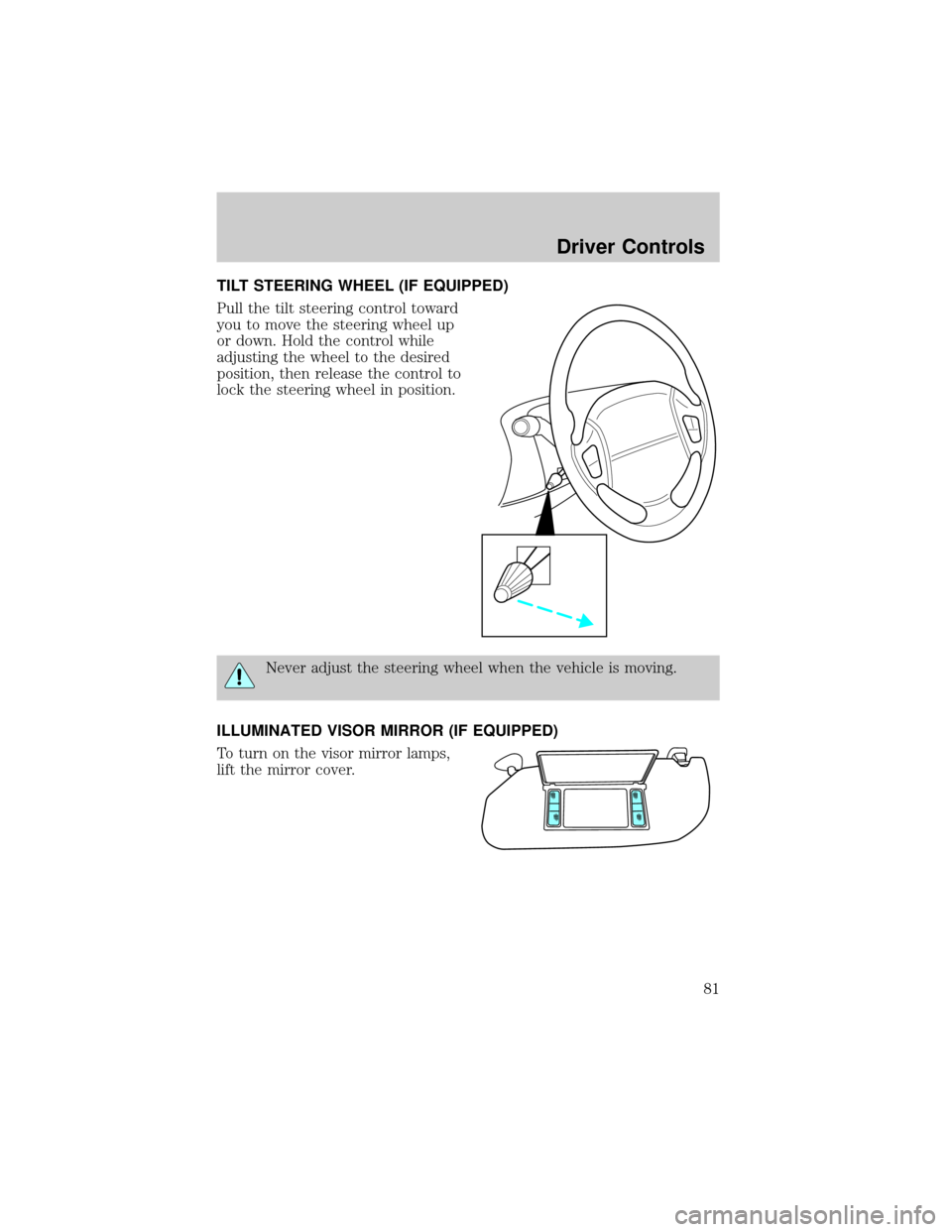
Pull the tilt steering control toward
you to move the steering wheel up
or down. Hold the control while
adjusting the wheel to the desired
position, then release the control to
lock the steering wheel in position.
Never adjust the steering wheel when the vehicle is moving.
ILLUMINATED VISOR MIRROR (IF EQUIPPED)
To turn on the visor mirror lamps,
lift the mirror cover.
Driver Controls
81
Page 83 of 296
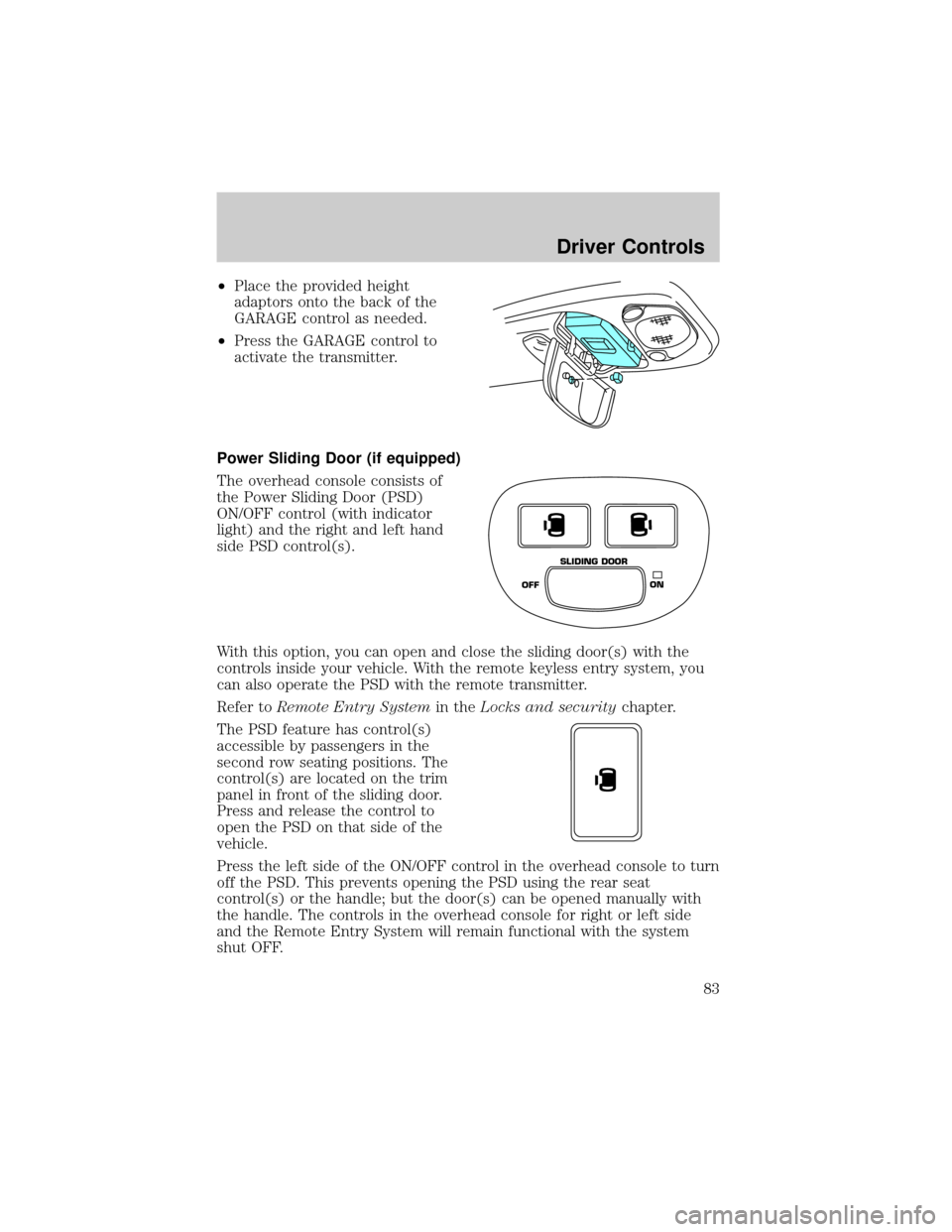
²Place the provided height
adaptors onto the back of the
GARAGE control as needed.
²Press the GARAGE control to
activate the transmitter.
Power Sliding Door (if equipped)
The overhead console consists of
the Power Sliding Door (PSD)
ON/OFF control (with indicator
light) and the right and left hand
side PSD control(s).
With this option, you can open and close the sliding door(s) with the
controls inside your vehicle. With the remote keyless entry system, you
can also operate the PSD with the remote transmitter.
Refer toRemote Entry Systemin theLocks and securitychapter.
The PSD feature has control(s)
accessible by passengers in the
second row seating positions. The
control(s) are located on the trim
panel in front of the sliding door.
Press and release the control to
open the PSD on that side of the
vehicle.
Press the left side of the ON/OFF control in the overhead console to turn
off the PSD. This prevents opening the PSD using the rear seat
control(s) or the handle; but the door(s) can be opened manually with
the handle. The controls in the overhead console for right or left side
and the Remote Entry System will remain functional with the system
shut OFF.
OFFON SLIDING DOOR
Driver Controls
83
Page 84 of 296

The sliding door must be unlocked for it to operate. The key does not
have to be in the ignition. To help avoid accidental operation of the
Power Sliding Door, disable the PSD second row passenger controls by
pushing the overhead console control to OFF. When the key is in the
ignition in RUN, the PSD will only open if the transaxle is in PARK (P).
The transaxle does not have to be in PARK (P) to close the door.
Opening the PSD
With the ON/OFF control in the ON position, either sliding door can be
opened by:
²operating the remote transmitter. Refer toRemote Entry Systemin
theLocks and securitychapter.
²pushing and releasing the overhead console right hand or left hand
control
²pushing and releasing the right hand or left hand second row
passenger control
²manually pulling the inside or outside sliding door handle and release
The door will open fully using these options.
With the ON/OFF control in the OFF position, either sliding door can be
opened by pulling the inside or outside handle and sliding the door all
the way back manually.
The left hand PSD will not open (manually or power) if the fuel door is
open regardless of the ON/OFF control position.
Closing the PSD
With the ON/OFF control in the ON position, either sliding door can be
closed by:
²operating the remote transmitter. Refer toRemote Entry Systemin
theLocks and securitychapter.
²pushing and releasing the overhead console right hand or left hand
control
²pushing and releasing the right hand or left hand second row
passenger control
²manually rolling the door several inches towards the closed position
and release
The door will close completely and latch using these options.
Driver Controls
84
Page 85 of 296

With the ON/OFF control in the OFF position, either sliding door can be
closed by pulling the inside or outside handle and sliding the door all the
way forward to the latched position manually.
Safety/Obstructions
If anything obstructs the Power Sliding Door while it is closing, the door
will automatically reverse to the open position, provided it meets
sufficient resistance.
Resetting the PSD
The power sliding door may operate incorrectly or not at all because of
the following condition:
²a low voltage or dead battery
²disconnecting the battery
²if the PSD fuse (fuse #6) is removed or blown. Refer toFuses and
relaysin theRoadside emergencieschapter.
If any of these conditions occur, reset the PSD by:
1. Check to see if power sliding door is unlocked and securely closed.
2. Make sure the gearshift is in (P) Park.
3. Push the power door control on the overhead console to open the
door.
4. Wait five (5) seconds and close the door by pressing the power door
control on the overhead console.
5. Wait five (5) seconds and repeat Steps 3 and 4 and go on to step 6.
6. Repeat steps 3±5 for opposite door.
If the door does not rest in the fully open position, repeat Steps 1±4
again. If the door still does not operate correctly:
7. Turn the ignition switch to OFF.
8. Remove the PSD fuse (fuse #6) from the passenger fuse panel and
leave it out for thirty (30) seconds. Refer toFuses and relaysin the
Roadside emergencieschapter.
9. Reinstall the fuse and wait ten (10) seconds.
10. Repeat steps 1±6 above.
If the door still does not operate correctly, see your dealer for service.
Driver Controls
85
Page 86 of 296
Sliding Door Child Safety Lock
Your vehicle is equipped with a sliding door child safety lock that helps
prevent passengers from operating the sliding door by using the inside
door handle. This lock is on both doors if equipped. The child safety lock
lever is located in the inside of the sliding door, on the front edge of the
door. Lift the control up to engage the child lock.
If you have the optional power sliding door, disable the power sliding
door by pushing the ON/OFF control in the overhead console to the OFF
position. The power sliding door cannot be opened from the rear seat
when both this feature and the child lock are engaged.
If you want to open the sliding door when the child safety lock is on:
²Unlock the sliding door and open the door from the outside.
²If you have the optional power sliding door, press the right or left
hand control on the overhead console to open the door.
AUXILIARY POWER POINT
Power outlets are designed for accessory plugs only. Do not hang
any type of accessory or accessory bracket from the plug.
Improper use of the power outlet can cause damage not covered
by your warranty.
The power point is an additional power source for electrical accessories.
An additional power point is located in the rear cargo area.
POWER WINDOWS (IF EQUIPPED)
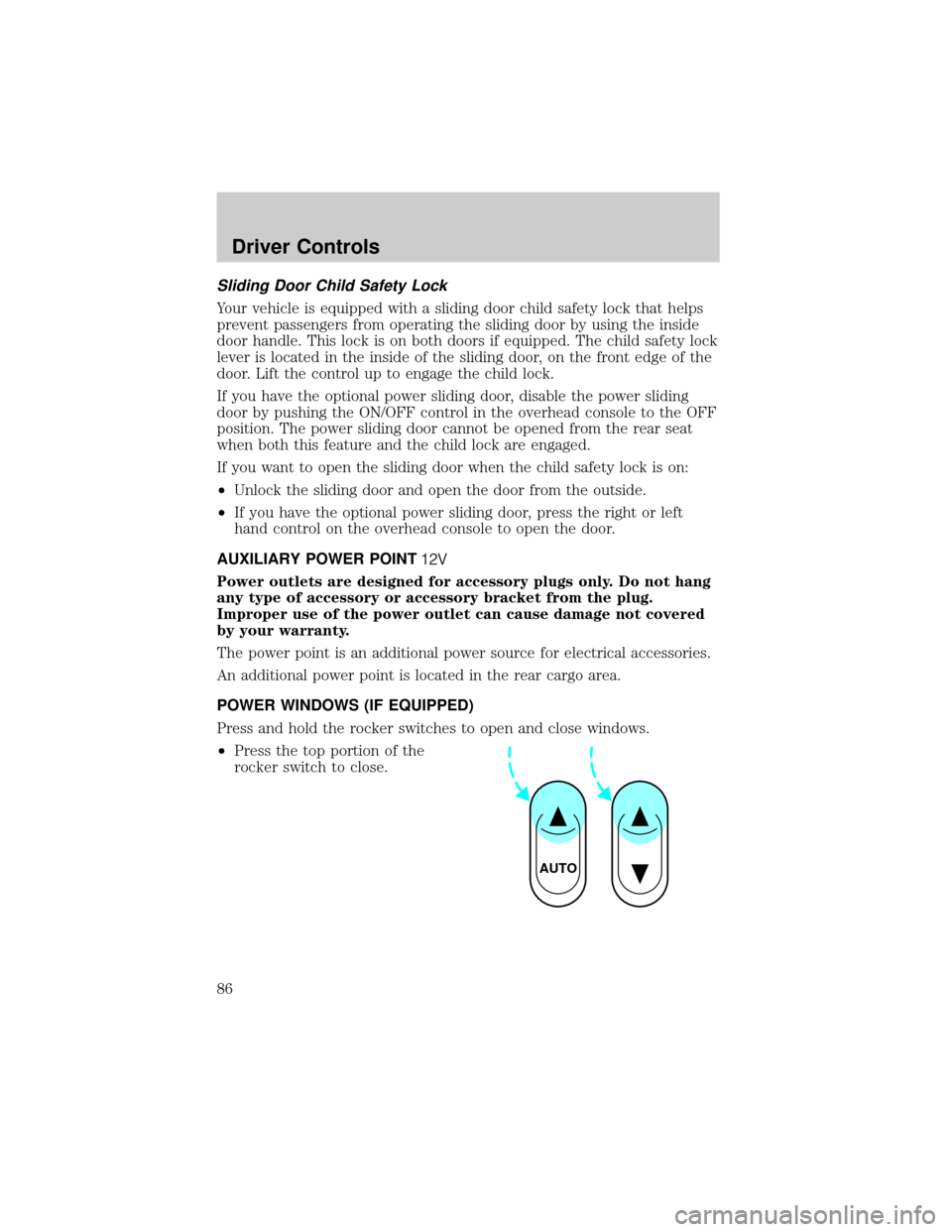
Press and hold the rocker switches to open and close windows.
²Press the top portion of the
rocker switch to close.
AUTO
Driver Controls
86
Page 88 of 296
MIRRORS
Automatic dimming inside rear view mirror (if equipped)
Your vehicle is equipped with an inside rear view mirror which has an
auto-dimming function. The electronic day/night mirror will change from
the normal state to the non-glare state when bright lights (glare) reach
the mirror. When the mirror detects bright light from front or behind, it
will automatically adjust (darken) to minimize glare.
Do not block the sensor on the backside of the mirror since this may
impair proper mirror performance.
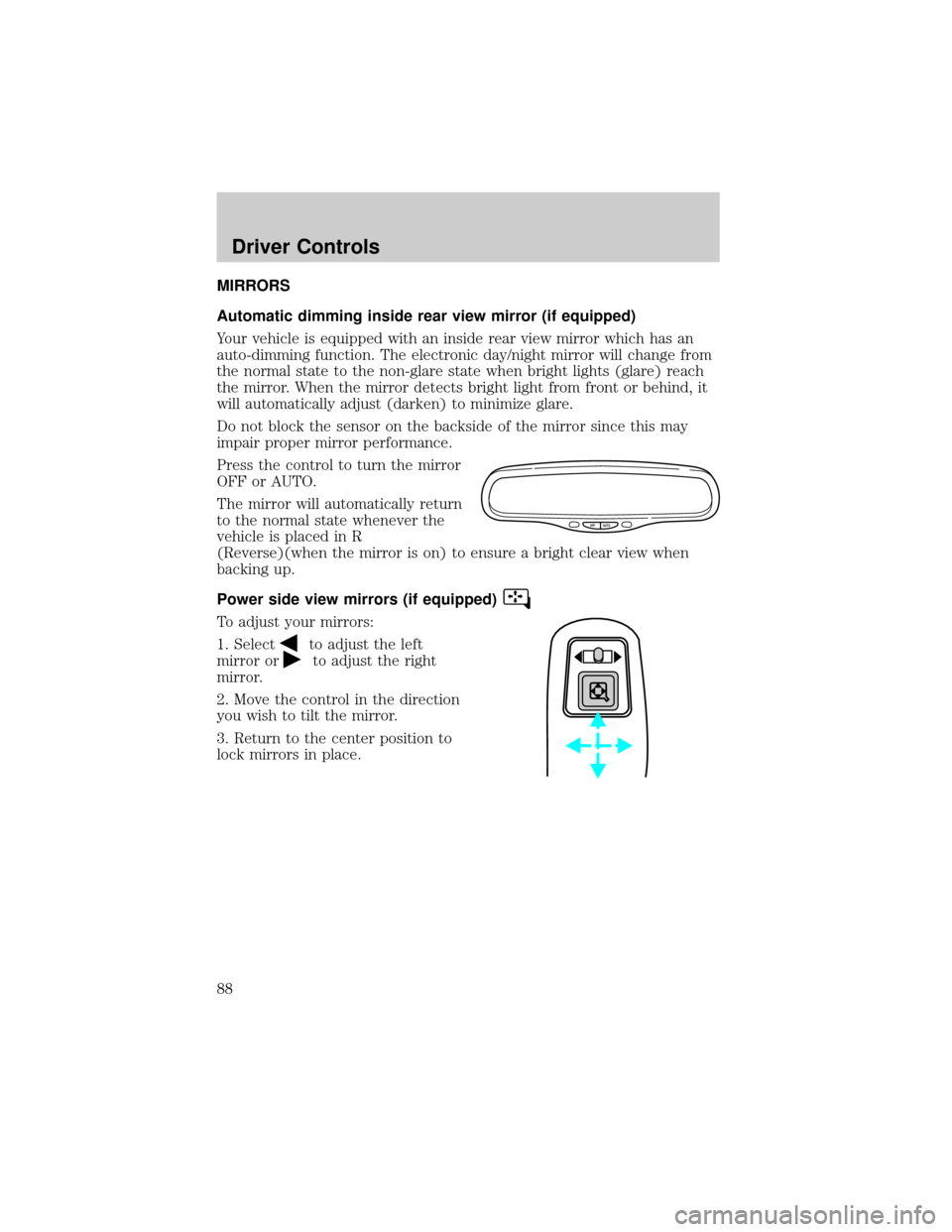
Press the control to turn the mirror
OFF or AUTO.
The mirror will automatically return
to the normal state whenever the
vehicle is placed in R
(Reverse)(when the mirror is on) to ensure a bright clear view when
backing up.
Power side view mirrors (if equipped)
To adjust your mirrors:
1. Select
to adjust the left
mirror or
to adjust the right
mirror.
2. Move the control in the direction
you wish to tilt the mirror.
3. Return to the center position to
lock mirrors in place.
OFF AUTO
Driver Controls
88
Page 96 of 296
POSITIVE RETENTION FLOOR MAT (IF EQUIPPED)
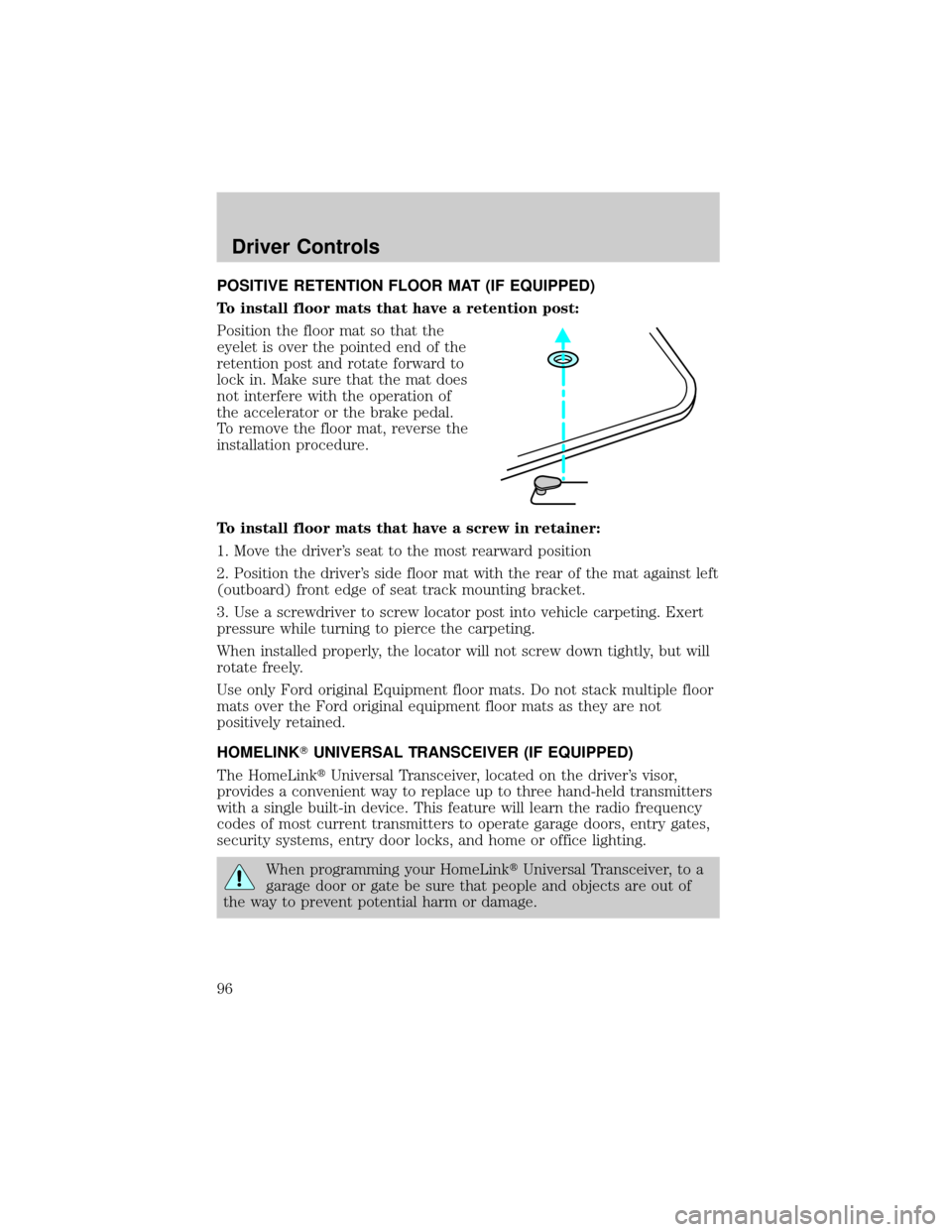
To install floor mats that have a retention post:
Position the floor mat so that the
eyelet is over the pointed end of the
retention post and rotate forward to
lock in. Make sure that the mat does
not interfere with the operation of
the accelerator or the brake pedal.
To remove the floor mat, reverse the
installation procedure.
To install floor mats that have a screw in retainer:
1. Move the driver's seat to the most rearward position
2. Position the driver's side floor mat with the rear of the mat against left
(outboard) front edge of seat track mounting bracket.
3. Use a screwdriver to screw locator post into vehicle carpeting. Exert
pressure while turning to pierce the carpeting.
When installed properly, the locator will not screw down tightly, but will
rotate freely.
Use only Ford original Equipment floor mats. Do not stack multiple floor
mats over the Ford original equipment floor mats as they are not
positively retained.
HOMELINKTUNIVERSAL TRANSCEIVER (IF EQUIPPED)
The HomeLinktUniversal Transceiver, located on the driver's visor,
provides a convenient way to replace up to three hand-held transmitters
with a single built-in device. This feature will learn the radio frequency
codes of most current transmitters to operate garage doors, entry gates,
security systems, entry door locks, and home or office lighting.
When programming your HomeLinktUniversal Transceiver, to a
garage door or gate be sure that people and objects are out of
the way to prevent potential harm or damage.
Driver Controls
96