instrument cluster GENESIS G80 2018 User Guide
[x] Cancel search | Manufacturer: GENESIS, Model Year: 2018, Model line: G80, Model: GENESIS G80 2018Pages: 516, PDF Size: 81.01 MB
Page 309 of 516
5-54
Driving your vehicle
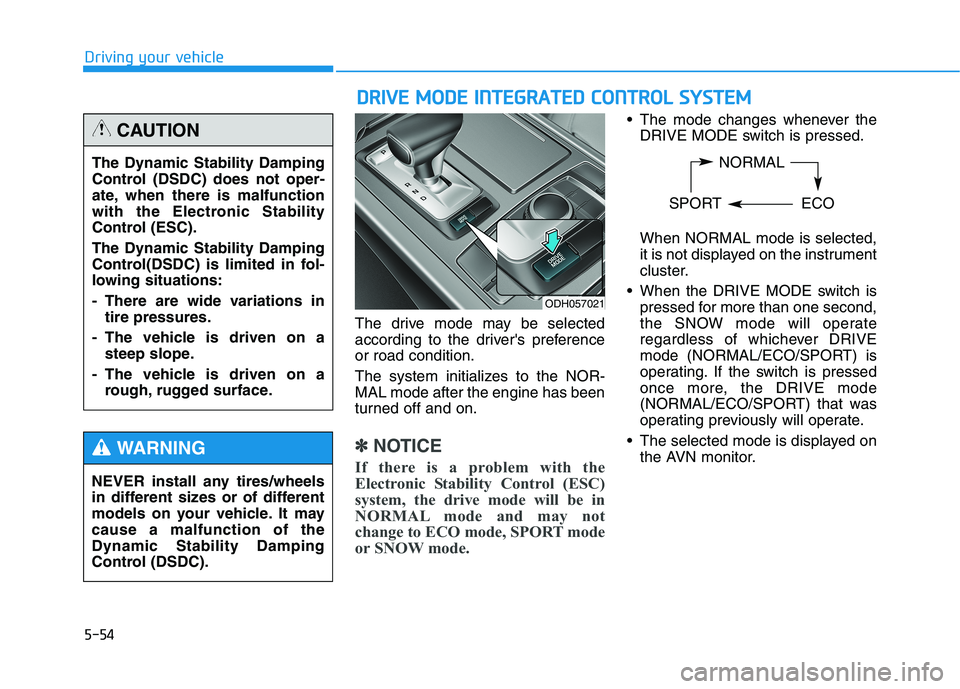
The drive mode may be selected
according to the driver's preference
or road condition.
The system initializes to the NOR-
MAL mode after the engine has been
turned off and on.
✽ ✽
NOTICE
If there is a problem with the
Electronic Stability Control (ESC)
system, the drive mode will be in
NORMAL mode and may not
change to ECO mode, SPORT mode
or SNOW mode.
The mode changes whenever the
DRIVE MODE switch is pressed.
When NORMAL mode is selected,
it is not displayed on the instrument
cluster.
When the DRIVE MODE switch is
pressed for more than one second,
the SNOW mode will operate
regardless of whichever DRIVE
mode (NORMAL/ECO/SPORT) is
operating. If the switch is pressed
once more, the DRIVE mode
(NORMAL/ECO/SPORT) that was
operating previously will operate.
The selected mode is displayed on
the AVN monitor.
ODH057021
NORMAL
SPORT ECOThe Dynamic Stability Damping
Control (DSDC) does not oper-
ate, when there is malfunction
with the Electronic Stability
Control (ESC).
The Dynamic Stability Damping
Control(DSDC) is limited in fol-
lowing situations:
- There are wide variations in
tire pressures.
- The vehicle is driven on a
steep slope.
- The vehicle is driven on a
rough, rugged surface.
CAUTION
NEVER install any tires/wheels
in different sizes or of different
models on your vehicle. It may
cause a malfunction of the
Dynamic Stability Damping
Control (DSDC).
WARNING
D DR
RI
IV
VE
E
M
MO
OD
DE
E
I
IN
NT
TE
EG
GR
RA
AT
TE
ED
D
C
CO
ON
NT
TR
RO
OL
L
S
SY
YS
ST
TE
EM
M
Page 333 of 516
5-78
Driving your vehicle
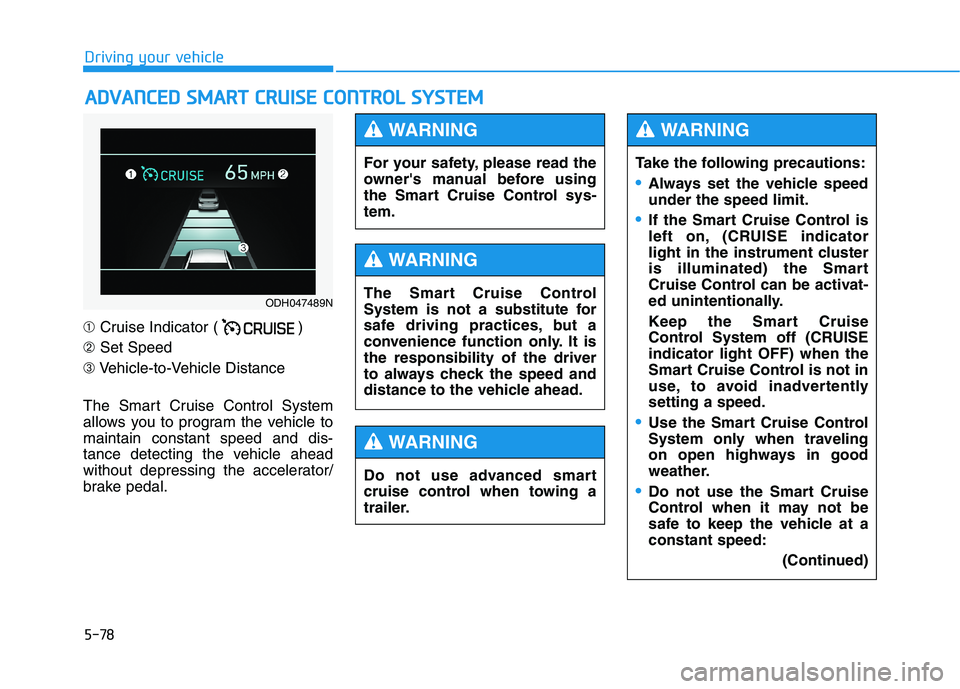
➀ Cruise Indicator ( )
➁Set Speed
➂Vehicle-to-Vehicle Distance
The Smart Cruise Control System
allows you to program the vehicle to
maintain constant speed and dis-
tance detecting the vehicle ahead
without depressing the accelerator/
brake pedal.
A AD
DV
VA
AN
NC
CE
ED
D
S
SM
MA
AR
RT
T
C
CR
RU
UI
IS
SE
E
C
CO
ON
NT
TR
RO
OL
L
S
SY
YS
ST
TE
EM
M
ODH047489N
For your safety, please read the
owner's manual before using
the Smart Cruise Control sys-
tem.
WARNING
The Smart Cruise Control
System is not a substitute for
safe driving practices, but a
convenience function only. It is
the responsibility of the driver
to always check the speed and
distance to the vehicle ahead.
WARNING
Do not use advanced smart
cruise control when towing a
trailer.
WARNING
Take the following precautions:
Always set the vehicle speed
under the speed limit.
If the Smart Cruise Control is
left on, (CRUISE indicator
light in the instrument cluster
is illuminated) the Smart
Cruise Control can be activat-
ed unintentionally.
Keep the Smart Cruise
Control System off (CRUISE
indicator light OFF) when the
Smart Cruise Control is not in
use, to avoid inadvertently
setting a speed.
Use the Smart Cruise Control
System only when traveling
on open highways in good
weather.
Do not use the Smart Cruise
Control when it may not be
safe to keep the vehicle at a
constant speed:
(Continued)
WARNING
Page 350 of 516
5-95
Driving your vehicle
5
LKAS operation
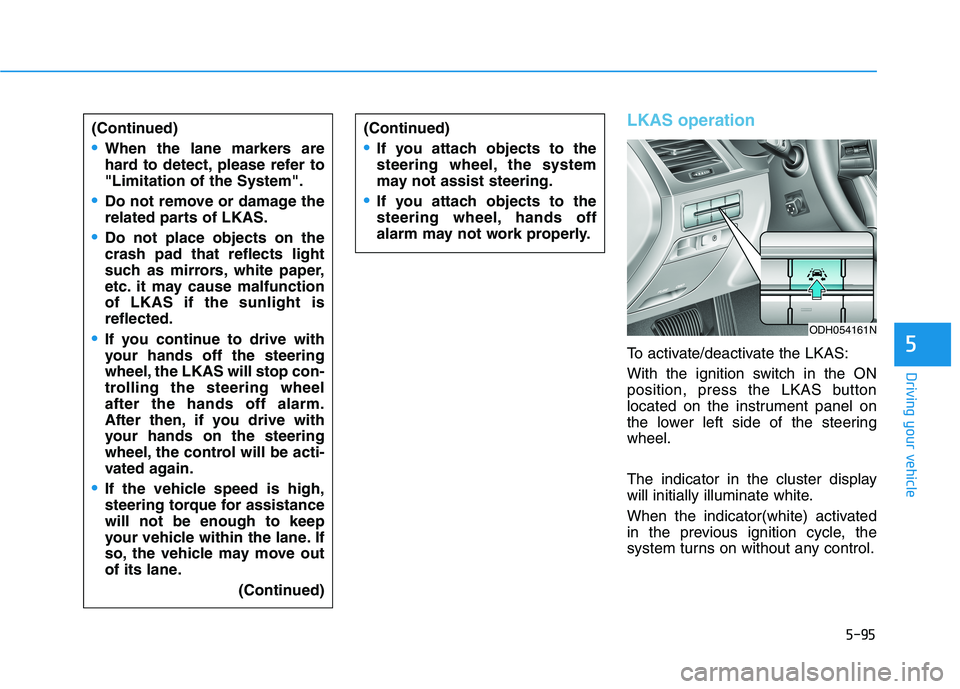
To activate/deactivate the LKAS:
With the ignition switch in the ON
position, press the LKAS button
located on the instrument panel on
the lower left side of the steering
wheel.
The indicator in the cluster display
will initially illuminate white.
When the indicator(white) activated
in the previous ignition cycle, the
system turns on without any control. (Continued)
When the lane markers are
hard to detect, please refer to
"Limitation of the System".
Do not remove or damage the
related parts of LKAS.
Do not place objects on the
crash pad that reflects light
such as mirrors, white paper,
etc. it may cause malfunction
of LKAS if the sunlight is
reflected.
If you continue to drive with
your hands off the steering
wheel, the LKAS will stop con-
trolling the steering wheel
after the hands off alarm.
After then, if you drive with
your hands on the steering
wheel, the control will be acti-
vated again.
If the vehicle speed is high,
steering torque for assistance
will not be enough to keep
your vehicle within the lane. If
so, the vehicle may move out
of its lane.
(Continued)
ODH054161N
(Continued)
If you attach objects to the
steering wheel, the system
may not assist steering.
If you attach objects to the
steering wheel, hands off
alarm may not work properly.
Page 466 of 516

7-65
7
Maintenance
Instrument panel fuse panel
Fuse NameFuse ratingCircuit Protected
SUNROOF25A Sunroof Motor
MULTIMEDIA 210A A/V & Navigation Head Unit, Keyboard, Front Monitor, I-BOX
MULTIMEDIA 115A A/V & Navigation Head Unit
CLUSTER10A Instrument Cluster, Head-Up Display
MODULE 615A Head Lamp LH/RH, Adaptive Front Lighting Module, A/T Shift Lever IND.
Auto Head Lamp Leveling Device Module, Auto Hold & Driver Mode Switch
MEMORY 110A Steering Tilt & Telescopic Module, External Buzzer, BCM, Tire Pressure Monitoring Module,
Security Indicator, A/C Control Module, Digital Clock, Head-Up Display, Instrument Cluster,
Driver Lumbar Support Unit, Driver IMS Control Module, Power Trunk Lid Control Module
PRESAFETY
SEAT BELT10A Pre-Active Seat Belt Module
E-SHIFTER 210A Electronic ATM Shift Lever
SMART KEY 310A Smart Key Control Module
POWER HANDLE15A Steering Tilt & Telescopic Module
SMART KEY 215A Smart Key Control Module
POWER OUTLET 220A Front Power Outlet & Cigarette Lighter
MODULE 310A Multifunction Switch, BCM, Sport Mode Switch, Stop Lamp Switch, Driver/Passenger Door Module,
Rear Door Module LH/RH
A/BAG IND10A A/C Control Module, Instrument Cluster
Page 512 of 516

I-5
If the engine overheats ......................................................6-7
If the engine will not start.................................................6-3
If the engine doesn't turn over or turns over slowly ....6-3
If the engine turns over normally but doesn't start ......6-3
If you have a flat tire ......................................................6-15
Changing tires ............................................................6-16
Jack and tools .............................................................6-15
Jack label ....................................................................6-21
Important safety precautions.............................................2-2
Air bag hazards ............................................................2-2
Always wear your seat belt ..........................................2-2
Control your speed .......................................................2-3
Driver distraction..........................................................2-2
Keep your vehicle in safe condition.............................2-3
Restrain all children .....................................................2-2
In case of an emergency while driving .............................6-2
If the engine stalls at a crossroad or crossing ..............6-2
If the engine stalls while driving..................................6-2
If you have a flat tire while driving .............................6-3
Instrument cluster ...........................................................3-58
Gauges ........................................................................3-60
Instrument Cluster Control .........................................3-59
LCD Display Control .................................................3-59
Instrument panel overview ........................................1-5, 1-6Interior features .............................................................3-155
Bag hanger................................................................3-159
Clock ........................................................................3-158
Clothes hanger ..........................................................3-158
Cup holder ................................................................3-155
Floor mat anchor(s) ..................................................3-159
Luggage net holder ...................................................3-162
Power outlet..............................................................3-156
Rear curtain ..............................................................3-160
Side curtain...............................................................3-161
Sunvisor ....................................................................3-156
USB Charger ............................................................3-158
Interior overview...............................................................1-4
Jump starting .....................................................................6-4
Push-starting .................................................................6-6
I
Index
I
J