steering GENESIS G80 2018 User Guide
[x] Cancel search | Manufacturer: GENESIS, Model Year: 2018, Model line: G80, Model: GENESIS G80 2018Pages: 516, PDF Size: 81.01 MB
Page 89 of 516

Convenient features of your vehicle
Accessing your vehicle .........................................3-4
Smart key ............................................................................3-4
Immobilizer System ...........................................................3-9
Door locks .............................................................3-11
Operating door locks from outside the vehicle ......3-11
Power Door Latch ...........................................................3-12
Operating door locks from inside the vehicle .........3-12
Auto door lock/unlock features..................................3-14
Child-protector rear door locks ..................................3-14
Theft-alarm system.............................................3-15
Driver position memory system .........................3-16
Storing positions into memory ...................................3-16
Resetting the driver's seat memory system ............3-17
Easy access function .....................................................3-18
Steering wheel......................................................3-19
Electric power steering (EPS) ......................................3-19
Tilt steering / Telescope steering...............................3-19
Heated steering wheel ...................................................3-20
Horn ....................................................................................3-21
Mirrors ...................................................................3-22
Inside rearview mirror....................................................3-22
Side view mirrors.............................................................3-32
Reverse parking aid function.......................................3-34
Windows ................................................................3-35
Power windows ................................................................3-36
Panorama sunroof ...............................................3-39
Sunshade ...........................................................................3-39
Sliding the sunroof .........................................................3-40
Tilting the sunroof ..........................................................3-40
Closing the sunroof ........................................................3-41
Resetting the sunroof ....................................................3-42
Exterior features .................................................3-43
Hood ...................................................................................3-43
Trunk ..................................................................................3-44
Smart trunk.......................................................................3-51
Fuel filler door .................................................................3-54
Instrument cluster................................................3-58
Instrument Cluster Control............................................3-59
LCD Display Control ........................................................3-59
Gauges ...............................................................................3-60
3
Page 104 of 516
3-16
Convenient features of your vehicle
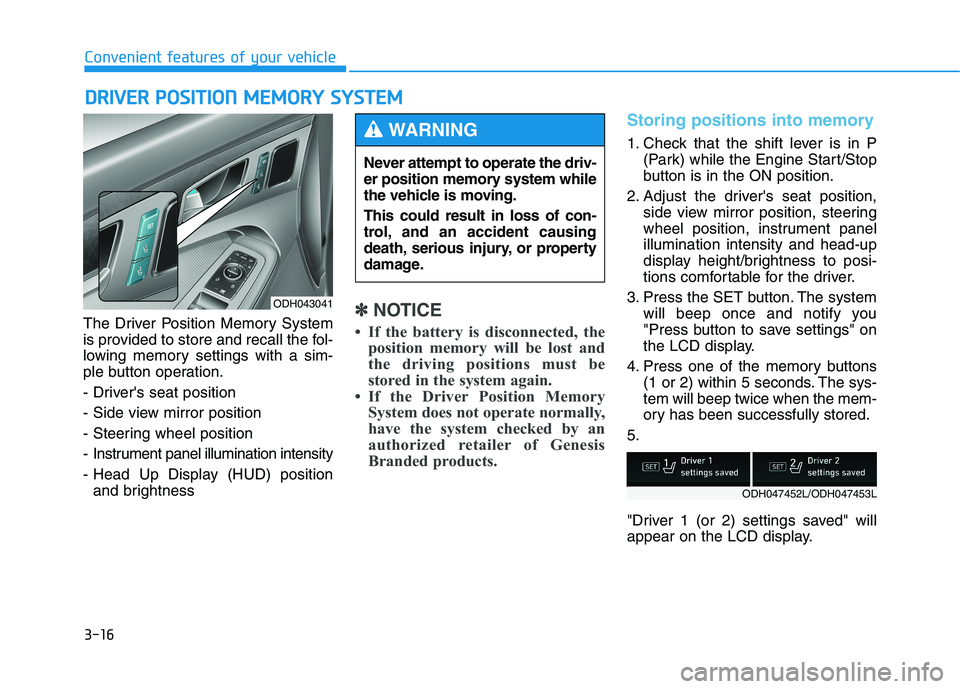
The Driver Position Memory System
is provided to store and recall the fol-
lowing memory settings with a sim-
ple button operation.
- Driver's seat position
- Side view mirror position
- Steering wheel position
- Instrument panel illumination intensity
- Head Up Display (HUD) position
and brightness
✽ ✽
NOTICE
• If the battery is disconnected, the
position memory will be lost and
the driving positions must be
stored in the system again.
• If the Driver Position Memory
System does not operate normally,
have the system checked by an
authorized retailer of Genesis
Branded products.
Storing positions into memory
1. Check that the shift lever is in P
(Park) while the Engine Start/Stop
button is in the ON position.
2. Adjust the driver's seat position,
side view mirror position, steering
wheel position, instrument panel
illumination intensity and head-up
display height/brightness to posi-
tions comfortable for the driver.
3. Press the SET button. The system
will beep once and notify you
"Press button to save settings" on
the LCD display.
4. Press one of the memory buttons
(1 or 2) within 5 seconds. The sys-
tem will beep twice when the mem-
ory has been successfully stored.
5.
"Driver 1 (or 2) settings saved" will
appear on the LCD display.
D DR
RI
IV
VE
ER
R
P
PO
OS
SI
IT
TI
IO
ON
N
M
ME
EM
MO
OR
RY
Y
S
SY
YS
ST
TE
EM
M
ODH043041
Never attempt to operate the driv-
er position memory system while
the vehicle is moving.
This could result in loss of con-
trol, and an accident causing
death, serious injury, or property
damage.
WARNING
ODH047452L/ODH047453L
Page 105 of 516
3-17
Convenient features of your vehicle
3
Recalling positions from memory
1. Check that the shift lever is in P
(Park) while the Engine Start/Stop
button is in the ON position.
2. Press the desired memory button
(1 or 2). The system will beep
once, and then the driver's seat
position, side view mirror position,
steering wheel position, instru-
ment panel illumination intensity
and head-up display height/bright-
ness will automatically adjust to
the stored positions.
3.
"Driver 1(or 2) settings is applied" will
appear on the LCD display.
✽ ✽
NOTICE
• While recalling the "1" memory
position, pressing the SET or 1
button temporarily stops the
adjustment of the recalled memo-
ry position. Pressing the 2 button
recalls the "2" memory position.
• While recalling the "2" memory
position, pressing the SET or 2
button temporarily stops the
adjustment of the recalled memo-
ry position. Pressing the 1 button
recalls the "1" memory position.
• While recalling the stored posi-
tions, pressing one of the control
buttons for the driver's seat, side
view mirror, steering wheel,
instrument panel illumination or
head-up display will cause the
movement of that component to
stop and move in the direction that
the control button is pressed.
Resetting the driver's seat
memory system
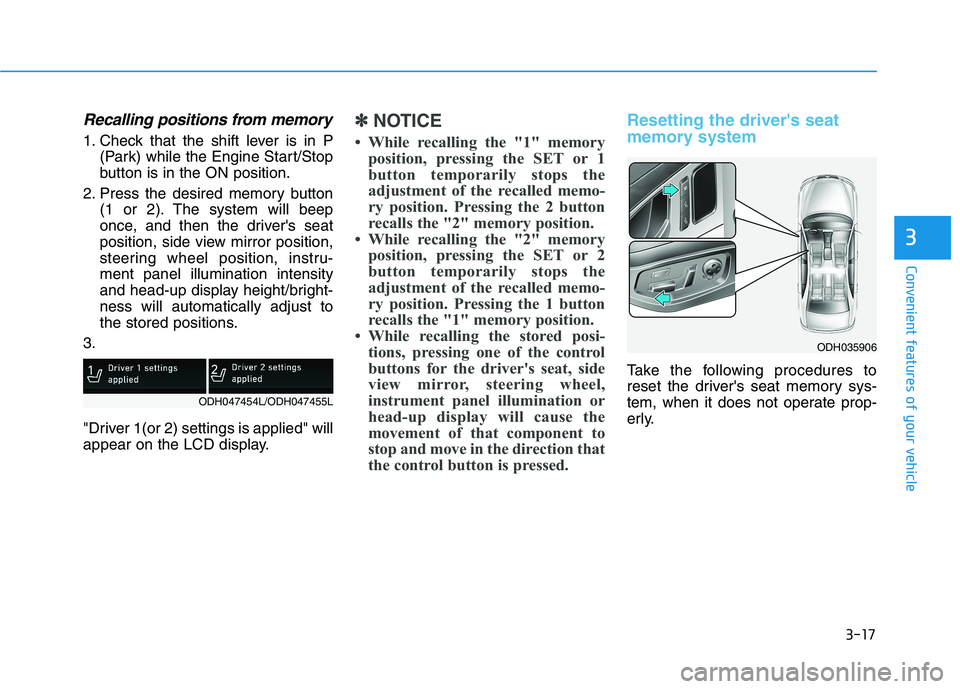
Take the following procedures to
reset the driver's seat memory sys-
tem, when it does not operate prop-
erly.
ODH035906
ODH047454L/ODH047455L
Page 106 of 516

3-18
To reset the driver's seat memo-
ry system
1. Press the Engine Start/Stop but-
ton to the ON position, set the
gear in P (Park), and open the dri-
ver's door.
2. Operate the control switch/lever to
set the driver's seat and seatback
to the foremost position.
3. Simultaneously press the SET
button and push forward the con-
trol lever over 2 seconds.
While resetting the driver's seat
memory system
1. It starts with the notification
sounds.
2. The driver's seat and seatback is
adjusted to the rearward position
with the notification sounds.
3. The driver's seat and seatback is
re-adjusted to the default position
(central position) with the notifica-
tion sounds.However, in the following cases, the
resetting procedure and the notifica-
tion sounds may stop.
- The memory button is pressed.
- The control switch/lever is operat-
ed.
- The gear is shifted out of P (Park).
- The driving speed exceeds 3 km/h.
- The driver's door is closed.
After the resetting procedure, set the
driver's seat memory system for your
comfort.
Easy access function
When exiting the vehicle, the steering
wheel will move away from the driver
and the seat will move rearward
when the engine is turned off.
When entering the vehicle, the steer-
ing wheel will move toward the driver
and the seat will move forward when
the Engine Start/Stop button is
pressed to the ACC position.
You can activate or deactivate the
Easy Access Function from the User
Settings Mode on the LCD display.
For more details, refer to "LCD
Display" in this chapter.
Convenient features of your vehicle
Reattempt to do the resetting
procedure again, when the
resetting procedure incom-
pletely stops or the notifica-
tion sounds do not stop.
Make sure that there is no
obstacle around the driver's
seat in advance of resetting
the driver's seat memory sys-
tem.
CAUTION
Driver should be cautious when
using this function to assure no
injury to passenger or child on
the back seat. In case of emer-
gency the driver has to stop
movement of front seat (when
easy access feature is activat-
ed) by pressing SET button or
any of the driver seat control
switches.
CAUTION
Page 107 of 516

3-19
Convenient features of your vehicle
3
S ST
TE
EE
ER
RI
IN
NG
G
W
WH
HE
EE
EL
L
Electric power steering (EPS)
The system assists you with steering
the vehicle. If the engine is turned off
or if the power steering system
becomes inoperative, you may still
steer the vehicle, but it will require
increased steering effort.
Should you notice any change in the
effort required to steer during normal
vehicle operation, we recommend
that the system be checked by an
authorized retailer of Genesis
Branded products.
✽ ✽
NOTICE
The following symptoms may occur
during normal vehicle operation:
• The steering effort may be high
immediately after placing the
Engine Start/Stop button in the
ON position.
This happens as the system per-
forms the EPS system diagnostics.
When the diagnostics is complet-
ed, the steering wheel will return
to its normal condition.
• A click noise may be heard from
the EPS relay after the Engine
Start/Stop button is in the ON or
OFF position.
• Motor noise may be heard when
the vehicle is at stop or at a low
driving speed.
• When you operate the steering
wheel in low temperature, abnor-
mal noise may occur. If tempera-
ture rises, the noise will disappear.
This is a normal condition.
Tilt steering / Telescope steering
Adjust the steering wheel so it points
toward your chest, not toward your
face. Make sure you can see the
instrument panel warning lights and
gauges. After adjusting, push the
steering wheel both up and down to
be certain it is locked in position.
Always adjust the position of the
steering wheel before driving.
If the Electric Power Steering
System does not operate nor-
mally, the warning light ( ) will
illuminate on the instrument
cluster. The steering wheel will
require increase effort. Take
your vehicle to an authorized
retailer of Genesis Branded
products and have the system
checked as soon as possible.
CAUTION
NEVER adjust the steering
wheel while driving. This may
cause loss of vehicle control
resulting in an accident.
WARNING
Page 108 of 516

3-20
Convenient features of your vehicle
Manual type
To change the steering wheel angle
and height:
1. Pull down the lock-release lever (1).
2. Adjust the steering wheel to the
desired angle (2) and height (3).
3. Pull up the lock-release lever to
lock the steering wheel in place.
Electric type
To change the steering wheel angle
and height:
Move the switch (1) up and down
to adjust the angle (2).
Move the switch forward or rear-
ward to adjust the height (3).
Heated steering wheel
(if equipped)
ODH047361
Do not adjust the steering
wheel longer than necessary
when the engine is turned off.
This may result in unnecessary
battery drain.
CAUTION
ODH047043ODH047044N
ODH047127N
■Type A
■Type B
Page 109 of 516

3-21
Convenient features of your vehicle
3
When the Engine Start/Stop button
is in the ON position, press the heat-
ed steering wheel button to warm the
steering wheel.
To turn the heated steering wheel off,
press the button again. The indicator
on the button will turn off and notify
you on the LCD display when the
system turn off automatically after 30
minutes.
✽ ✽
NOTICE
The heated steering wheel will turn
off automatically approximately 30
minutes.
Horn
To sound the horn, press the area
indicated by the horn symbol on your
steering wheel (see illustration). The
horn will operate only when this area
is pressed. Do not install any cover or acces-
sory on the steering wheel. This
cover or accessory could cause
damage to the heated steering
wheel system.
CAUTION
Do not strike the horn severely to
operate it, or hit it with your fist.
Do not press on the horn with a
sharp-pointed object.
CAUTION
ODH043045
ODH047226L
Page 147 of 516
3-59
Convenient features of your vehicle
3
Instrument Cluster Control
Adjusting Instrument Cluster
Illumination
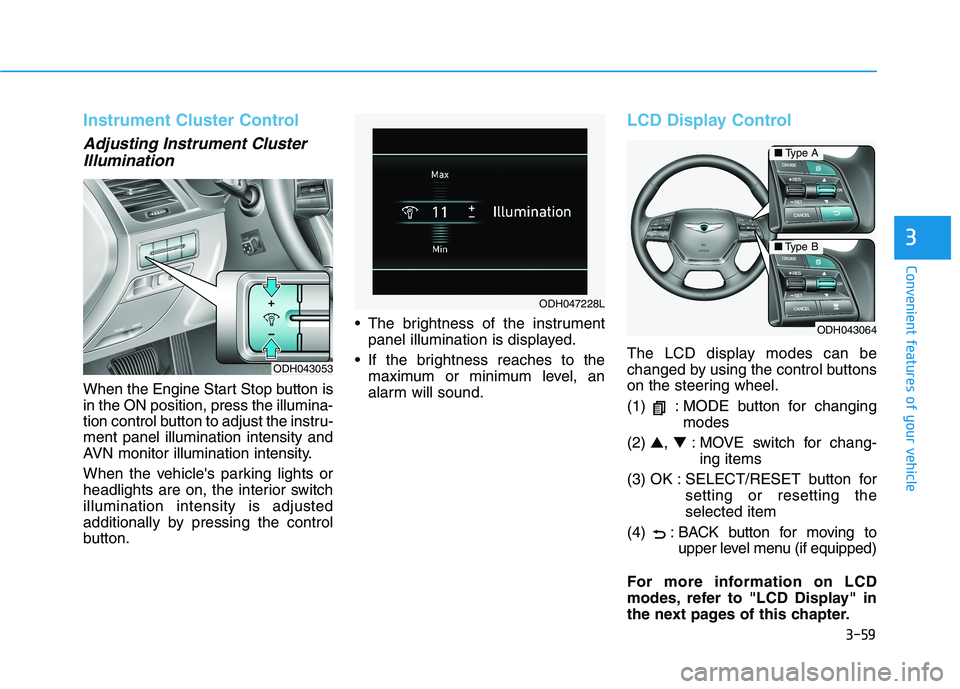
When the Engine Start Stop button is
in the ON position, press the illumina-
tion control button to adjust the instru-
ment panel illumination intensity and
AVN monitor illumination intensity.
When the vehicle's parking lights or
headlights are on, the interior switch
illumination intensity is adjusted
additionally by pressing the control
button. The brightness of the instrument
panel illumination is displayed.
If the brightness reaches to the
maximum or minimum level, an
alarm will sound.
LCD Display Control
The LCD display modes can be
changed by using the control buttons
on the steering wheel.
(1) : MODE button for changing
modes
(2) ▲, ▼: MOVE switch for chang-
ing items
(3) OK : SELECT/RESET button for
setting or resetting the
selected item
(4) : BACK button for moving to
upper level menu (if equipped)
For more information on LCD
modes, refer to "LCD Display" in
the next pages of this chapter.ODH043053
ODH047228L
ODH043064
■Type A
■Type B
Page 155 of 516
3-67
Convenient features of your vehicle
3
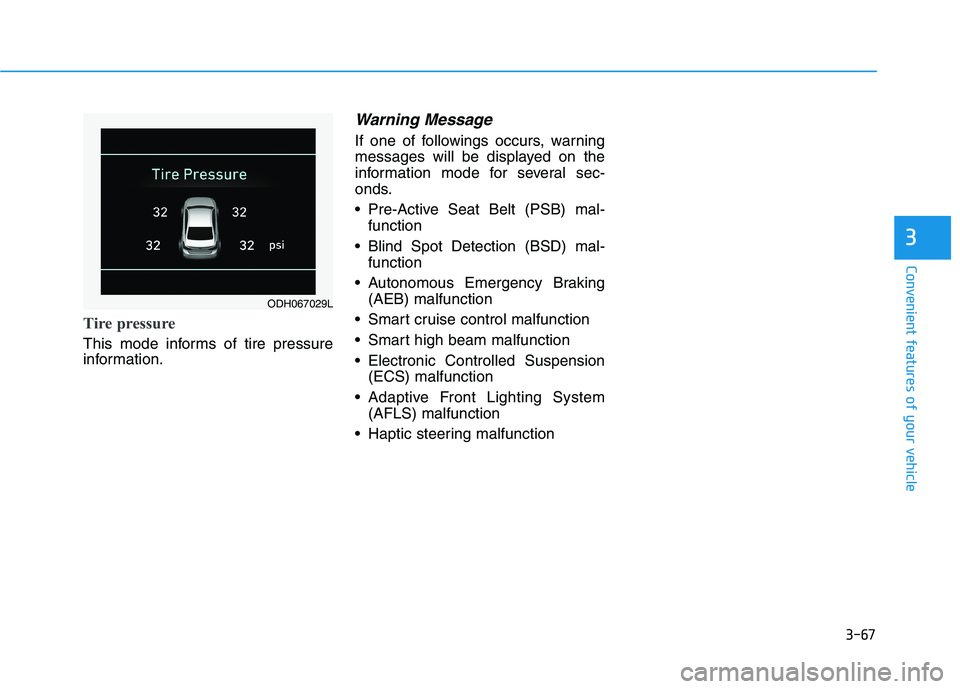
Tire pressure
This mode informs of tire pressure
information.
Warning Message
If one of followings occurs, warning
messages will be displayed on the
information mode for several sec-
onds.
Pre-Active Seat Belt (PSB) mal-
function
Blind Spot Detection (BSD) mal-
function
Autonomous Emergency Braking
(AEB) malfunction
Smart cruise control malfunction
Smart high beam malfunction
Electronic Controlled Suspension
(ECS) malfunction
Adaptive Front Lighting System
(AFLS) malfunction
Haptic steering malfunction
ODH067029L
Page 160 of 516

3-72
Convenient features of your vehicle
ItemsExplanation
Seat Easy Access
The seat easy access function will be deactivated.
- When you turn off the engine, the driver's seat will automatically move rearward short (Normal)
or long (Extended) for you to enter or exit the vehicle more comfortably.
- If you change the Engine Start/Stop button from OFF position to the ACC, ON, or START posi-
tion, the driver's seat will return to the original position.
For more details, refer to "Driver Position Memory System" in this chapter.
Steering Easy Access
The steering wheel will automatically move forward or rearward for the driver to enter or exit
the vehicle comfortably.
The steering easy access function will be deactivated.
For more details, refer to "Driver Position Memory System" in this chapter.
Wireless Charging System
For more information, refer to "Wireless Charging System" in this chapter.
Traffic Information The traffic information will not be displayed on the LCD display.
The LCD display will show traffic information.
Wiper/Lights Display
When activated, the LCD display shows the selected Wiper/Light mode whenever you changed the
mode.
Convenience