fuel GENESIS G80 2021 User Guide
[x] Cancel search | Manufacturer: GENESIS, Model Year: 2021, Model line: G80, Model: GENESIS G80 2021Pages: 604, PDF Size: 11.47 MB
Page 108 of 604
04
4 -7
WARNING
Never remove the engine coolant
reservoir cap when the engine is hot.
The engine coolant is under pressure
and could cause severe burn. Wait until
the engine is cool before adding coolant
to the reservoir.
Information
OJX1049061L
For 8-inch instrument cluster, you can
check the engine coolant temperature in
the Utility view on the cluster.
Refer to “View Modes” section in
chapter 4.
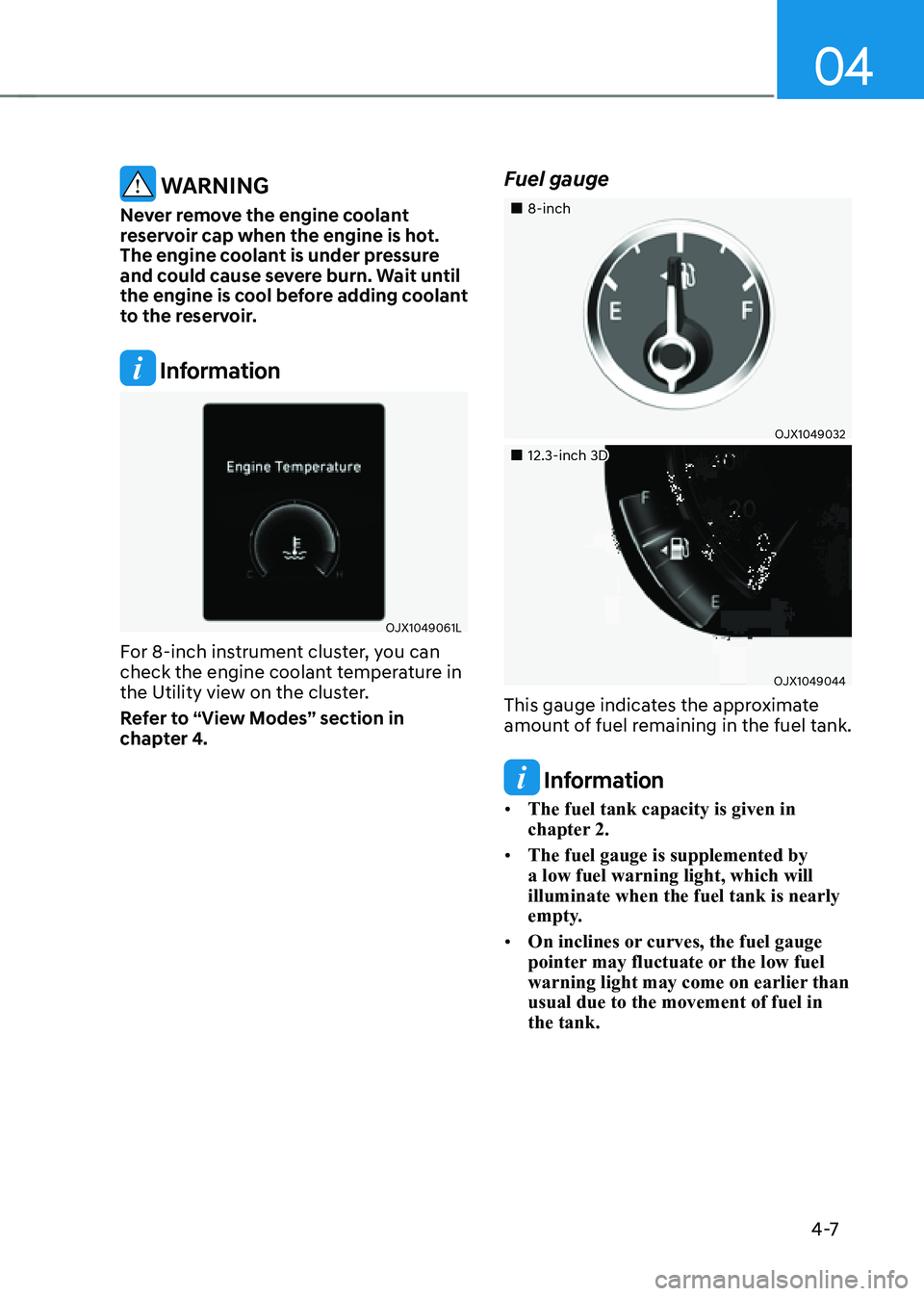
Fuel gauge
„„8-inch
OJX1049032
„„12.3-inch 3D
OJX1049044
This gauge indicates the approximate
amount of fuel remaining in the fuel tank.
Information
• The fuel tank capacity is given in
chapter 2.
• The fuel gauge is supplemented by
a low fuel warning light, which will
illuminate when the fuel tank is nearly
empty.
• On inclines or curves, the fuel gauge
pointer may fluctuate or the low fuel
warning light may come on earlier than
usual due to the movement of fuel in
the tank.
Page 109 of 604
Instrument Cluster
4-8
WARNING
Running out of fuel can expose vehicle
occupants to danger.
You must stop and obtain additional
fuel as soon as possible after the
warning light comes on or when the
gauge indicator comes close to the “E
(Empty)” level.
NOTICE
Avoid driving with an extremely low
fuel level. Running out of fuel could
cause the engine to misfire damaging
the catalytic converter.
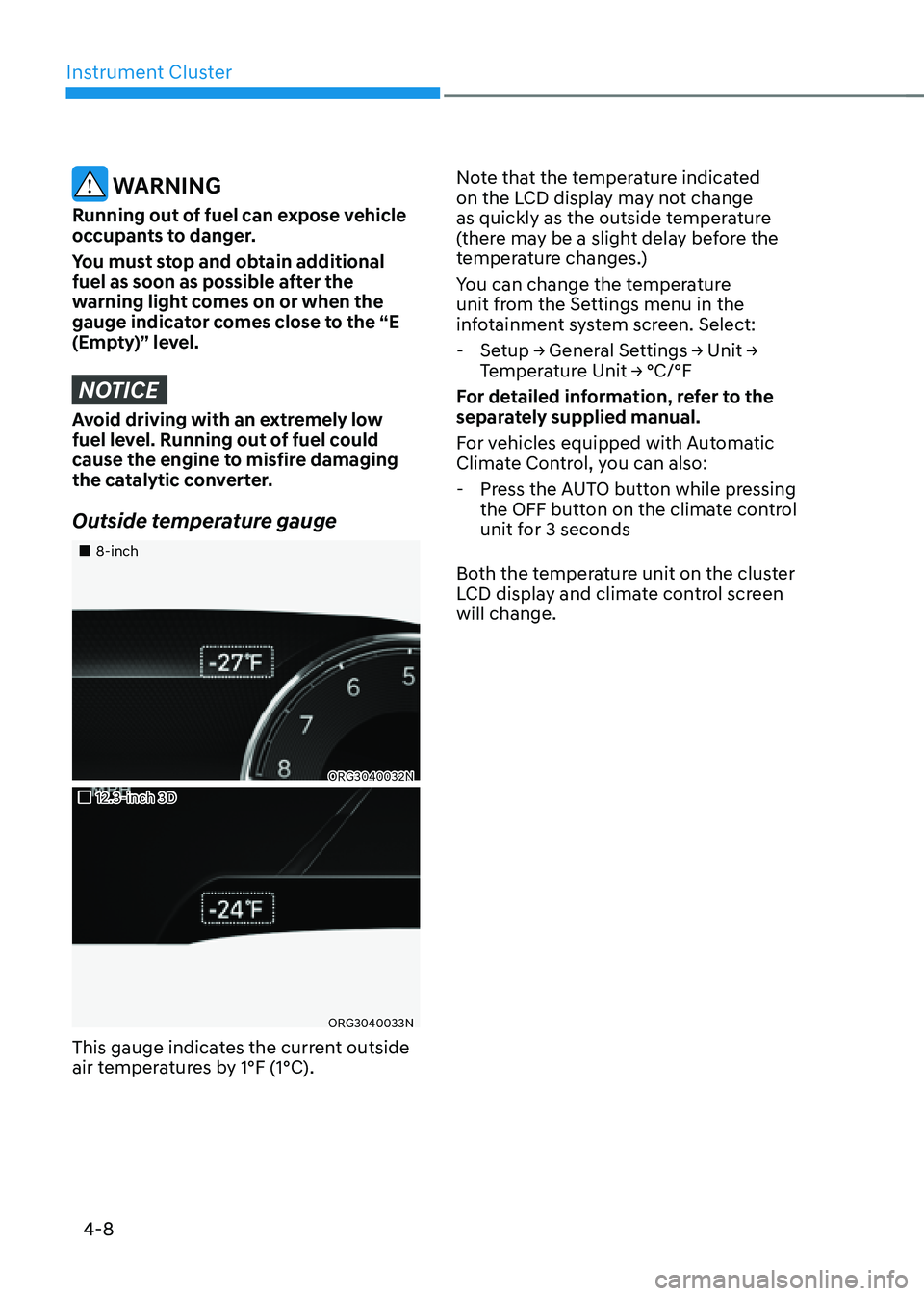
Outside temperature gauge
„„8-inch
ORG3040032N
„„12.3-inch 3D
ORG3040033N
This gauge indicates the current outside
air temperatures by 1°F (1°C).Note that the temperature indicated
on the LCD display may not change
as quickly as the outside temperature
(there may be a slight delay before the
temperature changes.)
You can change the temperature
unit from the Settings menu in the
infotainment system screen. Select:
-
Setup → General Settings → Unit →
Temperature Unit → °C/°F
For detailed information, refer to the
separately supplied manual.
For vehicles equipped with Automatic
Climate Control, you can also:
- Press the AUTO button while pressing
the OFF button on the climate control
unit for 3 seconds
Both the temperature unit on the cluster
LCD display and climate control screen
will change.
Page 110 of 604
04
4-9
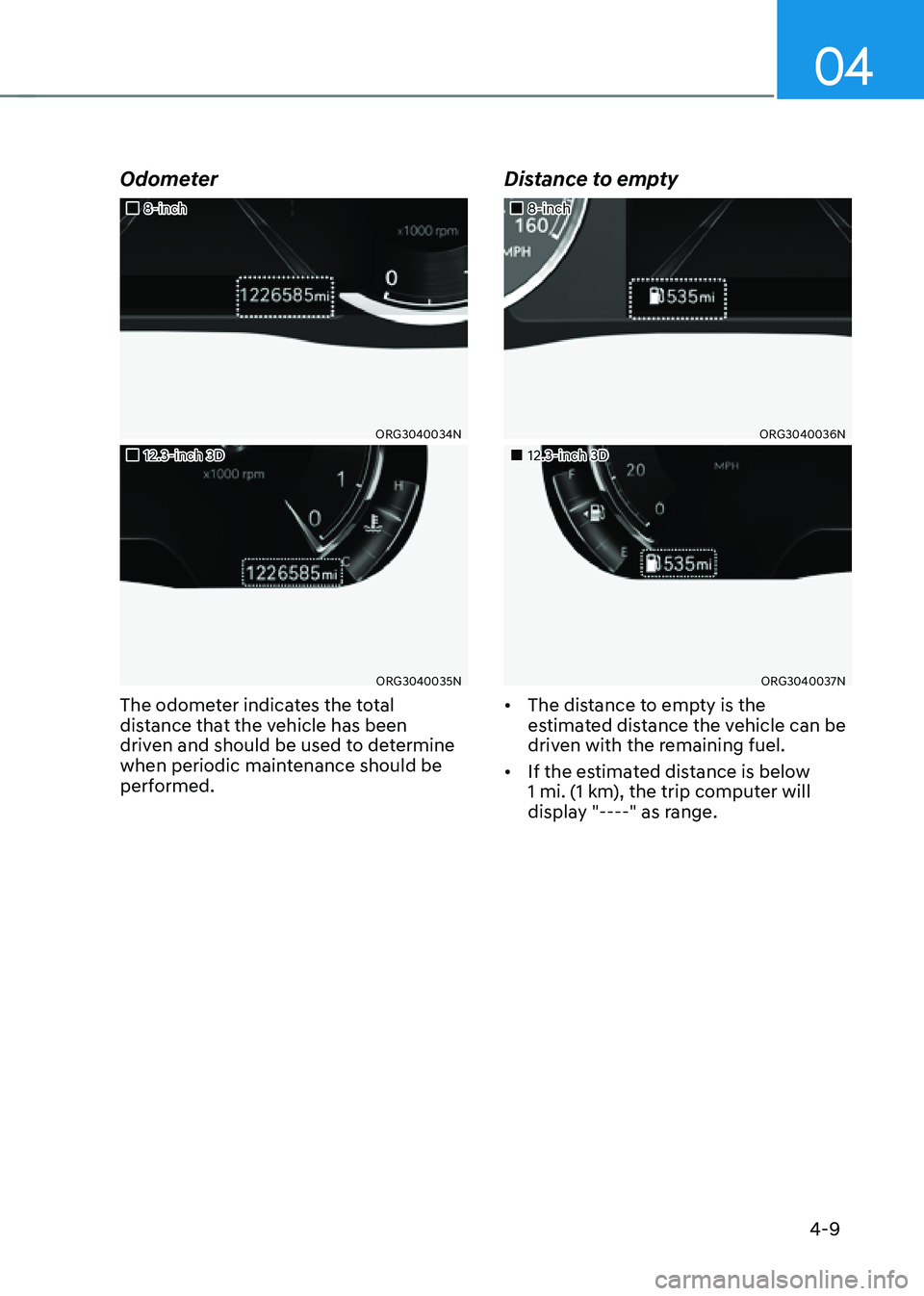
Odometer
„„8-inch
ORG3040034N
„„12.3-inch 3D
ORG3040035N
The odometer indicates the total
distance that the vehicle has been
driven and should be used to determine
when periodic maintenance should be
performed.
Distance to empty
„„8-inch
ORG3040036N
„„12.3-inch 3D
ORG3040037N
• The distance to empty is the
estimated distance the vehicle can be
driven with the remaining fuel.
• If the estimated distance is below
1 mi. (1 km), the trip computer will
display "----" as range.
Page 111 of 604
Instrument Cluster
4-10
Information
• If the vehicle is not on level ground or
the battery power has been interrupted,
the distance to empty function may not
operate correctly.
• The distance to empty may differ
from the actual driving distance as it
is an estimate of the available driving
distance.
• The trip computer may not register
additional fuel if less than 1.6 gallon
(6 liters) of fuel are added to the
vehicle.
• The distance to empty may vary
significantly based on driving
conditions, driving habits, and
condition of the vehicle.
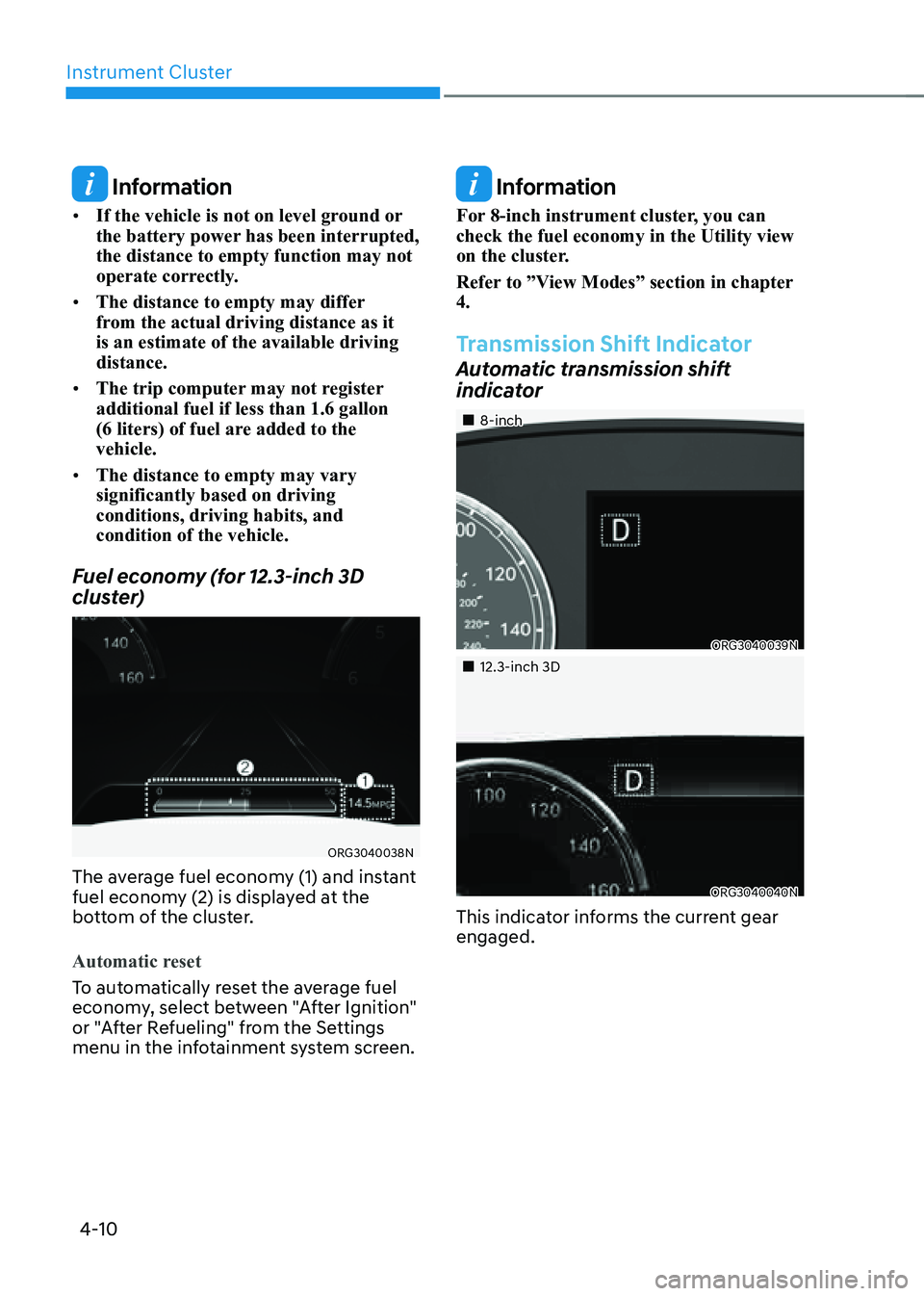
Fuel economy (for 12.3-inch 3D
cluster)
ORG3040038N
The average fuel economy (1) and instant
fuel economy (2) is displayed at the
bottom of the cluster.
Automatic reset
To automatically reset the average fuel
economy, select between "After Ignition"
or "After Refueling" from the Settings
menu in the infotainment system screen.
Information
For 8-inch instrument cluster, you can
check the fuel economy in the Utility view
on the cluster.
Refer to ”View Modes” section in chapter
4.
Transmission Shift Indicator
Automatic transmission shift
indicator
„„8-inch
ORG3040039N
„„12.3-inch 3D
ORG3040040N
This indicator informs the current gear
engaged.
Page 115 of 604
Instrument Cluster
4-14
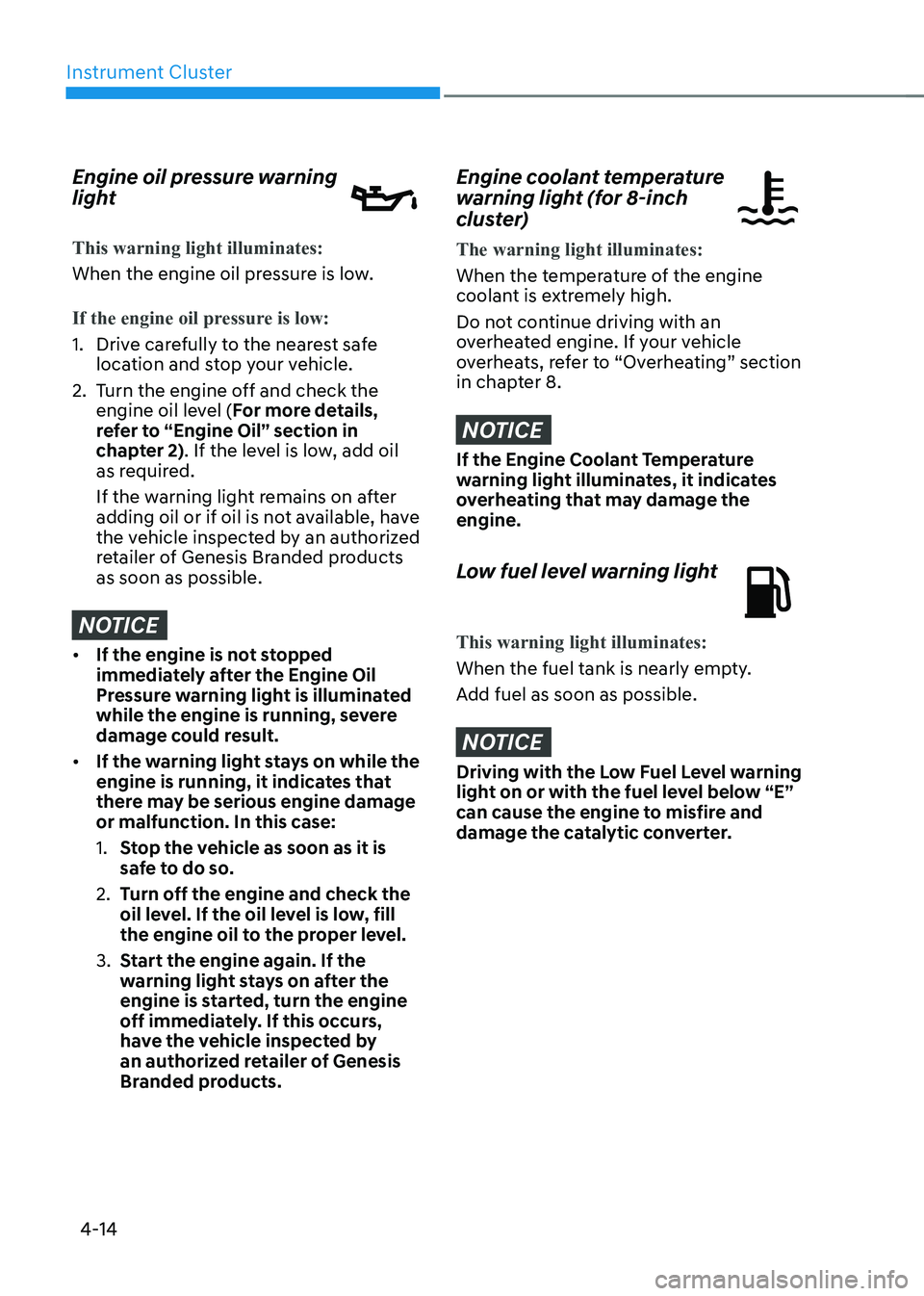
Engine oil pressure warning
light
This warning light illuminates:
When the engine oil pressure is low.
If the engine oil pressure is low:
1. Drive carefully to the nearest safe
location and stop your vehicle.
2. Turn the engine off and check the
engine oil level (For more details,
refer to “Engine Oil” section in
chapter 2). If the level is low, add oil
as required.
If the warning light remains on after
adding oil or if oil is not available, have
the vehicle inspected by an authorized
retailer of Genesis Branded products
as soon as possible.
NOTICE
• If the engine is not stopped
immediately after the Engine Oil
Pressure warning light is illuminated
while the engine is running, severe
damage could result.
• If the warning light stays on while the
engine is running, it indicates that
there may be serious engine damage
or malfunction. In this case:
1. Stop the vehicle as soon as it is
safe to do so.
2. Turn off the engine and check the
oil level. If the oil level is low, fill
the engine oil to the proper level.
3. Start the engine again. If the
warning light stays on after the
engine is started, turn the engine
off immediately. If this occurs,
have the vehicle inspected by
an authorized retailer of Genesis
Branded products.
Engine coolant temperature
warning light (for 8-inch
cluster)
The warning light illuminates:
When the temperature of the engine
coolant is extremely high.
Do not continue driving with an
overheated engine. If your vehicle
overheats, refer to “Overheating” section
in chapter 8.
NOTICE
If the Engine Coolant Temperature
warning light illuminates, it indicates
overheating that may damage the
engine.
Low fuel level warning light
This warning light illuminates:
When the fuel tank is nearly empty.
Add fuel as soon as possible.
NOTICE
Driving with the Low Fuel Level warning
light on or with the fuel level below “E”
can cause the engine to misfire and
damage the catalytic converter.
Page 116 of 604
04
4-15
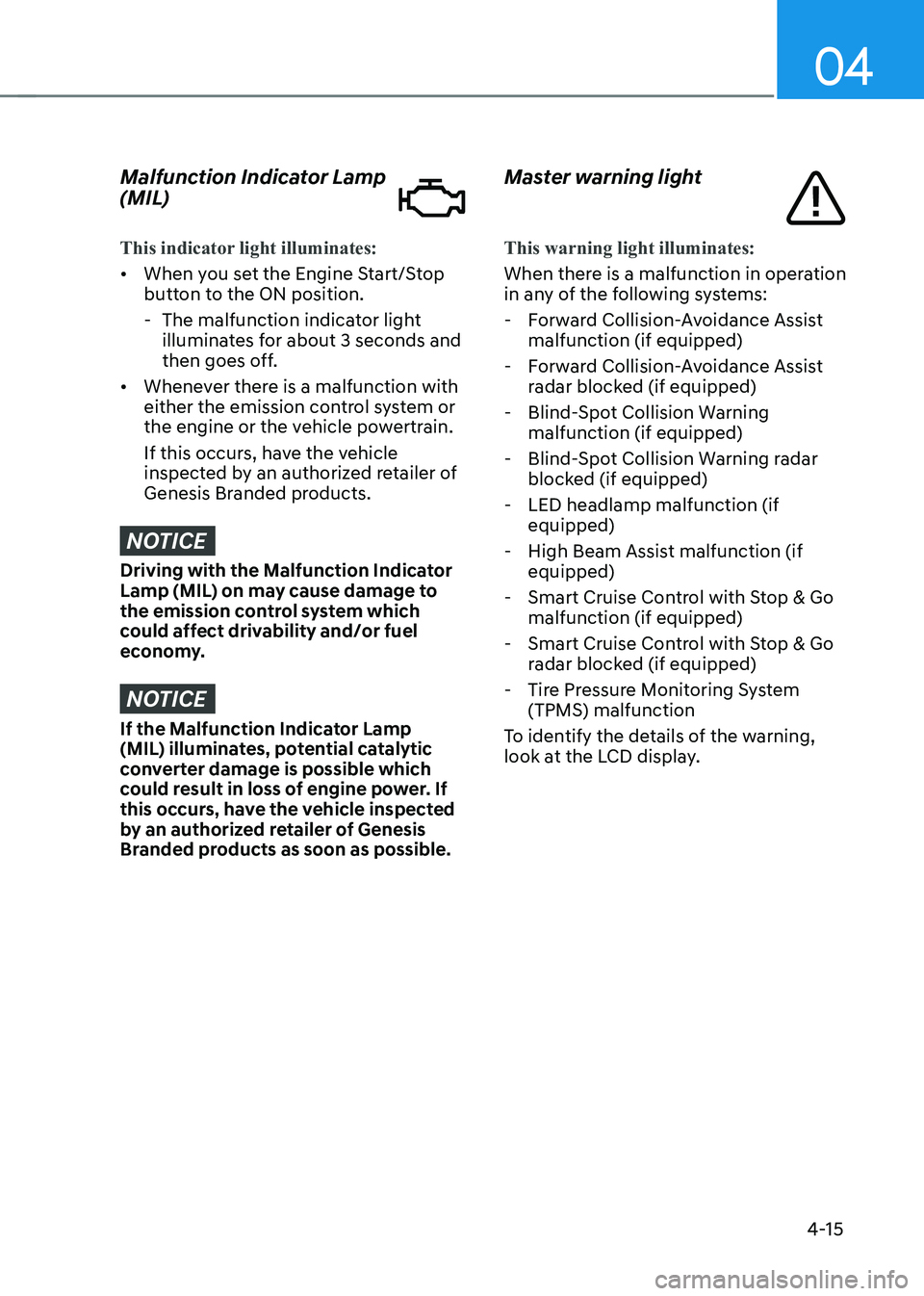
Malfunction Indicator Lamp
(MIL)
This indicator light illuminates:
• When you set the Engine Start/Stop
button to the ON position.
-The malfunction indicator light
illuminates for about 3 seconds and
then goes off.
• Whenever there is a malfunction with
either the emission control system or
the engine or the vehicle powertrain.
If this occurs, have the vehicle
inspected by an authorized retailer of
Genesis Branded products.
NOTICE
Driving with the Malfunction Indicator
Lamp (MIL) on may cause damage to
the emission control system which
could affect drivability and/or fuel
economy.
NOTICE
If the Malfunction Indicator Lamp
(MIL) illuminates, potential catalytic
converter damage is possible which
could result in loss of engine power. If
this occurs, have the vehicle inspected
by an authorized retailer of Genesis
Branded products as soon as possible.
Master warning light
This warning light illuminates:
When there is a malfunction in operation
in any of the following systems:
- Forward Collision-Avoidance Assist
malfunction (if equipped)
-Forward Collision-Avoidance Assist
radar blocked (if equipped)
-Blind-Spot Collision Warning
malfunction (if equipped)
-Blind-Spot Collision Warning radar
blocked (if equipped)
-LED headlamp malfunction (if
equipped)
-High Beam Assist malfunction (if
equipped)
-Smart Cruise Control with Stop & Go
malfunction (if equipped)
-Smart Cruise Control with Stop & Go
radar blocked (if equipped)
-Tire Pressure Monitoring System
(TPMS) malfunction
To identify the details of the warning,
look at the LCD display.
Page 126 of 604
04
4-25
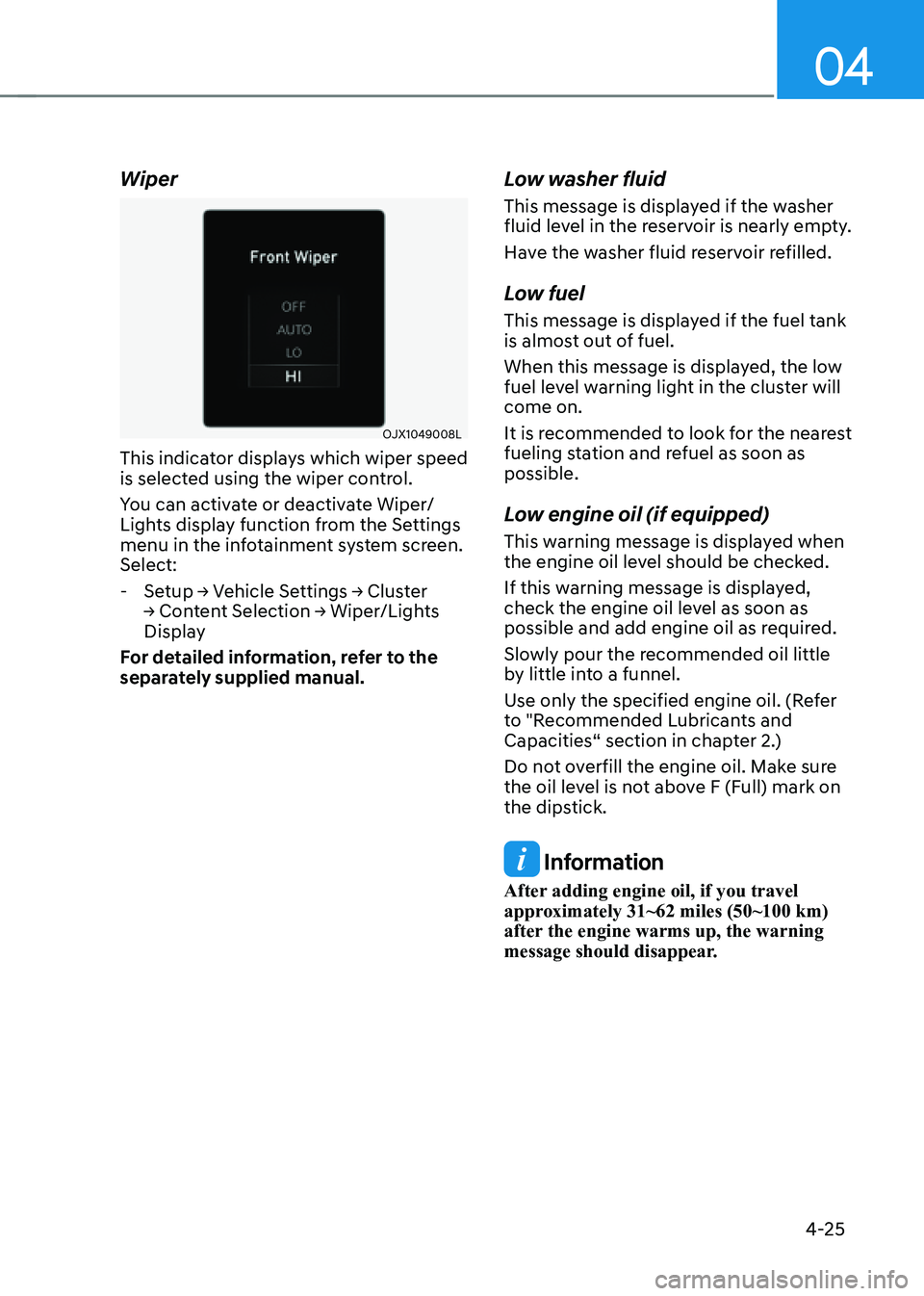
Wiper
OJX1049008L
This indicator displays which wiper speed
is selected using the wiper control.
You can activate or deactivate Wiper/
Lights display function from the Settings
menu in the infotainment system screen.
Select:
-Setup → Vehicle Settings → Cluster
→ Content Selection → Wiper/Lights
Display
For detailed information, refer to the
separately supplied manual.
Low washer fluid
This message is displayed if the washer
fluid level in the reservoir is nearly empty.
Have the washer fluid reservoir refilled.
Low fuel
This message is displayed if the fuel tank
is almost out of fuel.
When this message is displayed, the low
fuel level warning light in the cluster will
come on.
It is recommended to look for the nearest
fueling station and refuel as soon as
possible.
Low engine oil (if equipped)
This warning message is displayed when
the engine oil level should be checked.
If this warning message is displayed,
check the engine oil level as soon as
possible and add engine oil as required.
Slowly pour the recommended oil little
by little into a funnel.
Use only the specified engine oil. (Refer
to "Recommended Lubricants and
Capacities“ section in chapter 2.)
Do not overfill the engine oil. Make sure
the oil level is not above F (Full) mark on
the dipstick.
Information
After adding engine oil, if you travel
approximately 31~62 miles (50~100 km)
after the engine warms up, the warning
message should disappear.
Page 128 of 604

04
4-27
LCD Display Control
ORG3040010
The LCD display modes can be changed by using the control switches.
SwitchOperation Function
PressMODE button for changing View modes
, Scroll UP, DOWN switch for changing items in Utility view and
Option menu
OK Press
SELECT/RESET switch for entering Option menu
Press and hold SELECT/RESET switch for retrieving assist information or
resetting the selected item
View modes
View modes
Explanation
Driving Assist Driving Assist view displays the status of the vehicle’s Driving Assist
systems.
Turn by Turn Turn By Turn view displays the state of the navigation.
Utility Utility view displays driving information such as the trip distance,
fuel economy and etc.
The information provided may differ depending on which functions are applicable
to your vehicle.
LCD DISPLAY
Page 129 of 604
Instrument Cluster
4-28
ORG3040041N
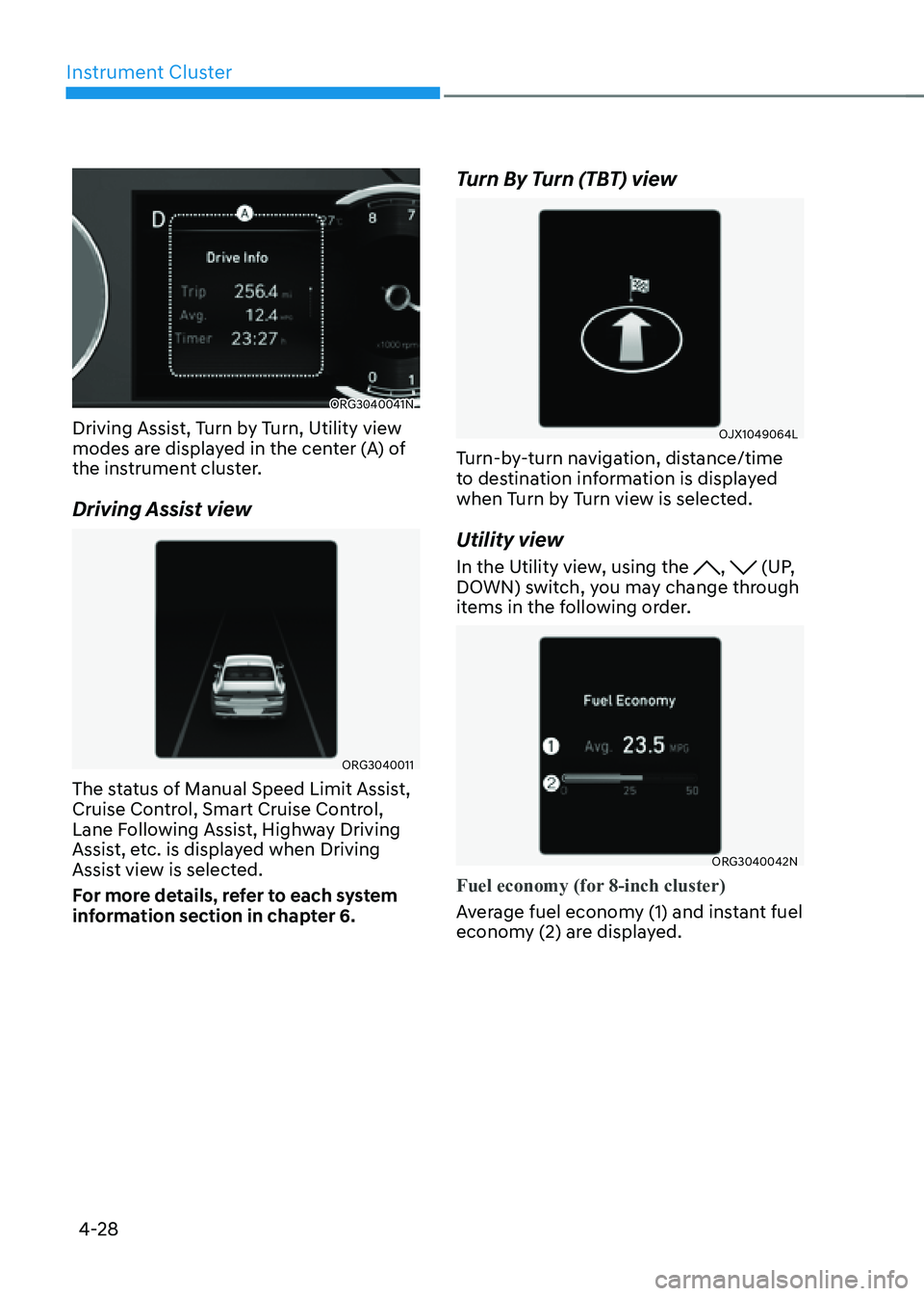
Driving Assist, Turn by Turn, Utility view
modes are displayed in the center (A) of
the instrument cluster.
Driving Assist view
ORG3040011
The status of Manual Speed Limit Assist,
Cruise Control, Smart Cruise Control,
Lane Following Assist, Highway Driving
Assist, etc. is displayed when Driving
Assist view is selected.
For more details, refer to each system
information section in chapter 6.
Turn By Turn (TBT) view
OJX1049064L
Turn-by-turn navigation, distance/time
to destination information is displayed
when Turn by Turn view is selected.
Utility view
In the Utility view, using the , (UP,
DOWN) switch, you may change through
items in the following order.
ORG3040042N
Fuel economy (for 8-inch cluster)
Average fuel economy (1) and instant fuel
economy (2) are displayed.
Page 130 of 604
04
4-29
• Manual reset
To clear the average fuel economy
manually, press the OK switch on the
steering wheel for more than 1 second
when the Average Fuel Economy is
displayed.
• Automatic reset
To automatically reset the average
fuel economy, select between ‘After
Ignition’ or ‘After Refueling’ from the
Settings menu in the infotainment
system.
-After Ignition: When the engine has
been OFF for 4 hours or longer the
average fuel economy will reset
automatically.
-After Refueling: The average fuel
economy will reset automatically
after adding 1.6 gallons (6 liters) of
fuel or more and after driving speed
exceeds 1 mph (1 km/h).
à For 12.3-inch 3D instrument cluster,
you can check the fuel economy in
the center bottom of the cluster.
ORG3040043N
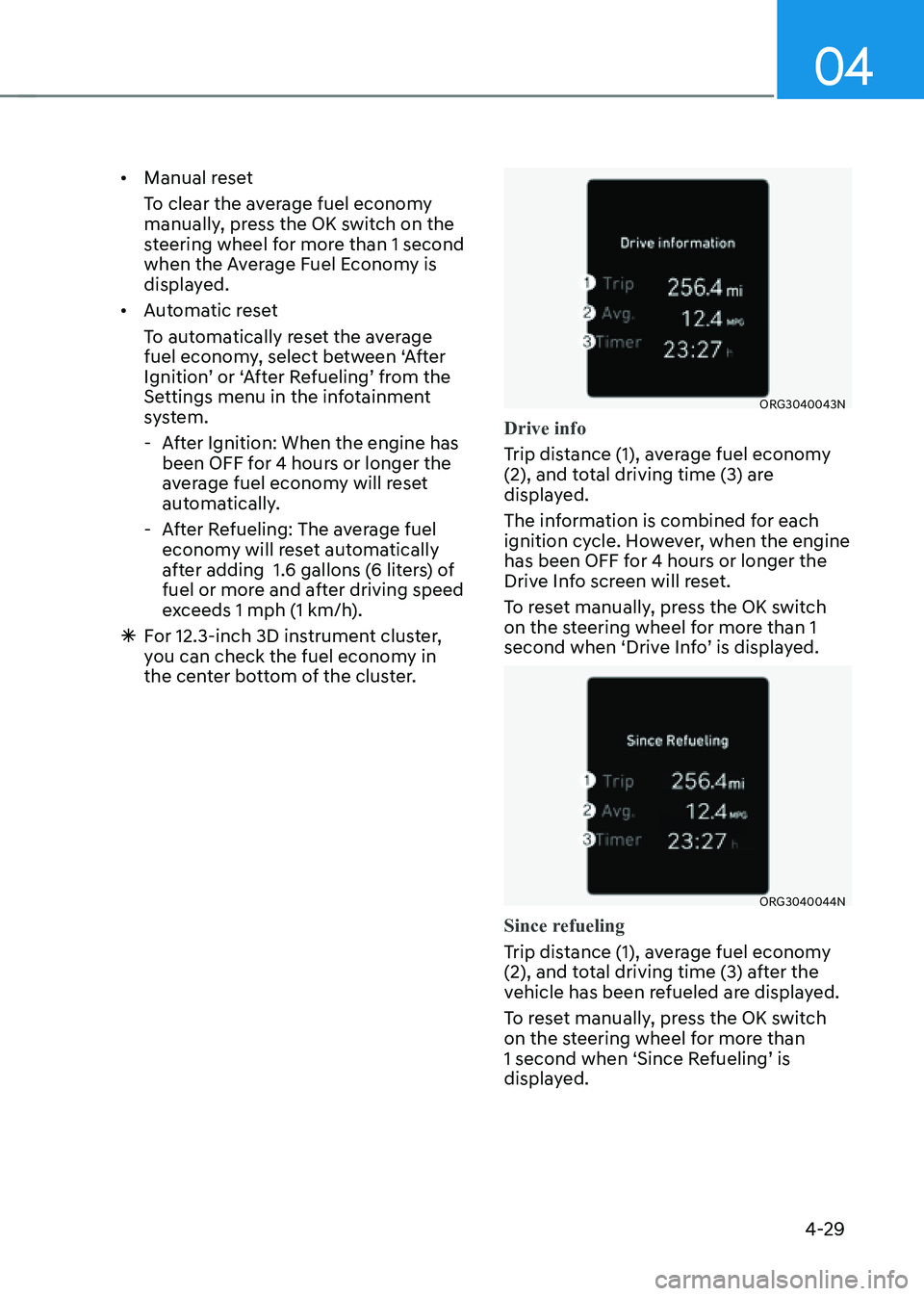
Drive info
Trip distance (1), average fuel economy
(2), and total driving time (3) are
displayed.
The information is combined for each
ignition cycle. However, when the engine
has been OFF for 4 hours or longer the
Drive Info screen will reset.
To reset manually, press the OK switch
on the steering wheel for more than 1
second when ‘Drive Info’ is displayed.
ORG3040044N
Since refueling
Trip distance (1), average fuel economy
(2), and total driving time (3) after the
vehicle has been refueled are displayed.
To reset manually, press the OK switch
on the steering wheel for more than
1 second when ‘Since Refueling’ is
displayed.