sunroof GENESIS G80 2021 User Guide
[x] Cancel search | Manufacturer: GENESIS, Model Year: 2021, Model line: G80, Model: GENESIS G80 2021Pages: 604, PDF Size: 11.47 MB
Page 199 of 604
05
5-61
6. Within 3 seconds, push and hold
the control lever forward until the
sunshade and sunroof operates as
follows:
Sunshade Open → Glass Tilt Open →
Glass Slide Open → Glass Slide Close →
Sunshade Close
Do not release the lever until the
operation is completed.
If you release the control lever during
operation, start the procedure again from
step 2.
7. Release the sunroof control lever after
all steps have completed. The sunroof
system has been reset.
Information
• If the sunroof is not reset when the
vehicle battery is disconnected or
discharged, or the sunroof fuse is
blown, the sunroof may not operate
normally.
• For more detailed information, contact
an authorized retailer of Genesis
Branded products.
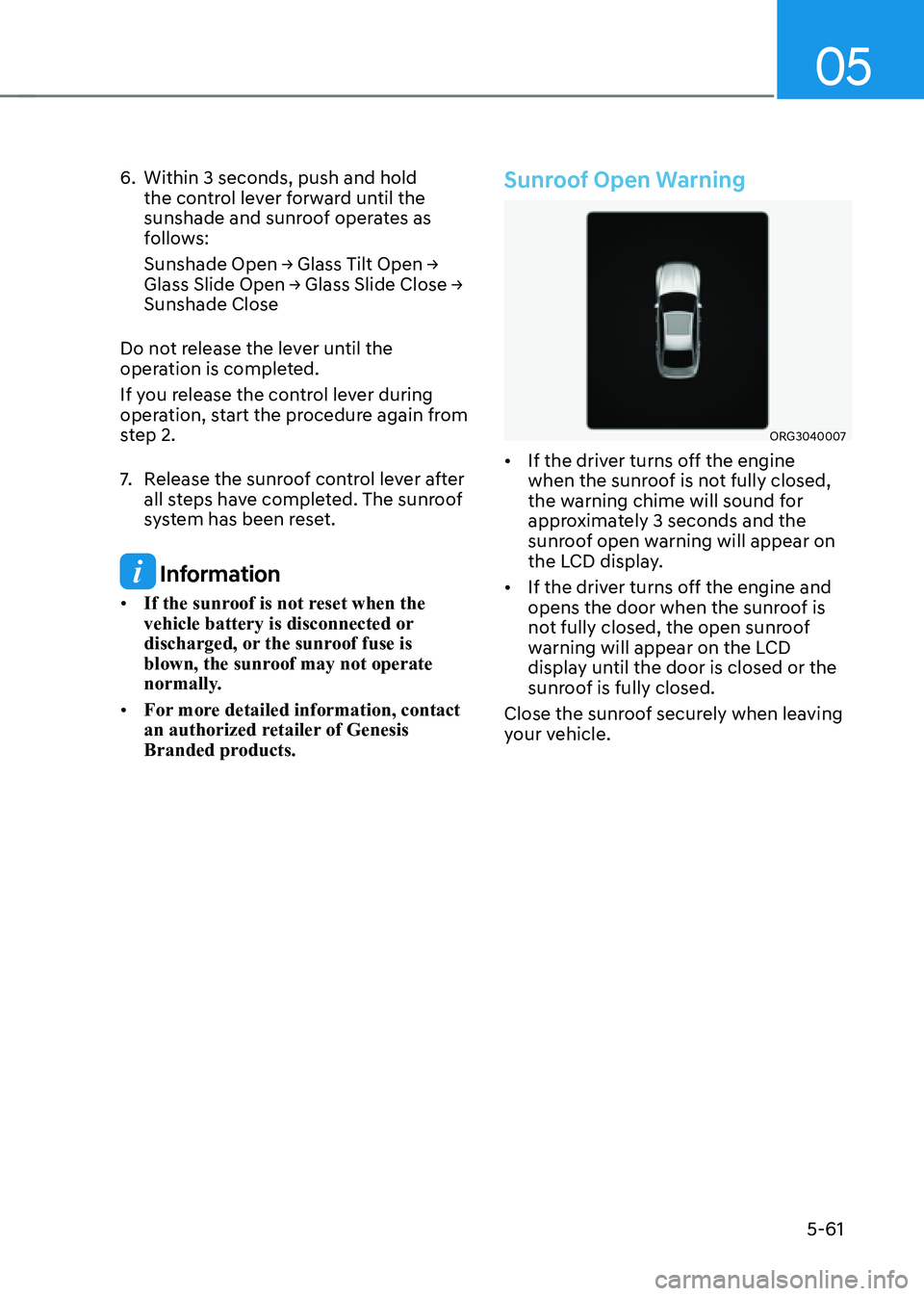
Sunroof Open Warning
ORG3040007
• If the driver turns off the engine
when the sunroof is not fully closed,
the warning chime will sound for
approximately 3 seconds and the
sunroof open warning will appear on
the LCD display.
• If the driver turns off the engine and
opens the door when the sunroof is
not fully closed, the open sunroof
warning will appear on the LCD
display until the door is closed or the
sunroof is fully closed.
Close the sunroof securely when leaving
your vehicle.
Page 221 of 604

05
5-83
Front lamps
ORG3050218N
Front map lamp ():
Touch either icons to turn the map lamp
on or off. This light produces a spot
beam for convenient use as a map lamp
at night or as a personal lamp for the
driver and the front passenger.
Door lamp (
):
The front or rear room lamps come on
when the front or rear doors are opened.
When doors are unlocked by the smart
key, the front and rear lamps come on
for approximately 30 seconds as long as
any door is not opened. The front and
rear room lamps go out gradually after
approximately 30 seconds when the
door is closed. However, if the Engine
Start/Stop button is in the ON position
or all doors are locked, the front and rear
lamps will turn off. If a door is opened
with the Engine Start/Stop button in
the ACC position or the OFF position,
the front and rear lamps will stay on for
about 5 minutes.
Room lamp (
)
• Press the button to turn ON the room
lamp for the front/rear seats.
Rear lamps
„„Room lamp
OJX1059248
• : Touch the icon to turn either lamp on or off.
• : Touch the icon to turn the mood lamp on or off.
„„Personal lamp (with sunroof)
OJX1059224
• : Press the button to turn the lamp on or off.
Page 244 of 604

Convenient Features
5-106
Air conditioning system operation tips
• If the vehicle has been parked in
direct sunlight during hot weather,
open the windows for a short time
to let the hot air inside the vehicle
escape.
• After sufficient cooling has been
achieved, switch back from
recirculation mode to fresh mode.
• To help reduce moisture inside of
the windows on rainy or humid
days, decrease the humidity inside
the vehicle by operating the air
conditioning system with the windows
and sunroof closed.
• Use the air conditioning system
every month only for a few minutes
to ensure maximum system
performance.
• If you operate air conditioner
excessively, the difference between
the temperature of the outside air and
that of the windshield could cause
the outer surface of the windshield to
fog up, causing loss of visibility. In this
case, set the mode selection to the
position and fan speed control to the
lowest speed.
System Maintenance
Cabin air filter
OHI048581L
[A] : Outside air, [B] : Recirculated air
[C] : Climate control air filter, [D] : Blower
[E] : Evaporator core, [F] : Heater core
The cabin air filter is installed behind
the glove box. It filters the dust or other
pollutants that enter the vehicle through
the heating and air conditioning system.
We recommend that the cabin air filter
be replaced by an authorized retailer of
Genesis Branded products according to
the maintenance schedule. If the vehicle
is being driven in severe conditions such
as dusty or rough roads, more frequent
cabin air filter inspections and changes
are required.
If the air flow rate suddenly decreases,
we recommend that the system be
inspected at an authorized retailer of
Genesis Branded products.
Page 251 of 604
05
5-113
Recirculating Air when Washer
Fluid is Used
Recirculation mode automatically
activates to reduce any objectionable
scent of the washer fluid from entering
the cabin when the windshield washer is
used.
Turning Activate upon Washer Fluid
Use ON or OFF
Climate control system
To turn the Activate upon Washer Fluid
Use feature on or off, select Floor level
(
) mode, and then press the air
intake control () button four times
within two seconds while pressing the
A/C icon.
When Activate upon Washer Fluid Use
ON is turned on, the air intake control
button indicator will blink 6 times. When
turned off, the indicator will blink 3
times.
Infotainment system
Activate upon Washer Fluid Use can be
turned on and off by selecting ‘Setup →
Vehicle Settings → Climate → Recirculate
Air → Activate upon Washer Fluid Use
(or Interlocking washer fluid)’ from the
infotainment system screen.
For detailed information, refer to the
separately supplied manual.
However, in cold weather to prevent
the windshield from fogging up, the
recirculation mode may not be selected.
Sunroof Inside Air Recirculation
(if equipped)
When the is sunroof opened, fresh
mode will be automatically selected.
At this time, if you press the air intake
control button, recirculation mode will
be selected but will change back to fresh
mode after 3 minutes. When the sunroof
is closed, the air intake position will
return to the original position that was
selected.
Page 477 of 604
07
7-149
• When operating Remote Smart
Parking function, make sure all
smart keys are outside of the
vehicle.
• Remote Smart Parking function will
operate only when the smart key is
within 13 ft. (4 m) from the vehicle.
If there is no vehicle movement
even when the Remote Forward or
Backward button is pressed on the
smart key, check the distance to the
vehicle and press the button again.
• The detecting range of the smart
key may vary depending on the
surroundings that are affected by
radio waves such as transmission
tower, broadcast station.
• The parking location indicator is
displayed on Surround View Monitor
screen and is displayed until the
vehicle enters the parking space
for the first time by Remote Smart
Parking function.
• When parking is completed, the
vehicle automatically shifts to P
(Park) and engages EPB (Electronic
Parking Brake).
• Depending on parking
environments, if the vehicle is
stopped by a stopper, parking may
be completed.
• If you need to change the vehicle's
position or location, manually
complete parking your vehicle.
CAUTION
• When using Remote Smart Parking
function, make sure that all
passengers have gotten out of the
vehicle.
• Before leaving the vehicle, close
windows and sunroofs, and make
sure the engine is off before locking
the doors.How to turn off Parking function while
operating
• Press the Parking/View () button
in the following stage:
- Searching for parking space
-Select parking type
• Shift the gear to R (Reverse) in the
following stage:
-Searching for parking space
-Select parking type
-Select operating mode
• Press the Parking Safety () button
or select ‘Cancel’ on the infotainment
system screen to turn off Parking
function.
• While Smart Parking function is
operating:
- If the vehicle is stopped by
depressing the brake pedal, and the
gear is shifted, Parking function will
turn off. At this time, EPB (Electronic
Parking Brake) will not be engaged.
• While Remote Smart Parking function
is operating:
-Press the Remote Start () button
on the smart key. Parking function
will turn off.
- Get on the vehicle with the smart
key. Parking function will turn off. At
this time, the engine will remain on.
Page 485 of 604
07
7-157
• When remotely moving forward
using method (1), it is recognized
as an exit situation, and the
vehicle moves 13 ft. (4 m) to
check for pedestrians, animals or
objects around the vehicle. After
confirmation, the steering wheel
is controlled according to the
condition ahead.
• When remotely moving forward
using method (2), it is recognized
as a parking situation, and will
immediately control the steering
wheel according to the condition
ahead to assist with entering the
parking space and aligning the
vehicle. However, performance
may reduce depending on the
pedestrians, animals, shape of
objects, location, etc. around the
vehicle.
• For moving remotely backward,
both method (1) and (2) aligns the
steering wheel first, and then will
only move the vehicle straight.
• When remotely moving forward or
backward is completed, the vehicle
will automatically shift to P (Park)
and engage EPB (Electronic Parking
Brake).
CAUTION
• When using Remote Moving
Forward/Backward function, make
sure that all passengers have gotten
out of the vehicle.
• Before leaving the vehicle, close
windows and sunroofs, and make
sure the engine is off before locking
the doors.
• If the vehicle’s battery is discharged
or Remote Smart Parking Assist
malfunctions when parked in a
narrow parking space, Remote
Moving Forward/Backward function
will not operate. Always park your
vehicle in a space wide enough for
you to get in or out of your vehicle.
• Please note that depending on the
parking space, you may not be able
to exit from the space you have
entered by using Remote Moving
Forward/Backward function.
• After parking, the surrounding may
change due to the movement of
surrounding vehicles. If this occurs,
Remote Moving Forward/Backward
function may not operate.
How to turn off Remote Moving Forward/
Backward function while operating
• Press the Remote Start () button on
the smart key.
• Press the Parking/View () button.
• Press the Parking Safety () button
or select ‘Cancel’ on the infotainment
system screen.
• Press the Remote Start () button
on the smart key. Remote Moving
Forward/Backward function will turn
off. At this time, the engine will turn
off.
• Get on the vehicle with the smart key.
Remote Moving Forward/Backward
function will turn off. At this time, the
engine will remain on.
Page 544 of 604
09
9-29
• The negative battery cable must
be removed first and installed last
when the battery is disconnected.
Disconnect the battery charger in the
following order:
1. Turn off the battery charger main
switch.
2. Unhook the negative clamp from
the negative battery terminal.
3. Unhook the positive clamp from
the positive battery terminal.
• Always use a Genuine Genesis Part
approved battery when you replace
the battery.
NOTICE
AGM battery
• Absorbent Glass Matt (AGM)
batteries are maintenance-free and
we recommend that the AGM battery
be serviced by an authorized retailer
of Genesis Branded products. For
charging your AGM battery, use only
fully automatic battery chargers that
are specially developed for AGM
batteries.
• When replacing the AGM battery,
we recommend that you use parts
for replacement from an authorized
retailer of Genesis Branded products.
• Do not open or remove the cap on
top of the battery. This may cause
leaks of internal electrolyte that
could result in severe injury.
By jump starting
After a jump start from a good battery,
drive the vehicle for 20-30 minutes
before it is shutoff. The vehicle may
not restart if you shut it off before the
battery had a chance to adequately
recharge. See “Jump Starting” in chapter
6 for more information on jump starting
procedures.
Information
An inappropriately disposed battery can be harmful to the
environment and human health.
Dispose of the battery according
to your local law(s) or regulation.
Reset Items
The following items may need to be reset
after the battery has been discharged or
the battery has been disconnected.
• Fuel economy/Driving info/Since
refueling/Accumulated info (items in
Utility view) (see chapter 4)
• Integrated memory system (see
chapter 5)
• Power window (see chapter 5)
• Sunroof (see chapter 5)
• Power trunk (see chapter 5)
• Climate control system (see chapter 5)
• Rear door window shade (see chapter
5)
• Clock (see Infotainment system
manual)
• Infotainment system (see
Infotainment system manual)
Page 562 of 604

09
9-47
Instrument panel fuse panel
Fuse NameFuse Rating Circuit Protected
MODULE9 10AOverhead Console, AMP, Smart Phone Wireless Charger,
Low DC-DC Converter (AUX/AMP), Data Link Connector,
Driver/Passenger Power Seat Module, Electro Chromic
Mirror, Front/Rear A/C controller, Rear Seat Console
Remote Control Switch Switch, A/V & Navigation Head
Unit, A/C Control Module, Rear Seat LH/RH Heater Unit
SUNROOF 25A
Sunroof Control Unit (Master/Slave)
MODULE11 10AHead Lamp LH, Head Lamp RH, Multifunction Switch,
ADAS Unit (Parking)
MODULE12 10A
IAU, IBU
A/C3 10AE/R SUB Junction Block(Blower Relay), Incar Temperature
Sensor, A/C Control Module, Front A/C controller, Rear A/C
controller
A/BAG IND 10A
Instrument Cluster, Overhead Console
E-SHIFTER2 10A
Electronic ATM Shift Lever Dial
SPARE(IG2) 10A
Not Used
MODULE10 10A
ICU Junction Block (ESU)
MODULE7 10ADriver Door Module, IBU, Multifunction Switch, IAU, Stop
Lamp Switch
MULTI MEDIA 10A
Low DC-DC Converter
MODULE13 10AFront/Rear A/C controller, Rain Sensor, Head-Up Display,
Security Indicator, A/C Control Module, Rear Occupant
Alert (ROA) Sensor, PTL Unit, Driver/Passenger Power
Outside Mirror, Driver/Passenger Power Seat Module,
Driver/Passenger Power Seat Switch, Driver/Passenger
Lumbar Support Unit(3/5/7CELL)
CLUSTER 10A
Instrument Cluster, Head-Up Display
IBU2 10A
IBU
AIR BAG2 15A
SRS Control Module, Passenger Occupant Detection Sensor
PRESAFETY
SEAT BELT3 10A
Pre-Active Seat Belt Unit
Page 570 of 604

09
9-55
Rear junction block
Fuse NameFuse
Rating Circuit Protected
B+4 50AICU Junction Block(Fuse(P/Seat PASS2, Module4, Sunroof,
Door Lock, Trunk))
B+2 30AICU Junction Block(Fuse(IBU1, E-Shifter1, Spare(B+),
Module5, Air Bag1), IPS2, IPS5)
B+1 50AICU Junction Block(Fuse(Brake Switch)),
IPS1, IPS3, IPS4, IPS7, Long/Short Term Load Latch Relay
B+3 50AICU Junction Block(Fuse(P/Window LH, S/Heater DRV,
S/Heater PASS, P/Seat DRV1, P/Seat DRV2, P/Seat PASS1,
Curtain, Power Handle, P/Seat))
DCU3 20ANot Used
DCU4 10ANot Used
CHILD LOCK 15AChild Lock/Unlock Relay
DCU1 20ANot Used
P/WINDOW RH 30APassenger Power Window Module, Rear Power Window
Module RH
DCU2 20ANot Used
AMP 25ALow DC-DC Converter (AMP)
P/DOOR RR LH 15ARear Door Latch LH
P/DOOR PASS 15APassenger Door Latch
PRESAFETY SEAT BELT1 30A
Pre-Active Seat Belt Unit
P/DOOR RR RH 15ARear Door Latch RH
ECS 15AECS Unit
P/DOOR DRV 15ADriver Door Latch
PRESAFETY SEAT BELT2 30A
Pre-Active Seat Belt Unit
P/SEAT RR 20ANot Used
S/HEATER RR LH 20ARear Seat LH Heater Unit
POWER TRUNK 30APTL Unit (Power Trunk Lid)
S/HEATER RR RH 20ARear Seat RH Heater Unit
Page 576 of 604

09
9-61
License Plate Lamp Replacement
ORG3090041
If the LED lamp (1) does not operate,
have the system inspected by an
authorized retailer of Genesis Branded
products.
The LED lamps cannot be replaced as
a single unit because it is an integrated
unit. The LED lamps has to be replaced
with the unit.
A skilled technician should check or
repair the LED lamp, for it may damage
related parts of the vehicle.
Interior Light Replacement
„„Front lamps
OJX1090034N
„„Rear lamps (without sunroof)„ǴType A
ORG3090042
„ǴType B
OJX1059248
„„Rear lamps (with sunroof)
OJX1099036