Delete Destination GENESIS G80 2021 Premium Navigation Manual
[x] Cancel search | Manufacturer: GENESIS, Model Year: 2021, Model line: G80, Model: GENESIS G80 2021Pages: 298, PDF Size: 12.97 MB
Page 4 of 298
4
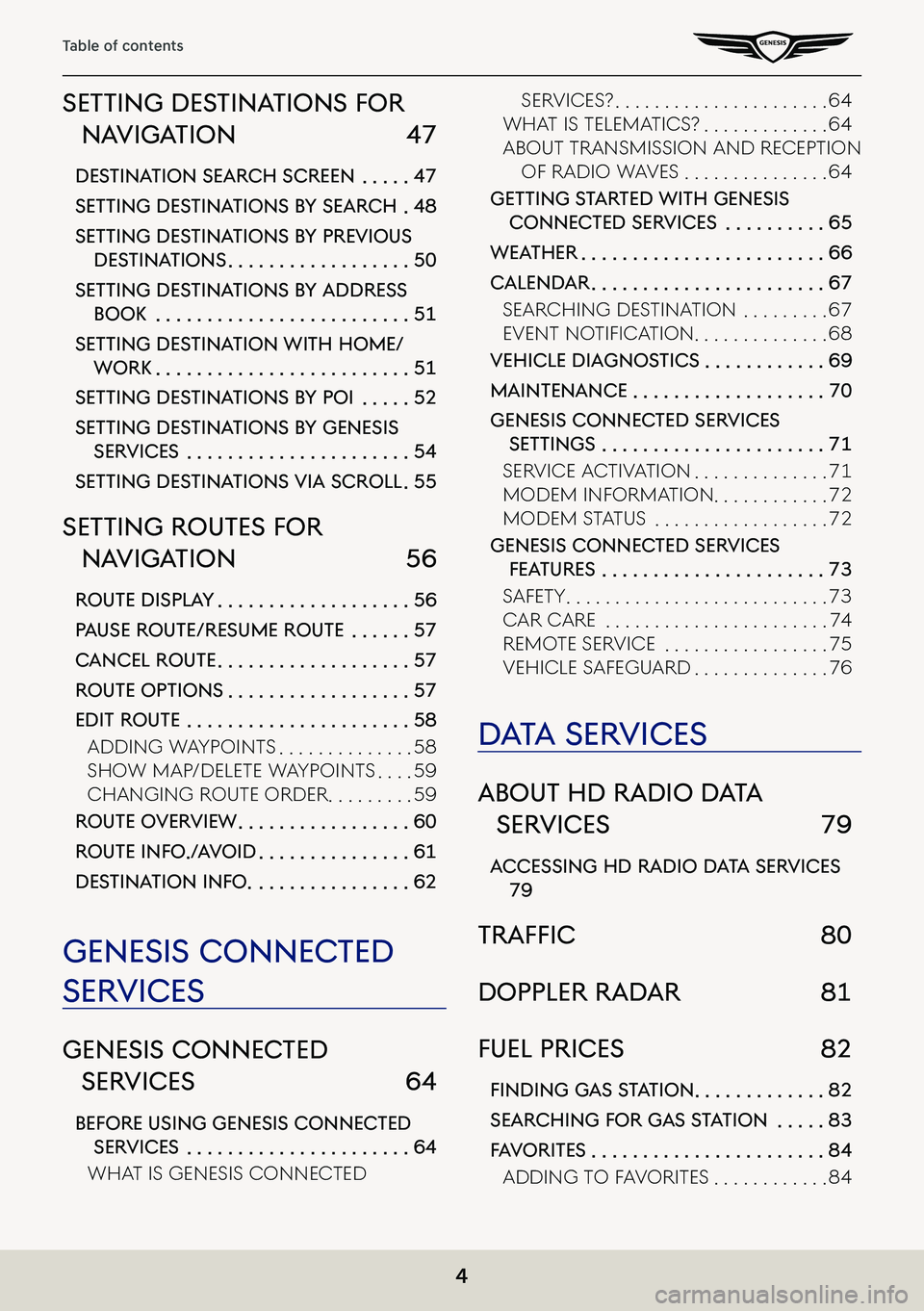
Table of contents
seTTing desTinaTions for
naViga Tion 47
desTina Tion search screen . . . . .47
seTTing des TinaTions b Y search .48
seTTing des TinaTions b Y preVious
desTina Tions . . . . . . . . . . . . . . . . . .50
seTTing des TinaTions b Y address
booK . . . . . . . . . . . . . . . . . . . . . . . . .51
seTTing des TinaTion wiTh home/
worK . . . . . . . . . . . . . . . . . . . . . . . . .51
seTTing des TinaTions b Y poi . . . . .52
seTTing des TinaTions b Y genesis
serVices . . . . . . . . . . . . . . . . . . . . . .54
seTTing des TinaTions Via scroll .55
seTTing rouTes for
naViga Tion 56
rouTe displa Y . . . . . . . . . . . . . . . . . . .56
pause rouTe/resume rouTe . . . . . .57
cancel rouTe . . . . . . . . . . . . . . . . . . .57
rouTe opTions . . . . . . . . . . . . . . . . . .57
ediT rouTe . . . . . . . . . . . . . . . . . . . . . .58
adding W aypoints . . . . . . . . . . . . . .58
shoW Map/delete W aypoints . . . .59
Changing Route oRdeR . . . . . . . . .59
rouTe oVerView . . . . . . . . . . . . . . . . .60
rouTe info ./ aVoid . . . . . . . . . . . . . . .61
des Tina Tion info . . . . . . . . . . . . . . . .62
genesis connec Ted
serVices
genesis connec Ted
serVices 64
before using genesis connec Ted
serVices . . . . . . . . . . . . . . . . . . . . . .64
What is genesis Conne Cted
seRViCes? . . . . . . . . . . . . . . . . . . . . . .64
What is teleMatiCs? . . . . . . . . . . . . .64
aBout tRansMission and Re Ception
oF Radio WaVes . . . . . . . . . . . . . . .64
geTTing sTarTed wiTh genesis
connec Ted serVices . . . . . . . . . .65
weaTher . . . . . . . . . . . . . . . . . . . . . . . .66
calendar . . . . . . . . . . . . . . . . . . . . . . .67
seaRChing destination . . . . . . . . .67
EvEnt notification . . . . . . . . . . . . . .68
Vehicle diagnos Tics . . . . . . . . . . . .69
mainTenance . . . . . . . . . . . . . . . . . . .70
genesis connecTed serVices
seTTings . . . . . . . . . . . . . . . . . . . . . .71
seRViCe aC tiVation . . . . . . . . . . . . . .71
ModeM inF oRMation . . . . . . . . . . . .72
ModeM status . . . . . . . . . . . . . . . . . .72
genesis connec Ted serVices
feaTures . . . . . . . . . . . . . . . . . . . . . .73
saFety . . . . . . . . . . . . . . . . . . . . . . . . . . .73
CaR CaRe . . . . . . . . . . . . . . . . . . . . . . .74
ReMote seRViCe . . . . . . . . . . . . . . . . .75
VehiCle s aFeguaRd . . . . . . . . . . . . . .76
daTa ser Vices
abouT hd radio d aTa
ser Vices 79
accessing hd radio d aTa ser Vices
79
traffiC 80
doppler radar 81
fuel prices 82
finding gaS Station . . . . . . . . . . . . .82
searching for gas s Ta Tion . . . . .83
fa V oriTes . . . . . . . . . . . . . . . . . . . . . . .84
adding to Fa VoRites . . . . . . . . . . . .84
Page 38 of 298
![GENESIS G80 2021 Premium Navigation Manual 38
Activating Navigation
home, worK, faV oriTe
Home, work or a frequently visited location can be saved/edited in or deleted from favorite.
sa Ving f aV oriTe
1. Press [Menu] > [Destination] > [Addres](/img/46/35613/w960_35613-37.png "GENESIS G80 2021 Premium Navigation Manual 38
Activating Navigation
home, worK, faV oriTe
Home, work or a frequently visited location can be saved/edited in or deleted from favorite.
sa Ving f aV oriTe
1. Press [Menu] > [Destination] > [Addres")
38
Activating Navigation
home, worK, faV oriTe
Home, work or a frequently visited location can be saved/edited in or deleted from favorite.
sa Ving f aV oriTe
1. Press [Menu] > [Destination] > [Address Book] > [Favorite Places] on the map screen.
2. Press a desired item.
3. Search the place to set home, work, or favorite 1 ~ 3.
4. When setting is completed, press [OK].
,no Te
䠐Press [Menu] > [Destination] > [Address Book] > [Favorite Places] to check home, office,
favorite 1 ~ 3.
䠐Reference "Setting Destinations by Address Book” for setting of home, office, favorite 1
~ 3.
Page 40 of 298
![GENESIS G80 2021 Premium Navigation Manual 40
Activating Navigation
deleTing faV oriTe
1. Press [Menu] > [Destination] > [Address Book] > [Favorite Places] > [Menu] > [Delete] on
the map screen.
2. Select the desired item, press [Delete].
ä](/img/46/35613/w960_35613-39.png "GENESIS G80 2021 Premium Navigation Manual 40
Activating Navigation
deleTing faV oriTe
1. Press [Menu] > [Destination] > [Address Book] > [Favorite Places] > [Menu] > [Delete] on
the map screen.
2. Select the desired item, press [Delete].
ä")
40
Activating Navigation
deleTing faV oriTe
1. Press [Menu] > [Destination] > [Address Book] > [Favorite Places] > [Menu] > [Delete] on
the map screen.
2. Select the desired item, press [Delete].
䠐[Mark All]: Selects all items.
䠐[Unmark All]: Unmarks all items.
䠐[Cancel]: Exits screen.
Page 44 of 298
![GENESIS G80 2021 Premium Navigation Manual 44
Activating Navigation
deleTing regisTered mY places
1. Press [Menu] > [Destination] > [Address Book] on the map screen.
2. Press [My places] on address book screen.
3. Press [Menu] > [Delete].
4. S](/img/46/35613/w960_35613-43.png "GENESIS G80 2021 Premium Navigation Manual 44
Activating Navigation
deleTing regisTered mY places
1. Press [Menu] > [Destination] > [Address Book] on the map screen.
2. Press [My places] on address book screen.
3. Press [Menu] > [Delete].
4. S")
44
Activating Navigation
deleTing regisTered mY places
1. Press [Menu] > [Destination] > [Address Book] on the map screen.
2. Press [My places] on address book screen.
3. Press [Menu] > [Delete].
4. Select the desired item, press [Delete].
䠐[Mark All]: Selects all items.
䠐[Unmark All]: Unmarks all items.
䠐[Cancel]: Exits screen.
Page 58 of 298

58
Setting Routes for Navigation
ediT rouTe
This feature allows you to travel through the searched routes by editing the current route.
Waypoints can be added/deleted/edited and the order can be changed.
adding waYpoinTs
Adds waypoint(s) after setting the destination. Up to 2 waypoints can be added.
If 2 waypoints have been added, add a new waypoint after deleting an added waypoint.
1. Press [Menu] > [Route] > [Edit Route] on the map screen.
Or press [Navigation Menu] > [Route] > [Edit Route] on the home screen.
2. Press [Add Waypoint].
3. Set a waypoint by using search menu.
4. Repeat Step 2 to 3 to add another waypoint.
5. Press [Recalculate].
6. Select desired route conditions.
Page 59 of 298
![GENESIS G80 2021 Premium Navigation Manual 59
Setting Routes for Navigation
show map/deleTe waYpoinTs
1. Press [Menu] > [Route] > [Edit Route] on the map screen.
Or press [Navigation Menu] > [Route] > [Edit Route] on the home screen.
2. After](/img/46/35613/w960_35613-58.png "GENESIS G80 2021 Premium Navigation Manual 59
Setting Routes for Navigation
show map/deleTe waYpoinTs
1. Press [Menu] > [Route] > [Edit Route] on the map screen.
Or press [Navigation Menu] > [Route] > [Edit Route] on the home screen.
2. After")
59
Setting Routes for Navigation
show map/deleTe waYpoinTs
1. Press [Menu] > [Route] > [Edit Route] on the map screen.
Or press [Navigation Menu] > [Route] > [Edit Route] on the home screen.
2. After pressing the waypoint or destination, press [Show Map] or [Delete].
changing rouTe order
In case of any added waypoint, the route order between the waypoints or between the
waypoint(s) and the destination can be changed.
1. Press [Menu] > [Route] > [Edit Route] on the map screen.
Or press [Navigation Menu] > [Route] > [Edit Route] on the home screen.
2. After pressing the waypoint or destination, press [Change Order].
3. Change the order by pressing and dragging up/down the waypoint or destination.
4. Press [Recalculate].
5. Select desired route conditions.