lane assist GENESIS G90 2017 User Guide
[x] Cancel search | Manufacturer: GENESIS, Model Year: 2017, Model line: G90, Model: GENESIS G90 2017Pages: 524, PDF Size: 19.3 MB
Page 262 of 524

Before Driving ........................................................................\
......5-5
Before Entering the Vehicle......................................................................5-\
5
Before Starting ........................................................................\
.....................5-5
Engine Start/Stop Button ........................................................................\
..5-7
Automatic Transmission ............................................................5-11
Automatic Transmission Operation .......................................................5-11
LCD Display Messages........................................................................\
......5-17
Good Driving Practices ........................................................................\
.....5-19
All Wheel Drive (AWD) ..............................................................5-21
Using All Wheel Drive (AWD) ..................................................................5-21
Emergency Precautions ........................................................................\
...5-23
Braking System ........................................................................\
..5-25
Power Brakes........................................................................\
......................5-25
Disc Brakes Wear Indicator.....................................................................5-2\
6
Electronic Parking Brake (EPB) .............................................................5-26
Auto Hold ........................................................................\
.............................5-31
Anti-lock Brake System (ABS) ...............................................................5-35
Electronic Stability Control (ESC) ..........................................................5-37
Vehicle Stability Management (VSM) ...................................................5-40
Hill-Start Assist Control (HAC) ...............................................................5-41
Good Braking Practices.................................................................\
...........5-42
Genesis Adaptive Control Suspension.....................................5-43
Electronic Control Suspension (ECS) ....................................................5-43
Dynamic Stability Damping Control (DSDC) ........................................5-43
Drive Mode Integrated Control System ..................................5-44
Blind Spot Detection System (BSD) ........................................5-49
Blind Spot Detection (BSD) / Lane Change Assist (LCA) ................5-50
Rear Cross Traffic Alert (RCTA) .............................................................5-53
Limitations of the System .......................................................................5\
-56
Smart Blind Spot Detection System (SBSD) ..........................5-57
Limitations of the System .......................................................................5\
-58
5
D Dr
ri
iv
v i
in
n g
g
y
y o
o u
ur
r
v
v e
e h
h i
ic
c l
le
e
Page 263 of 524

5
Automatic Emergency Braking (AEB) .....................................5-61
System Setting and Activation ...............................................................5-61
AEB Warning Message and System Control .......................................5-63
AEB Front Radar Sensor ........................................................................\
.5-65
System Malfunction ........................................................................\
..........5-66
Limitations of the System .......................................................................5\
-68
Lane Keeping Assist System (LKAS) .......................................5-72
LKAS Operation ........................................................................\
..................5-73
Warning light and message .....................................................................5-7\
7
LKAS Function Change ........................................................................\
.....5-78
Limitations of the System .......................................................................5\
-79
Advanced Smart Cruise Control System (ASCC) ...................5-80
To Adjust the Sensitivity of Smart Cruise Control ............................5-81
To Convert to Cruise Control Mode ......................................................5-82
Smart Cruise Control Speed ....................................................................5-83\
Smart Cruise Control Vehicle-to-Vehicle Distance ...........................5-88
Front Radar Sensor........................................................................\
...........5-91
Limitations of the System .......................................................................5\
-92
Driver Attention Alert system (DAA) ......................................5-97
System Setting and Activation ...............................................................5-97
Resetting the System........................................................................\
........5-99
System Disabled ........................................................................\
.................5-99
System Malfunction ........................................................................\
........5-100
Special Driving Conditions ......................................................5-102
Hazardous Driving Conditions ..............................................................5-102
Rocking the Vehicle ........................................................................\
........5-102
Smooth Cornering ........................................................................\
...........5-103
Driving at Night ........................................................................\
................5-103
Driving in the Rain........................................................................\
...........5-103
Driving in Flooded Areas .......................................................................5\
-104
Highway Driving ........................................................................\
...............5-104
Page 310 of 524

5-49
05
The Blind Spot Detection System
(BSD) uses radar sensors in the rear
bumper to monitor and warn the driv-
er of an approaching vehicle in the
driver's blind spot area.
The system monitors the rear area of
the vehicle and provides information
to the driver with an audible alert and
an indicator on the outer side view
mirrors.
(1) BSD (Blind Spot Detection)The blind spot detection range
varies relative to vehicle speed.
Note that if your vehicle is travel-
ing much faster than the vehicles
around you, the warning will not
occur.
(2) LCA (Lane Change Assist) The Lane Change Assist feature
will alert you when a vehicle is
approaching in an adjacent lane
at a high rate of speed. If the driv-
er activates the turn signal when
the system detects an oncoming
vehicle, the system sounds an
audible alert. (3) RCTA (Rear Cross Traffic Alert)
The Rear Cross Traffic Alert fea-
ture monitors approaching cross
traffic from the left and right side
of the vehicle when your vehicle is
in reverse. The feature will operate
when the vehicle is moving in
reverse below about 6 mph (10
km/h). If oncoming cross traffic is
detected a warning chime will
sound.
B BL
LI
IN
N D
D
S
S P
P O
O T
T
D
D E
ET
T E
EC
CT
T I
IO
O N
N
S
S Y
Y S
ST
T E
EM
M
(
( B
B S
SD
D )
)
(
( I
IF
F
E
E Q
Q U
UI
IP
P P
PE
ED
D )
)
OHI056206
Blind spot area
Closing at high speed
Always be aware of road con-
ditions while driving and be
alert for unexpected situa-
tions even though the Blind
Spot Detection System is
operating.
The Blind Spot Detection System (BSD) is a supplemen-
tal system to assist you. Do
not entirely rely on the sys-
tem. Always pay attention,
while driving, for your safety.
The Blind Spot Detection System (BSD) is not a substi-
tute for proper and safe driv-
ing. Always drive safely and
use caution when changing
lanes or backing up the vehi-
cle. The Blind Spot Detection
System (BSD) may not detect
every object alongside the
vehicle.
WARNING
Page 311 of 524

5-50
Driving your vehicle
Blind Spot Detection (BSD) /
Lane Change Assist (LCA)
Operating conditions
To operate:
Press the BSD switch with the
Engine Start/Stop button in the ON
position.
The indicator on the BSD switch will
illuminate.
To cancel:
Press the BSD switch again. The
indicator on the switch will go off.
Information
• If the Engine Start/Stop button ispressed OFF and then ON again, the
BSD system returns to the previous
state.
• When the system is turned on, the warning light will illuminate for 3
seconds on the outer side view mir-
ror. The system will activate when:
1. The system is on.
2. The vehicle speed is above about
20 mph (30 km/h).
3. An oncoming vehicle is detected in the blind spot area.
The initial warning alert time for the Lane Change Assist can be adjust-
ed. Go to the 'User Settings →
Driving Assist and select Lane
Change Assist' on the LCD display.
You may select between the two
stages you prefer.
- Normal/Late
First stage alert
If a vehicle is detected within the
boundary of the system, a warning
light will illuminate on the outer side
view mirror and the head-up display
(if equipped).
Once the detected vehicle is no
longer within the blind spot area, the
warning will turn off according to the
driving conditions of the vehicle.
i
OHI056063
OHI056064
■ Left side
■Right side
Page 333 of 524
5-72
Driving your vehicle
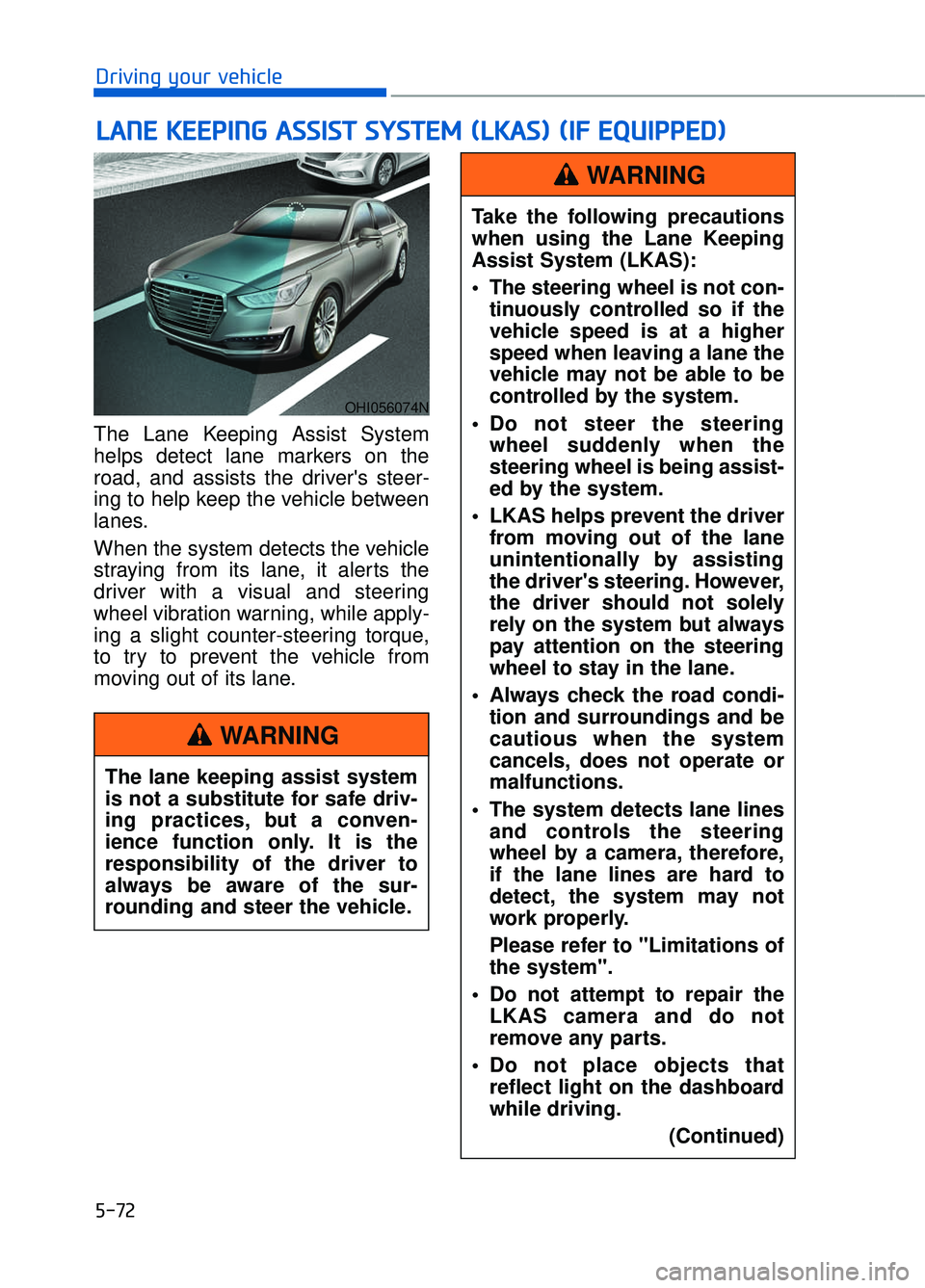
The Lane Keeping Assist System
helps detect lane markers on the
road, and assists the driver's steer-
ing to help keep the vehicle between
lanes.
When the system detects the vehicle
straying from its lane, it alerts the
driver with a visual and steering
wheel vibration warning, while apply-
ing a slight counter-steering torque,
to try to prevent the vehicle from
moving out of its lane.
L L A
A N
N E
E
K
K E
EE
EP
P I
IN
N G
G
A
A S
SS
SI
IS
S T
T
S
S Y
Y S
ST
T E
EM
M
(
( L
L K
K A
A S
S)
)
(
( I
IF
F
E
E Q
Q U
UI
IP
P P
PE
ED
D )
)
OHI056074N
The lane keeping assist system
is not a substitute for safe driv-
ing practices, but a conven-
ience function only. It is the
responsibility of the driver to
always be aware of the sur-
rounding and steer the vehicle.
WARNING
Take the following precautions
when using the Lane Keeping
Assist System (LKAS):
The steering wheel is not con-
tinuously controlled so if the
vehicle speed is at a higher
speed when leaving a lane the
vehicle may not be able to be
controlled by the system.
Do not steer the steering wheel suddenly when the
steering wheel is being assist-
ed by the system.
LKAS helps prevent the driver from moving out of the lane
unintentionally by assisting
the driver's steering. However,
the driver should not solely
rely on the system but always
pay attention on the steering
wheel to stay in the lane.
Always check the road condi- tion and surroundings and be
cautious when the system
cancels, does not operate or
malfunctions.
The system detects lane lines and controls the steering
wheel by a camera, therefore,
if the lane lines are hard to
detect, the system may not
work properly.
Please refer to "Limitations of
the system".
Do not attempt to repair the LKAS camera and do not
remove any parts.
Do not place objects that reflect light on the dashboard
while driving.
(Continued)
WARNING
Page 335 of 524

5-74
Driving your vehicle
LKAS activation
The LKAS screen will appear onthe SCC/LKAS screen of the LCD
display if the system is activated.
When both lane lines are detected and all the conditions to activate
the LKAS are satisfied, a green
steering wheel indicator will illumi-
nate and the LKAS indicator light
will change from white to green.
This indicates that the LKAS sys-
tem is in the ENABLED state and
the steering wheel will be able to
be controlled. If the system detects a lane line,
the color changes from gray to
white.
If the system detects the left lane line, the left lane line color will
change from gray to white.
If the system detects the right lane line, the right lane line color will
change from gray to white.
Both lane lines must be detected for the system to fully activate.
OHI056101L
The Lane Keeping Assist
System is a system to prevent
the driver from leaving the lane.
However, the driver should not
solely rely on the system but
always check the road condi-
tions when driving.
WARNING
OHI056104L
OHI056105L
■ Lane line undetected
■Lane line detected
Page 338 of 524

5-77
05
Information
• Even though the steering is assistedby the system, the driver can still
steer to control the steering wheel.
• The steering wheel may feel heavier when the steering wheel is assisted
by the system than when it is not.
The LKAS system will not be in the
ENABLED state and the steering
wheel will not be assisted when:
Vehicle speed is below 40 mph (64 km/h) and over 110 mph (177
km/h).
Only one lane line is detected.
The turn signal is turned on before changing a lane. If you change
lanes without the turn signal on, the
steering wheel might be controlled.
The hazard warning flasher is on.
The width of the lane is below 10 feet (3.1 m) and over 15 feet
(4.5 m).
ESC (Electronic Stability Control) or VSM (Vehicle Stability Management)
is activated.
The vehicle is driven on a sharp curve.
The vehicle brakes suddenly.
The vehicle makes sharp lane changes.
There are more than two lane lines on the road. (e.g. construction area)
The vehicle is driven on a steep incline.
Information
When the system is turned on or right
after changing a lane, drive in the
middle of the lane. If not, the system
will not provide steering assist func-
tion.
Warning light and message
Check LKAS
If there is a problem with the system
a message will appear for a few sec-
onds. If the problem continues the
LKAS failure indicator will illuminate.
LKAS failure indicator
The LKAS failure indica-
tor (yellow) will illuminate
if the LKAS is not working
properly. Have your vehi-
cle checked by an authorized Dealer
of Genesis Brand Products.
When there is a problem with the
system do one of the following:
Turn the system on after turning the engine off and on again.
Check if the Engine Start/Stop but- ton is in the ON position.
Check if the system is affected by the weather. (ex: fog, heavy rain,
etc.)
Check if there is foreign matter on the windshield glass in front of the
camera lens.
If the problem is not solved, have your
vehicle checked by an authorized
Dealer of Genesis Brand Products.
i
i
OHI056117L
Page 362 of 524
5-101
05
The Driver Attention Alert sys-
tem may not properly operate
with limited alerting in the fol-
lowing situations:
The lane detection perform-ance is limited. (For more infor-
mation, refer to "Lane Keeping
Assist System (LKAS)" in this
chapter.)
The vehicle is violently driven or is abruptly turned for obsta-
cle avoidance (e.g. construc-
tion area, other vehicles, fallen
objects, bumpy road).
Forward drivability of the vehi- cle is severely undermined
(possibly due to wide variation
in tire pressures, uneven tire
wear-out, toe-in/toe-out align-
ment).
The vehicle drives on a curvy road.
The vehicle drives on a bumpy road.
The vehicle drives through a windy area.
The vehicle is controlled by the following driving assist sys-
tems:
- Lane Keeping Assist System(LKAS)
- Smart Blind Spot Detection System
- Automatic Emergency Braking (AEB) System
CAUTION
Page 378 of 524

If the Engine Stalls While
Driving
Reduce your speed gradually,keeping a straight line. Move cau-
tiously off the road to a safe place.
Turn on your hazard warning flash- er.
Try to start the engine again. If your vehicle will not start, contact an
authorized Dealer of Genesis
Brand Products or seek other qual-
ified assistance.
If the Engine Stalls at a
Crossroad or Crossing
If the engine stalls at a crossroad or
crossing, if safe to do so, move the
shift lever to the N (Neutral) position
and then push the vehicle to a safe
location.
If you Have a Flat Tire While
Driving
If a tire goes flat while you are driv-
ing:
Take your foot off the acceleratorpedal and let the vehicle slow
down while driving straight ahead.
Do not apply the brakes immedi-
ately or attempt to pull off the road
as this may cause loss of vehicle
control resulting in an accident.
When the vehicle has slowed to
such a speed that it is safe to do
so, brake carefully and pull off the
road. Drive off the road as far as
possible and park on firm, level
ground. If you are on a divided
highway, do not park in the median
area between the two traffic lanes.
When the vehicle is stopped, press the hazard warning flasher button,
move the shift lever into P(Park),
and apply the parking brake, and
place the Engine Start/Stop button
in the OFF position.
Have all passengers get out of the vehicle. Be sure they all get out on
the side of the vehicle that is away
from traffic.
When changing a flat tire, follow the instructions provided later in
this chapter.
I IN
N
C
C A
A S
SE
E
O
O F
F
A
A N
N
E
E M
M E
ER
R G
G E
EN
N C
CY
Y
W
W H
HI
IL
L E
E
D
D R
RI
IV
V I
IN
N G
G
6-3
06
Page 467 of 524

7-65
07
Instrument panel fuse panel
Fuse name Fuse rating Circuit protected
MODULE5 10AStop Lamp Switch, Driver/Passenger Door Module
MODULE7 10A
Electro Chromic Mirror, A/V & Navigation Head Unit, AMP,
A/C Control Module, Front A/C Controller, Air Quality
Sensor, Rear Seat Warmer Control Module LH/RH Head
Lamp LH/RH Driver/Passenger CCS Module
Rear CCS Module LH/RH, Driver/Passenger IMS Control
Module, Rear IMS Control Module LH/RH, Rear Seat
Console Switch
IBU3 10AIBU Control Module
E-SHIFTER2 10AElectronic ATM Shift Lever
MEMORY1 10A
Security Indicator, A/C Control Module, Front A/C Controller,
Instrument Cluster, Driver/Passenger IMS Control Module,
Rear IMS Control Module LH/RH, Head-Up Display, Analog
Clock
Driver/Passenger Seat Control Switch, Power Trunk Module,
Rear Seat Control Switch LH/RHM Driver/Passenger Smart
Key, Outside Handle Rear Smart Key Outside Handle
LH/RH
RR LH2P/SEAT25ARear IMS Control Module LH
DRIVER
P/SEAT225ADriver IMS Control Module
P/WINDOW RH30APassenger Power Window Module
Rear Power Window Module RH
MODULE 610A
Crash Pad Switch, Blind Spot Detection Radar LH/RH ECS
Unit, Electric Parking Brake Module, Lane Keeping Assist
Module, Front Console Switch, Steering Tilt & Telescopic
Module
MODULE 10 10ACooling Fan Controller (BLDC), Rear Seat Console Switch,
Around View Unit, Parking Guide Unit
MODULE3 10AGATEWAY (B+ (MCU)), Data Link Connector, Hazard
Switch
SUNROOF 25ASunroof Motor
PASSENGER P/SEAT2 25APassenger IMS Control Module