steering wheel GENESIS G90 2017 User Guide
[x] Cancel search | Manufacturer: GENESIS, Model Year: 2017, Model line: G90, Model: GENESIS G90 2017Pages: 524, PDF Size: 19.3 MB
Page 100 of 524
2-80
Safety system of your vehicle
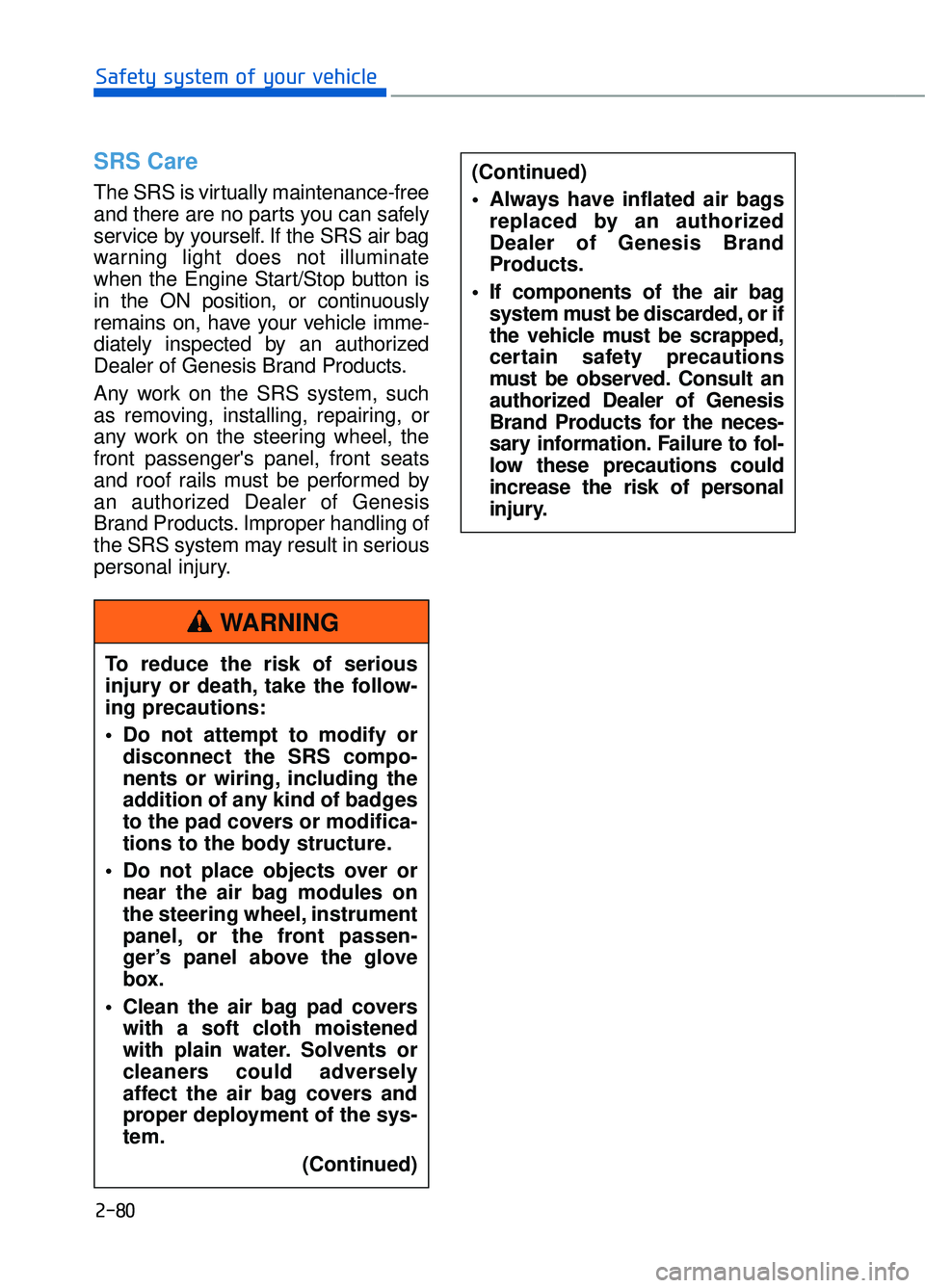
SRS Care
The SRS is virtually maintenance-free
and there are no parts you can safely
service by yourself. If the SRS air bag
warning light does not illuminate
when the Engine Start/Stop button is
in the ON position, or continuously
remains on, have your vehicle imme-
diately inspected by an authorized
Dealer of Genesis Brand Products.
Any work on the SRS system, such
as removing, installing, repairing, or
any work on the steering wheel, the
front passenger's panel, front seats
and roof rails must be performed by
an authorized Dealer of Genesis
Brand Products. Improper handling of
the SRS system may result in serious
personal injury.To reduce the risk of serious
injury or death, take the follow-
ing precautions:
Do not attempt to modify or disconnect the SRS compo-
nents or wiring, including the
addition of any kind of badges
to the pad covers or modifica-
tions to the body structure.
Do not place objects over or near the air bag modules on
the steering wheel, instrument
panel, or the front passen-
ger’s panel above the glove
box.
Clean the air bag pad covers with a soft cloth moistened
with plain water. Solvents or
cleaners could adversely
affect the air bag covers and
proper deployment of the sys-
tem.
(Continued)
WARNING
(Continued)
Always have inflated air bagsreplaced by an authorized
Dealer of Genesis Brand
Products.
If components of the air bag system must be discarded, or if
the vehicle must be scrapped,
certain safety precautions
must be observed. Consult an
authorized Dealer of Genesis
Brand Products for the neces-
sary information. Failure to fol-
low these precautions could
increase the risk of personal
injury.
Page 103 of 524

Accessing Your Vehicle ...............................................................3-4
Smart Key ........................................................................\
..............................3-4
Door Locks ........................................................................\
............3-9
Outside the Vehicle ........................................................................\
.............3-9
Inside the Vehicle........................................................................\
...............3-11
Auto Door Lock/Unlock Features .........................................................3-13
Child-Protector Rear Door locks ...........................................................3-13
Theft-Alarm System ..................................................................3-14
Seat Position Memory System .................................................3-15
Easy Access Function........................................................................\
.......3-16
Steering Wheel ........................................................................\
...3-17
Motor-Driven Power Steering (MDPS) ................................................3-17
Tilt Steering / Telescope Steering ........................................................3-18
Heated Steering Wheel ........................................................................\
....3-18
Horn ........................................................................\
......................................3-19
Mirrors ........................................................................\
.................3-20
Inside Rearview Mirror ........................................................................\
.....3-20
Side View Mirrors ........................................................................\
..............3-37
Reverse Parking Aid Function ................................................................3-39
Windows ........................................................................\
..............3-40
Sunroof ........................................................................\
................3-44
Sunroof opening and closing.................................................\
.................3-44
Tilting the Sunroof ........................................................................\
............3-45
Sunshade........................................................................\
..............................3-46
Resetting the Sunroof ........................................................................\
......3-46
Hood ........................................................................\
.....................3-47
Opening the Hood ........................................................................\
.............3-47
Closing the Hood........................................................................\
................3-47
Trunk ........................................................................\
....................3-48
Non-Powered Trunk ........................................................................\
.........3-48
Power Trunk........................................................................\
........................3-49
Emergency Trunk Safety Release .........................................................3-53
3
C Co
on
nv
ve
e n
n i
ie
e n
n t
t
f
f e
e a
at
tu
u r
re
e s
s
o
o f
f
y
y o
o u
ur
r
v
v e
e h
h i
ic
c l
le
e
Page 117 of 524
3-15
03
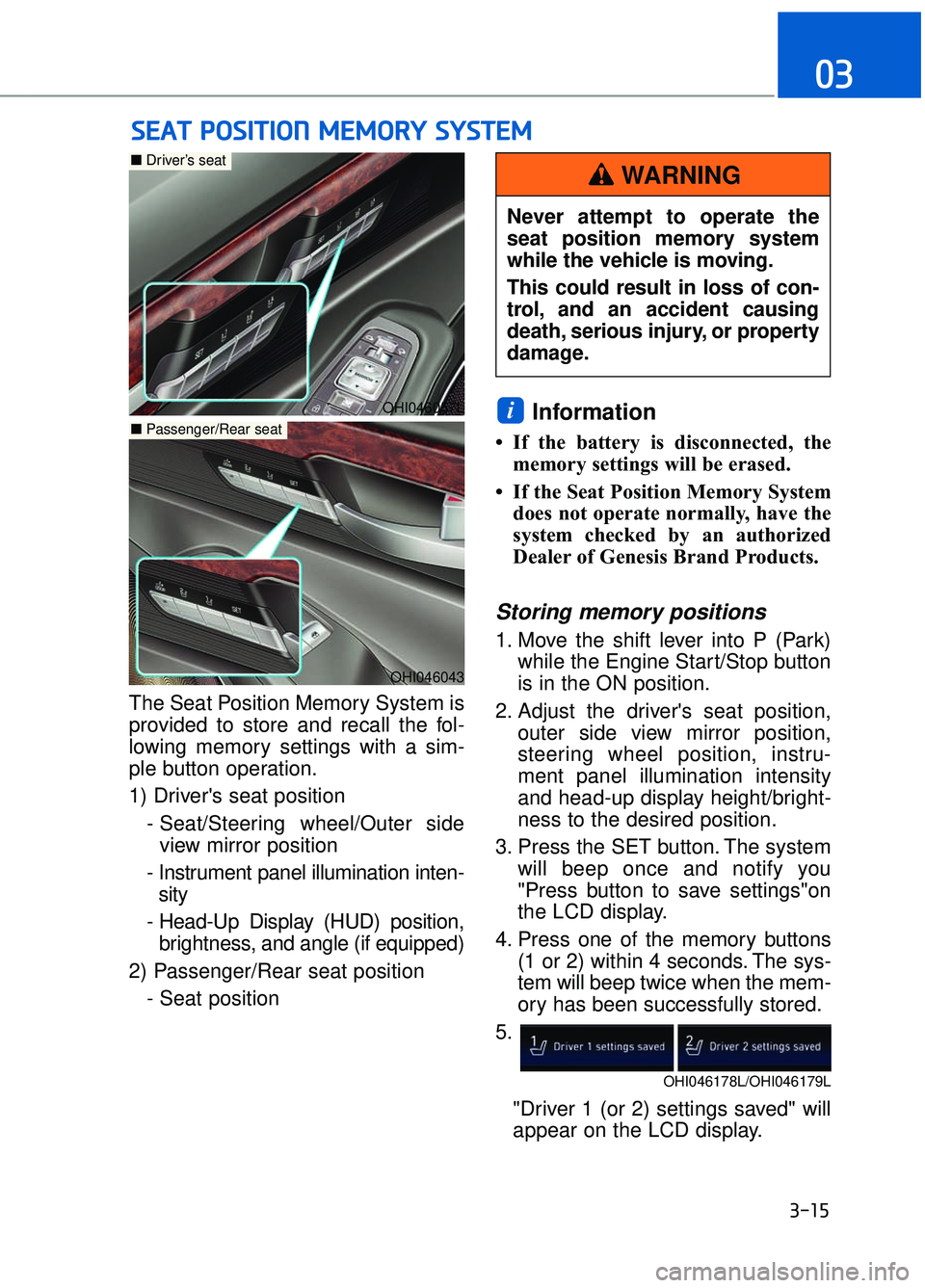
The Seat Position Memory System is
provided to store and recall the fol-
lowing memory settings with a sim-
ple button operation.
1) Driver's seat position- Seat/Steering wheel/Outer sideview mirror position
- Instrument panel illumination inten- sity
- Head-Up Display (HUD) position, brightness, and angle (if equipped)
2) Passenger/Rear seat position - Seat position
Information
• If the battery is disconnected, thememory settings will be erased.
• If the Seat Position Memory System does not operate normally, have the
system checked by an authorized
Dealer of Genesis Brand Products.
Storing memory positions
1. Move the shift lever into P (Park) while the Engine Start/Stop button
is in the ON position.
2. Adjust the driver's seat position, outer side view mirror position,
steering wheel position, instru-
ment panel illumination intensity
and head-up display height/bright-
ness to the desired position.
3. Press the SET button. The system will beep once and notify you
"Press button to save settings"on
the LCD display.
4. Press one of the memory buttons (1 or 2) within 4 seconds. The sys-
tem will beep twice when the mem-
ory has been successfully stored.
5.
"Driver 1 (or 2) settings saved" will
appear on the LCD display.
i
S SE
E A
A T
T
P
P O
O S
SI
IT
T I
IO
O N
N
M
M E
EM
M O
OR
RY
Y
S
S Y
Y S
ST
T E
EM
M
OHI046057L
■ Driver’s seat
OHI046043
■Passenger/Rear seat
Never attempt to operate the
seat position memory system
while the vehicle is moving.
This could result in loss of con-
trol, and an accident causing
death, serious injury, or property
damage.
WARNING
OHI046178L/OHI046179L
Page 118 of 524
3-16
Convenient features of your vehicle
Information
Only the driver's seat position memo-
ry appears on the LCD display.
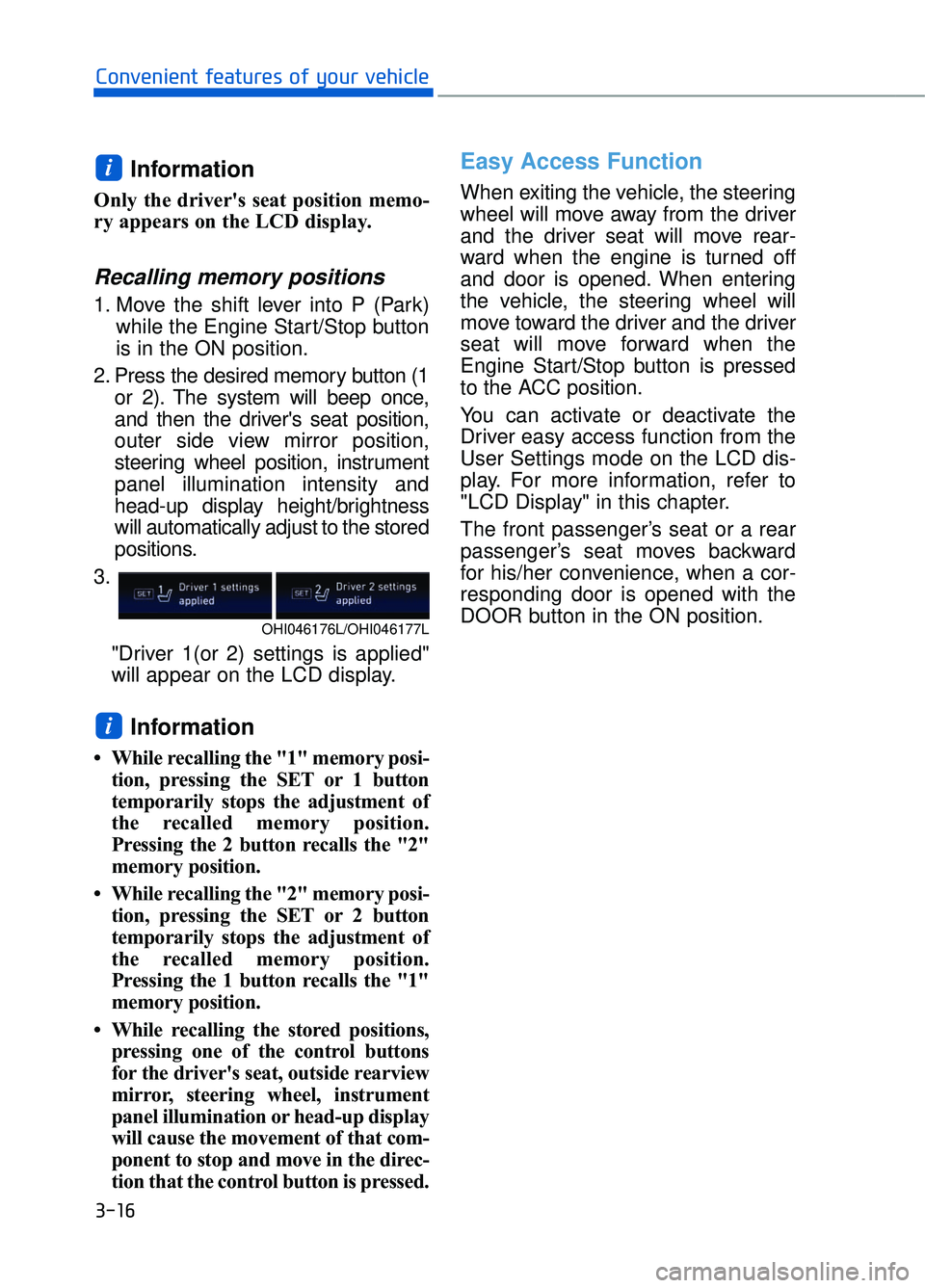
Recalling memory positions
1. Move the shift lever into P (Park)while the Engine Start/Stop button
is in the ON position.
2. Press the desired memory button (1 or 2). The system will beep once,
and then the driver's seat position,
outer side view mirror position,
steering wheel position, instrument
panel illumination intensity and
head-up display height/brightness
will automatically adjust to the stored
positions.
3.
"Driver 1(or 2) settings is applied"
will appear on the LCD display.
Information
• While recalling the "1" memory posi-tion, pressing the SET or 1 button
temporarily stops the adjustment of
the recalled memory position.
Pressing the 2 button recalls the "2"
memory position.
• While recalling the "2" memory posi- tion, pressing the SET or 2 button
temporarily stops the adjustment of
the recalled memory position.
Pressing the 1 button recalls the "1"
memory position.
• While recalling the stored positions, pressing one of the control buttons
for the driver's seat, outside rearview
mirror, steering wheel, instrument
panel illumination or head-up display
will cause the movement of that com-
ponent to stop and move in the direc-
tion that the control button is pressed.
Easy Access Function
When exiting the vehicle, the steering
wheel will move away from the driver
and the driver seat will move rear-
ward when the engine is turned off
and door is opened. When entering
the vehicle, the steering wheel will
move toward the driver and the driver
seat will move forward when the
Engine Start/Stop button is pressed
to the ACC position.
You can activate or deactivate the
Driver easy access function from the
User Settings mode on the LCD dis-
play. For more information, refer to
"LCD Display" in this chapter.
The front passenger’s seat or a rear
passenger’s seat moves backward
for his/her convenience, when a cor-
responding door is opened with the
DOOR button in the ON position.
i
i
OHI046176L/OHI046177L
Page 119 of 524
3-17
03
S
ST
T E
EE
ER
R I
IN
N G
G
W
W H
HE
EE
EL
L
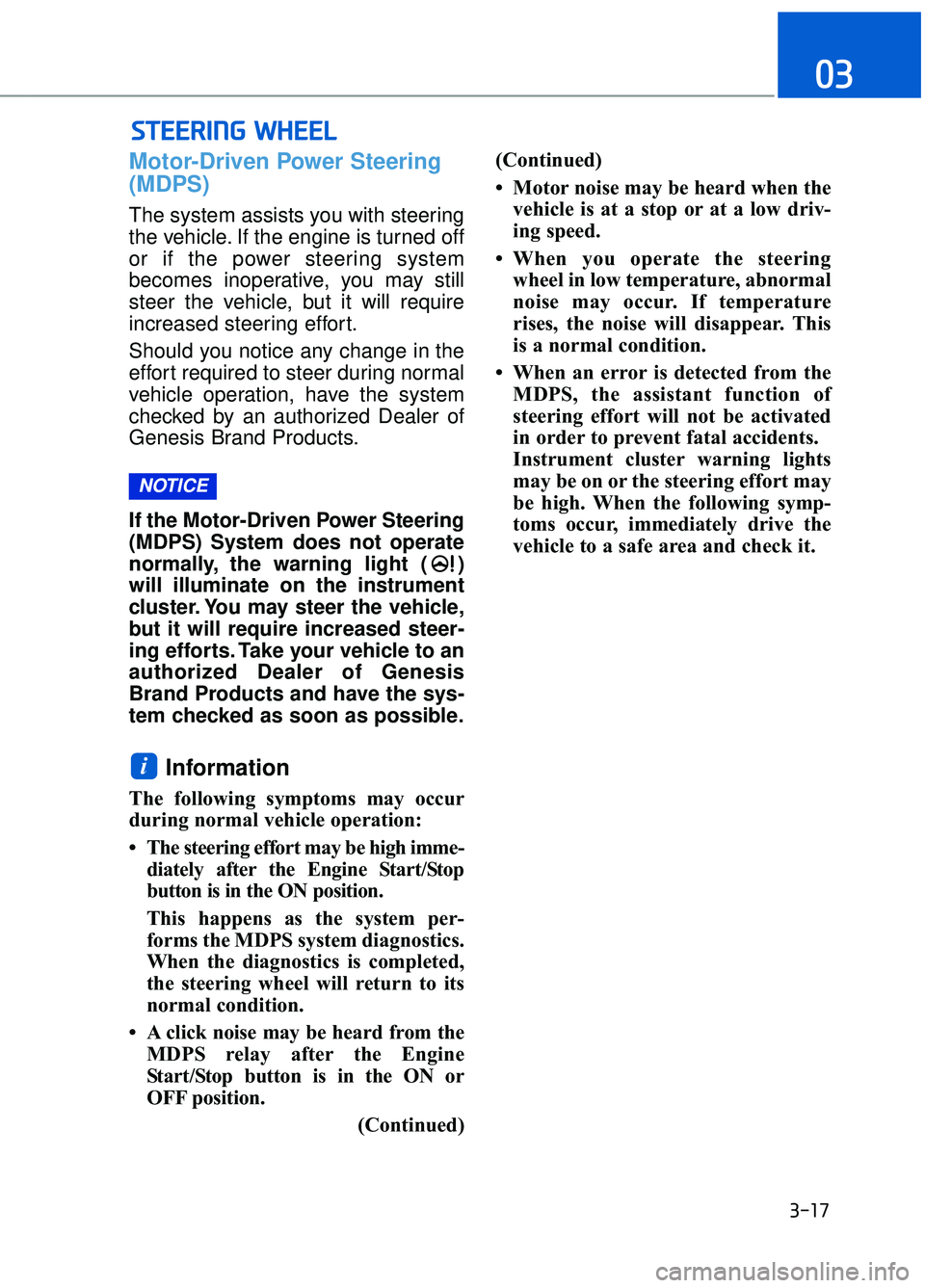
Motor-Driven Power Steering
(MDPS)
The system assists you with steering
the vehicle. If the engine is turned off
or if the power steering system
becomes inoperative, you may still
steer the vehicle, but it will require
increased steering effort.
Should you notice any change in the
effort required to steer during normal
vehicle operation, have the system
checked by an authorized Dealer of
Genesis Brand Products.
If the Motor-Driven Power Steering
(MDPS) System does not operate
normally, the warning light ( )
will illuminate on the instrument
cluster. You may steer the vehicle,
but it will require increased steer-
ing efforts. Take your vehicle to an
authorized Dealer of Genesis
Brand Products and have the sys-
tem checked as soon as possible.
Information
The following symptoms may occur
during normal vehicle operation:
• The steering effort may be high imme-
diately after the Engine Start/Stop
button is in the ON position.
This happens as the system per-
forms the MDPS system diagnostics.
When the diagnostics is completed,
the steering wheel will return to its
normal condition.
• A click noise may be heard from the MDPS relay after the Engine
Start/Stop button is in the ON or
OFF position.
(Continued)(Continued)
• Motor noise may be heard when the
vehicle is at a stop or at a low driv-
ing speed.
• When you operate the steering wheel in low temperature, abnormal
noise may occur. If temperature
rises, the noise will disappear. This
is a normal condition.
• When an error is detected from the MDPS, the assistant function of
steering effort will not be activated
in order to prevent fatal accidents.
Instrument cluster warning lights
may be on or the steering effort may
be high. When the following symp-
toms occur, immediately drive the
vehicle to a safe area and check it.
i
NOTICE
Page 120 of 524
3-18
Convenient features of your vehicle
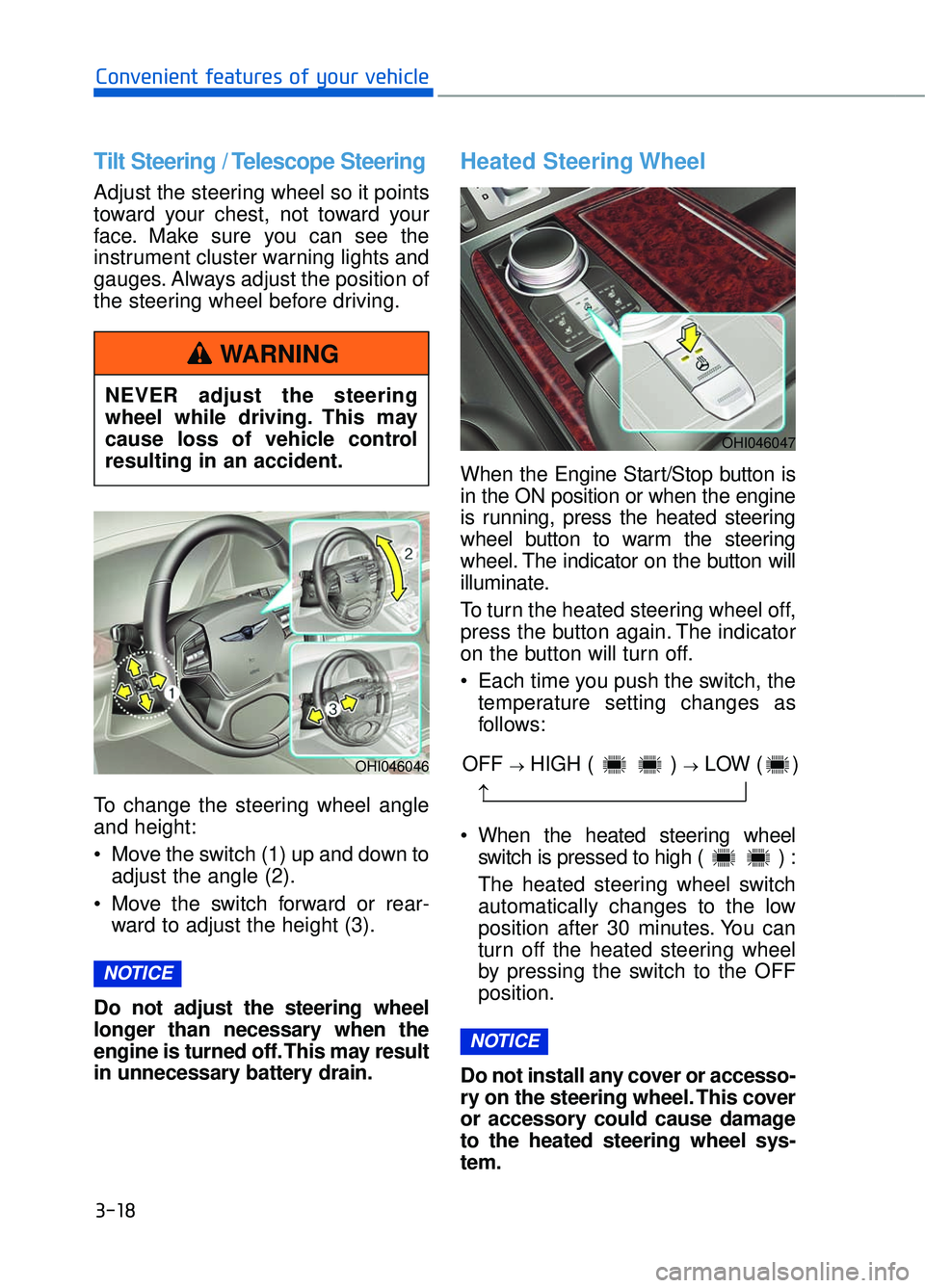
Tilt Steering / Telescope Steering
Adjust the steering wheel so it points
toward your chest, not toward your
face. Make sure you can see the
instrument cluster warning lights and
gauges. Always adjust the position of
the steering wheel before driving.
To change the steering wheel angle
and height:
Move the switch (1) up and down toadjust the angle (2).
Move the switch forward or rear- ward to adjust the height (3).
Do not adjust the steering wheel
longer than necessary when the
engine is turned off. This may result
in unnecessary battery drain.
Heated Steering Wheel
When the Engine Start/Stop button is
in the ON position or when the engine
is running, press the heated steering
wheel button to warm the steering
wheel. The indicator on the button will
illuminate.
To turn the heated steering wheel off,
press the button again. The indicator
on the button will turn off.
Each time you push the switch, the temperature setting changes as
follows:
When the heated steering wheel switch is pressed to high ( ) :
The heated steering wheel switch
automatically changes to the low
position after 30 minutes. You can
turn off the heated steering wheel
by pressing the switch to the OFF
position.
Do not install any cover or accesso-
ry on the steering wheel. This cover
or accessory could cause damage
to the heated steering wheel sys-
tem.
NOTICE
NOTICE
OHI046046
NEVER adjust the steering
wheel while driving. This may
cause loss of vehicle control
resulting in an accident.
WARNING
OHI046047
OFF →HIGH ( ) →LOW ( )
→
Page 121 of 524
3-19
03
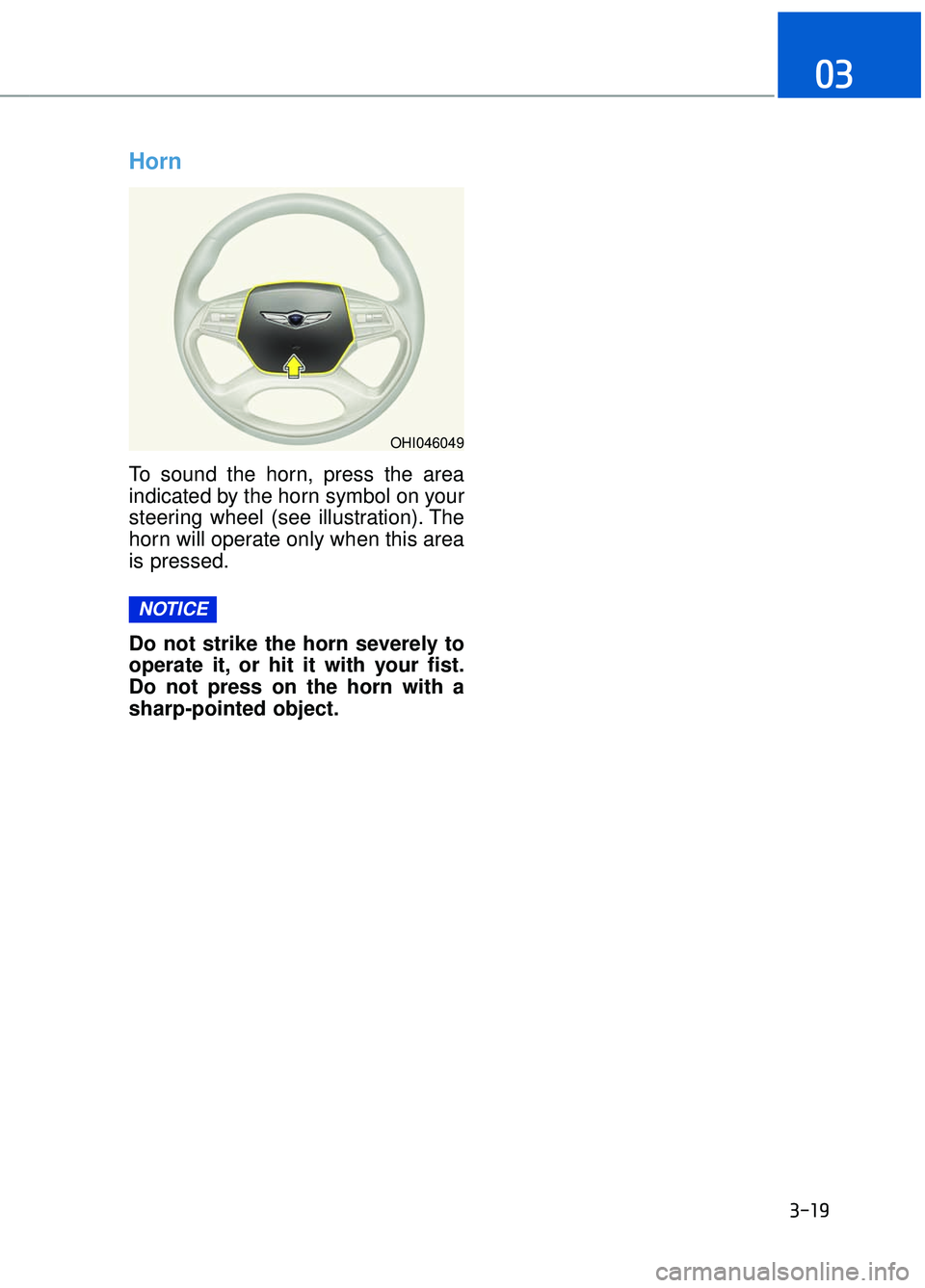
Horn
To sound the horn, press the area
indicated by the horn symbol on your
steering wheel (see illustration). The
horn will operate only when this area
is pressed.
Do not strike the horn severely to
operate it, or hit it with your fist.
Do not press on the horn with a
sharp-pointed object.
NOTICE
OHI046049
Page 180 of 524
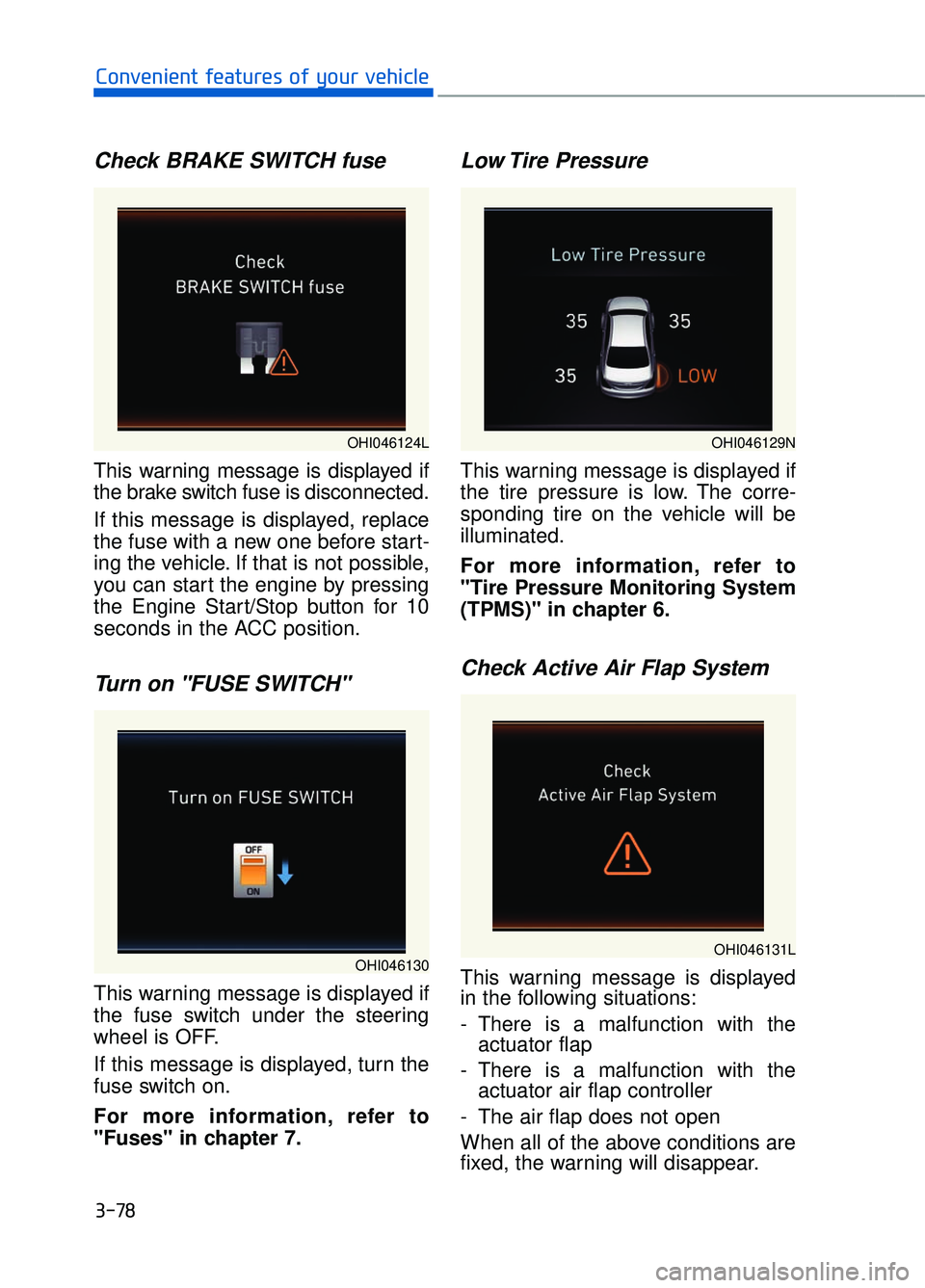
Check BRAKE SWITCH fuse
This warning message is displayed if
the brake switch fuse is disconnected.
If this message is displayed, replace
the fuse with a new one before start-
ing the vehicle. If that is not possible,
you can start the engine by pressing
the Engine Start/Stop button for 10
seconds in the ACC position.
Turn on "FUSE SWITCH"
This warning message is displayed if
the fuse switch under the steering
wheel is OFF.
If this message is displayed, turn the
fuse switch on.
For more information, refer to
"Fuses" in chapter 7.
Low Tire Pressure
This warning message is displayed if
the tire pressure is low. The corre-
sponding tire on the vehicle will be
illuminated.
For more information, refer to
"Tire Pressure Monitoring System
(TPMS)" in chapter 6.
Check Active Air Flap System
This warning message is displayed
in the following situations:
- There is a malfunction with theactuator flap
- There is a malfunction with the actuator air flap controller
- The air flap does not open
When all of the above conditions are
fixed, the warning will disappear.
3-78
Convenient features of your vehicle
OHI046130
OHI046129N
OHI046131L
OHI046124L
Page 184 of 524
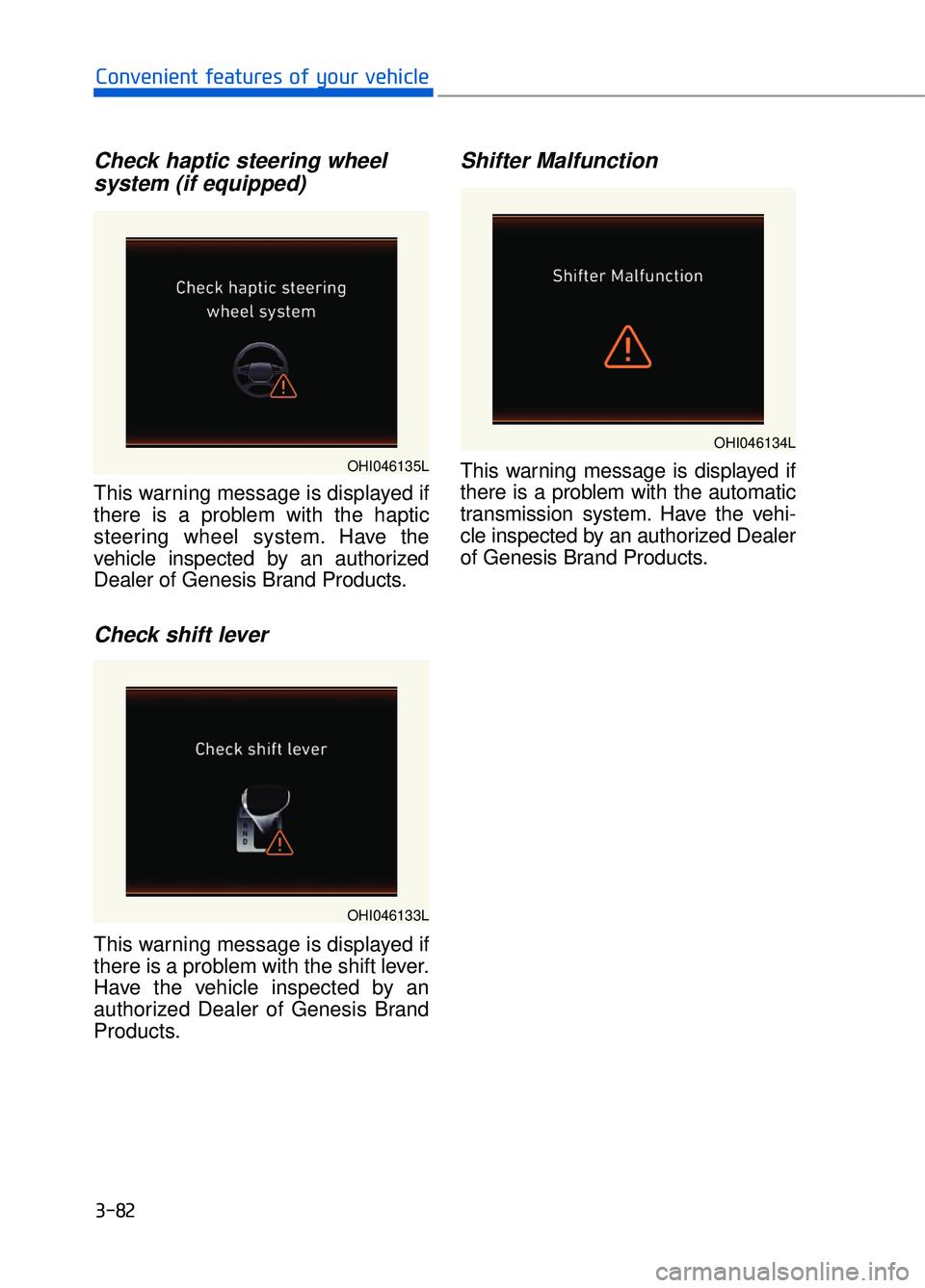
Check haptic steering wheelsystem (if equipped)
This warning message is displayed if
there is a problem with the haptic
steering wheel system. Have the
vehicle inspected by an authorized
Dealer of Genesis Brand Products.
Check shift lever
This warning message is displayed if
there is a problem with the shift lever.
Have the vehicle inspected by an
authorized Dealer of Genesis Brand
Products.
Shifter Malfunction
This warning message is displayed if
there is a problem with the automatic
transmission system. Have the vehi-
cle inspected by an authorized Dealer
of Genesis Brand Products.
3-82
Convenient features of your vehicle
OHI046135L
OHI046133L
OHI046134L
Page 188 of 524
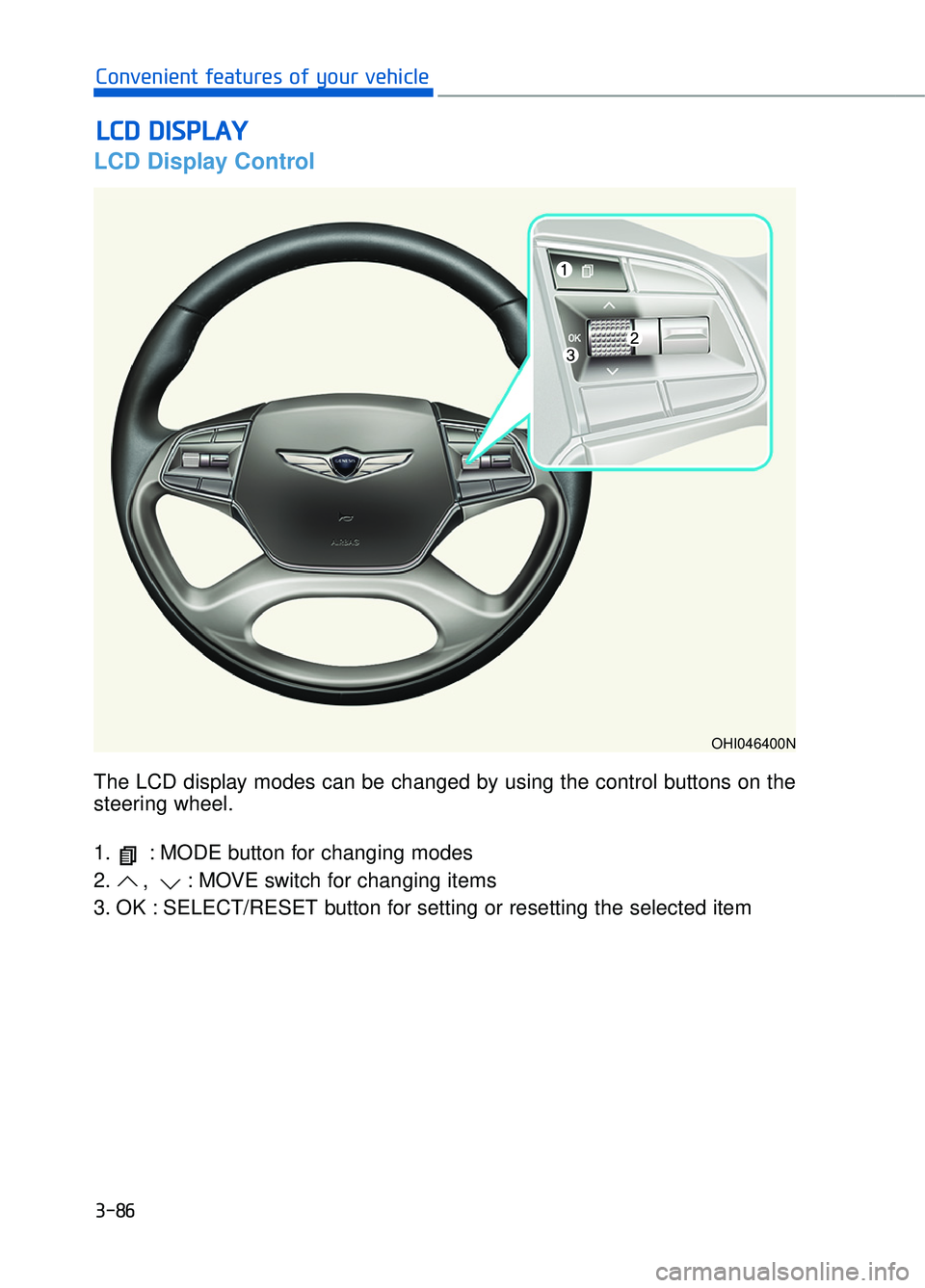
The LCD display modes can be changed by using the control buttons on the
steering wheel.
1. : MODE button for changing modes
2. , : MOVE switch for changing items
3. OK : SELECT/RESET button for setting or resetting the selected item
LCD Display Control
L
LC
C D
D
D
D I
IS
S P
P L
LA
A Y
Y
3-86
Convenient features of your vehicle
OHI046400N