lights GENESIS G90 2018 User Guide
[x] Cancel search | Manufacturer: GENESIS, Model Year: 2018, Model line: G90, Model: GENESIS G90 2018Pages: 519, PDF Size: 19.52 MB
Page 157 of 519
Information
Do not approach the detecting area if
you do not want the trunk to open. If
you have unintentionally entered the
detecting area and the hazard warn-
ing lights and chime starts to operate,
leave the detecting area with the smart
key. The trunk will stay closed.
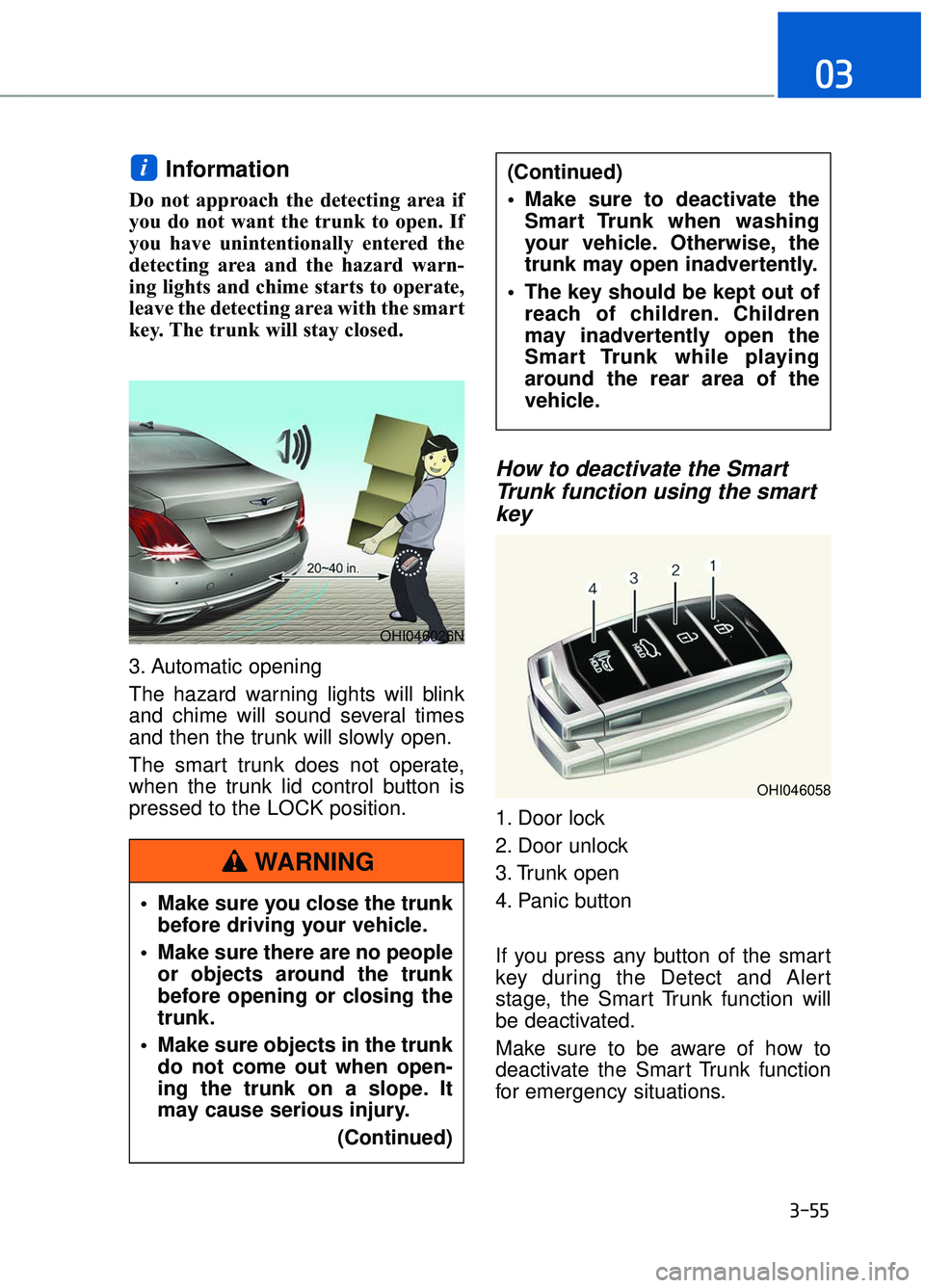
3. Automatic opening
The hazard warning lights will blink
and chime will sound several times
and then the trunk will slowly open.
The smart trunk does not operate,
when the trunk lid control button is
pressed to the LOCK position.
How to deactivate the SmartTrunk function using the smartkey
1. Door lock
2. Door unlock
3. Trunk open
4. Panic button
If you press any button of the smart
key during the Detect and Alert
stage, the Smart Trunk function will
be deactivated.
Make sure to be aware of how to
deactivate the Smart Trunk function
for emergency situations.
i
3-55
03
OHI046026N
OHI046058
Make sure you close the trunk
before driving your vehicle.
Make sure there are no people or objects around the trunk
before opening or closing the
trunk.
Make sure objects in the trunk do not come out when open-
ing the trunk on a slope. It
may cause serious injury.
(Continued)
(Continued)
Make sure to deactivate theSmart Trunk when washing
your vehicle. Otherwise, the
trunk may open inadvertently.
The key should be kept out of reach of children. Children
may inadvertently open the
Smart Trunk while playing
around the rear area of the
vehicle.
WARNING
Page 162 of 519

1. Tachometer
2. Speedometer
3. Engine coolant temperature gauge4. Fuel gauge
5. Warning and indicator lights
6. LCD display (including trip computer)
I I
N
N S
ST
T R
R U
U M
M E
EN
N T
T
C
C L
LU
U S
ST
T E
ER
R
3-60
Convenient features of your vehicle
OHI046100N
The actual cluster in the vehicle may differ from the illustration.
All warning sounds (e.g. welcome/good-bye sound, virtual engine
sound) are generated from the exterior amplifiers. If necessary, we rec-
ommend you to purchase Genesis/Hyundai Part to replace an exterior
amplifier. Any unauthorized product may cause a malfunction of the
exterior amplifiers.
NOTICE
Page 163 of 519

Instrument Cluster Control
Adjusting instrument clusterillumination
When the vehicle's parking lights or
headlights are on, press the illumina-
tion control button to adjust the
brightness of the instrument panel
illumination.
When pressing the illumination con-
trol button, the interior switch illumi-
nation intensity is also adjusted.
The brightness of the instrument
panel illumination is displayed.
If the brightness reaches the maxi- mum or minimum level, a chime
will sound.
Gauges and Meters
Speedometer
The speedometer indicates the speed
of the vehicle and is calibrated in miles
per hour (mph) and/or kilometers per
hour (km/h).
Tachometer
The tachometer indicates the approx-
imate number of engine revolutions
per minute (rpm).
Use the tachometer to select the cor-
rect shift points and to prevent lug-
ging and/or over-revving the engine.
Do not operate the engine within
the tachometer's RED ZONE. This
may cause severe engine damage.
NOTICE
3-61
03
OHI046412
OHI046101L
OHI046110L
OHI046102
Page 167 of 519

Warning and Indicator Lights
Supplemental RestraintSystem Warning Light
This warning light illuminates:
Once you place the Engine Start/
Stop button to the ON position.
- It illuminates for approximately 6seconds and then goes off.
When there is a malfunction with the SRS.
In this case, have your vehicle inspect-
ed by an authorized retailer of
Genesis Branded products.
Seat Belt Warning Light
This warning light informs the driver
that the seat belt is not fastened.
For more information, refer to the
"Seat Belts" in chapter 2.
Parking Brake & Brake Fluid Warning Light
This warning light illuminates:
Once you place the Engine Start/
Stop button to the ON position.
- It illuminates for approximately 3seconds.
- It remains on if the parking brake is applied.
When the parking brake is applied.
When the brake fluid level in the reservoir is low.
- If the warning light illuminateswith the parking brake released, it
indicates the brake fluid level in
reservoir is low.
If the brake fluid level in the reser-
voir is low:
1. Drive carefully to the nearest safe location and stop your vehicle.
2. With the engine stopped, check the brake fluid level immediately and
add fluid as required (For more
information, refer to "Brake
Fluid" in chapter 7) . After adding
brake fluid, check all brake compo-
nents for fluid leaks. If a brake fluid
leak is found, or if the warning light
remains on, or if the brakes do not
operate properly, do not drive the
vehicle. Have the vehicle inspected
by an authorized retailer of Genesis
Branded products.
Dual-diagonal braking system
Your vehicle is equipped with dual-
diagonal braking systems. This
means you still have braking on two
wheels even if one of the dual sys-
tems should fail.
3-65
03
Page 168 of 519
With only one of the dual systems
working, more than normal pedal
travel and greater pedal pressure is
required to stop the vehicle.
Also, the vehicle will not stop in as
short a distance with only a portion
of the brake system working.
If the brakes fail while you are driv-
ing, shift to a lower gear for addition-
al engine braking and stop the vehi-
cle as soon as it is safe to do so.
Anti-lock Brake System(ABS) Warning Light
This warning light illuminates:
Once you place the Engine Start/
Stop button to the ON position.
- It illuminates for approximately 3seconds and then goes off.
When there is a malfunction with the ABS (The normal braking system will
still be operational without the assis-
tance of the anti-lock brake system).
In this case, have your vehicle
inspected by an authorized retailer of
Genesis Branded products.
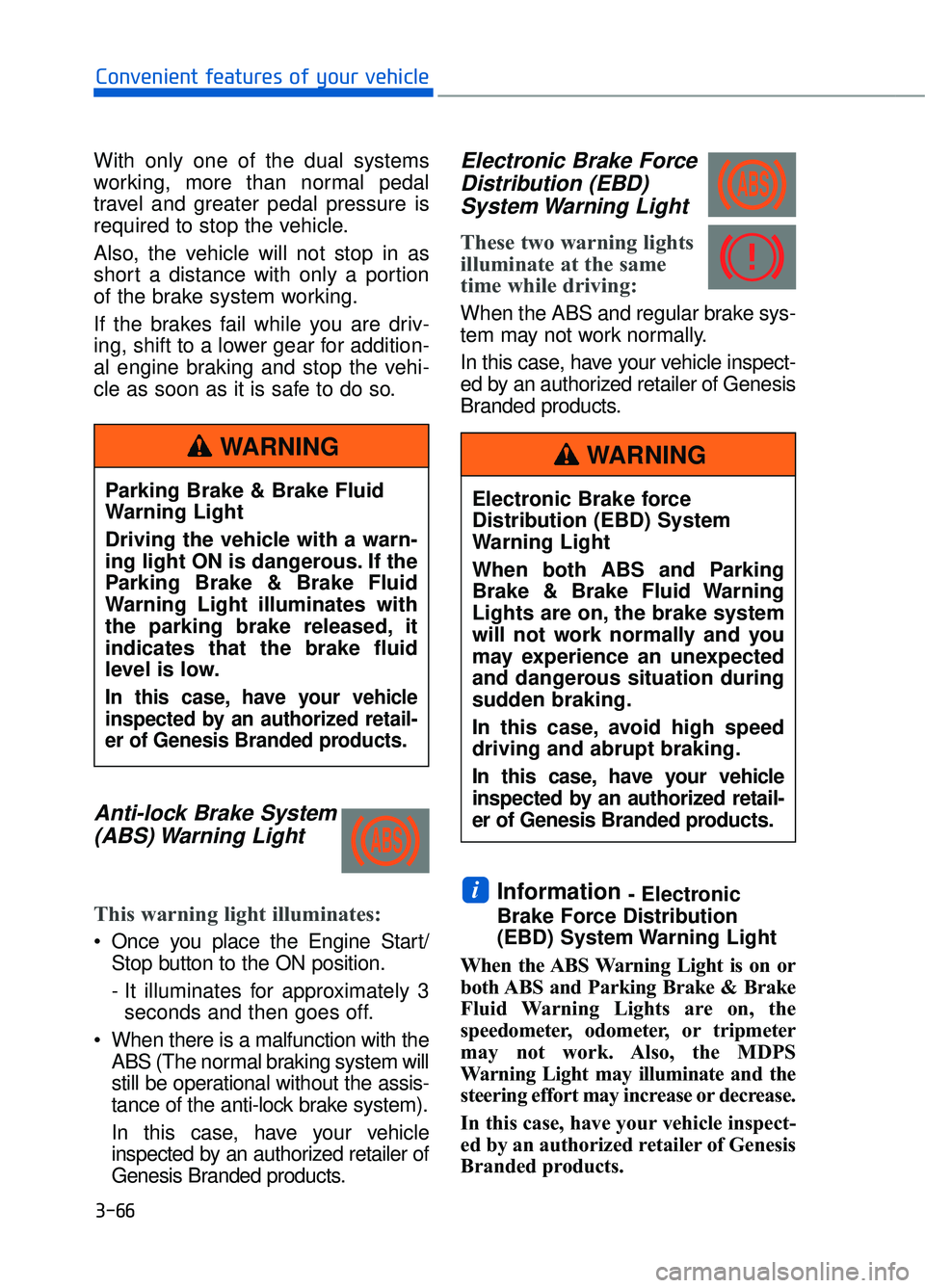
Electronic Brake ForceDistribution (EBD)System Warning Light
These two warning lights
illuminate at the same
time while driving:
When the ABS and regular brake sys-
tem may not work normally.
In this case, have your vehicle inspect-
ed by an authorized retailer of Genesis
Branded products.
Information - Electronic
Brake Force Distribution
(EBD) System Warning Light
When the ABS Warning Light is on or
both ABS and Parking Brake & Brake
Fluid Warning Lights are on, the
speedometer, odometer, or tripmeter
may not work. Also, the MDPS
Warning Light may illuminate and the
steering effort may increase or decrease.
In this case, have your vehicle inspect-
ed by an authorized retailer of Genesis
Branded products.i
3-66
Convenient features of your vehicle
Parking Brake & Brake Fluid
Warning Light
Driving the vehicle with a warn-
ing light ON is dangerous. If the
Parking Brake & Brake Fluid
Warning Light illuminates with
the parking brake released, it
indicates that the brake fluid
level is low.
In this case, have your vehicle
inspected by an authorized retail-
er of Genesis Branded products.
WARNING
Electronic Brake force
Distribution (EBD) System
Warning Light
When both ABS and Parking
Brake & Brake Fluid Warning
Lights are on, the brake system
will not work normally and you
may experience an unexpected
and dangerous situation during
sudden braking.
In this case, avoid high speed
driving and abrupt braking.
In this case, have your vehicle
inspected by an authorized retail-
er of Genesis Branded products.
WARNING
Page 175 of 519

High Beam IndicatorLight
This indicator light illuminates:
When the headlights are on and in
the high beam position.
When the turn signal lever is pulled into the Flash-to-Pass position.
Light ON IndicatorLight
This indicator light illuminates:
When the tail lights or headlights are
on.
Smart High Beam indi-cator (if equipped)
This warning light illuminates :
When the high-Beam is on with the
light switch in the AUTO light posi-
tion.
If your vehicle detects oncoming or preceding vehicles, the Smart High
Beam system will switch the high
beam to low beam automatically.
For more information, refer to
"Smart High Beam" in this chapter.
SPORT Mode Indicator Light
This indicator light illuminates:
When you select "SPORT" mode as
drive mode.
For more information, refer to
"Drive Mode Integrated Control
System" in chapter 5.
SMART Mode Indicator Light
This indicator illuminates:
When you select “SMART” mode as
drive mode.
For more information, refer to
"Drive Mode Integrated Control
System" in chapter 5.
ECO Mode IndicatorLight
This indicator light illuminates :
When you select "ECO" mode as
drive mode.
For more information, refer to
"Drive Mode Integrated Control
System" in this chapter.
3-73
03
Page 183 of 519

Lights Mode
This indicator displays which exterior
light is selected using the lighting
control.
Wiper
This indicator displays which wiper
speed is selected using the wiper
control.
Low Washer Fluid
This warning message is displayed
in the service reminder mode if the
washer fluid level in the reservoir is
nearly empty.
Have the washer fluid reservoir
refilled.
Parking assist system malfunc-tion (if equipped)
This warning is displayed if there is a
problem with the Parking Assist
System. Have the vehicle inspected
by an authorized retailer of Genesis
Branded products.
For more information, refer to
"Parking Assist System" in chap-
ter 3.
3-81
03
OHI046148L
OHI046149L
OHI046150L
OHI046174
Page 192 of 519

User settings mode
In this mode, you can change the
setting of the head-up display, instru-
ment cluster, doors, lamps, etc.
1. Head-Up Display
2. Driving Assist
3. Door
4. Lights
5. Sound
6. Convenience
7. Service Interval
8. Other Features
9. Reset
The information provided differs
according to the items applied to your
vehicle.1. Head-Up Display
If this item is checked, it will turn on
the head-up display.
To adjust the height of the image.
To adjust the angle of the image.
To adjust the brightness of the image.
To select the information displayed
- Tu r n b y Tu r n
- Traffic information
- Smart cruise control
- Lane keeping assist system
- Blind spot detection system
To select the speedometer font size.
- Large/Medium/Small
To select the speedometer font color.
White/Orange/Green
For more information, refer to the
"Head-Up Display" in this chapter.
3-90
Convenient features of your vehicle
OHI046161L
OHI046162L
Page 194 of 519
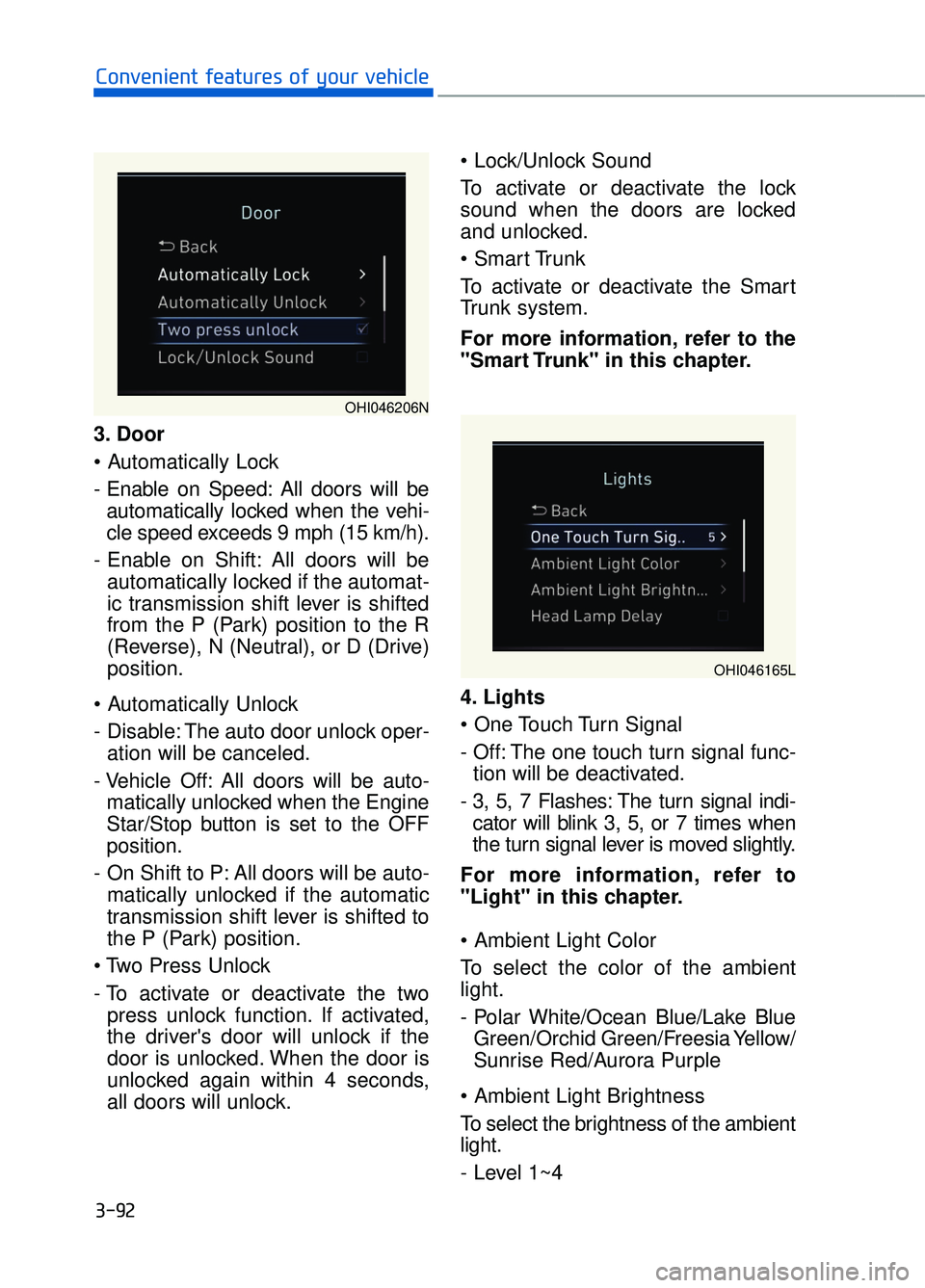
3. Door
- Enable on Speed: All doors will beautomatically locked when the vehi-
cle speed exceeds 9 mph (15 km/h).
- Enable on Shift: All doors will be automatically locked if the automat-
ic transmission shift lever is shifted
from the P (Park) position to the R
(Reverse), N (Neutral), or D (Drive)
position.
- Disable: The auto door unlock oper- ation will be canceled.
- Vehicle Off: All doors will be auto- matically unlocked when the Engine
Star/Stop button is set to the OFF
position.
- On Shift to P: All doors will be auto- matically unlocked if the automatic
transmission shift lever is shifted to
the P (Park) position.
- To activate or deactivate the two press unlock function. If activated,
the driver's door will unlock if the
door is unlocked. When the door is
unlocked again within 4 seconds,
all doors will unlock.
To activate or deactivate the lock
sound when the doors are locked
and unlocked.
To activate or deactivate the Smart
Trunk system.
For more information, refer to the
"Smart Trunk" in this chapter.
4. Lights
- Off: The one touch turn signal func-
tion will be deactivated.
- 3, 5, 7 Flashes: The turn signal indi- cator will blink 3, 5, or 7 times when
the turn signal lever is moved slightly.
For more information, refer to
"Light" in this chapter.
To select the color of the ambient
light.
- Polar White/Ocean Blue/Lake Blue Green/Orchid Green/Freesia Yellow/
Sunrise Red/Aurora Purple
To select the brightness of the ambient
light.
- Level 1~4
3-92
Convenient features of your vehicle
OHI046206N
OHI046165L
Page 201 of 519

3-99
03
Head-Up Display ON/OFF
To activate the head-up display,
select "Head-Up Display" on the
User Settings mode in the cluster.
If you do not select "Head-Up
Display", the head-up display will be
deactivated.
Head-Up Display information
1. Turn-by-turn (TBT) navigationinformation
2. Road information
3. Driving speed information
4. Cruise system set speed informa- tion
5. Advanced smart cruise informa- tion
6. Lane Keeping Assist System (LKAS) information
7. Blind spot detection warnings
8. Warning lights
9. AV information
Information
If you select the Turn By Turn (TBT)
navigation information as Head-Up
Display contents, the Turn By Turn
(TBT) navigation information will not
be displayed on the LCD Display.
i
OHI046175L
OHI046504N