brake light GENESIS G90 2021 Owner's Guide
[x] Cancel search | Manufacturer: GENESIS, Model Year: 2021, Model line: G90, Model: GENESIS G90 2021Pages: 538, PDF Size: 13.02 MB
Page 286 of 538

5-34
Driving your vehicle
ESC OFF condition
To cancel ESC operation:
• State 1
Press the ESC OFF button briefly.
The ESC OFF indicator light and
message "Traction Control disabled"
will illuminate. In this state, the trac-
tion control function of ESC (engine
management) is disabled, but the
brake control function of ESC (brak-
ing management) still operates.• State 2
Press and hold the ESC OFF button
continuously for more than 3 sec-
onds. The ESC OFF indicator light
and message "Traction and Stability
Control disabled" illuminates and a
warning chime sounds. In this state,
both the traction control function of
ESC (engine management) and the
brake control function of ESC (brak-
ing management) are disabled.
If the Engine Start/Stop button is
pressed to the OFF position when
ESC is off, ESC remains off. Upon
restarting the engine, the ESC will
automatically turn on again.
OHI058044L
OHI058045L
Page 287 of 538
5-35
05
Indicator lights
When the Engine Start/Stop button
is placed to the ON position, the ESC
indicator light illuminates, then goes
off if the ESC system is operating
normally.
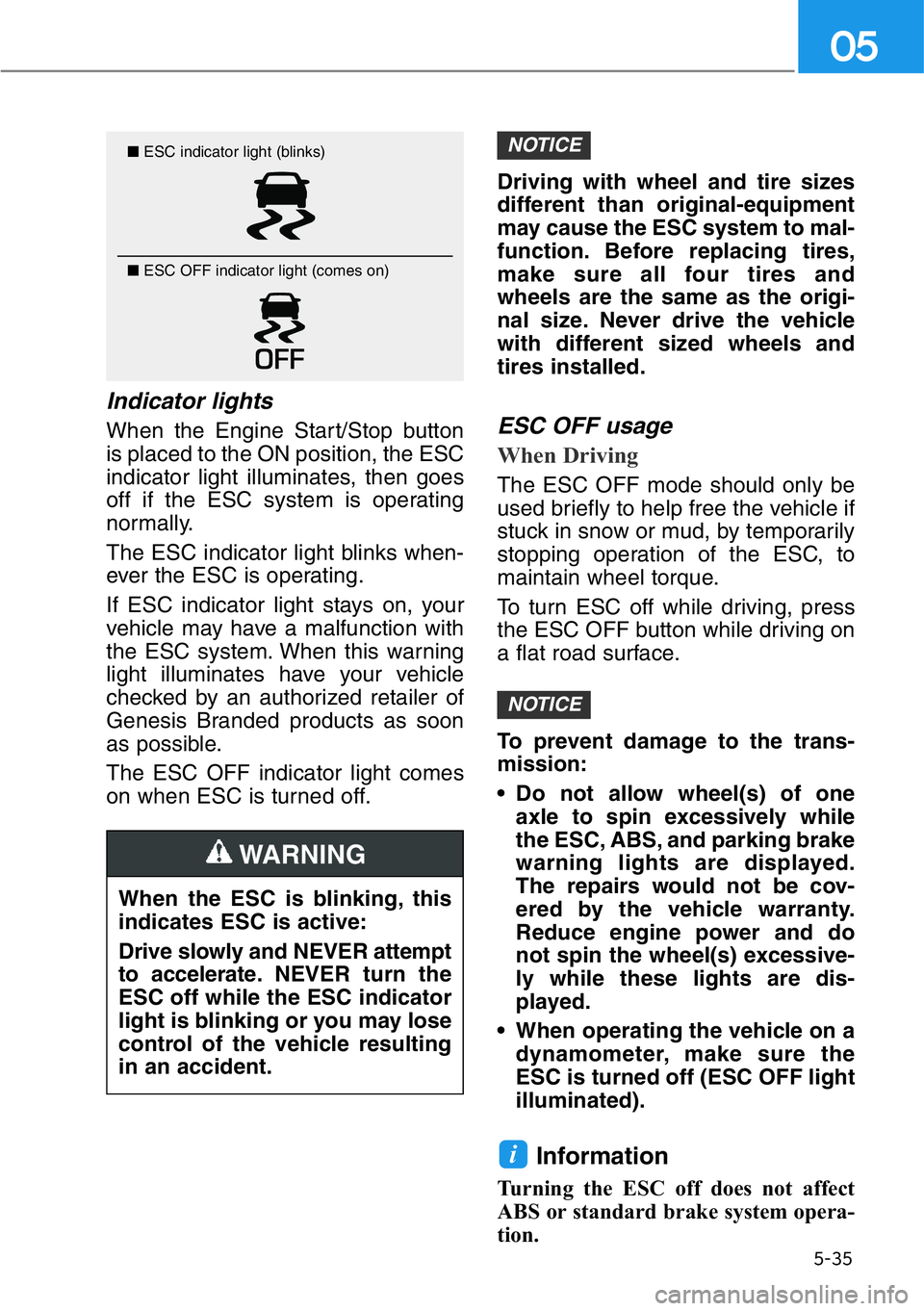
The ESC indicator light blinks when-
ever the ESC is operating.
If ESC indicator light stays on, your
vehicle may have a malfunction with
the ESC system. When this warning
light illuminates have your vehicle
checked by an authorized retailer of
Genesis Branded products as soon
as possible.
The ESC OFF indicator light comes
on when ESC is turned off.Driving with wheel and tire sizes
different than original-equipment
may cause the ESC system to mal-
function. Before replacing tires,
make sure all four tires and
wheels are the same as the origi-
nal size. Never drive the vehicle
with different sized wheels and
tires installed.ESC OFF usage
When Driving
The ESC OFF mode should only be
used briefly to help free the vehicle if
stuck in snow or mud, by temporarily
stopping operation of the ESC, to
maintain wheel torque.
To turn ESC off while driving, press
the ESC OFF button while driving on
a flat road surface.
To prevent damage to the trans-
mission:
• Do not allow wheel(s) of one
axle to spin excessively while
the ESC, ABS, and parking brake
warning lights are displayed.
The repairs would not be cov-
ered by the vehicle warranty.
Reduce engine power and do
not spin the wheel(s) excessive-
ly while these lights are dis-
played.
• When operating the vehicle on a
dynamometer, make sure the
ESC is turned off (ESC OFF light
illuminated).
Information
Turning the ESC off does not affect
ABS or standard brake system opera-
tion.
i
NOTICE
NOTICE■ESC indicator light (blinks)
■ ESC OFF indicator light (comes on)
When the ESC is blinking, this
indicates ESC is active:
Drive slowly and NEVER attempt
to accelerate.NEVER turn the
ESC off while the ESC indicator
light is blinking or you may lose
control of the vehicle resulting
in an accident.
WARNING
Page 288 of 538

5-36
Driving your vehicle
Vehicle Stability Management
(VSM)
The Vehicle Stability Management is
a function of the Electronic Stability
Control system. It helps the vehicle
stay stable when accelerating or
braking suddenly on wet, slippery
and rough roads where traction over
the four tires can suddenly become
uneven.
VSM operation
VSM ON condition
The VSM operates when:
• The Electronic Stability Control is
on.
• Vehicle speed is approximately
above 9 mph (15 km/h) on curve
roads.
• Vehicle speed is approximately
above 12 mph (20 km/h) when the
vehicle is braking on rough roads.
When operating
When you apply your brakes under
conditions which may activate the
ESC, you may hear sounds from the
brakes, or feel a corresponding sen-
sation in the brake pedal. This is nor-
mal and it means your VSM is active.
The VSM does not operate when:
• Driving on a banked road such
as gradient or incline.
• Driving in reverse.
• The ESC OFF indicator light is
on.
• The MDPS (Motor-Driven Power
Steering) warning light ( ) is
on or blinks.
NOTICE
Take the following precautions
when using the Vehicle Stability
Management :
• ALWAYS check the speed and
the distance to the vehicle
ahead. The VSM is not a sub-
stitute for safe driving prac-
tices.
• Never drive too fast for the
road conditions. The VSM sys-
tem will not prevent acci-
dents. Excessive speed in bad
weather, slippery and uneven
roads can result in severe
accidents.
WARNING
Page 289 of 538

5-37
05
Driving with wheel and tire sizes dif-
ferent than original-equipment may
cause the ESC system to malfunc-
tion. Before replacing tires, make
sure all four tires and wheels are the
same as the original size. Never
drive the vehicle with different sized
tires and wheels installed.
Hill-Start Assist Control (HAC)
The Hill-Start Assist Control helps
prevent the vehicle from rolling back-
wards when starting a vehicle from a
stop on a hill. The system operates
the brakes automatically for approxi-
mately 2 seconds and releases the
brake after 2 seconds or when the
accelerator pedal is depressed.
• The HAC does not operate when
the gear is shifted to P (Park) or
N (Neutral).
• The HAC activates even though
the ESC (Electronic Stability
Control) is off but does not acti-
vate when the ESC has malfunc-
tioned.
NOTICE
If the ESC indicator light ( ) or
MDPS warning light ( ) stays
on or blinks, your vehicle may
have a malfunction with the
VSM system.When the warning
light illuminates, have your vehi-
cle checked by an authorized
retailer of Genesis Branded
products as soon as possible.
WARNING
Always be ready to depress the
accelerator pedal when starting
off on a incline. The HAC acti-
vates only for approximately 2
seconds.
WARNING
Page 290 of 538
5-38
Driving your vehicle
Good Braking Practices
Wet brakes can be dangerous! The
brakes may get wet if the vehicle is
driven through standing water or if it
is washed. Your vehicle will not stop
as quickly if the brakes are wet. Wet
brakes may cause the products to
pull to one side.
To dry the brakes, apply the brakes
lightly until the braking action returns
to normal, taking care to keep the
vehicle under control at all times. If
the braking action does not return to
normal, stop as soon as it is safe to
do so and call an authorized retailer
of Genesis Branded products for
assistance.
DO NOT drive with your foot resting
on the brake pedal. Even light, but
constant pedal pressure can result in
the brakes overheating, brake wear,
and possibly even brake failure.If a tire goes flat while you are driv-
ing, apply the brakes gently and
keep the vehicle pointed straight
ahead while you slow down. When
you are moving slowly enough for it
to be safe to do so, pull off the road
and stop in a safe location.
Keep your foot firmly on the brake
pedal when the vehicle is stopped to
prevent the vehicle from rolling for-
ward. Whenever leaving the vehicle or
parking, always come to a com-
plete stop and continue to
depress the brake pedal. Shift
the gear to P (Park), apply the
parking brake, and press the
Engine Start/Stop button to the
OFF.
Vehicles with the parking brake
not fully engaged are at risk for
moving inadvertently and caus-
ing injury to yourself or others.
WARNING
Page 292 of 538

Information
• Do not drive in water if the level is
higher than the bottom of the vehi-
cle.
• Check your brake condition once
you are out of mud or water.
Depress the brake pedal several
times as you move slowly until you
feel normal braking return.
• Shorten your scheduled mainte-
nance interval if you drive in off-
road conditions such as sand, mud
or water (see "Maintenance Under
Severe Usage Conditions" in chap-
ter 7).
• Make sure that an AWD vehicle is
towed by flatbed tow truck.
For safe AWD operation
Before driving
• Make sure all passengers are
wearing seat belts.
• Sit upright and adjust the steering
wheel to a position comfortable for
you to drive.
Driving on snow-covered or icy
roads
• Start off slowly by applying the
accelerator pedal gently.
• Use of snow tires is recommended.
For more information on Snow
Tires refer to "Winter Driving" in
this chapter.
• Keep sufficient distance between
your vehicle and the vehicle in front
of you.
• When approaching a stop sign or
stop light, release the accelerator
pedal to provide engine braking
during deceleration.
• Avoid speeding, rapid acceleration,
sudden brake applications, and
sharp turns to prevent skids.
i
5-40
Driving your vehicle
Page 305 of 538
Prerequisite for activation
The FCA system will activate when
'Active Assist' or 'Warning Only' under
Forward Safety is selected in the AVN
system screen, and when the follow-
ing prerequisites are satisfied.
• ESC (Electronic Stability Control)
is on.
• Vehicle speed is over 5 mph (8
km/h). (The FCA is only activated
within a certain speed range.)
• The system detects a pedestrian,
cyclist or a vehicle in front, which
may collide with your vehicle.
However, FCA may not be activat-
ed or may only sound a warning
alarm depending on the driving or
vehicle conditions.
FCA may not operate properly
according to the frontal situation or
the direction of a pedestrian or
cyclist.
FCA Warning Message and
Brake Control
FCA produces warning messages,
warning alarms, and emergency
braking based on the level of risk of
a frontal collision, such as when a
vehicle ahead suddenly brakes, or
the system detects that a collision
with a pedestrian or cyclist is immi-
nent.
5-53
05
• To avoid driver distractions,
do not attempt to set or can-
cel the FCA while driving the
vehicle. Always completely
stop the vehicle at a safe
place before setting or cancel-
ing the system.
• FCA automatically activates
upon placing the Engine
Start/Stop button to the ON or
START position. The driver
can deactivate FCA by cancel-
ing the system setting in the
AVN system screen.
• FCA automatically deacti-
vates upon canceling ESC.
When ESC is canceled, FCA
cannot be activated in the
AVN system screen. In this sit-
uation, the FCA warning light
will illuminate which is nor-
mal.
WARNING
Page 310 of 538

5-58
Driving your vehicle
System Malfunction
Check Forward Collision-
Avoidance Assist system
• When FCA is not working properly,
the FCA warning light ( ) will illu-
minate and the warning message
will appear for a few seconds. After
the message disappears, the mas-
ter warning light ( ) will illumi-
nate. In this case, have the vehicle
inspected by an authorized retailer
of Genesis Branded products.
• The FCA warning message may
appear along with the illumination
of the ESC (Electronic Stability
Control) warning light. Both FCA
warning light and warning mes-
sage will disappear once the ESC
warning light issue is resolved.
OHI048200L
• FCA is only a supplemental
system for the driver's con-
venience. It is the driver's
responsibility to control the
vehicle operation. Do not
solely depend on the FCA
system. Rather, maintain a
safe braking distance, and, if
necessary, depress the brake
pedal to reduce the driving
speed or to stop the vehicle.
WARNING
• In certain instances and
under certain driving condi-
tions, the FCA system may
produce a warning alarm and
control the brake system
unnecessarily. And, the FCA
system may not produce a
warning alarm and control the
brake system due to detecting
limitation of sensor.
Also due to sensing limita-
tions, in certain situations, the
front radar sensor or camera
recognition system may not
detect the vehicle, pedestrian
or cyclist ahead. The FCA sys-
tem may not activate and the
warning message may not be
displayed.
• Even if there is any problem
with the brake control func-
tion of the FCA system, the
vehicle's basic braking per-
formance will operate normal-
ly. However, brake control
function for avoiding collision
will not activate.
• If the vehicle in front stops
suddenly, you may have less
control of the brake system.
Therefore, always keep a safe
distance between your vehicle
and the vehicle in front of you.
• The FCA system may activate
during braking and the vehi-
cle may stop suddenly shift-
ing loose objects toward the
passengers. Always keep
loose objects secured.
• The FCA system may not acti-
vate if the driver applies the
brake pedal to avoid collision.
Page 315 of 538

5-63
05
• Detecting the vehicle in front of you
If the vehicle in front of you has
cargo that extends rearward from
the cab, or when the vehicle in
front of you has higher ground
clearance, additional special atten-
tion is required. The FCA system
may not be able to detect the cargo
extending from the vehicle. In
these instances, you must maintain
a safe braking distance from the
rearmost object, and if necessary,
depress the brake pedal to reduce
your driving speed in order to
maintain distance.
Detecting pedestrians or
cyclists
The sensor may be limited when:
• The pedestrian or cyclist is not fully
detected by the camera recogni-
tion system, for example, if the
pedestrian is leaning over or is not
fully walking upright
• The pedestrian or cyclist is moving
very quickly or appears abruptly in
the camera detection area
• The pedestrian or cyclist is wear-
ing clothing that easily blends into
the background, making it difficult
to be detected by the camera
recognition system
• The outside lighting is too bright
(e.g. when driving in bright sunlight
or in sun glare) or too dark (e.g.
when driving on a dark rural road
at night)
• It is difficult to detect and distin-
guish the pedestrian or cyclist from
other objects in the surroundings,
for example, when there is a group
of pedestrians, cyclist or a large
crowd
• There is an item similar to a per-
son's body structure
• The pedestrian is small
• The pedestrian has impaired mobil-
ity
• The sensor recognition is limited
• The radar sensor or camera is cov-
ered with a foreign object or debris
• The camera lens is contaminated
due to tinted, filmed or coated
windshield, damaged glass, or
stuck of foreign matter (sticker,
bug, etc.) on the glass
OHI058241
Page 338 of 538

5-86
Driving your vehicle
Rear Cross-Traffic Collision-Avoidance Assist (RCCA) system
If the risk of collision is detected while the RCCW is generated, brake control
may be activated. The instrument cluster will inform the driver of the brake
control. If the rear view monitor system is operating, a warning will also
appear on the AVN system screen.
After the brake control is activated, the driver must immediately depress the
brake pedal and check the surroundings.
- The brake activation by the system lasts for about 2 seconds.
The driver must pay attention as the brake is disengaged after 2 seconds.
- The brake control by the system is canceled if the driver depresses the
brake pedal with sufficient power.
- Brake control is activated once for each right/left approach after shifting the
shift lever to R (Reverse).
The brake control may not operate properly according to the status of the
ESC (Electronic Stability Control). The same warning message is displayed
on the instrument cluster when:
- The ESC (Electronic Stability Control) warning light is on.
- The ESC (Electronic Stability Control) is engaged in a different function.
OHI058256L ■Left
■Left
OHI058254
OHI058257L ■Right
■Right
OHI058255