sunroof GENESIS G90 2021 Owner's Manual
[x] Cancel search | Manufacturer: GENESIS, Model Year: 2021, Model line: G90, Model: GENESIS G90 2021Pages: 538, PDF Size: 13.02 MB
Page 15 of 538

1. Hood.....................................................3-41
2. Headlamp .............................................7-70
3. Tires and wheels...........................7-37, 8-4
4. Outer side view mirror ..........................3-305. Sunroof.................................................3-37
6. Front windshield wiper blades..............7-31
7. Windows ...............................................3-33
8. Side repeater lamp...............................7-70
EXTERIOR OVERVIEW
1-2
Your vehicle at a glance
OHI019001N
■Front view
The actual shape may differ from the illustration.
Page 102 of 538
3
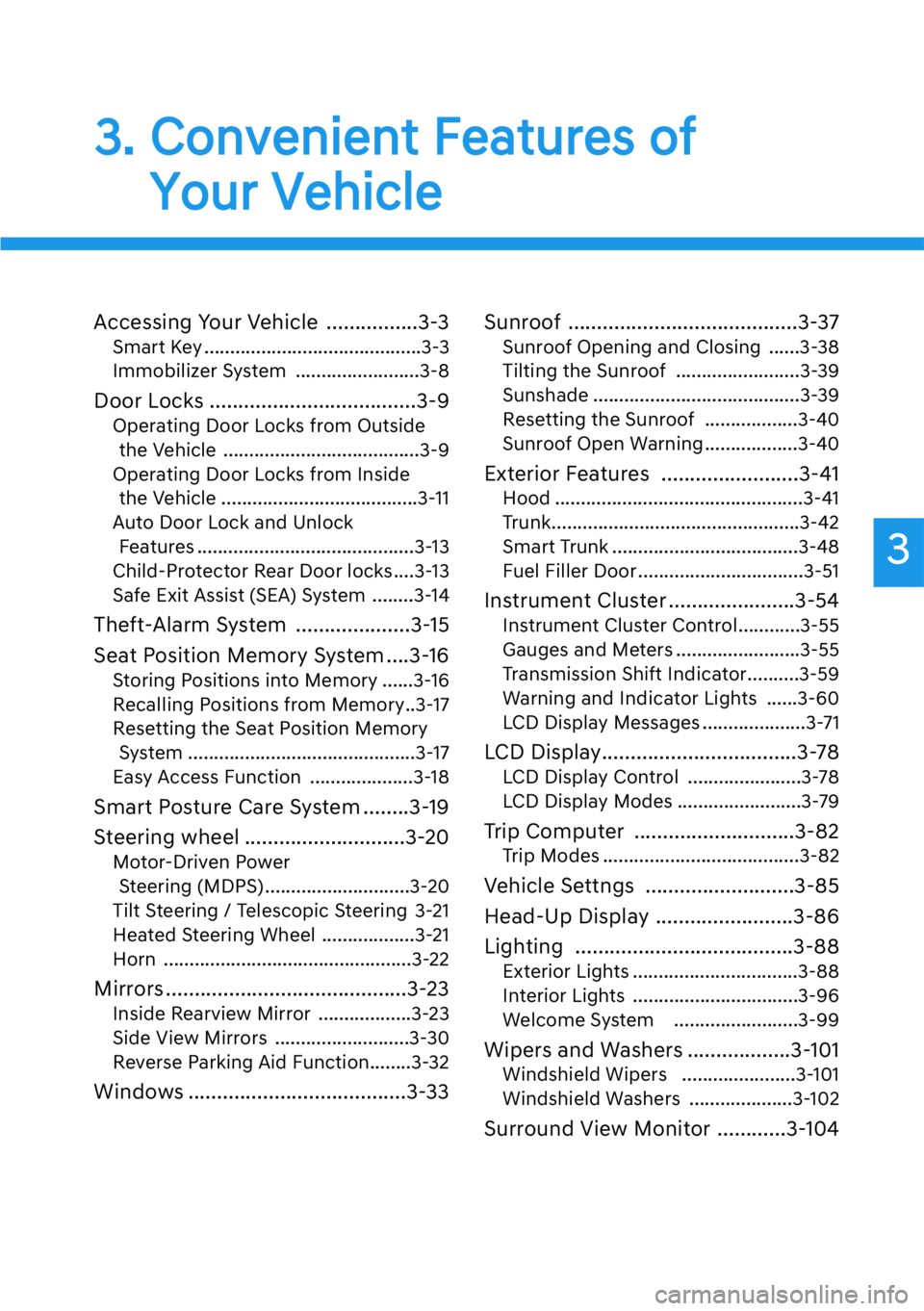
3. Convenient Features of
Your Vehicle
Accessing Your Vehicle ................3-3
Smart Key ..........................................3-3
Immobilizer System ........................3-8
Door Locks ....................................3-9
Operating Door Locks from Outside
the Vehicle ......................................3-9
Operating Door Locks from Inside
the Vehicle ......................................3-11
Auto Door Lock and Unlock
Features ..........................................3-13
Child-Protector Rear Door locks....3-13
Safe Exit Assist (SEA) System ........3-14
Theft-Alarm System ....................3-15
Seat Position Memory System ....3-16
Storing Positions into Memory ......3-16
Recalling Positions from Memory..3-17
Resetting the Seat Position Memory
System ............................................3-17
Easy Access Function ....................3-18
Smart Posture Care System ........3-19
Steering wheel ............................3-20
Motor-Driven Power
Steering (MDPS) ............................3-20
Tilt Steering / Telescopic Steering 3-21
Heated Steering Wheel ..................3-21
Horn ................................................3-22
Mirrors ..........................................3-23
Inside Rearview Mirror ..................3-23
Side View Mirrors ..........................3-30
Reverse Parking Aid Function........3-32
Windows ......................................3-33Sunroof ........................................3-37
Sunroof Opening and Closing ......3-38
Tilting the Sunroof ........................3-39
Sunshade ........................................3-39
Resetting the Sunroof ..................3-40
Sunroof Open Warning ..................3-40
Exterior Features ........................3-41
Hood ................................................3-41
Trunk................................................3-42
Smart Trunk ....................................3-48
Fuel Filler Door ................................3-51
Instrument Cluster ......................3-54
Instrument Cluster Control............3-55
Gauges and Meters ........................3-55
Transmission Shift Indicator..........3-59
Warning and Indicator Lights ......3-60
LCD Display Messages ....................3-71
LCD Display..................................3-78
LCD Display Control ......................3-78
LCD Display Modes ........................3-79
Trip Computer ............................3-82
Trip Modes ......................................3-82
Vehicle Settngs ..........................3-85
Head-Up Display ........................3-86
Lighting ......................................3-88
Exterior Lights ................................3-88
Interior Lights ................................3-96
Welcome System ........................3-99
Wipers and Washers ..................3-101
Windshield Wipers ......................3-101
Windshield Washers ....................3-102
Surround View Monitor ............3-104
3
Page 103 of 538

Forward/Reverse Parking Distance
Warning (PDW) ........................3-106
Forward/Reverse Parking Distance
Warning system ..........................3-107
Non-operational Conditions of
Forward/Reverse Parking Distance
Warning system ........................3-109
Parking Distance Warning
(Reverse/Forward ) System
Precautions ..................................3-110
Automatic Climate Control
System..........................................3-111
Automatic Heating and Air
Conditioning ................................3-112
Manual Heating and Air
Conditioning ................................3-113
System Operation ........................3-123
System Maintenance ....................3-124
Defroster ....................................3-126
Rear Window Defroster ................3-126
Front Wiper Deicer........................3-126
Windshield Defrosting and
Defogging ..................................3-127
Auto Defogging System ..............3-129
Climate Control Additional
Features ......................................3-129
Clean Air ......................................3-130
Automatic Ventilation ..................3-130
Sunroof Inside Air Recirculation ..3-131
Setting the Climate Control
System in the AVN System
Screen ..........................................3-131
Storage Compartment ..............3-133
Center Console Storage ..............3-133
Rear Console Storage ..................3-133
Glove Box ......................................3-134
Sunglass Holder ............................3-134
Interior Features ........................3-135
Cup Holder ....................................3-135
Sunvisor ........................................3-136
Rear Mirror ..................................3-136
Power Outlet ..................................3-137
USB Charger ..................................3-138
Wireless Cellular Phone Charging
System ..........................................3-139
Coat hook ......................................3-141
Clock ..............................................3-141
Bag Hanger....................................3-142
Floor Mat Anchor(s) ......................3-142
Rear Window Sunshade ..............3-143
Rear Side Window Sunshade ......3-144
Luggage Net Holder ....................3-145
3
3. Convenient Features of
Your Vehicle
Page 138 of 538

3-37
03
If your vehicle is equipped with a
sunroof, you can slide or tilt your sun-
roof with the sunroof control lever
located on the overhead console.
The sunroof can only be opened,
closed, or tilted when the Engine Start/
Stop button is in the ON or START
position.
Information
• In cold and wet climates, the sun-
roof may not work properly due to
freezing conditions.
• After the vehicle is washed or in a
rainstorm, be sure to wipe off any
water that is on the sunroof before
operating it.• Do not continue to move the
sunroof control lever after the
sunroof is fully opened, closed,
or tilted. Damage to the motor or
system components could
occur.
• Make sure the sunroof is closed
fully when leaving your vehicle.
If the sunroof is open, rain or
snow may leak through the sun-
roof and wet the interior as well
as allow theft.
NOTICE
i
SUNROOF (IF EQUIPPED)
• Never adjust the sunroof or
sunshade while driving. This
could result in loss of control
and an accident that may
cause death, serious injury, or
property damage.
• Make sure heads, other body
parts or objects are out of the
way before using the sunroof.
• Do not extend your head,
arms or body outside the sun-
roof while driving, to avoid
serious injury.
• Do not leave the engine run-
ning and the key in your vehi-
cle with unsupervised chil-
dren. Unattended children
could operate the sunroof,
which could result in serious
injury.
• Do not sit on the top of the
vehicle. It may cause injuries
or vehicle damage.
WARNING
OHI048037
Page 139 of 538

3-38
Convenient features of your vehicle
Sunroof Opening and Closing
To open:
Press the sunroof control lever back-
ward to the first detent position.
Release the switch when you want
the sunroof to stop.
To close:
Press the sunroof control lever forward
to the first detent position. Release the
switch when you want the sunroof to
stop.
Sliding the Sunroof
Pressing the sunroof control lever
backward or forward momentarily to
the second detent position completely
opens or closes the sunroof even
when the switch is released. To stop
the sunroof at the desired position
while the sunroof is in operation, press
the sunroof control lever backward or
forward and release the switch.
Automatic reverse
If the sunroof senses any obstacle
while it is closing automatically, it will
reverse direction then stop to allow
the object to be cleared.
Small objects that can get
caught between the sunroof
glass and the front glass chan-
nel may not be detected by the
automatic reverse system. In
this case, the sunroof glass will
not detect the object and will
not reverse direction.
WARNING
OHI048038OHI048039
Page 140 of 538

3-39
03
Tilting the Sunroof
To open the sunroof, push the sun-
roof control lever upward to the sec-
ond detent. The sunroof will tilt all the
way open. To stop the sunroof tilting
at any point, operate the control
lever.
To close the sunroof, push the sun-
roof control lever forward until the
sunroof moves to the desired posi-
tion.
• Periodically remove any dirt that
may accumulate on the sunroof
guide rail or between the sun-
roof and roof panel which can
make a noise.
• Do not try to open the sunroof
when the temperature is below
freezing or when the sunroof is
covered with snow or ice, other-
wise the motor could be dam-
aged. In cold and wet climates,
the sunroof may not work prop-
erly.
Sunshade
The sunshade will automatically
open with the glass panel when the
glass panel moves. Close it manual-
ly if you want it closed.
NOTICE
OHI048040OHI048041
Page 141 of 538

Resetting the Sunroof
The sunroof may need to be reset if
the following conditions occur:
• The battery is discharged or dis-
connected or the sunroof fuse has
been replaced or disconnected
• The sunroof control lever is not
operating correctly
To reset the sunroof, perform the fol-
lowing steps:
1. Turn the engine on and close the
sunroof glass and sunshade com-
pletely.
2. Release the control lever.
3. Push and hold the sunroof control
lever forward for about 10 seconds
until the sunroof moves slightly,
then release the control lever.
4. Push and hold the sunroof control
lever forward until the sunroof
operates as follows:
TILT DOWN
→SLIDE OPEN →
SLIDE CLOSE
Then, release the control lever.
When this is complete, the sunroof
system is reset.
For more information, contact an
authorized retailer of Genesis
Branded products.
Information
If you do not reset the sunroof, it may
not work properly.
Sunroof Open Warning
(if equipped)
• If the driver turns off the engine
when the sunroof is not fully
closed, the warning chime will
sound for approximately 3 seconds
and the sunroof open warning will
appear on the cluster LCD display.
• If the driver turns off the engine
and opens the door when the sun-
roof is not fully closed, the sunroof
open warning will appear on the
cluster LCD display until the door is
closed or the sunroof is fully closed.
Close the sunroof securely when
leaving your vehicle.
i
3-40
Convenient features of your vehicle
OHI048126
Page 175 of 538

3-74
Convenient features of your vehicle
Sunroof open (if equipped)
This warning is displayed if you turn
off the engine when the sunroof is
open.
Close the sunroof securely when
leaving your vehicle.
Window open (if equipped)
This warning is displayed if you turn
off the engine when any window is
open.
Lights
This indicator displays which exterior
light is selected using the lighting
control.
You activate or deactivate Wiper/
Lights display function from the
Settings menu in the AVN system
screen. Select:
- Setup
→Vehicle Settings →Cluster
→Content Selection →Wiper/Lights
Display
For detailed information, scan
the QR code in a separately sup-
plied simple manual.
OHI048126
OHI048127
OHI048148L
Page 225 of 538
3-124
Convenient features of your vehicle
When using the air conditioning
system, monitor the engine tem-
perature gauge closely while driv-
ing up hills or in heavy traffic when
outside temperatures are high. Air
conditioning system operation
when climbing a steep grade or in
high outside ambient temperatures
can cause engine overheating.
Continue to use the fan, but turn
the air conditioning system off if
the engine temperature gauge
indicates engine overheating.
Air conditioning system operation
tips
• If the vehicle has been parked in
direct sunlight during hot weather,
open the windows for a short time
to let the hot air inside the vehicle
escape.
• After sufficient cooling has been
achieved, switch back from recir-
culation mode to fresh mode.
• To help reduce moisture inside of
the windows on rainy or humid
days, decrease the humidity inside
the vehicle by operating the air
conditioning system with the win-
dows and sunroof closed.
• Use the air conditioning system
every month only for a few minutes
to ensure maximum system per-
formance.
• If you operate air conditioner
excessively, the difference between
the temperature of the outside air
and that of the windshield could
cause the outer surface of the
windshield to fog up, causing loss
of visibility. In this case, set the
mode selection knob or button to
the position and fan speed
control to the lowest speed.
System Maintenance
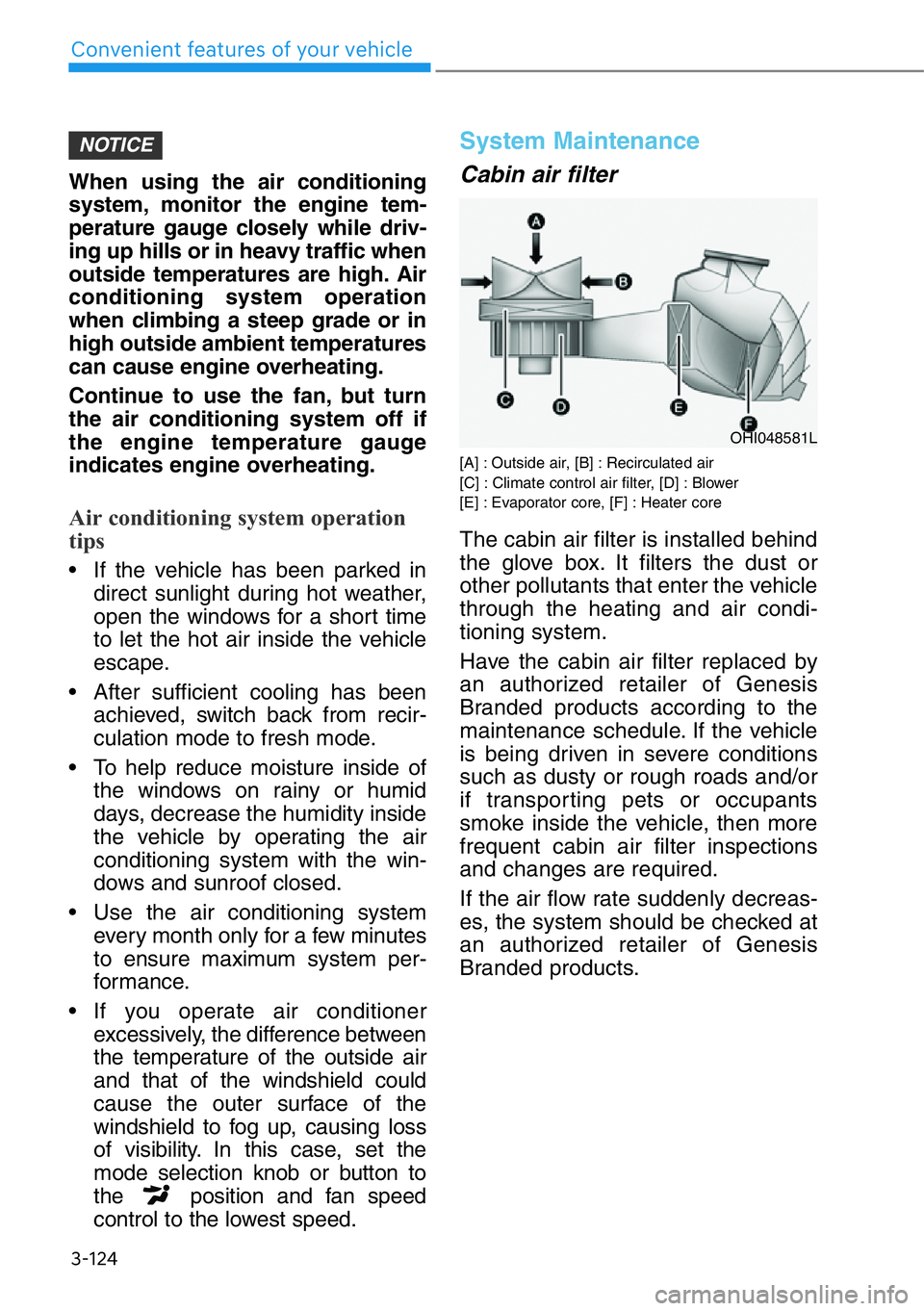
Cabin air filter
[A] : Outside air, [B] : Recirculated air
[C] : Climate control air filter, [D] : Blower
[E] : Evaporator core, [F] : Heater core
The cabin air filter is installed behind
the glove box. It filters the dust or
other pollutants that enter the vehicle
through the heating and air condi-
tioning system.
Have the cabin air filter replaced by
an authorized retailer of Genesis
Branded products according to the
maintenance schedule. If the vehicle
is being driven in severe conditions
such as dusty or rough roads and/or
if transporting pets or occupants
smoke inside the vehicle, then more
frequent cabin air filter inspections
and changes are required.
If the air flow rate suddenly decreas-
es, the system should be checked at
an authorized retailer of Genesis
Branded products.
NOTICE
OHI048581L
Page 232 of 538

3-131
03
Sunroof Inside Air
Recirculation (if equipped)
When the sunroof is opened, outside
(fresh) air will be automatically
selected. At this time, if you press the
air intake control button, recirculated
air position will be selected but will
change back to outside (fresh) air
after 3 minutes. When the sunroof is
closed, the air intake position will
return to the original position that
was selected.
Setting the Climate Control
System in the AVN System
Screen
Using the AVN System screen,
select 'Home →Climate'.
The Climate settings screen will be
displayed.
Climate information
Climate information (e.g. temperature,
air-flow direction, fan speed, etc.) of
the driver's/front passenger’s/rear
seats is displayed.
Adjusting the rear climate con-
trol system
Select 'Rear Climate Controls' and
then adjust the temperature, fan
speed and mode selection.
Also, the rear climate controls can be
turned off by selecting OFF.
OHI048181L
OHI048183L