change GENESIS GV80 2021 User Guide
[x] Cancel search | Manufacturer: GENESIS, Model Year: 2021, Model line: GV80, Model: GENESIS GV80 2021Pages: 632, PDF Size: 9.37 MB
Page 66 of 632
03
3-37
Rear Seat Belt – Passenger’s 3point
system with convertible locking
retractor
This type of seat belt combines the
features of both an emergency locking
retractor seat belt and an automatic
locking retractor seat belt. Convertible
retractor type seat belts are installed
in the rear seat positions to help
accommodate the installation of child
restraint systems. Although a convertible
retractor is also installed in the front
passenger seat position, NEVER place
any infant/child restraint system in the
front seat of the vehicle.
To fasten your seat belt:
Pull the seat belt out of the retractor
and insert the metal tab into the buckle.
There will be an audible “click” when
the tab locks into the buckle. When
not securing a child restraint, the seat
belt operates in the same way as the
driver’s seat belt (Emergency Locking
Retractor Type). It automatically adjusts
to the proper length only after the lap
belt portion of the seat belt is adjusted
manually so that it fits snugly across your
hips.
When the seat belt is fully extended from
the retractor to allow the installation of
a child restraint system, the seat belt
operation changes to allow the belt to
retract, but not to extend (Automatic
Locking Retractor Type). Refer to the
“Using a Child Restraint System” section
in this chapter.
OHI038142OHI038142
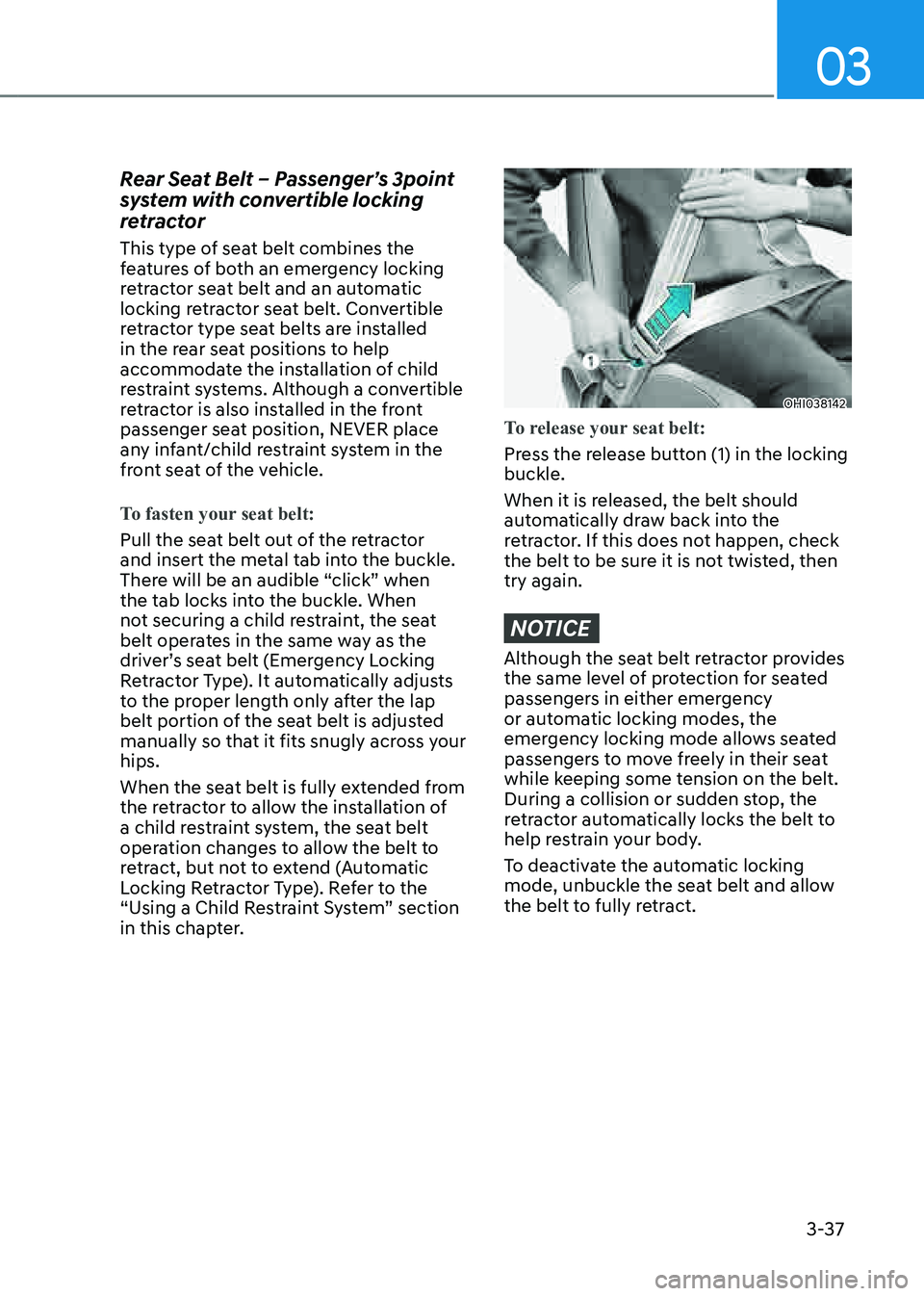
To release your seat belt:
Press the release button (1) in the locking
buckle.
When it is released, the belt should
automatically draw back into the
retractor. If this does not happen, check
the belt to be sure it is not twisted, then
try again.
NOTICE
Although the seat belt retractor provides
the same level of protection for seated
passengers in either emergency
or automatic locking modes, the
emergency locking mode allows seated
passengers to move freely in their seat
while keeping some tension on the belt.
During a collision or sudden stop, the
retractor automatically locks the belt to
help restrain your body.
To deactivate the automatic locking
mode, unbuckle the seat belt and allow
the belt to fully retract.
Page 105 of 632
Safety System
3 -76
Additional Safety Precautions
Passengers should not move out of
or change seats while the vehicle is
moving. A passenger who is not wearing
a seat belt during a crash or emergency
stop can be thrown against the inside of
the vehicle, against other occupants, or
be ejected from the vehicle.
Do not use any accessories on seat
belts. Devices claiming to improve
occupant comfort or reposition the seat
belt can reduce the protection provided
by the seat belt and increase the chance
of serious injury in a crash.
Do not modify the front seats.
Modification of the front seats could
interfere with the operation of the
supplemental restraint system sensing
components or side air bags.
Do not place items under the front
seats. Placing items under the front seats
could interfere with the operation of the
supplemental restraint system sensing
components and wiring harnesses.
Do not cause impact to the doors.
Impact to the doors when the Engine
Start/Stop button is in the ON or START
position may cause the air bags to
inflate.
Modifications to accommodate
disabilities. If you require modification
to your vehicle to accommodate a
disability, contact Genesis Customer
Care at 844 340-9741.
Adding equipment to or modifying
your air bag equipped vehicle
If you modify your vehicle by changing
your vehicle’s frame, bumper system,
front end or side sheet metal or ride
height, this may affect the operation of
your vehicle’s air bag system.
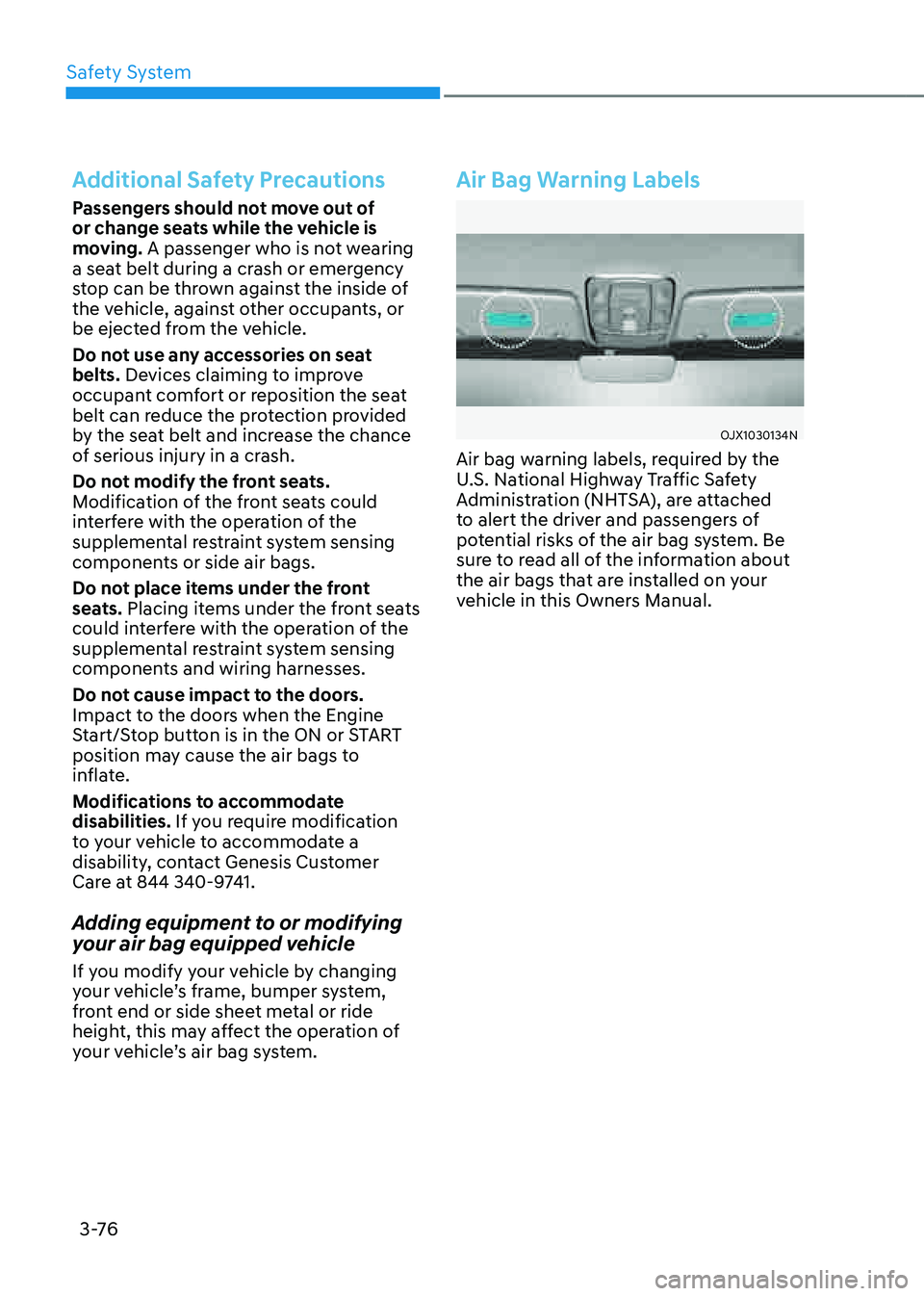
Air Bag Warning Labels
OJX1030134NOJX1030134N
Air bag warning labels, required by the
U.S. National Highway Traffic Safety
Administration (NHTSA), are attached
to alert the driver and passengers of
potential risks of the air bag system. Be
sure to read all of the information about
the air bags that are installed on your
vehicle in this Owners Manual.
Page 127 of 632
Instrument Cluster
4-22
Light ON indicator light
This indicator light illuminates:
When the position lamps or headlamps
are on.
High Beam Assist indicator
light
This indicator light illuminates:
When the high-beam is on with the light
switch in the AUTO position.
If your vehicle detects oncoming or
preceding vehicles, High Beam Assist
will switch the high beam to low beam
automatically.
For more details, refer to “High Beam
Assist (HBA)” section in chapter 5.
AUTO HOLD indicator light
This indicator light illuminates:
• [White] When you activate Auto Hold
by pressing the AUTO HOLD switch.
• [Green] When you stop the vehicle
completely by depressing the brake
pedal with Auto Hold activated.
• [Yellow] Whenever there is a
malfunction with the Auto Hold
function.
If this occurs, have the vehicle
inspected by an authorized retailer of
Genesis Branded products.
For more details, refer to “Electronic
Parking Brake (EPB)” section in chapter
6.
LCD Display Messages
Vehicle is on
This message is displayed if you open the
driver’s door when the gear is in P (Park)
and the Engine Start/Stop button in the
ON or START position.
Turn the engine off before leaving the
vehicle.
Shift to P
This message is displayed if you try to
turn off the vehicle without the gear in
the P (Park) position.
If this occurs, the Engine Start/Stop
button turns to the ACC position.
Vehicle is in N. Press START button
and shift to P
This message is displayed if you try to
turn off the vehicle with the gear in N
(Neutral).
To turn off the vehicle:
1. Press the Engine Start/Stop button.
The button will change to the ON
position.
2. Press the P button to shift to P (Park).
3. Press the Engine Start/Stop button
again, then the vehicle will turn off.
Low key battery
This message is displayed if the battery
of the smart key is discharged while
changing the Engine Start/Stop button to
the OFF position.
Page 128 of 632
04
4-23
Press brake pedal to start engine
This message is displayed if the Engine
Start/Stop button changes to the ACC
position twice by pressing the button
repeatedly without depressing the brake
pedal.
You can start the vehicle by depressing
the brake pedal and then pressing the
Engine Start/Stop button.
Key not in vehicle
This message is displayed if the smart
key is not in the vehicle when you leave
the vehicle with the Engine Start/Stop
button in the ON or Start position.
Always turn off the engine before leaving
your vehicle.
Key not detected
This message is displayed if the smart
key is not detected when you press the
Engine Start/Stop button.
Press START button again
This message is displayed if you were
unable to start the vehicle when the
Engine Start/Stop button was pressed.
If this occurs, attempt to start the engine
by pressing the Engine Start/ Stop button
again.
If the warning message appears each
time you press the Engine Start/Stop
button, have the vehicle inspected by an
authorized retailer of Genesis Branded
products.
Press START button with key
This message is displayed if you press
the Engine Start/Stop button while the
warning message “Key not detected” is
displayed.
At this time, the immobilizer indicator
light blinks.
Check BRAKE SWITCH fuse
This message is displayed if the brake
switch fuse is disconnected.
You need to replace the fuse with a new
one before starting the engine.
If that is not possible, you can start the
engine by pressing the Engine Start/
Stop button for 10 seconds in the ACC
position.
Shift to P or N to start engine
This message is displayed if you try to
start the engine in any other position
except P (Park) or N (Neutral).
Information
You can start the engine with the gear
in N (Neutral). But, for your safety, we
recommend that you start the engine with
the gear shifted to P (Park).
Page 132 of 632
04
4-27
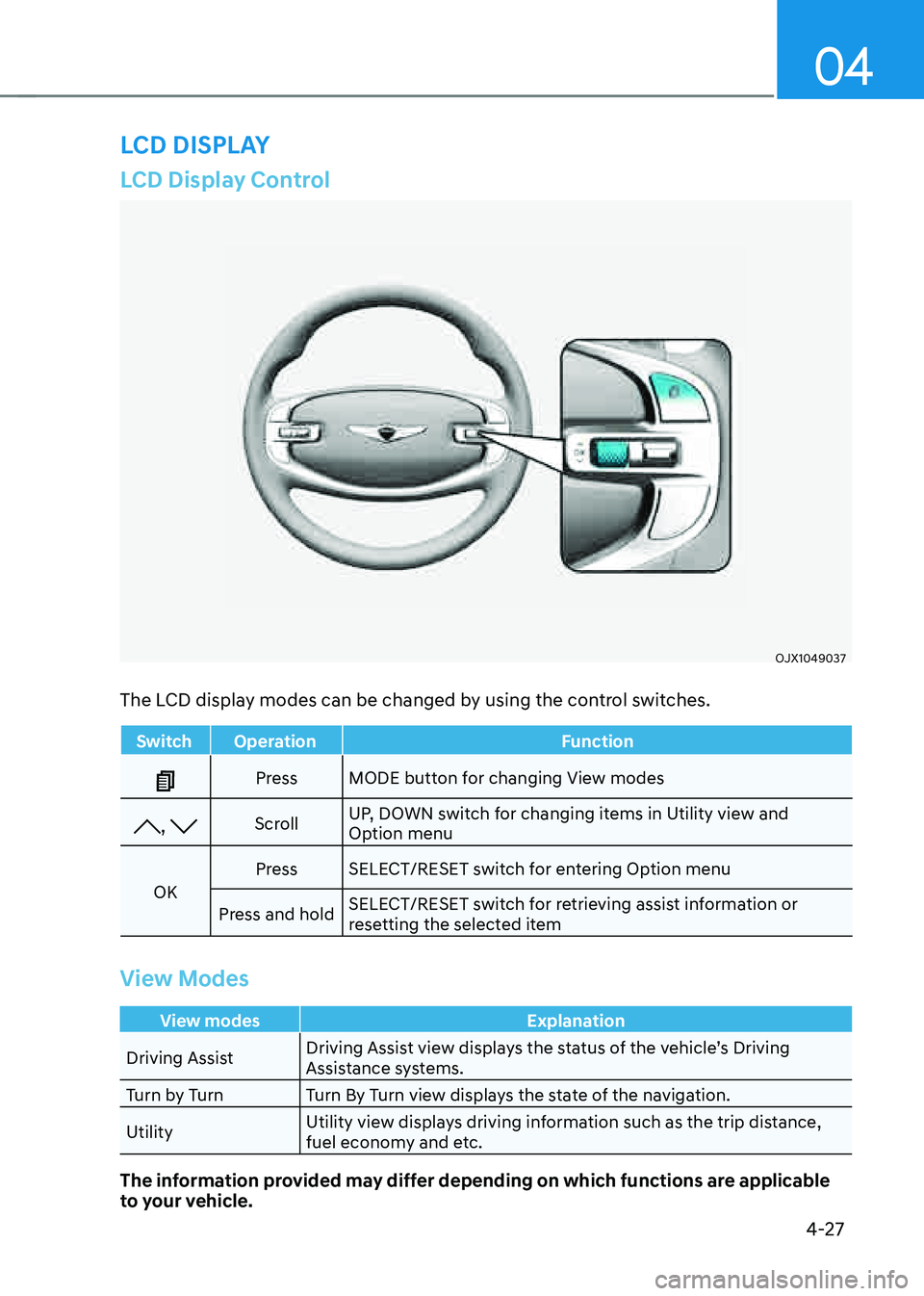
LCD Display Control
OJX1049037OJX1049037
The LCD display modes can be changed by using the control switches.
SwitchOperation Function
PressMODE button for changing View modes
, Scroll UP, DOWN switch for changing items in Utility view and
Option menu
OK Press
SELECT/RESET switch for entering Option menu
Press and hold SELECT/RESET switch for retrieving assist information or
resetting the selected item
View Modes
View modes
Explanation
Driving Assist Driving Assist view displays the status of the vehicle’s Driving
Assistance systems.
Turn by Turn Turn By Turn view displays the state of the navigation.
Utility Utility view displays driving information such as the trip distance,
fuel economy and etc.
The information provided may differ depending on which functions are applicable
to your vehicle.
LCD DISPLAY
Page 133 of 632
Instrument Cluster
4-28
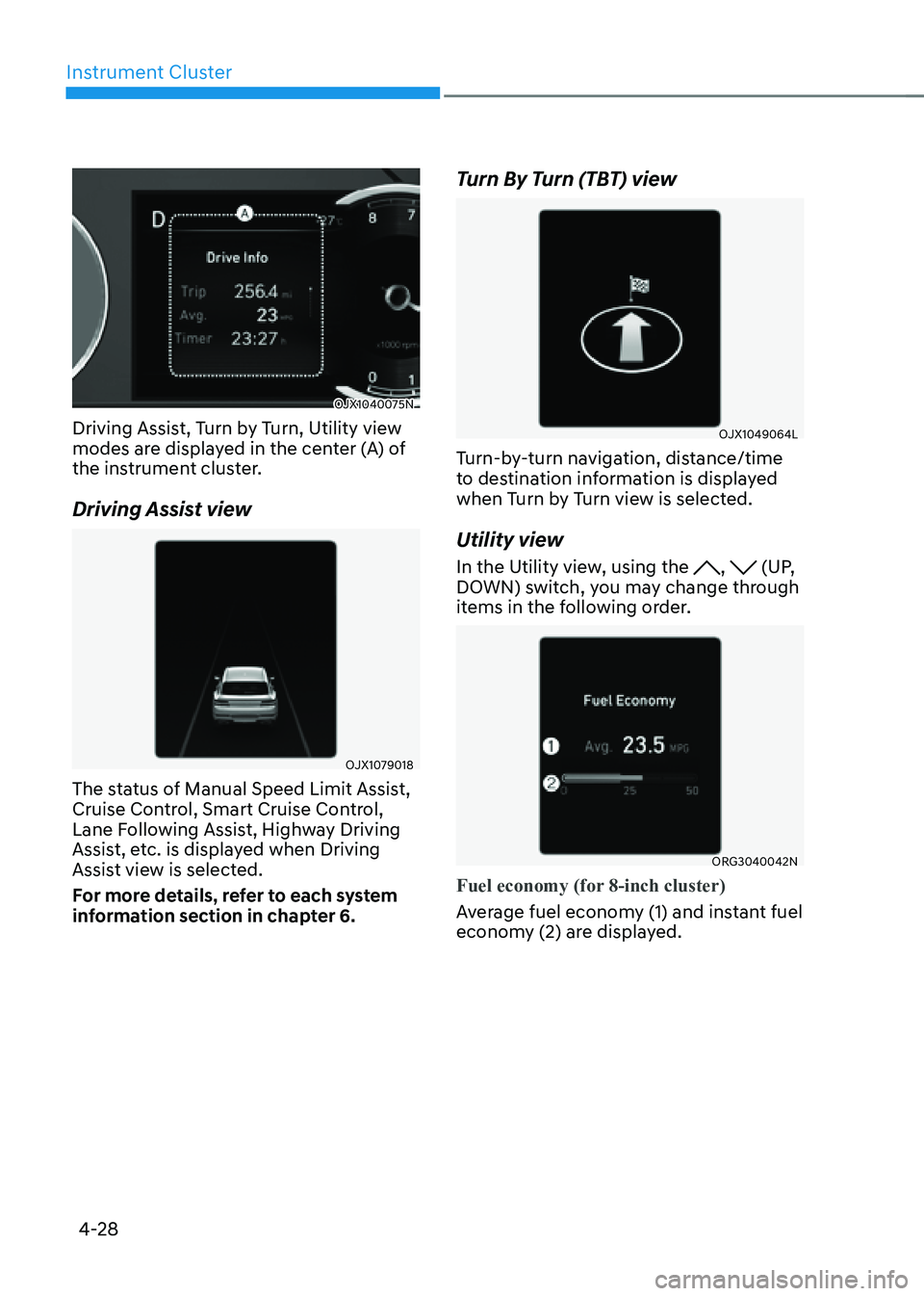
OJX1040075NOJX1040075N
Driving Assist, Turn by Turn, Utility view
modes are displayed in the center (A) of
the instrument cluster.
Driving Assist view
OJX1079018OJX1079018
The status of Manual Speed Limit Assist,
Cruise Control, Smart Cruise Control,
Lane Following Assist, Highway Driving
Assist, etc. is displayed when Driving
Assist view is selected.
For more details, refer to each system
information section in chapter 6.
Turn By Turn (TBT) view
OJX1049064LOJX1049064L
Turn-by-turn navigation, distance/time
to destination information is displayed
when Turn by Turn view is selected.
Utility view
In the Utility view, using the , (UP,
DOWN) switch, you may change through
items in the following order.
ORG3040042NORG3040042N
Fuel economy (for 8-inch cluster)
Average fuel economy (1) and instant fuel
economy (2) are displayed.
Page 136 of 632
04
4-31
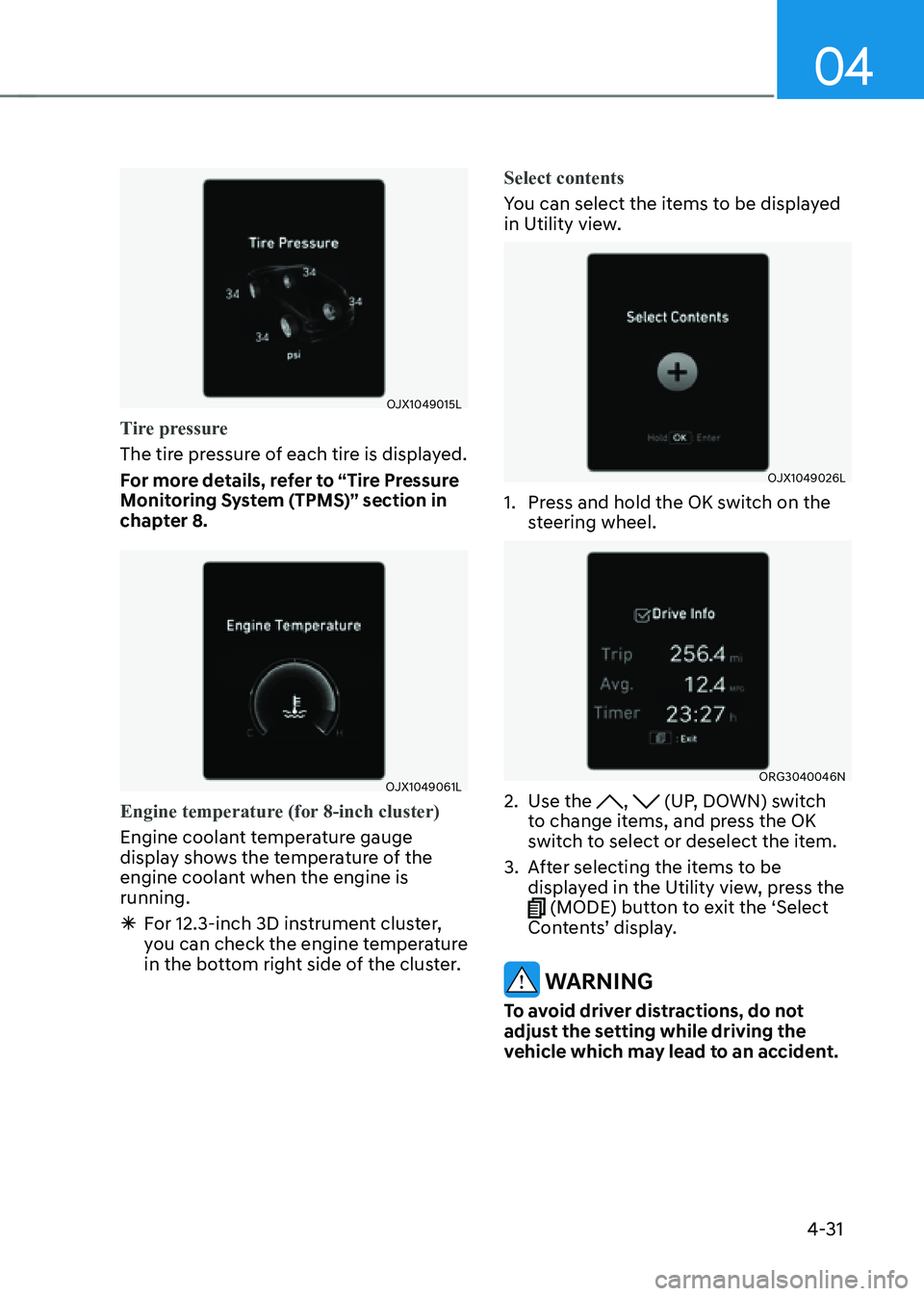
OJX1049015LOJX1049015L
Tire pressure
The tire pressure of each tire is displayed.
For more details, refer to “Tire Pressure
Monitoring System (TPMS)” section in
chapter 8.
OJX1049061LOJX1049061L
Engine temperature (for 8-inch cluster)
Engine coolant temperature gauge
display shows the temperature of the
engine coolant when the engine is
running.
ÃFor 12.3-inch 3D instrument cluster,
you can check the engine temperature
in the bottom right side of the cluster. Select contents
You can select the items to be displayed
in Utility view.
OJX1049026LOJX1049026L
1. Press and hold the OK switch on the
steering wheel.
ORG3040046NORG3040046N
2. Use the , (UP, DOWN) switch
to change items, and press the OK
switch to select or deselect the item.
3. After selecting the items to be
displayed in the Utility view, press the
(MODE) button to exit the ‘Select
Contents’ display.
WARNING
To avoid driver distractions, do not
adjust the setting while driving the
vehicle which may lead to an accident.
Page 139 of 632
Instrument Cluster
4-34
Speed unit (if equipped)
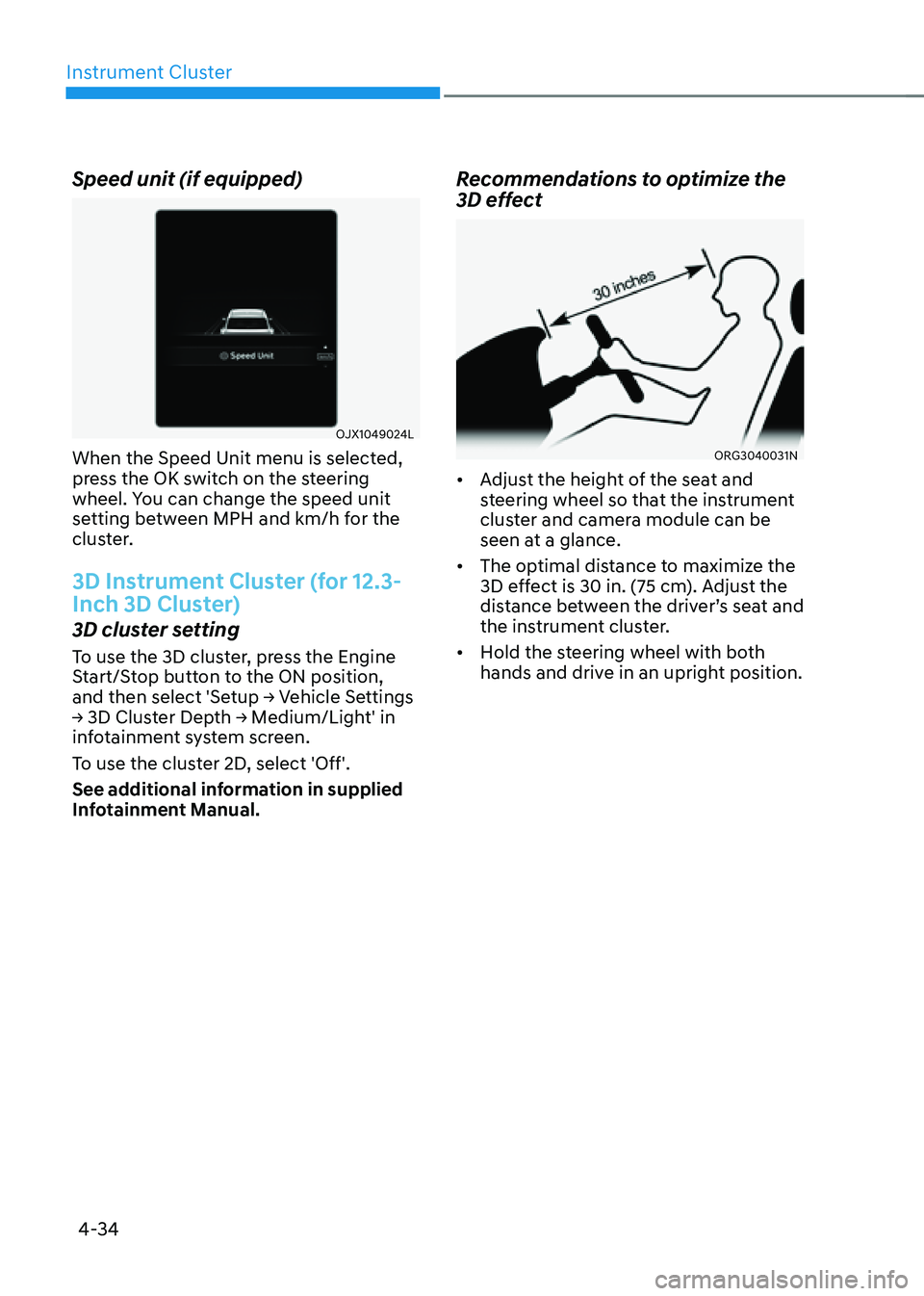
OJX1049024LOJX1049024L
When the Speed Unit menu is selected,
press the OK switch on the steering
wheel. You can change the speed unit
setting between MPH and km/h for the
cluster.
3D Instrument Cluster (for 12.3-
Inch 3D Cluster)
3D cluster setting
To use the 3D cluster, press the Engine
Start/Stop button to the ON position,
and then select 'Setup → Vehicle Settings
→ 3D Cluster Depth → Medium/Light' in
infotainment system screen.
To use the cluster 2D, select 'Off'.
See additional information in supplied
Infotainment Manual.
Recommendations to optimize the
3D effect
ORG3040031NORG3040031N
• Adjust the height of the seat and
steering wheel so that the instrument
cluster and camera module can be
seen at a glance.
• The optimal distance to maximize the
3D effect is 30 in. (75 cm). Adjust the
distance between the driver’s seat and
the instrument cluster.
• Hold the steering wheel with both
hands and drive in an upright position.
Page 140 of 632
04
4-35
Information
• When your face gets too close or far to
the instrument cluster, or the camera
on the instrument cluster is blocked by
the steering wheel or other objects, the
3D cluster changes to 2D automatically.
However if the object blocking the
camera is removed, the cluster changes
back to 3D automatically.
• If outside temperature is below 39°F
(4°C), it may change to 2D about 1 to
10 minutes.
• Two red lights may appear on the
camera in the following conditions
when:
-The outside brightness is dim or
driving at night
-The vehicle drives inside a building,
such as a basement parking lot
-The camera case of the instrument
cluster is partially damaged
CAUTION
• It may sometimes be difficult to
read information on the 3D cluster
in the following situations. You must
change the cluster to 2D for safe
driving.
-The driver is wearing sunglasses,
special glasses, infrared cutoff
glasses, refracting glasses or thick
glasses
-The driver has heavy eye makeup
(eyeliner, mascara, color makeup,
false eyelash) or eye piercing
-The driver’s view is blocked by his/
her hair, etc.
-The driver is winking or wearing an
eye patch on one eye
-The driver’s face is covered
partially by a mask, muffler, hood,
etc.
-The driver’s view is blocked by
incoming light from outside of the
vehicle
-Light from outside, sunlight or
infrared LED light of the camera
is reflected on the glasses or
sunglasses
-The driver turns or lowers his/her
head so that the face or an eye is
hidden from the camera
-The driver shakes his/her head
up and down, or adverse road
conditions cause excessive vehicle
vibrations while driving
-The driver is too tall or short
-More than two people are
looking at the instrument cluster
simultaneously from the driver’s
seat
-The driver’s eyesight of both eyes
are severely different
-The driver has a severe headache
• Do not look toward the camera
within 8 in (20 cm) for longer than a
minute.
• If you use the 3D cluster while your
vehicle is stopped, it can cause eye
strains or dizziness.
• We recommend people who are
pregnant, elderly or has motion
sickness, avoid using the cluster in
3D.
Page 142 of 632
04
4-37
VEHICLE SETTINGS (INFOTAINMENT SYSTEM)
OJX1050236NOJX1050236N
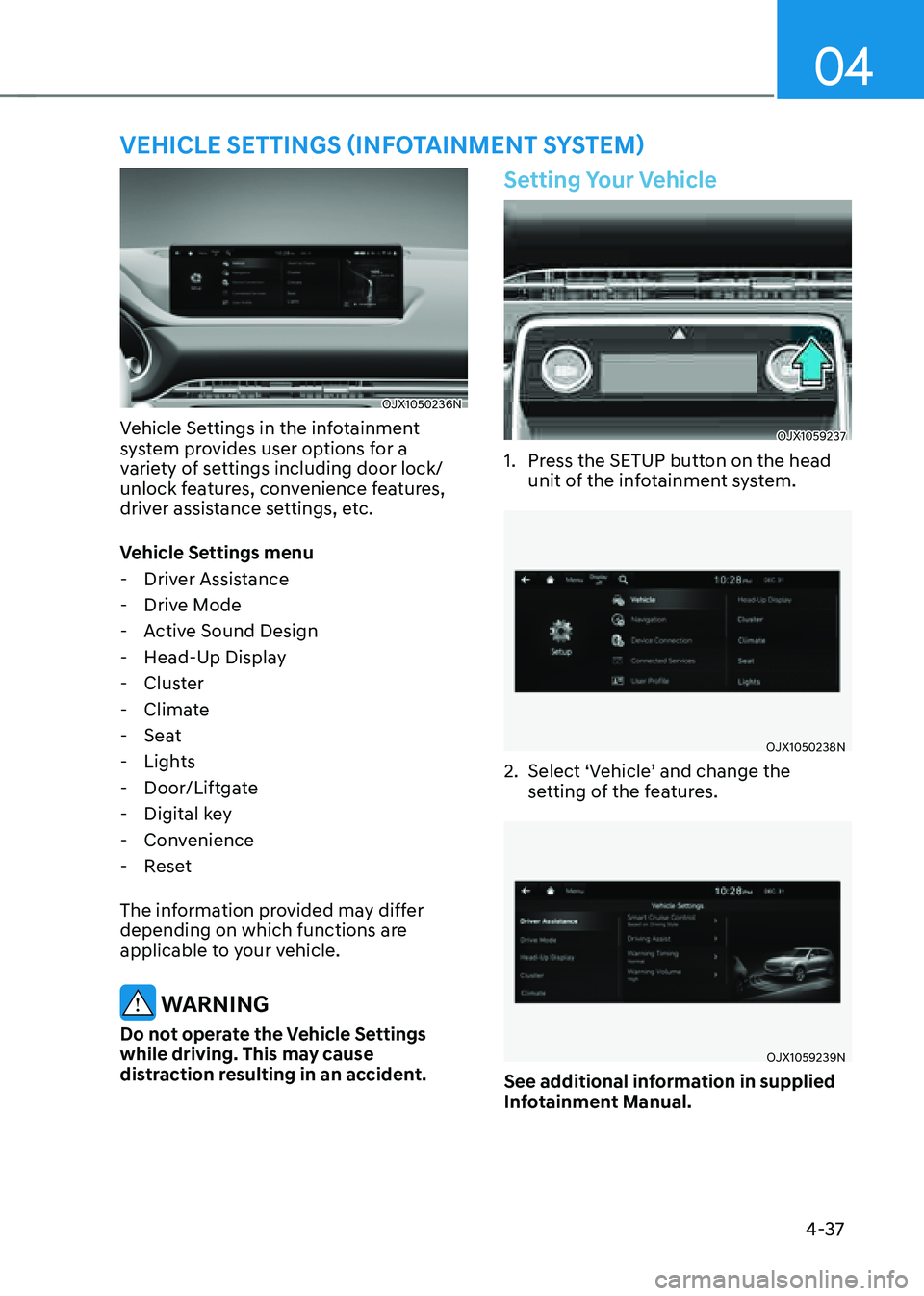
Vehicle Settings in the infotainment
system provides user options for a
variety of settings including door lock/
unlock features, convenience features,
driver assistance settings, etc.
Vehicle Settings menu
-Driver Assistance
-Drive Mode
-Active Sound Design
-Head-Up Display
-Cluster
-Climate
-Seat
-Lights
-Door/Liftgate
-Digital key
-Convenience
-Reset
The information provided may differ
depending on which functions are
applicable to your vehicle.
WARNING
Do not operate the Vehicle Settings
while driving. This may cause
distraction resulting in an accident.
Setting Your Vehicle
OJX1059237OJX1059237
1. Press the SETUP button on the head
unit of the infotainment system.
OJX1050238NOJX1050238N
2. Select ‘Vehicle’ and change the
setting of the features.
OJX1059239NOJX1059239N
See additional information in supplied
Infotainment Manual.