change GENESIS GV80 2021 Manual Online
[x] Cancel search | Manufacturer: GENESIS, Model Year: 2021, Model line: GV80, Model: GENESIS GV80 2021Pages: 632, PDF Size: 9.37 MB
Page 377 of 632

07
7-29
WARNING
• The steering wheel may not be
assisted if the steering wheel is held
very tight or the steering wheel is
steered over a certain degree.
• Lane Keeping Assist does not operate
at all times. It is the responsibility of
the driver to safely steer the vehicle
and to maintain the vehicle in its
lane.
• The hands–off warning message
may appear late depending on road
conditions. Always have your hands
on the steering wheel while driving.
• If the steering wheel is held very
lightly, the hands–off warning
message may appear because the
system may not recognize that the
driver has their hands on the steering
wheel.
• If you attach objects to the steering
wheel, the hands-off warning may
not work properly.
Information
• For more details on setting the
functions in the infotainment system,
refer to “Vehicle Settings” section in
chapter 4.
• When lane markings are detected, the
lane lines on the cluster will change
from grey to white and the green
indicator light will illuminate.
Page 379 of 632
07
7-31
For more details on the limitations
of the front view camera, refer to
“Forward Collision-Avoidance Assist
(FCA)” section in chapter 7.
WARNING
Take the following precautions when
using Lane Keeping Assist:
• The driver should hold the
responsibility to safely drive and
control the vehicle. Do not solely rely
on the system and drive dangerously.
• The operation of Lane Keeping
Assist can be cancelled or not
work properly depending on road
conditions and surroundings. Always
be cautious while driving.
• Refer to “Limitations of the System”
if the lane is not detected properly.
• When you are towing a trailer or
another vehicle, we recommend that
Lane Keeping Assist is turned off due
to safety reasons.
• If the vehicle is driven at high speed,
the steering wheel will not be
controlled. The driver must always
follow the speed limit when using
the system.
• If any other system’s warning
message is displayed or audible
warning is generated, Lane Keeping
Assist warning message may not be
displayed and audible warning may
not be generated.
• You may not hear the warning
sound of Lane Keeping Assist if the
surrounding is noisy.
• If you attach objects to the steering
wheel, steering may not be assisted
properly.
• Lane Keeping Assist may not operate
for 15 seconds after the vehicle is
started, or the front view camera is
initialized.
• Lane Keeping Assist will not operate
when:
-The turn signal or hazard waring
flasher is turned on
-The vehicle is not driven in the
center of the lane when the system
is turned on or right after changing
a lane
-ESC (Electronic Stability Control)
or VSM (Vehicle Stability
Management) is activated
-The vehicle is driven on a sharp
curve
-Vehicle speed is below 35 mph
(55 km/h) or above 130 mph
(210 km/h)
-The vehicle makes sharp lane
changes
-The vehicle brakes suddenly
Page 383 of 632

07
7-35
OJX1079180LOJX1079180L
When the engine is restarted with the
system off, the ‘Blind-Spot Safety System
is Off’ message will appear on the
cluster.
If you change the setting from ‘Off’ to
‘Active Assist’ or ‘Warning Only’, the
warning light on the side view mirror will
blink for three seconds.
In addition, if the engine is turned on,
when the system is set to ‘Active Assist’
or ‘Warning Only’, the warning light on
the side view mirror will blink for three
seconds.
WARNING
• If ‘Warning Only’ is selected, braking
is not assisted.
• If ‘Off’ is selected, the driver should
always be aware of the surroundings
and drive safely.
Information
If the engine is restarted, Blind-Spot
Safety system will maintain the last
setting.
OJX1079245LOJX1079245L
Warning Timing
With the Engine Start/Stop button in the
ON position, select ‘Driver Assistance →
Warning Timing’ from the Settings menu
to change the initial warning activation
time for Blind-Spot Safety system.
When the vehicle is first delivered,
Warning Timing is set to ‘Normal’. If you
change the Warning Timing, the warning
time of other Driver Assistance systems
may change.
Page 384 of 632
Driver Assistance System
7-36
OJX1079246LOJX1079246L
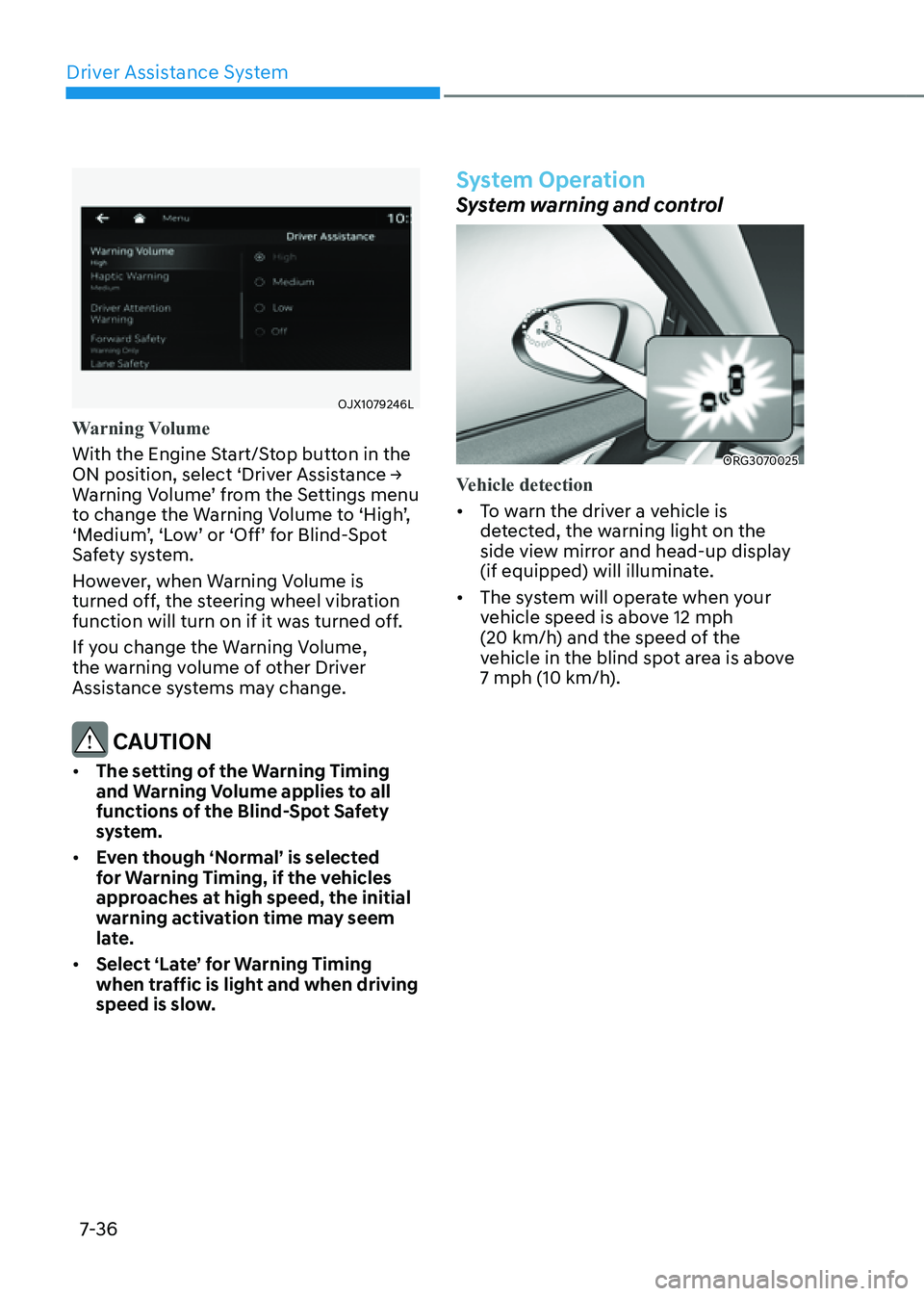
Warning Volume
With the Engine Start/Stop button in the
ON position, select ‘Driver Assistance →
Warning Volume’ from the Settings menu
to change the Warning Volume to ‘High’,
‘Medium’, ‘Low’ or ‘Off’ for Blind-Spot
Safety system.
However, when Warning Volume is
turned off, the steering wheel vibration
function will turn on if it was turned off.
If you change the Warning Volume,
the warning volume of other Driver
Assistance systems may change.
CAUTION
• The setting of the Warning Timing
and Warning Volume applies to all
functions of the Blind-Spot Safety
system.
• Even though ‘Normal’ is selected
for Warning Timing, if the vehicles
approaches at high speed, the initial
warning activation time may seem
late.
• Select ‘Late’ for Warning Timing
when traffic is light and when driving
speed is slow.
System Operation
System warning and control
ORG3070025 ORG3070025
Vehicle detection
• To warn the driver a vehicle is
detected, the warning light on the
side view mirror and head-up display
(if equipped) will illuminate.
• The system will operate when your
vehicle speed is above 12 mph
(20 km/h) and the speed of the
vehicle in the blind spot area is above
7 mph (10 km/h).
Page 386 of 632

Driver Assistance System
7-38
WARNING
• Collision-Avoidance Assist will
be canceled under the following
circumstances:
-Your vehicle enters the next lane
by a certain distance
-Your vehicle is away from the
collision risk
-The steering wheel is sharply
steered
-The brake pedal is depressed
-Forward Collision-Avoidance Assist
is operating
• After system operation or lane
change, you must drive to the center
of the lane. The system will not
operate if the vehicle is not driven in
the center of the lane.
OJX1079153LOJX1079153L
Collision-Avoidance Assist (while
departing)
• To warn the driver of a collision, the
warning light on the side view mirror
will blink and a warning message
will appear on the cluster. At the
same time, an audible warning will
sound, warning light on the head-up
display (if equipped) will blink and the
steering wheel will vibrate.
• The system will operate when your
vehicle speed is below 2 mph
(3 km/h) and the speed of the vehicle
in the blind spot area is above 3 mph
(5 km/h).
• Emergency braking will be assisted to
help prevent collision with the vehicle
in the blind spot area.
Page 387 of 632

07
7-39
OJX1079094LOJX1079094L
Stopping vehicle and ending brake control
• When the vehicle is stopped due
to emergency braking, the ‘Drive
carefully’ warning message will
appear on the cluster.
For your safety, the driver should
depress the brake pedal immediately
and check the surroundings.
• Brake control will end after the vehicle
is stopped by emergency braking for
approximately 2 seconds.
WARNING
Take the following precautions when
using Blind-Spot Safety system:
• For your safety, change the Settings
after parking the vehicle at a safe
location.
• If any other system’s warning
message is displayed or audible
warning is generated, Blind-Spot
Safety system’s warning message
may not be displayed and audible
warning may not be generated.
• You may not hear the warning sound
of Blind-Spot Safety system if the
surrounding is noisy.
• Blind-Spot Safety system may not
operate if the driver applies the
brake pedal to avoid collision.
• When Blind-Spot Safety system
is operating, braking control by
the system will automatically
cancel when the driver excessively
depresses the accelerator pedal or
sharply steers the vehicle.
• During Blind-Spot Safety system
operation, the vehicle may stop
suddenly injuring passengers and
shifting loose objects. Always have
the seat belt on and keep loose
objects secured.
• Even if there is a problem with Blind-
Spot Safety system, the vehicle’s
basic braking performance will
operate normally.
• Blind-Spot Safety system does not
operate in all situations or cannot
avoid all collisions.
Page 390 of 632

Driver Assistance System
7-42
• The speed of the other vehicle is very
fast that it passes by your vehicle in a
short time
• Your vehicle passes by the other
vehicle
• Your vehicle changes lane
• Your vehicle has started at the same
time as the vehicle next to you and
has accelerated
• The vehicle in the next lane moves
two lanes away from you, or when the
vehicle two lanes away moves to the
next lane from you
• A trailer or carrier is installed around
the rear corner radar
• The bumper around the rear corner
radar is covered with objects, such as
a bumper sticker, bumper guard, bike
rack, etc.
• The bumper around the rear corner
radar is impacted, damaged or the
radar is out of position
• Your vehicle height is low or high
due to heavy loads, abnormal tire
pressure, etc.
Blind-Spot Safety system may not
operate normally, or the system may
operate unexpectedly when the
following objects are detected:
• A motorcycle or bicycle is detected
• A vehicle such as a flat trailer is
detected
• A big vehicle such as a bus or truck is
detected
• A moving obstacle such as a
pedestrian, animal, shopping cart or a
baby stroller is detected
• A vehicle with low height such as a
sports car is detected Braking control may not work, driver’s
attention is required in the following
circumstances:
• The vehicle severely vibrates while
driving over a bumpy road, uneven
road or concrete patch
• Driving on a slippery surface due to
snow, water puddle, ice, etc.
• The tire pressure is low or a tire is
damaged
• The brake is reworked
• The vehicle makes abrupt lane
changes
For more details on the limitations
of the front view camera, refer to
“Forward Collision-Avoidance Assist
(FCA)” and “Lane Keeping Assist (LKA)”
section in chapter 7.
Page 392 of 632

Driver Assistance System
7-44
• Driving where the heights of the
lanes are different
OJX1079061OJX1079061
Blind-Spot Safety system may not
operate properly when driving where
the heights of the lanes are different.
The system may not detect the
vehicle on a road with different lane
heights (underpass joining section,
grade separated intersections, etc.).
Always pay attention to road and
driving conditions while driving.
WARNING
• When you are towing a trailer or
another vehicle, make sure that you
turn off Blind-Spot Safety system.
• Blind-Spot Safety system may not
operate normally if interfered by
strong electromagnetic waves.
• Blind-Spot Safety system may not
operate for 15 seconds after the
vehicle is started, or the front view
camera or rear corner radars are
initialized.
Information
This device complies with Part 15 of the
FCC rules.
Operation is subject to the following three
conditions:
1. This device may not cause harmful
interference, and
2. This device must accept any
interference received, including
interference that may cause
undesired operation.
3. Changes or modifications not
expressly approved by the party
responsible for compliance could
void the user's authority to operate
the device.
Information
Radio frequency radiation exposure
information:
This equipment complies with FCC
radiation exposure limits set forth for an
uncontrolled environment.
This equipment should be installed and
operated with minimum distance of 8 in.
(20 cm) between the radiator (antenna)
and your body.
This transmitter must not be co-located or
operating in conjunction with any other
antenna or transmitter.
Page 394 of 632
Driver Assistance System
7-46
System Settings
Setting functions for the system
OJX1079173LOJX1079173L
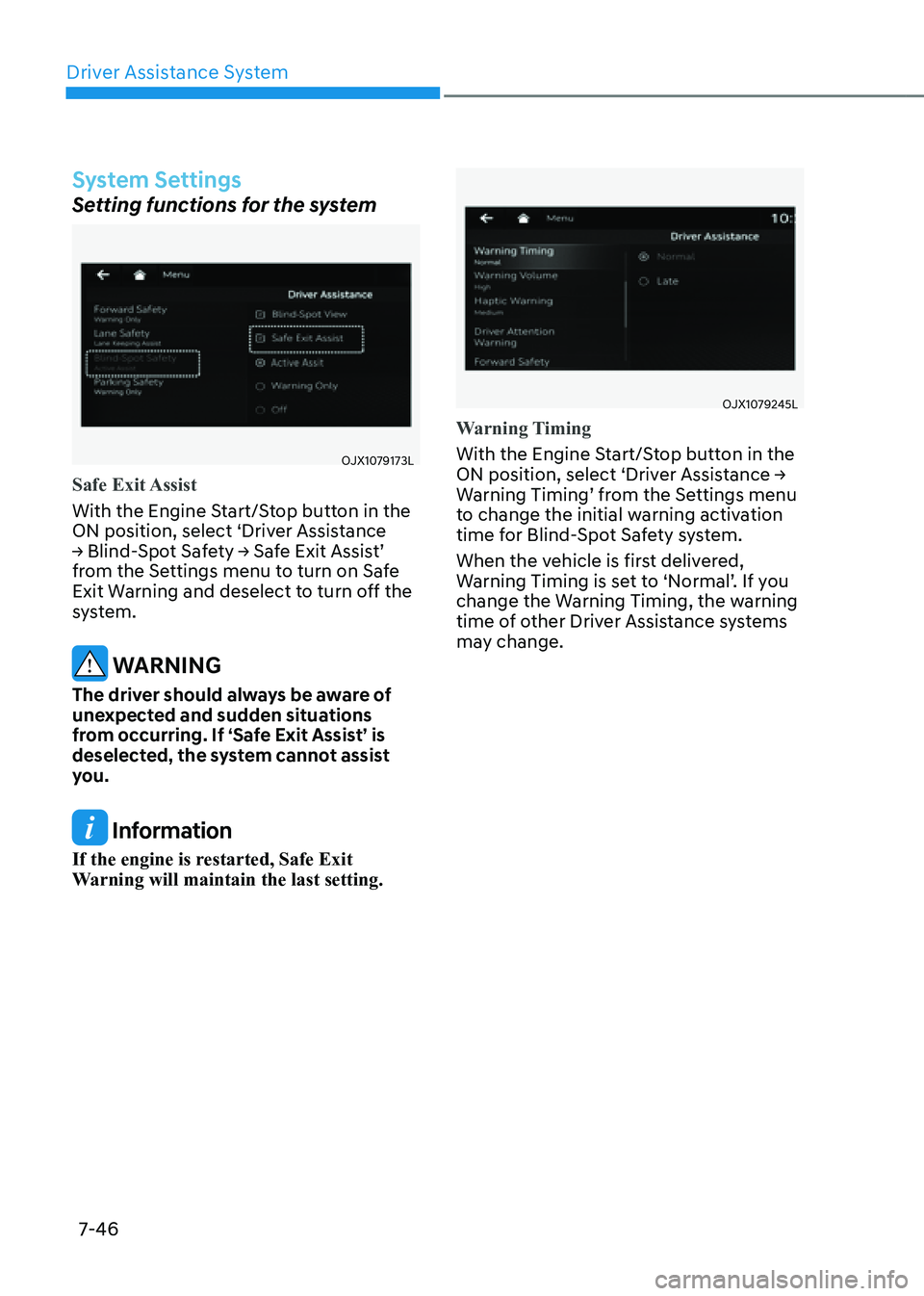
Safe Exit Assist
With the Engine Start/Stop button in the
ON position, select ‘Driver Assistance
→ Blind-Spot Safety → Safe Exit Assist’
from the Settings menu to turn on Safe
Exit Warning and deselect to turn off the
system.
WARNING
The driver should always be aware of
unexpected and sudden situations
from occurring. If ‘Safe Exit Assist’ is
deselected, the system cannot assist
you.
Information
If the engine is restarted, Safe Exit
Warning will maintain the last setting.
OJX1079245LOJX1079245L
Warning Timing
With the Engine Start/Stop button in the
ON position, select ‘Driver Assistance →
Warning Timing’ from the Settings menu
to change the initial warning activation
time for Blind-Spot Safety system.
When the vehicle is first delivered,
Warning Timing is set to ‘Normal’. If you
change the Warning Timing, the warning
time of other Driver Assistance systems
may change.
Page 395 of 632

07
7-47
OJX1079246LOJX1079246L
Warning Volume
With the Engine Start/Stop button in the
ON position, select ‘Driver Assistance →
Warning Volume’ from the Settings menu
to change the Warning Volume to ‘High’,
‘Medium’, ‘Low’ or ‘Off’ for Blind-Spot
Safety system.
However, even if ‘Off’ is selected, the
system's Warning Volume will not turn
off but the volume will sound as ‘Low’.
If you change the warning volume,
the Warning Volume of other Driver
Assistance systems may change.
CAUTION
• The setting of the Warning Timing
and Warning Volume applies to all
functions of the Safe Exit Warning.
• Even though ‘Normal’ is selected
for Warning Timing, if the vehicles
approaches at high speed from the
rear, the initial warning activation
time may seem late.
• Select ‘Late’ for Warning Timing
when traffic is light.
System Operation
System warning
OJX1079064LOJX1079064L
Collision warning when exiting vehicle
• When an approaching vehicle from
the rear is detected, the ‘Watch for
traffic’ warning message will appear
on the cluster, and an audible warning
will sound.
• Safe Exit Warning will warn the driver
when your vehicle speed is below 2
mph (3 km/h), and the speed of the
approaching vehicle from the rear is
above 3 mph (5 km/h).