brake GMC ACADIA 2007 Owner's Guide
[x] Cancel search | Manufacturer: GMC, Model Year: 2007, Model line: ACADIA, Model: GMC ACADIA 2007Pages: 554, PDF Size: 2.76 MB
Page 251 of 554
SERVICE BATTERY CHARGING
SYSTEM
On some vehicles, this message displays if there
is a problem with the battery charging system.
Under certain conditions, the charging system light
may also turn on in the instrument panel cluster.
SeeCharging System Light on page 220.
Driving with this problem could drain the battery.
Turn off all unnecessary accessories. Have
the electrical system checked as soon as possible.
See your dealer/retailer.
SERVICE BRAKE SYSTEM
This message displays along with the brake
system warning light if there is a problem with
the brake system. SeeBrake System Warning
Light on page 222. If this message appears, stop
as soon as possible and turn off the vehicle.
Restart the vehicle and check for the message on
the DIC display. If the message is still displayed
or appears again when you begin driving, the
brake system needs service as soon as possible.
See your dealer/retailer.
SERVICE PARK ASSIST
If your vehicle has the Ultrasonic Rear Parking
Assist (URPA) system, this message displays
if there is a problem with the URPA system.
Do not use this system to help you park. See
Ultrasonic Rear Parking Assist (URPA) on
page 194for more information. See your
dealer/retailer for service.
SERVICE POWER STEERING
This message displays when a problem is
detected with the power steering system. When
this message is displayed, you may notice that
the effort required to steer the vehicle increases
or feels heavier, but you will still be able to
steer the vehicle. Have your vehicle serviced
by your dealer/retailer immediately.
251
Page 329 of 554
Your Driving, the Road, and
Your Vehicle............................................ 330
Defensive Driving...................................... 330
Drunken Driving........................................ 331
Control of a Vehicle.................................. 334
Braking...................................................... 334
Anti-Lock Brake System (ABS).................. 335
Braking in Emergencies............................. 336
StabiliTrak
®System................................... 337
All-Wheel Drive (AWD) System.................. 339
Steering.................................................... 340
Off-Road Recovery.................................... 342
Passing..................................................... 342
Loss of Control.......................................... 344
Driving at Night......................................... 346Driving in Rain and on Wet Roads............ 347
City Driving............................................... 350
Freeway Driving........................................ 351
Before Leaving on a Long Trip.................. 352
Highway Hypnosis..................................... 353
Hill and Mountain Roads........................... 354
Winter Driving........................................... 356
If Your Vehicle is Stuck in Sand, Mud,
Ice, or Snow.......................................... 360
Rocking Your Vehicle to Get It Out........... 361
Loading Your Vehicle................................ 361
Towing........................................................ 367
Towing Your Vehicle................................. 367
Recreational Vehicle Towing...................... 367
Towing a Trailer........................................ 371
Section 4 Driving Your Vehicle
329
Page 334 of 554
Control of a Vehicle
The following three systems help to control your
vehicle while driving — brakes, steering, and
accelerator. At times, as when driving on snow or
ice, it is easy to ask more of those control
systems than the tires and road can provide.
Meaning, you can lose control of your vehicle.
SeeStabiliTrak
®System on page 337.
Adding non-dealer/non-retailer accessories can
affect your vehicle’s performance. SeeAccessories
and Modifications on page 385.
Braking
SeeBrake System Warning Light on page 222.
Braking action involves perception time and
reaction time. First, you have to decide to push
on the brake pedal. That is perception time.
Then you have to bring up your foot and do it.
That is reaction time.
Average reaction time is about three-fourths of
a second. But that is only an average. It might
be less with one driver and as long as two or
three seconds or more with another. Age, physical
condition, alertness, coordination, and eyesight all
play a part. So do alcohol, drugs, and frustration.But even in three-fourths of a second, a vehicle
moving at 60 mph (100 km/h) travels 66 feet
(20 m). That could be a lot of distance in an
emergency, so keeping enough space between
your vehicle and others is important.
And, of course, actual stopping distances vary
greatly with the surface of the road, whether it is
pavement or gravel; the condition of the road,
whether it is wet, dry, or icy; tire tread; the condition
of the brakes; the weight of the vehicle; and the
amount of brake force applied.
Avoid needless heavy braking. Some people drive
in spurts — heavy acceleration followed by heavy
braking — rather than keeping pace with traffic.
This is a mistake. The brakes might not have time
to cool between hard stops. The brakes will
wear out much faster if you do a lot of heavy
braking. If you keep pace with the traffic and allow
realistic following distances, you will eliminate a
lot of unnecessary braking. That means better
braking and longer brake life.
If your vehicle’s engine ever stops while you
are driving, brake normally but do not pump
the brakes. If you do, the pedal could get
harder to push down. If the engine stops,
you will still have some power brake assist.
334
Page 335 of 554
But you will use it when you brake. Once the
power assist is used up, it can take longer to stop
and the brake pedal will be harder to push.
Adding non-dealer/non-retailer accessories can
affect your vehicle’s performance. SeeAccessories
and Modifications on page 385.
Anti-Lock Brake System (ABS)
Your vehicle has the Anti-Lock Brake System
(ABS), an advanced electronic braking system that
will help prevent a braking skid.
When you start the engine and begin to drive
away, ABS will check itself. You might hear
a momentary motor or clicking noise while this test
is going on, and you might even notice that the
brake pedal moves a little. This is normal.
If there is a problem
with ABS, this warning
light will stay on.
SeeAnti-Lock Brake
System Warning
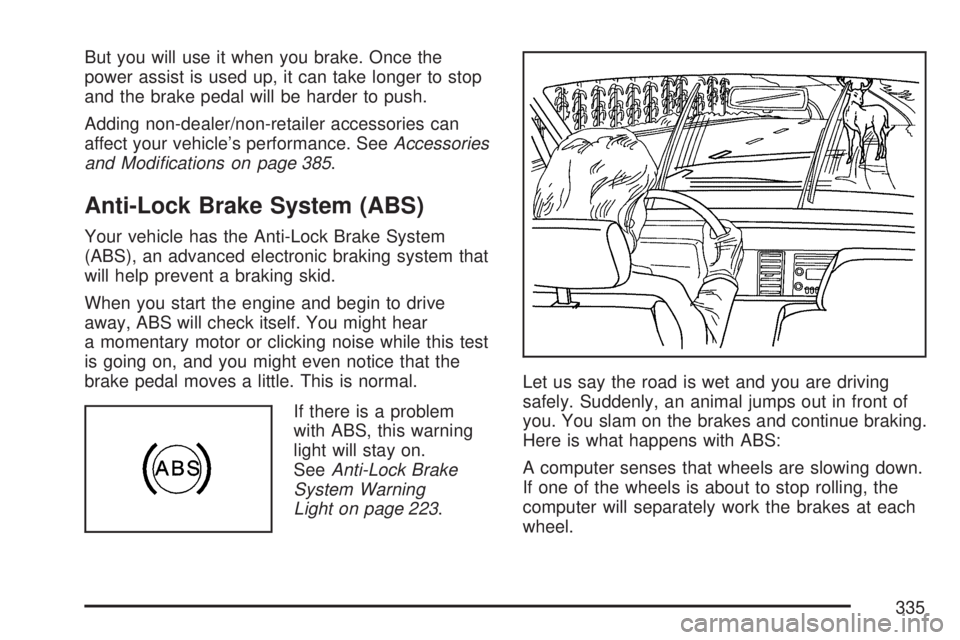
Light on page 223.Let us say the road is wet and you are driving
safely. Suddenly, an animal jumps out in front of
you. You slam on the brakes and continue braking.
Here is what happens with ABS:
A computer senses that wheels are slowing down.
If one of the wheels is about to stop rolling, the
computer will separately work the brakes at each
wheel.
335
Page 336 of 554
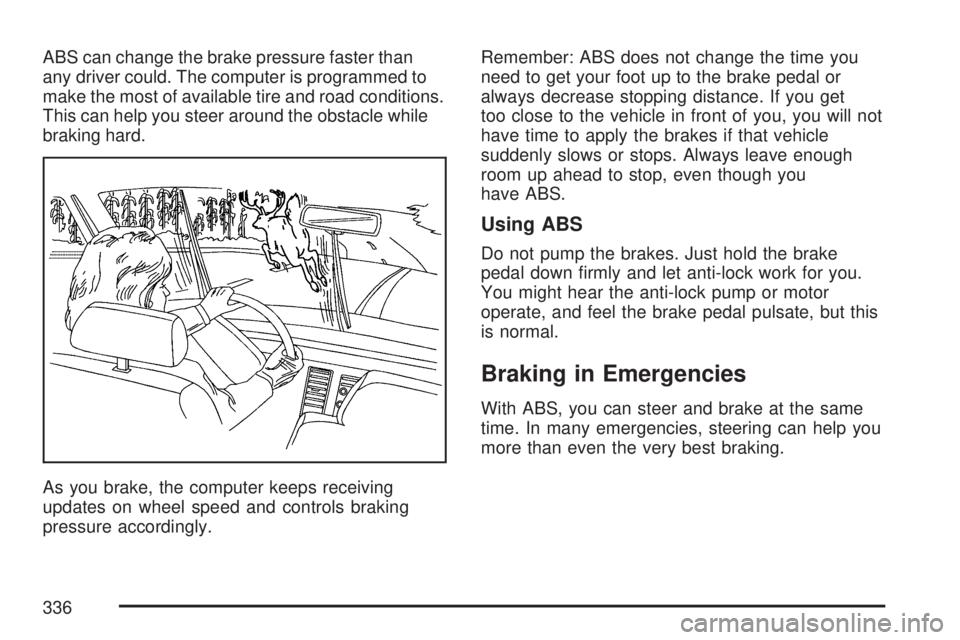
ABS can change the brake pressure faster than
any driver could. The computer is programmed to
make the most of available tire and road conditions.
This can help you steer around the obstacle while
braking hard.
As you brake, the computer keeps receiving
updates on wheel speed and controls braking
pressure accordingly.Remember: ABS does not change the time you
need to get your foot up to the brake pedal or
always decrease stopping distance. If you get
too close to the vehicle in front of you, you will not
have time to apply the brakes if that vehicle
suddenly slows or stops. Always leave enough
room up ahead to stop, even though you
have ABS.
Using ABS
Do not pump the brakes. Just hold the brake
pedal down rmly and let anti-lock work for you.
You might hear the anti-lock pump or motor
operate, and feel the brake pedal pulsate, but this
is normal.
Braking in Emergencies
With ABS, you can steer and brake at the same
time. In many emergencies, steering can help you
more than even the very best braking.
336
Page 337 of 554
StabiliTrak®System
Your vehicle has the StabiliTrak®system which
combines antilock brake, traction and stability
control systems and helps the driver maintain
directional control of the vehicle in most driving
conditions.
When you rst start your vehicle and begin to
drive away, the system performs several
diagnostic checks to ensure there are no
problems. You may hear or feel the system
working. This is normal and does not mean
there is a problem with your vehicle. The system
should initialize before the vehicle reaches
20 mph (32 km/h). In some cases, it may take
approximately two miles of driving before the
system initializes.
If the system fails to turn on or activate, the
StabiliTrak
®light along with one of the following
messages will be displayed on the Driver
Information Center (DIC): TRACTION CONTROL
OFF, SERVICE TRACTION CONTROL,
SERVICE STABILITRAK. If you see these
conditions, turn the vehicle off, wait 15 seconds,
and then turn it back on again to reset the system.If any of these messages still appear on the Driver
Information Center (DIC), your vehicle should
be taken in for service. For more information on
the DIC messages, seeDriver Information
Center (DIC) on page 232.
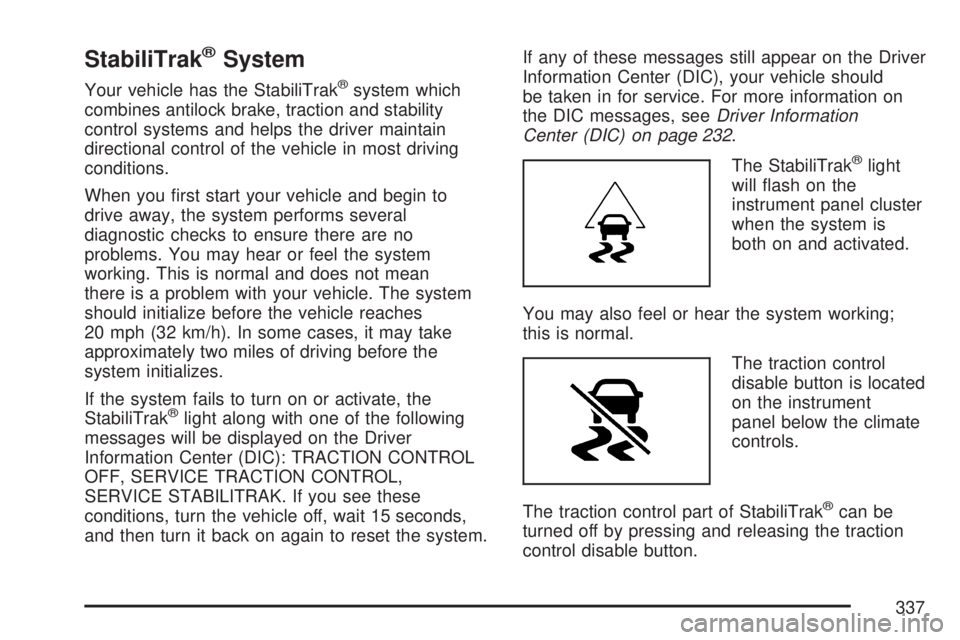
The StabiliTrak
®light
will ash on the
instrument panel cluster
when the system is
both on and activated.
You may also feel or hear the system working;
this is normal.
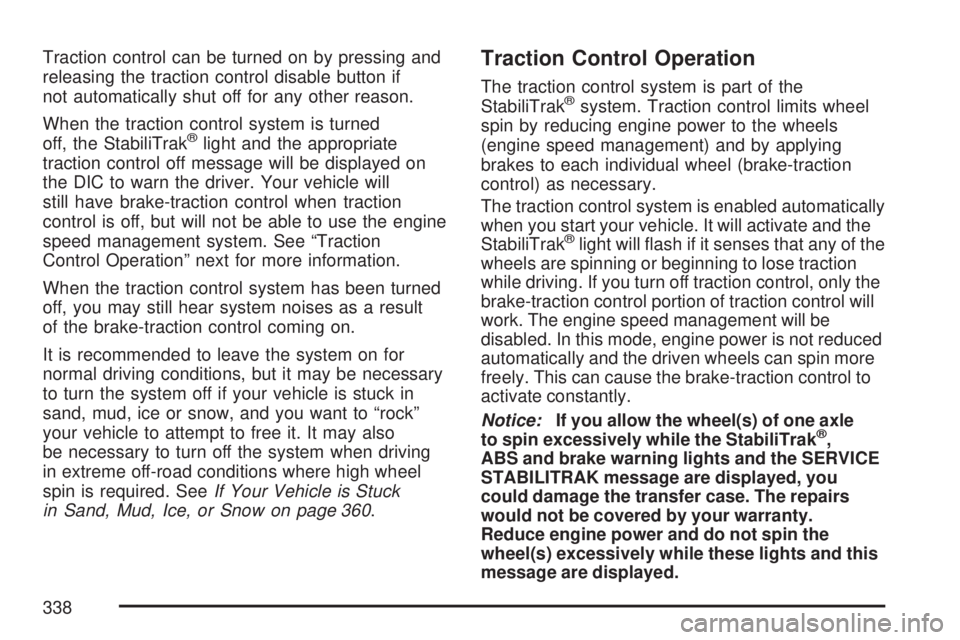
The traction control
disable button is located
on the instrument
panel below the climate
controls.
The traction control part of StabiliTrak
®can be
turned off by pressing and releasing the traction
control disable button.
337
Page 338 of 554
Traction control can be turned on by pressing and
releasing the traction control disable button if
not automatically shut off for any other reason.
When the traction control system is turned
off, the StabiliTrak
®light and the appropriate
traction control off message will be displayed on
the DIC to warn the driver. Your vehicle will
still have brake-traction control when traction
control is off, but will not be able to use the engine
speed management system. See “Traction
Control Operation” next for more information.
When the traction control system has been turned
off, you may still hear system noises as a result
of the brake-traction control coming on.
It is recommended to leave the system on for
normal driving conditions, but it may be necessary
to turn the system off if your vehicle is stuck in
sand, mud, ice or snow, and you want to “rock”
your vehicle to attempt to free it. It may also
be necessary to turn off the system when driving
in extreme off-road conditions where high wheel
spin is required. SeeIf Your Vehicle is Stuck
in Sand, Mud, Ice, or Snow on page 360.
Traction Control Operation
The traction control system is part of the
StabiliTrak®system. Traction control limits wheel
spin by reducing engine power to the wheels
(engine speed management) and by applying
brakes to each individual wheel (brake-traction
control) as necessary.
The traction control system is enabled automatically
when you start your vehicle. It will activate and the
StabiliTrak
®light will ash if it senses that any of the
wheels are spinning or beginning to lose traction
while driving. If you turn off traction control, only the
brake-traction control portion of traction control will
work. The engine speed management will be
disabled. In this mode, engine power is not reduced
automatically and the driven wheels can spin more
freely. This can cause the brake-traction control to
activate constantly.
Notice:If you allow the wheel(s) of one axle
to spin excessively while the StabiliTrak
®,
ABS and brake warning lights and the SERVICE
STABILITRAK message are displayed, you
could damage the transfer case. The repairs
would not be covered by your warranty.
Reduce engine power and do not spin the
wheel(s) excessively while these lights and this
message are displayed.
338
Page 341 of 554
Try to adjust your speed so you can “drive” through
the curve. Maintain a reasonable, steady speed.
Wait to accelerate until you are out of the curve,
and then accelerate gently into the straightaway.
Adding non-dealer/non-retailer accessories can
affect your vehicle’s performance. SeeAccessories
and Modifications on page 385.
Steering in Emergencies
There are times when steering can be more
effective than braking. For example, you come
over a hill and nd a truck stopped in your lane,
or a car suddenly pulls out from nowhere, or
a child darts out from between parked cars and
stops right in front of you. You can avoid
these problems by braking — if you can stop in
time. But sometimes you cannot; there is not room.
That is the time for evasive action — steering
around the problem.
Your vehicle can perform very well in emergencies
like these. First, apply the brakes. SeeBraking
on page 334. It is better to remove as much speed
as you can from a possible collision. Then steer
around the problem, to the left or right depending
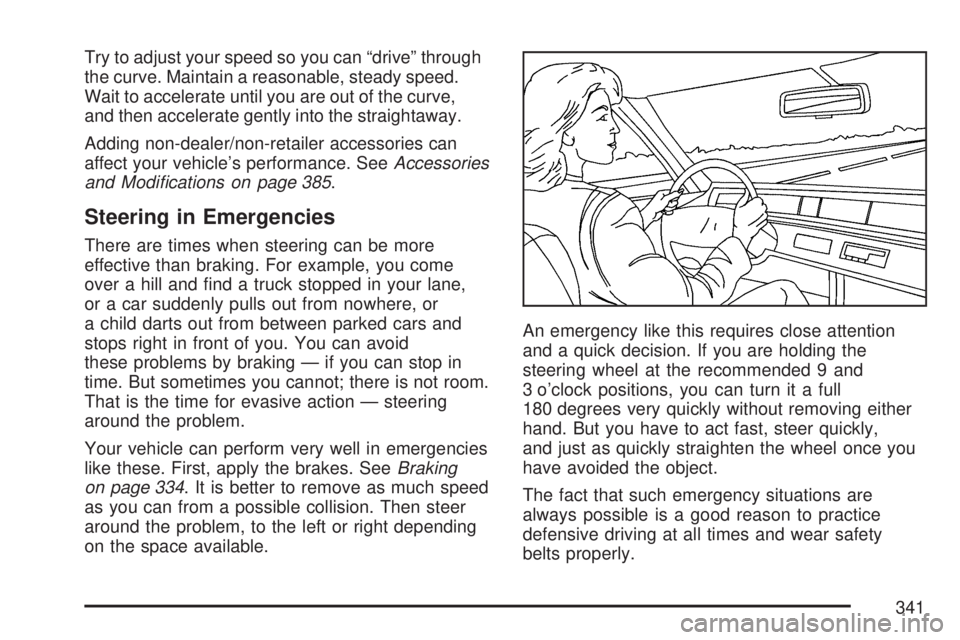
on the space available.An emergency like this requires close attention
and a quick decision. If you are holding the
steering wheel at the recommended 9 and
3 o’clock positions, you can turn it a full
180 degrees very quickly without removing either
hand. But you have to act fast, steer quickly,
and just as quickly straighten the wheel once you
have avoided the object.
The fact that such emergency situations are
always possible is a good reason to practice
defensive driving at all times and wear safety
belts properly.
341
Page 344 of 554
Check your vehicle’s mirrors, glance over your
shoulder, and start your left lane change
signal before moving out of the right lane to
pass. When you are far enough ahead of
the passed vehicle to see its front in your
vehicle’s inside mirror, activate the right lane
change signal and move back into the
right lane. Remember that an outside convex
mirror makes the vehicle you just passed
seem farther away from you than it really is.
Try not to pass more than one vehicle
at a time on two-lane roads. Reconsider before
passing the next vehicle.
Do not overtake a slowly moving vehicle too
rapidly. Even though the brake lamps are
not ashing, it might be slowing down
or starting to turn.
If you are being passed, make it easy for the
following driver to get ahead of you. Perhaps
you can ease a little to the right.
Loss of Control
Let us review what driving experts say about what
happens when the three control systems — brakes,
steering, and acceleration — do not have enough
friction where the tires meet the road to do what the
driver has asked.
In any emergency, do not give up. Keep trying to
steer and constantly seek an escape route or
area of less danger.
Skidding
In a skid, a driver can lose control of the vehicle.
Defensive drivers avoid most skids by taking
reasonable care suited to existing conditions, and
by not overdriving those conditions. But skids
are always possible.
344
Page 345 of 554
The three types of skids correspond to your
vehicle’s three control systems. In the braking skid,
the wheels are not rolling. In the steering or
cornering skid, too much speed or steering in a
curve causes tires to slip and lose cornering force.
And in the acceleration skid, too much throttle
causes the driving wheels to spin.
A cornering skid is best handled by easing your
foot off the accelerator pedal.
If your vehicle starts to slide, ease your foot off the
accelerator pedal and quickly steer the way you
want the vehicle to go. If you start steering quickly
enough, your vehicle may straighten out. Always be
ready for a second skid if it occurs.
Of course, traction is reduced when water, snow,
ice, gravel, or other material is on the road.
For safety, you want to slow down and adjust your
driving to these conditions. It is important to slow
down on slippery surfaces because stopping
distance is longer and vehicle control more limited.While driving on a surface with reduced traction,
try your best to avoid sudden steering,
acceleration, or braking, including reducing
vehicle speed by shifting to a lower gear.
Any sudden changes could cause the tires to
slide. You might not realize the surface is slippery
until your vehicle is skidding. Learn to recognize
warning clues — such as enough water, ice,
or packed snow on the road to make a mirrored
surface — and slow down when you have any
doubt.
Remember: Any Anti-Lock Brake System (ABS)
helps avoid only the braking skid.
345