warning light GMC ACADIA 2007 Owner's Guide
[x] Cancel search | Manufacturer: GMC, Model Year: 2007, Model line: ACADIA, Model: GMC ACADIA 2007Pages: 554, PDF Size: 2.76 MB
Page 244 of 554
DIC Warnings and Messages
Messages are displayed on the DIC to notify the
driver that the status of the vehicle has changed
and that some action may be needed by the driver
to correct the condition. Multiple messages may
appear one after another.
Some messages may not require immediate
action, but you can press any of the DIC buttons
on the instrument panel or the trip odometer
reset stem on the instrument panel cluster
to acknowledge that you received the messages
and to clear them from the display.
Some messages cannot be cleared from the DIC
display because they are more urgent. These
messages require action before they can be
cleared. You should take any messages that
appear on the display seriously and remember that
clearing the messages will only make the
messages disappear, not correct the problem.
The following are the possible messages that can
be displayed and some information about them.
ALL WHEEL DRIVE OFF
If your vehicle has the All-Wheel Drive (AWD)
system, this message displays when there
is a compact spare tire on the vehicle, when
the Anti-lock Brake System (ABS) warning light
comes on, or when the rear differential uid
is overheating. This message turns off when the
differential uid cools.
The AWD system is disabled until the compact
spare tire is replaced by a full-size tire. If the
warning message is still on after putting on the
full-size tire, you need to reset the warning
message. To reset the warning message, turn
the ignition off and then back on again after
30 seconds. If the message stays on, see your
dealer/retailer right away. SeeAll-Wheel Drive
(AWD) System on page 339for more information.
AUTOMATIC LIGHT CONTROL OFF
This message displays when the automatic
headlamps are turned off. This message clears
itself after 10 seconds.
244
Page 245 of 554
AUTOMATIC LIGHT CONTROL ON
This message displays when the automatic
headlamps are turned on. This message clears
itself after 10 seconds.
BATTERY SAVER ACTIVE
This message displays when the system detects
that the battery voltage is dropping below expected
levels. The battery saver system starts reducing
certain features of the vehicle that you may be able
to notice. At the point that the features are disabled,
this message is displayed. It means that the vehicle
is trying to save the charge in the battery.
Turn off all unnecessary accessories to allow
the battery to recharge.
The normal battery voltage range is
11.5 to 15.5 volts.
CHANGE ENGINE OIL SOON
This message displays when the engine oil needs
to be changed. When you change the engine oil, be
sure to reset the CHANGE ENGINE OIL SOON
message. SeeEngine Oil Life System on page 400
for information on how to reset the message.
SeeEngine Oil on page 397andScheduled
Maintenance on page 502for more information.
CHECK TIRE PRESSURE
This message displays when the pressure in
one or more of the vehicle’s tires need to
be checked. This message also displays LEFT
FRONT, RIGHT FRONT, LEFT REAR, or
RIGHT REAR to indicate which tire needs to be
checked. You can receive more than one tire
pressure message at a time. To read the other
messages that may have been sent at the
same time, press the set/reset button or the trip
odometer reset stem. If a tire pressure message
appears on the DIC, stop as soon as you can.
Have the tire pressures checked and set to those
shown on the Tire Loading Information label.
SeeTires on page 435,Loading Your Vehicle
on page 361, andInflation - Tire Pressure
on page 442. The DIC display also shows the
tire pressure values for the front and rear tires by
pressing the vehicle information button. See
“DIC Operation and Displays (With DIC Buttons)”
earlier in this section. If the tire pressure is
low, the low tire pressure warning light comes on.
SeeTire Pressure Light on page 225.
245
Page 251 of 554
SERVICE BATTERY CHARGING
SYSTEM
On some vehicles, this message displays if there
is a problem with the battery charging system.
Under certain conditions, the charging system light
may also turn on in the instrument panel cluster.
SeeCharging System Light on page 220.
Driving with this problem could drain the battery.
Turn off all unnecessary accessories. Have
the electrical system checked as soon as possible.
See your dealer/retailer.
SERVICE BRAKE SYSTEM
This message displays along with the brake
system warning light if there is a problem with
the brake system. SeeBrake System Warning
Light on page 222. If this message appears, stop
as soon as possible and turn off the vehicle.
Restart the vehicle and check for the message on
the DIC display. If the message is still displayed
or appears again when you begin driving, the
brake system needs service as soon as possible.
See your dealer/retailer.
SERVICE PARK ASSIST
If your vehicle has the Ultrasonic Rear Parking
Assist (URPA) system, this message displays
if there is a problem with the URPA system.
Do not use this system to help you park. See
Ultrasonic Rear Parking Assist (URPA) on
page 194for more information. See your
dealer/retailer for service.
SERVICE POWER STEERING
This message displays when a problem is
detected with the power steering system. When
this message is displayed, you may notice that
the effort required to steer the vehicle increases
or feels heavier, but you will still be able to
steer the vehicle. Have your vehicle serviced
by your dealer/retailer immediately.
251
Page 334 of 554
Control of a Vehicle
The following three systems help to control your
vehicle while driving — brakes, steering, and
accelerator. At times, as when driving on snow or
ice, it is easy to ask more of those control
systems than the tires and road can provide.
Meaning, you can lose control of your vehicle.
SeeStabiliTrak
®System on page 337.
Adding non-dealer/non-retailer accessories can
affect your vehicle’s performance. SeeAccessories
and Modifications on page 385.
Braking
SeeBrake System Warning Light on page 222.
Braking action involves perception time and
reaction time. First, you have to decide to push
on the brake pedal. That is perception time.
Then you have to bring up your foot and do it.
That is reaction time.
Average reaction time is about three-fourths of
a second. But that is only an average. It might
be less with one driver and as long as two or
three seconds or more with another. Age, physical
condition, alertness, coordination, and eyesight all
play a part. So do alcohol, drugs, and frustration.But even in three-fourths of a second, a vehicle
moving at 60 mph (100 km/h) travels 66 feet
(20 m). That could be a lot of distance in an
emergency, so keeping enough space between
your vehicle and others is important.
And, of course, actual stopping distances vary
greatly with the surface of the road, whether it is
pavement or gravel; the condition of the road,
whether it is wet, dry, or icy; tire tread; the condition
of the brakes; the weight of the vehicle; and the
amount of brake force applied.
Avoid needless heavy braking. Some people drive
in spurts — heavy acceleration followed by heavy
braking — rather than keeping pace with traffic.
This is a mistake. The brakes might not have time
to cool between hard stops. The brakes will
wear out much faster if you do a lot of heavy
braking. If you keep pace with the traffic and allow
realistic following distances, you will eliminate a
lot of unnecessary braking. That means better
braking and longer brake life.
If your vehicle’s engine ever stops while you
are driving, brake normally but do not pump
the brakes. If you do, the pedal could get
harder to push down. If the engine stops,
you will still have some power brake assist.
334
Page 335 of 554
But you will use it when you brake. Once the
power assist is used up, it can take longer to stop
and the brake pedal will be harder to push.
Adding non-dealer/non-retailer accessories can
affect your vehicle’s performance. SeeAccessories
and Modifications on page 385.
Anti-Lock Brake System (ABS)
Your vehicle has the Anti-Lock Brake System
(ABS), an advanced electronic braking system that
will help prevent a braking skid.
When you start the engine and begin to drive
away, ABS will check itself. You might hear
a momentary motor or clicking noise while this test
is going on, and you might even notice that the
brake pedal moves a little. This is normal.
If there is a problem
with ABS, this warning
light will stay on.
SeeAnti-Lock Brake
System Warning
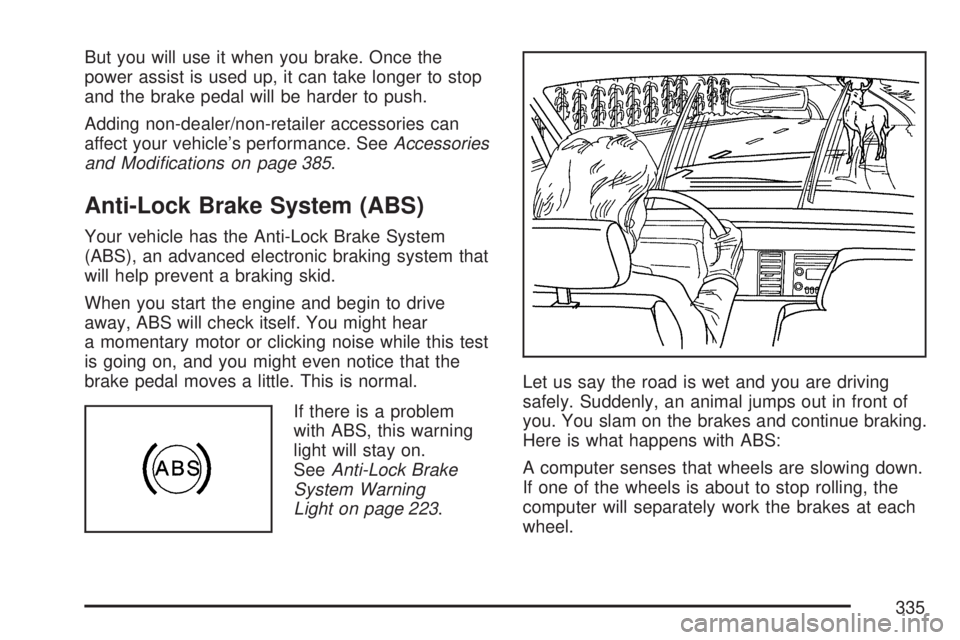
Light on page 223.Let us say the road is wet and you are driving
safely. Suddenly, an animal jumps out in front of
you. You slam on the brakes and continue braking.
Here is what happens with ABS:
A computer senses that wheels are slowing down.
If one of the wheels is about to stop rolling, the
computer will separately work the brakes at each
wheel.
335
Page 338 of 554
Traction control can be turned on by pressing and
releasing the traction control disable button if
not automatically shut off for any other reason.
When the traction control system is turned
off, the StabiliTrak
®light and the appropriate
traction control off message will be displayed on
the DIC to warn the driver. Your vehicle will
still have brake-traction control when traction
control is off, but will not be able to use the engine
speed management system. See “Traction
Control Operation” next for more information.
When the traction control system has been turned
off, you may still hear system noises as a result
of the brake-traction control coming on.
It is recommended to leave the system on for
normal driving conditions, but it may be necessary
to turn the system off if your vehicle is stuck in
sand, mud, ice or snow, and you want to “rock”
your vehicle to attempt to free it. It may also
be necessary to turn off the system when driving
in extreme off-road conditions where high wheel
spin is required. SeeIf Your Vehicle is Stuck
in Sand, Mud, Ice, or Snow on page 360.
Traction Control Operation
The traction control system is part of the
StabiliTrak®system. Traction control limits wheel
spin by reducing engine power to the wheels
(engine speed management) and by applying
brakes to each individual wheel (brake-traction
control) as necessary.
The traction control system is enabled automatically
when you start your vehicle. It will activate and the
StabiliTrak
®light will ash if it senses that any of the
wheels are spinning or beginning to lose traction
while driving. If you turn off traction control, only the
brake-traction control portion of traction control will
work. The engine speed management will be
disabled. In this mode, engine power is not reduced
automatically and the driven wheels can spin more
freely. This can cause the brake-traction control to
activate constantly.
Notice:If you allow the wheel(s) of one axle
to spin excessively while the StabiliTrak
®,
ABS and brake warning lights and the SERVICE
STABILITRAK message are displayed, you
could damage the transfer case. The repairs
would not be covered by your warranty.
Reduce engine power and do not spin the
wheel(s) excessively while these lights and this
message are displayed.
338
Page 349 of 554
Hydroplaning
Hydroplaning is dangerous. So much water can
build up under the tires that they can actually ride
on the water. This can happen if the road is
wet enough and you are going fast enough.
When your vehicle is hydroplaning, it has little or
no contact with the road.
Hydroplaning does not happen often. But it can
if the tires do not have much tread or if the
pressure in one or more is low. It can happen if a
lot of water is standing on the road. If you can
see reections from trees, telephone poles,
or other vehicles, and raindrops dimple the water’s
surface, there could be hydroplaning.
Hydroplaning usually happens at higher speeds.
There just is not a hard and fast rule about
hydroplaning. The best advice is to slow down
when it is raining.
Driving Through Deep Standing Water
Notice:If you drive too quickly through deep
puddles or standing water, water can come in
through the engine’s air intake and badly
damage the engine. Never drive through water
that is slightly lower than the underbody of your
vehicle. If you cannot avoid deep puddles or
standing water, drive through them very slowly.
Driving Through Flowing Water
{CAUTION:
Flowing or rushing water creates strong
forces. If you try to drive through owing
water, as you might at a low water
crossing, your vehicle can be carried away.
As little as six inches of owing water
can carry away a smaller vehicle. If this
happens, you and other vehicle occupants
could drown. Do not ignore police warning
signs, and otherwise be very cautious
about trying to drive through owing water.
349
Page 350 of 554
Some Other Rainy Weather Tips
Besides slowing down, allow some extra
following distance. And be especially
careful when you pass another vehicle.
Allow yourself more clear room ahead, and
be prepared to have your view restricted
by road spray.
Have good tires with proper tread depth.
SeeTires on page 435.
City Driving
One of the biggest problems with city streets is
the amount of traffic on them. Watch out for what
the other drivers are doing and pay attention
to traffic signals.
Here are ways to increase your safety in city
driving:
Know the best way to get to where you are
going. Get a city map and plan your trip
into an unknown part of the city just as you
would for a cross-country trip.
Try to use the freeways that rim and crisscross
most large cities. You will save time and
energy. SeeFreeway Driving on page 351.
Treat a green light as a warning signal.
A traffic light is there because the corner is
busy enough to need it. When a light
turns green, and just before you start to move,
check both ways for vehicles that have not
cleared the intersection or may be running the
red light.
350
Page 356 of 554
Winter Driving
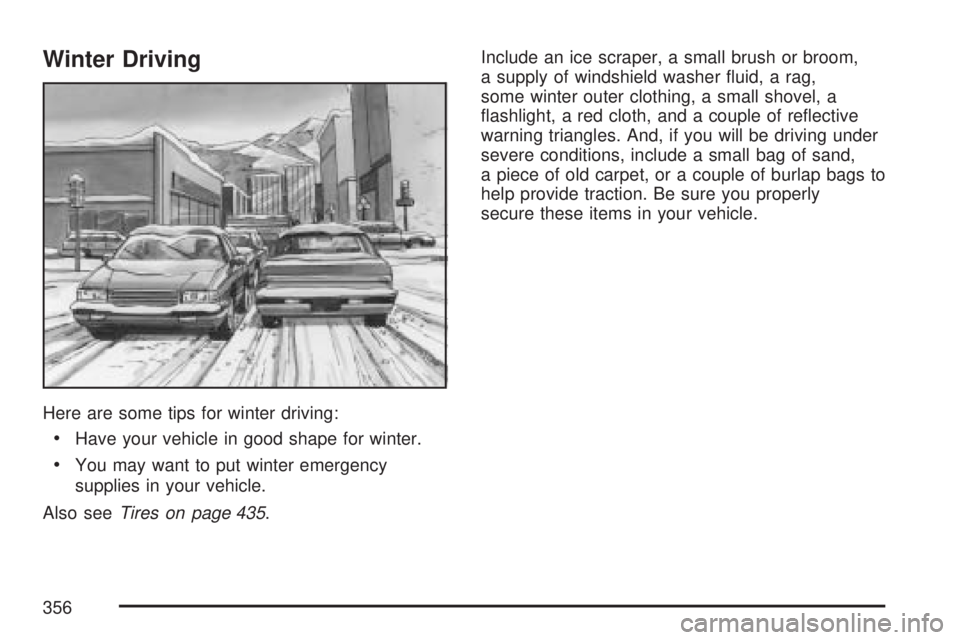
Here are some tips for winter driving:
Have your vehicle in good shape for winter.
You may want to put winter emergency
supplies in your vehicle.
Also seeTires on page 435.Include an ice scraper, a small brush or broom,
a supply of windshield washer uid, a rag,
some winter outer clothing, a small shovel, a
ashlight, a red cloth, and a couple of reective
warning triangles. And, if you will be driving under
severe conditions, include a small bag of sand,
a piece of old carpet, or a couple of burlap bags to
help provide traction. Be sure you properly
secure these items in your vehicle.
356
Page 383 of 554
Service........................................................ 385
Accessories and Modications................... 385
California Proposition 65 Warning.............. 386
Doing Your Own Service Work.................. 386
Adding Equipment to the Outside
of Your Vehicle...................................... 387
Fuel............................................................. 387
Gasoline Octane........................................ 388
Gasoline Specications.............................. 388
California Fuel........................................... 388
Additives................................................... 389
Fuels in Foreign Countries........................ 390
Filling the Tank......................................... 390
Filling a Portable Fuel Container............... 393
Checking Things Under the Hood.............. 394
Hood Release........................................... 395
Engine Compartment Overview.................. 396
Engine Oil................................................. 397
Engine Oil Life System.............................. 400
Engine Air Cleaner/Filter............................ 402
Automatic Transmission Fluid.................... 404
Engine Coolant.......................................... 406
Radiator Pressure Cap.............................. 410
Engine Overheating................................... 410Overheated Engine Protection
Operating Mode..................................... 412
Cooling System......................................... 413
Power Steering Fluid................................. 419
Windshield Washer Fluid........................... 420
Brakes...................................................... 421
Battery...................................................... 424
Jump Starting............................................ 425
All-Wheel Drive........................................... 430
Headlamp Aiming........................................ 431
Bulb Replacement....................................... 432
High Intensity Discharge (HID) Lighting..... 432
Halogen Bulbs........................................... 432
License Plate Lamp................................... 433
Replacement Bulbs................................... 433
Windshield Wiper Blade Replacement....... 434
Tires............................................................ 435
Tire Sidewall Labeling............................... 436
Tire Terminology and Denitions............... 439
Ination - Tire Pressure............................. 442
Tire Pressure Monitor System................... 444
Tire Inspection and Rotation...................... 448
When It Is Time for New Tires.................. 450
Section 5 Service and Appearance Care
383