ignition GMC ACADIA 2007 Owner's Guide
[x] Cancel search | Manufacturer: GMC, Model Year: 2007, Model line: ACADIA, Model: GMC ACADIA 2007Pages: 554, PDF Size: 2.76 MB
Page 182 of 554
Reducing Speed While Using
Cruise Control
To reduce your speed while using cruise control:
Press and hold the SET– button on the
steering wheel until you reach the lower speed
desired, then release it.
To slow down in very small amounts, press
the SET– button on the steering wheel
briey. Each time this is done, the vehicle will
go about 1 mph (1.6 km/h) slower.
Passing Another Vehicle While
Using Cruise Control
Use the accelerator pedal to increase vehicle
speed. When you take your foot off the pedal,
your vehicle will slow down to the previously set
cruise speed.
Using Cruise Control on Hills
How well your cruise control will work on hills
depends upon the vehicle speed, load, and the
steepness of the hills. When going up steep hills,
you might have to step on the accelerator pedal
to maintain the vehicle speed. When going
downhill, you might have to brake or shift to a
lower gear to keep the vehicle speed down.
Of course, applying the brake turns off the cruise
control. Many drivers nd this to be too much
trouble and do not use cruise control on steep hills.
Ending Cruise Control
There are three ways to end cruise control:
Step lightly on the brake pedal.
Press the[(cancel) button on the steering
wheel.
Press theT(on/off) button on the steering
wheel.
Erasing Speed Memory
The cruise control set speed memory is erased by
turning off the cruise control or the ignition.
182
Page 184 of 554

2(Headlamps):Turn the control to this position
to turn on the headlamps together with the
following lamps listed below. A warning chime will
sound if you open the driver’s door when the
ignition switch is off and the headlamps are on.
Parking Lamps
Taillamps
License Plate Lamps
Instrument Panel Lights
-(Fog Lamps):Push the fog lamps control in
to turn on the fog lamps.
SeeFog Lamps on page 186.
Delayed Headlamps
The delayed headlamps feature provides a period
of exterior lighting as you leave the area around
your vehicle. The feature is activated when
the headlamps are on due to the automatic
headlamps control feature described previously in
this section, and when the ignition is turned off.
Your headlamps will then remain on until the
exterior lamps control is moved to the parking
lamps position or until the pre-selected delayed
headlamp lighting period has ended.
If you turn off the ignition with the headlamps
switch in the parking lamps or headlamps position,
the delayed headlamps cycle will not occur.
To disable the delayed headlamps feature or
change the time of delay, seeDIC Vehicle
Customization (With DIC Buttons) on page 255.
184
Page 185 of 554
Daytime Running Lamps (DRL)/
Automatic Headlamp System
Daytime Running Lamps (DRL) can make it easier
for others to see the front of your vehicle during
the day. DRL can be helpful in many different
driving conditions, but they can be especially
helpful in the short periods after dawn and before
sunset. Fully functional daytime running lamps
are required on all vehicles rst sold in Canada.
A light sensor on top of the instrument panel
makes the DRL work, so be sure it is not covered.
The DRL system’s automatic headlamp control
will make the low-beam headlamps come on at a
reduced brightness when the following conditions
are met:
The ignition is in the ON position.
The exterior lamps control is in AUTO.
The engine is running.When the DRL are on, only the low-beam
headlamps, at a reduced level of brightness, will
be on. The headlamps, taillamps, sidemarker,
and other lamps will not be on. The instrument
panel and cluster will also not be lit.
When it is dark enough outside, the low-beam
headlamps will turn off and the headlamps
and parking lamps will turn on. The other lamps
that come on with the headlamps will also
come on.
When it is bright enough outside, the headlamps
will go off and the DRL will come on.
As with any vehicle, you should turn on the
regular headlamp system when it is needed.
185
Page 186 of 554
Fog Lamps
Use the fog lamps for better vision in foggy or
misty conditions.
-(Fog Lamps):The fog lamps button is located
on the exterior lamps control. The exterior lamps
control is located on the instrument panel to the
left of the steering column.
The ignition must be on for the fog lamps to work.
Press the exterior lamps button to turn the fog
lamps on or off. A light will come on in the
instrument panel cluster when the fog lamps
are in use.
When the headlamps are changed to high-beam,
the fog lamps will turn off. The fog lamps come
back on again when the high-beam headlamps are
turned off.
Some localities have laws that require the
headlamps to be on along with the fog lamps.
Instrument Panel Brightness
D(Instrument Panel Brightness):The knob
with this symbol on it is located next to the exterior
lamps control. Push the knob in all the way until
it pops out and then turn the knob clockwise
to brighten or counterclockwise to dim the lights.
Push the knob back in when nished.
Courtesy Lamps
When a door is opened, the courtesy lamps
automatically come on. They make it easy for you
to enter and leave your vehicle. You can also
manually turn these lamps on by fully turning the
instrument panel brightness control clockwise.
The reading lamps, located on the headliner, can
be turned on or off independent of the automatic
courtesy lamps, when the doors are closed.
186
Page 187 of 554
Entry Lighting
Your vehicle may have courtesy lamps that will
come on and stay on for a set time whenever
the unlock symbol is pressed on the Remote
Keyless Entry (RKE) Transmitter, if the vehicle
has one.
If a door is opened, the lamps will stay on while
it is open and then turn off automatically about
25 seconds after the door is closed. If the
unlock symbol is pressed and you do not
open a door, the lamps will turn off after about
20 seconds.
Entry lighting includes a feature called theater
dimming. With theater dimming, the lamps do not
turn off at the end of the delay time. Instead,
they slowly dim after the delay time until they go
out. The delay time is canceled if you turn the
ignition key to ON or press the power door
lock switch. The lamps will dim right away.
When the ignition is on, illuminated entry is
inactive, which means the courtesy lamps will
not come on unless a door is opened.
Delayed Entry Lighting
Delayed entry lighting illuminates the interior for
a period of time after all the doors have been
closed.
The ignition must be off for delayed entry lighting
to work. Immediately after all the doors have
been closed, the delayed entry lighting feature
will continue to work until one of the following
occurs:
The ignition is in ON.
The doors are locked.
An illumination period of 25 seconds
has elapsed.
If during the illumination period a door is opened,
the timed illumination period will be canceled
and the interior lamps will remain on because a
door is open.
187
Page 188 of 554
Delayed Exit Lighting
This feature illuminates the interior for a period of
time after the key is removed from the ignition.
The ignition must be off for delayed exit lighting to
work. When the key is removed, interior illumination
will activate and remain on until one of the following
occurs:
The ignition is in ON.
The power door locks are activated.
An illumination period of 20 seconds
has elapsed.
If during the illumination period a door is opened,
the timed illumination period will be canceled
and the interior lamps will remain on because a
door is open.
Parade Dimming
The instrument panel has an added feature called
parade mode. It automatically prohibits the
dimming of the instrument panel displays during
the daylight while the headlamps are on so
that you will still be able to see the displays.
Reading Lamps
The vehicle has reading lamps that also act as the
dome lamp. Press the button to turn them on and off.
Electric Power Management
The vehicle has Electric Power Management (EPM)
that estimates the battery’s temperature and state
of charge. It then adjusts the voltage for best
performance and extended life of the battery.
When the battery’s state of charge is low, the
voltage is raised slightly to quickly put the charge
back in. When the state of charge is high, the
voltage is lowered slightly to prevent overcharging.
If the vehicle has a voltmeter gage or voltage
display on the Driver Information Center (DIC),
you may see the voltage move up or down. This
is normal. If there is a problem, an alert will be
displayed.
The battery can be discharged at idle if the
electrical loads are very high. This is true for all
vehicles. This is because the generator (alternator)
may not be spinning fast enough at idle to
produce all the power that is needed for very
high electrical loads.
188
Page 189 of 554
A high electrical load occurs when several of the
following loads are on: headlamps, high beams,
fog lamps, rear window defogger, climate
control fan at high speed, heated seats, engine
cooling fans, trailer loads, and loads plugged
into accessory power outlets.
EPM works to prevent excessive discharge of
the battery. It does this by balancing the
generator’s output and the vehicle’s electrical
needs. It can increase engine idle speed to
generate more power, whenever needed.
It can temporarily reduce the power demands
of some accessories.
Normally, these actions occur in steps or levels,
without being noticeable. In rare cases at the
highest levels of corrective action, this action
may be noticeable to the driver. If so, a Driver
Information Center (DIC) message might be
displayed, such as Battery Saver Active or Service
Battery Charging System. If this message is
displayed, it is recommended that the driver
reduce the electrical loads as much as possible.
SeeDIC Warnings and Messages on page 244.Battery Run-Down Protection
This vehicle has a feature to help prevent the
battery from being drained, if the interior courtesy
lamps, reading/map lamps, visor vanity lamps
or trunk lamp are accidentally left on. If any
of these lamps are left on, they will automatically
turn off after 10 minutes, if the ignition is off.
The lamps will not come back on again until
one of the following occurs:
The ignition is turned on.
The exterior lamps control is turned off,
then on again.
The headlamps will timeout after 10 minutes,
if they are manually turned on before the
ignition is off.
189
Page 191 of 554
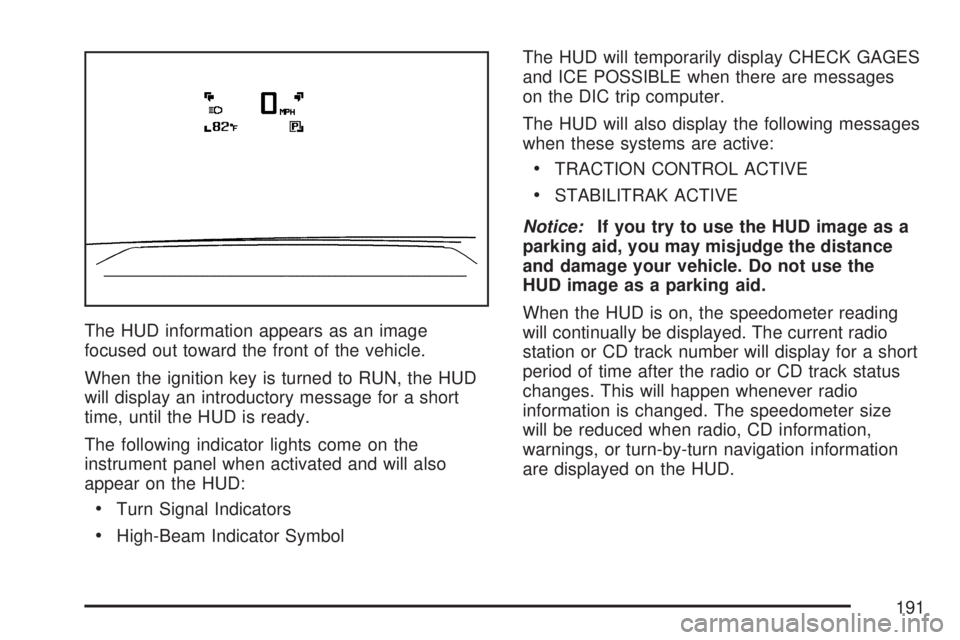
The HUD information appears as an image
focused out toward the front of the vehicle.
When the ignition key is turned to RUN, the HUD
will display an introductory message for a short
time, until the HUD is ready.
The following indicator lights come on the
instrument panel when activated and will also
appear on the HUD:
Turn Signal Indicators
High-Beam Indicator SymbolThe HUD will temporarily display CHECK GAGES
and ICE POSSIBLE when there are messages
on the DIC trip computer.
The HUD will also display the following messages
when these systems are active:
TRACTION CONTROL ACTIVE
STABILITRAK ACTIVE
Notice:If you try to use the HUD image as a
parking aid, you may misjudge the distance
and damage your vehicle. Do not use the
HUD image as a parking aid.
When the HUD is on, the speedometer reading
will continually be displayed. The current radio
station or CD track number will display for a short
period of time after the radio or CD track status
changes. This will happen whenever radio
information is changed. The speedometer size
will be reduced when radio, CD information,
warnings, or turn-by-turn navigation information
are displayed on the HUD.
191
Page 194 of 554
If You Cannot See the HUD Image
When the Ignition Is On
Is anything covering the HUD lens?
Is the HUD dimmer setting bright enough?
Is the HUD image adjusted to the proper
height?
Are you wearing polarized sunglasses?
Still no HUD image? Check the fuse in the
instrument panel fuse block. SeeInstrument
Panel Fuse Block on page 490.
If the HUD Image Is Not Clear
Is the HUD image too bright?
Are the windshield and HUD lens clean?
If the HUD image is not correct, contact your
dealer/retailer.
Keep in mind that the windshield is part of the
HUD system.
Ultrasonic Rear Parking
Assist (URPA)
If your vehicle has the Ultrasonic Rear Parking
Assist (URPA) system it is designed to help
you park while in Reverse (R). It operates only
at speeds less than 5 mph (8 km/h). URPA
helps make parking easier and helps you avoid
colliding with objects such as parked vehicles.
The URPA system detects objects that are close
to the rear of the vehicle which are at least
10 inches (25.4 cm) off the ground and below
hood or trunk level. The system detects objects
up to 8 feet (2.5 m) behind your vehicle. The
URPA sensors determine how close these objects
are from your bumper within this area.
194
Page 198 of 554
Certain electrical accessories may not be
compatible with the accessory power outlets and
could result in blown vehicle or adapter fuses.
If you experience a problem, see your dealer/
retailer for additional information on the
accessory power outlet.
Notice:Adding any electrical equipment to
your vehicle may damage it or keep other
components from working as they should. The
repairs would not be covered by your
warranty. Do not use equipment exceeding
maximum amperage rating of 20 amperes.
Check with your dealer/retailer before adding
electrical equipment.
When adding electrical equipment, be sure to
follow the installation instructions included with the
equipment.
Notice:Improper use of the power outlet can
cause damage not covered by your warranty.
Do not hang any type of accessory or
accessory bracket from the plug because the
power outlets are designed for accessory
power plugs only.Power Outlet 115 Volt Alternating
Current
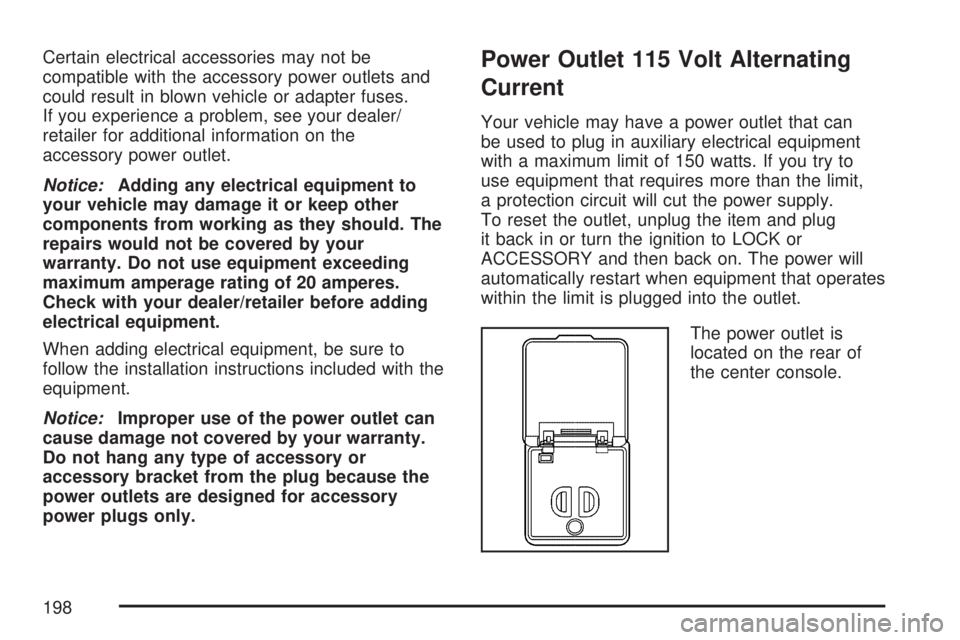
Your vehicle may have a power outlet that can
be used to plug in auxiliary electrical equipment
with a maximum limit of 150 watts. If you try to
use equipment that requires more than the limit,
a protection circuit will cut the power supply.
To reset the outlet, unplug the item and plug
it back in or turn the ignition to LOCK or
ACCESSORY and then back on. The power will
automatically restart when equipment that operates
within the limit is plugged into the outlet.
The power outlet is
located on the rear of
the center console.
198