Rear button GMC ACADIA 2007 Service Manual
[x] Cancel search | Manufacturer: GMC, Model Year: 2007, Model line: ACADIA, Model: GMC ACADIA 2007Pages: 554, PDF Size: 2.76 MB
Page 323 of 554
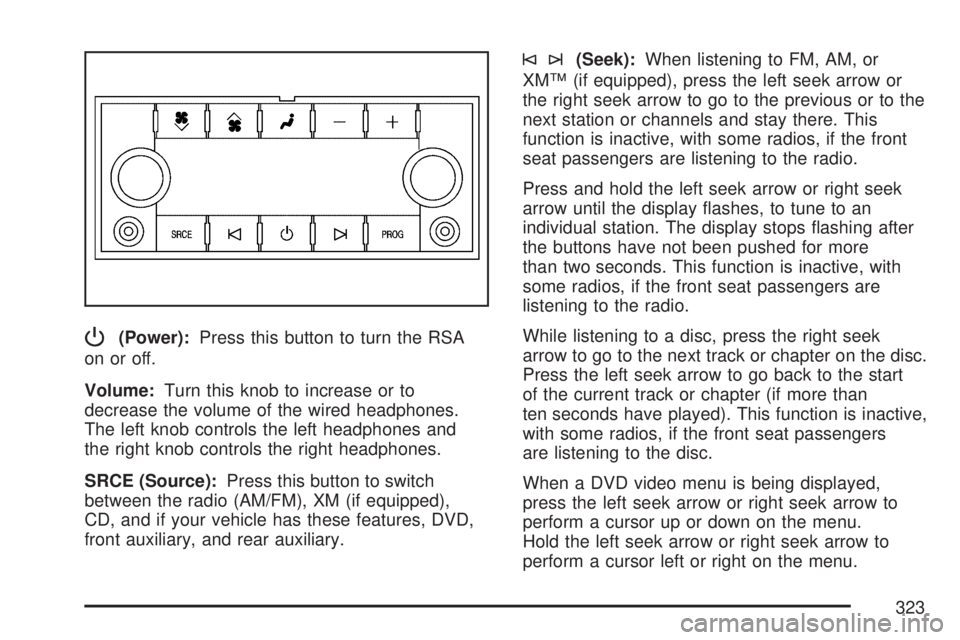
P(Power):Press this button to turn the RSA
on or off.
Volume:Turn this knob to increase or to
decrease the volume of the wired headphones.
The left knob controls the left headphones and
the right knob controls the right headphones.
SRCE (Source):Press this button to switch
between the radio (AM/FM), XM (if equipped),
CD, and if your vehicle has these features, DVD,
front auxiliary, and rear auxiliary.
©¨(Seek):When listening to FM, AM, or
XM™ (if equipped), press the left seek arrow or
the right seek arrow to go to the previous or to the
next station or channels and stay there. This
function is inactive, with some radios, if the front
seat passengers are listening to the radio.
Press and hold the left seek arrow or right seek
arrow until the display ashes, to tune to an
individual station. The display stops ashing after
the buttons have not been pushed for more
than two seconds. This function is inactive, with
some radios, if the front seat passengers are
listening to the radio.
While listening to a disc, press the right seek
arrow to go to the next track or chapter on the disc.
Press the left seek arrow to go back to the start
of the current track or chapter (if more than
ten seconds have played). This function is inactive,
with some radios, if the front seat passengers
are listening to the disc.
When a DVD video menu is being displayed,
press the left seek arrow or right seek arrow to
perform a cursor up or down on the menu.
Hold the left seek arrow or right seek arrow to
perform a cursor left or right on the menu.
323
Page 324 of 554
PROG (Program):Press this button to go to the
next preset radio station or channel set on the
main radio. This function is inactive, with
some radios, if the front seat passengers are
listening to the radio.
When a CD or DVD audio is playing, press this
button to go to the beginning of the CD or
DVD audio. This function is inactive, with some
radios, if the front seat passengers are listening
to the disc.
When a disc audio is playing in the CD or DVD
changer, press this button to select the next disc,
if multiple discs are loaded. This function is
inactive, with some radios, if the front seat
passengers are listening to the disc.
When a DVD video menu is being displayed,
press the PROG button to perform the menu
function, enter.Rear Audio Controller (RAC)
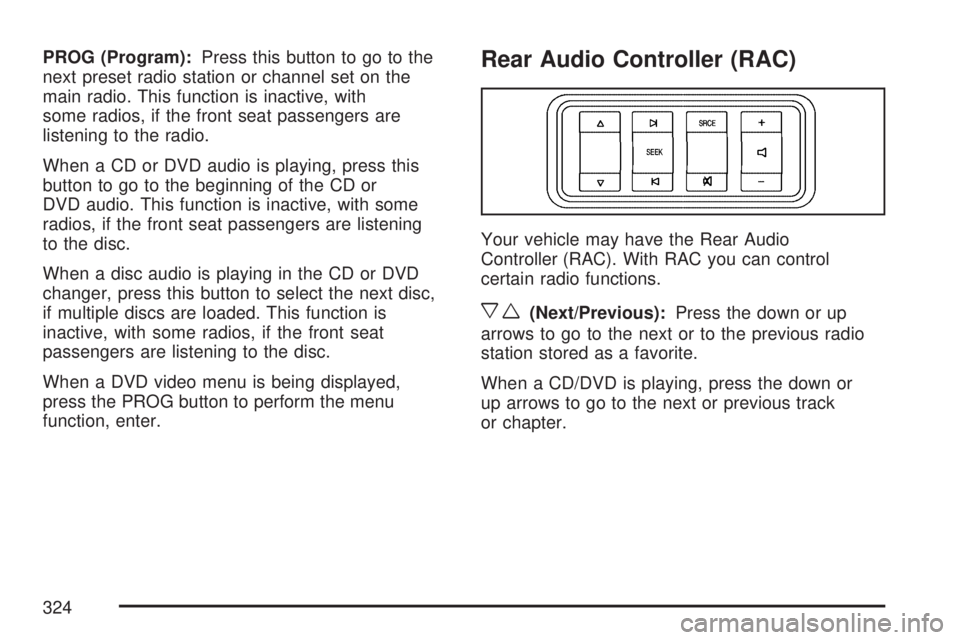
Your vehicle may have the Rear Audio
Controller (RAC). With RAC you can control
certain radio functions.
xw(Next/Previous):Press the down or up
arrows to go to the next or to the previous radio
station stored as a favorite.
When a CD/DVD is playing, press the down or
up arrows to go to the next or previous track
or chapter.
324
Page 325 of 554
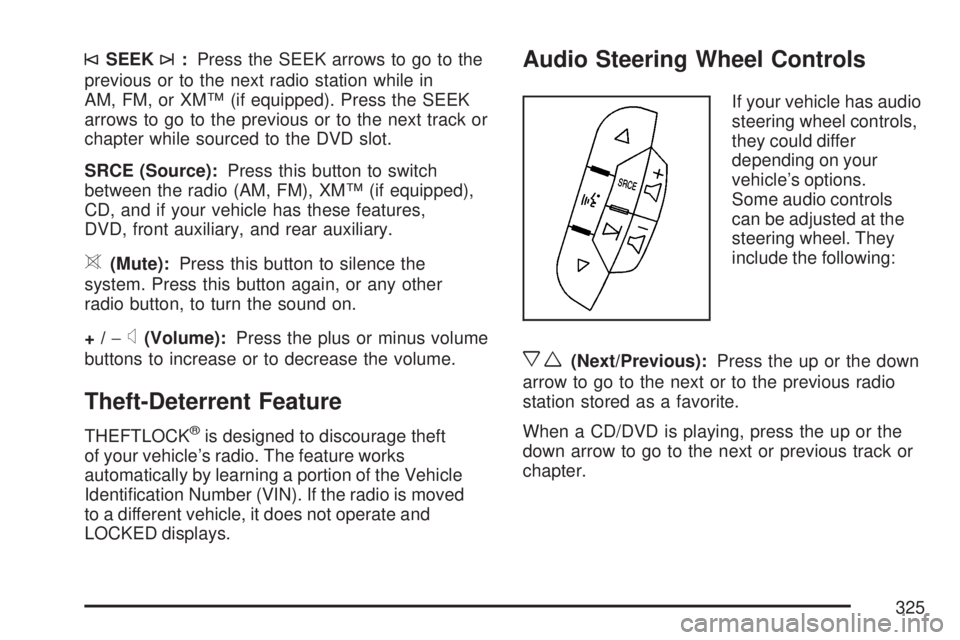
©SEEK¨:Press the SEEK arrows to go to the
previous or to the next radio station while in
AM, FM, or XM™ (if equipped). Press the SEEK
arrows to go to the previous or to the next track or
chapter while sourced to the DVD slot.
SRCE (Source):Press this button to switch
between the radio (AM, FM), XM™ (if equipped),
CD, and if your vehicle has these features,
DVD, front auxiliary, and rear auxiliary.
>(Mute):Press this button to silence the
system. Press this button again, or any other
radio button, to turn the sound on.
+/−
x(Volume):Press the plus or minus volume
buttons to increase or to decrease the volume.
Theft-Deterrent Feature
THEFTLOCK®is designed to discourage theft
of your vehicle’s radio. The feature works
automatically by learning a portion of the Vehicle
Identication Number (VIN). If the radio is moved
to a different vehicle, it does not operate and
LOCKED displays.
Audio Steering Wheel Controls
If your vehicle has audio
steering wheel controls,
they could differ
depending on your
vehicle’s options.
Some audio controls
can be adjusted at the
steering wheel. They
include the following:
xw(Next/Previous):Press the up or the down
arrow to go to the next or to the previous radio
station stored as a favorite.
When a CD/DVD is playing, press the up or the
down arrow to go to the next or previous track or
chapter.
325
Page 326 of 554
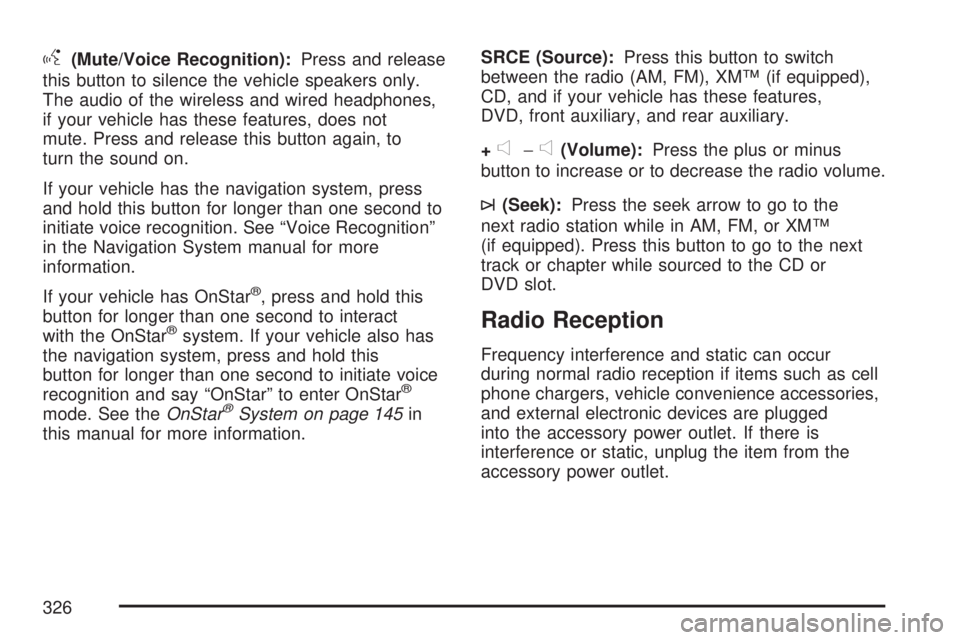
g(Mute/Voice Recognition):Press and release
this button to silence the vehicle speakers only.
The audio of the wireless and wired headphones,
if your vehicle has these features, does not
mute. Press and release this button again, to
turn the sound on.
If your vehicle has the navigation system, press
and hold this button for longer than one second to
initiate voice recognition. See “Voice Recognition”
in the Navigation System manual for more
information.
If your vehicle has OnStar
®, press and hold this
button for longer than one second to interact
with the OnStar
®system. If your vehicle also has
the navigation system, press and hold this
button for longer than one second to initiate voice
recognition and say “OnStar” to enter OnStar
®
mode. See theOnStar®System on page 145in
this manual for more information.SRCE (Source):Press this button to switch
between the radio (AM, FM), XM™ (if equipped),
CD, and if your vehicle has these features,
DVD, front auxiliary, and rear auxiliary.
+
e−e(Volume):Press the plus or minus
button to increase or to decrease the radio volume.
¨(Seek):Press the seek arrow to go to the
next radio station while in AM, FM, or XM™
(if equipped). Press this button to go to the next
track or chapter while sourced to the CD or
DVD slot.
Radio Reception
Frequency interference and static can occur
during normal radio reception if items such as cell
phone chargers, vehicle convenience accessories,
and external electronic devices are plugged
into the accessory power outlet. If there is
interference or static, unplug the item from the
accessory power outlet.
326
Page 382 of 554
Trailer Wiring Harness
Your vehicle is equipped with the following wiring
harness for towing a trailer.
Basic Trailer Wiring
The trailer wiring harness, with a seven-pin
connector, is located at the rear of the vehicle
and is tied to the vehicle’s frame. The harness
connector can be plugged into a seven-pin
universal heavy-duty trailer connector available
through your dealer/retailer.
The seven-wire harness contains the following
trailer circuits:
Yellow: Left Stop/Turn Signal
Dark Green: Right Stop/Turn Signal
Brown: Taillamps
White: Ground
Light Green: Back-up Lamps
Red: Battery Feed*
Dark Blue: Trailer Brake*
*The fuses for these two circuits are installed in
the underhood electrical center, but the wires
are not connected. They should be connected by
your dealer/retailer or a qualied service center.
If you are charging a remote (non-vehicle) battery,
press the tow/haul mode button located at the
end of the shift lever. This will boost the vehicle
system voltage and properly charge the battery.
If the trailer is too light for tow/haul mode, you can
turn on the headlamps (Non-HID only) as a
second way to boost the vehicle system and
charge the battery.
Engine Cooling When Trailer Towing
Your cooling system may temporarily overheat
during severe operating conditions. SeeEngine
Overheating on page 410.
382
Page 447 of 554
The TPMS sensor matching process is outlined
below:
1. Set the parking brake.
2. Turn the ignition switch to ON with the
engine off.
3. Using the DIC, press the vehicle information
button until the PRESS
VTO RELEARN TIRE
POSITIONS message displays. If your vehicle
does not have the DIC buttons, press the trip
odometer reset stem located on the instrument
panel cluster until the RELEARN TIRE
POSITIONS message displays.
4. If your vehicle has the DIC buttons, press the
set/reset button. The horn sounds twice to
indicate the TPMS receiver is ready, and the
TIRE LEARNING ACTIVE message
displays. If your vehicle does not have the
DIC buttons, press and hold the trip odometer
reset stem until the horn chirps twice and
the TIRE LEARNING ACTIVE message
is displayed.
5. Start with the driver side front tire. The driver
side front turn signal lamp is on.6. Remove the valve cap from the valve stem.
Activate the TPMS sensor by increasing
or decreasing the tire’s air pressure for
ve seconds, or until a horn chirp sounds.
The horn chirp, which may take up to
30 seconds to sound, conrms that the sensor
identication code has been matched to this
tire and wheel position.
7. Proceed to the passenger side front tire.
The passenger side front turn signal lamp is on.
Repeat the procedure in Step 6.
8. Proceed to the passenger side rear tire.
The passenger side rear turn signal lamp is on.
Repeat the procedure in Step 6.
9. Proceed to the driver side rear tire. The driver
side rear turn signal lamp is on. Repeat the
procedure in Step 6. Instead of a single horn
chirp a double horn chirp signals the TPMS
sensor has been matched to this tire and wheel
position and the matching process is no longer
active.
10. Turn the ignition switch to OFF.
11. Set all four tires to the recommended air
pressure level as indicated on the Tire and
Loading Information label.
12. Put the valve caps back on the valve stems.
447