service reset GMC ACADIA 2007 Owner's Manual
[x] Cancel search | Manufacturer: GMC, Model Year: 2007, Model line: ACADIA, Model: GMC ACADIA 2007Pages: 554, PDF Size: 2.76 MB
Page 223 of 554
Anti-Lock Brake System
Warning Light
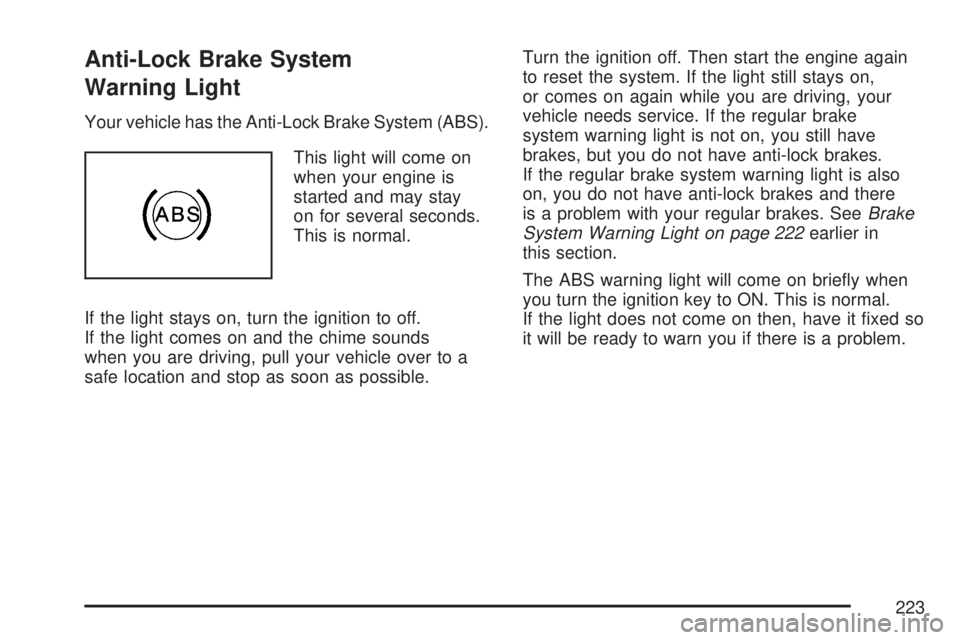
Your vehicle has the Anti-Lock Brake System (ABS).
This light will come on
when your engine is
started and may stay
on for several seconds.
This is normal.
If the light stays on, turn the ignition to off.
If the light comes on and the chime sounds
when you are driving, pull your vehicle over to a
safe location and stop as soon as possible.Turn the ignition off. Then start the engine again
to reset the system. If the light still stays on,
or comes on again while you are driving, your
vehicle needs service. If the regular brake
system warning light is not on, you still have
brakes, but you do not have anti-lock brakes.
If the regular brake system warning light is also
on, you do not have anti-lock brakes and there
is a problem with your regular brakes. SeeBrake
System Warning Light on page 222earlier in
this section.
The ABS warning light will come on briey when
you turn the ignition key to ON. This is normal.
If the light does not come on then, have it xed so
it will be ready to warn you if there is a problem.
223
Page 235 of 554
PARK ASSIST
If your vehicle has the Ultrasonic Rear Parking
Assist (URPA) system, press the vehicle
information button until PARK ASSIST displays.
This display allows the system to be turned on or
off. Once in this display, press the set/reset button
to select between ON or OFF. If you choose ON,
the system will be turned on. If you choose OFF,
the system will be turned off. The URPA system
automatically turns back on after each vehicle start.
When the URPA system is turned off and the
vehicle is shifted out of PARK (P), the DIC will
display the PARK ASSIST OFF message as a
reminder that the system has been turned off.
SeeDIC Warnings and Messages on page 244
andUltrasonic Rear Parking Assist (URPA) on
page 194for more information.
UNITS
Press the vehicle information button until UNITS
displays. This display allows you to select between
English or Metric units of measurement. Once in
this display, press the set/reset button to select
between ENGLISH or METRIC units. All of the
vehicle information will then be displayed in the
unit of measurement selected.
FRONT TIRES or REAR TIRES
The pressure for each tire can be viewed in the
DIC. The tire pressure will be shown in either
pounds per square inch (psi) or kilopascals (kPa).
Press the vehicle information button until the
DIC displays FRONT TIRES PSI (kPa) LEFT ##
RIGHT ##. Press the vehicle information button
again until the DIC displays REAR TIRES
PSI (kPa) LEFT ## RIGHT ##.
If a low or high tire pressure condition is detected
by the system while driving, a message advising
you to check the pressure in a specic tire
will appear in the display. SeeInflation - Tire
Pressure on page 442andDIC Warnings
and Messages on page 244for more information.
If the tire pressure display shows dashes instead of
a value, there may be a problem with your vehicle.
If this consistently occurs, see your dealer/retailer
for service.
235
Page 249 of 554
OIL PRESSURE LOW STOP ENGINE
Notice:If you drive your vehicle while
the engine oil pressure is low, severe engine
damage may occur. If a low oil pressure
warning appears on the Driver Information
Center (DIC), stop the vehicle as soon as
possible. Do not drive the vehicle until the
cause of the low oil pressure is corrected. See
Engine Oil on page 397for more information.
This message displays if low oil pressure
levels occur. Stop the vehicle as soon as safely
possible and do not operate it until the cause
of the low oil pressure has been corrected.
Check the oil as soon as possible and have
your vehicle serviced by your dealer/retailer.
SeeEngine Oil on page 397.
PARK ASSIST OFF
If your vehicle has the Ultrasonic Rear Parking
Assist (URPA) system, after the vehicle has
been started and shifted out of PARK (P),
this message displays to remind the driver
that the URPA system has been turned off.Press the set/reset button or the trip odometer
reset stem to acknowledge this message and
clear it from the DIC display. To turn the URPA
system back on, seeUltrasonic Rear Parking
Assist (URPA) on page 194.
PASSENGER DOOR OPEN
This message displays and a chime sounds if
the passenger’s door is not fully closed and
the vehicle is in a drive gear. Stop and turn off
the vehicle, check the door for obstructions,
and close the door again. Check to see if the
message still appears on the DIC.
REMOTE KEY LEARNING ACTIVE
This message displays while you are matching
a Remote Keyless Entry (RKE) transmitter to
your vehicle. See “Matching Transmitter(s) to
Your Vehicle” underRemote Keyless Entry (RKE)
System Operation on page 100andDIC
Operation and Displays (With DIC Buttons) on
page 233orDIC Operation and Displays (Without
DIC Buttons) on page 239for more information.
249
Page 252 of 554
SERVICE STABILITRAK
This message displays if there is a problem with
the StabiliTrak®system. If this message appears,
try to reset the system. Stop; turn off the engine
for at least 15 seconds; then start the engine
again. If this message still comes on, it means
there is a problem. See your dealer/retailer
for service. The vehicle is safe to drive, however,
you do not have the benet of StabiliTrak
®,
so reduce your speed and drive accordingly.
SERVICE THEFT DETERRENT SYSTEM
This message displays when there is a problem
with the theft-deterrent system. The vehicle may
or may not restart so you may want to take
the vehicle to your dealer/retailer before turning
off the engine. SeePASS-Key
®III+ Operation
on page 121for more information.
SERVICE TIRE MONITOR SYSTEM
This message displays if a part on the Tire
Pressure Monitor (TPM) system is not working
properly. If you drive your vehicle while any of
the four sensors are missing or inoperable,
the warning comes on in about 20 minutes.
A sensor would be missing, for example, if you
put different wheels on your vehicle without
transferring the sensors. If the warning comes on
and stays on, there may be a problem with the
TPM. See your dealer/retailer.
SERVICE TRACTION CONTROL
This message displays when there is a problem
with the Traction Control System (TCS). When
this message is displayed, the system will not limit
wheel spin. Adjust your driving accordingly. See
your dealer/retailer for service. SeeStabiliTrak
®
System on page 337for more information.
252
Page 270 of 554
4(Information) (XM™ Satellite Radio Service,
MP3, and RDS Features):Press the information
button to display additional text information
related to the current FM-RDS or XM™ station,
or MP3 song. A choice of additional information
such as: Channel, Song, Artist, and CAT
(category) can appear. Continue pressing the
information button to highlight the desired label,
or press the pushbutton positioned under any
one of the labels and the information about that
label displays.
When information is not available, No Info
displays.
Storing a Radio Station as a Favorite
Drivers are encouraged to set up their radio
station favorites while the vehicle is parked.
Tune to your favorite stations using the presets,
favorites button, and steering wheel controls, if the
vehicle has this feature. SeeDefensive Driving
on page 330.FAV (Favorites):A maximum of 36 stations
can be programmed as favorites using the
six pushbuttons positioned below the radio station
frequency labels and by using the radio favorites
page button (FAV button). Press the FAV button
to go through up to six pages of favorites,
each having six favorite stations available per
page. Each page of favorites can contain any
combination of AM, FM, or XM™ (if equipped)
stations. To store a station as a favorite, perform
the following steps:
1. Tune to the desired radio station.
2. Press the FAV button to display the page
where you want the station stored.
3. Press and hold one of the six pushbuttons
until a beep sounds. When that pushbutton
is pressed and released, the station that was
set, returns.
4. Repeat the steps for each pushbutton radio
station you want stored as a favorite.
270
Page 281 of 554
4(Information) (XM™ Satellite Radio Service,
MP3, and RDS Features):Press the information
button to display additional text information
related to the current FM-RDS or XM™ station,
or MP3 song. A choice of additional information
such as: Channel, Song, Artist, and CAT
(category) can appear. Continue pressing the
information button to highlight the desired label,
or press the pushbutton positioned under any
one of the labels and the information about that
label displays.
When information is not available, No Info
displays.
Storing a Radio Station as a Favorite
Drivers are encouraged to set up their radio
station favorites while the vehicle is parked.
Tune to your favorite stations using the presets,
favorites button, and steering wheel controls,
if the vehicle has them. SeeDefensive Driving
on page 330.FAV (Favorites):A maximum of 36 stations
can be programmed as favorites using the
six pushbuttons positioned below the radio station
frequency labels and by using the radio favorites
page button (FAV button). Press the FAV button to
go through up to six pages of favorites, each
having six favorite stations available per page.
Each page of favorites can contain any
combination of AM, FM, or XM™ (if equipped)
stations. To store a station as a favorite, perform
the following steps:
1. Tune to the desired radio station.
2. Press the FAV button to display the page
where you want the station stored.
3. Press and hold one of the six pushbuttons
until a beep sounds. When that pushbutton
is pressed and released, the station that was
set, returns.
4. Repeat the steps for each pushbutton radio
station you want stored as a favorite.
281
Page 309 of 554
XM Radio Messages
Radio Display Message Condition Action Required
XL (Explicit Language
Channels)XL on the radio display,
after the channel name,
indicates content with
explicit language.These channels, or any others, can be blocked at a
customer’s request, by calling 1-800-852-XMXM (9696).
XM Updating Updating encryption code The encryption code in the receiver is being updated, and
no action is required. This process should take no longer
than 30 seconds.
No XM Signal Loss of signal The system is functioning correctly, but the vehicle is in a
location that is blocking the XM™ signal. When you move
into an open area, the signal should return.
Loading XM Acquiring channel audio
(after four second delay)The audio system is acquiring and processing audio and
text data. No action is needed. This message should
disappear shortly.
Channel Off Air Channel not in service This channel is not currently in service. Tune to another
channel.
Channel Unavail Channel no longer
availableThis previously assigned channel is no longer assigned.
Tune to another station. If this station was one of the
presets, choose another station for that preset button.
No Artist Info Artist Name/Feature
not availableNo artist information is available at this time on this channel.
The system is working properly.
No Title Info Song/Program Title
not availableNo song title information is available at this time on this
channel. The system is working properly.
309
Page 337 of 554
StabiliTrak®System
Your vehicle has the StabiliTrak®system which
combines antilock brake, traction and stability
control systems and helps the driver maintain
directional control of the vehicle in most driving
conditions.
When you rst start your vehicle and begin to
drive away, the system performs several
diagnostic checks to ensure there are no
problems. You may hear or feel the system
working. This is normal and does not mean
there is a problem with your vehicle. The system
should initialize before the vehicle reaches
20 mph (32 km/h). In some cases, it may take
approximately two miles of driving before the
system initializes.
If the system fails to turn on or activate, the
StabiliTrak
®light along with one of the following
messages will be displayed on the Driver
Information Center (DIC): TRACTION CONTROL
OFF, SERVICE TRACTION CONTROL,
SERVICE STABILITRAK. If you see these
conditions, turn the vehicle off, wait 15 seconds,
and then turn it back on again to reset the system.If any of these messages still appear on the Driver
Information Center (DIC), your vehicle should
be taken in for service. For more information on
the DIC messages, seeDriver Information
Center (DIC) on page 232.
The StabiliTrak
®light
will ash on the
instrument panel cluster
when the system is
both on and activated.
You may also feel or hear the system working;
this is normal.
The traction control
disable button is located
on the instrument
panel below the climate
controls.
The traction control part of StabiliTrak
®can be
turned off by pressing and releasing the traction
control disable button.
337
Page 400 of 554
If you are in an area of extreme cold, where the
temperature falls below−20°F (−29°C), it is
recommended that you use either an SAE 5W-30
synthetic oil or an SAE 0W-30 oil. Both provide
easier cold starting and better protection for
the engine at extremely low temperatures.
Engine Oil Additives
Do not add anything to the oil. The recommended
oils with the starburst symbol that meet
GM Standard GM6094M are all you need for
good performance and engine protection.
Engine Oil Life System
When to Change Engine Oil
Your vehicle has a computer system that lets you
know when to change the engine oil and lter.
This is based on engine revolutions and engine
temperature, and not on mileage. Based on driving
conditions, the mileage at which an oil change
will be indicated can vary considerably. For the oil
life system to work properly, you must reset the
system every time the oil is changed.When the system has calculated that oil life has
been diminished, it will indicate that an oil change
is necessary. A CHANGE ENGINE OIL SOON
message will come on. Change the oil as soon as
possible within the next 600 miles (1 000 km).
It is possible that, if you are driving under the best
conditions, the oil life system might not indicate
that an oil change is necessary for over a
year. However, the engine oil and lter must be
changed at least once a year and at this time the
system must be reset. Your dealer/retailer has
trained service people who will perform this work
using genuine parts and reset the system. It is
also important to check the oil regularly and keep
it at the proper level.
If the system is ever reset accidentally, you must
change the oil at 3,000 miles (5 000 km) since
your last oil change. Remember to reset the oil life
system whenever the oil is changed.
400
Page 412 of 554
If you no longer have the overheat warning,
you can drive. Just to be safe, drive slower for
about 10 minutes. If the warning does not
come back on, you can drive normally.
If the warning continues, pull over, stop, and park
your vehicle right away.
If there is still no sign of steam, idle the engine for
three minutes while you are parked. If you still
have the warning, turn off the engine and
get everyone out of the vehicle until it cools down.
Also, see “Overheated Engine Protection
Operating Mode” later in this section.
You may decide not to lift the hood but to get
service help right away.Overheated Engine Protection
Operating Mode
This emergency operating mode lets your vehicle
be driven to a safe place in an emergency situation.
If an overheated engine condition exists, an
overheat protection mode which alternates ring
groups of cylinders helps prevent engine damage.
In this mode, there is a signicant loss in power and
engine performance. The temperature gage
indicates an overheat condition exists. Driving
extended miles (km) and/or towing a trailer in the
overheat protection mode should be avoided.
Notice:After driving in the overheated engine
protection operating mode, to avoid engine
damage, allow the engine to cool before
attempting any repair. The engine oil will be
severely degraded. Repair the cause of coolant
loss, change the oil and reset the oil life
system. SeeEngine Oil on page 397.
412