fuel GMC ACADIA 2008 User Guide
[x] Cancel search | Manufacturer: GMC, Model Year: 2008, Model line: ACADIA, Model: GMC ACADIA 2008Pages: 472, PDF Size: 5.72 MB
Page 199 of 472
Driver Information Center (DIC)
Your vehicle has a Driver Information Center (DIC).
The DIC displays information about your vehicle.
It also displays warning messages if a system problem
is detected.
All messages will appear in the DIC display located at
the top of the instrument panel cluster.
The DIC comes on when the ignition is on. After a short
delay, the DIC will display the information that was
last displayed before the engine was turned off.
The DIC also displays a shift lever position indicator on the
bottom line of the display. SeeAutomatic Transmission
Operation on page 2-30for more information.
The outside air temperature also displays on the DIC
when viewing the trip and fuel information. The outside
air temperature automatically appears in the top right
corner of the DIC display. If there is a problem with
the system that controls the temperature display,
the numbers will be replaced with dashes. If this occurs,
have the vehicle serviced.
If your vehicle has DIC buttons, see “DIC Operation
and Displays (With DIC Buttons)” later in this section
andDIC Vehicle Customization (With DIC Buttons)
on page 3-75for the displays available.
If your vehicle does not have DIC buttons, see
“DIC Operation and Displays (Without DIC Buttons)”
later in this section for the displays available.
DIC Operation and Displays
(With DIC Buttons)
If your vehicle has DIC buttons, the information below
explains the operation of this system.
The DIC has different displays which can be accessed
by pressing the DIC buttons located on the instrument
panel. SeeInstrument Panel Overview on page 3-4
for more information.
The DIC displays trip, fuel, and vehicle system
information, and warning messages if a system problem
is detected.
The DIC also allows some features to be customized.
SeeDIC Vehicle Customization (With DIC Buttons)
on page 3-75for more information.
If your vehicle has DIC buttons, you can also use the
trip odometer reset stem to view the odometer and
trip odometers.
3-57
Page 200 of 472
DIC Buttons
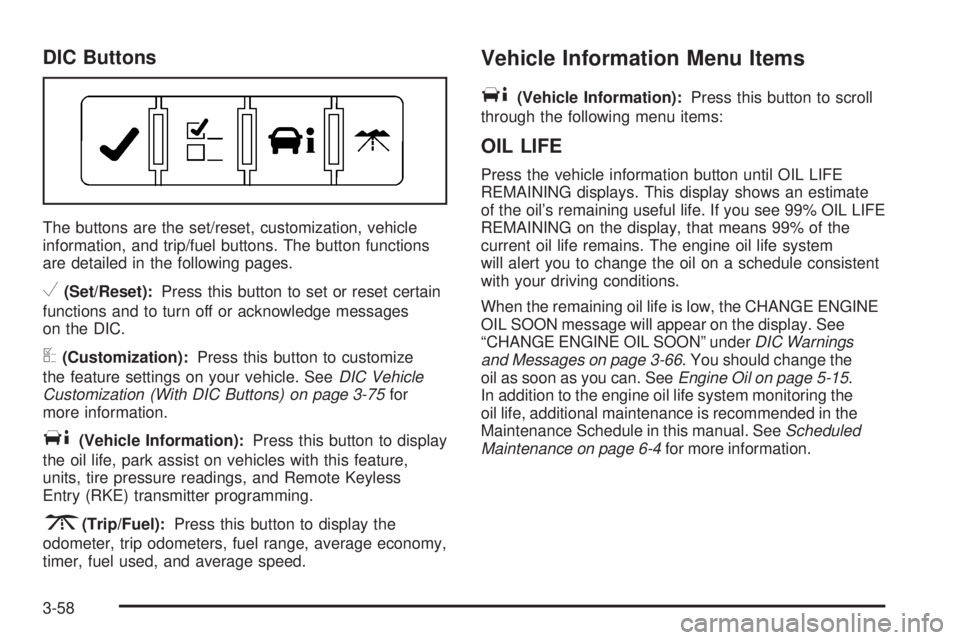
The buttons are the set/reset, customization, vehicle
information, and trip/fuel buttons. The button functions
are detailed in the following pages.
V(Set/Reset):Press this button to set or reset certain
functions and to turn off or acknowledge messages
on the DIC.
U(Customization):Press this button to customize
the feature settings on your vehicle. SeeDIC Vehicle
Customization (With DIC Buttons) on page 3-75for
more information.
T(Vehicle Information):Press this button to display
the oil life, park assist on vehicles with this feature,
units, tire pressure readings, and Remote Keyless
Entry (RKE) transmitter programming.
3(Trip/Fuel):Press this button to display the
odometer, trip odometers, fuel range, average economy,
timer, fuel used, and average speed.
Vehicle Information Menu Items
T
(Vehicle Information):Press this button to scroll
through the following menu items:
OIL LIFE
Press the vehicle information button until OIL LIFE
REMAINING displays. This display shows an estimate
of the oil’s remaining useful life. If you see 99% OIL LIFE
REMAINING on the display, that means 99% of the
current oil life remains. The engine oil life system
will alert you to change the oil on a schedule consistent
with your driving conditions.
When the remaining oil life is low, the CHANGE ENGINE
OIL SOON message will appear on the display. See
“CHANGE ENGINE OIL SOON” underDIC Warnings
and Messages on page 3-66. You should change the
oil as soon as you can. SeeEngine Oil on page 5-15.
In addition to the engine oil life system monitoring the
oil life, additional maintenance is recommended in the
Maintenance Schedule in this manual. SeeScheduled
Maintenance on page 6-4for more information.
3-58
Page 202 of 472
RELEARN REMOTE KEY
This display allows you to match Remote Keyless
Entry (RKE) transmitters to your vehicle. To match
an RKE transmitter to your vehicle:
1. Press the vehicle information button until
PRESS
VTO RELEARN REMOTE KEY displays.
2. Press the set/reset button until REMOTE KEY
LEARNING ACTIVE is displayed.
3. Press and hold the lock and unlock buttons on
the rst transmitter at the same time for about
15 seconds.
On vehicles with memory recall seats, the
rst transmitter learned will match driver 1 and
the second will match driver 2.
A chime will sound indicating that the transmitter
is matched.
4. To match additional transmitters at this time,
repeat Step 3.
Each vehicle can have a maximum of eight
transmitters matched to it.
5. To exit the programming mode, you must cycle
the key to LOCK/OFF.
Blank Display
This display shows no information.
Trip/Fuel Menu Items
3
(Trip/Fuel):Press this button to scroll through
the following menu items:
ODOMETER
Press the trip/fuel button until ODOMETER displays.
This display shows the distance the vehicle has
been driven in either miles (mi) or kilometers (km).
Pressing the trip odometer reset stem will also display
the odometer.
To switch between English and metric measurements,
see “UNITS” later in this section.
TRIP A and TRIP B
Press the trip/fuel button until TRIP A or TRIP B
displays. This display shows the current distance
traveled in either miles (mi) or kilometers (km) since the
last reset for each trip odometer. Both trip odometers
can be used at the same time. Pressing the trip
odometer reset stem will also display the trip odometers.
Each trip odometer can be reset to zero separately
by pressing the set/reset button or the trip odometer
reset stem while the desired trip odometer is displayed.
3-60
Page 203 of 472
The trip odometer has a feature called the retro-active
reset. This can be used to set the trip odometer to
the number of miles (kilometers) driven since the
ignition was last turned on. This can be used if the trip
odometer is not reset at the beginning of the trip.
To use the retro-active reset feature, press and hold
the set/reset button for at least four seconds. The
trip odometer will display the number of miles (mi)
or kilometers (km) driven since the ignition was last
turned on and the vehicle was moving. Once the
vehicle begins moving, the trip odometer will accumulate
mileage. For example, if the vehicle was driven
5 miles (8 km) before it is started again, and then the
retro-active reset feature is activated, the display
will show 5 miles (8 km). As the vehicle begins moving,
the display will then increase to 5.1 miles (8.2 km),
5.2 miles (8.4 km), etc.
If the retro-active reset feature is activated after
the vehicle is started, but before it begins moving,
the display will show the number of miles (mi) or
kilometers (km) that were driven during the last
ignition cycle.RANGE
Press the trip/fuel button until RANGE displays.
This display shows the approximate number of
remaining miles (mi) or kilometers (km) the vehicle
can be driven without refueling. The display will show
LOW if the fuel level is low.
The fuel range estimate is based on an average of
the vehicle’s fuel economy over recent driving history
and the amount of fuel remaining in the fuel tank.
This estimate will change if driving conditions change.
For example, if driving in traffic and making frequent
stops, this display may read one number, but if
the vehicle is driven on a freeway, the number may
change even though the same amount of fuel is in the
fuel tank. This is because different driving conditions
produce different fuel economies. Generally, freeway
driving produces better fuel economy than city driving.
Fuel range cannot be reset.
3-61
Page 204 of 472
AVG (Average) ECONOMY
Press the trip/fuel button until AVG ECONOMY displays.
This display shows the approximate average miles
per gallon (mpg) or liters per 100 kilometers (L/100 km).
This number is calculated based on the number of
mpg (L/100 km) recorded since the last time this
menu item was reset. To reset AVG ECONOMY,
press and hold the set/reset button.
TIMER
Press the trip/fuel button until TIMER displays.
This display can be used as a timer.
To start the timer, press the set/reset button while
TIMER is displayed. The display will show the amount
of time that has passed since the timer was last
reset, not including time the ignition is off. Time will
continue to be counted as long as the ignition is
on, even if another display is being shown on the
DIC. The timer will record up to 99 hours, 59 minutes
and 59 seconds (99:59:59) after which the display
will return to zero.
To stop the timer, press the set/reset button briey
while TIMER is displayed.
To reset the timer to zero, press and hold the set/reset
button while TIMER is displayed.
FUEL USED
Press the trip/fuel button until FUEL USED displays.
This display shows the number of gallons (gal) or
liters (L) of fuel used since the last reset of this menu
item. To reset the fuel used information, press and hold
the set/reset button while FUEL USED is displayed.
AVG (Average) SPEED
Press the trip/fuel button until AVG SPEED displays.
This display shows the average speed of the vehicle
in miles per hour (mph) or kilometers per hour (km/h).
This average is calculated based on the various
vehicle speeds recorded since the last reset of this
value. To reset the value to zero, press and hold
the set/reset button.
Blank Display
This display shows no information.
3-62
Page 211 of 472
ENGINE OVERHEATED STOP ENGINE
Notice:If you drive your vehicle while the engine
is overheating, severe engine damage may occur.
If an overheat warning appears on the instrument
panel cluster and/or DIC, stop the vehicle as soon
as possible. SeeEngine Overheating on page 5-25
for more information.
This message displays and a continuous chime
sounds if the engine cooling system reaches unsafe
temperatures for operation. Stop and turn off the vehicle
as soon as it is safe to do so to avoid severe damage.
This message clears when the engine has cooled
to a safe operating temperature.
ENGINE POWER IS REDUCED
This message displays and a chime sounds when
the cooling system temperature gets too hot and the
engine further enters the engine coolant protection
mode. SeeEngine Overheating on page 5-25for
further information.
This message also displays when the vehicle’s engine
power is reduced. Reduced engine power can affect
the vehicle’s ability to accelerate. If this message is on,but there is no reduction in performance, proceed to
your destination. The performance may be reduced
the next time the vehicle is driven. The vehicle may be
driven at a reduced speed while this message is on,
but acceleration and speed may be reduced. Anytime
this message stays on, the vehicle should be taken
to your dealer/retailer for service as soon as possible.
FUEL LEVEL LOW
This message displays and a chime sounds if the
fuel level is low. Refuel as soon as possible. See
Fuel Gage on page 3-56andFuel on page 5-6for
more information.
HEATED WASH (Washer)
FLUID SYSTEM OFF
This message displays when you manually turn off the
heated windshield washer uid system or when the
system automatically turns off. See “Heated Windshield
Washer” underWindshield Washer on page 3-10for
more information. This message clears itself after
10 seconds.
3-69
Page 216 of 472
STARTING DISABLED SERVICE
THROTTLE
This message displays when your vehicle’s throttle
system is not functioning properly. Have your vehicle
serviced by your dealer/retailer.
THEFT ATTEMPTED
This message displays if the content theft-deterrent
system has detected a break-in attempt while you were
away from your vehicle. SeeContent Theft-Deterrent
on page 2-21for more information.
TIGHTEN GAS CAP
This message may display along with the check engine
light on the instrument panel cluster if the vehicle’s
fuel cap is not tightened properly. SeeMalfunction
Indicator Lamp on page 3-50. Reinstall the fuel cap
fully. SeeFilling the Tank on page 5-9. The diagnostic
system can determine if the fuel cap has been left
off or improperly installed. A loose or missing fuel
cap allows fuel to evaporate into the atmosphere.
A few driving trips with the cap properly installed
should turn this light and message off.
TIRE LEARNING ACTIVE
This message displays when the Tire Pressure Monitor
System (TPMS) is re-learning the tire positions on
your vehicle. The tire positions must be re-learned after
rotating the tires or after replacing a tire or sensor.
SeeTire Inspection and Rotation on page 5-62,
Tire Pressure Monitor System on page 5-57, and
Inflation - Tire Pressure on page 5-55for more
information.
TRACTION CONTROL OFF
This message displays when the Traction Control
System (TCS) is turned off. Adjust your driving
accordingly. SeeStabiliTrak
®System on page 4-6for
more information. This message clears itself after
10 seconds.
3-74
Page 225 of 472
FACTORY SETTINGS
This feature allows you to set all of the customization
features back to their factory default settings.
Press the customization button until FACTORY
SETTINGS appears on the DIC display. Press the
set/reset button once to access the settings for
this feature. Then press the customization button to
scroll through the following settings:
RESTORE ALL (default):The customization features
will be set to their factory default settings.
DO NOT RESTORE:The customization features will
not be set to their factory default settings.
To select a setting, press the set/reset button while the
desired setting is displayed on the DIC.
EXIT FEATURE SETTINGS
This feature allows you to exit the feature
settings menu.
Press the customization button until FEATURE
SETTINGS PRESS
VTO EXIT appears in the DIC
display. Press the set/reset button once to exit the menu.
If you do not exit, pressing the customization button
again will return you to the beginning of the feature
settings menu.
Exiting the Feature Settings Menu
The feature settings menu will be exited when any
of the following occurs:
The vehicle is shifted out of PARK (P).
The vehicle is no longer in ON/RUN.
The trip/fuel or vehicle information DIC buttons
are pressed.
The end of the feature settings menu is reached
and exited.
A 40 second time period has elapsed with no
selection made.
3-83
Page 287 of 472
Before Leaving on a Long Trip
To prepare your vehicle for a long trip, consider having
it serviced by your dealer/retailer before departing.
Things to check on your own include:
Windshield Washer Fluid:Reservoir full? Windows
clean — inside and outside?
Wiper Blades:In good shape?
Fuel, Engine Oil, Other Fluids:All levels checked?
Lamps:Do they all work and are lenses clean?
Tires:Are treads good? Are tires inated to
recommended pressure?
Weather and Maps:Safe to travel? Have
up-to-date maps?
Highway Hypnosis
Always be alert and pay attention to your surroundings
while driving. If you become tired or sleepy, nd a
safe place to park your vehicle and rest.
Other driving tips include:
Keep the vehicle well ventilated.
Keep interior temperature cool.
Keep your eyes moving — scan the road ahead
and to the sides.
Check the rearview mirror and vehicle instruments
often.
4-15
Page 291 of 472
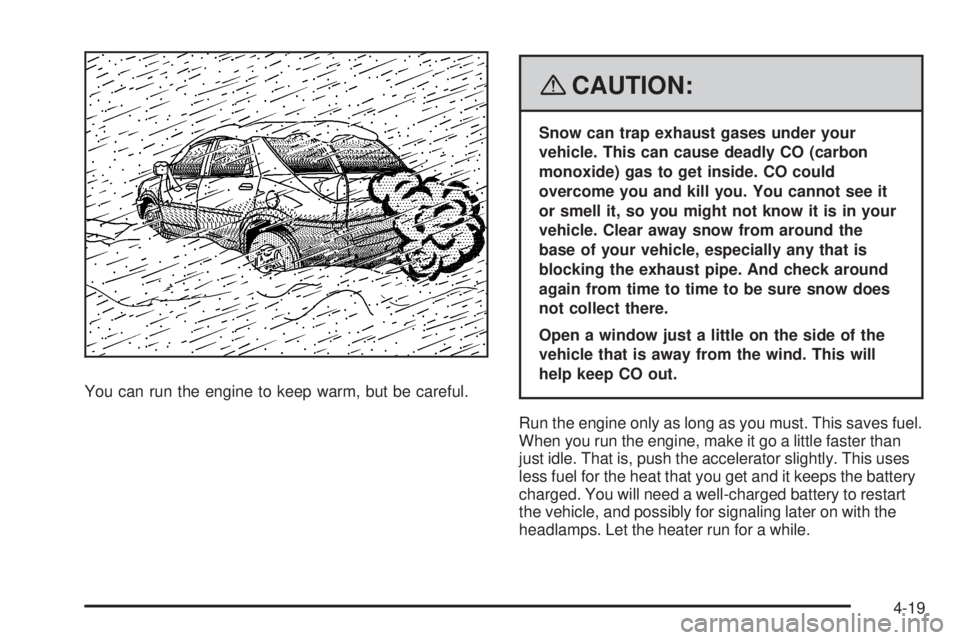
You can run the engine to keep warm, but be careful.
{CAUTION:
Snow can trap exhaust gases under your
vehicle. This can cause deadly CO (carbon
monoxide) gas to get inside. CO could
overcome you and kill you. You cannot see it
or smell it, so you might not know it is in your
vehicle. Clear away snow from around the
base of your vehicle, especially any that is
blocking the exhaust pipe. And check around
again from time to time to be sure snow does
not collect there.
Open a window just a little on the side of the
vehicle that is away from the wind. This will
help keep CO out.
Run the engine only as long as you must. This saves fuel.
When you run the engine, make it go a little faster than
just idle. That is, push the accelerator slightly. This uses
less fuel for the heat that you get and it keeps the battery
charged. You will need a well-charged battery to restart
the vehicle, and possibly for signaling later on with the
headlamps. Let the heater run for a while.
4-19