Engine GMC ACADIA 2008 Owner's Guide
[x] Cancel search | Manufacturer: GMC, Model Year: 2008, Model line: ACADIA, Model: GMC ACADIA 2008Pages: 472, PDF Size: 5.72 MB
Page 121 of 472
Running the Engine While Parked
It is better not to park with the engine running. But if you
ever have to, here are some things to know.
{CAUTION:
Idling the engine with the climate control
system off could allow dangerous exhaust into
your vehicle. See the earlier caution under
Engine Exhaust on page 2-38.
Also, idling in a closed-in place can let deadly
carbon monoxide (CO) into your vehicle even if
the climate control fan is at the highest setting.
One place this can happen is a garage.
Exhaust — with CO — can come in easily.
NEVER park in a garage with the engine
running.
Another closed-in place can be a blizzard. See
Winter Driving on page 4-17.
{CAUTION:
It can be dangerous to get out of your vehicle
if the shift lever is not fully in PARK (P) with
the parking brake rmly set. Your vehicle can
roll. Do not leave your vehicle when the engine
is running unless you have to. If you have left
the engine running, the vehicle can move
suddenly. You or others could be injured. To
be sure your vehicle will not move, even when
you are on fairly level ground, always set the
parking brake and move the shift lever to
PARK (P).
Follow the proper steps to be sure your vehicle will not
move. SeeShifting Into PARK (P) on page 2-36.
If you are pulling a trailer, seeTowing a Trailer on
page 4-30.
2-39
Page 144 of 472
Antilock Brake System
Warning Light...........................................3-48
StabiliTrak
®Indicator Light..............................3-48
Engine Coolant Temperature Warning Light......3-49
Engine Coolant Temperature Gage..................3-49
Tire Pressure Light.......................................3-50
Malfunction Indicator Lamp.............................3-50
Oil Pressure Light.........................................3-54
Security Light...............................................3-54
Fog Lamp Light............................................3-55
Cruise Control Light......................................3-55
Highbeam On Light.......................................3-55
Tow/Haul Mode Light....................................3-55
Fuel Gage...................................................3-56
Driver Information Center (DIC).......................3-57
DIC Operation and Displays
(With DIC Buttons)....................................3-57
DIC Operation and Displays (Without DIC
Buttons)...................................................3-63DIC Warnings and Messages.........................3-66
DIC Vehicle Customization (With DIC Buttons). . . .3-75
Audio System(s).............................................3-84
Setting the Time...........................................3-85
Radio(s) (MP3).............................................3-87
Using an MP3 (Radio with CD and Six-Disc
CD Player).............................................3-104
Using an MP3 (Radio with CD and DVD
Player)...................................................3-108
XM Radio Messages...................................3-113
Navigation/Radio System..............................3-115
Rear Seat Entertainment (RSE) System.........3-115
Rear Seat Audio (RSA)................................3-125
Rear Audio Controller (RAC).........................3-127
Theft-Deterrent Feature................................3-127
Audio Steering Wheel Controls......................3-128
Radio Reception.........................................3-129
Multi-Band Antenna.....................................3-129
Section 3 Instrument Panel
3-2
Page 158 of 472
Daytime Running Lamps (DRL)/
Automatic Headlamp System
Daytime Running Lamps (DRL) can make it easier
for others to see the front of your vehicle during the
day. DRL can be helpful in many different driving
conditions, but they can be especially helpful in
the short periods after dawn and before sunset.
Fully functional daytime running lamps are required
on all vehicles rst sold in Canada.
A light sensor on top of the instrument panel makes
the DRL work, so be sure it is not covered.
The DRL system’s automatic headlamp control will
make the low-beam headlamps come on at a reduced
brightness when the following conditions are met:
The ignition is in the ON/RUN position.
The exterior lamps control is in AUTO.
The engine is running.
When the DRL are on, only the low-beam headlamps,
at a reduced level of brightness, will be on. The
headlamps, taillamps, sidemarker, and other lamps
will not be on. The instrument panel and cluster will
also not be lit.
When it is dark enough outside, the low-beam
headlamps will turn off and the headlamps and parking
lamps will turn on. The other lamps that come on
with the headlamps will also come on.When it is bright enough outside, the headlamps will
go off and the DRL will come on.
As with any vehicle, you should turn on the regular
headlamp system when it is needed.
Fog Lamps
Use the fog lamps for better vision in foggy or misty
conditions.
-(Fog Lamps):The fog lamps button is located on
the exterior lamps control. The exterior lamps control
is located on the instrument panel to the left of the
steering column.
The ignition must be on for the fog lamps to work.
Press the exterior lamps button to turn the fog lamps
on or off. A light will come on in the instrument
panel cluster when the fog lamps are in use.
When the headlamps are changed to high-beam, the
fog lamps will turn off. The fog lamps come back
on again when the high-beam headlamps are turned off.
Some localities have laws that require the headlamps
to be on along with the fog lamps.
3-16
Page 161 of 472
Reading Lamps
The vehicle has reading lamps that also act as the
dome lamp. Press the button to turn them on and off.
Electric Power Management
The vehicle has Electric Power Management (EPM)
that estimates the battery’s temperature and state
of charge. It then adjusts the voltage for best
performance and extended life of the battery.
When the battery’s state of charge is low, the voltage
is raised slightly to quickly put the charge back in.
When the state of charge is high, the voltage is lowered
slightly to prevent overcharging. If the vehicle has a
voltmeter gage or a voltage display on the Driver
Information Center (DIC), you may see the voltage
move up or down. This is normal. If there is a problem,
an alert will be displayed.
The battery can be discharged at idle if the electrical
loads are very high. This is true for all vehicles.
This is because the generator (alternator) may not be
spinning fast enough at idle to produce all the power
that is needed for very high electrical loads.A high electrical load occurs when several of the
following loads are on: headlamps, high beams,
fog lamps, rear window defogger, climate control fan
at high speed, heated seats, engine cooling fans,
trailer loads, and loads plugged into accessory power
outlets.
EPM works to prevent excessive discharge of the
battery. It does this by balancing the generator’s output
and the vehicle’s electrical needs. It can increase
engine idle speed to generate more power, whenever
needed. It can temporarily reduce the power demands
of some accessories.
Normally, these actions occur in steps or levels, without
being noticeable. In rare cases at the highest levels
of corrective action, this action may be noticeable
to the driver. If so, a Driver Information Center (DIC)
message might be displayed, such as Battery Saver
Active or Service Battery Charging System. If this
message is displayed, it is recommended that the
driver reduce the electrical loads as much as possible.
SeeDIC Warnings and Messages on page 3-66.
3-19
Page 164 of 472
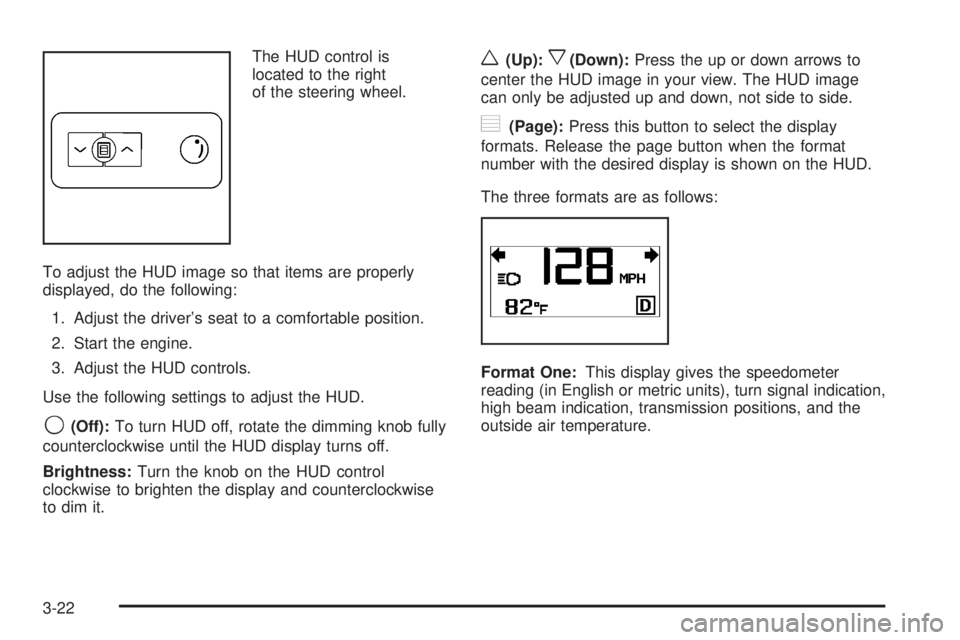
The HUD control is
located to the right
of the steering wheel.
To adjust the HUD image so that items are properly
displayed, do the following:
1. Adjust the driver’s seat to a comfortable position.
2. Start the engine.
3. Adjust the HUD controls.
Use the following settings to adjust the HUD.
9(Off):To turn HUD off, rotate the dimming knob fully
counterclockwise until the HUD display turns off.
Brightness:Turn the knob on the HUD control
clockwise to brighten the display and counterclockwise
to dim it.
w(Up):x(Down):Press the up or down arrows to
center the HUD image in your view. The HUD image
can only be adjusted up and down, not side to side.
?(Page):Press this button to select the display
formats. Release the page button when the format
number with the desired display is shown on the HUD.
The three formats are as follows:
Format One:This display gives the speedometer
reading (in English or metric units), turn signal indication,
high beam indication, transmission positions, and the
outside air temperature.
3-22
Page 169 of 472
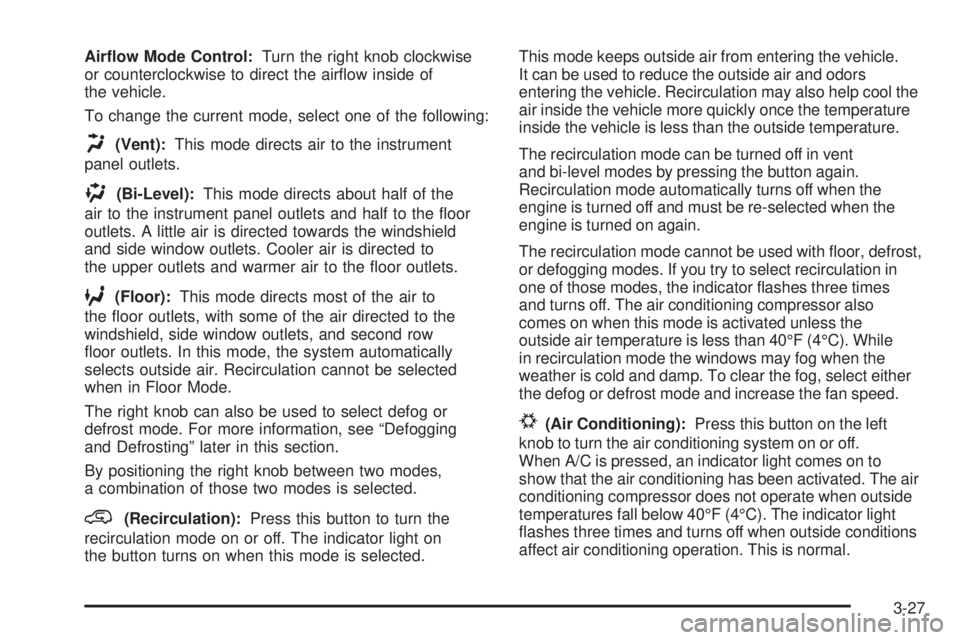
Airow Mode Control:Turn the right knob clockwise
or counterclockwise to direct the airow inside of
the vehicle.
To change the current mode, select one of the following:
H(Vent):This mode directs air to the instrument
panel outlets.
)(Bi-Level):This mode directs about half of the
air to the instrument panel outlets and half to the oor
outlets. A little air is directed towards the windshield
and side window outlets. Cooler air is directed to
the upper outlets and warmer air to the oor outlets.
6(Floor):This mode directs most of the air to
the oor outlets, with some of the air directed to the
windshield, side window outlets, and second row
oor outlets. In this mode, the system automatically
selects outside air. Recirculation cannot be selected
when in Floor Mode.
The right knob can also be used to select defog or
defrost mode. For more information, see “Defogging
and Defrosting” later in this section.
By positioning the right knob between two modes,
a combination of those two modes is selected.
@(Recirculation):Press this button to turn the
recirculation mode on or off. The indicator light on
the button turns on when this mode is selected.This mode keeps outside air from entering the vehicle.
It can be used to reduce the outside air and odors
entering the vehicle. Recirculation may also help cool the
air inside the vehicle more quickly once the temperature
inside the vehicle is less than the outside temperature.
The recirculation mode can be turned off in vent
and bi-level modes by pressing the button again.
Recirculation mode automatically turns off when the
engine is turned off and must be re-selected when the
engine is turned on again.
The recirculation mode cannot be used with oor, defrost,
or defogging modes. If you try to select recirculation in
one of those modes, the indicator ashes three times
and turns off. The air conditioning compressor also
comes on when this mode is activated unless the
outside air temperature is less than 40°F (4°C). While
in recirculation mode the windows may fog when the
weather is cold and damp. To clear the fog, select either
the defog or defrost mode and increase the fan speed.
#(Air Conditioning):Press this button on the left
knob to turn the air conditioning system on or off.
When A/C is pressed, an indicator light comes on to
show that the air conditioning has been activated. The air
conditioning compressor does not operate when outside
temperatures fall below 40°F (4°C). The indicator light
ashes three times and turns off when outside conditions
affect air conditioning operation. This is normal.
3-27
Page 170 of 472
For quicker cool down on hot days, do the following:
1. Open the windows to let hot air escape.
2. Select the vent mode.
3. Select the air conditioner.
4. Select the coolest temperature.
5. Select the highest fan speed.
6. Close the windows after the hot air has escaped.
7. Once the vehicle’s interior temperature is below
the outside temperature, select recirculation
mode for better cooling.
This helps to reduce the time it takes for the vehicle
to cool down. It also helps the system to operate
more efficiently.
Using recirculation for long periods of time may
cause the air inside of the vehicle to become too dry.
To prevent this from happening, after the inside of
the vehicle has cooled, turn the recirculation mode off.
The air conditioning system removes moisture from
the air, so you might notice a small amount of water
dripping underneath the front center and right rear
of the vehicle while idling or after turning off the engine.
This is normal.Defogging and Defrosting
Fog on the inside of the windows is a result of high
humidity (moisture) condensing on the cool window
glass. This can be minimized if the climate control
system is used properly. There are two modes to clear
fog or frost from the windshield. Turn the right knob
clockwise to select the defog or defrost mode.
-(Defog):The defog mode is used to clear the
windows of fog or moisture and warm the passengers.
This mode directs air to the windshield, oor outlets,
and side window vents. When you select this mode,
the system turns off recirculation and runs the air
conditioning compressor unless the outside temperature
is less than 40°F (4°C). The recirculation mode
cannot be selected while in the defog mode. Do not
drive the vehicle until all the windows are clear.
0(Defrost):The defrost mode is used to remove fog
or frost from the windshield more quickly. This mode
directs most of the air to the windshield and side window
vents and some to the oor vents. In this mode, the
system will automatically force outside air into your
vehicle. The recirculation mode cannot be selected while
in the defrost mode. The air conditioning compressor
will run automatically in this setting, unless the outside
temperature is less than 40°F (4°C). Do not drive
the vehicle until all the windows are clear.
3-28
Page 171 of 472
AUX (Auxiliary):Press this button to turn the
rear heating and air conditioning on. SeeRear Air
Conditioning and Heating System on page 3-36or
Rear Air Conditioning and Heating System and
Electronic Climate Controls on page 3-38.
Rear Window Defogger
The rear window defogger uses a warming grid to
remove fog from the rear window.
<(Rear Window Defogger):Press this button on the
right knob to turn the rear window defogger on or off.
The rear window defogger stays on about 10 minutes
after the button is pressed, before turning off. The
defogger can also be turned off by pressing the button
again or by turning off the engine. Do not drive the
vehicle until all the windows are clear.
If your vehicle has heated outside rearview mirrors, the
mirrors heat to help clear fog or frost from the surface of
the mirror when the rear window defog button is pressed.
Notice:Do not use anything sharp on the inside of
the rear window. If you do, you could cut or damage
the warming grid, and the repairs would not be
covered by your warranty. Do not attach a temporary
vehicle license, tape, a decal or anything similar to
the defogger grid.
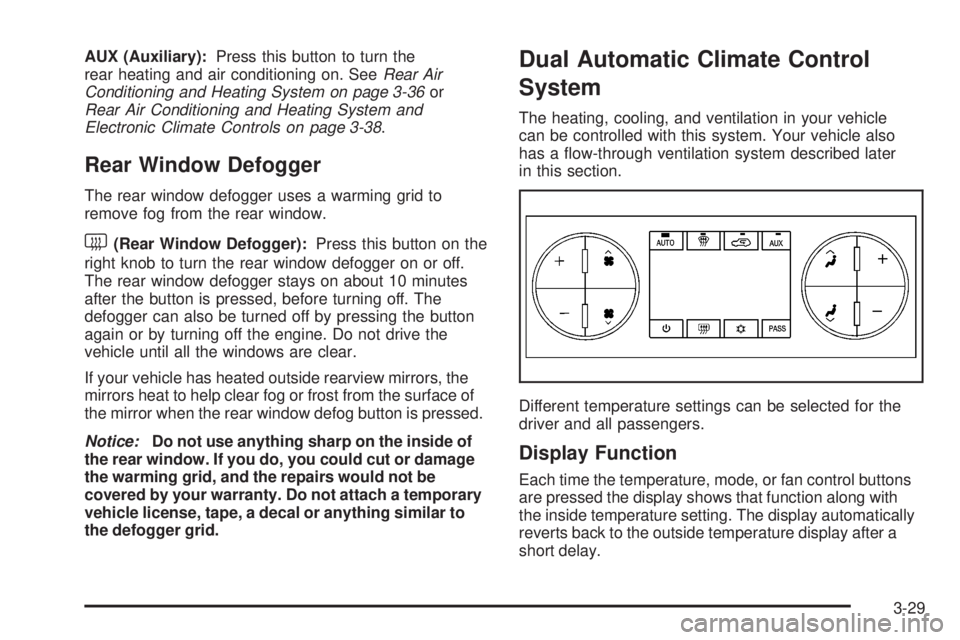
Dual Automatic Climate Control
System
The heating, cooling, and ventilation in your vehicle
can be controlled with this system. Your vehicle also
has a ow-through ventilation system described later
in this section.
Different temperature settings can be selected for the
driver and all passengers.
Display Function
Each time the temperature, mode, or fan control buttons
are pressed the display shows that function along with
the inside temperature setting. The display automatically
reverts back to the outside temperature display after a
short delay.
3-29
Page 173 of 472
2. Set the driver’s and passenger’s temperature.
To nd your comfort setting, start with a 73°F (22°C)
temperature setting and allow about 20 minutes
for the system to regulate. Use the driver’s or
passenger’s temperature buttons to adjust the
temperature setting as necessary. If you choose
the temperature setting of 60°F (15°C), the system
remains at the maximum cooling setting. If you
choose the temperature setting of 90°F (32°C),
the system remains at the maximum heat setting.
Choosing either maximum setting will not cause
the vehicle to heat or cool any faster.
Do not cover the solar sensor located on the top of
the instrument panel near the windshield. This sensor
regulates air temperature based on sun load and also
turns on your vehicle’s headlamps. For more information
on the solar sensor, see “Sensors” later in this section.
To avoid blowing cold air in cold weather, the system
delays turning on the fan until warm air is available.
The length of delay depends on the engine coolant
temperature. Press the fan switch to override this delay
and change the fan to a selected speed.
O(On/Off):Press this button to turn off the climate
control system. Outside air still enters the vehicle, and
is directed to the oor. This direction can be changed
by pressing the mode button. Recirculation can only
be selected in vent or bi-level mode. The temperature
can also be adjusted using either temperature button.If you adjust the air delivery mode or temperature
settings with the system off, the display comes on
briey to show the settings and then turns off. Press the
on/off button or the up down arrows on the fan switch,
the defrost button, AUTO button, or the air conditioning
button to turn the system on when it is off.
Manual Operation
The air delivery mode or fan speed can be manually
adjusted.
DC(Fan):The buttons with the fan symbols let you
manually adjust the fan speed. Press the up arrow
to increase fan speed and the down arrow to decrease
fan speed.
Pressing a fan button while the system is off will turn
the system on. Pressing a fan button while in automatic
control places the fan under manual control. The fan
setting remains displayed, the word AUTO is no longer
displayed, and the AUTO button indicator light turns
off. The air delivery mode remains in automatic control.
yNz(Mode):Press the mode up and down
buttons to manually change the direction of the airow
in the vehicle. Repeatedly press the button until the
desired mode appears on the display. Pressing a mode
button while the system is off will change air delivery
mode without turning the system on. Pressing one
of these buttons while in automatic control to place
the mode under manual control.
3-31
Page 174 of 472
The air delivery mode setting remains displayed,
the word AUTO is no longer displayed, and the
AUTO button indicator light turns off.
H(Vent):This setting delivers air to the instrument
panel outlets.
)(Bi-Level):This mode directs air to the instrument
panel outlets and to the oor outlets. A little air is
directed towards the windshield and side window outlets.
Cooler air is directed to the upper outlets and warmer
air to the oor outlets.
6(Floor):This mode directs most of the air to
the oor outlets, with some of the air directed to the
windshield, side window outlets, and second row
oor outlets. In this mode, the system automatically
selects outside air. Recirculation cannot be selected
in oor mode.
-(Defog):See “Defogging and Defrosting” later
in this section.
@(Recirculation):Press this button to turn the
recirculation mode on. When the button is pressed,
an indicator light comes on.
This mode keeps outside air from entering the vehicle.
It can be used to reduce outside air and prevent
odors from entering your vehicle. Recirculation also
helps to quickly cool the warmer air inside your vehicle.
The recirculation mode cannot be used with oor, defrost,
or defogging modes. If you try to select recirculation in
one of those modes, the indicator ashes three times and
turns off. The air conditioning compressor also comes on
when this mode is activated. While in recirculation mode
the windows may fog when the weather is cold and damp.
To clear the fog, select either the defog or defrost mode
and increase the fan speed.
Press the button again to turn off the recirculation mode.
It automatically turns off when the engine is turned off and
must be re-selected when the engine is turned on again.
3-32