seats GMC ACADIA 2008 Owner's Guide
[x] Cancel search | Manufacturer: GMC, Model Year: 2008, Model line: ACADIA, Model: GMC ACADIA 2008Pages: 472, PDF Size: 5.72 MB
Page 142 of 472
Sunroof
The vehicle may have a sunroof over the front seats,
and a rear sunroof over the second row seats. The rear
sunroof does not open. The switches to operate the
front sunroof and rear sunshade are located on
the headliner above the rearview mirror. The ignition
must be in ON or ACCESSORY to operate the sunroof.
SeeIgnition Positions on page 2-26.
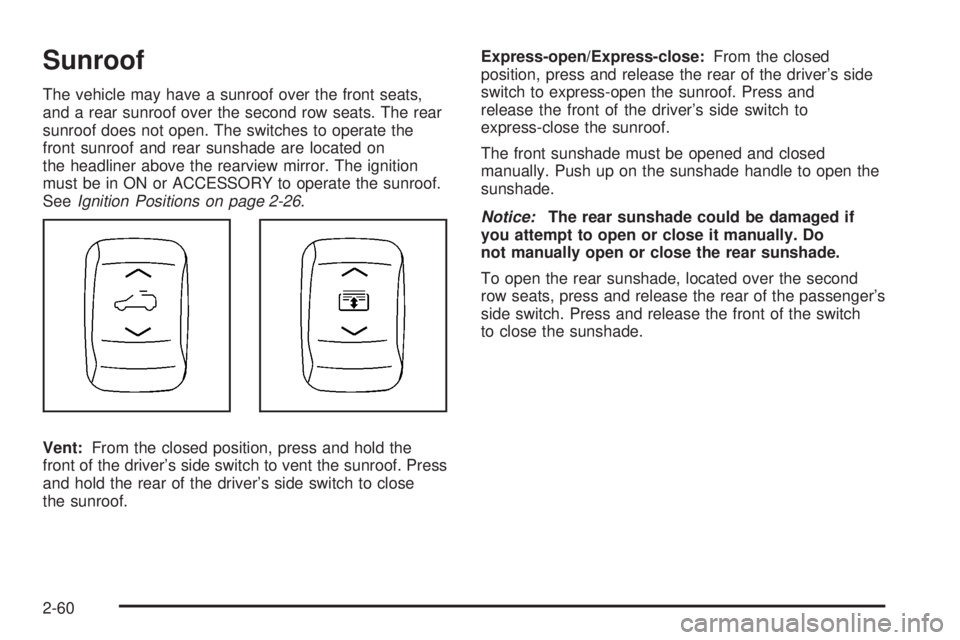
Vent:From the closed position, press and hold the
front of the driver’s side switch to vent the sunroof. Press
and hold the rear of the driver’s side switch to close
the sunroof.Express-open/Express-close:From the closed
position, press and release the rear of the driver’s side
switch to express-open the sunroof. Press and
release the front of the driver’s side switch to
express-close the sunroof.
The front sunshade must be opened and closed
manually. Push up on the sunshade handle to open the
sunshade.
Notice:The rear sunshade could be damaged if
you attempt to open or close it manually. Do
not manually open or close the rear sunshade.
To open the rear sunshade, located over the second
row seats, press and release the rear of the passenger’s
side switch. Press and release the front of the switch
to close the sunshade.
2-60
Page 147 of 472
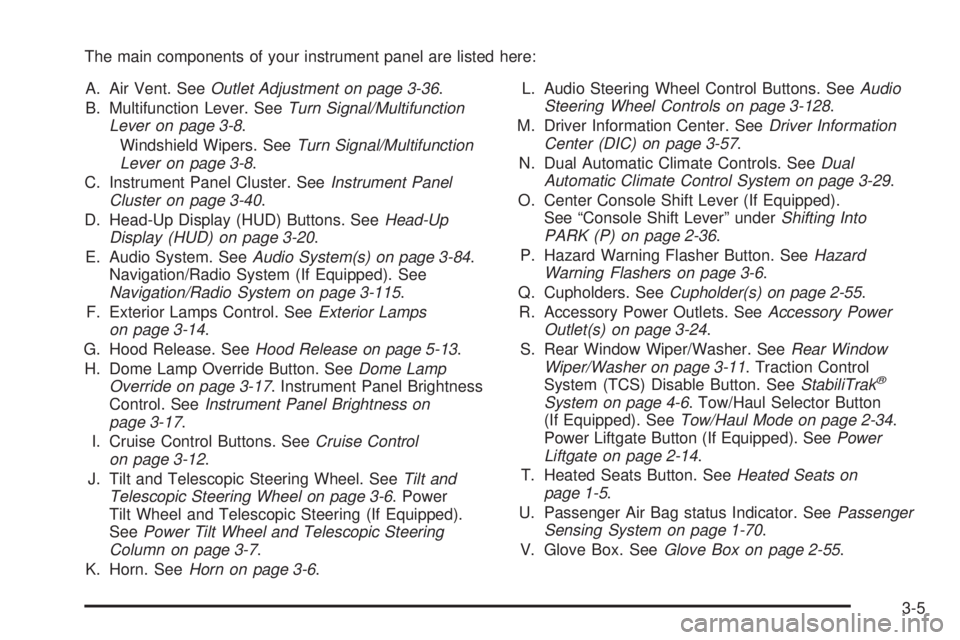
The main components of your instrument panel are listed here:
A. Air Vent. SeeOutlet Adjustment on page 3-36.
B. Multifunction Lever. SeeTurn Signal/Multifunction
Lever on page 3-8.
Windshield Wipers. SeeTurn Signal/Multifunction
Lever on page 3-8.
C. Instrument Panel Cluster. SeeInstrument Panel
Cluster on page 3-40.
D. Head-Up Display (HUD) Buttons. SeeHead-Up
Display (HUD) on page 3-20.
E. Audio System. SeeAudio System(s) on page 3-84.
Navigation/Radio System (If Equipped). See
Navigation/Radio System on page 3-115.
F. Exterior Lamps Control. SeeExterior Lamps
on page 3-14.
G. Hood Release. SeeHood Release on page 5-13.
H. Dome Lamp Override Button. SeeDome Lamp
Override on page 3-17. Instrument Panel Brightness
Control. SeeInstrument Panel Brightness on
page 3-17.
I. Cruise Control Buttons. SeeCruise Control
on page 3-12.
J. Tilt and Telescopic Steering Wheel. SeeTilt and
Telescopic Steering Wheel on page 3-6. Power
Tilt Wheel and Telescopic Steering (If Equipped).
SeePower Tilt Wheel and Telescopic Steering
Column on page 3-7.
K. Horn. SeeHorn on page 3-6.L. Audio Steering Wheel Control Buttons. SeeAudio
Steering Wheel Controls on page 3-128.
M. Driver Information Center. SeeDriver Information
Center (DIC) on page 3-57.
N. Dual Automatic Climate Controls. SeeDual
Automatic Climate Control System on page 3-29.
O. Center Console Shift Lever (If Equipped).
See “Console Shift Lever” underShifting Into
PARK (P) on page 2-36.
P. Hazard Warning Flasher Button. SeeHazard
Warning Flashers on page 3-6.
Q. Cupholders. SeeCupholder(s) on page 2-55.
R. Accessory Power Outlets. SeeAccessory Power
Outlet(s) on page 3-24.
S. Rear Window Wiper/Washer. SeeRear Window
Wiper/Washer on page 3-11. Traction Control
System (TCS) Disable Button. SeeStabiliTrak
®
System on page 4-6. Tow/Haul Selector Button
(If Equipped). SeeTow/Haul Mode on page 2-34.
Power Liftgate Button (If Equipped). SeePower
Liftgate on page 2-14.
T. Heated Seats Button. SeeHeated Seats on
page 1-5.
U. Passenger Air Bag status Indicator. SeePassenger
Sensing System on page 1-70.
V. Glove Box. SeeGlove Box on page 2-55.
3-5
Page 161 of 472
Reading Lamps
The vehicle has reading lamps that also act as the
dome lamp. Press the button to turn them on and off.
Electric Power Management
The vehicle has Electric Power Management (EPM)
that estimates the battery’s temperature and state
of charge. It then adjusts the voltage for best
performance and extended life of the battery.
When the battery’s state of charge is low, the voltage
is raised slightly to quickly put the charge back in.
When the state of charge is high, the voltage is lowered
slightly to prevent overcharging. If the vehicle has a
voltmeter gage or a voltage display on the Driver
Information Center (DIC), you may see the voltage
move up or down. This is normal. If there is a problem,
an alert will be displayed.
The battery can be discharged at idle if the electrical
loads are very high. This is true for all vehicles.
This is because the generator (alternator) may not be
spinning fast enough at idle to produce all the power
that is needed for very high electrical loads.A high electrical load occurs when several of the
following loads are on: headlamps, high beams,
fog lamps, rear window defogger, climate control fan
at high speed, heated seats, engine cooling fans,
trailer loads, and loads plugged into accessory power
outlets.
EPM works to prevent excessive discharge of the
battery. It does this by balancing the generator’s output
and the vehicle’s electrical needs. It can increase
engine idle speed to generate more power, whenever
needed. It can temporarily reduce the power demands
of some accessories.
Normally, these actions occur in steps or levels, without
being noticeable. In rare cases at the highest levels
of corrective action, this action may be noticeable
to the driver. If so, a Driver Information Center (DIC)
message might be displayed, such as Battery Saver
Active or Service Battery Charging System. If this
message is displayed, it is recommended that the
driver reduce the electrical loads as much as possible.
SeeDIC Warnings and Messages on page 3-66.
3-19
Page 178 of 472
Outlet Adjustment
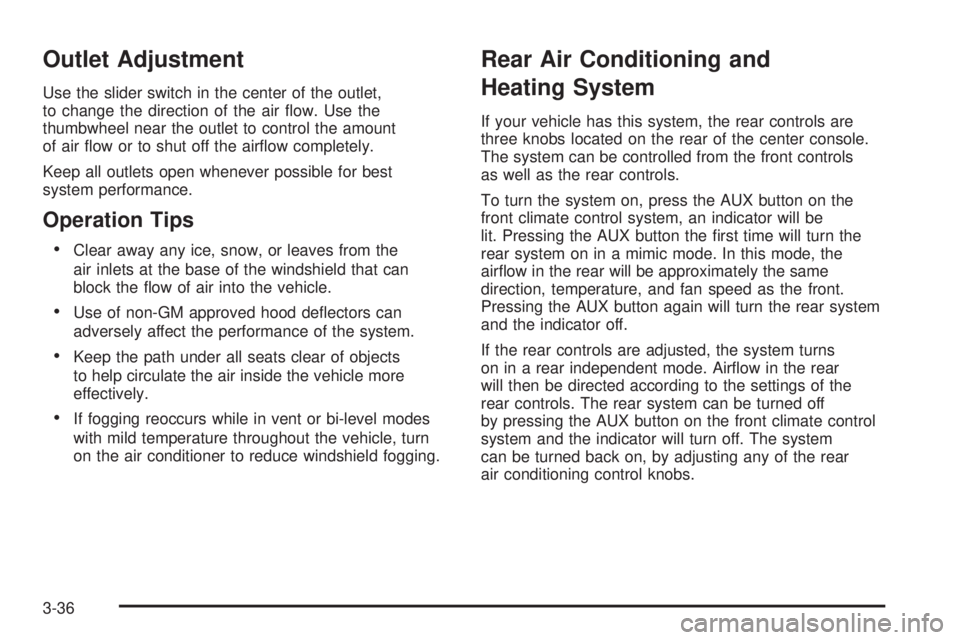
Use the slider switch in the center of the outlet,
to change the direction of the air ow. Use the
thumbwheel near the outlet to control the amount
of air ow or to shut off the airow completely.
Keep all outlets open whenever possible for best
system performance.
Operation Tips
Clear away any ice, snow, or leaves from the
air inlets at the base of the windshield that can
block the ow of air into the vehicle.
Use of non-GM approved hood deectors can
adversely affect the performance of the system.
Keep the path under all seats clear of objects
to help circulate the air inside the vehicle more
effectively.
If fogging reoccurs while in vent or bi-level modes
with mild temperature throughout the vehicle, turn
on the air conditioner to reduce windshield fogging.
Rear Air Conditioning and
Heating System
If your vehicle has this system, the rear controls are
three knobs located on the rear of the center console.
The system can be controlled from the front controls
as well as the rear controls.
To turn the system on, press the AUX button on the
front climate control system, an indicator will be
lit. Pressing the AUX button the rst time will turn the
rear system on in a mimic mode. In this mode, the
airow in the rear will be approximately the same
direction, temperature, and fan speed as the front.
Pressing the AUX button again will turn the rear system
and the indicator off.
If the rear controls are adjusted, the system turns
on in a rear independent mode. Airow in the rear
will then be directed according to the settings of the
rear controls. The rear system can be turned off
by pressing the AUX button on the front climate control
system and the indicator will turn off. The system
can be turned back on, by adjusting any of the rear
air conditioning control knobs.
3-36
Page 179 of 472
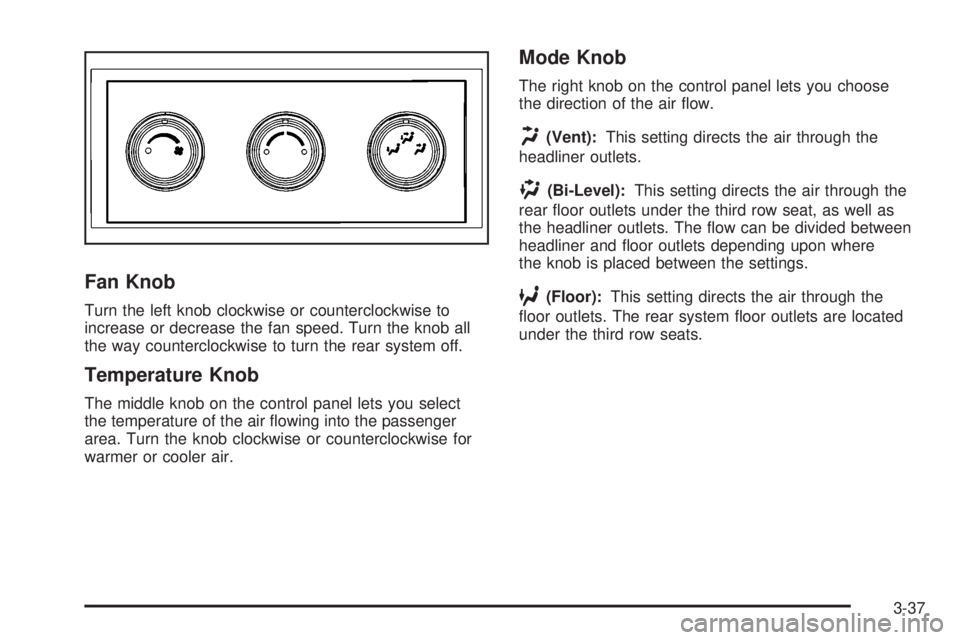
Fan Knob
Turn the left knob clockwise or counterclockwise to
increase or decrease the fan speed. Turn the knob all
the way counterclockwise to turn the rear system off.
Temperature Knob
The middle knob on the control panel lets you select
the temperature of the air owing into the passenger
area. Turn the knob clockwise or counterclockwise for
warmer or cooler air.
Mode Knob
The right knob on the control panel lets you choose
the direction of the air ow.
H(Vent):This setting directs the air through the
headliner outlets.
)(Bi-Level):This setting directs the air through the
rear oor outlets under the third row seat, as well as
the headliner outlets. The ow can be divided between
headliner and oor outlets depending upon where
the knob is placed between the settings.
6(Floor):This setting directs the air through the
oor outlets. The rear system oor outlets are located
under the third row seats.
3-37
Page 181 of 472
N(Mode):Press the mode button to manually change
the direction of the airow in the vehicle. Repeatedly
press the button until the desired mode appears on the
display. Multiple presses cycles through the delivery
selections.
H(Vent):This mode directs air through the headliner
outlets.
)(Bi-Level):This mode directs air through the oor
outlets as well as the headliner outlets. The rear system
oor outlets are located under the third row seats.
6(Floor):This mode directs air through the oor
outlets. The rear system oor outlets are located under
the third row seats.
Warning Lights, Gages,
and Indicators
This section describes the warning lights and gages
on your vehicle.
Warning lights and gages can signal that something
is wrong before it becomes serious enough to cause
an expensive repair or replacement. Paying attention
to the warning lights and gages could also save you
or others from injury.Warning lights come on when there may be or is
a problem with one of your vehicle’s functions. As the
details show on the next few pages, some warning lights
come on briey when you start the engine just to let
you know they are working. If you are familiar with
this section, you should not be alarmed when this
happens.
Gages can indicate when there may be or is a problem
with one of your vehicle’s functions. Often gages
and warning lights work together to let you know
when there is a problem with your vehicle.
When one of the warning lights comes on and stays
on as you are driving, or when one of the gages shows
there may be a problem, check the section that tells
you what to do about it. Please follow this manual’s
advice. Waiting to do repairs can be costly and even
dangerous. So get to know your vehicle’s warning lights
and gages. They can be a big help.
3-39
Page 202 of 472
RELEARN REMOTE KEY
This display allows you to match Remote Keyless
Entry (RKE) transmitters to your vehicle. To match
an RKE transmitter to your vehicle:
1. Press the vehicle information button until
PRESS
VTO RELEARN REMOTE KEY displays.
2. Press the set/reset button until REMOTE KEY
LEARNING ACTIVE is displayed.
3. Press and hold the lock and unlock buttons on
the rst transmitter at the same time for about
15 seconds.
On vehicles with memory recall seats, the
rst transmitter learned will match driver 1 and
the second will match driver 2.
A chime will sound indicating that the transmitter
is matched.
4. To match additional transmitters at this time,
repeat Step 3.
Each vehicle can have a maximum of eight
transmitters matched to it.
5. To exit the programming mode, you must cycle
the key to LOCK/OFF.
Blank Display
This display shows no information.
Trip/Fuel Menu Items
3
(Trip/Fuel):Press this button to scroll through
the following menu items:
ODOMETER
Press the trip/fuel button until ODOMETER displays.
This display shows the distance the vehicle has
been driven in either miles (mi) or kilometers (km).
Pressing the trip odometer reset stem will also display
the odometer.
To switch between English and metric measurements,
see “UNITS” later in this section.
TRIP A and TRIP B
Press the trip/fuel button until TRIP A or TRIP B
displays. This display shows the current distance
traveled in either miles (mi) or kilometers (km) since the
last reset for each trip odometer. Both trip odometers
can be used at the same time. Pressing the trip
odometer reset stem will also display the trip odometers.
Each trip odometer can be reset to zero separately
by pressing the set/reset button or the trip odometer
reset stem while the desired trip odometer is displayed.
3-60
Page 207 of 472
When the URPA system is turned off and the vehicle
is shifted out of PARK (P), the DIC will display the
PARK ASSIST OFF message as a reminder that
the system has been turned off. SeeDIC Warnings and
Messages on page 3-66andUltrasonic Rear Parking
Assist (URPA) on page 2-45for more information.
RELEARN REMOTE KEY
To access this display, the vehicle must be in PARK (P).
This display allows you to match Remote Keyless
Entry (RKE) transmitters to your vehicle. To match
an RKE transmitter to your vehicle:
1. Press the trip odometer reset stem until RELEARN
REMOTE KEY displays.
2. Press and hold the trip odometer reset stem until
REMOTE KEY LEARNING ACTIVE is displayed.
3. Press and hold the lock and unlock buttons on the rst
transmitter at the same time for about 15 seconds.
On vehicles with memory recall seats, the rst
transmitter learned will match driver 1 and the
second will match driver 2.
A chime will sound indicating that the transmitter
is matched.
4. To match additional transmitters at this time,
repeat Step 3.
Each vehicle can have a maximum of eight
transmitters matched to it.
5. To exit the programming mode, you must cycle
the key to LOCK/OFF.
UNITS
To access this display, the vehicle must be in
PARK (P). Press the trip odometer reset stem until
UNITS displays. This display allows you to select
between English or Metric units of measurement.
Once in this display, press and hold the trip odometer
reset stem to select between ENGLISH or METRIC
units. All of the vehicle information will then be
displayed in the unit of measurement selected.
DISPLAY LANGUAGE
To access this display, the vehicle must be in PARK (P).
This display allows you to select the language in
which the DIC messages will appear. To select a
language:
1. Press the trip odometer reset stem until DISPLAY
LANGUAGE displays.
2. Continue to press and hold the trip odometer reset
stem to scroll through all of the available languages.
The available languages are ENGLISH (default),
FRANCAIS (French), ESPANOL (Spanish), and
NO CHANGE.
3. Once the desired language is displayed, release
the trip odometer reset stem to set your choice.
3-65
Page 259 of 472
For optimal audio performance, the headphones must
be worn correctly. The symbol L (Left) appears on
the upper left side, above the ear pad and should be
positioned on the left ear. The symbol R (Right) appears
on the upper right side, above the ear pad and should
be positioned on the right ear.
Notice:Do not store the headphones in heat or
direct sunlight. This could damage the headphones
and repairs will not be covered by your warranty.
Storage in extreme cold can weaken the batteries.
Keep the headphones stored in a cool, dry place.
If the foam ear pads attached to the headphones
become worn or damaged, the pads can be replaced
separately from the headphone set. See your
dealer/retailer for more information.
Headphones should be stored in the front oor console
and not in the front seat back pocket. Headphone
damage can occur when the second row seats are
folded forward.Battery Replacement
To change the batteries on the headphones, do the
following:
1. Turn the screw to loosen the battery door
located on the left side of the headphones.
Slide the battery door open.
2. Replace the two batteries in the compartment.
Make sure that they are installed correctly,
using the diagram on the inside of the battery
compartment.
3. Replace the battery door and tighten the
door screw.
If the headphones are to be stored for a long period
of time, remove the batteries and keep them in a cool,
dry place.
3-117
Page 298 of 472
If you put things inside your vehicle — like
suitcases, tools, packages, or anything else, they
will go as fast as the vehicle goes. If you have
to stop or turn quickly, or if there is a crash, they
will keep going.
{CAUTION:
Things you put inside your vehicle can
strike and injure people in a sudden stop
or turn, or in a crash.
Put things in the cargo area of your
vehicle. Try to spread the weight
evenly.
Never stack heavier things, like
suitcases, inside the vehicle so that
some of them are above the tops of
the seats.
Do not leave an unsecured child
restraint in your vehicle.
When you carry something inside the
vehicle, secure it whenever you can.
Do not leave a seat folded down
unless you need to.
Towing
Towing Your Vehicle
Consult your dealer/retailer or a professional towing
service if you need to have your disabled vehicle towed.
SeeRoadside Assistance Program on page 7-6.
If you want to tow your vehicle behind another vehicle
for recreational purposes (such as behind a motorhome),
see “Recreational Vehicle Towing” following.
Recreational Vehicle Towing
Recreational vehicle towing means towing your vehicle
behind another vehicle – such as behind a motorhome.
The two most common types of recreational vehicle
towing are known as “dinghy towing” (towing your vehicle
with all four wheels on the ground) and “dolly towing”
(towing your vehicle with two wheels on the ground and
two wheels up on a device known as a “dolly”).
With the proper preparation and equipment, many
vehicles can be towed in these ways. See “Dinghy
Towing” and “Dolly Towing” following in this section.
4-26