instrument panel GMC ACADIA 2008 Owner's Guide
[x] Cancel search | Manufacturer: GMC, Model Year: 2008, Model line: ACADIA, Model: GMC ACADIA 2008Pages: 472, PDF Size: 5.72 MB
Page 160 of 472
Entry lighting includes a feature called theater dimming.
With theater dimming, the lamps do not turn off at the end
of the delay time. Instead, they slowly dim after the delay
time until they go out. The delay time is canceled if you
turn the ignition key to ON/RUN or press the power door
lock switch. The lamps will dim right away.
When the ignition is on, illuminated entry is inactive,
which means the courtesy lamps will not come on
unless a door is opened.
Delayed Entry Lighting
Delayed entry lighting illuminates the interior for a
period of time after all the doors have been closed.
The ignition must be off for delayed entry lighting
to work. Immediately after all the doors have been
closed, the delayed entry lighting feature will continue
to work until one of the following occurs:
The ignition is in ON/RUN.
The doors are locked.
An illumination period of 25 seconds has elapsed.
If during the illumination period a door is opened,
the timed illumination period will be canceled and the
interior lamps will remain on because a door is open.
Delayed Exit Lighting
This feature illuminates the interior for a period of time
after the key is removed from the ignition.
The ignition must be off for delayed exit lighting to
work. When the key is removed, interior illumination
will activate and remain on until one of the following
occurs:
The ignition is in ON/RUN.
The power door locks are activated.
An illumination period of 20 seconds has elapsed.
If during the illumination period a door is opened,
the timed illumination period will be canceled and the
interior lamps will remain on because a door is open.
Parade Dimming
The instrument panel has an added feature called
parade mode. It automatically prohibits the dimming
of the instrument panel displays during the daylight
while the headlamps are on so that you will still be
able to see the displays.
3-18
Page 162 of 472
Battery Run-Down Protection
This vehicle has a feature to help prevent the battery
from being drained, if the interior courtesy lamps,
reading/map lamps, visor vanity lamps or trunk lamp
are accidentally left on. If any of these lamps are
left on, they will automatically turn off after 10 minutes,
if the ignition is off. The lamps will not come back
on again until one of the following occurs:
The ignition is turned on.
The exterior lamps control is turned off,
then on again.
The headlamps will timeout after 10 minutes, if they
are manually turned on before the ignition is off.
Head-Up Display (HUD)
{CAUTION:
If the HUD image is too bright or too high in
your eld of view, it may take you more time
to see things you need to see when it is dark
outside. Be sure to keep the HUD image dim
and placed low in your eld of view.
If the vehicle has the Head-Up Display (HUD),
some information concerning the operation of the
vehicle is projected onto the windshield. This includes
the speedometer reading, RPM reading, transmission
position, outside air temperature, the tap shift gear,
and a brief display of the current radio station,
including XM information or CD track. It will also
display turn-by-turn navigation information if the
vehicle has a navigation radio. The images are
projected by the HUD lens located on the driver’s
side of the instrument panel.
The tap shift gear will also appear on the HUD if
the vehicle has tap shift and it is active.
3-20
Page 163 of 472
The HUD information can be displayed in one of
three languages, English, French, or Spanish. The
speedometer reading and other numerical values
can be displayed in either English or metric units.
The language selection and the units of measurement
are changed through the trip computer in the
Driver Information Center (DIC). SeeDIC Vehicle
Customization (With DIC Buttons) on page 3-75.
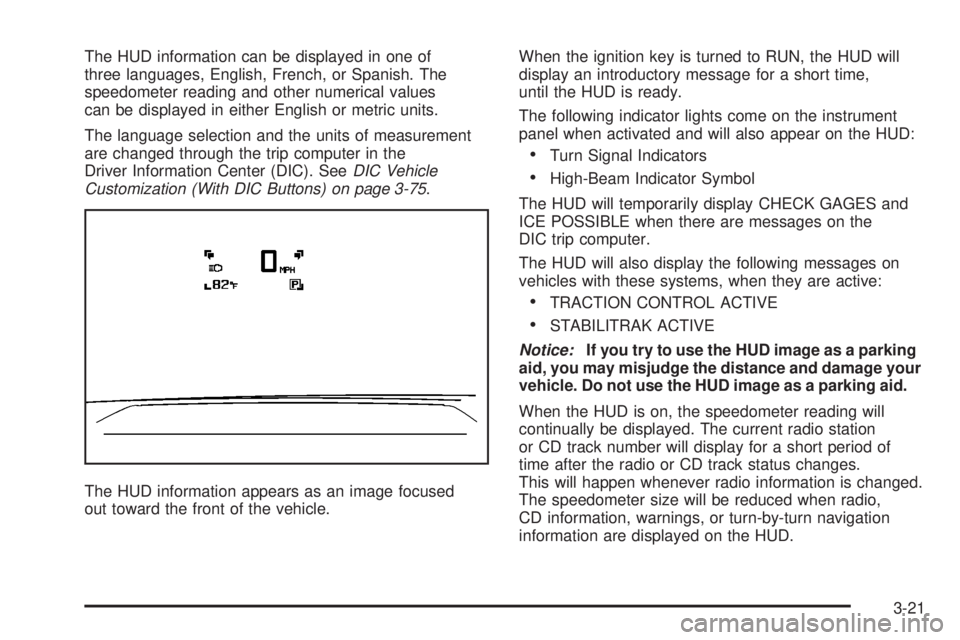
The HUD information appears as an image focused
out toward the front of the vehicle.When the ignition key is turned to RUN, the HUD will
display an introductory message for a short time,
until the HUD is ready.
The following indicator lights come on the instrument
panel when activated and will also appear on the HUD:
Turn Signal Indicators
High-Beam Indicator Symbol
The HUD will temporarily display CHECK GAGES and
ICE POSSIBLE when there are messages on the
DIC trip computer.
The HUD will also display the following messages on
vehicles with these systems, when they are active:
TRACTION CONTROL ACTIVE
STABILITRAK ACTIVE
Notice:If you try to use the HUD image as a parking
aid, you may misjudge the distance and damage your
vehicle. Do not use the HUD image as a parking aid.
When the HUD is on, the speedometer reading will
continually be displayed. The current radio station
or CD track number will display for a short period of
time after the radio or CD track status changes.
This will happen whenever radio information is changed.
The speedometer size will be reduced when radio,
CD information, warnings, or turn-by-turn navigation
information are displayed on the HUD.
3-21
Page 166 of 472
If You Cannot See the HUD Image
When the Ignition Is On
Is anything covering the HUD lens?
Is the HUD dimmer setting bright enough?
Is the HUD image adjusted to the proper height?
Are you wearing polarized sunglasses?
Still no HUD image? Check the fuse in the
instrument panel fuse block. SeeInstrument
Panel Fuse Block on page 5-100.
If the HUD Image Is Not Clear
Is the HUD image too bright?
Are the windshield and HUD lens clean?
If the HUD image is not correct, contact your
dealer/retailer.
Keep in mind that the windshield is part of the
HUD system.
Accessory Power Outlet(s)
The accessory power outlets can be used to connect
electrical equipment such as a cellular phone or
CB radio.
Your vehicle may have four accessory power outlets.
They are located on the instrument panel below
the climate controls, inside the front center console
storage bin, at the rear of the center console, and in
the rear cargo area.
To use the outlets, remove the cover. When not in
use, always cover the outlet with the protective cap.
Notice:Leaving electrical equipment on for
extended periods will drain the battery. Always
turn off electrical equipment when not in use
and do not plug in equipment that exceeds the
maximum amperage rating of 20 amperes.
3-24
Page 169 of 472
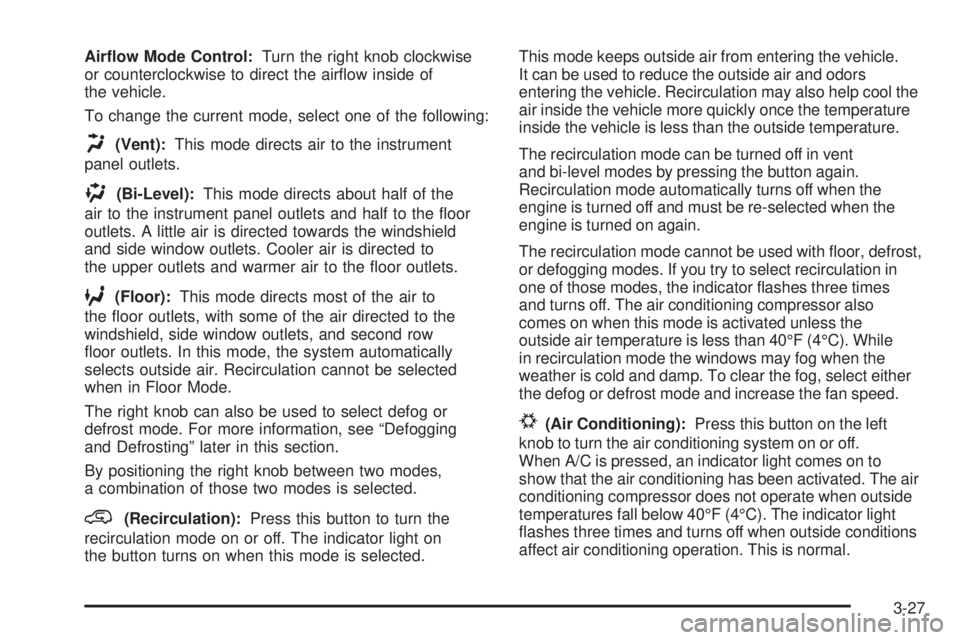
Airow Mode Control:Turn the right knob clockwise
or counterclockwise to direct the airow inside of
the vehicle.
To change the current mode, select one of the following:
H(Vent):This mode directs air to the instrument
panel outlets.
)(Bi-Level):This mode directs about half of the
air to the instrument panel outlets and half to the oor
outlets. A little air is directed towards the windshield
and side window outlets. Cooler air is directed to
the upper outlets and warmer air to the oor outlets.
6(Floor):This mode directs most of the air to
the oor outlets, with some of the air directed to the
windshield, side window outlets, and second row
oor outlets. In this mode, the system automatically
selects outside air. Recirculation cannot be selected
when in Floor Mode.
The right knob can also be used to select defog or
defrost mode. For more information, see “Defogging
and Defrosting” later in this section.
By positioning the right knob between two modes,
a combination of those two modes is selected.
@(Recirculation):Press this button to turn the
recirculation mode on or off. The indicator light on
the button turns on when this mode is selected.This mode keeps outside air from entering the vehicle.
It can be used to reduce the outside air and odors
entering the vehicle. Recirculation may also help cool the
air inside the vehicle more quickly once the temperature
inside the vehicle is less than the outside temperature.
The recirculation mode can be turned off in vent
and bi-level modes by pressing the button again.
Recirculation mode automatically turns off when the
engine is turned off and must be re-selected when the
engine is turned on again.
The recirculation mode cannot be used with oor, defrost,
or defogging modes. If you try to select recirculation in
one of those modes, the indicator ashes three times
and turns off. The air conditioning compressor also
comes on when this mode is activated unless the
outside air temperature is less than 40°F (4°C). While
in recirculation mode the windows may fog when the
weather is cold and damp. To clear the fog, select either
the defog or defrost mode and increase the fan speed.
#(Air Conditioning):Press this button on the left
knob to turn the air conditioning system on or off.
When A/C is pressed, an indicator light comes on to
show that the air conditioning has been activated. The air
conditioning compressor does not operate when outside
temperatures fall below 40°F (4°C). The indicator light
ashes three times and turns off when outside conditions
affect air conditioning operation. This is normal.
3-27
Page 173 of 472
2. Set the driver’s and passenger’s temperature.
To nd your comfort setting, start with a 73°F (22°C)
temperature setting and allow about 20 minutes
for the system to regulate. Use the driver’s or
passenger’s temperature buttons to adjust the
temperature setting as necessary. If you choose
the temperature setting of 60°F (15°C), the system
remains at the maximum cooling setting. If you
choose the temperature setting of 90°F (32°C),
the system remains at the maximum heat setting.
Choosing either maximum setting will not cause
the vehicle to heat or cool any faster.
Do not cover the solar sensor located on the top of
the instrument panel near the windshield. This sensor
regulates air temperature based on sun load and also
turns on your vehicle’s headlamps. For more information
on the solar sensor, see “Sensors” later in this section.
To avoid blowing cold air in cold weather, the system
delays turning on the fan until warm air is available.
The length of delay depends on the engine coolant
temperature. Press the fan switch to override this delay
and change the fan to a selected speed.
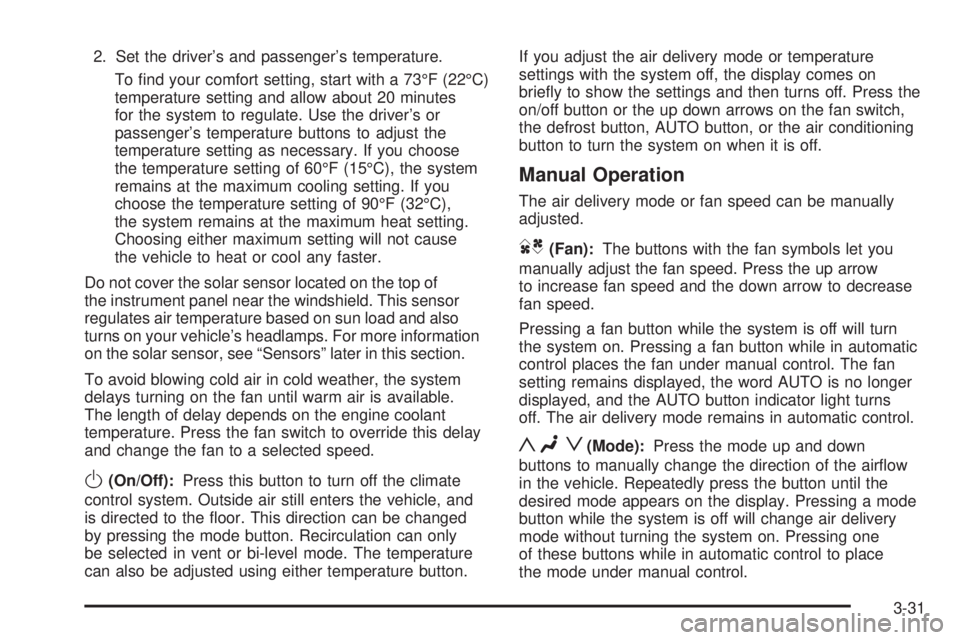
O(On/Off):Press this button to turn off the climate
control system. Outside air still enters the vehicle, and
is directed to the oor. This direction can be changed
by pressing the mode button. Recirculation can only
be selected in vent or bi-level mode. The temperature
can also be adjusted using either temperature button.If you adjust the air delivery mode or temperature
settings with the system off, the display comes on
briey to show the settings and then turns off. Press the
on/off button or the up down arrows on the fan switch,
the defrost button, AUTO button, or the air conditioning
button to turn the system on when it is off.
Manual Operation
The air delivery mode or fan speed can be manually
adjusted.
DC(Fan):The buttons with the fan symbols let you
manually adjust the fan speed. Press the up arrow
to increase fan speed and the down arrow to decrease
fan speed.
Pressing a fan button while the system is off will turn
the system on. Pressing a fan button while in automatic
control places the fan under manual control. The fan
setting remains displayed, the word AUTO is no longer
displayed, and the AUTO button indicator light turns
off. The air delivery mode remains in automatic control.
yNz(Mode):Press the mode up and down
buttons to manually change the direction of the airow
in the vehicle. Repeatedly press the button until the
desired mode appears on the display. Pressing a mode
button while the system is off will change air delivery
mode without turning the system on. Pressing one
of these buttons while in automatic control to place
the mode under manual control.
3-31
Page 174 of 472
The air delivery mode setting remains displayed,
the word AUTO is no longer displayed, and the
AUTO button indicator light turns off.
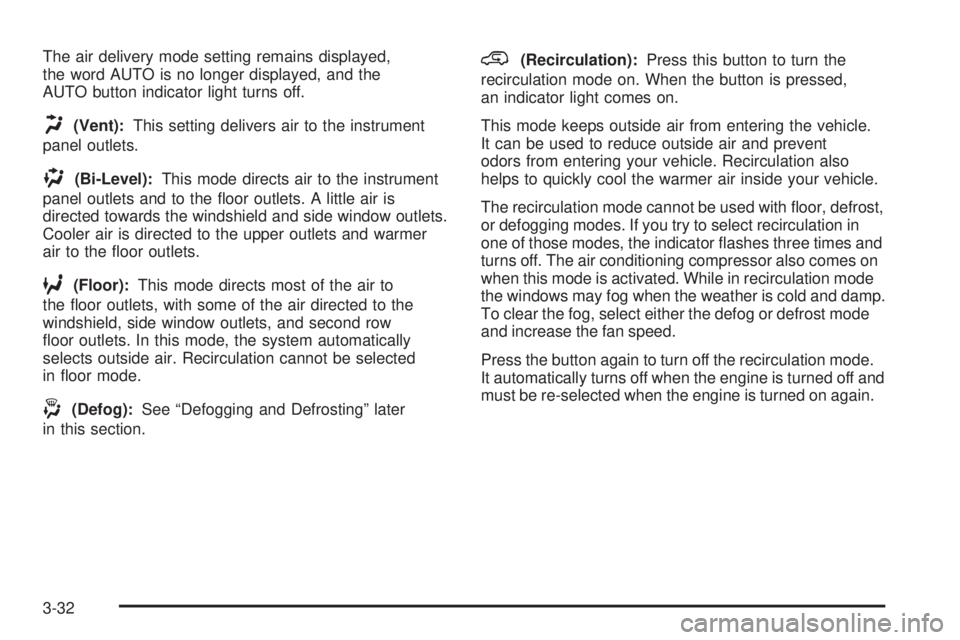
H(Vent):This setting delivers air to the instrument
panel outlets.
)(Bi-Level):This mode directs air to the instrument
panel outlets and to the oor outlets. A little air is
directed towards the windshield and side window outlets.
Cooler air is directed to the upper outlets and warmer
air to the oor outlets.
6(Floor):This mode directs most of the air to
the oor outlets, with some of the air directed to the
windshield, side window outlets, and second row
oor outlets. In this mode, the system automatically
selects outside air. Recirculation cannot be selected
in oor mode.
-(Defog):See “Defogging and Defrosting” later
in this section.
@(Recirculation):Press this button to turn the
recirculation mode on. When the button is pressed,
an indicator light comes on.
This mode keeps outside air from entering the vehicle.
It can be used to reduce outside air and prevent
odors from entering your vehicle. Recirculation also
helps to quickly cool the warmer air inside your vehicle.
The recirculation mode cannot be used with oor, defrost,
or defogging modes. If you try to select recirculation in
one of those modes, the indicator ashes three times and
turns off. The air conditioning compressor also comes on
when this mode is activated. While in recirculation mode
the windows may fog when the weather is cold and damp.
To clear the fog, select either the defog or defrost mode
and increase the fan speed.
Press the button again to turn off the recirculation mode.
It automatically turns off when the engine is turned off and
must be re-selected when the engine is turned on again.
3-32
Page 175 of 472
Air Conditioning
#
(Air Conditioning):Press this button to turn the
air conditioning (A/C) compressor on and off. When air
conditioning is selected, an indicator light comes on
to show that the air conditioning has been activated.
The air conditioning compressor does not work
when outside temperatures fall below 40°F (4°C).
Pressing this button when the outside temperature
is too cool makes the air conditioning indicator
ash three times and turn off to let you know the
air conditioning mode is not available. If the air
conditioning is on and the outside temperature
drops below a temperature which is too cool for
air conditioning to be effective, the air conditioning
light turns off to show that the air conditioning mode
has been canceled.
On hot days, open the windows long enough to let
hot inside air escape. This helps to reduce the time
it takes for the vehicle to cool down. It also helps
the system to operate more efficiently.
The air conditioning system removes moisture from the
air, so a small amount of water may drip underneath
your vehicle while idling or after turning off the engine.
This is normal.
Sensors
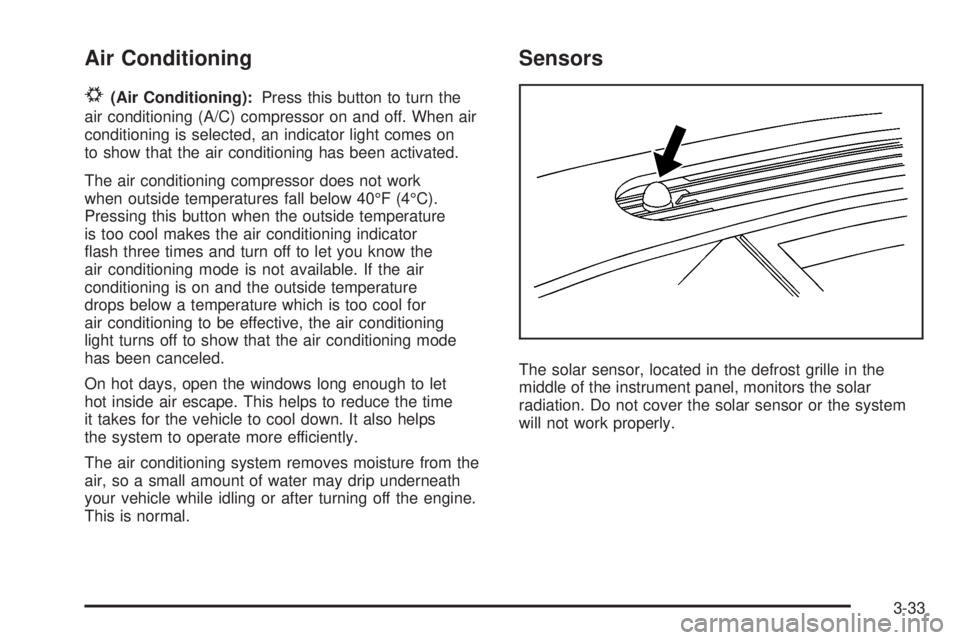
The solar sensor, located in the defrost grille in the
middle of the instrument panel, monitors the solar
radiation. Do not cover the solar sensor or the system
will not work properly.
3-33
Page 176 of 472
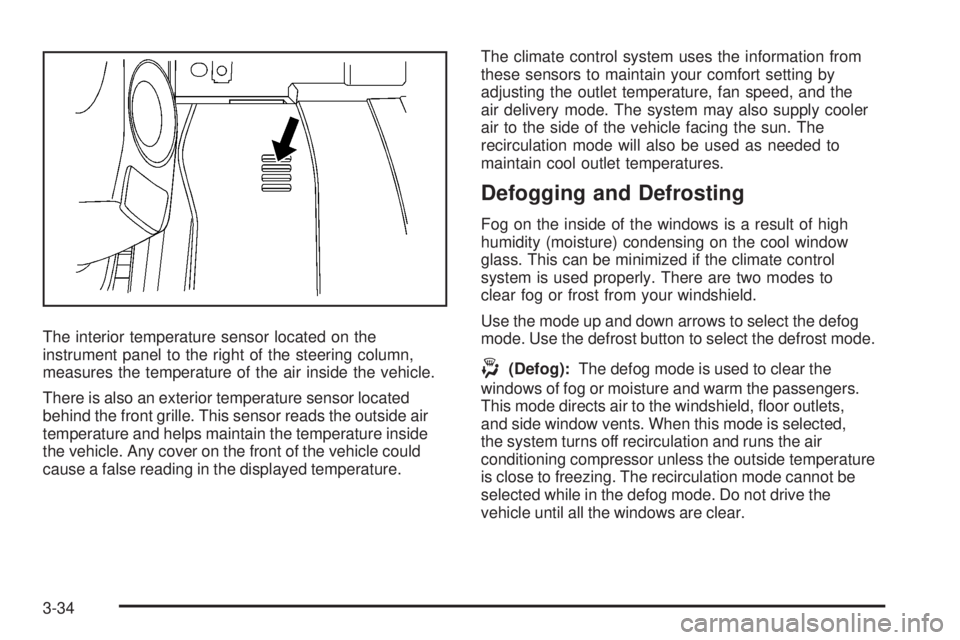
The interior temperature sensor located on the
instrument panel to the right of the steering column,
measures the temperature of the air inside the vehicle.
There is also an exterior temperature sensor located
behind the front grille. This sensor reads the outside air
temperature and helps maintain the temperature inside
the vehicle. Any cover on the front of the vehicle could
cause a false reading in the displayed temperature.The climate control system uses the information from
these sensors to maintain your comfort setting by
adjusting the outlet temperature, fan speed, and the
air delivery mode. The system may also supply cooler
air to the side of the vehicle facing the sun. The
recirculation mode will also be used as needed to
maintain cool outlet temperatures.
Defogging and Defrosting
Fog on the inside of the windows is a result of high
humidity (moisture) condensing on the cool window
glass. This can be minimized if the climate control
system is used properly. There are two modes to
clear fog or frost from your windshield.
Use the mode up and down arrows to select the defog
mode. Use the defrost button to select the defrost mode.
-(Defog):The defog mode is used to clear the
windows of fog or moisture and warm the passengers.
This mode directs air to the windshield, oor outlets,
and side window vents. When this mode is selected,
the system turns off recirculation and runs the air
conditioning compressor unless the outside temperature
is close to freezing. The recirculation mode cannot be
selected while in the defog mode. Do not drive the
vehicle until all the windows are clear.
3-34
Page 182 of 472
Instrument Panel Cluster
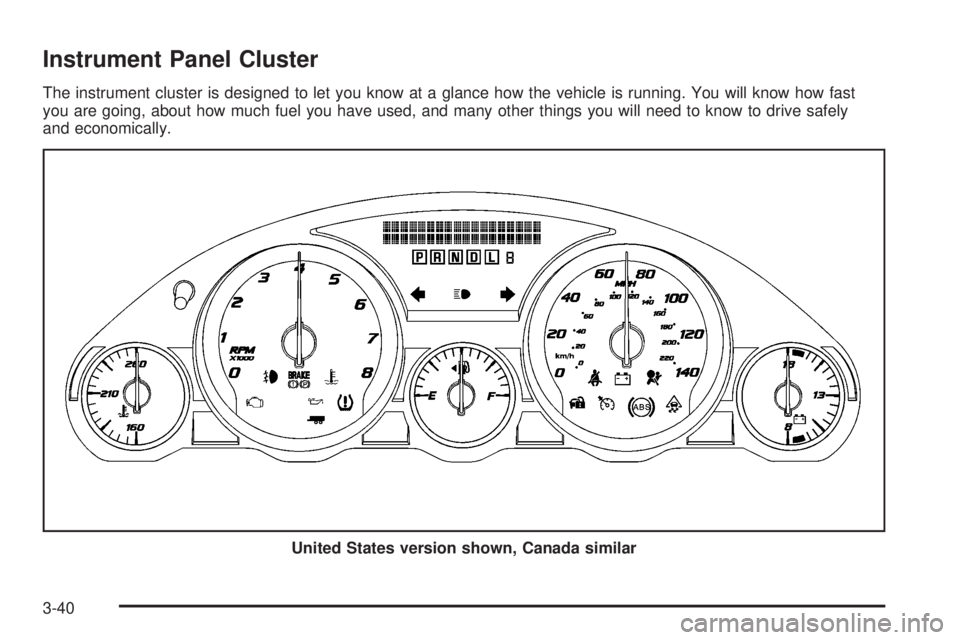
The instrument cluster is designed to let you know at a glance how the vehicle is running. You will know how fast
you are going, about how much fuel you have used, and many other things you will need to know to drive safely
and economically.
United States version shown, Canada similar
3-40