instrument panel GMC ACADIA 2009 Owner's Manual
[x] Cancel search | Manufacturer: GMC, Model Year: 2009, Model line: ACADIA, Model: GMC ACADIA 2009Pages: 420, PDF Size: 2.23 MB
Page 256 of 420
The surface of a curve or an
overpass can remain icy when the
surrounding roads are clear.
Avoid sudden steering maneuvers
and braking while on ice.
Turn off cruise control, if equipped,
on slippery surfaces.
Blizzard Conditions
Being stuck in snow can be in a
serious situation. Stay with the
vehicle unless there is help nearby.
If possible, use theRoadside
Assistance Program on page 7-6.
To get help and keep everyone
in the vehicle safe:
Turn on theHazard Warning
Flashers on page 3-5.
Tie a red cloth to an outside
mirror.
{CAUTION
Snow can trap engine exhaust
under the vehicle. This may cause
exhaust gases to get inside.
Engine exhaust contains carbon
monoxide (CO) which cannot be
seen or smelled. It can cause
unconsciousness and even death.
If the vehicle is stuck in the snow:
Clear away snow from
around the base of your
vehicle, especially any that is
blocking the exhaust pipe.
Check again from time to
time to be sure snow does
not collect there.
Open a window about two
inches (5 cm) on the side of
the vehicle that is away from
the wind to bring in fresh air.
Fully open the air outlets on or
under the instrument panel.
(Continued)
CAUTION (Continued)
Adjust the Climate Control
system to a setting that
circulates the air inside the
vehicle and set the fan speed
to the highest setting. See
Climate Control System in
the Index.
For more information about
carbon monoxide, seeEngine
Exhaust on page 2-30.
Snow can trap exhaust gases
under your vehicle. This can cause
deadly CO (carbon monoxide) gas
to get inside. CO could overcome
you and kill you. You cannot see it
or smell it, so you might not know it
is in your vehicle. Clear away snow
from around the base of your
vehicle, especially any that is
blocking the exhaust.
Run the engine for short periods
only as needed to keep warm,
but be careful.
4-14 Driving Your Vehicle
Page 272 of 420
Backing Up
Hold the bottom of the steering
wheel with one hand. Then, to move
the trailer to the left, move that
hand to the left. To move the trailer
to the right, move your hand to
the right. Always back up slowly
and, if possible, have someone
guide you.
Making Turns
Notice:Making very sharp turns
while trailering could cause
the trailer to come in contact with
the vehicle. The vehicle could
be damaged. Avoid making very
sharp turns while trailering.
When turning with a trailer, make
wider turns than normal. Do this so
the trailer won’t strike soft shoulders,
curbs, road signs, trees or other
objects. Avoid jerky or sudden
maneuvers. Signal well in advance.
Turn Signals When Towing a
Trailer
The arrows on the instrument panel
ash whenever signaling a turn
or lane change. Properly hooked up,
the trailer lamps also ash, telling
other drivers the vehicle is turning,
changing lanes or stopping.
When towing a trailer, the arrows on
the instrument panel ash for turns
even if the bulbs on the trailer are
burned out. For this reason you may
think other drivers are seeing the
signal when they are not. It is
important to check occasionally to be
sure the trailer bulbs are still working.
Driving on Grades
Because of the added load of the
trailer, the vehicle’s engine may
overheat on hot days, when going
up a long or steep grade with a
trailer. If the engine coolant
temperature gage indicates
overheating, turn off the air
conditioning to reduce engine load,
pull off the road and stop in a
safe spot. Let the engine run while
parked, preferably on level
ground, with the transmission in
P (Park) for a few minutes before
turning the engine off.
Reduce speed and shift to a lower
gearbeforestarting down a long
or steep downgrade. If the
transmission is not shifted down, the
brakes might have to be used so
much that they would get hot and no
longer work well.
On a long uphill grade, shift down
and reduce the vehicle speed
to around 55 mph (88 km/h) to
reduce the possibility of the engine
and the transmission overheating.
4-30 Driving Your Vehicle
Page 273 of 420
Tow/Haul Mode
Tow/Haul is a feature that assists
when pulling a heavy trailer or
a large or heavy load. The purpose
of the Tow/Haul mode is to:
Reduce the frequency and
improve the predictability of
transmission shifts when pulling
a heavy trailer or a large or
heavy load.
Provide the same solid shift feel
when pulling a heavy trailer or a
large or heavy load as when
the vehicle is unloaded.
Improve control of vehicle speed
while requiring less throttle pedal
activity when pulling a heavy
trailer or a large or heavy load.
Increase the charging system
voltage to assist in recharging
a battery installed in a trailer.Press this button located on the
console to turn on and turn off the
Tow/Haul mode.
The Tow/Haul light on the
instrument panel will come on to
indicate that Tow/Haul mode
has been selected.
Tow/Haul may be turned off by
pressing the button again, at which
time the indicator light on the
instrument panel will turn off. The
vehicle will automatically turn
off Tow/Haul every time it is started.
Tow/Haul is designed to be most
effective when the vehicle and
trailer combined weight is at
least 75 percent of the vehicle’s
Gross Combined Weight Rating
(GCWR). See Weight of the Trailerearlier in this section. Tow/Haul is
most useful under the following
driving conditions:
When pulling a heavy trailer or a
large or heavy load through
rolling terrain.
When pulling a heavy trailer or a
large or heavy load in stop and
go traffic.
When pulling a heavy trailer or a
large or heavy load in busy
parking lots where improved low
speed control of the vehicle is
desired.
Operating the vehicle in Tow/Haul
when lightly loaded or with no trailer
at all will not cause damage.
However, there is no benet to the
selection of Tow/Haul when the
vehicle is unloaded. Such a selection
when unloaded may result in
unpleasant engine and transmission
driving characteristics and reduced
fuel economy. Tow/Haul is
recommended only when pulling a
heavy trailer or a large or heavy load.
Driving Your Vehicle 4-31
Page 278 of 420
When It Is Time for
New Tires.......................5-48
Buying New Tires.............5-49
Different Size Tires and
Wheels............................5-50
Uniform Tire Quality
Grading...........................5-51
Wheel Alignment and
Tire Balance....................5-53
Wheel Replacement..........5-53
Tire Chains.......................5-54
If a Tire Goes Flat............5-55
Tire Sealant and
Compressor Kit...............5-56
Tire Sealant and
Compressor Kit Storage. . .5-68
Changing a Flat Tire.........5-69
Removing the Spare Tire
and Tools........................5-69
Removing the Flat Tire
and Installing the
Spare Tire
.......................5-72
Secondary Latch System. . .5-76
Storing a Flat or Spare
Tire and Tools.................5-78
Compact Spare Tire..........5-81
Appearance Care
Interior Cleaning................5-81
Fabric/Carpet....................5-83
Leather.............................5-83
Instrument Panel, Vinyl,
and Other Plastic
Surfaces
..........................5-84
Care of Safety Belts.........5-84
Weatherstrips....................5-84
Washing Your Vehicle.......5-84
Cleaning Exterior
Lamps/Lenses.................5-85
Finish Care.......................5-85
Windshield, Backglass,
and Wiper Blades............5-86
Aluminum or
Chrome-Plated
Wheels and Trim
.............5-86
Tires.................................5-87
Sheet Metal Damage........5-87
Finish Damage..................5-88
Underbody Maintenance. . . .5-88
Chemical Paint Spotting. . . .5-88
Vehicle Identication
Vehicle Identication
Number (VIN)..................5-88
Service Parts
Identication Label...........5-89
Electrical System
High Voltage Devices
and Wiring......................5-89
Add-On Electrical
Equipment.......................5-89
Windshield Wiper Fuses. . . .5-90
Power Windows and
Other Power Options.......5-90
Fuses and Circuit
Breakers.........................5-90
Instrument Panel Fuse
Block...............................5-90
Underhood Fuse Block......5-92
Capacities and
Specications
Capacities and
Specications..................5-96
5-2 Service and Appearance Care
Page 285 of 420
Checking Things
Under the Hood
{CAUTION
An electric fan under the hood
can start up and injure you even
when the engine is not running.
Keep hands, clothing, and tools
away from any underhood
electric fan.
{CAUTION
Things that burn can get on hot
engine parts and start a re.
These include liquids like fuel, oil,
coolant, brake uid, windshield
washer and other uids, and
plastic or rubber. You or others
could be burned. Be careful not to
drop or spill things that will burn
onto a hot engine.
Hood Release
To open the hood, do the following:
1. Pull the hood release handle with
this symbol on it. It is located
under the instrument panel
on the driver’s side of the vehicle.
2. At the front of the vehicle, pull up
on the center of the hood, and
push the secondary hood release
to the right.
3. After you have partially lifted the
hood, gas struts will automatically
take over to lift and hold the
hood in the fully open position.Before closing the hood, be sure all
ller caps are on properly.
Pull the hood down to close. Lower
the hood until the lifting pressure of
the strut is reduced. Then allow the
hood to fall and latch into place
under its own weight. Check to make
sure the hood is closed. If the hood
does not fully latch, gently push the
hood down at the front and center
of the hood until it is completely
latched.
Service and Appearance Care 5-9
Page 297 of 420
9. If the coolant level inside the
radiator ller neck is low, add
more of the proper DEX-COOL
coolant mixture through the
ller neck until the level is back
up to the base of the ller
neck. Replace the pressure cap.
Be sure to secure it tightly.
Notice:If the pressure cap is
not tightly installed, coolant loss
and possible engine damage
may occur. Be sure the cap is
properly and tightly secured.
Engine Overheating
The vehicle has several indicators
to warn of engine overheating.
There is an engine coolant
temperature gage on the instrument
panel cluster. SeeEngine Coolant
Temperature Gage on page 3-40.The vehicle may also display
an ENGINE OVERHEATED
IDLE ENGINE and ENGINE
OVERHEATED STOP ENGINE
message in the Driver Information
Center (DIC). SeeDIC Warnings
and Messages on page 3-56.
You may decide not to lift the hood
when this warning appears, but
instead get service help right away.
SeeRoadside Assistance Program
on page 7-6.
If you do decide to lift the hood,
make sure the vehicle is parked
on a level surface
Then check to see if the engine
cooling fans are running. If the
engine is overheating, both fans
should be running. If they are
not, do not continue to run the
engine and have the vehicle
serviced.Notice:Engine damage from
running the engine without
coolant is not covered by the
warranty.
Notice:If the engine catches re
while driving with no coolant, the
vehicle can be badly damaged.
The costly repairs would not be
covered by the vehicle warranty.
SeeOverheated Engine Protection
Operating Mode on page 5-23for
information on driving to a safe
place in an emergency.
Service and Appearance Care 5-21
Page 320 of 420
Changes or modications to
this system by other than an
authorized service facility could void
authorization to use this equipment.
Tire Pressure Monitor
Operation
This vehicle may have a Tire
Pressure Monitor System (TPMS).
The TPMS is designed to warn
the driver when a low tire pressure
condition exists. TPMS sensors
are mounted onto each tire
and wheel assembly, excluding the
spare tire and wheel assembly,
if the vehicle has one. The TPMS
sensors monitor the air pressure in
the vehicle’s tires and transmits
the tire pressure readings to
a receiver located in the vehicle.When a low tire pressure condition
is detected, the TPMS illuminates
the low tire pressure warning
light located on the instrument
panel cluster.
At the same time a message to
check the pressure in a specic tire
appears on the Driver Information
Center (DIC) display. The low tire
pressure warning light and the DIC
warning message come on at each
ignition cycle until the tires are
inated to the correct ination
pressure. Using the DIC, tire
pressure levels can be viewed by
the driver. For additional information
and details about the DIC operation
and displays seeDIC Operation and
Displays (With DIC Buttons) on
page 3-46orDIC Operation and
Displays (Without DIC Buttons) on
page 3-51andDIC Warnings and
Messages on page 3-56.The low tire pressure warning light
may come on in cool weather
when the vehicle is rst started, and
then turn off as you start to drive.
This could be an early indicator that
the air pressure in the tire(s) are
getting low and need to be inated
to the proper pressure.
A Tire and Loading Information
label, attached to your vehicle,
shows the size of your vehicle’s
original equipment tires and
the correct ination pressure for
your vehicle’s tires when they
are cold. SeeLoading the Vehicle
on page 4-16, for an example of
the Tire and Loading Information
label and its location on your
vehicle. Also seeInflation - Tire
Pressure on page 5-41.
Your vehicle’s TPMS can warn you
about a low tire pressure condition
but it does not replace normal tire
maintenance. SeeTire Inspection
and Rotation on page 5-47andTires
on page 5-35.
5-44 Service and Appearance Care
Page 360 of 420
Instrument Panel, Vinyl,
and Other Plastic
Surfaces
A soft cloth dampened with water
may be used to remove dust.
If a more thorough cleaning is
necessary, a clean soft cloth
dampened with a mild soap solution
can be used to gently remove
dust and dirt. Never use spot lifters
or removers on plastic surfaces.
Many commercial cleaners
and coatings that are sold to
preserve and protect soft plastic
surfaces may permanently change
the appearance and feel of the
interior and are not recommended.
Do not use silicone or wax-based
products, or those containing
organic solvents to clean the
vehicle’s interior because they can
alter the appearance by increasing
the gloss in a non-uniform manner.
Some commercial products may
increase gloss on the instrument
panel. The increase in gloss
may cause annoying reections inthe windshield and even make
it difficult to see through the
windshield under certain conditions.Care of Safety Belts
Keep belts clean and dry.
{CAUTION
Do not bleach or dye safety belts.
It may severely weaken them.
In a crash, they might not be able
to provide adequate protection.
Clean safety belts only with mild
soap and lukewarm water.
Weatherstrips
Silicone grease on weatherstrips will
make them last longer, seal better,
and not stick or squeak. Apply
silicone grease with a clean cloth.
During very cold, damp weather
frequent application may be required.
SeeRecommended Fluids and
Lubricants on page 6-12.
Washing Your Vehicle
The best way to preserve the
vehicle’s nish is to keep it clean
by washing it often.
Notice:Certain cleaners contain
chemicals that can damage
the emblems or nameplates on
the vehicle. Check the cleaning
product label. If it states that
it should not be used on plastic
parts, do not use it on the vehicle
or damage may occur and it
would not be covered by
the warranty.
Do not wash the vehicle in direct
sunlight. Use a car washing soap.
Do not use cleaning agents that are
petroleum based or that contain acid
or abrasives, as they can damage
the paint, metal or plastic on the
vehicle. Approved cleaning products
can be obtained from your dealer/
retailer. Follow all manufacturers’
directions regarding correct product
usage, necessary safety precautions
and appropriate disposal of any
vehicle care product.
5-84 Service and Appearance Care
Page 364 of 420
Finish Damage
Any stone chips, fractures or deep
scratches in the nish should be
repaired right away. Bare metal will
corrode quickly and may develop
into major repair expense.
Minor chips and scratches can be
repaired with touch-up materials
available from your dealer/retailer.
Larger areas of nish damage
can be corrected in your dealer’s/
retailer’s body and paint shop.
Underbody Maintenance
Chemicals used for ice and snow
removal and dust control can collect
on the underbody. If these are not
removed, corrosion and rust can
develop on the underbody parts such
as fuel lines, frame, oor pan, and
exhaust system even though they
have corrosion protection.At least every spring, ush these
materials from the underbody
with plain water. Clean any areas
where mud and debris can collect.
Dirt packed in close areas of
the frame should be loosened before
being ushed. Your dealer/retailer
or an underbody car washing
system can do this.
Chemical Paint Spotting
Some weather and atmospheric
conditions can create a chemical
fallout. Airborne pollutants can
fall upon and attack painted surfaces
on the vehicle. This damage can
take two forms: blotchy, ring-shaped
discolorations, and small, irregular
dark spots etched into the paint
surface.
Although no defect in the paint job
causes this, we will repair, at no
charge to the owner, the surfaces
of new vehicles damaged by this
fallout condition within 12 months
or 12,000 miles (20 000 km) of
purchase, whichever occurs rst.
Vehicle Identication
Vehicle Identication
Number (VIN)
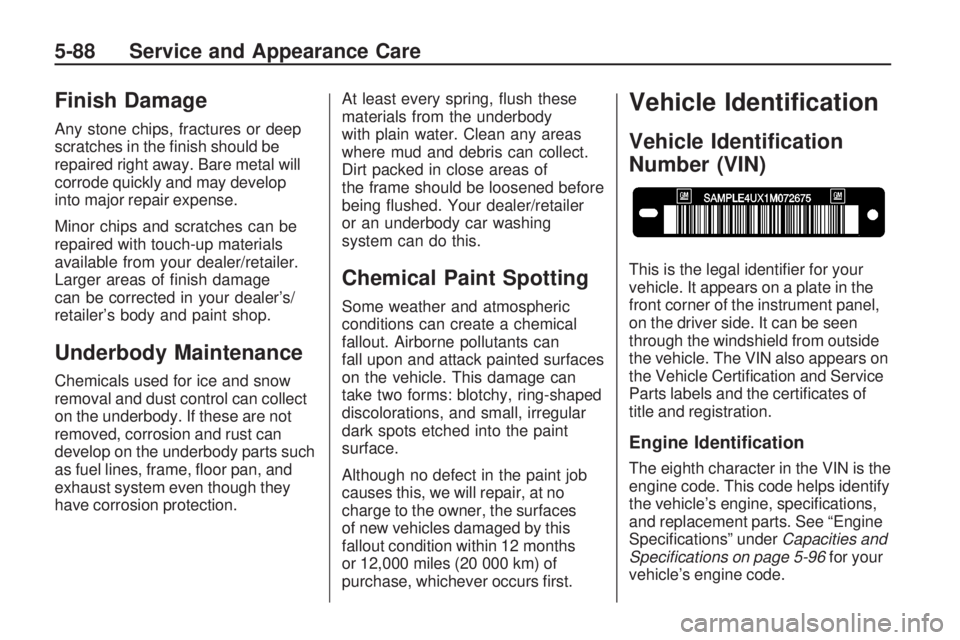
This is the legal identier for your
vehicle. It appears on a plate in the
front corner of the instrument panel,
on the driver side. It can be seen
through the windshield from outside
the vehicle. The VIN also appears on
the Vehicle Certication and Service
Parts labels and the certicates of
title and registration.
Engine Identication
The eighth character in the VIN is the
engine code. This code helps identify
the vehicle’s engine, specications,
and replacement parts. See “Engine
Specications” underCapacities and
Specifications on page 5-96for your
vehicle’s engine code.
5-88 Service and Appearance Care
Page 366 of 420
Windshield Wiper Fuses
The windshield wiper motor is
protected by a circuit breaker and a
fuse. If the motor overheats due
to heavy snow or ice, the wiper will
stop until the motor cools. If the
overload is caused by some
electrical problem, have it xed.
Power Windows and
Other Power Options
Circuit breakers in the fuse block
protect the power windows and
other power accessories. When the
current load is too heavy, the
circuit breaker opens and closes,
protecting the circuit until the
problem is xed or goes away.
Fuses and Circuit
Breakers
The wiring circuits in your vehicle
are protected from short circuits
by a combination of fuses, circuit
breakers and fusible thermal
links. This greatly reduces the
chance of res caused by electrical
problems.
Look at the silver-colored band
inside the fuse. If the band is broken
or melted, replace the fuse. Be sure
you replace a bad fuse with a new
one of the identical size and rating.Fuses of the same amperage can
be temporarily borrowed from
another fuse location, if a fuse goes
out. Replace the fuse as soon as
you can.
Instrument Panel Fuse
Block
The instrument panel fuse block
is located under the instrument
panel on the passenger side of the
vehicle. Pull down on the cover
to access the fuse block.
5-90 Service and Appearance Care