key battery GMC ACADIA 2009 User Guide
[x] Cancel search | Manufacturer: GMC, Model Year: 2009, Model line: ACADIA, Model: GMC ACADIA 2009Pages: 420, PDF Size: 2.23 MB
Page 180 of 420
OIL PRESSURE LOW STOP
ENGINE
Notice:If you drive your vehicle
while the engine oil pressure
is low, severe engine damage
may occur. If a low oil pressure
warning appears on the Driver
Information Center (DIC), stop the
vehicle as soon as possible.
Do not drive the vehicle until the
cause of the low oil pressure
is corrected. SeeEngine Oil on
page 5-11for more information.
This message displays if low
oil pressure levels occur. Stop the
vehicle as soon as safely possible
and do not operate it until the cause
of the low oil pressure has been
corrected. Check the oil as soon as
possible and have your vehicle
serviced by your dealer/retailer.
SeeEngine Oil on page 5-11.
PARK ASSIST OFF
If your vehicle has the Ultrasonic
Rear Parking Assist (URPA) system,
after the vehicle has been started
and shifted out of P (Park), this
message displays to remind the
driver that the URPA system has
been turned off. Press the set/reset
button or the trip odometer reset
stem to acknowledge this message
and clear it from the DIC display.
To turn the URPA system back on,
seeUltrasonic Rear Parking Assist
(URPA) on page 2-34.
PASSENGER DOOR OPEN
This message displays and a chime
sounds if the passenger door is
not fully closed and the vehicle is
shifted out of P (Park). Stop and turn
off the vehicle, check the door for
obstructions, and close the door
again. Check to see if the message
still appears on the DIC.
REMOTE KEY LEARNING
ACTIVE
This message displays while you
are matching a Remote Keyless
Entry (RKE) transmitter to your
vehicle. See “Matching
Transmitter(s) to Your Vehicle”
underRemote Keyless Entry (RKE)
System Operation on page 2-3
andDIC Operation and Displays
(With DIC Buttons) on page 3-46or
DIC Operation and Displays
(Without DIC Buttons) on page 3-51
for more information.
REPLACE BATTERY IN
REMOTE KEY
This message displays if a Remote
Keyless Entry (RKE) transmitter
battery is low. The battery needs to
be replaced in the transmitter.
See “Battery Replacement” under
Remote Keyless Entry (RKE)
System Operation on page 2-3.
3-60 Instrument Panel
Page 264 of 420
3. Set the parking brake.
4. Turn the ignition to
ACC/ACCESSORY.
5. Shift the transmission to
N (Neutral).
6. To prevent the battery from
draining while the vehicle is being
towed, remove the 50 amp
BATT1 fuse from the underhood
fuse block and store in a safe
location. SeeUnderhood
Fuse Block on page 5-92.
7. Release the parking brake.
Notice:If the vehicle is towed
without performing each of
the steps listed under “Dinghy
Towing,” the automatic
transmission could be damaged.
Be sure to follow all steps of
the dinghy towing procedure prior
to and after towing the vehicle.Notice:If 65 mph (105 km/h) is
exceeded while towing the
vehicle, it could be damaged.
Never exceed 65 mph (105 km/h)
while towing the vehicle.
Once the destination is reached:
1. Set the parking brake.
2. Reinstall the 50 amp BATT1 fuse
to the underhood fuse block.
3. Shift the transmission to P (Park),
turn the ignition to LOCK/OFF
and remove the key from
the ignition.
4. Disconnect the vehicle from the
towing vehicle.
Notice:Do not tow a vehicle
with the front drive wheels on the
ground if one of the front tires
is a compact spare tire. Towing
with two different tire sizes on the
front of the vehicle can cause
severe damage to the
transmission.Dolly Towing (All-Wheel-Drive
Vehicles)
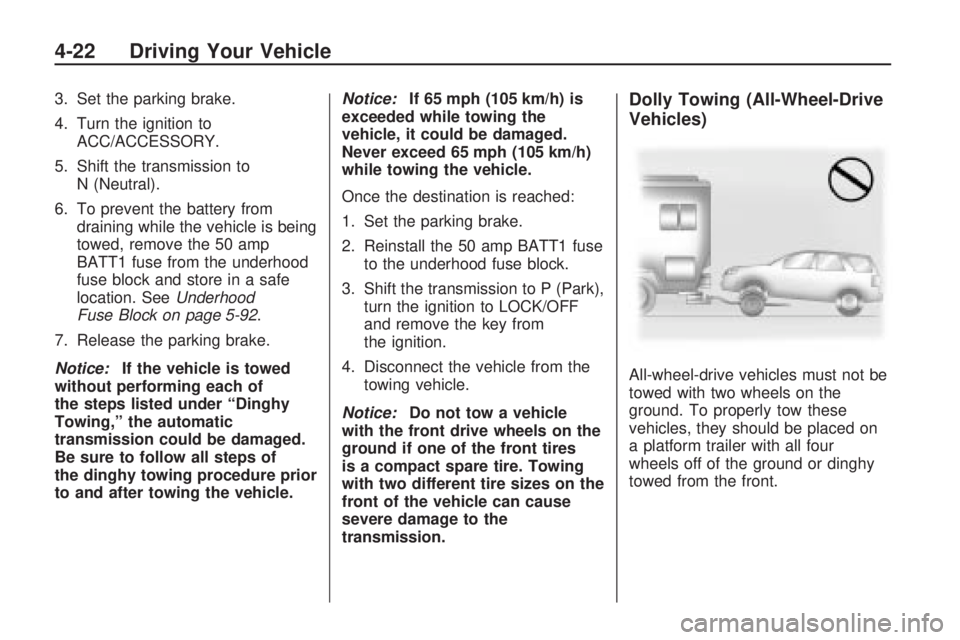
All-wheel-drive vehicles must not be
towed with two wheels on the
ground. To properly tow these
vehicles, they should be placed on
a platform trailer with all four
wheels off of the ground or dinghy
towed from the front.
4-22 Driving Your Vehicle