remote control GMC ACADIA 2009 User Guide
[x] Cancel search | Manufacturer: GMC, Model Year: 2009, Model line: ACADIA, Model: GMC ACADIA 2009Pages: 420, PDF Size: 2.23 MB
Page 72 of 420
The rear window defogger and
heated mirrors, if the vehicle has
them, turn on during colder outside
temperatures and turn off when
the key is turned to ON/RUN.
Laws in some communities may
restrict the use of remote starters.
For example, some laws may
require a person using the remote
start to have the vehicle in view
when doing so. Check local
regulations for any requirements on
remote starting of vehicles.
Do not use the remote start feature
if the vehicle is low on fuel. The
vehicle could run out of fuel.
If the vehicle has the remote start
feature, the RKE transmitter
functions have an increased range
of operation. However, the range
may be less while the vehicle
is running.There are other conditions which
can affect the performance of
the transmitter, seeRemote Keyless
Entry (RKE) System on page 2-3
for additional information.
/(Remote Start):This button is
located on the RKE transmitter
if the vehicle has remote start.
To start the vehicle:
1. Aim the transmitter at the
vehicle.
2. Press and release
Q, then
immediately press and hold
/
until the parking lamps ash. If the
vehicle’s lights can not be seen,
press and hold
/for at least
four seconds. The vehicle’s doors
lock. When the vehicle starts, the
parking lamps turn on and remain
on while the vehicle is running.
Pressing
/again, after the
vehicle has started, shuts the
vehicle off.3. If it is the rst remote start since
the vehicle has been driven,
repeat these steps while the
engine is still running, to extend
the time by 10 minutes for the
engine to continue to run. Remote
start can be extended one time.
After entering the vehicle during a
remote start, insert and turn the key
to the ON/RUN position to drive
the vehicle.
If the vehicle is left running it
automatically shuts off after
10 minutes unless a time extension
has been done.
To manually shut off a remote start:
Aim the RKE transmitter at the
vehicle and press
/until the
parking lamps turn off.
Turn on the hazard warning
ashers.
Turn the ignition switch on and
then off.
2-6 Features and Controls
Page 73 of 420
The vehicle can be started using the
remote start feature two separate
times between driving sequences.
The engine runs for 10 minutes after
each remote start. Or, the engine
run time can be extended another
10 minutes within the rst 10 minute
remote start time frame, and
before the engine stops.
For example, if
Qand then/are
pressed again after the vehicle
has been running for ve minutes,
10 minutes are added, allowing
the engine to run for 15 minutes.
The additional 10 minutes are
considered a second remote start.The vehicle must be started with the
key once two remote starts, or a
single remote start with one time
extension has been done.
The vehicle can be started using the
remote start feature again after
the key is removed from the ignition.
The vehicle cannot be started
using the remote start feature if the
key is in the ignition, the hood is
open, or if there is an emission
control system malfunction.
The engine turns off during a remote
start if the coolant temperature
gets too high or if the oil pressure
gets low.Vehicles that have the remote
vehicle start feature are shipped
from the factory with the remote
vehicle start system enabled. The
system may be enabled or disabled
through the DIC if the vehicle has
DIC buttons. See “REMOTE
START” underDIC Vehicle
Customization (With DIC Buttons)
on page 3-64for additional
information. If the vehicle does not
have DIC buttons, see your
dealer/retailer to enable or disable
the remote start system.
Features and Controls 2-7
Page 76 of 420
Liftgate
{CAUTION
Exhaust gases may enter the
vehicle if it is driven with the
liftgate, trunk/hatch open, or with
any objects that pass through the
seal between the body and the
trunk/hatch or liftgate. Engine
exhaust contains Carbon
Monoxide (CO) which cannot be
seen or smelled. It can cause
unconsciousness and even death.
If the vehicle must be driven with
the liftgate, or trunk/hatch open:
Close all of the windows.
Fully open the air outlets on
or under the instrument
panel.
(Continued)
CAUTION (Continued)
Adjust the Climate Control
system to a setting that
brings in only outside air and
set the fan speed to the
highest setting. See Climate
Control System in the Index.
If the vehicle is equipped with
a power liftgate, disable the
power liftgate function.
For more information about
carbon monoxide, seeEngine
Exhaust on page 2-30.
If the vehicle has a power liftgate,
seePower Liftgate on page 2-11.
To unlock the liftgate, use the power
door lock switch or press the door
unlock button on the Remote
Keyless Entry (RKE) transmitter
twice. SeeRemote Keyless Entry
(RKE) System Operation on
page 2-3.To open the liftgate, press the
touchpad on the underside of the
liftgate handle. The vehicle must be
in P (Park) to open the liftgate.
To close the liftgate, use the pull cup
or pull strap as an aid.
The liftgate has an electric latch. If
the battery is disconnected or
has low voltage, the liftgate will not
open. The liftgate will resume
operation when the battery is
reconnected and charged.
If the battery is properly connected
and has adequate voltage, and
the liftgate still will not function, the
vehicle should be taken to a
dealership/retailer for service.
2-10 Features and Controls
Page 77 of 420
Power Liftgate
Power Liftgate Operation
{CAUTION
Exhaust gases may enter the
vehicle if it is driven with the
liftgate, trunk/hatch open, or with
any objects that pass through the
seal between the body and the
trunk/hatch or liftgate. Engine
exhaust contains Carbon
Monoxide (CO) which cannot be
seen or smelled. It can cause
unconsciousness and even death.
If the vehicle must be driven with
the liftgate, or trunk/hatch open:
Close all of the windows.
Fully open the air outlets on
or under the instrument
panel.
(Continued)
CAUTION (Continued)
Adjust the Climate Control
system to a setting that
brings in only outside air and
set the fan speed to the
highest setting. See Climate
Control System in the Index.
If the vehicle is equipped with
a power liftgate, disable the
power liftgate function.
For more information about
carbon monoxide, seeEngine
Exhaust on page 2-30.
The vehicle may have a power
liftgate. The vehicle must be
in P (Park) to use the power feature.
The taillamps will ash and a
chime will sound when the power
liftgate is used.
{CAUTION
You or others could be injured if
caught in the path of the power
liftgate. Make sure there is no one
in the way of the liftgate as it is
opening and closing.
Notice:If you open the liftgate
without checking for overhead
obstructions such as a garage
door, you could damage the
liftgate or the liftgate glass.
Always check to make sure the
area above and behind the liftgate
is clear before opening it.
The power liftgate can be
power opened and closed in the
following ways:
Press and hold the power liftgate
button on the Remote Keyless
Entry (RKE) transmitter until
the liftgate starts moving.Remote
Keyless Entry (RKE) System
Operation on page 2-3for more
information.
Features and Controls 2-11
Page 82 of 420
windows from operating the
windows, except from the driver
position. Press the switch to turn the
lockout feature on or off. An
indicator light will come on to show
the lockout feature is on.
Sun Visors
Pull the sun visor down to block
glare. Detach the sun visor from the
center mount and slide it along
the rod from side-to-side to cover
the driver or passenger side of
the front window. Swing the
sun visor to the side to cover the
side window. It can be moved along
the rod from side-to-side in this
position also.
Lighted Visor Vanity Mirror
The vehicle has lighted visor vanity
mirrors on both the driver and
passenger sun visors. Pull the sun
visor down and lift the mirror
cover to turn the lamps on.
Theft-Deterrent
Systems
Vehicle theft is big business,
especially in some cities. This
vehicle has theft-deterrent features,
however, they do not make it
impossible to steal.
Content Theft-Deterrent
This vehicle may have a content
theft-deterrent alarm system.
To activate the theft-deterrent
system, do one of the following:
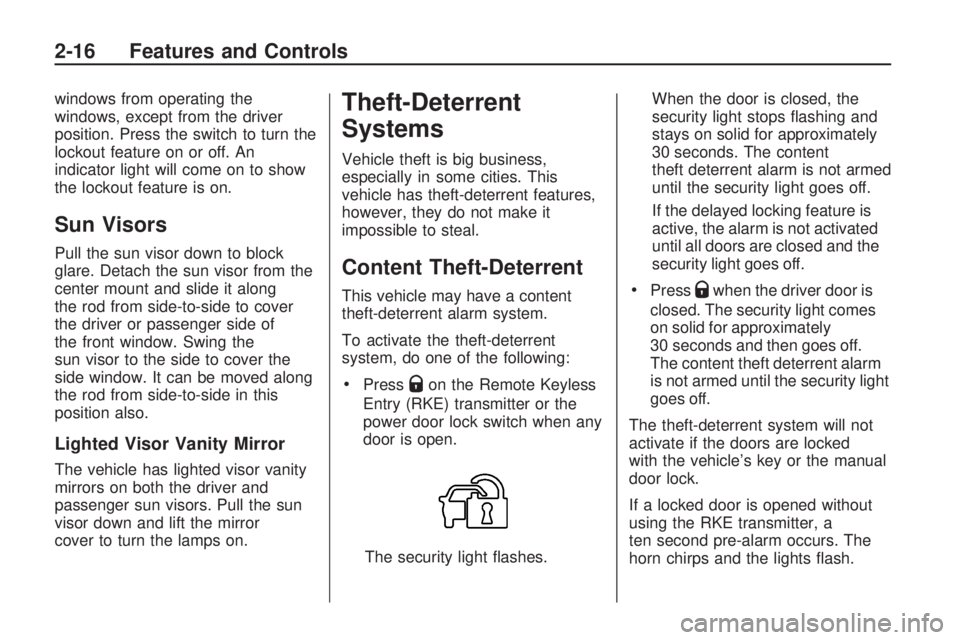
PressQon the Remote Keyless
Entry (RKE) transmitter or the
power door lock switch when any
door is open.
The security light ashes.When the door is closed, the
security light stops ashing and
stays on solid for approximately
30 seconds. The content
theft deterrent alarm is not armed
until the security light goes off.
If the delayed locking feature is
active, the alarm is not activated
until all doors are closed and the
security light goes off.
PressQwhen the driver door is
closed. The security light comes
on solid for approximately
30 seconds and then goes off.
The content theft deterrent alarm
is not armed until the security light
goes off.
The theft-deterrent system will not
activate if the doors are locked
with the vehicle’s key or the manual
door lock.
If a locked door is opened without
using the RKE transmitter, a
ten second pre-alarm occurs. The
horn chirps and the lights ash.
2-16 Features and Controls
Page 107 of 420
A fast ash may indicate that the
display has been on for the
maximum allowable time during a
reverse cycle, or the display
has reached an Over
Temperature limit.
The fast ash conditions are
used to protect the video device
from high temperature
conditions. Once conditions
return to normal the device will
reset and the green indicator will
stop ashing.
During any of these fault conditions,
the display will be blank and the
indicator will continue to ash as long
as the vehicle is in R (Reverse) or
until the conditions return to normal.
Briey pressing
zwhen the left
indicator light is ashing will turn off
the video display along with the
left indicator light.
OnStar®System
OnStar uses several innovative
technologies and live advisors to
provide a wide range of safety,
security, information, and
convenience services. If the airbags
deploy, the system is designed to
make an automatic call to OnStar
Emergency advisors who can
request emergency services be sent
to your location. If the keys are
locked in the vehicle, call OnStar at
1-888-4-ONSTAR to have a signal
sent to unlock the doors. OnStar
Hands-Free Calling, including 30 trial
minutes good for 60 days, is
available on most vehicles. OnStar
Turn-by-Turn Navigation service,
with one trial route, is available on
most vehicles. Press the OnStar
button to have an OnStar advisor
contact Roadside Service.OnStar service is provided subject
to the OnStar Terms and Conditions
included in the OnStar Subscriber
glove box literature.
Some services such as Remote
Door Unlock or Stolen Vehicle
Location Assistance may not be
available until the owner of the
vehicle registers with OnStar. After
the rst prepaid year, contact
OnStar to select a monthly or annual
subscription payment plan. If a
payment plan is not selected, the
OnStar system and all services,
including airbag notication
and emergency services, may be
deactivated and no longer available.
For more information visit
onstar.com (U.S.) or onstar.ca
(Canada), or press the OnStar
button to speak with an advisor.
Not all OnStar services are available
on all vehicles. To check if this
vehicle is able to provide the
services described below, or for a
full description of OnStar services
and system limitations, see the
Features and Controls 2-41
Page 108 of 420
OnStar Owner’s Guide in the glove
box or visit onstar.com (U.S.) or
onstar.ca (Canada), contact
OnStar at 1-888-4-ONSTAR
(1-888-466-7827) or TTY
1-877-248-2080, or press the
OnStar button to speak with an
OnStar advisor 24 hours a day,
7 days a week.
OnStar Services Available
with the Safe & Sound Plan
Automatic Notication of
Airbag Deployment
Advanced Automatic Crash
Notication (AACN) (If equipped)
Link to Emergency Services
Roadside Assistance
Stolen Vehicle Location
Assistance
Remote Door Unlock/Vehicle
Alert
OnStar Vehicle Diagnostic Email
GM Goodwrench On Demand
Diagnostics
OnStar Hands-Free Calling with
30 trial minutes
OnStar Virtual Advisor
(U.S. Only)
OnStar Services Included with
Directions & Connections Plan
All Safe and Sound Plan Services
OnStar Turn-by-Turn Navigation
(If equipped) or Driving
Directions - Advisor delivered
RideAssist
Information and Convenience
Services
OnStar Hands-Free Calling
OnStar Hands-Free Calling allows
eligible OnStar subscribers to
make and receive calls using voice
commands. Hands-Free Calling
is fully integrated into the vehicle,
and can be used with OnStar
Pre-Paid Minute Packages. Most
vehicles include 30 trial minutes
good for 60 days. Hands-Free
Calling can also be linked to aVerizon Wireless service plan in the
U.S. or a Bell Mobility service
plan in Canada, depending on
eligibility. To nd out more, refer to
the OnStar Owner’s Guide in
the vehicle’s glove box, visit
onstar.com or onstar.ca, or speak
with an OnStar advisor by pressing
the OnStar button or calling
1-888-4-ONSTAR (1-888-466-7827).
OnStar Turn-by-Turn
Navigation
Vehicles with the OnStar
Turn-by-Turn Navigation system can
provide voice-guided driving
directions. Press the OnStar button
to have an OnStar advisor locate
a business or address and download
driving directions to the vehicle.
Voice-guided directions to the
desired destination will play through
the audio system speakers. See
the OnStar Owner’s Guide for more
information.
2-42 Features and Controls
Page 109 of 420
OnStar Virtual Advisor
OnStar Virtual Advisor is a feature of
OnStar Hands-Free Calling that uses
minutes to access location-based
weather, local traffic reports, and
stock quotes. Press the phone button
and give a few simple voice
commands to browse through the
various topics. See the OnStar
Owner’s Guide for more information.
This feature is only available in the
continental U.S.
OnStar Steering Wheel
Controls
This vehicle may have a Talk/Mute
button that can be used to
interact with OnStar Hands-Free
Calling. SeeAudio Steering Wheel
Controls on page 3-121for more
information.
On some vehicles, the mute button
can be used to dial numbers into
voice mail systems, or to dial phone
extensions. See the OnStar Owner’s
Guide for more information.
How OnStar Service Works
The OnStar system can record and
transmit vehicle information. This
information is automatically sent to
an OnStar Call Center when the
OnStar button is pressed, the
emergency button is pressed, or if
the airbags or AACN system deploy.
This information usually includes
the vehicle’s GPS location and, in
the event of a crash, additional
information regarding the crash that
the vehicle was involved in (e.g.
the direction from which the vehicle
was hit). When the Virtual Advisor
feature of OnStar Hands-Free
Calling is used, the vehicle also
sends OnStar the vehicle’s
GPS location so they can provide
services where it is located.
OnStar service cannot work unless
the vehicle is in a place where
OnStar has an agreement with a
wireless service provider for service
in that area. OnStar service also
cannot work unless the vehicle is in
a place where the wireless service
provider OnStar has hired forthat area has coverage, network
capacity and reception when
the service is needed, and
technology that is compatible with
the OnStar service. Not all services
are available everywhere,
particularly in remote or enclosed
areas, or at all times.
Location information about the
vehicle is only available if the GPS
satellite signals are unobstructed
and available.
The vehicle must have a working
electrical system, including adequate
battery power, for the OnStar
equipment to operate. There are
other problems OnStar cannot
control that may prevent OnStar
from providing OnStar service at any
particular time or place. Some
examples are damage to important
parts of the vehicle in a crash,
hills, tall buildings, tunnels, weather
or wireless phone network
congestion.
Features and Controls 2-43
Page 110 of 420
Your Responsibility
Increase the volume of the radio if
the OnStar advisor cannot be heard.
If the light next to the OnStar
buttons is red, the system may not
be functioning properly. Press
the OnStar button and request a
vehicle diagnostic. If the light
appears clear (no light is appearing),
your OnStar subscription has
expired and all services have been
deactivated. Press the OnStar
button to conrm that the OnStar
equipment is active.Universal Home
Remote System
The Universal Home Remote
System provides a way to replace
up to three hand-held
Radio-Frequency (RF) transmitters
used to activate devices such
as garage door openers, security
systems, and home lighting.
This device complies with Part 15 of
the FCC Rules. Operation
is subject to the following
two conditions:
1. This device may not cause
harmful interference.
2. This device must accept any
interference received, including
interference that may cause
undesired operation.This device complies with RSS-210
of Industry Canada. Operation
is subject to the following
two conditions:
1. This device may not cause
interference.
2. This device must accept any
interference received, including
interference that may cause
undesired operation of the device.
Changes or modications to this
system by other than an authorized
service facility could void
authorization to use this equipment.
2-44 Features and Controls
Page 111 of 420
Universal Home Remote
System Operation
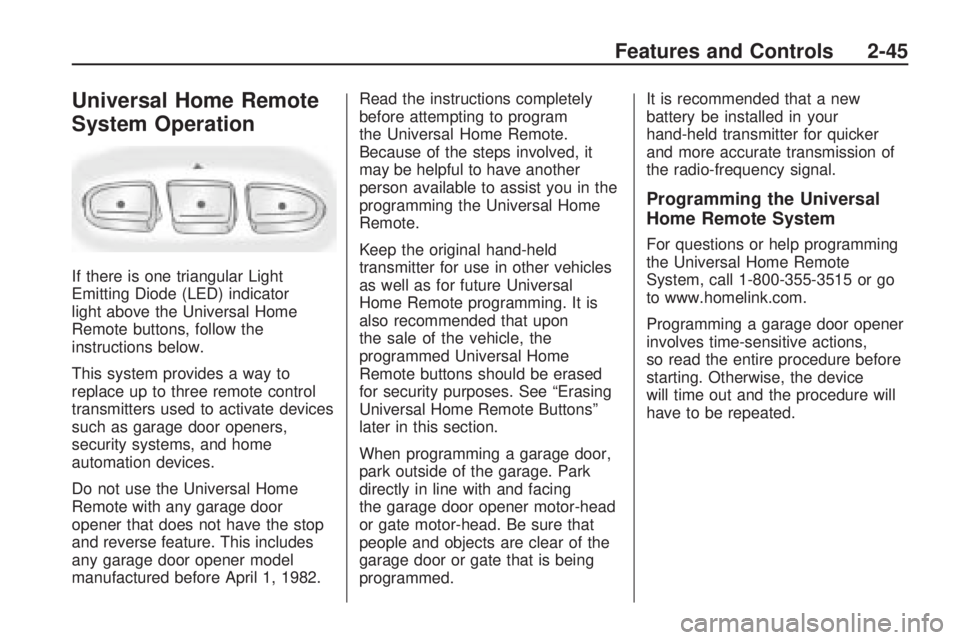
If there is one triangular Light
Emitting Diode (LED) indicator
light above the Universal Home
Remote buttons, follow the
instructions below.
This system provides a way to
replace up to three remote control
transmitters used to activate devices
such as garage door openers,
security systems, and home
automation devices.
Do not use the Universal Home
Remote with any garage door
opener that does not have the stop
and reverse feature. This includes
any garage door opener model
manufactured before April 1, 1982.Read the instructions completely
before attempting to program
the Universal Home Remote.
Because of the steps involved, it
may be helpful to have another
person available to assist you in the
programming the Universal Home
Remote.
Keep the original hand-held
transmitter for use in other vehicles
as well as for future Universal
Home Remote programming. It is
also recommended that upon
the sale of the vehicle, the
programmed Universal Home
Remote buttons should be erased
for security purposes. See “Erasing
Universal Home Remote Buttons”
later in this section.
When programming a garage door,
park outside of the garage. Park
directly in line with and facing
the garage door opener motor-head
or gate motor-head. Be sure that
people and objects are clear of the
garage door or gate that is being
programmed.It is recommended that a new
battery be installed in your
hand-held transmitter for quicker
and more accurate transmission of
the radio-frequency signal.
Programming the Universal
Home Remote System
For questions or help programming
the Universal Home Remote
System, call 1-800-355-3515 or go
to www.homelink.com.
Programming a garage door opener
involves time-sensitive actions,
so read the entire procedure before
starting. Otherwise, the device
will time out and the procedure will
have to be repeated.
Features and Controls 2-45