service GMC ACADIA 2009 User Guide
[x] Cancel search | Manufacturer: GMC, Model Year: 2009, Model line: ACADIA, Model: GMC ACADIA 2009Pages: 420, PDF Size: 2.23 MB
Page 79 of 420
warning message in the Driver
Information Center (DIC) will indicate
that the liftgate is open. After
removing the obstructions, manually
open the liftgate to the full open
position or close the liftgate to the
fully closed and latched position. The
liftgate will now resume normal
power operation.
Your vehicle has pinch sensors
located on the side edges of
the liftgate. If an object is caught
between the liftgate and the
body and presses against this
sensor, the liftgate will reverse
direction and open fully. The liftgate
will remain open until it is activated
again or closed manually. Do
not force the liftgate open or closed
during a power cycle.Manual Operation of Power
Liftgate
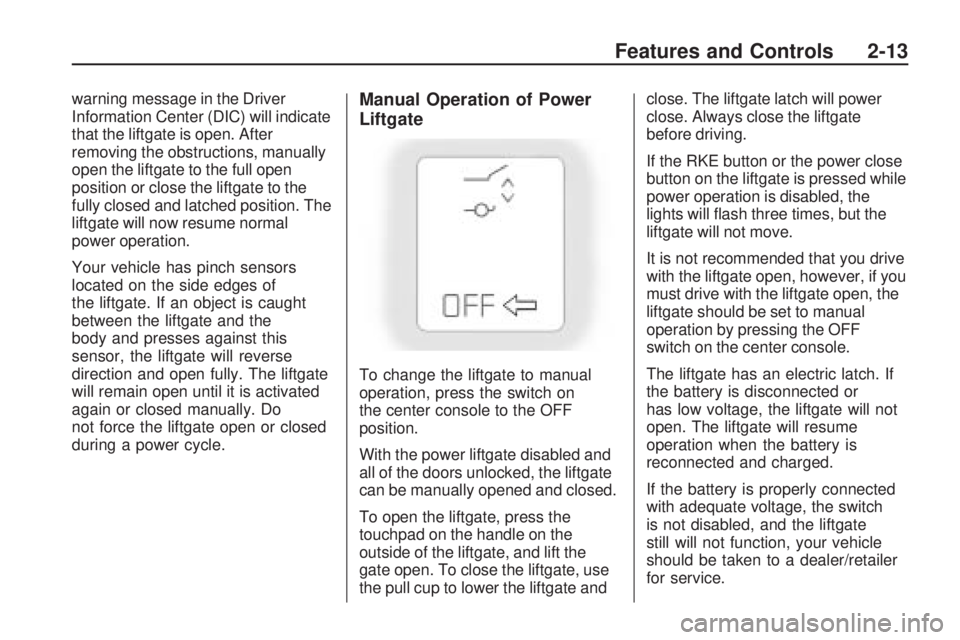
To change the liftgate to manual
operation, press the switch on
the center console to the OFF
position.
With the power liftgate disabled and
all of the doors unlocked, the liftgate
can be manually opened and closed.
To open the liftgate, press the
touchpad on the handle on the
outside of the liftgate, and lift the
gate open. To close the liftgate, use
the pull cup to lower the liftgate andclose. The liftgate latch will power
close. Always close the liftgate
before driving.
If the RKE button or the power close
button on the liftgate is pressed while
power operation is disabled, the
lights will ash three times, but the
liftgate will not move.
It is not recommended that you drive
with the liftgate open, however, if you
must drive with the liftgate open, the
liftgate should be set to manual
operation by pressing the OFF
switch on the center console.
The liftgate has an electric latch. If
the battery is disconnected or
has low voltage, the liftgate will not
open. The liftgate will resume
operation when the battery is
reconnected and charged.
If the battery is properly connected
with adequate voltage, the switch
is not disabled, and the liftgate
still will not function, your vehicle
should be taken to a dealer/retailer
for service.
Features and Controls 2-13
Page 83 of 420
If the key is not placed in the
ignition and turned to START or the
door is not unlocked by pressing
Qduring the ten second pre-alarm,
the alarm goes off. The headlamps
ash and the horn sounds for
about two minutes, then turns off to
save the battery power.
The vehicle can be started with the
correct ignition key if the alarm
has been set off.
To avoid setting off the alarm by
accident:
Lock the vehicle with the door
key after the doors are closed.
Unlock the door with the RKE
transmitter. Unlocking a door
any other way sets off the alarm
if the system has been armed.
Press
Kor place the key in
the ignition and turn it to START to
turn off the alarm.
Testing the Alarm
To test the alarm:
1. From inside the vehicle, lower
the driver side window and
open the driver door.
2. Press
Q.
3. Get out of the vehicle, close the
door and wait for the security
light to go out.
4. Then reach in through the
window, unlock the door with
the manual door lock and open
the door. This should set off
the alarm.
If the alarm does not sound when it
should, but the vehicle’s headlamps
ash, check to see if the horn
works. The horn fuse may be blown.
To replace the fuse, seeFuses
and Circuit Breakers on page 5-90.
If the alarm does not sound or the
vehicle’s headlamps do not ash,
see your dealer/retailer for service.
PASS-Key®III+ Electronic
Immobilizer
The PASS-Key III+ system operates
on a radio frequency subject to
Federal Communications
Commission (FCC) Rules and with
Industry Canada.
This device complies with Part 15
of the FCC Rules. Operation is
subject to the following
two conditions:
1. This device may not cause
harmful interference.
2. This device must accept any
interference received, including
interference that may cause
undesired operation.
Features and Controls 2-17
Page 84 of 420
This device complies with RSS-210
of Industry Canada. Operation
is subject to the following
two conditions:
1. This device may not cause
interference.
2. This device must accept any
interference received, including
interference that may cause
undesired operation of the device.
Changes or modications to this
system by other than an authorized
service facility could void
authorization to use this equipment.
PASS-Key III+ uses a radio
frequency transponder in the
key that matches a decoder in
the vehicle.PASS-Key®III+ Electronic
Immobilizer Operation
This vehicle has PASS-Key®III+
(Personalized Automotive Security
System) theft-deterrent system.
PASS-Key
®III+ is a passive
theft-deterrent system.
The system is automatically armed
when the key is removed from
the ignition.
The system is automatically
disarmed when the key is turned to
ON/RUN, ACC/ACCESSORY or
START from the LOCK/OFF
position.
You do not have to manually arm or
disarm the system.
The security light comes on if there
is a problem with arming or
disarming the theft-deterrent system.
When the PASS-Key
®III+ system
senses an incorrect key, the vehicle
does not start. Anyone using a
trial-and-error method to start thevehicle will be discouraged because
of the high number of electrical
key codes.
If the engine does not start and the
security light on the instrument panel
comes on when trying to start the
vehicle, there may be a problem with
your theft-deterrent system. Turn the
ignition off and try again.
If the engine still does not start, and
the key appears to be undamaged,
try another ignition key and check the
fuses. SeeFuses and Circuit
Breakers on page 5-90for additional
information. If the engine still does
not start with the other key, the
vehicle needs service. If the vehicle
does start, the rst key may be faulty.
See your dealer/retailer who can
service the PASS-Key
®III+ to have a
new key made. In an emergency,
contact Roadside Assistance. See
Roadside Assistance Program on
page 7-6.
2-18 Features and Controls
Page 85 of 420
It is possible for the PASS-Key®III+
decoder to learn the transponder
value of a new or replacement key.
Up to 10 keys may be programmed
to the vehicle. The following
procedure is for programming
additional keys only. If all the
currently programmed keys are lost
or do not operate, you must see
your dealer/retailer or a locksmith
who can service PASS-Key
®III+ to
have keys made and programmed
to the system.
See your dealer/retailer or a
locksmith who can service
PASS-Key
®III+ to get a new key
blank that is cut exactly as the
ignition key that operates the system.To program the new additional key:
1. Verify that the new key has a
1stamped on it.
2. Insert the already programmed
key in the ignition and start the
engine. If the engine does
not start, see your dealer/retailer
for service.
3. After the engine has started, turn
the key to LOCK/OFF, and
remove the key.
4. Insert the key to be programmed
and turn it to the ON/RUN
position within ve seconds of
the original key being turned
to the LOCK/OFF position.
The security light turns off once
the key has been programmed.
5. Repeat Steps 1 through 4
if additional keys are to be
programmed.If the PASS-Key
®III+ key is lost or
damaged, see your dealer/retailer
or a locksmith to have a new
key made.
The SERVICE THEFT DETERRENT
SYSTEM message displays on
the Driver Information Center (DIC)
when there is a problem with the
theft-deterrent system. See
DIC Warnings and Messages on
page 3-56for additional information.
Do not leave the key or device
that disarms or deactivates the theft
deterrent system in the vehicle.
Features and Controls 2-19
Page 87 of 420
Notice:Using a tool to force the
key to turn in the ignition could
cause damage to the switch or
break the key. Use the correct key,
make sure it is all the way in, and
turn it only with your hand. If the
key cannot be turned by hand, see
your dealer/retailer.
((LOCK/OFF):This position
locks the ignition and transmission.
The key can be removed in
LOCK/OFF.
The shift lever must be in P (Park)
to turn the ignition switch to
LOCK/OFF.
The steering can bind with the
wheels turned off center. If
this happens, move the steering
wheel from right to left while turning
the key to ACC/ACCESSORY. If
this doesn’t work, then the vehicle
needs service.
ACC (ACC/ACCESSORY):This is
the position in which you can
operate the electrical accessories or
items plugged into the accessorypower outlets. This position unlocks
the ignition and steering wheel.
Use this position if the vehicle must
be pushed or towed.
R(ON/RUN):This position can be
used to operate the electrical
accessories and to display some
instrument panel warning and
indicator lights. The switch stays in
this position when the engine is
running. The transmission is also
unlocked in this position. If you leave
the key in the ACC/ACCESSORY or
ON/RUN position with the engine off,
the battery could be drained. You
may not be able to start the vehicle if
the battery is allowed to drain for an
extended period of time.
/(START):This is the position
that starts the engine. When
the engine starts, release the key.
The ignition switch will return to
ON/RUN for driving.
Retained Accessory
Power (RAP)
These vehicle accessories can be
used for up to 10 minutes after
the ignition key is turned off:
Audio System
Power Windows
Sunroof (if equipped)
Power to the windows and sunroof
will work up to 10 minutes or
until a door is opened.
The radio continues to work for
10 minutes or until the driver’s door
is opened.
For an additional 10 minutes of
operation, close all the doors and
turn the key to ON/RUN and
then back to LOCK/OFF.
All these features will work when
the key is in the ON/RUN or
ACC/ACCESSORY positions.
Features and Controls 2-21
Page 91 of 420
N (Neutral):In this position, the
engine does not connect with
the wheels. To restart the engine
when the vehicle is already moving,
use N (Neutral) only. Also, use
N (Neutral) when the vehicle
is being towed.
{CAUTION
Shifting into a drive gear while the
engine is running at high speed is
dangerous. Unless your foot is
rmly on the brake pedal, the
vehicle could move very rapidly.
You could lose control and hit
people or objects. Do not shift into
a drive gear while the engine is
running at high speed.
Notice:Shifting out of P (Park)
or N (Neutral) with the engine
running at high speed may
damage the transmission. The
repairs would not be covered by
the vehicle warranty. Be sure
the engine is not running at high
speed when shifting the vehicle.D (Drive):This position is for
normal driving. It provides the best
fuel economy. If you need more
power for passing, and you are:
Going less than 35 mph
(56 km/h), push the accelerator
pedal about halfway down.
Going about 35 mph (56 km/h) or
more, push the accelerator all
the way down.
Notice:If your vehicle seems to
accelerate slowly or not shift
gears when you go faster, and
you continue to drive your vehicle
that way, you could damage the
transmission. Have your vehicle
serviced right away. You can drive
in LOW (L) when you are driving
less than 35 mph (56 km/h) and
DRIVE (D) for higher speeds
until then.
L (Low):This position gives you
access to gear ranges. This
provides more engine braking but
lower fuel economy than D (Drive).
You can use it on very steep
hills, or in deep snow or mud.
Electronic Range Select
(ERS) Mode
ERS mode allows you to choose
the top-gear limit of the transmission
and the vehicle’s speed while
driving down hill or towing a trailer.
The vehicle has an electronic
shift position indicator within the
instrument panel cluster. When
using the ERS Mode a number will
display next to the L, indicating
the current gear that has been
selected.
To use this feature:
1. Move the shift lever to L (Low).
2. Press the plus/minus button
located on the shift lever, to
increase or decrease the gear
range available.
When you shift from D (Drive) to
L (Low), the transmission will shift to
a pre-determined lower gear range.
The highest gear available for this
pre-determined range is displayed
next to the L in the DIC. SeeDriver
Information Center (DIC) on
Features and Controls 2-25
Page 97 of 420
{CAUTION
It can be dangerous to get out of
the vehicle if the automatic
transmission shift lever is not fully
in P (Park) with the parking brake
rmly set. The vehicle can roll. Do
not leave the vehicle when the
engine is running unless you have
to. If you have left the engine
running, the vehicle can move
suddenly. You or others could be
injured. To be sure the vehicle will
not move, even when you are on
fairly level ground, always set the
parking brake and move the shift
lever to P (Park).
Follow the proper steps to be sure
the vehicle will not move. See
Shifting Into Park on page 2-27.
If parking on a hill and pulling
a trailer, seeTowing a Trailer on
page 4-24.
Mirrors
Manual Rearview Mirror
Adjust the inside rearview mirror
to see clearly behind your vehicle.
Hold the mirror in the center to move
it up or down and side to side.
The day/night adjustment lets you
adjust the mirror to avoid glare from
the headlamps behind you. Move
the lever to the right for nighttime
use and to the left for daytime use.
Vehicles with OnStar
®have
three control buttons located at the
bottom of the mirror. See your
dealer/retailer for more information
about OnStar
®and how to
subscribe to it. SeeOnStar®System
on page 2-41for more information
on the services OnStar
®provides.
Automatic Dimming
Rearview Mirror
The vehicle may have an automatic
dimming rearview mirror.
Vehicles with OnStar
®have
three additional control buttons for
the OnStar
®system. See your
dealer/retailer for more information
about OnStar
®and how to
subscribe to it. SeeOnStar®System
on page 2-41for more information
about the services OnStar
®
provides.
O(On/Off):Press to turn the
dimming feature on or off.
The vehicle may also have a Rear
Vision Camera (RVC). SeeRear
Vision Camera (RVC) on page 2-37
for more information.
If the vehicle has RVC, the
O
(On/Off) button for turning the
automatic dimming feature on or off
will not be available.
Features and Controls 2-31
Page 105 of 420
Symbols
The navigation system may have a
feature that lets the driver view
symbols on the navigation screen
while using the rear vision camera.
To use the caution symbols, the
Ultrasonic Rear Park Assist (URPA)
system must not be disabled.
The Rear Parking Assist Symbols
Unavailable error message may
display if URPA has been disabled
and the symbols have been
turned on. SeeUltrasonic Rear
Parking Assist (URPA) on
page 2-34.
The symbols appear when an object
has been detected by the URPA
system. The symbol may cover the
object when viewing the navigation
screen.
To turn the symbols on or off:
1. Make sure that URPA has not
been disabled.
2. Shift into P (Park).3. Press the MENU hard key to
enter the congure menu
options, then press the MENU
hard key repeatedly until Display
is selected or touch the Display
screen button.
4. Select the Rear Camera Options
screen button. The Rear Camera
Options screen will display.
5. Touch the Symbols screen
button. The screen button will be
highlighted when on.
Rear Vision Camera Error
Messages
Service Rear Vision Camera
System:This message can display
when the system is not receiving
information it requires from
other vehicle systems.
If any other problem occurs or if a
problem persists, see your
dealer/retailer.Rear Vision Camera Location
The image is provided by the
camera located above the license
plate.
The camera uses a special lens.
The distance of the image that
appears on the screen differs from
the actual distance. The area
displayed by the camera is limited.
The camera does not display
objects which are close to either
corner of the bumper or under
the bumper. The area displayed on
Features and Controls 2-39
Page 107 of 420
A fast ash may indicate that the
display has been on for the
maximum allowable time during a
reverse cycle, or the display
has reached an Over
Temperature limit.
The fast ash conditions are
used to protect the video device
from high temperature
conditions. Once conditions
return to normal the device will
reset and the green indicator will
stop ashing.
During any of these fault conditions,
the display will be blank and the
indicator will continue to ash as long
as the vehicle is in R (Reverse) or
until the conditions return to normal.
Briey pressing
zwhen the left
indicator light is ashing will turn off
the video display along with the
left indicator light.
OnStar®System
OnStar uses several innovative
technologies and live advisors to
provide a wide range of safety,
security, information, and
convenience services. If the airbags
deploy, the system is designed to
make an automatic call to OnStar
Emergency advisors who can
request emergency services be sent
to your location. If the keys are
locked in the vehicle, call OnStar at
1-888-4-ONSTAR to have a signal
sent to unlock the doors. OnStar
Hands-Free Calling, including 30 trial
minutes good for 60 days, is
available on most vehicles. OnStar
Turn-by-Turn Navigation service,
with one trial route, is available on
most vehicles. Press the OnStar
button to have an OnStar advisor
contact Roadside Service.OnStar service is provided subject
to the OnStar Terms and Conditions
included in the OnStar Subscriber
glove box literature.
Some services such as Remote
Door Unlock or Stolen Vehicle
Location Assistance may not be
available until the owner of the
vehicle registers with OnStar. After
the rst prepaid year, contact
OnStar to select a monthly or annual
subscription payment plan. If a
payment plan is not selected, the
OnStar system and all services,
including airbag notication
and emergency services, may be
deactivated and no longer available.
For more information visit
onstar.com (U.S.) or onstar.ca
(Canada), or press the OnStar
button to speak with an advisor.
Not all OnStar services are available
on all vehicles. To check if this
vehicle is able to provide the
services described below, or for a
full description of OnStar services
and system limitations, see the
Features and Controls 2-41
Page 108 of 420
OnStar Owner’s Guide in the glove
box or visit onstar.com (U.S.) or
onstar.ca (Canada), contact
OnStar at 1-888-4-ONSTAR
(1-888-466-7827) or TTY
1-877-248-2080, or press the
OnStar button to speak with an
OnStar advisor 24 hours a day,
7 days a week.
OnStar Services Available
with the Safe & Sound Plan
Automatic Notication of
Airbag Deployment
Advanced Automatic Crash
Notication (AACN) (If equipped)
Link to Emergency Services
Roadside Assistance
Stolen Vehicle Location
Assistance
Remote Door Unlock/Vehicle
Alert
OnStar Vehicle Diagnostic Email
GM Goodwrench On Demand
Diagnostics
OnStar Hands-Free Calling with
30 trial minutes
OnStar Virtual Advisor
(U.S. Only)
OnStar Services Included with
Directions & Connections Plan
All Safe and Sound Plan Services
OnStar Turn-by-Turn Navigation
(If equipped) or Driving
Directions - Advisor delivered
RideAssist
Information and Convenience
Services
OnStar Hands-Free Calling
OnStar Hands-Free Calling allows
eligible OnStar subscribers to
make and receive calls using voice
commands. Hands-Free Calling
is fully integrated into the vehicle,
and can be used with OnStar
Pre-Paid Minute Packages. Most
vehicles include 30 trial minutes
good for 60 days. Hands-Free
Calling can also be linked to aVerizon Wireless service plan in the
U.S. or a Bell Mobility service
plan in Canada, depending on
eligibility. To nd out more, refer to
the OnStar Owner’s Guide in
the vehicle’s glove box, visit
onstar.com or onstar.ca, or speak
with an OnStar advisor by pressing
the OnStar button or calling
1-888-4-ONSTAR (1-888-466-7827).
OnStar Turn-by-Turn
Navigation
Vehicles with the OnStar
Turn-by-Turn Navigation system can
provide voice-guided driving
directions. Press the OnStar button
to have an OnStar advisor locate
a business or address and download
driving directions to the vehicle.
Voice-guided directions to the
desired destination will play through
the audio system speakers. See
the OnStar Owner’s Guide for more
information.
2-42 Features and Controls