airbag GMC ACADIA 2009 Owner's Guide
[x] Cancel search | Manufacturer: GMC, Model Year: 2009, Model line: ACADIA, Model: GMC ACADIA 2009Pages: 420, PDF Size: 2.23 MB
Page 156 of 420
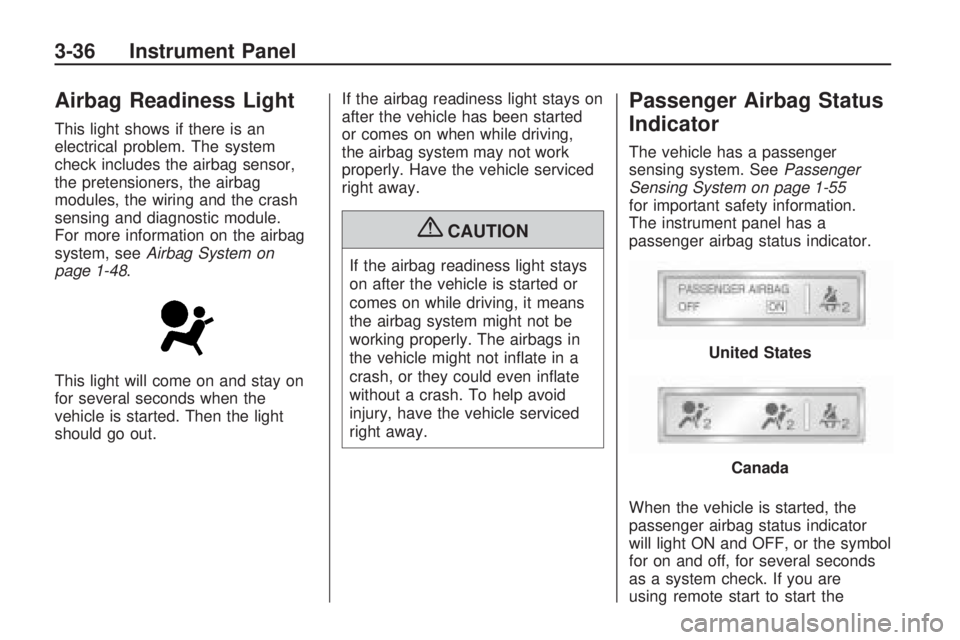
Airbag Readiness Light
This light shows if there is an
electrical problem. The system
check includes the airbag sensor,
the pretensioners, the airbag
modules, the wiring and the crash
sensing and diagnostic module.
For more information on the airbag
system, seeAirbag System on
page 1-48.
This light will come on and stay on
for several seconds when the
vehicle is started. Then the light
should go out.If the airbag readiness light stays on
after the vehicle has been started
or comes on when while driving,
the airbag system may not work
properly. Have the vehicle serviced
right away.
{CAUTION
If the airbag readiness light stays
on after the vehicle is started or
comes on while driving, it means
the airbag system might not be
working properly. The airbags in
the vehicle might not inate in a
crash, or they could even inate
without a crash. To help avoid
injury, have the vehicle serviced
right away.
Passenger Airbag Status
Indicator
The vehicle has a passenger
sensing system. SeePassenger
Sensing System on page 1-55
for important safety information.
The instrument panel has a
passenger airbag status indicator.
When the vehicle is started, the
passenger airbag status indicator
will light ON and OFF, or the symbol
for on and off, for several seconds
as a system check. If you are
using remote start to start the
United States
Canada
3-36 Instrument Panel
Page 157 of 420
vehicle from a distance, if equipped,
you may not see the system
check. Then, after several more
seconds, the status indicator
will light either ON or OFF, or either
the on or off symbol to let you
know the status of the right front
passenger frontal airbag.
If the word ON or the on symbol is
lit on the passenger airbag status
indicator, it means that the right front
passenger frontal airbag is enabled
(may inate).
If the word OFF or the off symbol is
lit on the passenger airbag status
indicator, it means that the
passenger sensing system has
turned off the right front passenger
frontal airbag.
If, after several seconds, both status
indicator lights remain on, or if
there are no lights at all, there may
be a problem with the lights or
the passenger sensing system.
See your dealer/retailer for service.{CAUTION
If the airbag readiness light ever
comes on and stays on, it means
that something may be wrong with
the airbag system. To help avoid
injury to yourself or others, have
the vehicle serviced right away.
SeeAirbag Readiness Light on
page 3-36for more information,
including important safety
information.
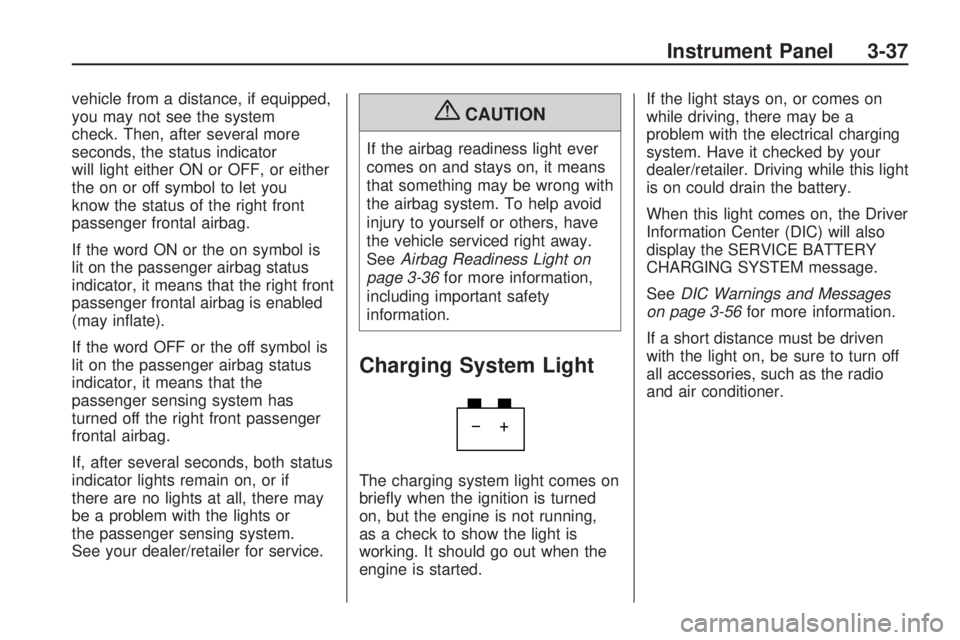
Charging System Light
The charging system light comes on
briey when the ignition is turned
on, but the engine is not running,
as a check to show the light is
working. It should go out when the
engine is started.If the light stays on, or comes on
while driving, there may be a
problem with the electrical charging
system. Have it checked by your
dealer/retailer. Driving while this light
is on could drain the battery.
When this light comes on, the Driver
Information Center (DIC) will also
display the SERVICE BATTERY
CHARGING SYSTEM message.
SeeDIC Warnings and Messages
on page 3-56for more information.
If a short distance must be driven
with the light on, be sure to turn off
all accessories, such as the radio
and air conditioner.
Instrument Panel 3-37
Page 181 of 420
RIGHT REAR DOOR OPEN
This message displays and a chime
sounds if the passenger side rear
door is not fully closed and the
vehicle is shifted out of P (Park).
Stop and turn off the vehicle, check
the door for obstructions, and
close the door again. Check to see
if the message still appears on
the DIC.
SERVICE A/C (Air
Conditioning) SYSTEM
This message displays when the
electronic sensors that control
the air conditioning and heating
systems are no longer working.
Have the climate control system
serviced by your dealer/retailer
if you notice a drop in heating and
air conditioning efficiency.
SERVICE AIR BAG
This message displays if there is a
problem with the airbag system.
Have your dealer/retailer inspect the
system for problems. SeeAirbagReadiness Light on page 3-36and
Airbag System on page 1-48for
more information.
SERVICE ALL WHEEL DRIVE
If your vehicle has the All-Wheel
Drive (AWD) system, this message
displays if there is a problem
with this system. If this message
appears, stop as soon as possible
and turn off the vehicle. Restart
the vehicle after 30 seconds
and check for the message on the
DIC display. If the message is
still displayed or appears again
when you begin driving, the AWD
system needs service. See your
dealer/retailer.
SERVICE BATTERY
CHARGING SYSTEM
On some vehicles, this message
displays if there is a problem
with the battery charging system.
Under certain conditions, the
charging system light may also turn
on in the instrument panel cluster.
SeeCharging System Light onpage 3-37. Driving with this problem
could drain the battery. Turn off
all unnecessary accessories.
Have the electrical system checked
as soon as possible. See your
dealer/retailer.
SERVICE BRAKE SYSTEM
This message displays along with
the brake system warning light
if there is a problem with the brake
system. SeeBrake System
Warning Light on page 3-38. If this
message appears, stop as soon
as possible and turn off the vehicle.
Restart the vehicle and check for
the message on the DIC display.
If the message is still displayed or
appears again when you begin
driving, the brake system needs
service as soon as possible.
See your dealer/retailer.
SERVICE PARK ASSIST
If your vehicle has the Ultrasonic
Rear Parking Assist (URPA) system,
this message displays if there is a
problem with the URPA system.
Instrument Panel 3-61
Page 279 of 420
Service
For service and parts needs, visit
your dealer/retailer. You will receive
genuine GM parts and GM-trained
and supported service people.
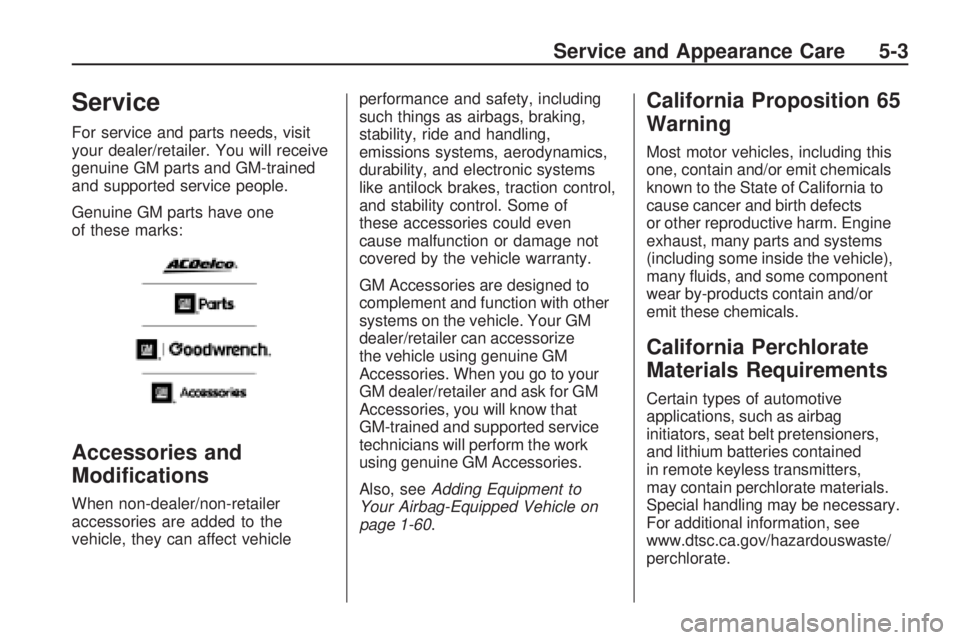
Genuine GM parts have one
of these marks:
Accessories and
Modications
When non-dealer/non-retailer
accessories are added to the
vehicle, they can affect vehicleperformance and safety, including
such things as airbags, braking,
stability, ride and handling,
emissions systems, aerodynamics,
durability, and electronic systems
like antilock brakes, traction control,
and stability control. Some of
these accessories could even
cause malfunction or damage not
covered by the vehicle warranty.
GM Accessories are designed to
complement and function with other
systems on the vehicle. Your GM
dealer/retailer can accessorize
the vehicle using genuine GM
Accessories. When you go to your
GM dealer/retailer and ask for GM
Accessories, you will know that
GM-trained and supported service
technicians will perform the work
using genuine GM Accessories.
Also, seeAdding Equipment to
Your Airbag-Equipped Vehicle on
page 1-60.
California Proposition 65
Warning
Most motor vehicles, including this
one, contain and/or emit chemicals
known to the State of California to
cause cancer and birth defects
or other reproductive harm. Engine
exhaust, many parts and systems
(including some inside the vehicle),
many uids, and some component
wear by-products contain and/or
emit these chemicals.
California Perchlorate
Materials Requirements
Certain types of automotive
applications, such as airbag
initiators, seat belt pretensioners,
and lithium batteries contained
in remote keyless transmitters,
may contain perchlorate materials.
Special handling may be necessary.
For additional information, see
www.dtsc.ca.gov/hazardouswaste/
perchlorate.
Service and Appearance Care 5-3
Page 280 of 420
Doing Your Own
Service Work
{CAUTION
You can be injured and the
vehicle could be damaged if you
try to do service work on a vehicle
without knowing enough about it.
Be sure you have sufficient
knowledge, experience, the
proper replacement parts, and
tools before attempting any
vehicle maintenance task.
Be sure to use the proper
nuts, bolts, and other
fasteners. English and metric
fasteners can be easily
confused. If the wrong
fasteners are used, parts
can later break or fall off.
You could be hurt.If doing some of your own service
work, use the proper service
manual. It tells you much more
about how to service the vehicle
than this manual can. To order
the proper service manual,
seeService Publications Ordering
Information on page 7-15.
This vehicle has an airbag system.
Before attempting to do your
own service work, seeServicing
Your Airbag-Equipped Vehicle
on page 1-59.
Keep a record with all parts receipts
and list the mileage and the date
of any service work performed. See
Maintenance Record on page 6-16.
Adding Equipment to the
Outside of the Vehicle
Things added to the outside of the
vehicle can affect the airow
around it. This can cause wind
noise and can affect fuel economy
and windshield washer performance.
Check with your dealer/retailer
before adding equipment to
the outside of the vehicle.
5-4 Service and Appearance Care
Page 327 of 420
Additionally, if your vehicle has
electronic systems such as anti-lock
brakes, rollover airbags, traction
control, and electronic stability
control, the performance of these
systems can be affected.
{CAUTION
If you add different sized wheels,
your vehicle may not provide an
acceptable level of performance
and safety if tires not
recommended for those wheels
are selected. You may increase
the chance that you will crash and
suffer serious injury. Only use GM
specic wheel and tire systems
developed for your vehicle, and
have them properly installed by
a GM certied technician.
SeeBuying New Tires on page 5-49
andAccessories and Modifications
on page 5-3for additional
information.
Uniform Tire Quality
Grading
Quality grades can be found
where applicable on the tire
sidewall between tread shoulder
and maximum section width.
For example:
Treadwear 200 Traction AA
Temperature A
The following information relates
to the system developed by the
United States National Highway
Traffic Safety Administration
(NHTSA), which grades tires
by treadwear, traction, and
temperature performance. This
applies only to vehicles sold in
the United States. The grades
are molded on the sidewalls of
most passenger car tires. The
Uniform Tire Quality Grading
(UTQG) system does not apply
to deep tread, winter-type snow
tires, space-saver, or temporary
use spare tires, tires with nominalrim diameters of 10 to 12 inches
(25 to 30 cm), or to some
limited-production tires.
While the tires available on
General Motors passenger cars
and light trucks may vary with
respect to these grades, they
must also conform to federal
safety requirements and
additional General Motors Tire
Performance Criteria (TPC)
standards.
Treadwear
The treadwear grade is a
comparative rating based on the
wear rate of the tire when tested
under controlled conditions on
a specied government test
course. For example, a tire
graded 150 would wear one
and a half (1.5) times as well
on the government course as a
tire graded 100. The relative
performance of tires depends
upon the actual conditions of
their use, however, and may
depart signicantly from the
Service and Appearance Care 5-51
Page 365 of 420
Service Parts
Identication Label
This label is on the inside of the
glove box. It is very helpful if
you ever need to order parts. The
label has the following information:
Vehicle Identication
Number (VIN)
Model designation
Paint information
Production options and special
equipment
Do not remove this label from the
vehicle.
Electrical System
High Voltage Devices and
Wiring
{CAUTION
Exposure to high voltage can
cause shock, burns, and even
death. The high voltage systems
in your vehicle can only be
serviced by technicians with
special training.
High voltage devices are identied
by labels. Do not remove, open,
take apart, or modify these
devices. High voltage cable or
wiring has orange covering. Do not
probe, tamper with, cut, or modify
high voltage cable or wiring.
Add-On Electrical
Equipment
Notice:Do not add anything
electrical to the vehicle unless you
check with your dealer/retailer
rst. Some electrical equipment
can damage the vehicle and the
damage would not be covered by
the vehicle’s warranty. Some
add-on electrical equipment can
keep other components from
working as they should.
Add-on equipment can drain the
vehicle’s battery, even if the vehicle
is not operating.
The vehicle has an airbag system.
Before attempting to add anything
electrical to the vehicle, see
Servicing Your Airbag-Equipped
Vehicle on page 1-59.
Service and Appearance Care 5-89
Page 367 of 420
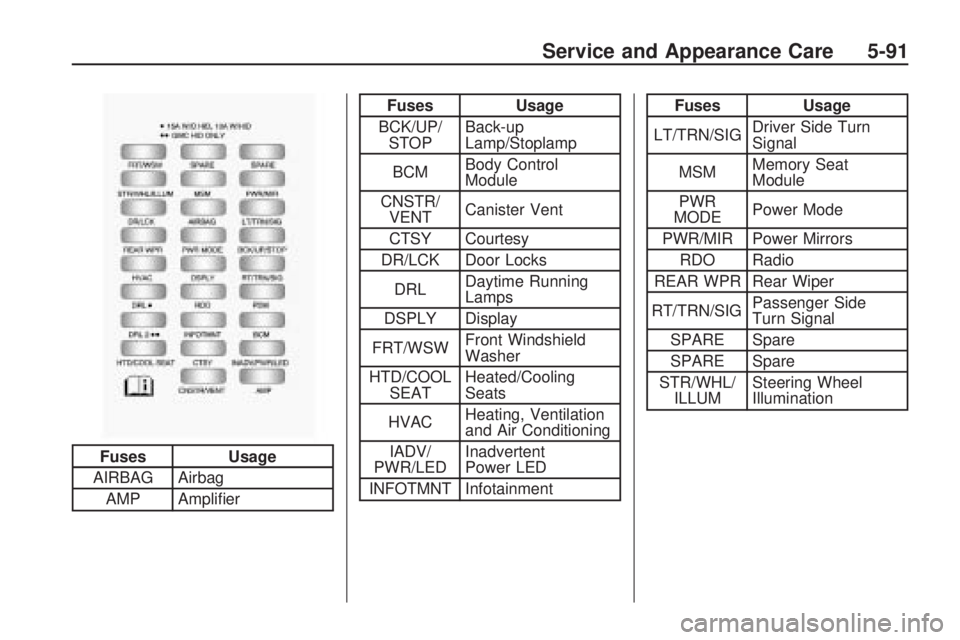
Fuses Usage
AIRBAG Airbag
AMP Amplier
Fuses Usage
BCK/UP/
STOPBack-up
Lamp/Stoplamp
BCMBody Control
Module
CNSTR/
VENTCanister Vent
CTSY Courtesy
DR/LCK Door Locks
DRLDaytime Running
Lamps
DSPLY Display
FRT/WSWFront Windshield
Washer
HTD/COOL
SEATHeated/Cooling
Seats
HVACHeating, Ventilation
and Air Conditioning
IADV/
PWR/LEDInadvertent
Power LED
INFOTMNT InfotainmentFuses Usage
LT/TRN/SIGDriver Side Turn
Signal
MSMMemory Seat
Module
PWR
MODEPower Mode
PWR/MIR Power Mirrors
RDO Radio
REAR WPR Rear Wiper
RT/TRN/SIGPassenger Side
Turn Signal
SPARE Spare
SPARE Spare
STR/WHL/
ILLUMSteering Wheel
Illumination
Fuse Side
Service and Appearance Care 5-91
Page 369 of 420
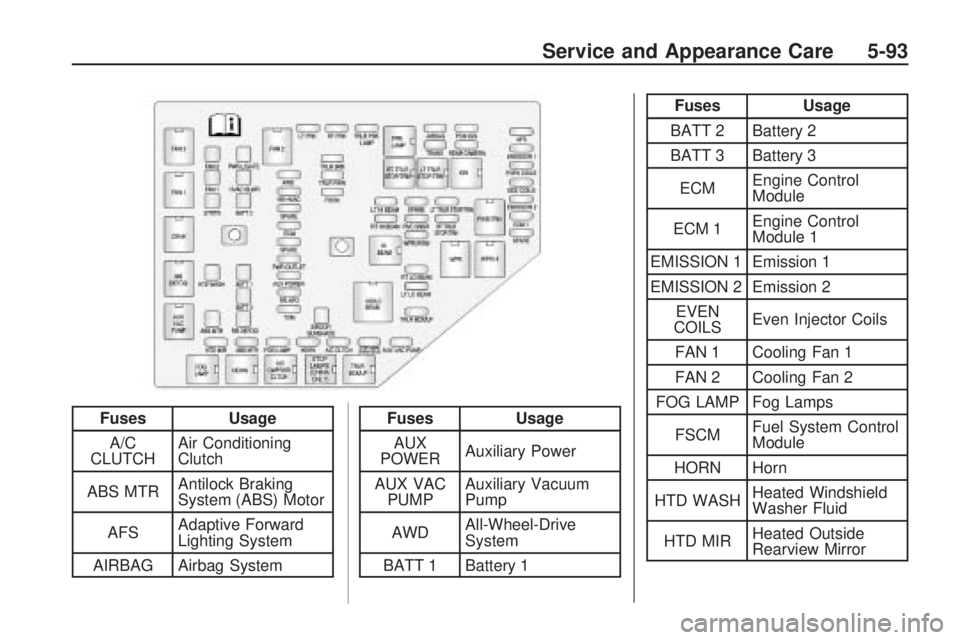
FusesUsage
A/C
CLUTCH Air Conditioning
Clutch
ABS MTR Antilock Braking
System (ABS) Motor
AFS Adaptive Forward
Lighting System
AIRBAG Airbag SystemFuses Usage
AUX
POWER Auxiliary Power
AUX VAC PUMP Auxiliary Vacuum
Pump
AWD All-Wheel-Drive
System
BATT 1 Battery 1
Fuses Usage
BATT 2 Battery 2
BATT 3 Battery 3
ECM Engine Control
Module
ECM 1 Engine Control
Module 1
EMISSION 1 Emission 1
EMISSION 2 Emission 2 EVEN
COILS Even Injector Coils
FAN 1 Cooling Fan 1
FAN 2 Cooling Fan 2
FOG LAMP Fog Lamps
FSCM Fuel System Control
Module
HORN Horn
HTD WASH Heated Windshield
Washer Fluid
HTD MIR Heated Outside
Rearview Mirror
Service and Appearance Care 5-93
Page 406 of 420
Vehicle Data
Recording and
Privacy
Your GM vehicle has a number of
sophisticated computers that record
information about the vehicle’s
performance and how it is driven.
For example, your vehicle uses
computer modules to monitor and
control engine and transmission
performance, to monitor the
conditions for airbag deployment and
deploy airbags in a crash and, if so
equipped, to provide antilock braking
to help the driver control the vehicle.
These modules may store data to
help your dealer/retailer technician
service your vehicle. Some modules
may also store data about how you
operate the vehicle, such as rate of
fuel consumption or average speed.
These modules may also retain the
owner’s personal preferences, such
as radio pre-sets, seat positions, and
temperature settings.
Event Data Recorders
This vehicle has an Event
Data Recorder (EDR). The main
purpose of an EDR is to record, in
certain crash or near crash-like
situations, such as an airbag
deployment or hitting a road
obstacle, data that will assist in
understanding how a vehicle’s
systems performed. The EDR is
designed to record data related to
vehicle dynamics and safety
systems for a short period of time,
typically 30 seconds or less.
The EDR in this vehicle is designed
to record such data as:
How various systems in your
vehicle were operating
Whether or not the driver and
passenger safety belts were
buckled/fastened
How far, if at all, the driver was
pressing the accelerator and/or
brake pedal
How fast the vehicle was
travelingThis data can help provide a better
understanding of the circumstances
in which crashes and injuries occur.
Important:EDR data is recorded
by your vehicle only if a non-trivial
crash situation occurs; no data is
recorded by the EDR under normal
driving conditions and no personal
data (e.g., name, gender, age,
and crash location) is recorded.
However, other parties, such as law
enforcement, could combine the
EDR data with the type of personally
identifying data routinely acquired
during a crash investigation.
To read data recorded by an EDR,
special equipment is required,
and access to the vehicle or the
EDR is needed. In addition to
the vehicle manufacturer, other
parties, such as law enforcement,
that have the special equipment, can
read the information if they have
access to the vehicle or the EDR.
7-16 Customer Assistance Information